Fantasy Faire 2015 opens the doors for creator registrations

Wednesday, March 4th, 2015 saw the opening of Creator Registrations for the 2015 Fantasy Faire.

Fantasy Faire, which will take place between April 23rd and May 3rd 2015 (inclusive), is the largest fantasy-related event to take place in Second Life. It brings together fantasy enthusiasts, creators, performers and designers for ten days of commerce, special events, live music concerts across 12 themed regions, and with special emphasis on fund raising for Relay for Life of Second Life.
Fantasy Faire 2014; Inara Pey, April 2014, on Flickr Fantasy Faire 2014 (Flickr)

This year marks the 7th annual Fantasy faire, and the organisers are projecting a very high turn-out for both creators and visitors, and there are a number of ways for creators to be involved:

  • Themed Store with 300 prims allocation: L$2500
  • Featured Creator Store with 700 prims allocation: L$ 8,000 – these store are located near the region sponsor and landing point
  • Featured Creator Store + Event Sponsor: L$33000
  • Event/Hunt Sponsor: L$30,000 – this option does NOT include a store, but can be combined with a Themed or Featured Creator Store if required. Advertising at all Events including the Hunt, on the FF blog, on Fantasy Faire radio & in any promotional materials is included.

All applicants for store space are asked to have at least two (2) NEW items for sale, and preferably four (4), that benefit Relay for Life. Vendors for these items will be supplied by the organisers prior to the set-up dates.
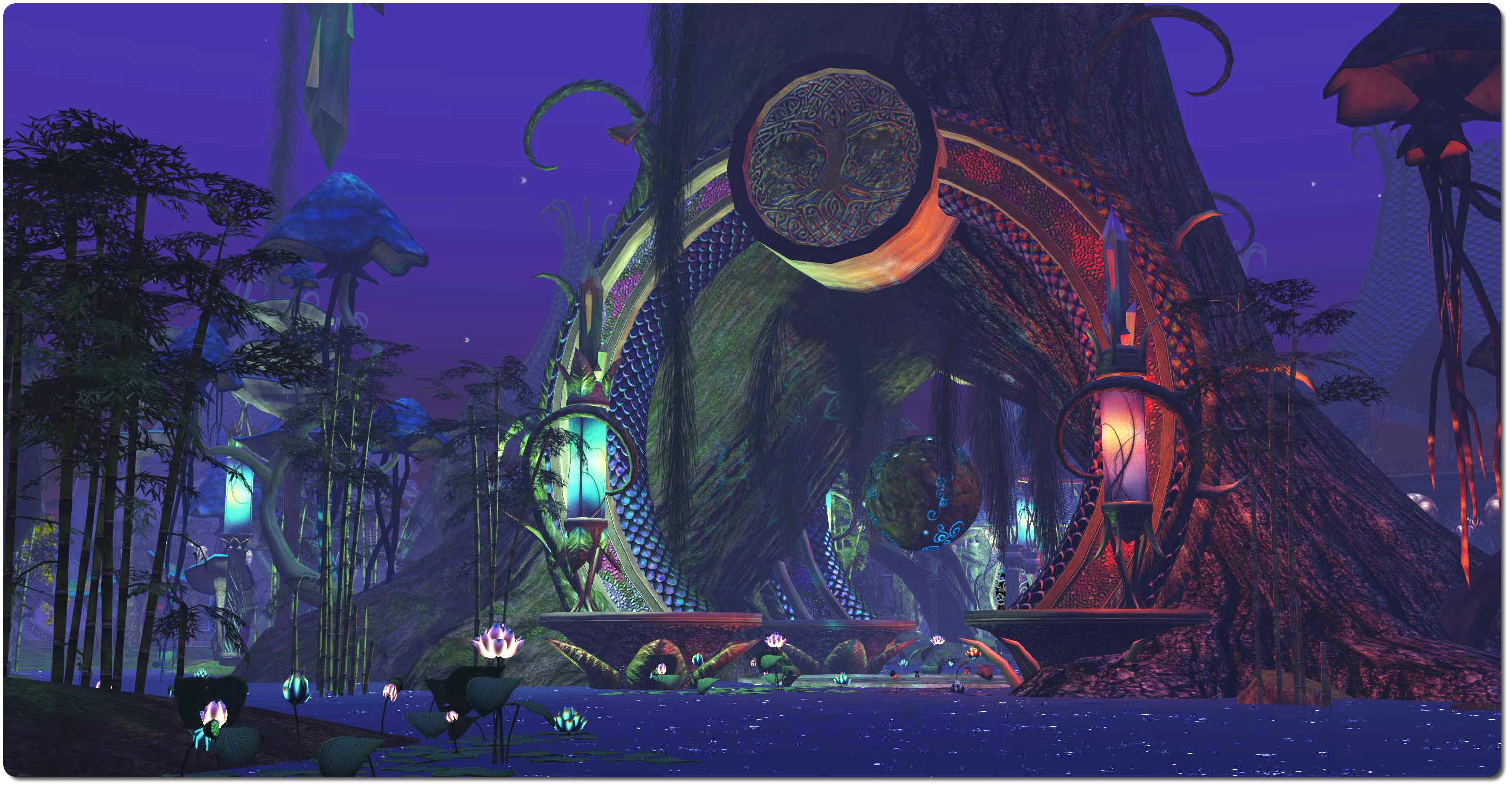
Fantasy Faire 2014: The Faery Court, Inara Pey on FlickrFaery Court: Fantasy Faire 2014 (Flickr)

How To Apply

To apply, please complete the Fantasy Faire Store Registration form no later than Tuesday, March 31st, 2015.

Remember that Fantasy Faire is a popular event, and than in 2014 store opportunities were quickly booked out. Therefore, earlier registrations are recommended, as spaces will be granted in the order of application / receipt of donation.

All successful applicants will receive an invitation to join the * * FFC Fantasy Faire – Backstage * * group, together with an information pack once applications have been processed and donations received. Request for donation payments will be sent to all successful applicant by FANTASYFAIRE RESIDENT as their applications are processed. All payment is going to a dedicated official Faire treasury account avatar for onward donation to RFL, and payments should not be made to anyone else. All transaction histories are available for examination on request and will be sent to RFL.

Further Information and Related Links


Re-visiting the Queen of the Sagittarian Sea

SS Galaxy
SS Galaxy

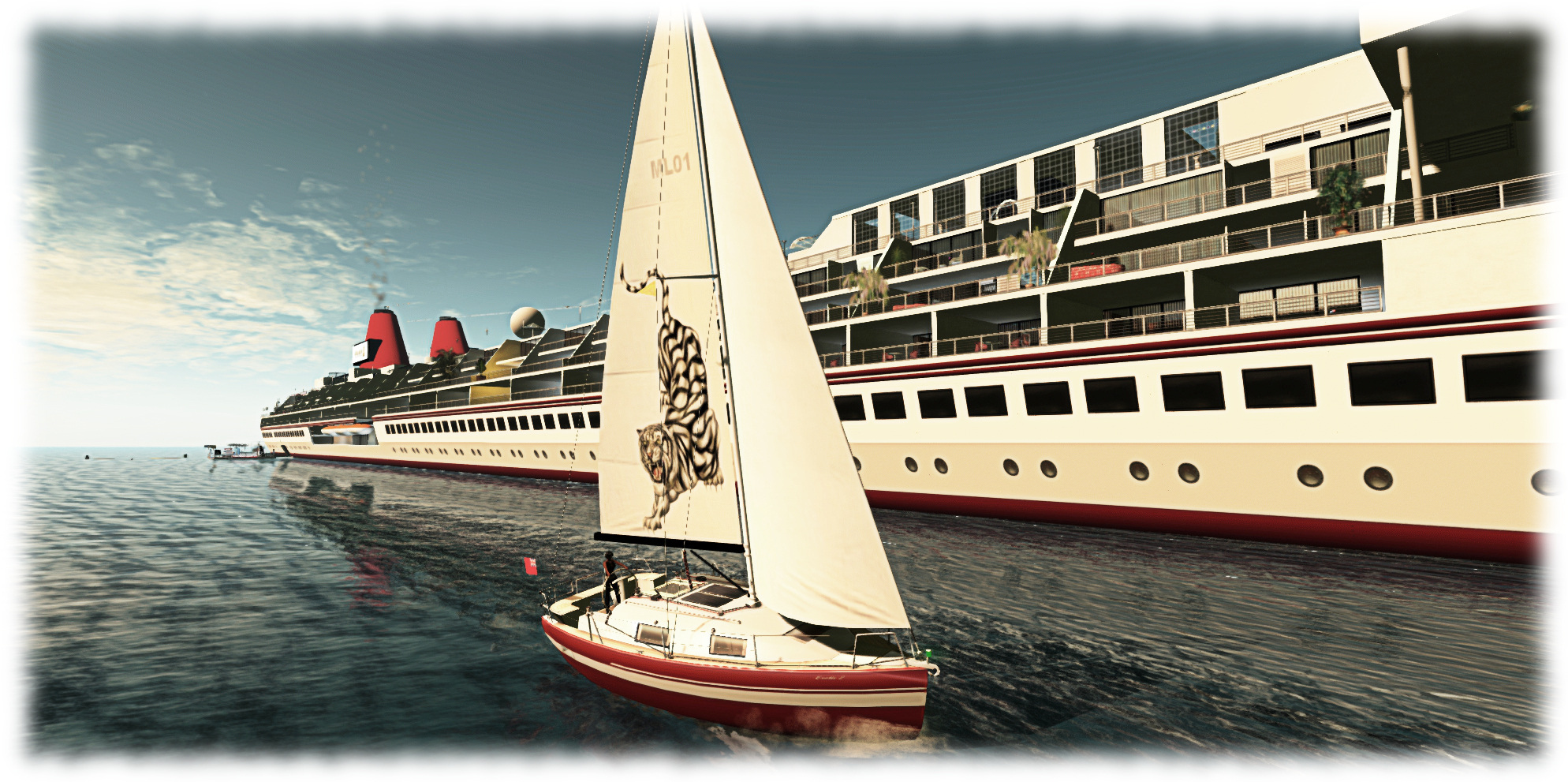
While introducing Maya to sailing in Second Life recently, I took us out on Exotix 2, heading south across Blake Sea with no particular destination in mind. As we headed down the coastal regions towards Honah Lee (see my write-up here),  I found myself asking, “ever seen the SS Galaxy?”

“No,” Maya replied. “What is that?” And with that, our course was set.

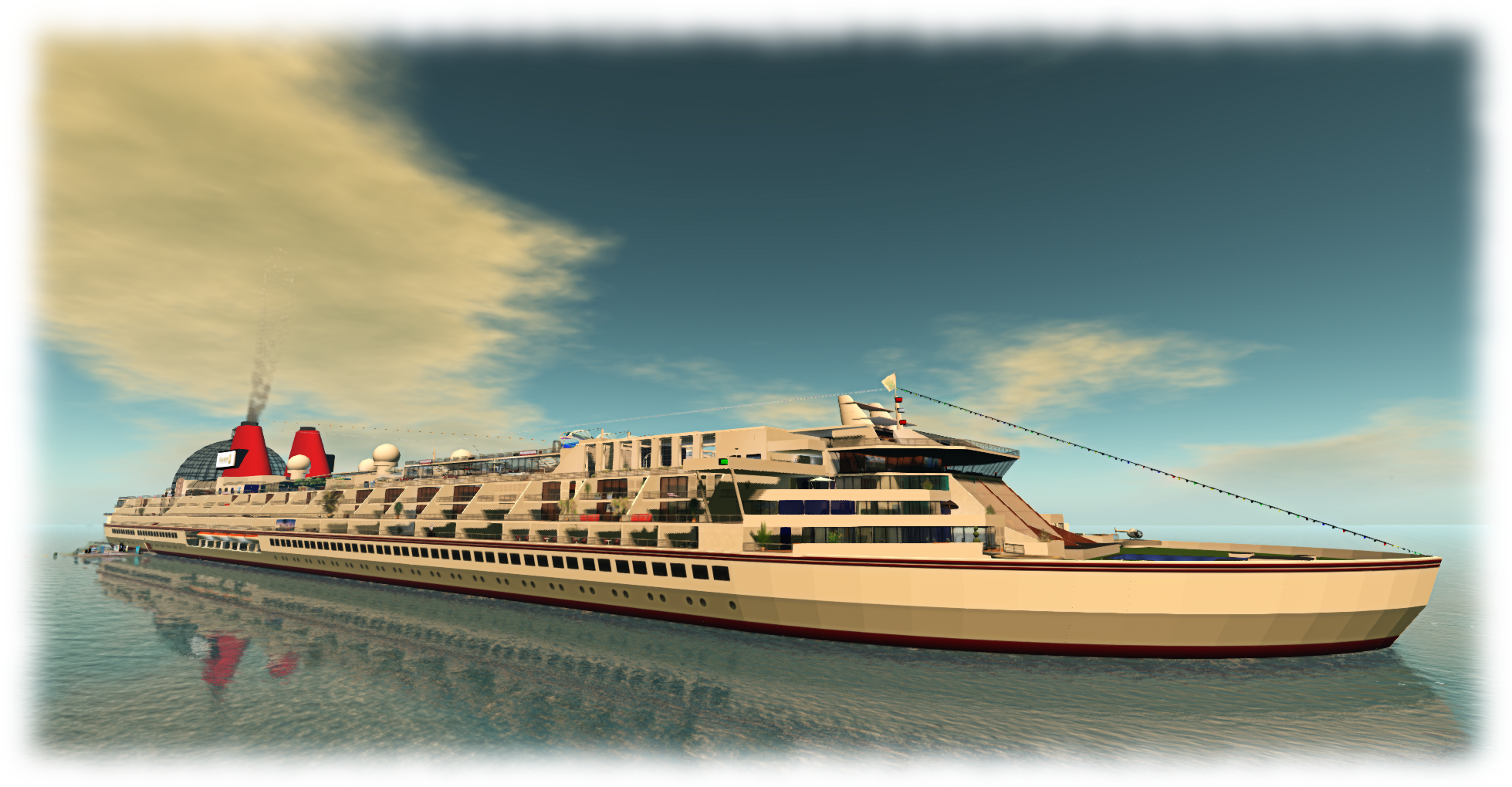
I mention this by way of introduction, because I frequently meet people unaware of the Queen of the Sagittarian Sea, more properly known as the SS Galaxy, which tend to surprise me, as she is quite unique and one of the sights of the platform. At almost three full regions in length and about 1/4 of of a region wide, she is quite probably probably the largest vessel afloat in any gird-based virtual world. “Launched” in mid-2007, she is a hugely impressive sight (and build), with an unladen primmage in excess of 32,000.

SS Galaxy
SS Galaxy – 3/4 view off the bow

Obviously, at that size, the Galaxy isn’t a mobile vessel, but that doesn’t matter, because what it has always offered Second Life residents is a destination with broad range of activities and a calendar of events in a very unique setting.  It also offers over 100 suites, cabins and mall spots to rent by those looking for a place to live or in which to establish a shop front.

I first visited the Galaxy in 2008, and became a semi-regular visitor over the years, first blogging about it in 2011.  I’ve continued to pay the occasional visit since then in as much as since taking up flying, I’ve often used the Galaxy as a way point for my solo flights when I’ve no particular destination in mind, and have very occasionally sailed around her. However, it’s actually been a few years since I last explored her decks and facilities, so the sailing trip with Maya turned into an unexpected opportunity to re-familiarise myself with this massive ship.

SS Galaxy - the spa pool
SS Galaxy – the spa pool

If you are going to explore the liner, the best place to start is the aft embarkation landing. From here you can peruse the ship’s deck plan and determine points of interest you might like to visit. The list of these includes the Zodiac Ballroom, Constellation Lounge, shopping mall, art galleries, swimming pools (indoor and out), ice skating rink, health spa, restaurants, nightclub, conference facilities, and more. Decks can largely be wandered at will, with both staircases and elevators linking them, making getting around easy.

The upper deck offers the greatest concentration of attractions. It is here you’ll find the Zodiac Ballroom, sitting under a huge glass dome, the main dining room and bar, the ice skating rink, coral lagoon pool and the wedding chapel and reception area. A couple of public helipads offer those flying in a place to land, but be aware that auto-return in set to 15 minutes, and rezzing is disabled.

The upper deck also offers a couple of attractions I used to enjoy years ago with friends, but again haven’t played in a long time: the miniature putting green and the skeet / clay pigeon shoot. These are located at the aft end of the deck, close to the dome of the Zodiac Ballroom,  along with the skydiving launcher and landing point, where I was able to introduce Strawberry Singh to the joys of skydiving in 2014.

SS Galaxy - wedding reception area
SS Galaxy – wedding reception area

As one would expect aboard a cruise ship, live events and music are a regular part of the Galaxy’s calendar, and details of music / dancing events can be found on the ship’s events calendar, also reproduced on the on the Galaxy’s blog which also includes general news and information about the ship.

The Galaxy may be an all prim build and perhaps lack more recent innovations introduced to SL such as the use of materials as a part of interior texturing, but it would be a mistake to dismiss her as “old school” because of this. What she may lack in terms of modern day build options she more than makes up for in terms of facilities and things to do; as such she still stands as a worthwhile destination for those who like exploring Second Life. What’s more, as she approaches her eighth anniversary, the SS Galaxy stands as a part of the history of Second Life, and her presence in-world is testament of how the platform has always been a springboard to our imaginations and creativity.

Sailing around the SS Galaxy in 2014

Related Links


SL project updates week 10/1: server, general news

Leka, Nordan om Jorden; Inara Pey, March 2015, on Flickr Leka, Nordan om Jorden (Flickr) – blog post

Server Deployments

Tuesday, March 3rd, saw the Main (SLS) channel receive the server maintenance package deployed to the RC channels in week #9. This includes:

  • A server-side fix for BUG-8297, “Unable to teleport anywhere using SLGO”
  • Improvements to server logging.

There were no scheduled deployments to the RC channels on Wednesday, March 4th.

Group Chat

Following the last deployment of back-end group chat changed during week #9, some large groups with active group chat have reported an increase in issues of message failures, although they appear to do so somewhat randomly, with some people seeing them and others simply not receiving them at all.

Commenting on the problem at the Simulator User Group meeting on Tuesday, March 3rd, Simon Linden summarised the situation thus:

In short, yes, it’s cranky, and yes, we’re (as in I am) looking at it … the chat server itself is actually running better than before, believe it or not. A back-end service it relies on, what we call “agent presence” [used to help locate someone on the grid], seems to be having new problems, so the changes may have added load to those servers and is causing problems, or something else unexpectedly changed … [So] some people don’t get the messages when chat is failing … it’s dropping sending some updates and messages when it times out with some other internal requests.

Further updates will be provided as the Lab / Simon continues to look at the problems.

CDN Notes

There have been recent reports of people experiencing slow texture and mesh load issues, leading to questions concerning the CDN service (although some of the issues that have been mentioned might be related to local caching more than the CDN). In particular questions have been asked as to how long a CDN server retained its cache of data relating to regions prior to going “cold” and requiring a “reload” from the SL services. Commenting on this at the Open-source Developer meeting on Monday, March 2nd, Oz Linden said that some CDN caches do age out more quickly than others.

The Lab has also been experimenting with more than one CDN provider, and are continuing with different CDN configurations as well to further tune things, as well as continuing to measure results; so we may yet see further changes  / improvements, and a possible decrease in instances that may be related to “cold” CDN loads.

Other Items

Rigged Mesh Crashers

The Server Beta Meeting on Thursday, February 26th saw the issue of a “new” mesh crasher being used on the grid. This is essentially a deliberately corrupted rigged mesh attachment which, when worn will cause viewers around it to immediately crash, with no warning or ability to take preventative action, such as muting the offending avatar.

Just over a year ago, some advice was given on how to counter graphics crashers by adjusting the viewer’s debug settings, and some people many be getting pointed towards it again in order to avoid being affected by the “new” crasher.

However, changing the specified debug settings can lead to a failure to render much of what you actually want to see, as noted in  this comment following the article. At the time the advice was given, the Firestorm team tracked many of the problems their users were experiencing directly to the settings having been changed. Ergo, if you are pointed to this particular article as a means of combating graphics crashers, please keep in mind you may gain undesirable results, and keep a note of the original settings so you can switch back to them should this be the case.

During the discussion on this matter at the SBUG meeting, speculation was raised on whether or not the forthcoming new viewer rendering controls (see: STORM-2082). opinion is divided, as the viewer downloads the data which may cause a graphic crash and starts processing some of it in order to determine what to render or not, and even this initial processing could be enough to crash it.

SL Feed Issues

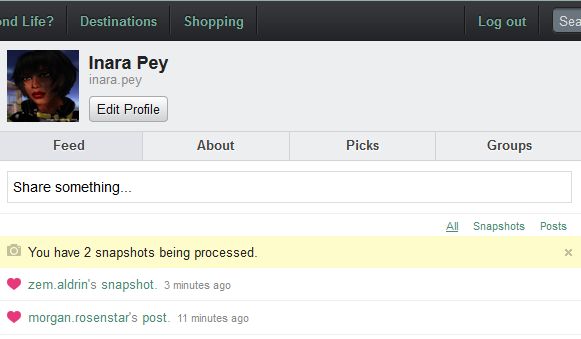
There has been an uptick in the number of snapshot uploads to the SL feeds failing over the course of the last week, with some additionally reporting issues of comments failure to appear / “loves” failing to stick. Some users also reported issues over the weekend with web profiles failing to load, and a JIRA (see BUG-8677) was logged on this issue on March 3rd.

The last several days have seen people again encounter issues with snapshots failing to process / display in their feeds

Whether the two issues had a common cause isn’t clear, but as the latter has been resolved, and you are one of those continuing to experience snapshot upload failures, please file a JIRA providing as much information as possible (links to any feed post with a missing snapshot, date / time of upload, number of failures, etc.).

Firestorm TTT: the clean install

firestorm-logoUpdate, March 10th: In response to feedback following the release of this video, Jessica released a more in-depth video examining clean isntalls, settings back-ups, etc. The new video can be found here.

The Firestorm Tool Tip Tuesday video for March 3rd, 2015, covers what can be a thorny and intimidating issue: that of performing a clean install of the viewer.

In an ideal world, clean installs wouldn’t be needed. However, there are times when installing a newer version of a viewer over an existing version, that things which shouldn’t happen do happen, and things that should have happened don’t happen correctly. And while the frequency with which people are asked to perform clean installs have decreased in recent times for most viewers, they can still be the first step in avoiding later issues.

Where Firestorm is concerned, and given it has so many additionally exposed features with supporting UI elements and so on, the chances of something hiccuping during an install and causing problems later cannot be overlooked. Hence why, when releasing a particularly complex update to the viewer, or when dealing with support requests from users after a complex update being released, Firestorm support will often advise / ask if a clean install has been used with the new release.

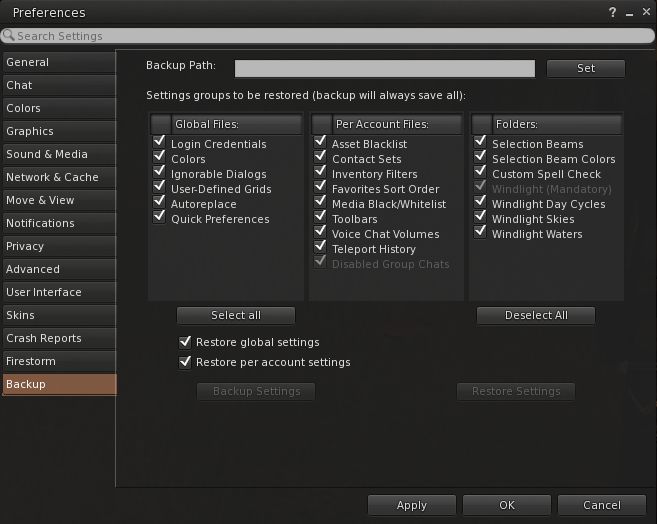
Firestorm's settings backup feature can help remove some of the pain involved in a clean install, by allowing you to save many of your preferred global and account setting locally, and then quickly restore them after a clean install of a new version of the viewer
Firestorm’s settings backup feature can help remove some of the pain involved in a clean install, by allowing you to save many of your preferred global and account setting locally, and then quickly restore them after a clean install of a new version of the viewer

To make things easier, the Firestorm team has provided additional capabilities within the viewer which allow you to not only save things like your chat logs, etc., to a dedicated folder to avoid them being lost as a result of a clean install (as is the case with all viewers), but they’ve provided a means to back-up and restore all of your viewer settings. However, even with these capabilities, performing a completely clean install can be a daunting task for many.

So in this video, Jessica takes you through her preferred method of running a clean install on a PC – starting from ensuring all or logs files and setting are safely saved  / backed-up through to launching the viewer after a clean install and restoring all of your settings.


In NYC on March 17th? Can you log-in to real life and help Draxtor?

l2l-header

Login2Life is one of the most engaging and inspirational documentaries made about virtual worlds. Almost four years in the making, Daniel Moshel’s film follows people from around the world who spend their time engaged in the virtual worlds of Second Life and World of Warcraft.

Entirely without a direct narrative voice-over, the film’s power lies in both allowing those appearing in it to describe their involvement in the worlds they use entirely in their own words, and in allowing the audience to engage its cognitive processes, rather than trying to lead them by the hand to a pre-determined conclusion.

This means that what is seen in the film might always sit comfortably with people, but it does make them think, and in terms of Second Life, it offer a clear challenge to what might be said to be the stereotypical misconceptions about the platform as a whole, and invite those critical of it to re-think their position.

Login2Life involved many people in its production, including Draxtor Despres, who provided both the music for the film and some of the machinima footage used within it. He has been an ardent supporter of the film, promoting it wherever and whenever he can – and he now needs the assistance of a volunteer to help him do so again.

On Tuesday, March 17th, Login2Life will be shown at the Reel Abilities Film Festival, in what is being billed as its US screen premiere.The film will be screened at 20:30 EDT at the JCC Manhattan. At the same time, the film will also be streamed in-world at Virtual Ability’s Sojourner Auditorium.

After the screening, commencing at around 22:00 EDT, an in-world panel at the Sojourner Auditorium, comprising Drax, Login2Life’s director, Daniel Moshel and film participant and founder of Virtual Ability, Gentle Heron, will take questions from the audience at the JCC Manhattan under the moderation of anthropologist and film-maker Faye Ginsburg.

And it is with this SL / RL cross-over discussion that Drax is seeking assistance.

The open-air Sojourner Auditorium, Virtual Ability Island, will host the in-world showing of Login2Life on Tuesday, March 17th, 2015, and will be the venue for the SL side of the SL / RL post-presentation discussion

“I need an SL enthusiast in the New York City area,” Drax informed me when discussing the event. “Someone who can not only attend the screening on March 17th, but who can offer their services to the organisers, and help them deal with any audio or video issues which might occur during the discussion panel.”

Obviously, a reasonable knowledge of streaming and audio in relation to Second Life would obviously be of benefit if you would like to offer your support, and Drax further indicated to me that there will be the opportunity for time and expenses to be reimbursed.

So, if you are able to lend an important hand in this event, please contact Drax directly via e-mail at the earliest opportunity.

The event is also an excellent opportunity for those in the NYC area who have not seen Login2Life to do so. Tickets for the screening are  available through the Reel Abilities website for those who might want to pop along.

Finally, if you’re not in NYC to see the film there, you can also hop over to Virtual Ability island, and watch the in-world streaming of the film there, which will start at 17:30 SLT on Tuesday, March 17th, 2015 – but do be aware seating will be limited.

Related Links

Art in The Living Room

The Living Room
The Living Room

The Living Room is a new art, performance and social venue  which will officially open its doors on Tuesday, March 3rd, 2015, at 12:00 noon SLT.

“Daallee and I have wanted a little comfy place for a while,” Owl Dragonash, one of the two people behind The Living Room says of the venue. “A place to give back to the artists and musicians we love an appreciate.”

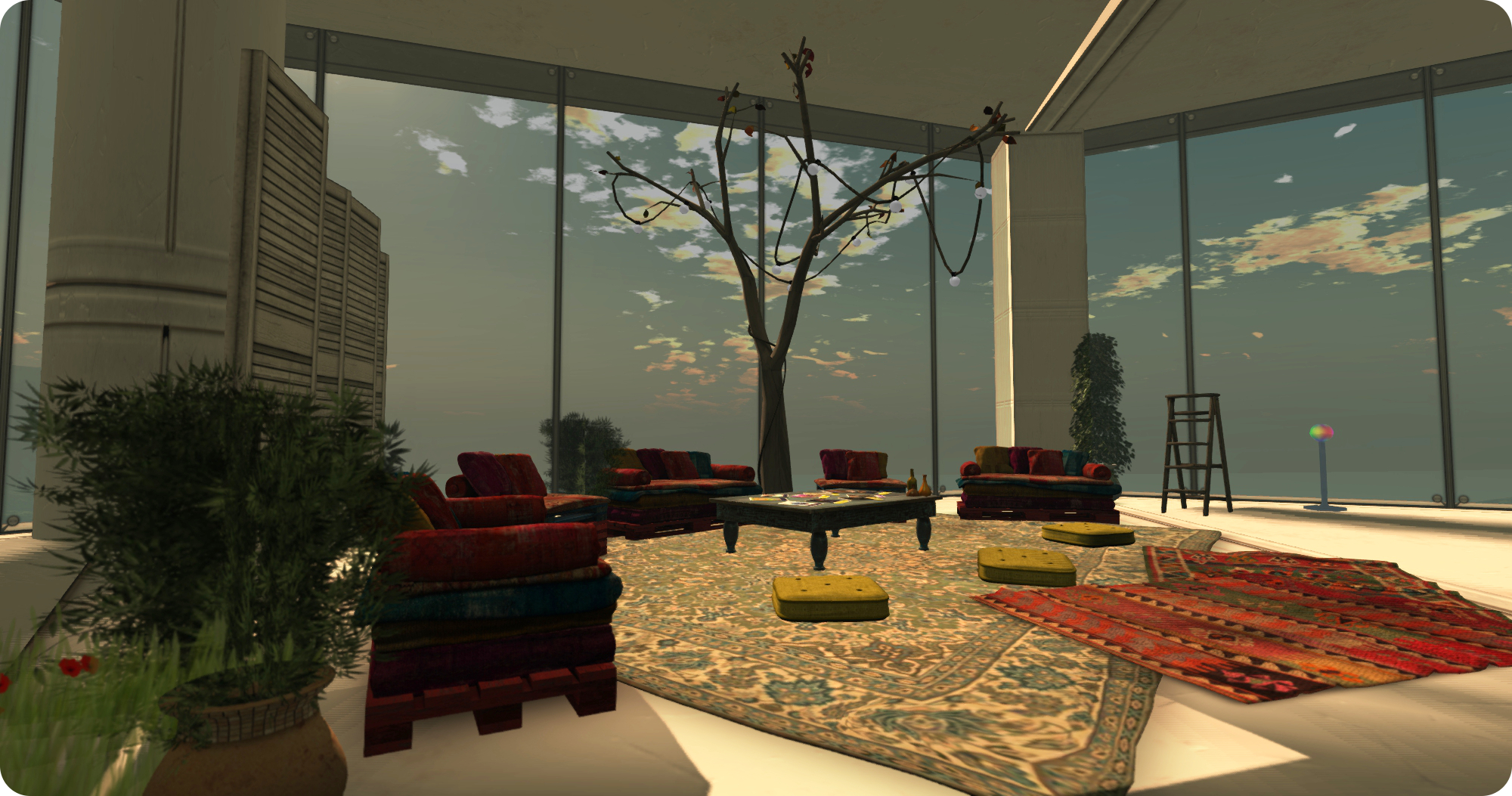
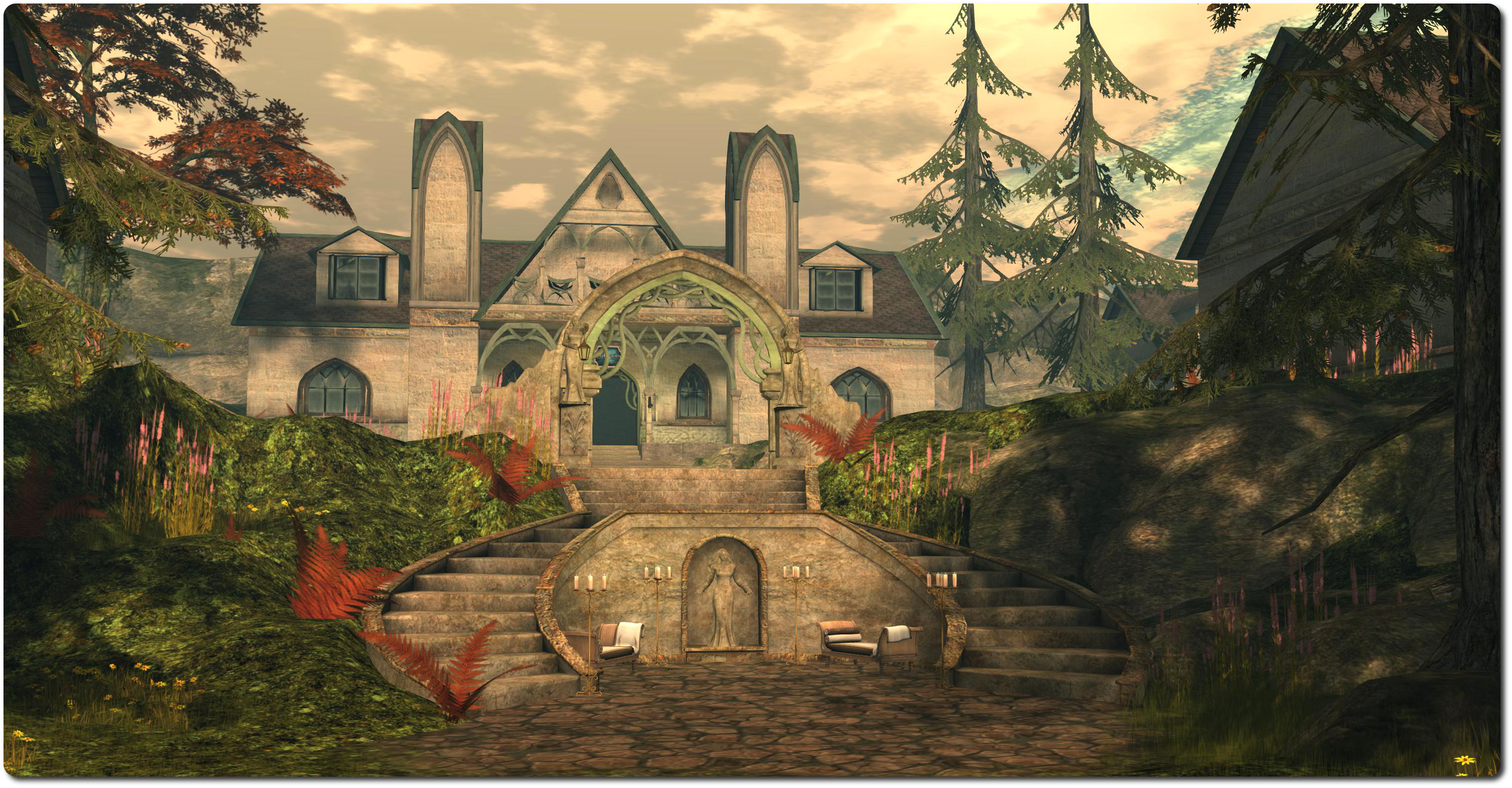
Spread across the upper two floors of a tall circular tower, The Living Room offers commanding views out over the region in which it sits. The lower floor offers room for people to sit and chat or, if there is a musician playing, to enjoy the music from the comfort of sofas and armchairs. A small art display area is also on this floor, although the main gallery space is the floor above.

Cica Ghost, Small Worlds, The Living Room

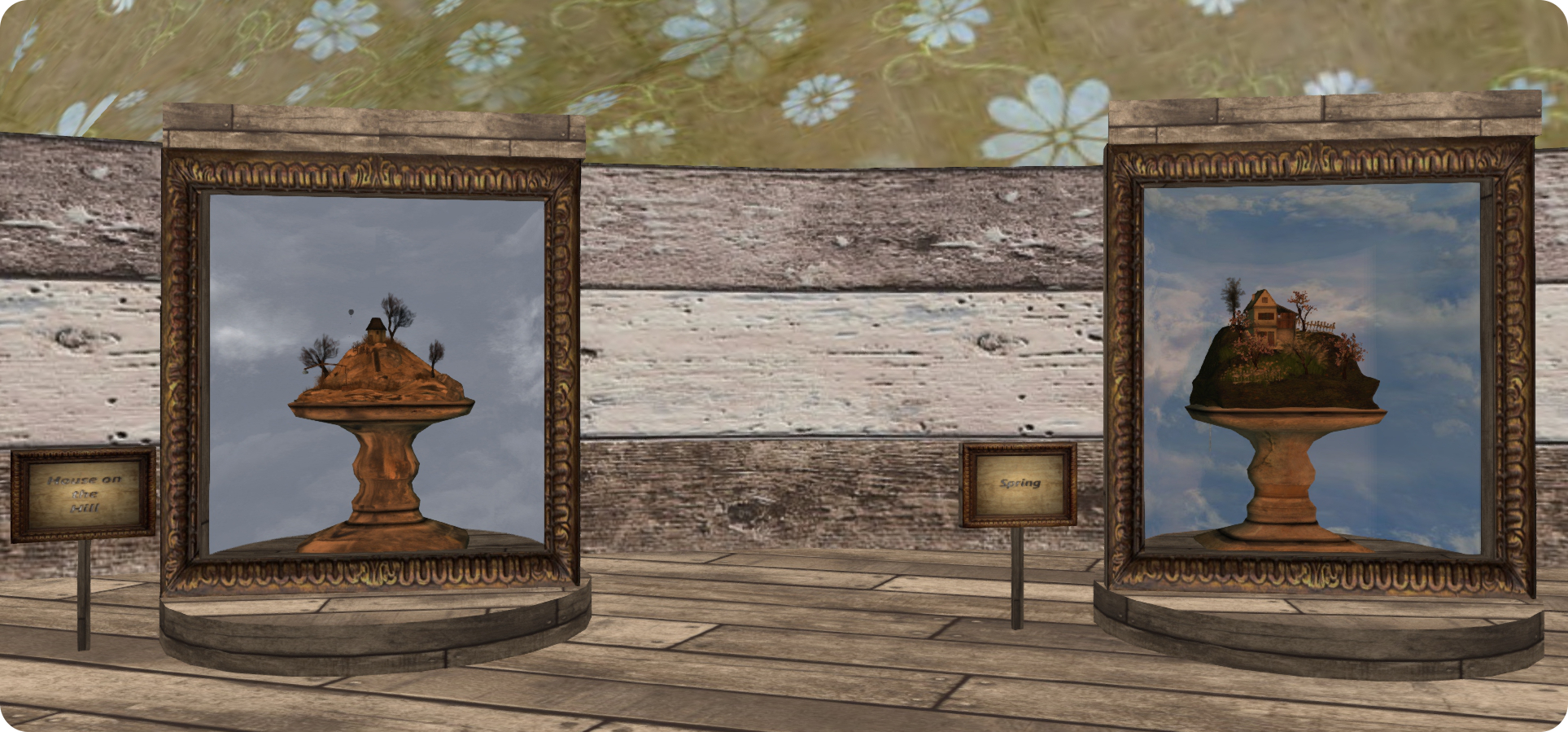
For their début exhibition, Owl and Daallee are excited and pleased to have a small exhibition of pieces by Cica Ghost. And small really is the operative word here, as Cica has provides a set of of seven exquisite little dioramas entitled Small Worlds, and they are an absolute delight.

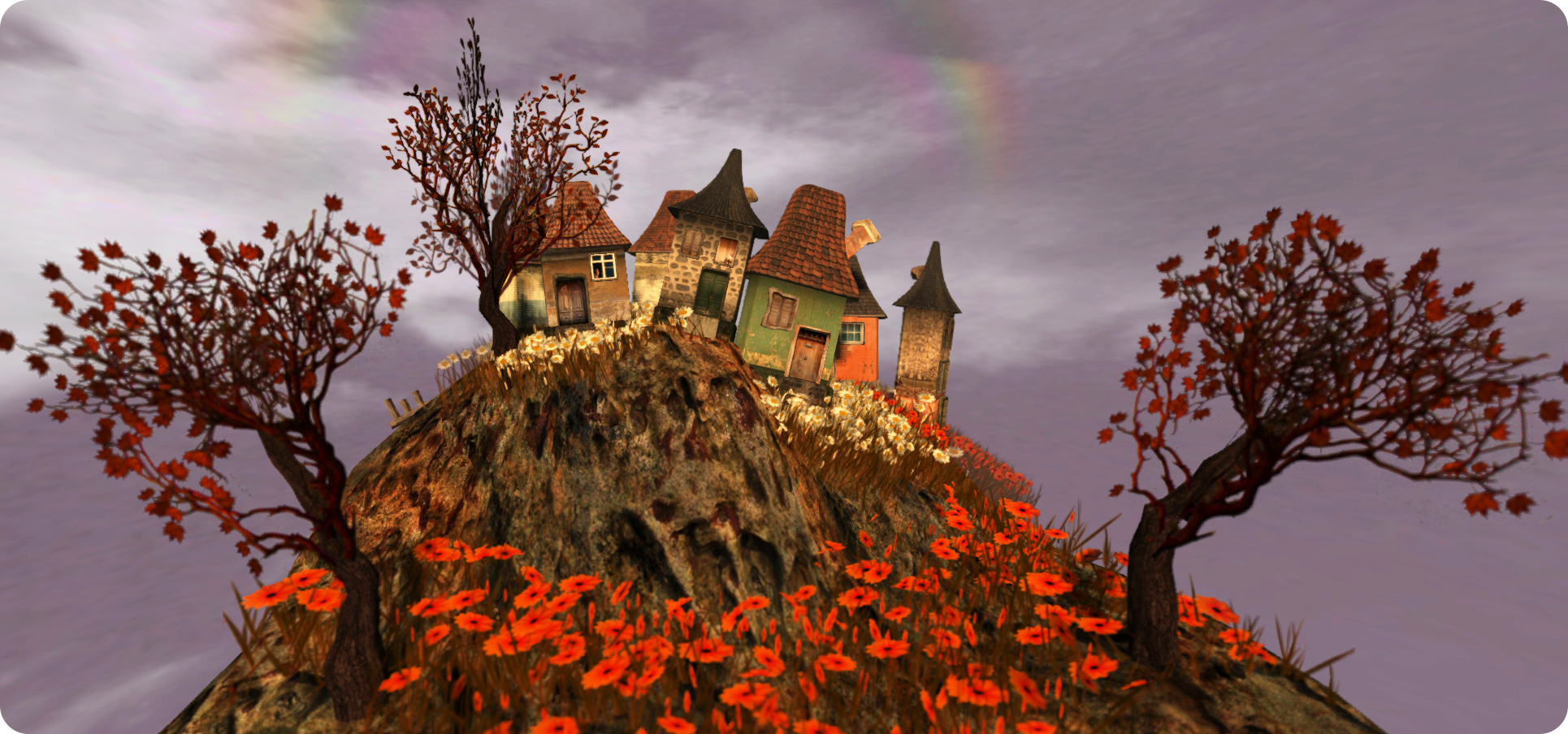
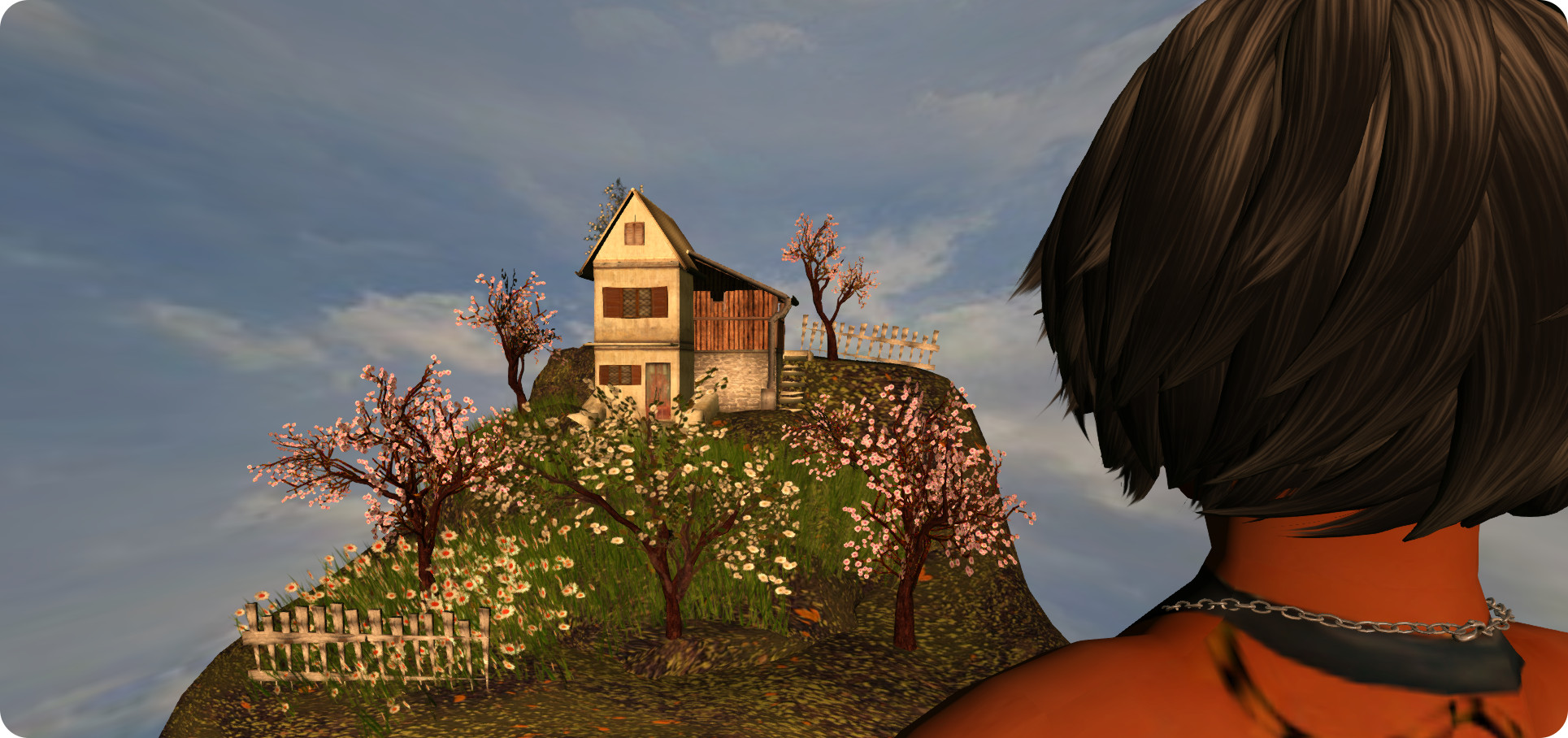
Each diorama is displayed within its own case, sitting atop a small stone plinth. Four of them represent the seasons of the year, while the remaining three present more general scenes, one of which art lovers may recognise as a miniature reproduction of Cica’s wonderful 2014 exhibition, Little Village, which I wrote about almost exactly a year ago.

Cica Ghost, Small Worlds, The Living Room

And when I say “exquisite”, I do mean just that, these tiny models are beautifully crafted and rich in detail, so much so that they should be seen for themselves, rather then viewed through photographs.Take Little Village for example (see above). Not only has Cica reproduced her lovely and quirky little hilltop houses, when you look closely at them, you’ll see little cats sitting in the windows of some, a familiar Cica touch on several of her installations in the past.

Each of the models is available for sale at L$400 each for those who particularly drawn to having one at their SL home, and copies can be purchased via the little sign alongside each one, which also provides the LI for each piece as well, so you know precisely what you’re getting (the LIs range from 39 through to 135, depending on the complexity of each model).

Cica's models for Small Worlds really are tiny and beautifully detailed - The Living Room
Cica’s models for Small Worlds really are tiny and beautifully detailed – The Living Room

To celebrate the opening of The Living Room, the first live music event will feature The Vinnie Show, and Owl and Daallee have already lined-up further entertainment and events, including:

  • Thursday, March 12th: 17:00 – Mason Thorne; 18:00 – Whirli Placebo
  • Thursday March 26th: 11:00 – Small Worlds closing party, featuring Winston Auckland
  • Sunday March 29th: 17:00 – Rynanne’s Closet fashion show with music by Augusto Napoli.

An in-world group has also been created for those interested in keeping abreast of news on events occurring at the venue, and which can be joined via a subscription board on the lower floor. Owl and Daallee have also created a Flickr group where people can post their images of art and music events at The Living Room.

“We imagine The Living Room to be a welcoming hang out used to share Artists and Musicians creative talents with us our community and The SL community,” Owl and Daallee say of their new venue. “And don’t forget, The Living Room lives on Lagrange Point Spaceport sim, owned By Hippie Bowman, which has a full galaxy to explore, take the space taxi it is fun!”

So why not hop on over to The Living Room and enjoy some good music, wonderful art and friendly company – and take a tour of Lagrange Point while you’re there.

Related Links