AMD Catalyst™ drivers: additional Windows workaround

Update, March 21st: AMD have release a new set of Catalyst™ drivers, version 15.3 beta, which include a potential fix for the rigged mesh issues, negating the need for this workaround – see my notes here.

Update, Sunday, December 14th: user DMC Jurassic reports that the process outlined below can also be used with the OpenGL .DLL files from the AMD Catalyst 14.4 drivers. However, no ZIP file of the extracted DLLs are currently available, so Yoho’s notes at the end of the article will need to be followed to obtain them.

Also note that Singularity have issued a supplemental update to address mesh rendering issues.

On Tuesday, December 9th, I blogged about the continuing issues impacting  those with AMD GPUs using the latest Catalyst and Omega drivers.

Yoho Waco offers an AMD Catalyst driver workaround for Windows users

Second Life resident, and contributor to this blog, Yoho Waco offered a workaround to the problem for Windows users who would prefer to use the latest Catalyst drivers, rather than rolling back to an earlier version.

The workaround should fix the mesh rendering issue, and while Yoho uses Windows 7 64-bit, the basic approach should work with all flavours of support windows, 64-bit and 32-bit.

I can’t actually test it myself, as I use Nvidia, but feedback indicates it works well, and so with Yoho’s permission, I’m reprinting his instructions here so that it might get broader visibility.

As many have pointed out, the issue lies in the fact that the more recent Catalyst drivers use a late version of OpenGL that is supported by SL. This being the case, Yoho provides instruction on using an earlier version of OpenGL with the more recent drivers:

It seems that the problem is in the OpenGL version has the new driver 14.12.

AMD- Catalyst-1

I tried a small solution is to take the DLL’s from version 14.9 and place them inside the folder .\SecondLifeViewer

Above left: the .DLL files from Yoho's dropbox copied into the SL viewer's installation folder;  and above right, how they are reported by the viewer
Above left: the .DLL files from Yoho’s dropbox copied into the SL viewer’s installation folder; and above right, how they are reported by the viewer

It works perfectly, no problems or fall FPS.

Yoho provides the required files in a  ZIP file users can download – just copy them to your viewer’s installation folder, as he notes above.

Note that if you’re using a viewer other than the official SL viewer, you’ll need to drop the files into the relevant installation folder, rather than .\SecondLifeViewer (e.g. in the case of Windows 64-bit, instead of dropping the files into C:\Program Files\SecondLifeViewer, you would  place them in C:\Program Files\[name of your viewer]).

Commenting to me about the fix, Yoho said:

I had to install version 14.9 on my computer and search for the files inside C:\Windows\System & C:\Windows\System32. Once copied, I completely uninstalled the version of the Catalyst 14.9 drivers and reinstalled the new version 14.12 Omega drivers. I used and application called DDU, as  it is best to fully uninstall a driver to avoid conflicts. However, this is all very complicated, so I published my DLLs [in the dropbox link above] so users can access them and copy them to their viewer.

Do note that this workaround won’t solve the shadows issues which occur with the Catalyst 14.9.x drivers (see BUG-7947 and BUG-7627), however, Yoho informs me that when he has the time, he may try to see if he can use the OpenGL DLLs from the 14.4 drivers to see if they can be used in this approach to resolve issues, both with mesh rendering and with shadows.

In the meantime, those who would prefer to use the latest drivers and have tried this approach state it works, but as always, your mileage may vary, and the workaround is offered without liability or responsibility on either Yoho’s or my part.

My thanks to Yoho for his work in this and notifying me.

CtrlAltStudio provides Oculus SDK 0.4.4 support and Mac build

CAS-logoOn December 4th, Oculus VR released the latest software version for the Oculus Rift, version 0.4.4. A beta release, it includes an number of bug fixes and improvements, while retaining  experimental support for Linux.

As a result of this update, Strachan Ofarrel (aka Dave Rowe in the physical world) released an updated version of the Alpha version of his CtrlAltStudio viewer on Friday, December 12th. Version 1.2.2.41224 Alpha 5 brings with it not only support for the SDK update but also, courtesy of Mac viewer developer Cinder Roxley, a Mac build as well.

As usual with the Alpha version of the viewer, this release is installed into its own directory / folder, and so can be installed alongside the current release version of the CtrlAltStudio Viewer. A clean install is not required if you have been running previous alpha versions.

Core updates in this release comprise:

  • Updated to Rift SDK 0.4.4. This fixes the overdone vignette (fading to black) around the Rift barrel image’ edges edges.
  • Updated position of notification messages and script dialogue boxes so that they’re visible and usable in Riftlook.
  • Modified Start+Back key behaviour on Xbox controller if Rift display is configured: if you’re not in Riftlook then you enter Riftlook the same as before; however if you’re already in Riftlook then it zeros sensors the same as Ctrl+Spacebar (instead of exiting Riftlook). To exit Riftlook with the Xbox controller, press the yellow ‘Y’ button.
  • Updates for Mac OSX build.

Hints and Tips

Also, don’t forget that each set of release notes for the Alpha version of the viewer includes a set of hints and tips for getting the best results when using the viewer with the Rift.  These include tips from Strachan and also discoveries made by other users, and are being added to over time. They include, but are not limited to:

  • If you have good frame rates, including while turning, set your Rift display to 75Hz: Control Panel > Display > Screen Resolution > Advanced Settings > Monitor
  • If you’re experiencing judder while turning then try to try disabling one or more of the “Dynamic prediction” … “Pixel overdrive” Oculus Rift options, consider configuring your Rift display to 60Hz, and possibly try enabling triple buffering in your display driver
  • Setting your Rift to be your primary monitor may also reduce judder [Estelle Pienaar]
  • If you have a stereoscopic 3D system, you may need to disable stereoscopic 3D display in order to stop the Rift’s display rate being reduced from 75Hz to 60Hz. [Estelle Pienaar]
  • If you have an Nvidia graphics card, adding an entry for the viewer in the Nvidia Control Panel 3D Settings and setting the preferred refresh rate to unlimited may let your Rift run at 75Hz without needing to make it your primary monitor [Phoenix]
  • If using Windows 7 and you’re experiencing juddering, try turning off Windows 7’s Aero. [Phoenix]
With floating text you may want to adjust the distance the floating text fades at so that distant text is not so annoying in Riftlook - one of the tips from Strachan
With floating text you may want to adjust the distance the floating text fades at so that distant text is not so annoying in Riftlook – one of the tips from Strachan

 Related Links

The Great Gatsby: virtually redefining educational outreach

Explore TGGThose of us involved with and immersed in virtual worlds are very familiar with the power and opportunities they offer for educational purposes.

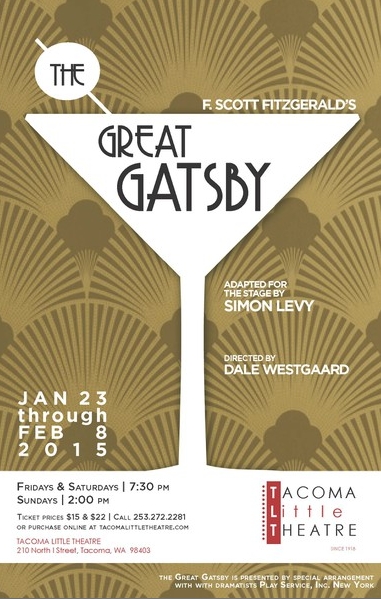
In January and February 2015, this will again be demonstrated in a unique way as literature, live theatre and a virtual world combine to present theatre goers and school children with the opportunity to not only witness the unfolding of one of the great stories from American literature – F. Scott Fitzgerald’s The Great Gatsby – but to actually immerse themselves in the story itself due to a new an unique collaborative partnership between the Tacoma Little Theatre (TLT), in Tacoma, Washington state, and the folk at Seanchai Library.

From on January 23rd, 2015 through until  February 8th, TLT will be presenting Simon Levy’s stage adaptation of The Great Gatsby, directed by Dale Westgaard, to adult audiences and daytime audiences from local schools.

Coinciding with the play, through their extensive facilities on Kitely, the Seanchai Library will be offering audiences and schools attending performances with the opportunity to explore the world presented by the novel from the comfort of their own home or from within the classroom.

Explore Gatsby will run alongside TLT's production of 's stage adaptation of the novel, giving patrons the opportunity to explore F. Scott Fitzgerald's world in greater detail
Explore Gatsby will run alongside TLT’s production of Simon Levy’s stage adaptation of the novel, giving TLT patrons and schools  with the opportunity to explore F. Scott Fitzgerald’s world in greater detail

Explore the Great Gatsby Online, the début production in Seanchai Library’s EXPLORE the Stories Behind the Art series, will open its doors on January 14th, 2015. It will offer visitors the opportunity to visit key locations from the novel and play, and in doing so learn more about the era in which the story is set, explore Fitzgerald’s life and writings and discover more about the theatre in which the play is being performed.

On offer within Seanchai Library’s virtual environments will be a reproduction of the fictional West Egg, where the story’s narrator, Nick Carraway rents a small holiday guest house, only to find himself living next door to the enigmatic Jay Gatsby, giver of lavish summer parties. Both Carraway’s little holiday house and Gatsby’s mansion will be open to explore.

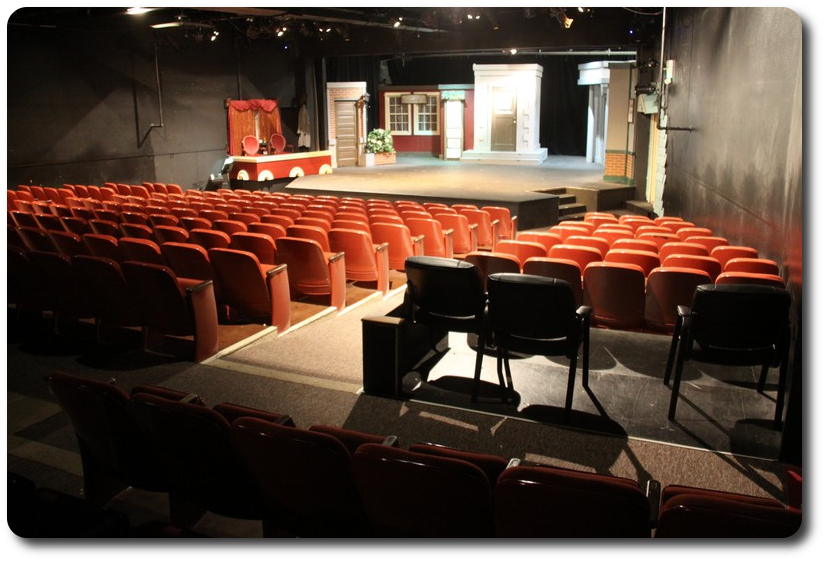
Also presented with the Explore Gatsby facilities will be a portion of East Egg, where Daisy Buschanan, the subject of Gatsby’s desires, lives in opulence with her husband Tom. Here, behind the Buchanan mansion’s façade, will reside a reproduction of the Tacoma Little Theatre itself, offering the opportunity for people to discover more about the theatre itself, which is among the oldest community theatres in the United States, and the oldest on the U.S. west coast, with a rich heritage going back to 1918.

And, of course, there will be the opportunity to visit the so-called “Valley of Ashes”, the industrial dumping ground so pivotal to the unfolding story, which lies between the fictional East and West Egg and the beating heart of New York City.

These various locations will serve as venues for a range of live events which both support TLT’s  production of The Great Gatsby and which also encourage visitors to further immerse themselves in literature, the stage and more; there will be readings and performances from the novel, interactive elements, within the various settings will provide information on a broad range of subjects, including information on the 1920s and the social issues people living then faced, the characters from the novel, etc.

Explore Gatsby will essentially be an educational study guide brought to three dimensional life. Through a special portal currently being developed by Seanchai Library, visitors will be able to learn how to download and use a viewer and operate an avatar, and then connect to Explore Gatsby in Kitely.

Tacoma Little Theatre will feature in Explore Gatsby, allowing people to discovery more about this historic community theatre
Tacoma Little Theatre will feature in Explore Gatsby, allowing people to discover more about this historic community theatre

Of special note with the project is the fact TLT present daytime performances of the plays they stage for local schools to attend. Thus, through their Explore Gatsby partnership with Seanchai Library TLT is presented with a dramatic – no pun intended – new way to engage with teachers, educators and school children in an immersive manner which links the performance of the play directly with classroom learning opportunities. The same also goes for TLT’s patrons, who can take a performance of The Great Gatsby home with them and them delve into Gatsby’s world through the Seanchai Library’s virtual recreations and events.

As noted above, Explore Gatsby will be opening its doors on Wednesday, January 14th, 2015, with in-world events and activities commencing on Friday, January 16th. Everyone involved in virtual worlds is extended a warm invitation to pop along and join in with planned activities as they take place – a programme calendar will be available nearer the time, and I’ll also be presenting it through these pages.

I’ve been privileged to be associated with Seanchai Library for a while now, and as a part of this association, I will be covering Explore Gatsby and the EXPLORE the Stories Behind the Art series as it develops. I’ll be kicking-off things in due course with a behind-the-scenes look at preparations for the début production.

Related Links

Firestorm 4.6.9.42974 hotfix released

firestorm-logoAs indicated in my update to the Firestorm 4.6.9.42969 release review in this blog, a couple of issues have been found within that release, which may affect some Firestorm users.

As a result, the Firestorm team have released a hotfix update to the viewer, which includes fixes for those issues and offers three more the team has also implemented.

The blog post on the fixes reads in full:

After releasing 4.6.9.42969 we discovered a few bugs that affect just enough users to warrant a hotfix update. However, if none of the issues addressed in this hotfix affect you personally there is no need for you to update to it.

The issues are listed below.

We have replaced the 42969 links with the new version 42974 on our download pages.

As per the blog post, unless one of the issues addressed by the fixes above affect you, there is no need to update your version of Firestorm. None of the fixes should directly impact on the elements of the viewer included in my 4.6.9.42969 review.

SL Project news week 50/2: viewer updates, no change window, misc news

Let it snow! Isles of Lyonesse; Inara Pey, December 2014, on FlickrLet it Snow! Isles of Lyonesse (Flickr) – blog post

Server Deployments – Week 50 Recap

As always, please refer to the server deployment thread in the forums for the most recent news and updates.

On Tuesday, December 9th, the Main (SLS) channel was updated with the server maintenance package deployed to the three RC channels in week #49.

On Wednesday, December 10th, all three RC channels received a new server maintenance package primarily comprising fixes for Experience Keys / Tools issues.

Server Deployments and the no Change Window

Week #51 (commencing Monday, December 15th) marks the run-up to the Christmas / New Year holiday break.

While it is still subject to official confirmation, it looks likely that the server maintenance update deployed to the RC channels will be promoted to the Main (SLS) channel on Tuesday, December 16th. However, due to the no change (code freeze) window coming into effect for the holiday period, there is likely to be no updates made to the RC channels until normal operations are resumed in week #2 of January 2015.

SL Viewer

Wednesday, December 10th saw the to remaining release candidate viewers updated to match the most recent release viewer:

  • The Maintenance viewer RC updated to version 3.7.23.297296. This includes a broad range of fixes for for voice, rendering, avatar distortion, inventory, sounds, the viewer UI, and more, plus a series of fixes for avatar attachments
  • The HTTP Pipelining RC viewer updated to version 3.7.23.297272. This reduces pipelined texture and mesh fetching time-outs so that stalled connections fail quickly allowing earlier retry. The time-out value is changed from 150 seconds to 60 seconds.

It is likely that one of these two viewers will be promoted to the de facto release viewer in week #51, prior to the no change window coming into force for the holiday period.

All other official SL viewer versions remain as per my Current Viewer Releases page.

Other News

Map Tile Issues

Some people may have noticed that World Map tiles reverted to some very slow loading behaviour recently (after being shifted to the CDN for a faster delivery of tile textures to the viewer back when use of the CDN was first being rolled-out). The lag in tile rendering should now be fixed.

Group notices from Group “(none)”

There has been an intermittent and recurring problem with group notices being received with a group of “(none)” assigned to them. This has been ongoing for a while, and those affected by it can detect no discernible patten in how it occurs; just that once or twice a week, rather than a notice carrying the group name as a URI, it is received with “(none)” as a clickable (and unresolvable) link. Some reports suggest that people will receive perhaps two or three such notices in a row before they again start receiving notices with the proper group name.

The problem doesn’t appear to be endemic to any specific viewer, and can occur randomly with notices from any group. Due to its intermittent and random behaviour, it is hard to pin down a specific cause  – such as the viewer failing to resolve the associated group name. However, should you encounter the problem, please consider checking your viewer logs for any messages which appear to be associated with the problem, and raising a JIRA on the matter, appending said log entries.

Continue reading “SL Project news week 50/2: viewer updates, no change window, misc news”

Frisland in winter

Frisland, Laluna Island (Flickr)

Back in March 2014, I made my first visit to Frisland, the region Charlie Namiboo, Anna Barzane and Frislanda “Fris” Ferraris created while imagining what the mystical land for which it is named might look like, if it were to actually exist.

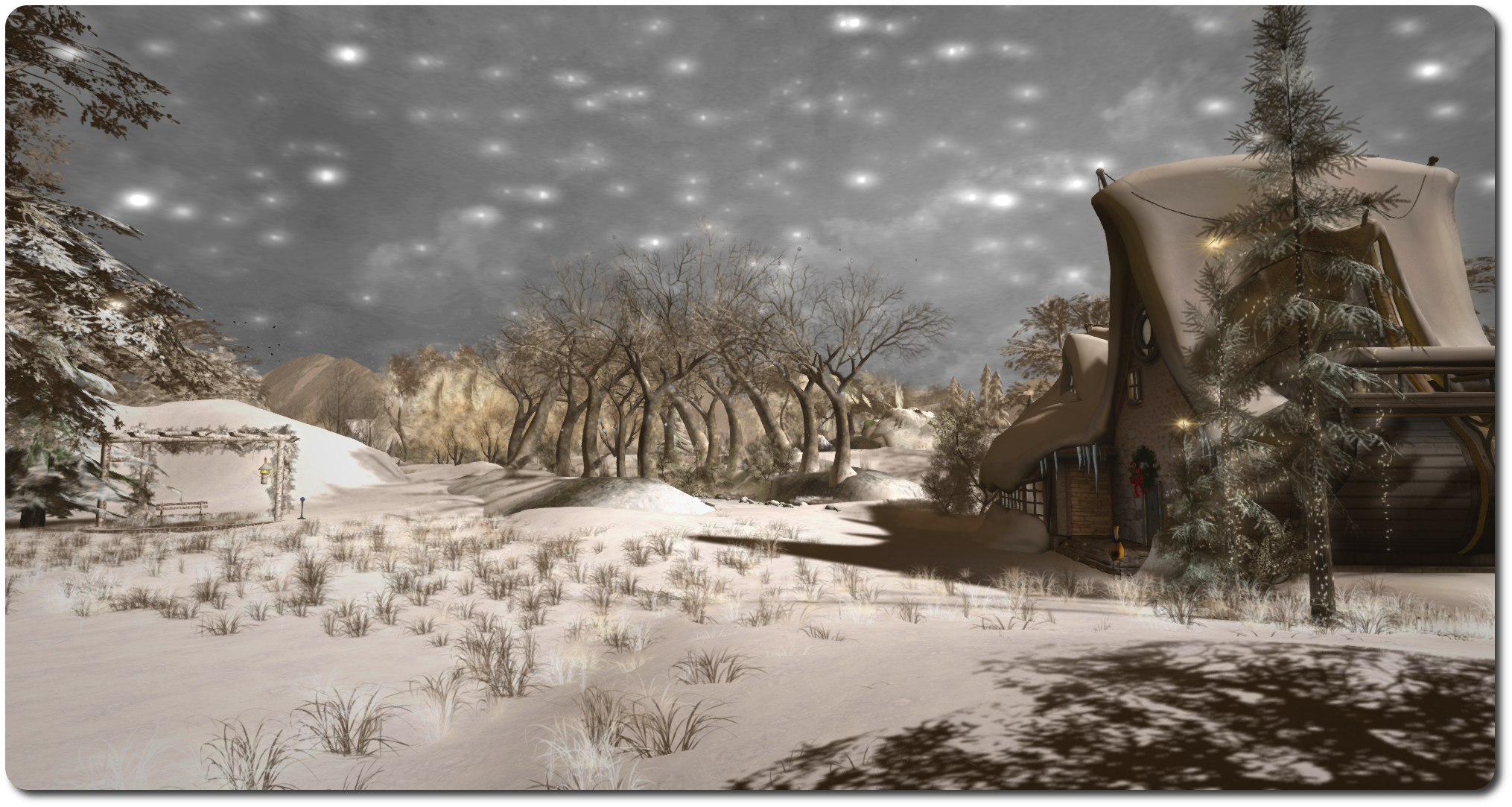
Given that the island was supposed to exist in the North Atlantic, it is hardly surprising that winter has come a-visiting at Frisland, and snow now lies deep on the ground across most of the region, and frost has turned the bare-armed trees a hoary white, while ice covers the ponds and some of the water of the island’s stream.

Frisland, Laluna Island (Flickr)

Frisland has always been a lovely, photogenic place, but the snowy blanket covering it now gives it an extra edge of  beauty and, frankly, romance. The layout of the region hasn’t really changed – nor should it; but there are a few seasonal additions – an ice skate vendors alongside the central pond, and if you get cold or want a little extra Christmas feel to your home, Anna offers a free Frisland winter scarf for visitors and a set of decorative candles for the home. Further down the path from the main houses is a mulled wine stall, should you need a little warming-up, and close to that, a snowman offers you his trick of doing a handstand…

Frisland, Laluna Island (Flickr)

All told, a beautiful make-over which retains all of the photogenic beauty of the island, making it a must-see of the season. Little wonder it has been in the Editor’s Picks of the Destination Guide!

But rather than me rabbit on about it, here’s a little machinima I hope you’ll enjoy.

Related Links