Of rocks, drills and portraits

CuriosityOn Wednesday 6th February, Curiosity used its drill for the very first time to cut into a rock on Mars – the first time such an operation has ever been undertaken on the Red Planet.

The operation wasn’t a sample-gathering one, or even an attempt to obtain surface material for use in “cleaning” the internal sample collection feeds in the drill. It was what NASA referred to as a “mini drill test” designed to ensure the drill behaved as anticipated when combining both the drilling and hammer actions, and to generate cuttings which could be used to confirm the inside of the rock – dubbed “John Klein” in tribute to former Mars Science Laboratory deputy project manager John W. Klein, who died in 2011 – would provide material suitable for processing by the rover’s sample handling mechanisms.

The borehole resulting from the operation cut just 2 centimetres into the rock, but it provided enough material for initial visual analysis using the Mars Hand Lens Imager MAHLI), also mounted on the rover’s robot are along with the drilling mechanism.

A “blink” pair of images showing “John Klein” before and after the “mini drill test” : the bore hole (some 2cm deep and 1.6cm in diameter) and debris.

Two images taken by the telephoto lens of the rover’s Mastcam system were taken to present a before-and-after “blink” image of the drill site, with the first image capture on Sol 178 (February 4th), prior to drilling, and the second captured on Sol 180 (February 6th), immediately after drilling had been completed and the turret rotated out of the way. In the second image, the results of the drilling can clearly be seen – not just with the hole and surrounding cuttings, but in the way that vibrations from the drill’s cutting / hammering has shaken dust and debris from the surrounding veins in the rock, most notably those at the bottom of the image.

Once drilling had been completed, Curiosity manoeuvred MAHLI into position over the hole to capture a range of close-up images which would be used to visually analyse the cuttings and assess their suitably for sample processing. The first of these images returned to Earth revealed a near-perfect borehole, leading members of the mission team to dub it “sweet baby”.
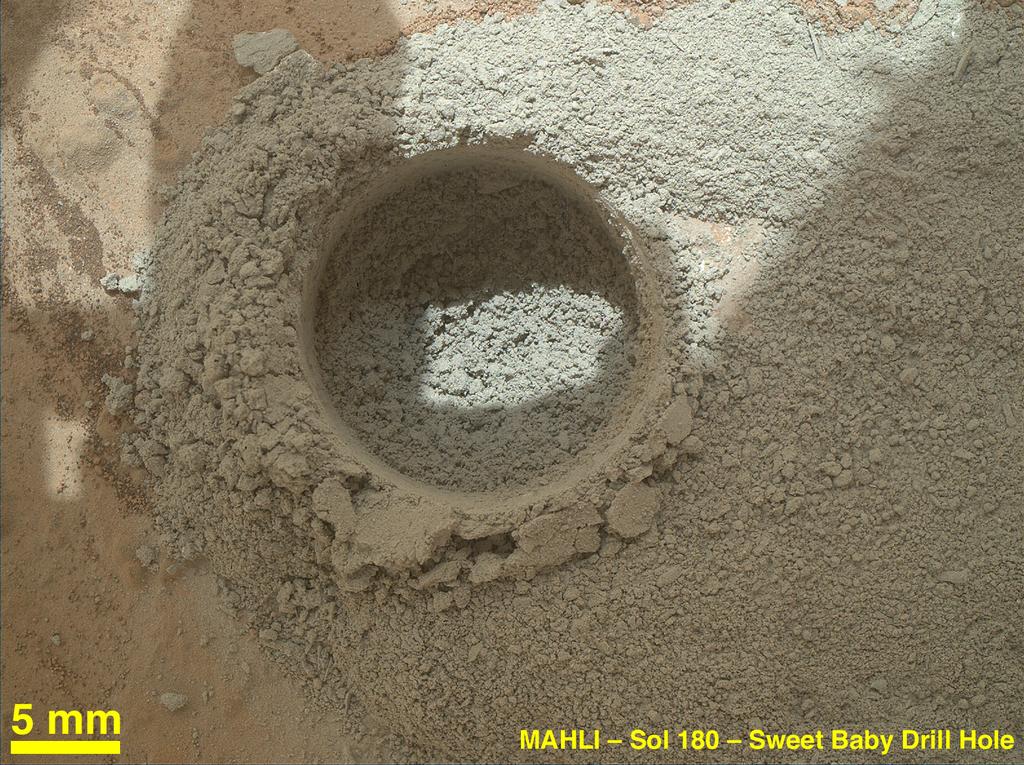
“Sweet baby” up close: imaged by MALHI, the 2cm deep hole is revealed in detail, surrounded by cuttings, some of which are compacted as a result of the drill’s cutting / percussive actions.

Visual analysis of the images is liable to continue for the next few days, and will likely be coupled with use of the Chemical Camera (ChemCam) system with its powerful remote imager system, prior to a decision being made as to whether material yielded by the rock is suitable for further processing.

Providing engineers and scientists are satisfied, a further drilling operation will take place on the same rock, with the aim of cutting a borehole some 5cm deep. This will be deep enough for cut material to be pushed up behind the drill head and into the sample collection mechanism behind it. These cuttings will then be used to “clean” the internal elements of the drill’s sample-gathering system, prior to being passed to CHIMRA  – the Collection and Handling for In-situ Martian Rock Analysis system, used to pre-process samples for delivery to Curiosity’s on-board science instruments – and dumped.

Once engineers are satisfied that the drill’s internals have been suitably cleaned of any remaining microscopic contaminants from Earth, material gathered by it will be delivered to CHIMRA for processing and delivery to the Chemical and Minerology (CheMin) and Sample Analysis at Mars (SAM) instruments on board the rover proper.

All of this operations are expected to commence this coming week, and will mark the opening of yet another new chapter in Curiosity’s history.

A Further Self-portrait

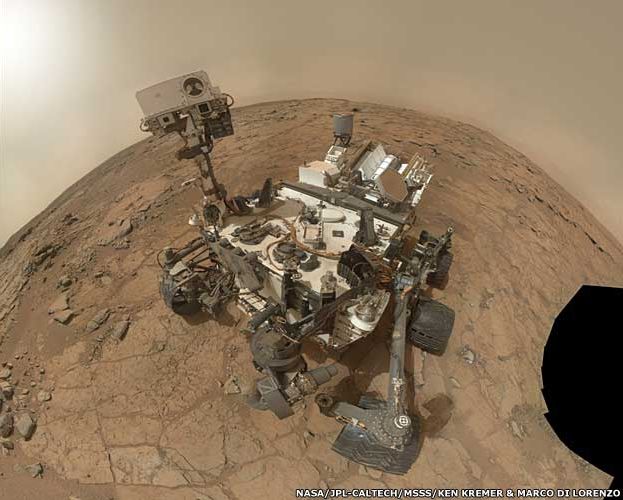
Prior to carrying out the final drill tests, a series of commands were uploaded to Curiosity, instructing it to gather several dozen exposures of itself as it sits on “John Klein”. The aim of the exercise was to gain further views of the rover’s general condition, combining both “wide-angle” and “close-up” shots of the rover and its components.
aaa
A further self-portrait. Some 66 images were put together to produce this mosaic of Curiosity parked on “John Klein”. Captured using MAHLI, mounted on the turret at the end of the rover’s robot arm

Some 66 of these images, gathered on Sol 177 (February 3rd), were combined into a mosaic showing the rover parked on “John Klein” to give a remarkable “in-situ” self-portrait, in which all of the major components of the rover can be seen, other than the robot arm itself (although the arm’s “shoulder” joint can be seen next to the rover’s wheel in the bottom right of the picture). At the back of the rover is the nuclear power unit, with the communications systems on either side of it (the “tin can” of the low-gain antenna to the left and the hexagonal high-gain antenna to the right). Front left of the picture is the mast system, with the ChemCam system with the Mastcam and NavCam cameras directly under it facing towards MAHLI, and the grey covers of the sample delivery systems for CheMin and SAM visible at the front of the rover, between the mast and MAHLI’s position.

MSL reports in this blog

All images courtesy of NASA / JPL

SL project news week 6 (2): server deployment updates

Server Deployments – Week 6

The planned server deployments for week 6 occurred as anticipated:

  • On Tuesday 5th February, the Main channel received the server maintenance project deployed to LeTigre in week 5. This has miscellaneous minor bug fixes and new features – release notes
  • On Wednesday 6th February, the RC channels received the following:
    • BlueSteel: code for materials processing (project viewer still pending) – release notes
    • LeTigre: a new maint-server project to fix miscellaneous crash modes, and with minor performance improvements – release notes
    • Magnum: interest list code update to specifically address the bot / bandwidth problem reported on in last week’s update and also support for materials processing – release notes

Server Deployments – week 7

There is no advanced news on potential deployment for the week commencing Monday 11th February, 2013.

SL Viewer Updates

The beta viewer was updated on February 6th with the release of 3.4.5.270034. Please refer to the release notes for details of all changes and updates. The CHUI project development viewer also updated to 3.4.6.270114 on February 6th.

Updates – Issues and Other Bits

Bot / Bandwidth Issues

Speaking at the Server Beta user group meeting on Thursday February 7th, Maestro Linden indicated the ongoing bot / bandwidth issue related to the interest list code and as pointed to by Latif Khalifa and confirmed by Andrew Linden (reported in more detail here), appears to have been resolved. Commenting on the bug fix in the server deployment thread, Triple Peccable, who was one of those being badly impacted by the problem, comments:

Maestro and Andrew,

I wanted to report on the bot’s usage. Fixed!

Before this incident the bot’s “normal” usage was 5 MB / hr. That is so normal no one would suspect anything.

But now it is 1 MB / hr! It has never been that low before, ever.

The improvement might be from the interest list changes, but since the bot is parked 3300m up with a very limited draw distance, I think it is from this UDP bug fix, and will help with more than just bots. :smileyhappy:.

Estate Ban Issues

Two issues have been reported in relation to estate bans recently.

One is the use of LSL commands for estate moderation, as mentioned in the second part of my report for week 5. While it is not clear how widespread the issue is (the reports received so far appear to relate to four regions), it had been hoped that the code deployment to LeTigre might have fixed the problem, but tests with an affected region move to LeTigre showed this was not the case. However, Maestro Linden believes LL may have a match between the issue and a bug that was filed internally after  crash report fingerprints were browsed, so investigations are liable to continue.

In the second, Whirly Fizzle has reported an issue with the “GTFO” ban feature in Phoenix. While this adds the banned individual’s name to the banlist for an estate, the individual isn’t actually barred from accessing the estate. As such, it is thought that this issue might contribute to recent problems in people apparently circumventing estate bans, and is something which will not be rectified by the estate ban improvements currently being deployed by LL, as it is an issue within the Phoenix viewer code itself.

Region Crashes on Restarts

In addition to the restart performance issues related to physics memory use previously reported and updated in part 1 of this report, some regions are experiencing issues with the physics engine during a restart, with all scripting capabilities being disabled as the physics engine is overloaded. Scripting must then be re-enabled by the region owner / estate managers. A fix for this is being worked on, and should be available soon.

Vanishing Regions

Following the week 5 deployments, Alvid Majestic contacted me concerning issues with regions diagonally opposite Brocade, on the Mainland, failing to render in the viewer’s world view, and would not render until such time as a person moved into one of the regions immediately adjacent to it / moved into it.

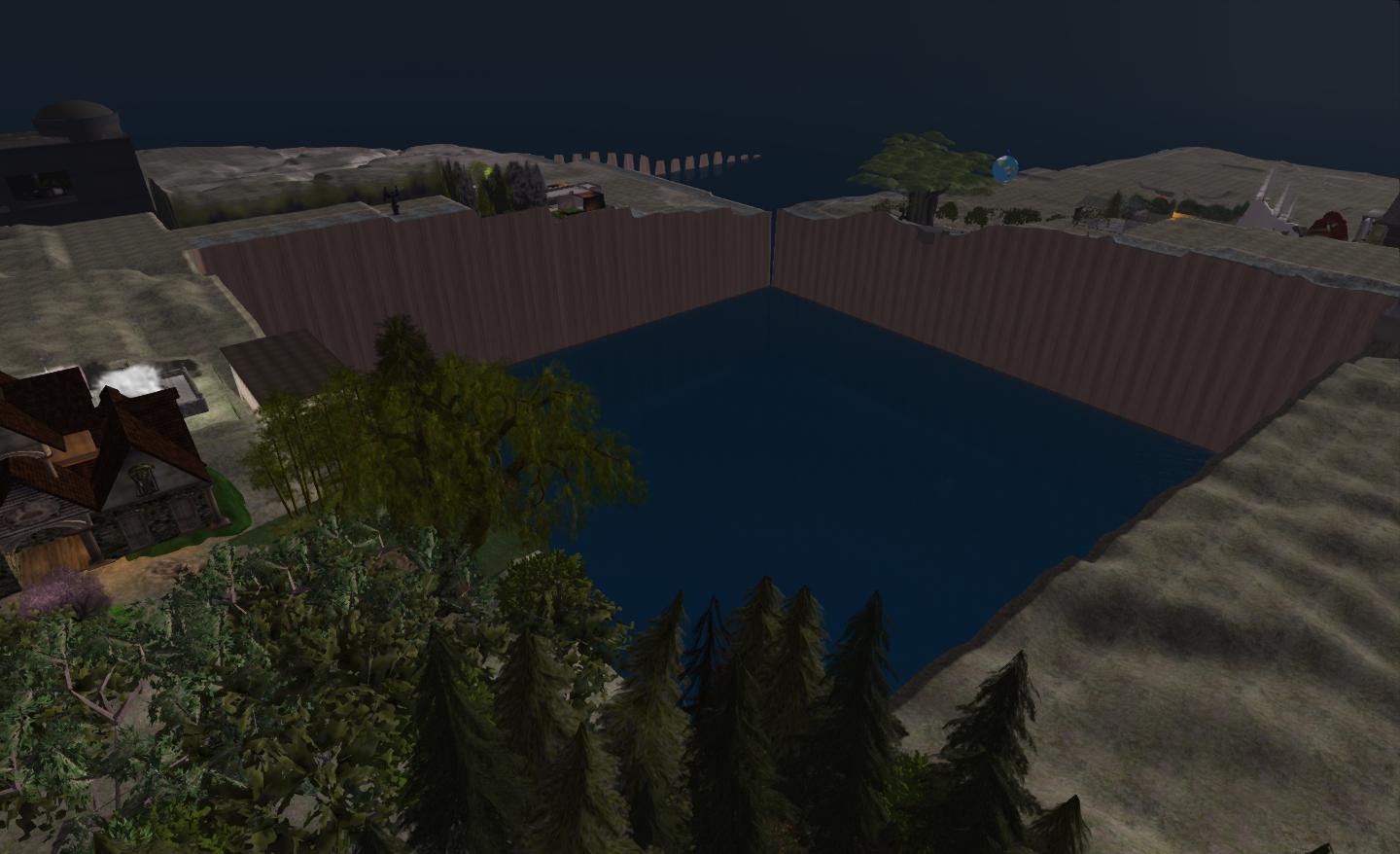
Missing regions: Mullein and (beyond it) Ear fail to render from Brocade, which sits diagonally opposite them

This is not a new issue, having previously been reported in SVC-8130, although there was some confusion as to whether or not it had been resolved. Commenting on it in general at the Server Beta User Group meeting, Maestro Linden informed me, “It’s somewhat rare, but it was never officially fixed.”  As the JIRA is closed to comment, Shug Maitland has raised a forum thread on matter, so if you are witnessing the same issue on an ongoing basis, consider adding your comments there as well as raising reports.

Region Crossings

There has been mixed feedback to the results of the deployment of the new region crossing code across Agni.

Regular commentator on this blog, Wolf Baginski Bearsfoot has put together a report on his findings in the SL Server sub-forum, which builds on his initial impressions posted in this blog.

Some feedback given through the User Groups suggest that in some instances region crossings – such as with sailing – are improved, and at the Simulator User Group meeting on Tuesday 5th February, Simon Linden indicated LL were seeing fewer instances of stuck teleports.However, there have also been reports passed through the Server Beta group of automated cars on the Mainland encountering problems at region crossings while following Linden Roads and piling-up at the boundaries of regions such as Furness to Ravenglass, although instances appear to have calmed down. More updates on this as they come.

LEA: AIR-4 applications sought

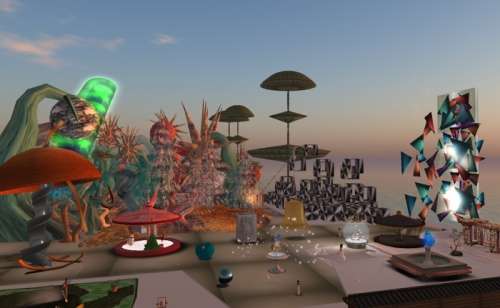
LEA_square_logo_60On Wednesday February 6th, the Linden Endowment for the Arts announced the opening of applications for the fourth round of the Artist-in-Residence (AIR) programme. The announcement, as allows, reads in part:

The LEA AIR programme seeks to promote and nurture the arts in Second Life, through providing limited term full-sim land grants to be used for creative projects and art installations over the course of a few months. Recipients can be individuals or groups interested in creating or curating art, or proposing cultural projects which would require/utilise a full-sim build and can be completed within the allotted time frame (5 months). The LEA is able to offer land grants through the generosity of Linden Lab.

(image courtesy of LEA)

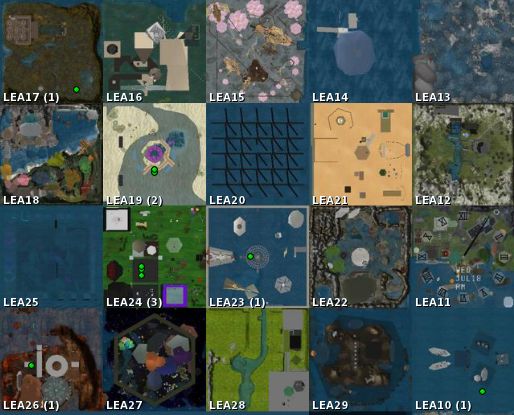
Up to twenty regions, donated by Linden Lab and managed by the LEA, are generally offered under the land grant programme, and successful applicants will be granted the use of one full region for a period of six months. The region may then be used on an individual or group basis for such diverse activities as:

  • Full sim exhibitions and / or immersive installations
  • Curated projects, especially those which have a connection to physical exhibitions and events (augmented reality)

Applications are not limited to visual art but are welcomed from all areas of artistic expression, including performance, music, and film.

Land grant regions: LEA10 through LEA29

Preference is for submitted works to be original in nature, although curated projects may present extant works. Successful applicants will have up to four months in which to execute their build, and must have it open for public viewing for at least the last two months of the grant period. Artists may alternatively use the land for multiple exhibits, but it is imperative that projects will be ready within four months from acceptance, and this time-frame should be considered (and reflected) in applications.

Key Dates

  • Applications open: February 5, 2013
  • Application deadline: February 19, 2013
  • Sim handover and public announcement: March 8, 2013
  • End of round: July 31, 2013

Applications forms can be found at the end of the LEA website announcement for Round 4, together with all other necessary information.

Related Links

Lumiya: mesh, rlv and more

lumiya-logoLumiya has gone through a series of updates recently, cycling rapidly through versions 2.4.0 and 2.4.1 (the latter to fix an OpenSim teleport issue) on January 31st, and arriving at 2.4.2 on February 4th to fix some issues with mesh clothing uncovered by yours truly.

These releases see Lumiya introduces key features users have been waiting for, and start paving the way for future SL support. Taken together, the core updates comprise:

  • Support for mesh objects and clothing
  • Support for RLV
  • Support for server-side baking

Mesh Support

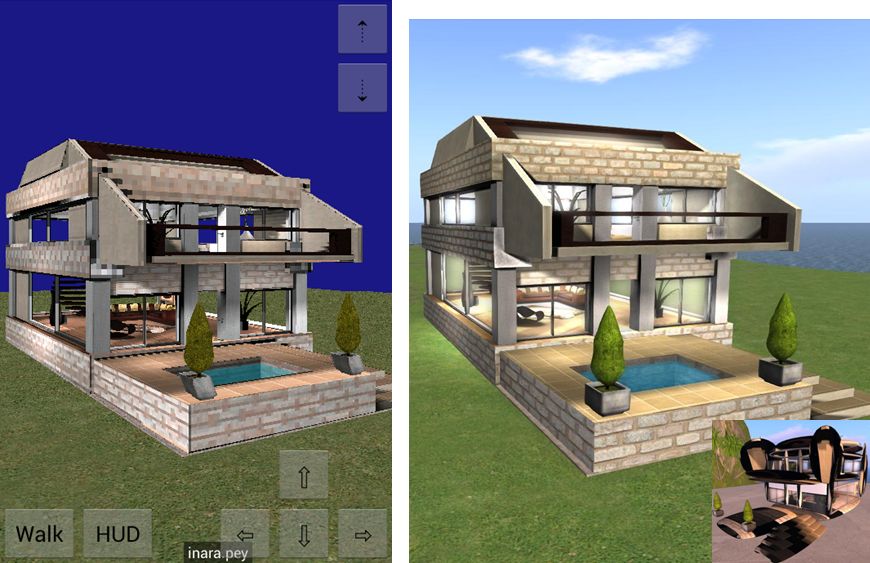
Mesh support works well with in-world objects, as the following image demonstrates.

A partial mesh house rendered in Lumiya (l) and a mesh enabled viewer (r). The inset images shows the hows as rendered in a non-mesh viewer

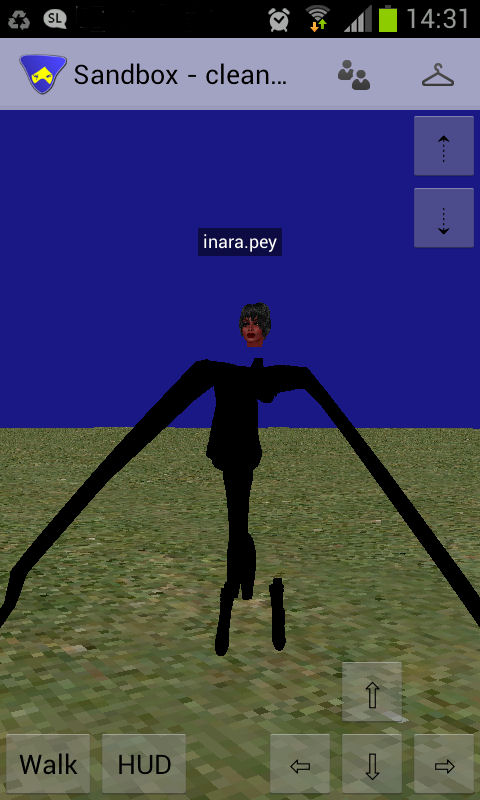
Mesh clothing was a little more problematic with the initial 2.4.0 / 2.4.1 release, for both rigged and non-rigged mesh clothing. While some would render correctly, other items would not, exhibiting issues with arms and / or legs, and even rendering as  being worn back-to-front.

Mesh rendering in Lumiya 2.4.0 / 2.4.1. sometimes things went a little ka-ka...
Mesh rendering in Lumiya 2.4.0 / 2.4.1. sometimes things went a little ka-ka…

The issue appeared to be with how the SL software treats both rigged and unrigged mesh. I’m not a technical expert (as most know), but was able to carry out a series of tests which gave Alina Lyvette, Lumiya’s developer, a start on carrying out her own investigations which resulted in her fixing the issue – hence version 2.4.2 appearing.

With the latest release, it appears the majority of problems have been solved, although there have been some reports of mesh attachments such as hair still failing to render correctly.

Certainly from my perspective, and while I admittedly have what is a far less than extensive mesh clothing wardrobe, the issues which all gave me problems while using the 2.4.0 and the 2.4.1 releases of Lumiya all now appear to be resolved, and my mesh clothing now all renders correctly for me, and I’ve had no problems with the likes of mesh footwear so far.

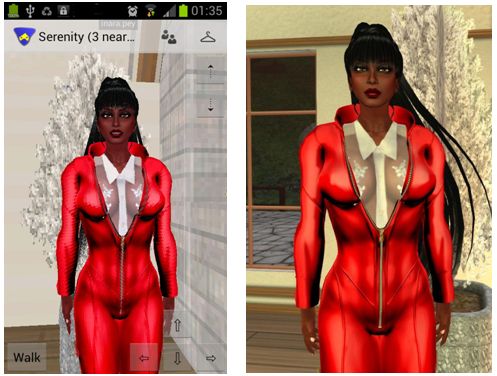
One side effect of this is that the mesh support has slightly impacted the positioning of avatar attachments with Lumiya. Alina has had suspicions that there might be a problem with attachments and the avatar skeleton which may affect Lumiya, and now the issue has been confirmed, it’s on her list of things to update.

The magic of mesh in Lumia: a rigged mesh catsuit in Lumiya (l) and a regular viewer (r)

A new setting is also provided within Lumiya for users to define the quality of mesh rendering on their device  – useful if using an older, less capable GPU. The options can be found under 3D View on the Settings menu (device menu key > Settings), and comprise five settings: High Quality, Medium Quality, Low Quality, Lowest Quality and Disabled.

RLV Support

Lumiya, from version 2.4.0 onward, provides RLV / RLVa support. As with a traditional viewer, RLV must be explicitly enabled by the user via the Settings menu (device menu > Settings > Tap RLV enabled to check and turn on). Also, as with a traditional viewer, a restart is required once RLV has been enabled the first time.

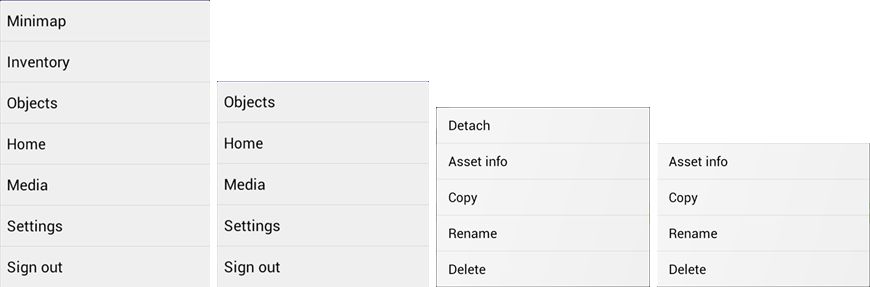
Once enabled, behaviours are as seen with an RLV-enabled viewer: locked items are non-detachable; restricted options are removed from menu options; movement restrictions enforced etc.

RLV in Lumiya: in the left two images, the 3D world view Settings menu showing how active RLV restrictions remove options (Inventory, Minimap) from that menu. On the right, two images showing the removal of the Detach option from the object menu for an RLV "locked" item
RLV in Lumiya: in the left two images, the 3D world view Settings menu showing how active RLV restrictions remove options (Inventory, Minimap) from that menu. On the right, two images showing the removal of the Detach option from the object menu for an item “locked” via RLV

RLV Support Notes

  • As Lumiya does not currently support particle rendering in the 3D view, chain links, etc., will not be rendered
  • Similarly, because Lumiya does not currently support windlight, any windlight controls / restrictions related to RLV will no be applied to the in-world view
  • There is currently no #RLV shared folder support
  • Disabling RLV in Lumiya will turn the functionality off without a need to re-log (all restrictions on detachment, menu options, etc., will be lifted).

Server-side Baking

Lumiya now provides support for Server-side baking (SSB, also referred to as avatar baking), and so is ready from when the new service is deployed to the main grid.

While there is a test area for SSB on Aditi (the Beta grid), I have encountered issues with logging-in to that grid using Lumiiya, and so have been unable to test and obtain images for this review.

Other Updates

Additionally. versions 2.4.0 through 2.4.2 add the following to Lumiya:

  • Avatar direction indicator added to Mini-map (a small arrow is displayed over your avatar, indicating the direction it is facing)
  • Animation requests are no longer auto-accepted
  • Fixed display of outfit folders in inventory
  • Fixed duplicate messages in chat
  • Fixed inventory appearing empty after teleport
  • Fixed broken teleports on OpenSim grids.

Feedback

Another series of updates which see Lumiya move even closer to matching viewer-based capabilities, making it even more a genuine alternative for those on mobile / tablet devices who wish to access Second Life / OpenSim while on the move. Both mesh rendering and RLV support are liable to be popular additions, and the server-side baking should stand it in good stead for upcoming changes to Second Life.

For those using an Android device, there simply isn’t a better means of access your virtual world.

Related Links

Marketplace e-mail preference updates

While checking to see if there have been any further updates on resolving the various issues affecting the Marketplace and merchants (the last update having been in November 2012, and the progress sticky has bow been removed), I came across the following.

On February 5th, Commerce Team Linden posted an announcement that user’s e-mail preferences for the Marketplace have finally been updated and expanded. The announcement itself is brief, reading:

Marketplace now supports the ability to set email preferences. You will now be able to turn emails on or off. In addition, new emails have been added and work has been done on stability to prevent delays in email delivery. Please see the Release Notes or the Knowledge Base articles for Merchants or Shoppers for more information.

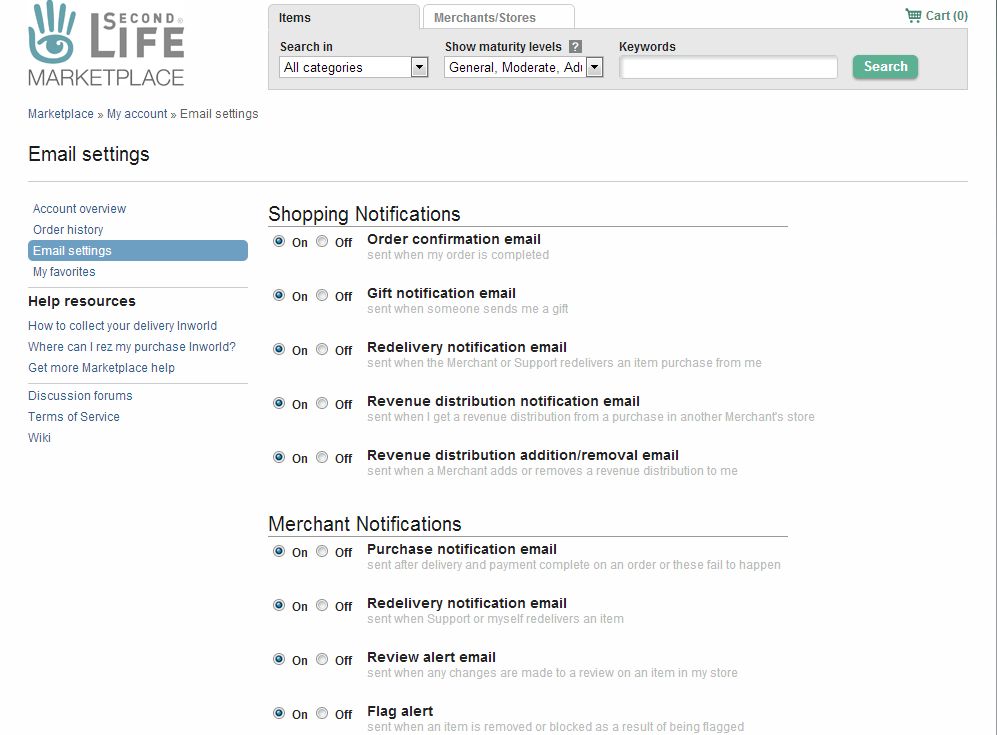
The new e-mail notification options can be found by logging-in to the Marketplace and going to My Marketplace (menu bar, top right of the page) > My Account > E-mail Settings (options on the left side of the page). The updated settings allow both shoppers and merchants define when they receive e-mail notifications, as follows (note that all options are “on” by default):

Merchants:

  • Purchase notification email – sent after delivery and payment complete on an order or these fail to happen
  • Redelivery notification email – sent when Support or the merchant redelivers an item
  • Review alert email – sent when any changes are made to a review on an item in the merchant’s store
  • Flag alert – sent when an item is removed or blocked as a result of being flagged

Shoppers:

  • Order confirmation email – sent when an order is completed
  • Gift notification email – sent when someone received a gift from someone else
  • Redelivery notification email – sent when the Merchant or Support redelivers a purchased item
  • Revenue distribution notification email – sent when a shopper get a revenue distribution from a purchase in another Merchant’s store
  • Revenue distribution addition/removal email – sent when a Merchant adds or removes a revenue distribution to the shopper.
New SL Marketplace e-mail notification options

The review and flag e-mail notifications are liable to find particular favour with merchants (indeed, they are already, given some of the comments in the thread), as these have been oft-requested by merchants.

Related Links

Lust: loss, life and a little metaphor in Second Life

Had it not been for Miro Collas, I’d probably not have discovered The Sand Hills Country, Sei Ixtar’s powerfully evocative creation, for some considerable time. And I’d all the less for not having done so.

I often wax lyrical about the places I explore in Second Life, but The Sand Hills Country, covering the Homestead region of Lust, is deserving of everything I can say about it – and far more. It is not only a wonderfully immersive place to explore it is also one which I found – whether Sei (Sey to his friends) intended it to be or not – to be rich in metaphors, which adds enormously to its appeal.

The Sand Hill Country
The Sand Hills Country

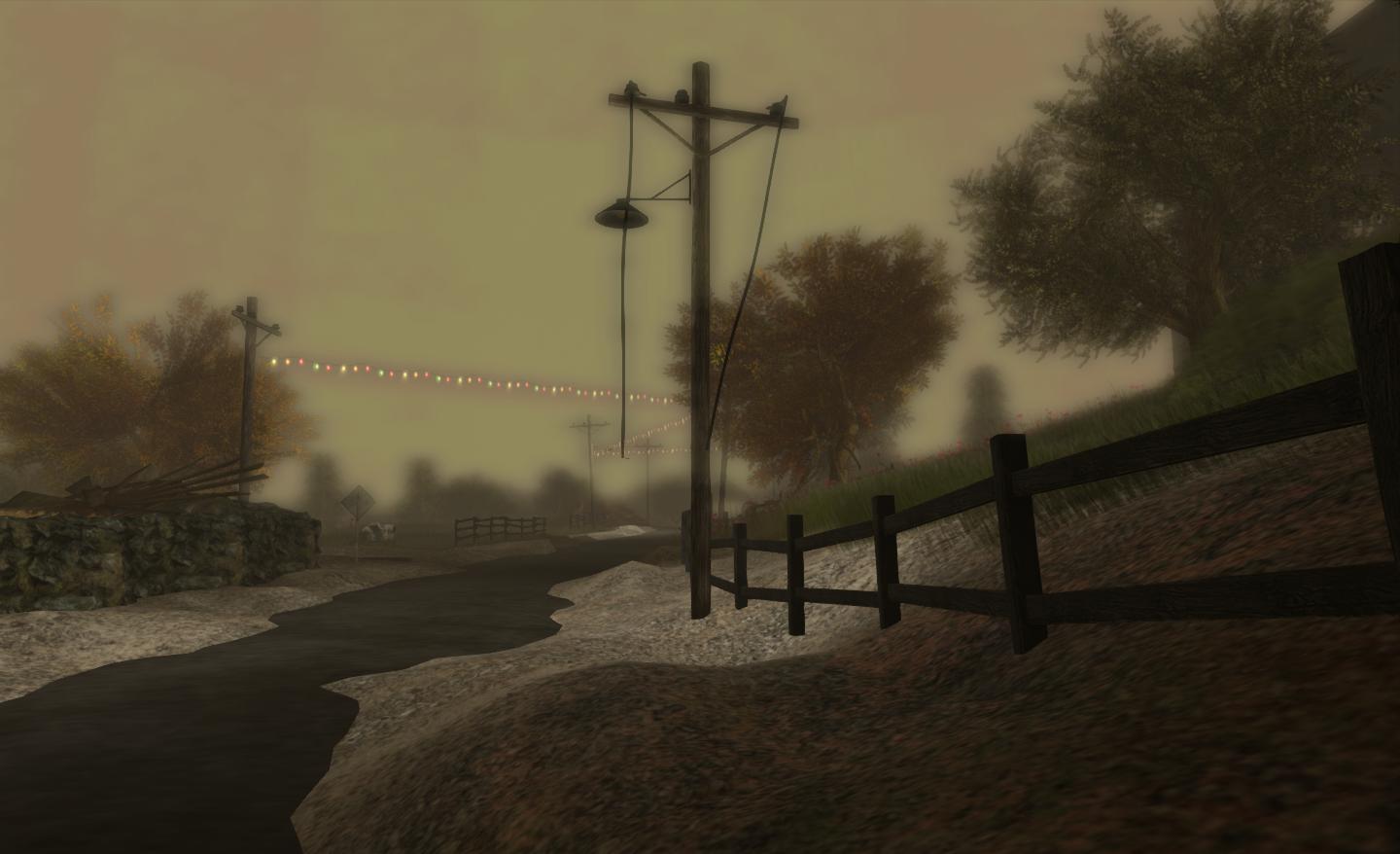
On arriving at The Sand Hill Country, the first thing you notice is the custom environment Sey has created. I’m one for frequently using the viewer’s depth-of-field to create some atmospheric (or as other might fairly put it, “blurred” :)) images. With The Sand Hills Country, Sey has added horizon haze, together with a “skydome” for the sky, both of which create incredible atmosphere and feel to the region, giving it a rich depth (although the skydome colour might also be somewhat reproducible using windlight) All of the snaps in this article and on my Flickr stream accompanying this post have been taken using the defaults applied to the region.

lust-26_001
The Sand Hills Country

A sign near to the arrival point (literally just across the road, at the bottom of the steps leading to a derelict house) is a notecard giver. This provides background information on the region, including the fact that autoreturn is OFF – so visitors are free to rez items when visiting, but are also asked to please clean things up before they leave.The description of the region is straightforward, yet also opens the door to allowing one’s thoughts to wander free:

A rural landscape overwhelmed by desert, but not only… Suspended between time and space, take a breath, explore, and enjoy this unique scene.

The Sandy Hill Country
The Sandy Hills Country

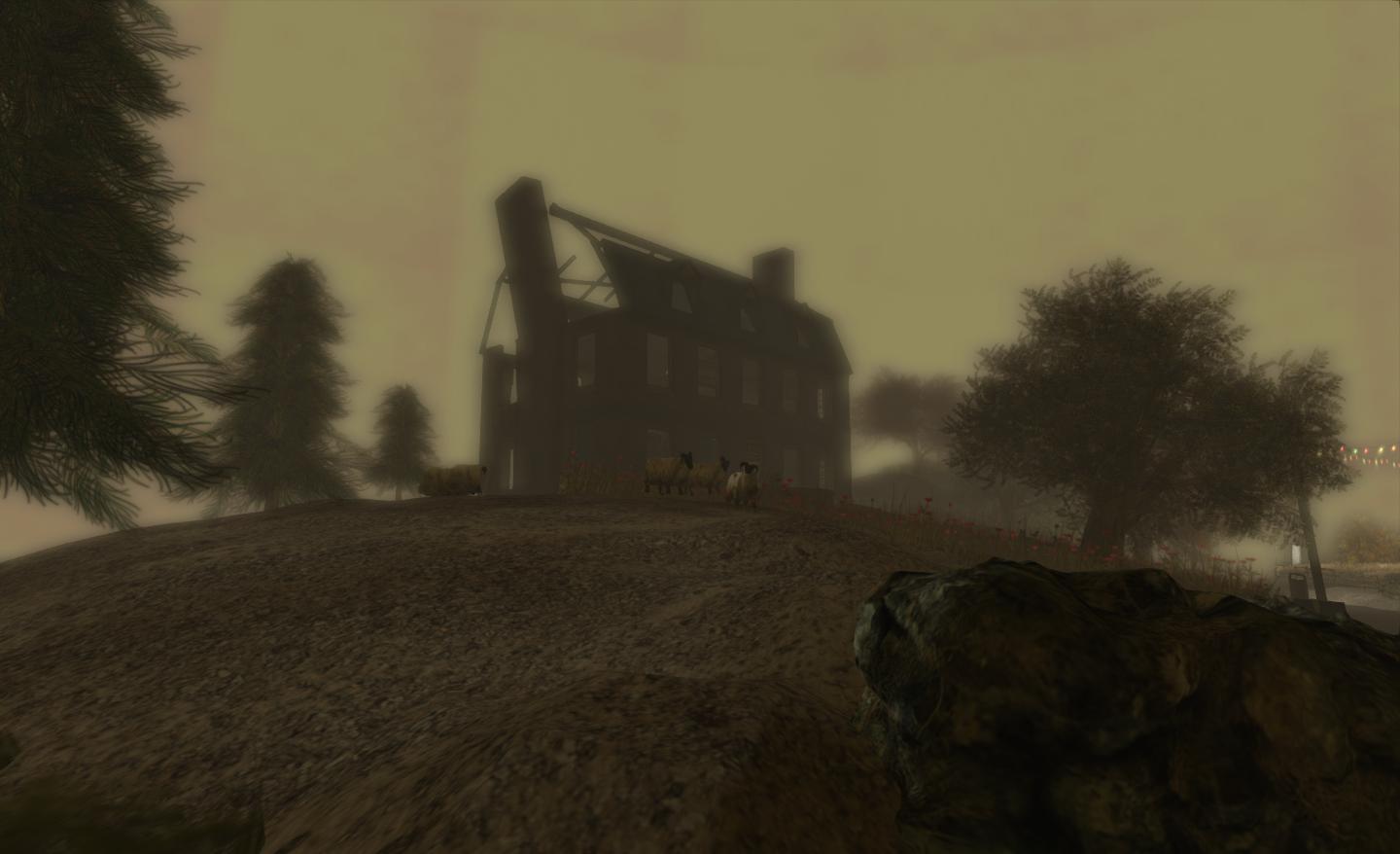
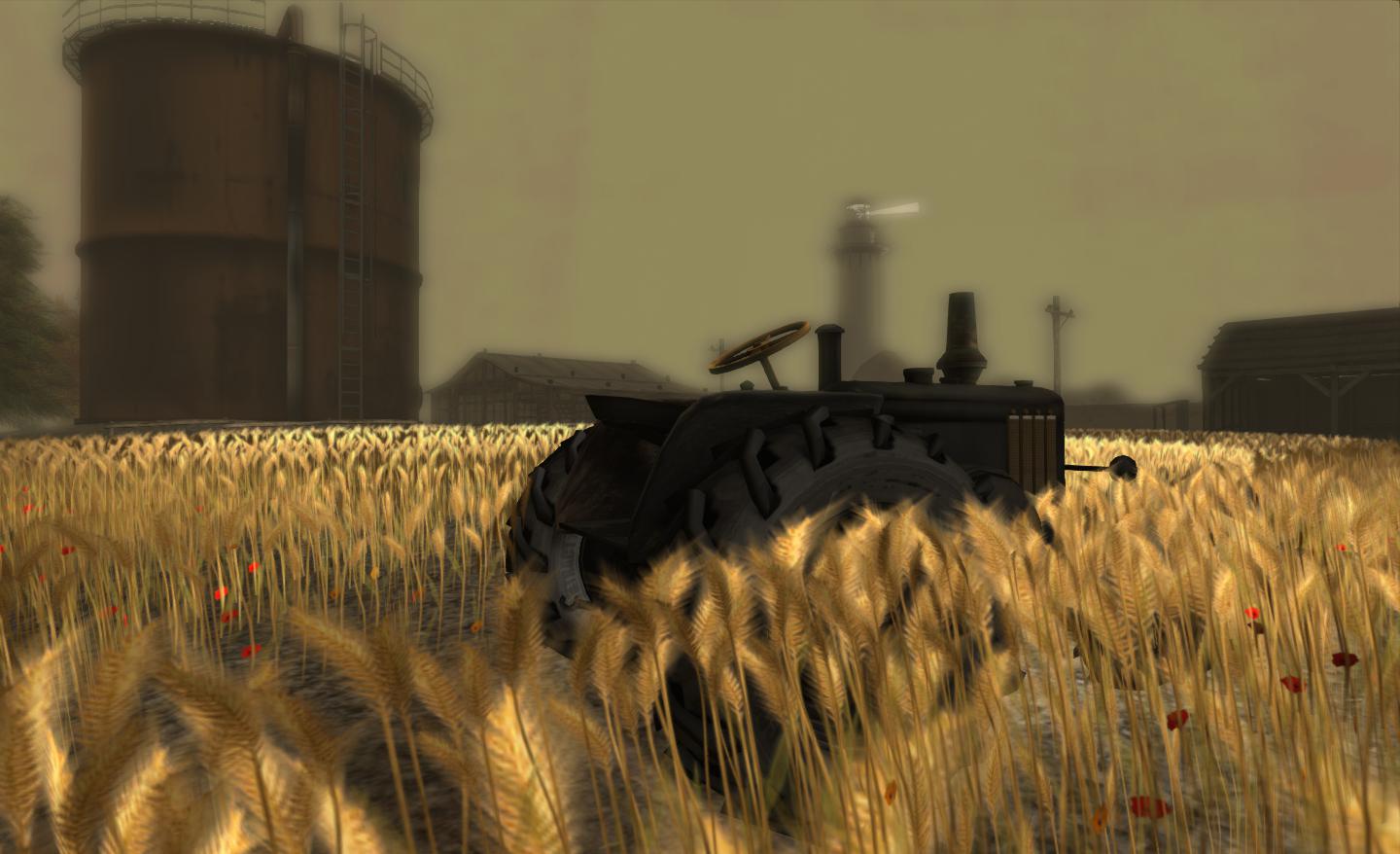
Looking around, it is hard not to imagine one has been transported back to Steinbeck’s dust bowl era and The Grapes of Wrath, although potentially with a bit more water here.  To one side of the region lay sand hills, ever-encroaching and washing against the edges of a lone farm. While wheat is still growing in the fields and sheep and cows do still graze, things are not going well; it would appear that people are up and leaving, as the shell of a house overlooking the wheat field testifies.

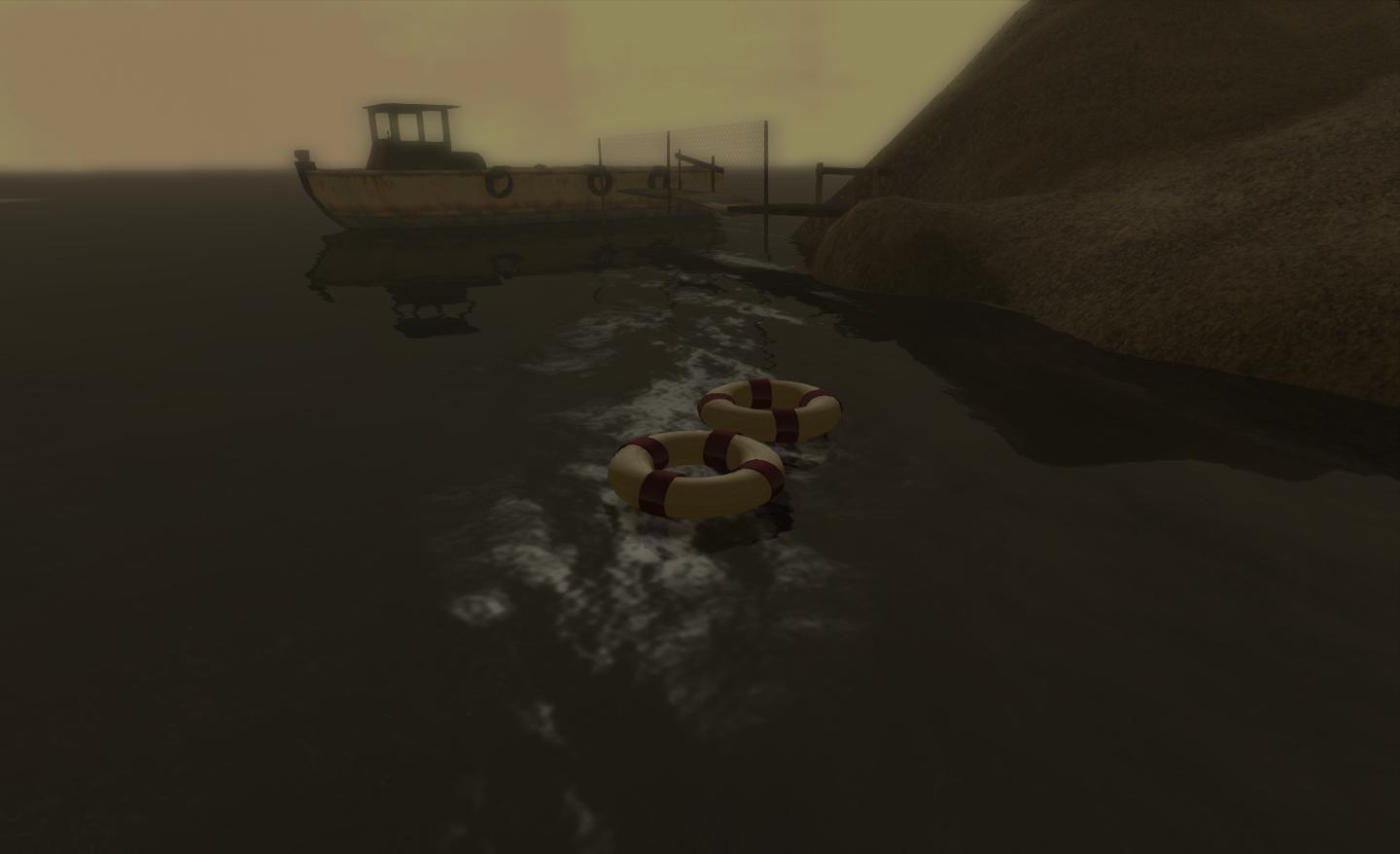
The poignancy of the imagery is evident elsewhere, be it in the nesting box with eggs within and a mother bird guarding the entrance or the old, silent, “nodding donkey” pumpjack. Such is the power of this imagery that it is hard not to view it as a metaphor for the whole of Second Life and our varying attitudes toward it. Many do see the platform as slowly dying, perhaps a victim of its own initial rapid growth as a result of premature exploitation; and this is perhaps mirrored by the encroaching sand in the region, and the broken pumpjack and shattered warehouse with the deserted house beyond. Everything is washed out, dull, empty. People have moved on, leaving vacant spaces in their wake. Certainly, I couldn’t help but find strong symbolism in the fact that the only real colour in this part of the region comes from a couple of lifebouys floating in the water…

The Sand Hills Country

Yet here is also hope for the future, crops are still being gown; sheep and cattle still graze, ducks swim and feed – and new life is still entering the world, as shown by a nest box filled with eggs and watched over by a mother bird; it’s almost as if nature is whispering, “There is still hope.”

I’ve no idea if any of this is intentional on Sey’s part, or simply the wanderings of my over-active imagination. And it doesn’t really matter. The Sand Hills Country is a beautiful and creative study, whether you are simply looking for a new place to visit and share, or if you are seeking a place which offers a rich vein of photographic opportunities or if you’ll feeling somewhat philosophical about (Second) Life, the universe or everything – or whether you feel a combination of all three.

Why not go see for yourself? I doubt you’ll be disappointed.

The Sand Hill Country
The Sand Hills Country

Related Links

With thanks to Miro Collas.