The next update to Firestorm is still a little way off, in part due to the fact that the team is currently awaiting various fixes to known issues to filter through from Linden Lab.
In the meantime, the team are hard at work and, as well as fixing various Firestorm specific bugs and incorporating features that didn’t make it into the mesh beta release, are focused on addressing adoption issues – those things people have indicated are effectively show-stoppers where their adoption of Firestorm is concerned.
Missing in the mesh beta
While no date has been set for the next release (see comment re: Linden Lab fixes, above), here’s a summary of what to expect by why of Things to Come:
The Firestorm betas (both mesh and otherwise) currently tend to reset any Windlight settings following a relog or teleport, but a fix will be in the next release
The Contacts List (not the new Contact Sets feature) displaying both user name and display name in separate columns (something I reported on myself) in the mesh beta is in fact a bug, and will be corrected in the next release
The WORLD button for the ruler was removed from the Build floater during the beta mesh merge with LL’s code. This has proven unpopular among builders and the button (right) will be returned to the Build floater in the next release
The spell check feature, delayed from the mesh beta release, will be in the next release
Spell Check coming to Firestorm (Phoenix shown)
Further updates to the AO should be available with the next release
Web Profiles: with the increased functionality in Web Profiles, Firestorm will include an Preferences option (under the FIRESTORM -> GENERAL tab):
The option will be off by default for the V1 (“Phoenix”) mode of the Viewer
The option will be on by default for the V2 / V3 modes of the Viewer
Personal note: I assume this refers to displaying ones own Web Profile, given Firestorm already includes a link to other people’s Web Profiles as a part of the in-world Profile display
The inventory “jump” issue – whereby the cursor bar jumps within the inventory window (usually to the top) on receipt of a notification, etc., is being investigated but may not be completed in time for the next release
Mesh uploads: work is progressing on enabling mesh uploads in Firestorm. The code is the work of Nicky Dasmijn, who has contributed code to the Firestorm project over time, and the uploader will be available for other TPVs as well. Some additional points:
The upload most likely won’t be in the next release. It is still a work-in-progress
Even with mesh rendering coming to Phoenix, Jessica is not committing as to whether or not the upload will be ported to Phoenix.
The adoption issues the team are specifically addressing for the next release are:
Mouselook zoom will be incorporated into Firestorm (go to Mouselook, press & hold right mouse button and zoom in/out with mouse wheel) – this will be especially useful for those involved in combat games in SL
Text search in Notecards will be included
For the V1 (“Phoenix”) mode of the Viewer, the team are trying to get all dialogue boxes to display in the top right corner of the Viewer window by default. This includes Group notices and anything else that in a V1.x Viewer would appear in the upper right corner of the screen
A longer term aim is to possibly have the V1 (“Phoenix”) mode of the Viewer display a more Phoenix-like top menu when selected. This is not a high priority for the time being, and isn’t strictly seen as an adoption issue.
Again, no release date is available for the next update to Firestorm, as so much depends on Linden Lab providing fixes to known issues at their end. Also, not all of the above will be in the next immediate release, as per the notes.
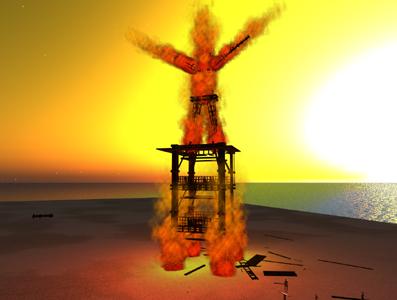
This week, BURN2 enters the final countdown phase. Events commence on Saturday October 1st at 12:00 SLT (following the opening speeches at 11:00), and BURN2 runs until the 9th October, with sims closing to public access at 23:00 SLT.
Around the main event are a few special events that might be of interest:
Thursday 29th September: Builder’s / Playa preview from 08:00 SLT. Press and bloggers preview from 08:30 SLT. Press passes can be applied for here
Friday September 30th: special Burning Man, Regionals, and Rangers day open to Regional leadership, BURNING MAN staff, and Rangers, presenting them with the chance to see the virtual playa before it opens. Full details here
Saturday 15th October: Skin Burn: a final party. Details of access TBA.
The organisers have announced that mesh builds are not allowed at BURN2, although mesh clothing and avatars are allowed. The stated reason for the “no mesh” build policy is insufficient mesh rendering support among Viewers.
As well as the builds and invited artists, the week will feature a wide range of entertainment and other events. Some centre stage highlights for the weekend*:
Saturday 1st October (times SLT)
11:00: opening addresses
12:00: Mankind Tracer – music and dance
13:00: Firedancer Yman Juran
15:00-22:00: live music from Farrokh Vavoom, Mommaluv Skytower, Eio Tuqiri, FedordJones Popstar, Lillie Woodells, Doofus Luckless and Larree Quixote
Sunday 2nd October (times SLT)
10:00: live music from Eio Tuqiri
11:00: Ladyslipper Constantine & DRUM
12:00-14:00 – live music from Rainbowrocks69 Resident, DedheadDMT Infinity and Bubba C John and the Bubbettes
15:00: poet Karima Hoisan
16:00: recording “The 1st Question” with hosts Pooky Amsterdam and Hydra Shaftoe
17:00-22:00: live music with Truelie Telling, Strum Diesel, Vaughn Michalak, Grif Bamaisin, Chip Takacs and Mike Nelson.
*Times may vary as then final showcase is put together – be sure to check the main events calendar at the BURN2 website.
Update 30th December: Work on Frontier has been abandoned in favour of Milkshake, which I’ve reviewed here. Because of this, download links for Frontier have been removed from this piece.
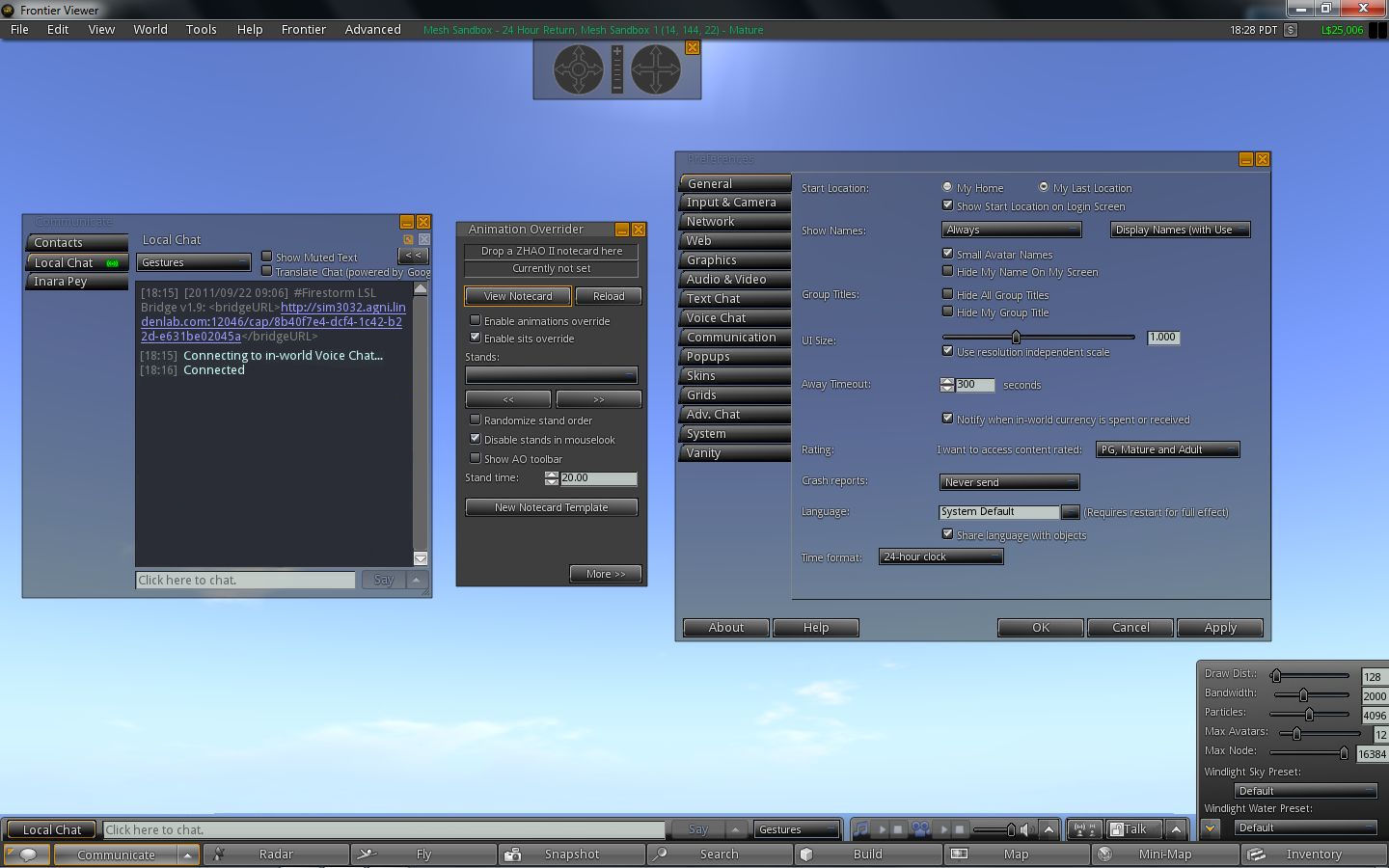
Frontier is another Viewer 1.x TPV that incorporates mesh object rendering. Based on the popular Singularity Viewer code base (itself a branch of the (now defunct?) Ascent Viewer), and is managed by Cinder Roxley. The Viewer isn’t currently self-certified against Linden Lab’s Third-party Viewer Policy, although I understand the paperwork is in-hand.
So what is it like?
Installation and First Looks
Installation is standalone – no requirement for Snowglobe to be installed first – as with most Viewer 1.x TPVs. The installer I used had a slight problem in that a .dll file from Microsoft Visual C++ Redistributable Set-up was missing, which caused the Viewer to fail on start-up.This has been reported to Cinder, who will be updating the installer. In the meantime, those wishing to use the Viewer right away can download the Redistributable Package direct from Microsoft. Once installed, it’ll resolve the issue.
On start-up, Frontier displays the familiar black / dark slate look of Singularity, complete with the pop-up that the Advanced menu is active by default – no need for CTRL-ALT-D.
Preferences-wise, Frontier offer the same options and presets as Singularity – including RLVa being on by default. Other features familiar to, and popular with TPV users include:
Singularity / Frontier: familiar options
The official multi-attach for prim, etc., attachments
Alpha and tattoo layer support
A built-in AO option, following the Phoenix approach
A Quick Preference pop-up for draw distance, bandwidth, max avatars, environment settings, etc., again a-la Phoenix
Vertical tabs display for IMs a the chat window in the COMMUNICATE floater – the vertical tabs are on by default, unlike most other 1.x TPVs
Phoenix Command Line shortcuts (e.d. “dd” to set the required draw distance, etc.)
Radar
Object area search
Display Name support
Asset blacklist
Media Filter (Preferences -> AUDIO & VIDEO -> ASK FOR PERMISSION to enable, View Menu to access Media Filter lists)
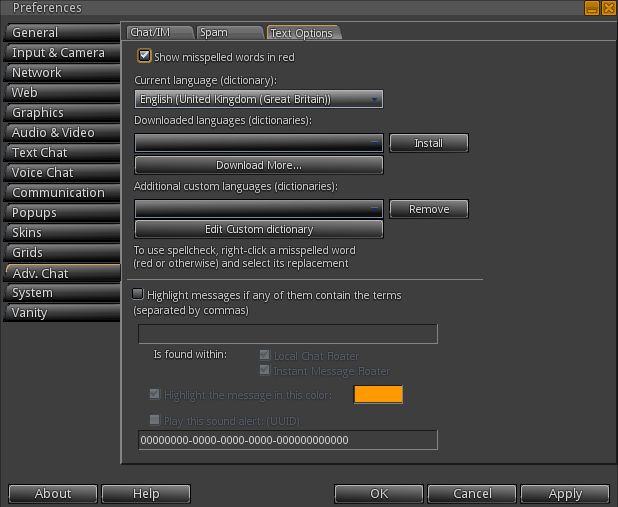
Spell checker – with a full range of languages – found under the ADV. CHAT tab of Preferences, and (a little confusingly) called TEXT OPTIONS
A popular TPV tool: the Spell Checker
Security options (turn off SHOW LOOKAT, etc.)
etc.
A rather interesting element in both Singularity and Frontier is the support of both the worn layer of Avatar Physics and the legacy “Phoenix” Avatar Physics. This may be due to the fact that using the “official” Avatar Physics results in a large yellow system message being displayed warning about possible compatibility issues.
The UI presentation for Singularity / Frontier is very neat, and has something of the Viewer 2.x look to it with the black / slate approach. A lot of the buttons and drop-down list have a nice 3D effect, which is aesthetically engaging. As an alternative, the legacy SL blue skin can be selected via Preferences -> SKINS, and requires the usual Viewer re-start.
When it comes to clothing, Singularity and Frontier suffer the same problem as all V1.x TPVs: only one item of each layer of clothing can be worn at any one time (one shirt layer, one pants layer, one tattoo layer, etc). I have to admit, after using V2.x TPVs, I find this one of the biggest drawbacks of 1.x TPVs, particularly when it comes to wearing multiple alpha layers.
Shadow Rendering
Shadow rendering is the “experimental” option familiar to most V1.x TPVs, and I did encounter a couple of issues with it enabled on Frontier.
Shadows 1: rendered at midday on Singularity
While Singularity provided crisp, clear shadows with the options enabled – shadows actually rendered a lot better than I’ve experienced with Phoenix on the same PC – Frontier had problems. Shadows failed to render as well as with Singularity, and no matter what time of day was set, the viewer would render with a mist-like greying effect (see images above and blow for comparisons).
Shadows 2: Same location, same time of day, rendered on Frontier
I checked this against Astra 1.5.10 as well, also forked from Singularity, and didn’t encounter the same issue.
Mesh Rendering
Mesh rendering: crisp
Frontier appears to use the same code as Astra experimental 1.5.10 (2) release for mesh rendering, using the same prim / count measure found in the Astra experimental. Frontier had no problem rendering mesh objects individually or in multiples, and handled me bouncing across a mesh sandbox on the Beta grid without any issues or problems. Indeed, when visiting locations on the Main grid where mesh has been mixed with sculpts and prims (such as is the case with Mesh Mellows), I found the mesh elements rendering a good deal faster than their sculpt / prim cousins, a trend I found with Astra 1.5.10 (2) experimental, but not so much with Firestorm or the official Viewer.
I particularly like the approach to the prim / PE count taken with the Astra experimental / Frontier Viewer. It is concise and goes a small way to avoiding issues around prim count and prim equivalency (while they remain so), although having two numbers relating to objects will most likely still cause confusion for some unaware of mesh objects and their impact.
There is no upload option for mesh objects, unsurprisingly, given the usual reasons. However, as with other TPVs, this isn’t a major drawback at the moment – most people are more interested in seeing mesh objects than they potentially are in uploading them.
Performance
Frontier performed well on my usual PC (Intel quad-core Q6600 2.4Ghz, 3Gb memory, nVidia GE9800 GT with 1Gb memory). On a sim on my own it averaged around 28-30fps, and would drop to around 15-18fps with up to five avatars on-sim.
Enabling shadow rendering tended to (unsurprisingly) cause a performance drop to around 8-9fps – but this was still somewhat better than some V2.x TPVs (albeit they use the “official” code for shadows), and when on my own on a sim, the lag was more than manageable.
A rather interesting element with Frontier is that with Viewer reporting enabled on avatar tags, it displayed both to itself and other Viewers as “Milkshake”, rather than “Frontier” (or even “Singularity”). An earlier working title for the Viewer, perhaps?
Frontier and Other Grids
Frontier works well with other grids, having the familiar V1.x Grid Manager. I used it to pay a visit to InWorldz, and encountered no major issues in terms of moving around, teleporting, etc. Frame rates were significantly down over the likes of Imprudence and the InWorldz Viewer, however. I averaged 12-16fps for Frontier (and Singularity), as opposed to around 26-28fps for both the Imprudence 1.4 experimental and the InWorldz Viewers. I also encountered a crash issue repeatedly on logging-out – something I’ve experienced when trying Phoenix elsewhere as well.
Opinion
Frontier incorporates minimal changes to the look and feel of Singularity, and as such, is a good, solid performer offering all that Singularity has to offer together with the added benefit of mesh object rendering. It’s hard to say whether the release incorporates and additional bug fixes from the last major release of Singularity itself (July 2011), as there are currently no detailed accompanying notes.
Note: the MOSS environment appears to have been discontinued.
On Friday 23rd September, Non-profit Commons (NPC) hosted a presentation by Douglas Maxwell, Science and Technology Manager for Virtual World Strategic Applications at the U.S. Army Simulation & Training Technology Centre (STTC), who was speaking at Plush Non-profit Commons in Second Life.
He was there to specifically discuss MOSES – the Military Open Simulator Enterprise Strategy – although his talk broadened to covered other aspects of the STTC’s work.
MOSES is a project aimed at evaluating the use of OpenSim as a means of providing a virtual world-based simulations and research environment available for use by relevant parties both within and without the U.S. Department of Defense. It grew directly out of the STTC’s involvement with the Second Life Enterprise product.
STTC
Currently overseen by Colonel Craig G. Langhauser, the STTC – Full name, the SFC Paul Ray Smith Simulations Training and Technology Centre, in memory of posthumous Medal of Honour recipient Sergeant First Class Paul Ray Smith, killed in 2003 during Operation Iraqi Freedom – was officially founded in 2002, with a heritage stretching back over the last two decades related to the use of simulator-based training technologies. Located in Orlando, Florida, the unit’s stated mission is to: Enhance Warfighter readiness through research and development of applied simulation technologies for learning, training, testing and mission rehearsal.
As the Science and Technology Manager at STTC, Douglas Maxwell (SL name: Maccus McCullough) is no stranger to the use of computer simulations, having started out in the mid-1990s, when he was hired by the US Navy as a civilian specialist to work in their Virtual Reality labs in Washington DC. It was there that he realised people were becoming more immersed in simulations, “It isn’t logical to duck when a virtual object is flying at you, but they did,” he explained to the audience at the presentation.
“It told me they had made the mental leap from reality into the virtual environment we created. So I started looking at gaming technologies,” he continued. “[And then] a wonderful thing happened in the late 90’s. Nvidia released the first commercially available and cost-effective PC based 3D graphics accelerators. We no longer needed a $750k SGI computer to do 3D tasks.”
This led Maxwell to write a paper how PC clusters could be used for simulation work at a much lower cost than that associated with high-end, dedicated systems, while also offering the same flexibility of use in creating and modifying scenarios. A paper which didn’t win him a popularity award, as he noted wryly to the audience, “I got some hate mail for that one!”.
Virtual Worlds and 3D Games
In 2008 Maxwell and his team started investigating virtual world environments as possible platforms for research, looking at OpenSim and Second Life. They immediately drawn to what they found in SL. “It is a computationally steerable persistent simulation,” Maxwell explained to his audience. “The capabilities in here are tremendous: in-situ scripting, terrain deformation in real-time, every object is composable, not static. We got the idea that if we could increase the fidelity of the physics in here, it could actually be very useful”.
As a result of these explorations, Maxwell engaged with Linden Lab to address issues of security and data integrity for simulations, the company steering Maxwell’s team towards the Second Life Enterprise product. Simultaneously, he established the 12-sim Naval Underwater Warfare Centre campus within Second Life itself – used more as a promotional tool than for simulation work.
Alongside of this, Maxwell and his team brought the source code rights to an entire commercial 3D gaming system which they used to develop EDGE-P – the Enhanced Dynamic Geosocial Environment Platform – an advanced virtual environment used to provide real-world operational environment training.
EDGE enables personnel from different locations to be brought together and trained in a wide range of scenarios, including homeland security and preparation for overseas posting. During his NPC presentation, Maxwell invited his audience to watch footage from an EDGE simulation held in September 2011, in which troops in one location were put through and immersive contact scenario with members of an Afghan village (represented by native language speakers located in other US Army bases). Observer / trainers were able to monitor proceedings from other centres, and provide exercise objectives and feedback for the participants.
The use of SLE covered a similar field of study, with the product being used to create aspects of the Afghanistan terrain for training and simulations study. Of particular interest to the team was a mix of the platform’s content creation capability and the ability to deform and model the terrain to suit their requirements combined with the fact that virtual worlds are entirely non-deterministic, or as Maxwell put it, “We set the goals, not the makers of the virtual world”.
When Linden Lab announced in May 2010 that they were pulling the plug on SLE, Maxwell faced a problem. Considerable time, effort and money had been put into developing a wide range of content and data using the SLE platform which he didn’t want his team to lose. As a result, he found himself once again looking at OpenSim – and receiving another surprise. “It had matured significantly since 2008. It was more stable, feature rich [and] even allowed for *gasp* backups!”
MOSES
MOSES (with thanks to Sitearm Madonna)
Thus was born MOSES – the Military Open Simulator Enterprise Strategy – with the aim of evaluating whether OpenSim could in fact meet and exceed the capabilities originally being developed within the SLE product, with the goal of providing a persistent and stable virtual world incorporating VOIP, base content, mesh, media on a prim, and monitoring tools.
Afghanistan terrain image (w/ thanks to Sitearm Madonna)
MOSES currently comprises some 117 regions running on standard OpenSim software and HP servers. Additionally, the team brought on-line assets from The University of Central Florida’s STOKES High Performance Computing Centre, which allow them to run Intel’s Distributed Scene Graph (DSG). This in turn allows them to tun up to 1,000 avatars on super regions. The environment had its official début at the U.S. Defence GameTech Users’ Conference, held in March 2011.
MOSES initially hosted the content originally created in SLE (safely exported prior to the licences expiring), which included some 36 regions modelling terrain common to Afghanistan. However, it quickly grew far beyond that. Some 18 regions have been assigned for use by the US Air Force and at least four for use by the US Navy. Nor does it end there.
This is because MOSES isn’t restricted to purely military uses. Indeed, unlike SLE, rather than sitting behind a hyper-secure firewall, it’s sitting on the open Internet. Maxwell cites two reasons for this.
The first is purely practical for the project: “MOSES is on the public Internet … to allow us all to expand, more efficiently, best practices in using Open Simulator and 3D Web virtual environments,” he said, talking to Sitearm Madonna about the work.
Safe Haven
The second reason is a little more philanthropic: Maxwell saw a need to offer a safe haven for others in the same situation he’d found his team in with the loss of SLE.
Reproducing the terrain in SLE / MOSES (highlighted) (with thanks to Sitearm Madonna)
“I knew of many users in the military, industry and academia who were in the same dilemma as myself – how do we preserve the content?” he explained to his NPC audience. Thus, MOSES provided a way for other groups and organisations to migrate their work.
To date, over 100 non-military accounts have been established on MOSES, either as a result of migration from SLE or because of individual requests for access to the platform. Regions have been supplied to research groups, organisations, and some private companies, some of which also have Estate Manager rights to the regions they use. “The academics really like it,” Maxwell observed, “As it provides a safe environment for their students.”
Nevertheless, on the open Internet it might be, but MOSES has security measures in place that equate to around 75% of the security achieved on the SLE platform, increasing its attractiveness to those engaged in research and development. It is certainly not for the hobbyist, as Maxwell made clear. “MOSES is a professional environment, and everyone is expected to maintain decorum. There are no casual users.”
Accounts can be obtained by visiting the MOSES website and registering interest. All requests are vetted by Maxwell himself in order to discover the level of interest, type of proposed use on the grid, and so on. While priority is obviously given to military projects, proposals don’t have to be within the military arena in order to gain access to the system. “If you’re developing or evolving some cool new kind of technology, like bots, for example, that would be clearly relevant to the MOSES mission,” Maxwell informed Sitearm.
While the STTC provide a dedicated Viewer (based on Imprudence) pre-set to point directly to MOSES, any TPV can actually be used to access the system once a request for use has been approved. To help with communications and to provide updates and information, Maxwell has adopted the LL approach of holding weekly in-world Office Hours meetings. These take place every Friday at 15:00 EDT, and he encourages those using the platform to attend; “The weekly office hours are a great way to meet open simulator developers and our team. We usually have 20-ish in attendance”.
There are some key points to remember when applying for access to MOSES, as Maxwell stated to Sitearm: “What you put on MOSES, you own free and clear,” he stated unequivocably. “We have also enabled full sim backups from your MOSES regions to your own organisation’s hard drives.”
He also added, “It’s important to remember [that] MOSES is a research and development environment, not an operations environment. We will keep upgrading the platform, for example, as we learn new improvements in using OpenSim”.
Certainly, as a dedicated research environment enjoying the benefits of controlled access, MOSES offers significant attractions to those carrying out virtual world related research and study. The project itself stands, as Maxwell himself commented when talking with Sitearm Madonna, “As carrying on the tradition of military research contributing to the public good”.
Those wishing to learn more about MOSES can contact Douglas Maxwell via the MOSES website or via e-mail at: douglas.b.maxwell-at-us.army.mil.
Daily Finance carries an article speculating on the upcoming new products from Linden Lab.During his SLCC presentation, LL CEO Rod Humble pointed to the fact that the company would be releasing new products, and mentioned that tablets and mobile devices were of interest to the company.
While little has been formally said by the Lab itself, the article speculates on one of the potential products, stating:
Is being designed as a mobile gaming platform that would allow users to create or generate games on Apple‘s (AAPL) iPad or other iOS devices
Will be a browser-based design aimed at allowing users to create text adventure games, a type of genre that incorporates puzzle solving and exploration into a storyline.
Interestingly, the article comments that the green light and that “efforts are underway” to develop the product. Rod Humble’s comments at SLCC tended to suggest things were somewhat more advanced on than this.
The article also raises the speculative prospect of an acquisition, using Mr. Humbles ties with EA games as a reference:
“Given Humble’s gaming experience and close ties to Electronic Arts — where he headed the EA Play label, which included popular PC game The Sims — the 12-year-old privately held Linden Lab could make an interesting addition to the game publisher titan EA. (EA recently announced a large acquisition, PopCap Games, that carried a value of at least $750 million.)
“That said, IDC’s Ward notes that for such an acquisition to possibly work, Linden Lab would need to have a large user base for its gaming platform and demonstrate strong forward momentum.
“Gartner analyst Brian Blau says that it’s unlikely that EA will want to pin its hopes on an unproven gaming platform. However, he notes that if Linden Lab gets into the user-generated games business — turning Second Life players into game makers — it would set the company apart, in that he has never seen that type of offering before.”
Today marks the end of an era in resident-to-resident help in Second Life: Help People Island will be closing its doors today, with a final farewell party at 13:00 SLT.
Help People Island (HPI) was founded six years ago and has provided resident/volunteer help to other residents that includes everything from self-learning through to one-to-one assistance and teacher-lead classes in all major aspects of living in Second Life and working with the tools and technology, including the Viewer. Around 1,000 people visit the island per day seeking help and advice – and also simply to visit and have a little fun during one of the HPI parties. Over the last six years, an estimated 500,000 residents have passed through the island.
One of the self-help areas
HPI has been sponsored by Help People Inc., a private research and development company founded in 1969 to study human behaviour in the service industry with the stated purpose to learn how to increase sales through service. Sadly, the Board of Directors of Help People Inc. have decided it is now time for the company to focus its efforts elsewhere; hence the closure of HPI.
A farewell statement to all those that have been involved in HPI in part read:
“HPI has been a staple within the Second Life Community for 6 years, it’s hard to believe it started out on a small little area that barely got 10 people per day, in comparison to the 1000+ per day that we now have. Over the years, with the help and perseverance of all of you, it exploded into the greatest of ALL Help Group’s in Second Life and we feel what we have all contributed will in fact linger on for year’s to come. In our history within Second Life, we have helped and assisted in excess of 500,000 residents.
“It’s absolutely unbelievable how many people we have all touched, but there is nothing but fact in those number’s. We cannot begin to describe the amount of joy that we have all felt on a daily basis just knowing that ALL of us were and are in fact making a difference. A positive difference. And while this is an extremely sad time, that joy is even larger.”
Classroms and auditorium
Groups related to HPI will also be closing following the party and closure of the sim. It is hoped that a forum for those interested will be established in the next few months at Help People Inc’s website, and the letter sent to group members asks that they keep their eyes on that site for news once the sim and Groups in-world have closed. It is not clear as to whether the HPI blog will close – one hopes it will be left as an archival document.
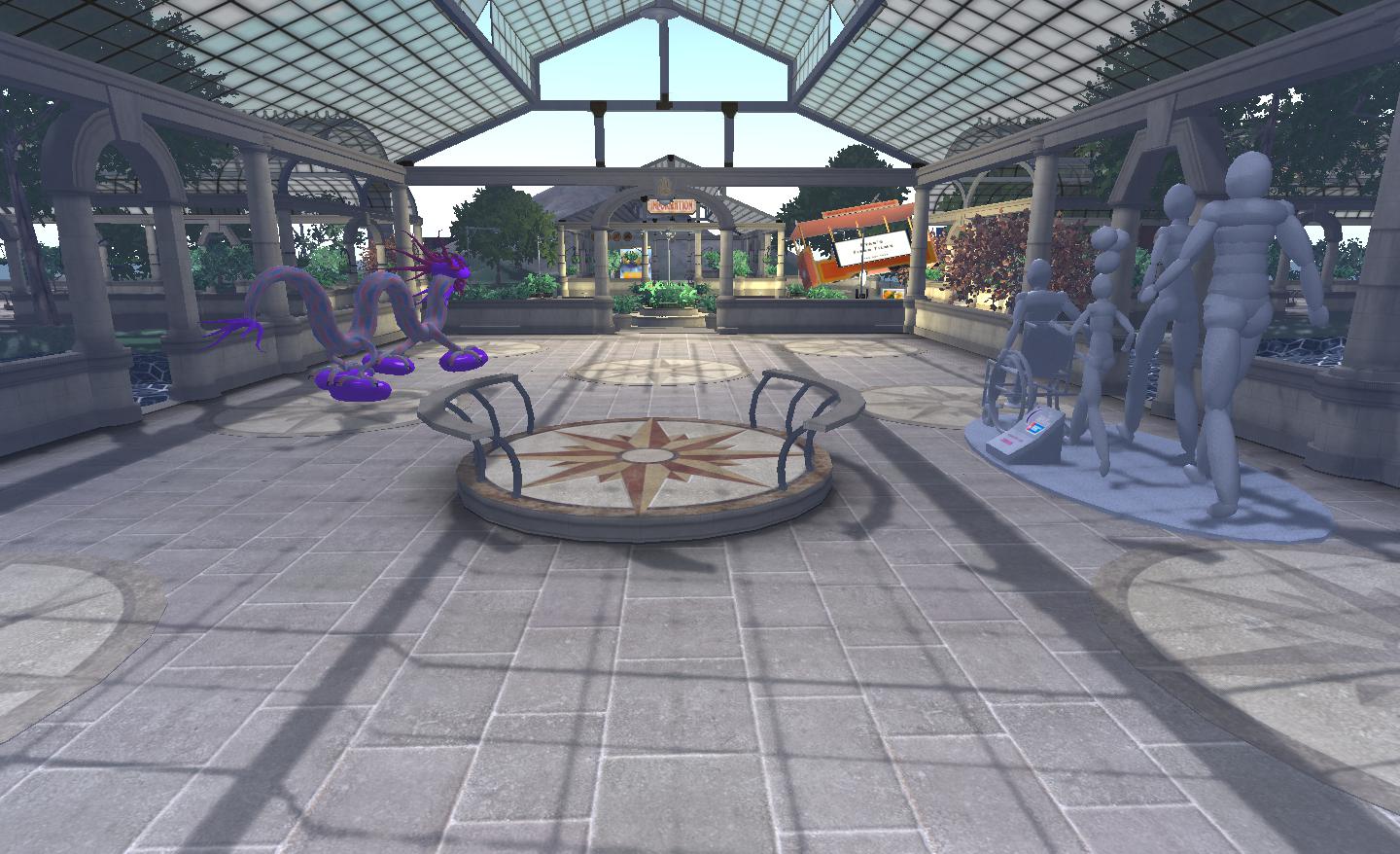
HPI tourist office: helping people find their way around SL’s sights
The Farewell Party
Billed as HPI’s “Goodbye, Farewell Amen” party, the event will commence at 13:00 SLT, and feature “Five DJ and three hours of music, dance, fun” to take place at the Island’s Sky Garden. The five DJs participating in the event are:
The Lord Charles
Kahuna Chrome
DJ Timmy
Kew the Music
Keif Denimore
The venus for the party is HPI’s Sky garden – teleport to Help People Island (teleports routed to an arrival point) and look for a teleport totem (right) – one is located on the right side of the arrival area plaza.
 The next update to Firestorm is still a little way off, in part due to the fact that the team is currently awaiting various fixes to known issues to filter through from Linden Lab.







 Inara Pey: Living in a Modemworld