Open from Friday, May 11th through until Sunday, May 13th, 2018 is the second annual Kultivate Sensuality Art Exhibition. As the name suggests, this is very much an exhibition of adult-themed art, so may not be everyone’s cup of tea.
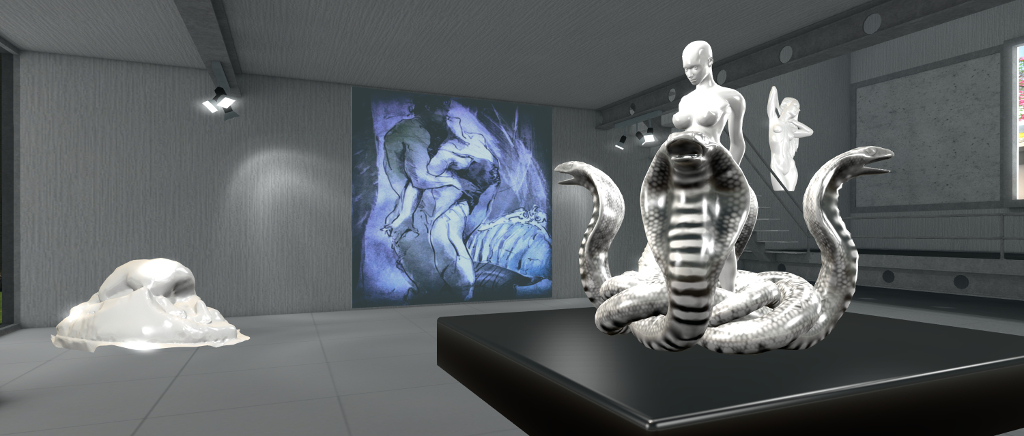
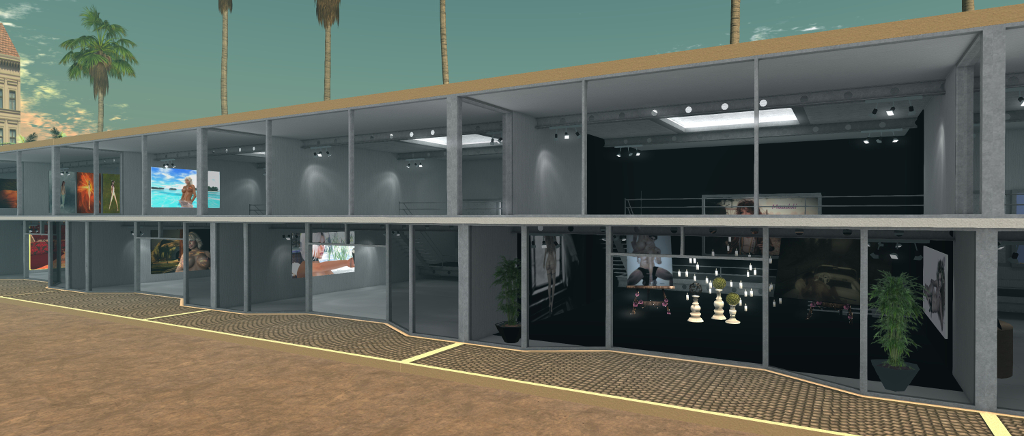
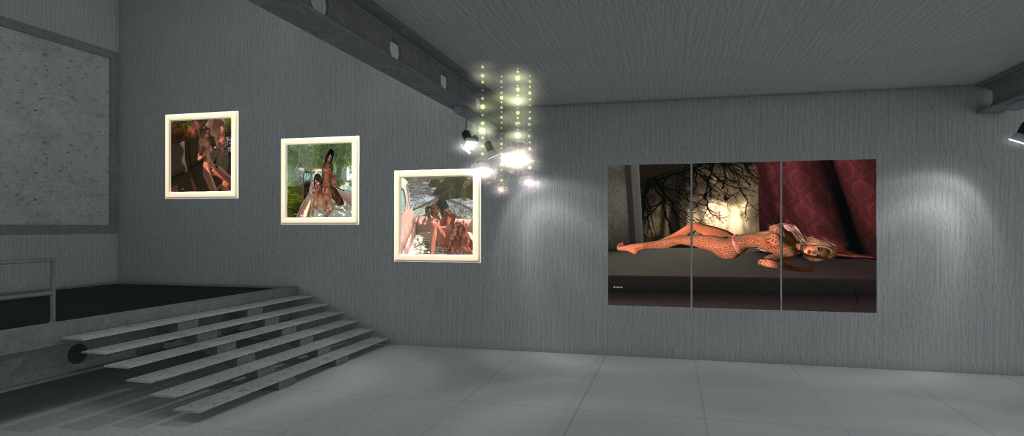
Located on a sky platform, the exhibition presents the artists work in a series of individual gallery spaces set around an events square. Some of the artists have opted to simply display their art unfettered (so to speak, and pardon the pun); others have opted to dress their display spaces in keeping with the themes of the exhibition.
Perhaps unsurprisingly, the female figure predominantly features in the art of display (there still seems to be something of a shying away from public exhibitions for full made nudity in the art world, even allowing for the Adult rating available in SL). There are exceptions to be found – but they are the minority here. Many of the individual exhibits also seem entrenched in a familiar take on “sensuality”: full frontal nudity, sex, and SM / BDSM.
Don’t get me wrong, there’s nothing wrong with this per se in an adult-themed art exhibition, and I’ve nothing against what is on display within this exhibition. However, sensuality is a broad canvas on which to paint, and opting from full frontal or direct nudity or “simple” themes such as BDSM at times miss an opportunity to engage imaginations beyond just titillation.
Let’s face it, the most erotic and sensuous organ in the body is the mind: so it would perhaps be nice to see more artists recognise this, and play or toy with our imaginations rather than perhaps opting for the easier boobs’n’bums approach. Why not, for example, opt for the soft focus and the use of suggestion through setting, pose, lighting, etc.? Give the eye and the mind enough to get the imagination to take notice, and then let it weave what it wishes into the image.
Which shouldn’t be taken as a complaint against seeing this exhibition. As noted above, it’s a personal – and subjective – point-of-view, although I hope it may challenge some artists to consider the subject more broadly next time around 🙂 .
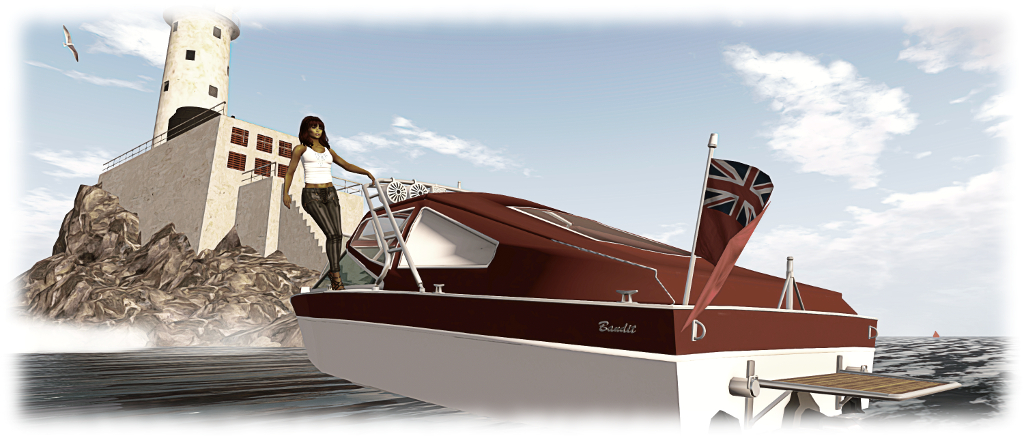
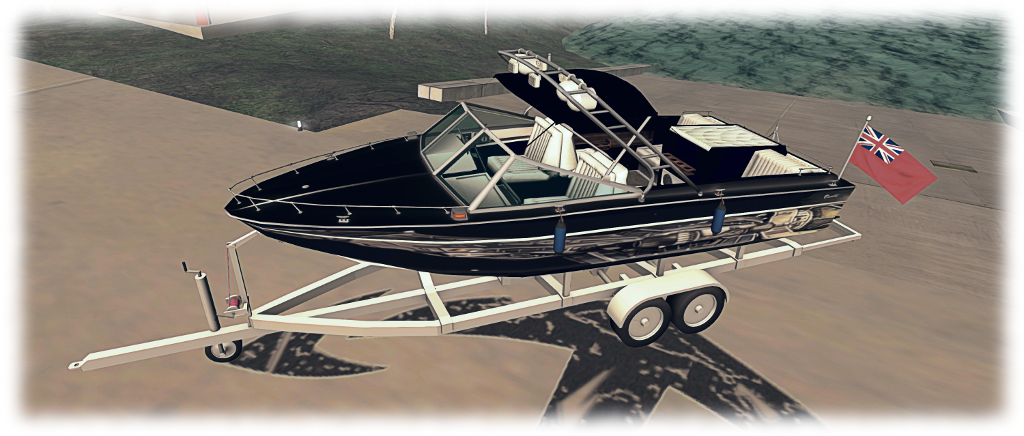
The Bandit SRV 210, finished in my own “Serenity” paint scheme and with the tower and Bimini sun shade visible
So I’m a bit of a boating enthusiast, as I’ve covered in various articles in this blog. When it comes to powered boating, I’ve been especially partial to boats by Ape Piaggio. However, I recently added a third speed boat to my modest collection – the Bandit SRV 210; and it is a truly delightful little vessel.
Designed and built by Analyse Dean under her Bandit brand, the SR/210 is, as the manual notes, modelled after the fibreglass-hulled sports boats of the 1970s / 80s. with a deep V-shaped hull (which gave boats of this type a “super-V” designation) boats of this kind can cut through the water at speed and offer a high degree of manoeuvrability. This is certainly true in the case of the Bandit SRV 210.
Trying one of the boat’s animations with the full Bimini canopy erected over the boat
Costing (at the time of writing) L$2,500, the boat’s package comprises the SRV-210 itself, a towable, rideable inner tube, a trailer, note card manual, a note card of boating tips, and two texture packs. One of these contains a set of pre-made textures in .PNG format ready for application to the boat (and which can be used as templates for creating your own colour schemes), the other a set of flag textures for the boat’s (rather large) stern flag (and which I eventually scaled down somewhat).
Seating up to six people, the boat at first may appear little boxy in shape – but don’t let that put you off; it really does have a lot to offer. The controls follow the usual for a boat: LEFT / RIGHT for turning, UP / DOWN for the throttle. In addition, PAGE UP will open the throttles all the way to the stops – useful for a fast pick-up if racing or when towing someone on the supplied inner tube. Alternatively, pressing PAGE DOWN from idle will push the boat into full reverse and PAGE UP will drop the engine to idle. In addition there are chat commands – “start” to start the engine, “stop” to turn it off; “fenders” to deploy for mooring fenders and so on.
With the throttle open to the stops, the SRV 210 reaches around 24 knots. At this speed, it handles region crossings pretty well (when they are behaving!)
Key among these are the command to deploy the boat’s “extras”: the light tower, the Bimini cover, an a Get the Freight Out duffel bag. The tower can be used when towing someone on the inner tube or a wakeboard (the latter is not supplied with the boat, but can be purchased from Ape Piaggio for L$400 via her shop at Dutch Harbor, close to the SRV 210’s vendor). the Bimini cover has three options: sunshade; sunshade with over-the-windscreen spray deflector, and full cover. Each option and be displayed / hidden in turn with the “bimini” command via chat. Those who like speed / heading info can call the hovertext HUD via the “hud” command – the information will appear when the engine is started.
Initial handling can take a little getting used to; after starting the engine it is necessary to press and hold the UP arrow key to get the throttle to engage and get you moving (or you can use PAGE UP to go to full throttle, as noted). Once in motion, the throttle can be advanced or retarded via individual key presses.
The trailer is unscripted and static, but offers a nice out-of-water storage for the SRV 210. Remember to raise the propeller unit on the boat (“lift” in chat) to avoid damaging it!
One thing to get used to with this boat is it is very “physical”: it really will bounce through waves; as a consequence, you can suffer a fair amount of camera juddering. This can be lessened by using the mouse scroll wheel to push your camera back a little from the boat. And talking of the camera – the boat includes a reset option for those times when the camera skews and locks at a weird option on a region crossing. It may not always work – such is the nature of SL; but if you find your camera off-angle, type “cam” in chat.
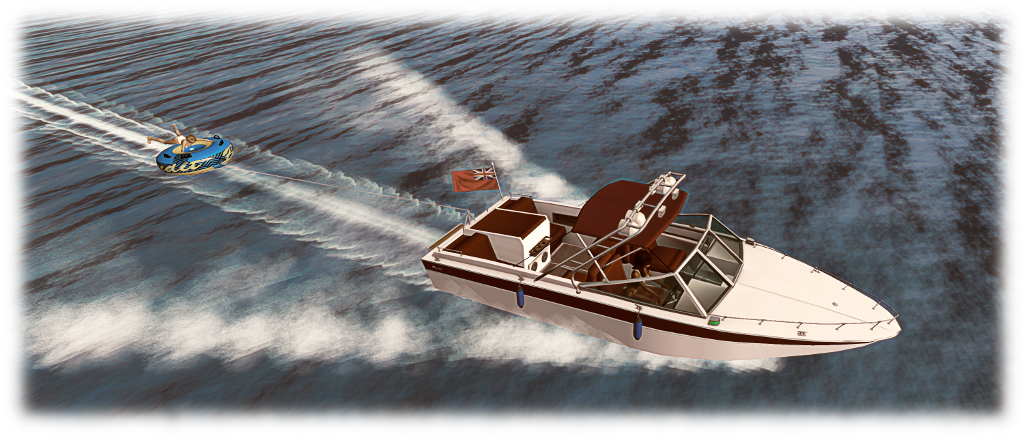
Using the inner tube for someone to ride on is a matter of sitting in the boat, and saying “tube” in chat to ready the boat to attach the inner tube. Rez the tube close behind the boat and it should automatically connect via a particle line, with the boat acknowledging it is attached. The manual recommends doing this with the tower rezzed on the boat, but it’s not vital. Once the tube is attached, the person riding it can jump on and you can set off. Keep an eye out (if you can) for the tube rider’s animation when crossing regions 🙂 .
Caitlyn tries the inner tube
Using an optional Piaggio wakeboard is pretty much the same, other than the command is “wakeboard”; you might also want the tower deployed as well for this. In addition, the Bandit SRV 210 manual explains how to have someone else pilot the boat if you want to try the tube or a wakeboard for yourself.
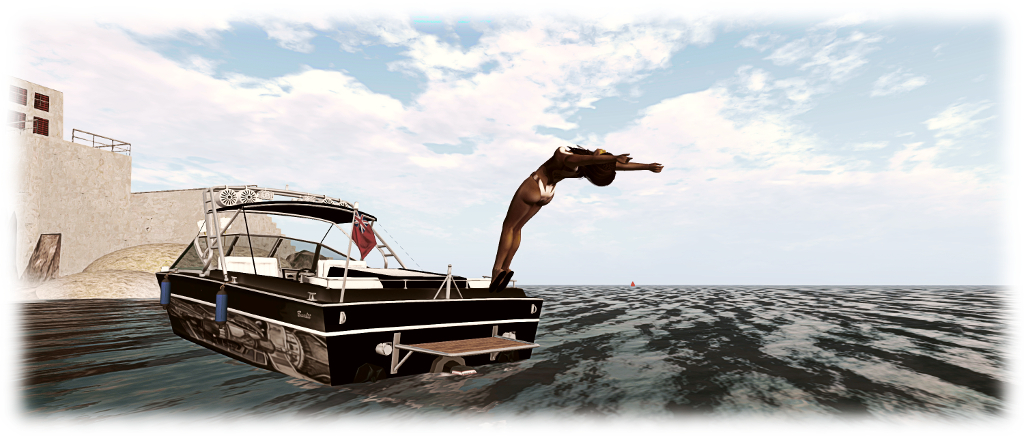
For those who like first-person driving, the SRV 210 is again ideal – the dashboard is fully working, and the boat can be perfectly handled from mouselook. When at rest on the water, there are a range of animations and poses to choose from – including diving off the boat’s fantail platform and treading water close by. All of these add to the boat’s sense of fun – but do be warned that some of the couples animations can get explicit, so careful where you use them! The built-in media system may offer music to relax by as well.
Taking a back flip off of the SRV 210’s fantail platform
I did find the “press and hold” to get the throttle initially open on start-up a little awkward if in a confined space with the boat, but practice makes perfect. Those who have the Piaggio / Foilborne AD25H Little Bee (see here for a review) might see little advantage in also owning the SRV 210 as the two offer a lot of very similar options, with the Little Bee offering wakeboard and parasail options “built-in”. However, for the enthusiast, the very different styling of both make them attractive: the Little Bee harks back to the days of classic tender-style speedboats, and the SRV 210 has the equally classic look and feel of boats from the 1980s, while there are more than enough options unique to each to keep people happy.
With its supplied options, handling, ease of painting and its overall looks, the SRV 210 is a great boat to have, and very suitable for everyone from beginners through to keen SL boating enthusiasts. In addition, the Get The Freight Out duffel bag potentially adds a little twist of running contraband for role-play enthusiasts.
Additional Links
The Mesh Shop landing point (Dutch Harbor, rated: Moderate) – the SRV 210 can be found across the bay from the landing point
Monday, May 7th saw the arrival of the May 2018 Sansar release, entitled the VR Chat release. As the name implies, this release includes the long-awaited option for those in VR mode to see text chat from those around them. Alongside of this is Twitch integration, a further avatar sit option, and other nips, tucks and updates.
As always, full details are available in the release notes, this overview just highlights some of the key features / items in the release. In addition, a small update was issued on Tuesday, May 8th, 2018.
Initial Notes
As with the majority of Sansar deployments, this update requires the automatic download and installation of a client update.
Changes to the avatar inventory support means that on logging-in for the first time following the update, users will be placed in the LookBook (Avatar App).
Terrain Editor Reminder
Starting with the mid-March release, the Lab has been discontinuing the use of the Terrain Editor. This is as a result of recent investigation in Sansar’s performance revealing the height maps created using the tool could adversely affect performance in both the Run-time and Edit modes.For creators who have used the Terrain Editor, this means:
All existing terrain created using the Terrain Editor or through uploaded heightmaps should be replaced by the end of April. After this date, all terrain items that are still in scenes will be replaced by a place-holder asset.
All terrain items in the Store that have been created using a terrain heightmap should also be removed from the Store as soon as possible.
There is at this time no indication as to if / when the Terrain Editor will be re-introduced.
VR Mode Updates
Read Text Chat in VR Mode
A major limitation with Sansar up until now has been that those in VR mode have been unable to see text chat (either local chat or direct messages) in their headsets – which can lead to those using text as their preferred means of communications being ignored.
Chat in VR allows VR users to see local chat and direct messages whilst in VR Mode
Chat in VR rectifies this by providing the means for headset users to view the chat app in their field of view. I don’t actually have full-time access to a headset, so can’t vouch for how it works. However, from the Sansar documentation:
The Chat app in VR mode allows you to view messages from nearby people in your current experience in the Nearby tab and private messages in the Messages tab.
It is not currently possible to send messages while in VR mode.
You can move the Chat app by grabbing it with your Oculus Touch or Vive Wand and dragging it to a new location.
When you move or turn your head, the Chat app moves with you.
Pointer-based VR interaction
This update replaces the “move your head to select objects” approach with the more intuitive use of hand controllers. Simply point and hover over objects with the controller to select or pick up. Note that head movement is still required to use the Avatar tool when hovering over an avatar, however.
Twitch Integration
This release brings with it the ability to create a Sansar account via Twitch, and then log-in to Sansar using your Twitch credentials.
However, note that this is only for those creating a Sansar account via Twitch: it is not, at the time of writing, possible to link an existing Sansar account to a Twitch account and use the Twitch credentials to log-in to Sansar.
Those who create a new Sansar account via Twitch can now log-in to Sansar using their Twitch credentials
The VR Chat update brings with it three updates related to clothing:
The Worn Clothing panel in LookBook > Customise option allows you to easily review, remove or adjust clothing on your avatar.
The Sansar astronaut and highlands outfits have been added to the default clothing inventory.
Adjustments for multiple Marvelous Designer clothing items can be made at the same time by clicking the “Adjust Clothing” button, or adjust each worn clothing individually by pressing on the “Play” button in the Worn clothing panel.
The Worm Items panel (LookBook > Customise) allows you to easily review / change the clothing you are wearing
New Sit Option
A basic ground sit came to Sansar in the April release (see here for more). However, as I remarked at the time, for a female avatar wearing a dress, the sit pose wasn’t the most elegant. This has now been addressed, to a point, with a new “/sit 2” pose, which set an avatar kneeling – see the animation at the top of this article. The hands-through-the-skirt aspect is still a little distracting, but “/sit 2” is a big improvement, as well as adding a bit of variety to a group sitting on the ground together.
Other Updates
The VR Chat offers a number of scripting updates:
API for object animation playback – play, pause, stop, rewind, slow down/speed up object animations via script.
API to override the media URL in a scene – update the streaming media at runtime via script.
Colours are now a supported type for script parameters.
Visibility added on container properties for local position and rotation in the property editor.
The release notes also reference Avatar broadcasting the ability for one avatar to the precedence when speaking over others – useful for presentations, music events, etc. It’s not currently available for end-user use, but the Lab indicate it will be used in some Sansar events.
Feedback
An interesting update, but one that I have to admit, hardly excites. Frankly, I’m still of the opinion that if LL really want to encourage new users into Second Life, they really need to tackle the Sansar website – notably getting rid of ZenDesk (and Discord, which just doesn’t strike me as either scalable when it comes to supporting the hoped-for user base with Sansar, and which doesn’t have any real integration with Sansar) and establishing a properly integrated and informative web platform, with decently provided blog updates, a proper forum, etc., and which can help engage new users and make information a lot easier to see and to surface.
On May 25th, 2018 the European Union’s General Data Protection Regulation (GDPR) comes into force. While an EU regulation, the GDPR not only applies to organisations located within the EU but it will also apply to organisations located outside of the EU if they offer goods or services to, or monitor the behaviour of, EU data subjects.
The GDPR applies to all companies processing and holding the personal data of data subjects residing in the European Union, regardless of the company’s location. As such, it not only Linden Lab, who hold data on Second Life and Sansar users in the European Union, it can also impact those operating a business through Second Life and who collect data on customers which is stored outside of the servers operated by Linden Lab.
In preparation for the enforcement of the GDPR, on May 9th, 2018, Linden Lab issued a preliminary blog post on their compliance with the GDPR, which covers both Second Life or Sansar.
GDPR, in a nutshell.
Put simply, the GDPR puts in place new requirements for the collection, maintenance, and use of personal data for residents of the European Union (EU) and European Economic Area (EEA). It’s an important evolution in privacy practices, and one we’ve already started to account for: if you notice, our existing Privacy Policy already discloses the type of personal data we collect from you, how we use and limit any sharing of your data, and your rights to control our use of your personal data.
What you can expect.
In coming weeks, we’ll provide more information on how EU residents in Second Life can best exercise their rights under GDPR. In some cases, you may take actions through your account dashboard (to modify your personal data, for instance). In others, it may be necessary to file a support ticket and verify your identity (to better protect your privacy).
– Linden Lab May 9th blog post on the upcoming GDPR
The GDPR defines personal data as, “any information related to a natural person or ‘Data Subject’, that can be used to directly or indirectly identify the person.” This includes, but is not limited to: IP addresses, on-line identifiers (including avatar names), e-mail addresses, photographs, as well as the more usual name, address, bank details, medical data, etc.
In addition to defining requirements for how such data should be managed and protected by organisations gathering it, the GDPR also specifies a number of rights to Data Subjects who have their personal information stored by companies and other entities. These include, but are not limited to:
The right to be informed: Data Subjects have the right to know what data is being collected, how it’s being used, how long it will be kept and whether it will be shared with any third parties.
The right to access: generally speaking, organisations are required, within one month of receipt of a formal request, to provide a copy of any personal data concerning the requesting Data Subject.
The right to rectification: a Data Subject can formally request that inaccurate or incomplete information relating to them is updated, and the update must be made within one month (exceptions can apply).
The right to be forgotten: a Data Subject can request the erasure of all personal data relating to them in certain circumstances (e.g. it is no longer necessary to hold it; if the data was unlawfully processed or it no longer meets the lawful ground for which it was collected). However, there are certain exceptions to this.
(In addition, the GDPR defines: The right to object (to data being gathered); The right to restrict processing; The right to data portability; and Rights related to automated decision making including profiling.)
For those running businesses through Second Life or Sansar which use services – web sites, computers, etc., – outside of Second Life for the collection and storage of personal information on their EU Second Life / Sansar customers, the GDPR might have significant import – and exposure to the risk of fines. For such businesses, the Lab’s advice is clear and straightforward:
If you collect or process personal data of EU residents on a website associated with Second Life or Sansar, or create or make use of programs that retain information about Second Life or Sansar users or their computers, you may also have obligations under the GDPR. You should consult with your legal counsel for advice regarding your site(s) or program(s).
– Linden Lab May 9th blog post on the upcoming GDPR
To help people get to grips with GDPR, if they haven’t been aware of its arrival, the Lab offer a series of links to articles and FAQs. To these I would add:
Ce Soir Arts: Xanthe Firehawk – Mystical Spring – The Awakening of Spring (centre)
Art exhibitions in Second Life come in all sizes – from those that are region-sized, through ensemble gallery complexes exhibiting work by multiple artists to small boutique-style galleries, either run by the artist or curated and offering a focused exhibition featuring the work of a single artist. Two exhibitions falling into this latter category are Ce Soir Arts, and VOIR Gallery. They are currently and respectively hosting modest exhibitions by Xanthe Firehawk and Storie’S Helendale (GlitterPrincess Destiny) which are both well worth taking the time to visit.
Mystical Spring at Ce Soir features nine images by Xanthe celebrating the arrival of spring. They range from pure landscape settings through to beautifully created avatar studies that richly capture the mysticism and romance we sometime embody within thoughts and images of spring.
The landscapes – La Pastorale de Printemps (“Spring Pastoral”) and Spring Awaking offer views rendered in both the soft colours and the rich blooms of spring; the latter very much the embodiment of nature bursting into a celebrating of the season, the former a little more subdued, and perhaps reflecting some of the religious / pagan connotations of spring through its title. These are mirrored by La Danse du Printemps (“Spring Dance”) and Mystic Downpour from across the other side of the gallery space.
However, and for me at least, the most striking part of this exhibition are the five studies facing the gallery entrance. These perfectly embody all of the mysticism and fantasy we weave into spring whilst also standing as marvellous examples of Xanthe’s art. Such is the strength (and size) of the central piece – The Awakening of Spring – in this quintet of pictures, it is easy to find the eye drawn away from the smaller pictures bordering it two to a side; but I do urge you to take the time to examine them in turn, as they are as equally rich in narrative and symbolism – the unicorn, the font, the white stag – and again stunningly rendered.
Solitary Moments, on display at VOIR gallery, presents a series of self-studies by Storie’S, offered in both colour and black-and-white. The Advanced lighting Model (ALM) should be enabled within the viewer prior to viewing (Preferences > Graphics) and local Windlight set to that recommended at the gallery entrance or – if you don’t have the specific Windlight – set your time of day to Midnight.
The images themselves range in tone and approach; while nudity is limited, it is perhaps best to consider them as being close to NSFW. As the title of the exhibition suggest, the pictures reflect moments caught in the time when one might be alone with one’s own thoughts.
What these thoughts might be is part of the allure of the pictures; they invite us to study them and weave a mood and vignette around them. With one or two – such as Suspect Red – there is a suggestion of being caught unawares whilst lost in thought: the hand extended toward the camera perhaps in an effort to prevent the picture being captured. Meanwhile, Not Extinguished appears to suggest a certain pensiveness on the part of the subject – the cigarette, the way one arm is crossed over / holding the other… All of the images are further nuanced by their very titles, some of which invite more than one interpretation – again, Not Extinguished being a case in point.
All told, two very different, but equally engaging, exhibitions.
On Tuesday, May 8th, the Main (SLS) channel received server maintenance package 18#18.04.30.515008, which includes updates to simulator communication protocols aimed at improving region crossings and teleports.
On Wednesday, May 9th, all three main RC channels should receive server maintenance package 18#18.05.07.515224, which includes two new LSL functions: llRequestUserKey and llName2Key – see below for more.
Region Crossing Updates
Commenting on the region crossing updates, Simon Linden revealed he’d be out of the office for next week, but:
After I’m back I expect to continue region crossing work … the servers are now doing a better job tracking all the attachments and objects you may be sitting on. The goal is to know when the region thinks that’s all done, and the viewer acknowledges it. If that doesn’t happen, it can do better fixing it.
llRequestUserKey and llName2Key
llRequestUserKey and llNameToKey, both of which will be across all RC channels following the Wednesday deployment, are in connection with the upcoming return of Last Names (see this blog post and this blog post for more). These functions can be summarised as:
Requests the Agent ID for the agent identified by name from the dataserver. The name given may be either the current name of an avatar or a historical name that has been used in the past. If no agent can be found with the supplied name this function returns the value NULL_KEY.
It returns a handle (a key) that can be used to identify the request when the dataserver event is raised.
Note that agent being searched for with this function does not need to be signed on to Second Life.
Returns a key the Agent ID for the named agent in the region. If there is no agent with the specified name currently signed onto the region, this function returns the value NULL_KEY. Names are always provided in the form “First[ Last]” or “first[.last]” (first name with an optional last name.)
If the last name is omitted a last name of “Resident” is assumed. Case is not considered when resolving agent names.
Uses a different mechanism to look up agent information to the older llKey2Name().
Bakes on Mesh project viewer, version 5.1.3.513936, March 30.
360 snapshot viewer, version 5.1.3.513006, March 6 (this version can have significant rendering issues, see my hand-on update).
Linux Spur viewer, version 5.0.9.329906, dated November 17, 2017 and promoted to release status 29 November – offered pending a Linux version of the Alex Ivy viewer code.
Obsolete platform viewer, version 3.7.28.300847, May 8, 2015 – provided for users on Windows XP and OS X versions below 10.7.
Other Items
Region Restarts and Server Moves
Once upon a time, the Lab used to put effort into trying to ensure adjacent regions in the same server or nearby server. This was most notably done through server re-balancing exercises (see my notes on one of them here, for example), carried out a couple of times a year and which could take some 6 weeks to complete. These operations generally required additional restarts for the regions being moved, and were thought to bring improvements to teleports and physical region crossings.
With hardware and infrastructure improvements over the years, coupled with other sets taken to improve overall grid performance, these operations are no longer carried out – although efforts are taken to ensure multi-region events are placed on simulators all located on the same or adjacent servers. However, nowadays, for the majority of region, they are moved purely as a part of the weekly rolling restarts.
Those wishing to know which regions might be sharing a server with their own can use Tyche Shepherd’s Grid Survey (use the region search and then click the region name link in the results). However, keep in mind not all the result may be up-to-date.
Next Meeting
As noted above, Simon Linden, who usually leads the Simulator User Group meeting will be out of the office in week #20. However, the meeting for the week will still go ahead as scheduled.




 Inara Pey: Living in a Modemworld