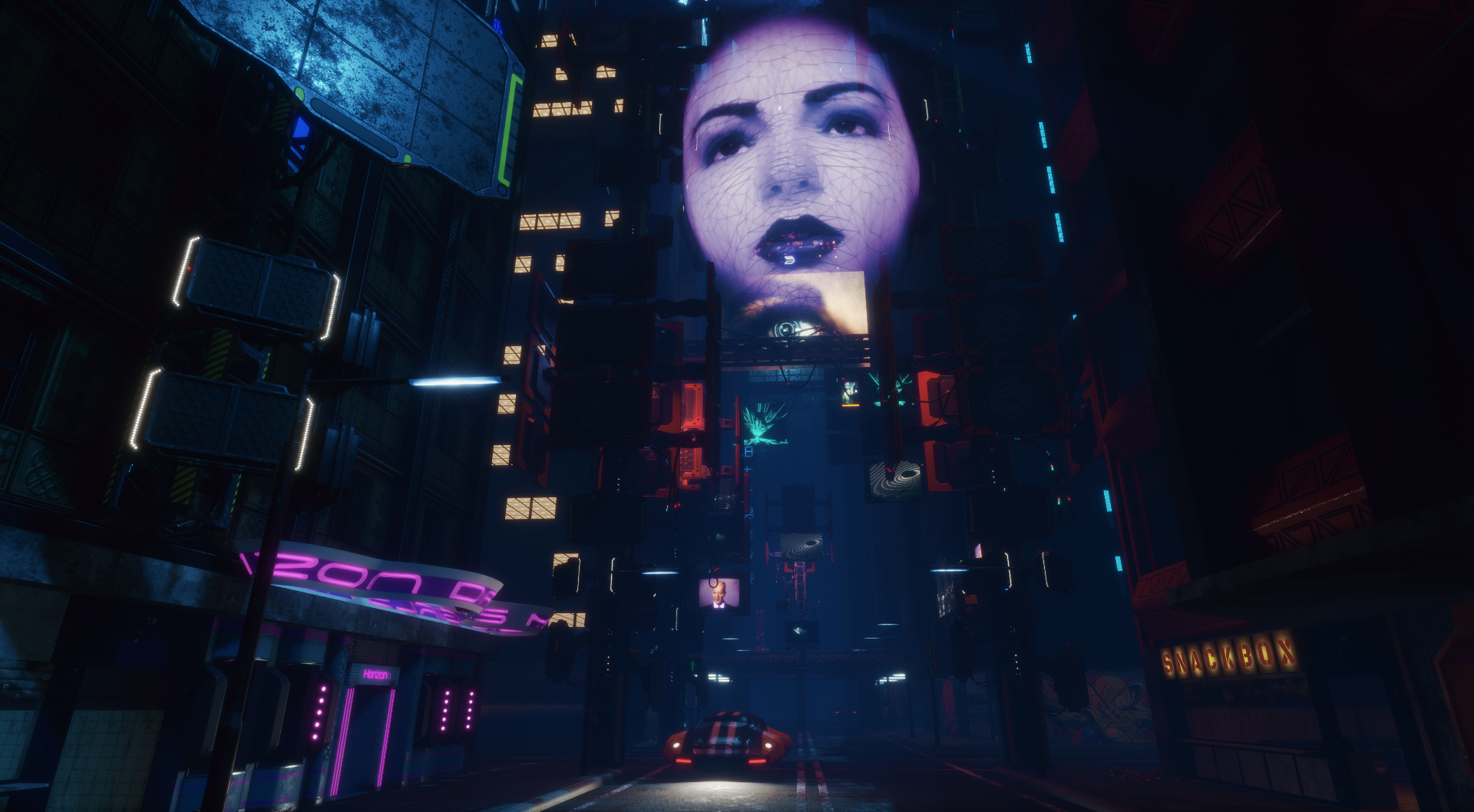
Journeys into darkness, fantasy and the future

Seanchai Library

It’s time to highlight another week of storytelling in Voice by the staff and volunteers at the Seanchai Library. As always, all times SLT, and events are held at the Library’s home at Holly Kai Park, unless otherwise indicated.


Monday, January 29th 19:00: The Wolfen

Whitley Strieber is perhaps best known for his book for Communion, a non-fiction account of his alleged experiences with non-human entities. However, his is also a writer of horror fiction, with The Wolfen being his first published novel (1978).

When two New York Police Department uniformed officer are violently killed, detectives Becky Neff and George Wilson are tasked with investigating the incident and bringing the perpetrator/s to justice. The evidence reveals the two uniformed officers were quickly and brutally attacked by some kind of animal – so rapidly, in fact, neither were able to fire their service handguns – one even had his hand and gun ripped from his arm before having time to open fire on his attacker. Worse, both men were disembowelled, their organs devoured.

Gathering the evidence from the crime scene, Neff and Wilson start their investigation by trying to understand what kind of animal might have left the bloody paw prints around the bodies. This leads them down a path that touches on the issue of police corruption which involves Neff’s policeman husband is taking money from certain groups. As more bodies are discovered, Neff and Wilson are drawn into a world where the natural meets the supernatural: the forgotten parts of New York where the abandoned of the city live – and are preyed upon by the Wolfen.

Join Gyro Muggins as he reads the conclusion to Neff and Wilson’s investigations.

Tuesday, January 30th 19:00: 21 Balloons

Faerie Maven-Pralou reads from William Pène du Bois’ 1947 children’s classic, The Twenty-one Balloons.

A steamship en route across the North Atlantic comes across the strange wreckage of twenty deflated gas balloons and rescue, much to their surprise, a lone man – one Professor William Waterman Sherman.

The professor had last been seen some three weeks previously, departing San Francisco aboard a giant balloon, determined to spend a year aloft and drifting on his own.

Now, as word spreads that the professor has been found alive and well – and in completely the wrong ocean to the one he had last been seen flying towards – the world awaits the story of how he came to circumnavigate the globe in record time, only to be fished from the wreckage of twenty balloons when he had started with just the one. When he has sufficiently rested and recovered after receiving a hero’s welcome on his homecoming, the good professor tells a tale most fantastic…

Wednesday, January 31st 19:00: Fractured Symmetry

In the future and 1,000 light years from Earth, a woman of action works for a reclusive, enigmatic genius…

Blair MacAlister is an expert at Judo, a credible AI hacker, and a certified pilot of craft atmospheric and interstellar. Her favourite weapon is sarcasm, or failing that, her ever-present blaster. Her boss is Terendurr the Black Stone: technical wizard, expert in the ethnography of myriad races, fancier of rare foods and wines, and even rarer fractalites. An Entharion Quadromorph, exiled from his homeworld and under constant threat of assassination, he is also somewhat irritable.

Together they investigate mysteries based on science, in a setting that brings them into contact with all the main races of Civspace: The mysterious Junn, the affable but biologically intense Raylics, the chaotic and powerful Oro-Ka, the commercial minded Keret, and the cynical Phair.

At the centre of their cases are transformative genetic therapies, unlikely fossils, the linked neurology of symbiotes, and more. Terendurr is over 300 years old and has seen and endured the worst and strangest the galaxy has to offer. Will Blair prove as durable as her boss?

Join Corwyn Allen as he reads from Fernando Salazar’s 2017 novel.

Thursday, February 1st 19:00: Star Wars: The Force Awakens

With Shandon Loring. Also presented in Kitely (hop://grid.kitely.com:8002/Seanchai/144/129/29).


Please check with the Seanchai Library’s blog for updates and for additions or changes to the week’s schedule.

The featured charity for January / February 2018 is Reach Out and Read, giving young children a foundation for success by incorporating books into paediatric care and encouraging families to read aloud together.
Space Sunday: rockets, exoplanets landers and asteroids

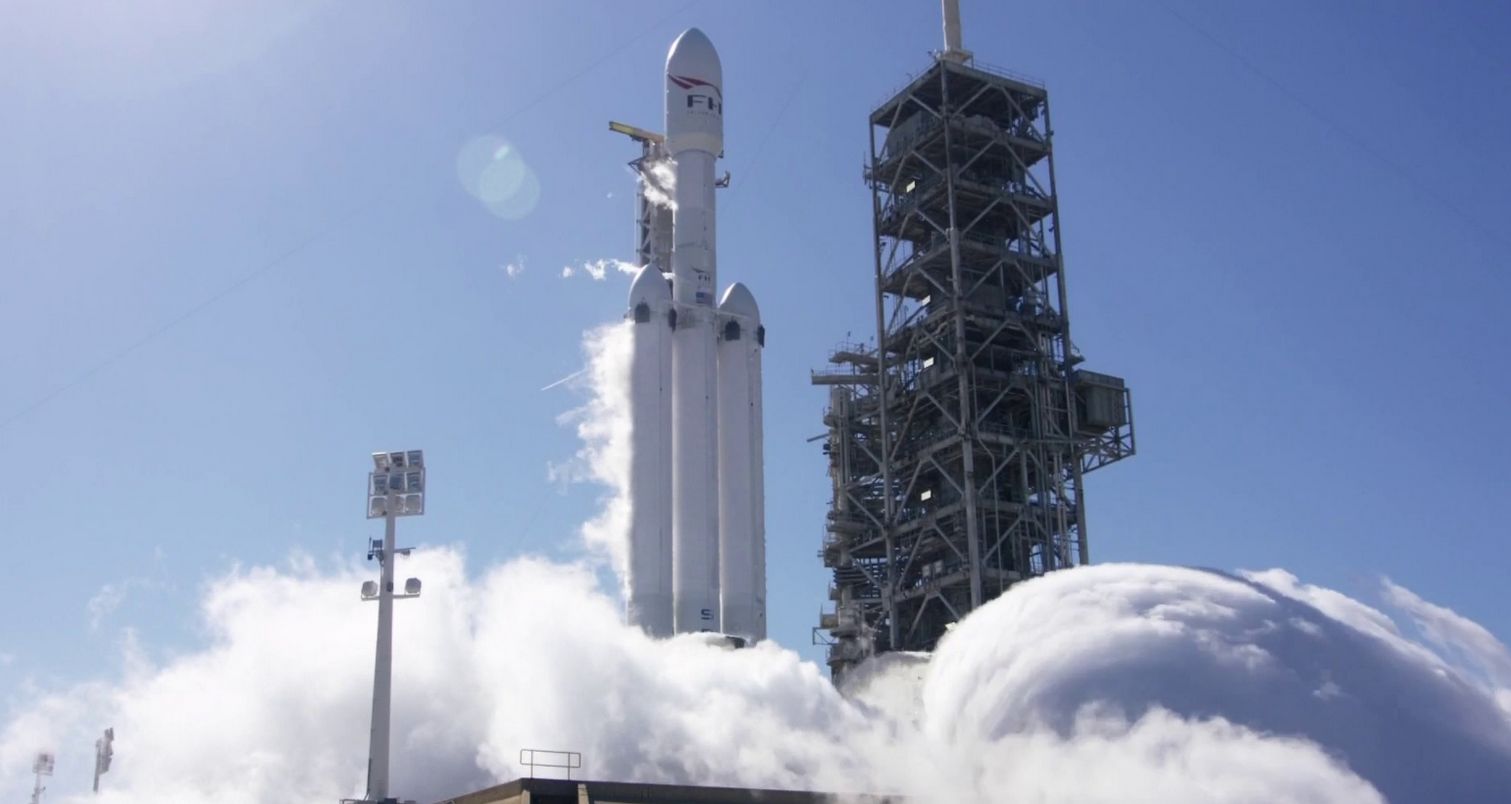
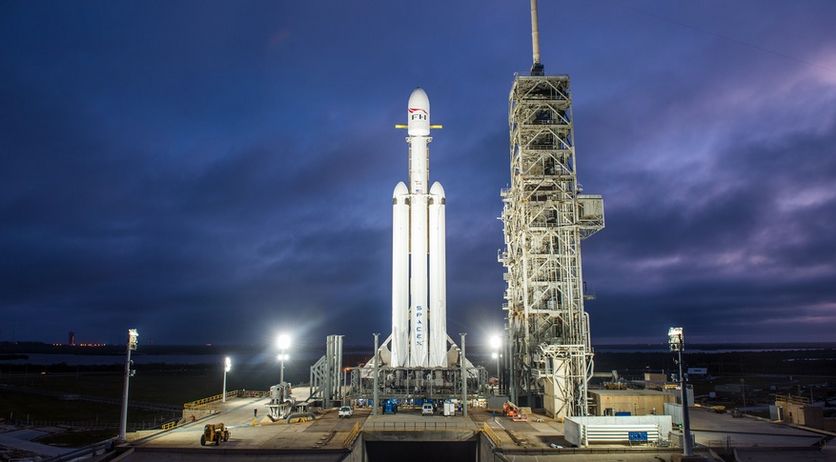
Fire in the hole! the Falcon Heavy’s 27 Merlin engines are test-fired on Pad 39A at NASA’s Kennedy Space Centre, January 24th, 2018. Credit: SpaceX

SpaceX faces a busy couple of weeks for the end of January and the start of February 2018. On Tuesday, January 30th, the company is set to launch Luxembourg’s SES-16/GovSat 1 mission on a Falcon 9 rocket from Launch Complex 40 at Canaveral Air Force Station on Florida’s coast. As is frequently the case with SpaceX missions, an attempt will be made to return the booster’s first stage to a safe landing  – this time at sea, aboard the Autonomous Spaceport Drone Ship Of Course I Still Love You in the Atlantic Ocean.

Then, if all goes according to plan, on Tuesday, February 6th, SpaceX will conduct the first launch of the Falcon Heavy booster which should be a spectacular event. As I’ve previously noted in these updates, Falcon Heavy is set – for a time at least – to be the world’s most powerful launch vehicle by a factor of around 2, and capable of lifting up to 54 tonnes to low Earth orbit, and of sending payloads to the Moon or Mars. The core of the rocket comprises three Falcon 9 first stages strapped side-by-side, two of which have previously flown missions.

For its first flight, the Falcon Heavy is set to send an unusual payload into space: a Tesla Roadster owned by Tesla and SpaceX CEO Elon Musk. It’s part of a tradition with SpaceX: mark a maiden flight with an unusual payload; the first launch of a Dragon capsule, for example, featured a giant wheel of cheese. If all goes according to plan, SpaceX hope to recover all three of the core stages by flying them back for touch downs; two of them on land, and one at sea using an Autonomous Spaceport Drone Ship.

The Falcon Heavy is raised to a vertical position on December 28th, 2017 in a launch pad “fit test”. Credit: SpaceX

As part of the preparations for any Falcon launch, SpaceX conduct a static fire test of the rocket’s main engines.For the Falcon Heavy, this took place on January 27th, 2018. These tests have come in for criticism from some quarters as a high-rick operation. However, to date, SpaceX has not suffered a single loss as part of such a test, although in September 2016, a Falcon 9 and its payload were lost while the vehicle was being fuelled in preparation for such a test. For the Falcon 9, the test involves firing the 9 Merlin main engines for between 3 and 7 seconds; with the Falcon Heavy test, and possibly to obtain additional vibration and stress data ahead of the launch, all 27 engines were fired for a total of 12 seconds – almost twice as long as the longest test of a Falcon 9.

Assuming the launch is successful, it will pave the wave for Falcon Heavy being declared operational. The second launch will most likely carried a Saudi Arabian communications satellite into orbit, and the third flight of the Heavy undertake the launch of multiple satellites. All three launches will be watched closely by the US Air Force, who are considering using the Falcon Heavy as a potential launch vehicle alongside the Falcon 9, which was added to the military launch manifest in 2016.

TRAPPIST-1: Further Look At Habitability

Since the confirmation of its discovery in February 2017 (read more here), the 7-exoplanet system of TRAPPIST-1 one has been the subject of much debate as to whether or not anyone of the planets might be habitable – as in, have suitable conditions in which life might arise.

As I’ve previously reported, while some of the seven planets sit within their parent star’s habitable zone where liquid water might exist, there are some negative aspects to any of the Earth-sized worlds harbouring life or having the right conditions for life. In particular, their parent star is a super cool red dwarf with all internal action entirely convective in nature. Such stars tend to have violent outbursts, so all seven planets are likely subject to sufficient irradiation in the X-ray and extreme ultraviolet wavelengths to significantly alter their atmospheres and rendering them unsuitable for life. Further, all seven are tidally locked, meaning they always keep the same face towards their parent star. This will inevitably give rise to extreme conditions, with one side of each world bathed in perpetual daylight and the other in perpetual, freezing darkness, resulting in atmospheric convection currents moving air and weather systems / storms between the two.

Artist’s concept showing what each of the TRAPPIST-1 planets may look like. A new study suggests TRAPPIST-1d and 1e might be the most potentially habitable. Credit: NASA

However, on the positive side, TRAPPIST-1 is sufficiently small and cool that, despite their proximity to it, the sunward faces of the planets won’t be as super-heated as might otherwise be the case. This also means that the extremes of temperature between the lit and dark sides of the planets aren’t so broad, reducing the severity of any storms some of them might experience. Now a team of researchers have identified the more likely planets within the seven which might have conditions conducive for life.

This involved certain assumptions being made, such as all the planets being composed of water ice, rock, and iron, and – given some of the data concerning the planets, such as their radii and masses, are not well-known – a range of computer models having to be built.

In putting everything together, the team concluded that TRAPPIST -1d and TRAPPIST-1e might prove to be the most habitable, with TRAPPIST 1d potentially being covered by a global ocean of water. The study also suggests that TRAPPIST-1b and 1c have have partially molten rock mantles, and are likely to be heavily volcanic in nature.

In publishing their work, the team are reasonably confident of their findings, but note that improved estimates of the masses of each planet can help determine whether each of the planets has a significant amount of water, allowing better overall estimates of their compositions to be made.

Continue reading “Space Sunday: rockets, exoplanets landers and asteroids”

Clouds and windlight skies by Stevie Davros

Saturn over Holly Kai Park, via the Cosmic Skies clouds set by Stevie Davros

ARCHIVE ONLY – SUPERCEDED BY EEP

  • Update, December 29th: Stevie has produced a range of EEP sky / cloud sets for people to use / modify to suit their needs – see Paint your skies with Stevie Davros’ EEP sets.
  • Update, June 2020: The EEP project mentioned at the end of this article was officially released on April 2020. EEP includes some significant differences to hose .XML environment files and .TGA cloud files are used.  For further information on EEP, please refer to:
    • My EEP Primer article, for a general overview of the capability and its viewer-side elements, or
    • My EEP Tutorial for an in-depth look at the EEP controls in the viewer.


During the Friday, January 26th, 2018 TPV Developer meeting, mentioned was made of cloud texture sets produced by Australian photographer Stevie Davros, which he offers for sale through the Marketplace. Curious, I decided to go and take a look and have a play.

In all, Stevie is offering five sets of cloud textures at prices ranging from L$99 through to L$599. These are essentially collections of .TGA files designed to replace the cloud texture found in the viewer, and a selection of associated windlight sky .XML files specifically designed to work with the cloud textures, together with comprehensive set of installations instructions and links to his installation videos. To help people understand how they work, Stevie provides a sixth demonstration set for free.

As delivered from the marketplace, each set comprises a note card providing a general introduction to the sets, and a set of links, as follows:

  • A link to a Dropbox file location where the actual files for installation can be downloaded.
  • A link to a YouTube slide show of the various cloud textures.
  • A link to his set of Flickr albums showings the cloud images.
  • Assorted links to windlight tutorials.
The JuilaSet clouds and ~Clouds_JulietSet_Blue_Day windlight .XML by Stevie Davros (Sci-Fi and Fantasy clouds)

On receipt of a note card (delivered to your Received Items in its own folder), simply copy / paste the Dropbox link into your web browser to display a preview of the download ZIP contents (thumbnails of the folders and instruction files), and click the Download button, top right of the web page – don’t download the individual files.

I’m not going to run through the installation process here, as Stevie provides a comprehensive guide in both .PDF and .RTF formats, and links to his installation videos. Some file manipulation is required, but providing you are comfortable navigating a folder / directory hierarchy via your computer’s file manager / explorer, and with renaming files and copy / pasting files, you shouldn’t find the installation that taxing. Suffice it to say that the downloaded ZIP contains:

  • A choice of folders with the cloud .TGA files – one for PC, one for Mac OSX. These are intended to replace the default cloud texture provided in the viewer.
  • A folder of .XML windlight files that can be used with the cloud textures. Copy the contents of this folder to your viewer’s user windlight skies folder, rather than the viewer’s main windlight skies folder.
  • Installation instructions in .PDF and .RTF.
  • Two images used in the installation instructions.
The JuilaSet clouds used with Annan Adored’s Morning Dream windlight

For most viewers, using the different cloud textures requires renaming the texture you wish to use via your computer’s file manager, and restarting their viewer. Again, Stevie’s installation instructions explain what is required.

If you use Firestorm, you can simply copy all of the cloud textures to the viewer’s windlight\cloud folder and select your required cloud texture from the Preferences → Windlight → Cloud Texture drop-down, although a viewer restart will still generally be required to apply the change.

Note: when re-logging after selecting a custom cloud TGA, you may either:

  • See no change in your sky if you are in a region using the default sky settings, or
  • Things might look initially messy.

If this happens simply switch to a suitable windlight setting – see below.

There are a wide variety of ways to access windlight .XML files depending on the viewer you are using. Within the official viewer, windlights are access via the World menu → Environment Editor and then using either the Environment Settings panel or Sky Presets → Edit Preset floater, using the drop-down on each to select your preferred windlight setting (see below).

Selecting windlight pre-sets from the World menu in the official viewer – click for full size, if required

When applying the cloud textures and windlights supplied by Stevie, it’s worth keeping the following in mind:

  • Some of the cloud textures have recommended or specific sky .XML presets for use with them. For example, in the Cosmic Skies set:
    • The JuliaSet clouds have set of associated .XML files with the prefix ~Clouds_JuilaSet_[name]).
    • The Saturn cloud texture requires the ~Clouds_Saturn windlight sky in order to display correctly (the planet will display with some other windlights, but generally appears distorted)
  • Some of the cloud textures can look rough – faint rings may appear in the sky, the texture repeats might have a definable edge, etc. These issues can generally be corrected by adjusting the amount of cloud cover using the appropriate slider (e.g.  World menu → Environment Editor → Sky Presets → Edit Preset … → Cloud tab) and use the coverage slider to adjust as required.

Feedback

Given there are a lot of windlight .XML sets freely available to users, charging for them might at first seem odd – but remember, with these sets, it is not the .XMLs you are paying for, but the .TGA cloud files. How useful then might be to the individual depend on your Second Life use. Photographers will potentially find the sets to be of the most use; however, there are some points to be noted:

  • The cloud .TGA files are copyrighted by Stevie Davros. As such, although they are supplied outside of Second Life, they should be regarded as supplied under the following permissions: Copy, Modify, No Transfer, and should not be passed to other users.
  • These sets are intended to be applied on the viewer side only (in fact, the cloud .TGA files can only currently be applied through the viewer), so only you will see them in operation. However, those with their own region / with EM rights, might apply the windlight .XML files to their region.

It is perhaps also worthwhile pointing out that Rider Linden is working on the Environment Enhancement Project (EEP), which will significantly change how Second Life environments will change – read this overview about the project for more. As such, some might prefer to see how this project is implemented – testing is due to start on Aditi very soon – before purchasing sets of clouds.

2018 Sansar Product Meetings week #4

2077, Sansar; Inara Pey, January 2018, on FlickrSansar: 2077blog post

The following notes are taken from the Sansar Product Meetings held at 9:30am and 4:00pm PST on Friday, January 26th, 2018. These Product Meetings are open to anyone to attend, are a mix of voice (primarily) and text chat, and there is currently no set agenda. The official meeting notes are published in the week following each pair of meetings, while venues change each week, and are listed in the Meet-up Announcements and the Sansar Atlas events sections.

Nyx, Cara and Carolyn from the product team joined Jennifer for the meetings.

Inventory Updates

  • Filter / sort / search: the Lab is trying to fine-tune inventory to allow better sorting and filtering. This will hopefully include a search by item name function. This is seen as the first improvement to inventory for 2018, and at the time of writing was still being worked on, so it is not clear if tit will make the January release (Release 17 – see below for a re-cap on this).
  • Folders: inventory folders are frequently requested. These are now something the Lab hopes to start working on “soon”.
  • Scene Templates: the scene templates (currently available from the Scene Template drop-down list to the System Object menu to allow for easier drag-and-drop of scene templates at any time.
An update to the WEB Atlas means that events are now shown in your local times zone – not PST. A similar update will be deployed to the Client Atlas soon

Release 17

As note on my 2018 week #3 notes, the January release is simply called “Release 17” by the Lab, and focuses on:

  • Bug fixes.
  • Performance improvements – for example, the amount of data sent to the client for avatar and dynamic object animations has been reduced by some 60%, which will hopefully make things more fluid for users in busy experiences.
  • An experience loading progress bar has been coded, although the scene loading page has yet to be revised to show it, and it is hoped this will be in Release 17, or deployed shortly thereafter.

At the time of writing, the Lab is aiming to deploy the release around mid-week in week #5 (commencing Monday, January 29th, 2018).

Valentine’s Day Store “Express Your Love” Event

Jennifer has blogged about a special Valentine’s Day store event called Express Your Love. It has a very short lead-time (official closing date January 31st, 2018, although submissions may still be accepted beyond that), and creators are invited to submit wearables / clothing with a strong Valentine’s Day theme (e.g. chocolates, roses, jewellery in the case of wearables, gowns or suits for a romantic evening out for clothing) for inclusion in a special Sansar Store Valentine’s Day collection, which will be available from February 1st through February 14th.

Attachment Poly Counts / MD Issues

Currently the poly count for individual avatar attachment is restricted to 15K triangles. As the Lab is looking at various optimisations to help improve Sansar’s performance, this is unlikely to change in the immediate future. Some of the requests to increase the poly count is as a result of issues being encountered in using Marvelous Designer (MD). Cara understands that higher poly counts can be avoided when importing MD clothing if the particle distance is not smaller than 20mm – which matches that of the Sansar avatar. It is acknowledged that this may cause problems in some designs, and so is offered as a suggestion, rather than a hard-and-fast recommendation.

Suggestions have been made on how complex clothing might be better handled, such as splitting a rigged gown into two parts, but having them annotated such that they are handled within Sansar as a single item when worn. In response, Nyx reiterated that what was made available in the Fashion Release was only an initial release, and the Lab are looking at further refinements and improvement options, so final limits on things like poly counts and options for handling clothing and attachments are still being examined and considered.

Functionality over Immersion?

While not ideal, Second Life does have the floating dot over people’s heads, and the visible green sound bars flashing when someone is actually speaking. This eases locating someone talking at a meeting a lot easier (as can having the people floater open and checking for the voice indicator there).

A similar approach in Sansar has been seen by the Lab as “immersion breaking”, but its is now being recognised as there needs to be some easier means to locating who is speaking rather than trying to spot moving avatar lips. Suggests put forward for such a capability include:

  • A voice indicator in Sansar’s people floater.
  • An auto-rezzing “speaker’s stick” indicator that automatically rezzes in front of (or over?) the avatar of someone speaking, and vanishes when they are silent.

Sansar Store

  • Product updates: the Lab is working on a mechanism to allow creators to offer product updates to purchasers.
  • Merchant / customer communications: offering merchants the ability to better communicate with their customers is on the radar and being looked at.
  • Gifts / Gifting: the ability to gift items in the Store to people is “on the radar”, but is seen as lower on the priority list, so no work has started on it as yet.

In Brief

  • Building Gizmo: it’s been noted that the gizmo used to move and position models in a scene is not easy to see and manipulate when handling very large models. The Lab is a ware of this and looking at options for improving the tool.
  • Level of detail: there are plans to add level of detail (LOD) capabilities / optimisations to Sansar, but these are still a little further down the road.
  • Advertising outreach: options for people to be able to better advertise / promote goods, services, activities, etc., are being thought about. These could include user profiles and group options similar to those found in SL; an ability to “follow” others and receive updates and notifications from them, etc.
  • Events promotion: the Lab is working on a mechanism for people to submit their own Sansar events directly to the events calendar without having to e-mail a member of the Community team. This will not be in Release 17, but will hopefully be deployed in a future release update.
  • Improved Desktop Mode interactivity options: the ability to click on buttons, etc., in Desktop Mode, is being looked into, and additional engineering expertise has been brought in to work on interactivity in Sansar in general.
  • Sitting: an initial ability to allow avatars to sit is being investigated. Avatar animations in general are also being considered – please refer to recent Product Meeting notes in these pages for more.
  • Chat: improvements to Sansar’s chat capabilities are being planned, including things like group chat sessions independent of people all being in the same experience, etc., and it is hoped these will start being deployed later in 2018.
    • The Chat App currently does not support copy from the chat history. However, the Lab is looking into trying to offer a text copy capability within the local chat window once more (the “original” ability to do so having been a bug).
  • PayPal support: still on the road map, but no work carried out as yet.
  • Subscription plans & experiences: there are currently no plans to change the current number of experiences per Sansar subscription plan.

2018 UG updates #4/2: TPV Developer meeting

La Vie; Inara Pey, January 2018, on FlickrLa Vieblog post

The following notes are taken from the TPV Developer meeting held on Friday, January 26th 2018. The video of that meeting is embedded at the end of this update, my thanks as always to North for recording and providing it. Time stamps in the text below will open the video in a new tab at the relevant point of discussion.

Viewer Pipeline

[0:00-1:25] The Voice RC viewer updated to version 5.1.1.512121 on January 26th, bringing it to parity with the Alex Ivy release viewer. The reaming viewers in LL’s pipelines remain as:

  • Current Release version 5.1.0.511732, dated January 9th, promoted January 17th. Formerly the Alex Ivy Maintenance RC – NEW.
  • Release channel cohorts:
    • Nalewka Maintenance viewer version 5.1.1.511871, January 17th.
  • Project viewers:
  • Linux Spur viewer, version 5.0.9.329906, dated November 17th, 2017 and promoted to release status 29 November – offered pending a Linux version of the Alex Ivy viewer code.
  • Obsolete platform viewer version 3.7.28.300847, May 8th, 2015 – provided for users on Windows XP and OS X versions below 10.7.

Forthcoming Updates

  • The Voice RC is the next in line for promotion to release status, and this could happen in week #5 (commencing Monday, January 29th, 2018).
  • The Animesh and Project Render project viewers both have new updates in QA.
  • There is a new project viewer for media handling (with updates to the latest version of the Chrome Embedded Framework) also due to be made available.
  • A further 64-bit update is in the works.

Environment Enhancement Project (EEP)

Project Summary

A set of environmental enhancements, including:

  • The ability to define the environment (sky, sun, moon, clouds, water settings) at the parcel level.
  • New environment asset types (Sky, Water, Days – the latter comprising multiple Sky and Water) that can be stored in inventory and traded through the Marketplace / exchanged with others.
  • Scripted, experience-based environment functions, an extended day cycle and extended environmental parameters. This work involves both a viewer updates (with a project viewer coming soon) and server-side updates.

Current Status

[12:25-15:43] Rider Linden now has a test simulator on Aditi where he is able to successfully apply windlights at the parcel level. The work will now allow windlight settings to be applied by height above ground, but this will likely be fixed ranges defined on the simulator rather than allowing completely arbitrary heights for different windlight settings, as can be done viewer-side with some TPVs at present.

General Discussions

Level of Detail / RenderVolumeLODFactor

[4:17-5:21] The latest Firestorm release, 5.0.11.53634, has altered the behaviour of the debug RenderVolumeLODFactor so that changes with set it to any value higher than 4.00 will not persist across log-ins (see my Firestorm release overview here for more). The Lab is now considering implementing a similar change within the official viewer.

Land Impact / Avatar Complexity Calculations

[5:33-5:52] I’ve referred to this project a number of times, which is intended to gather more representative data on the actual cost of rendering object in-world and the cost of rendering avatars and their attachments, with a view to revisiting the formulas used in calculating them, to see if anything can be done to make the calculations more representative of the “real” rendering costs (allowing for issues such as the potential to break content). It is currently hoped that the Lab will have enough data on this in the next for weeks to start carrying these investigations forward.

[27:13-28:12] One of the reasons often cited for creating one very detailed level of detail (LOD) model and a very low LOD model, rather than a number of LOD models (high, medium, low and lowest), is that the latter can penalise the finished model’s overall Land Impact (LI). This is something the Lab is going to be looking at in order to try to remove / reduce disincentives to making optimised content for SL as a part of this work.

[28:35-30:25] These updates are likely to affect the LI of existing and rezzed content. However, they will not be made in Q1 of 2018. Instead, the Lab plan to carry out simulator-side testing to ensure whatever changes that are decided upon cause as little disruption as possible, and will offer a strategy to help people transition to the new system to try to avoid any unnecessary item returns, show the revised formula run the risk of some content being returned when implemented (this might even comprise an increase in land capacity, if the difference between the “old” and “new” LI calculations aren’t too big). Improved tools for understanding LI are also planned as part of this work.

[31:08-31:47] To help people understand LI, content building, etc., Oz Linden has been trying to get more of the Lab’s own documentation on design and building to where it can be seen in public. This also extends to making more of the Lab’s own scripts being made available for public viewing.

Camera Presets Project

[7:09-8:00] Jonathan Yap is moving ahead with his camera presets project (see here and STORM-2145). This will most likely include Penny Patton’s recommendations for improved camera placement as one of the default sets of camera presets.

AIS Project

[8:51-10:28] The Lab is initiating a further Advanced Inventory System (AIS) project. this project will initially be focused on bug fixes, then will include looking for opportunities to deprecate old UDP-based inventory operations in favour of AIS – this work will likely take several months to complete, once started. Once any patches related to this have been made available to TPVs (with time given for them to be implemented), inventory UDP messaging will be turned off at the simulator end.

Texture Rendering and Caching

[16:05-17:15] Kitty Barnett has been looking at texture fetching/decoding and has noted some issues around discard levels in the viewer. Oz Linden would like to learn more on this.

In the meantime, the Lab’s own attempt to re-work how texturing caching works in the viewer hasn’t produced the results LL had hoped (e.g. improving the amount of textures which can be loaded per second). However, tests will continue in the hope that improvements can be gained. If the work is successful, then the Lab will look towards improving object caching as well.

Inventory Folders and Load Times

[18:52-20:50] Inventory and folders:  the recent change (current SL maintenance RC viewer and Firestorm 5.0.11) to include folders in the total inventory count has raised concerns about increasing inventory load times.

The Lab’s rule-of-thumb remains one of balance:

  • Individual folders with tens of thousands of item in them (object, links, sub-folders) – including trash – can cause the inventory load process to freeze, due to the way folders are individually loaded at log-in. Therefore, these are best avoided.
  • Conversely, having an individual folder for every single item – or just very small number of items can cause lots of little fetches that don’t achieve very much.

Therefore, somewhere between these two extremes is preferable.

Other Items

  • A resource has been made available to update the wiki documentation on the new viewer log-in screen widget.
  • There is liable to be something of a focus on the render pipe (there’s already the rendering project viewer in the pipeline), as a resource with SL rendering expertise has returned to the fold from Sansar.

Next TPVD Meeting

[1:35-2:05] The next Third-Party Developer meeting is set for Friday, February 16th, 2018 (although in theory this should be a date for the Web User Group meeting, which usually alternates with the TPVD meeting).

Flying Coyote River in Second Life

Flying Coyote River; Inara Pey, January 2018, on Flickr Flying Coyote River – click on any image for full size

Miro Collas passed on a suggestion we pay a visit to Flying Coyote River, a Full region designed by Lila Rose (Masha Eilde) and open to people with Payment Information On File (PIOF). It’s a strangely eclectic wilderness region with plenty to see, and which can be very photogenic under a wide variety of windlight settings.

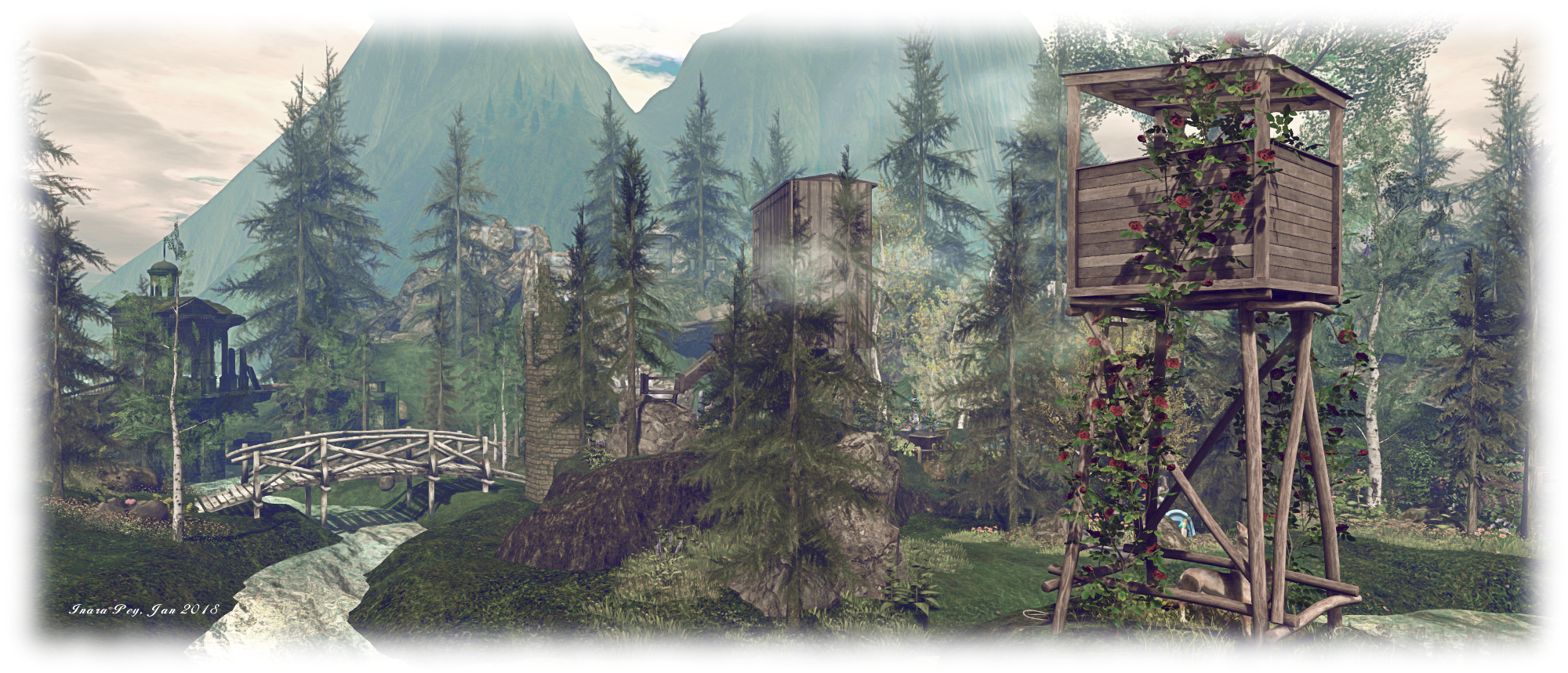
The landing point sits in the middle of the region on a small island, the rest of the land divided into four, each part ruggedly terraformed using a mix of the natural terrain and mesh elements. Precisely where you go from the landing point is entirely a matter of personal choice. Before doing so, and if you want to get a feel for the immediate surroundings, there’s a small watchtower offering a vantage point for a look around (you might also want to see what is under the little hillock of the island).

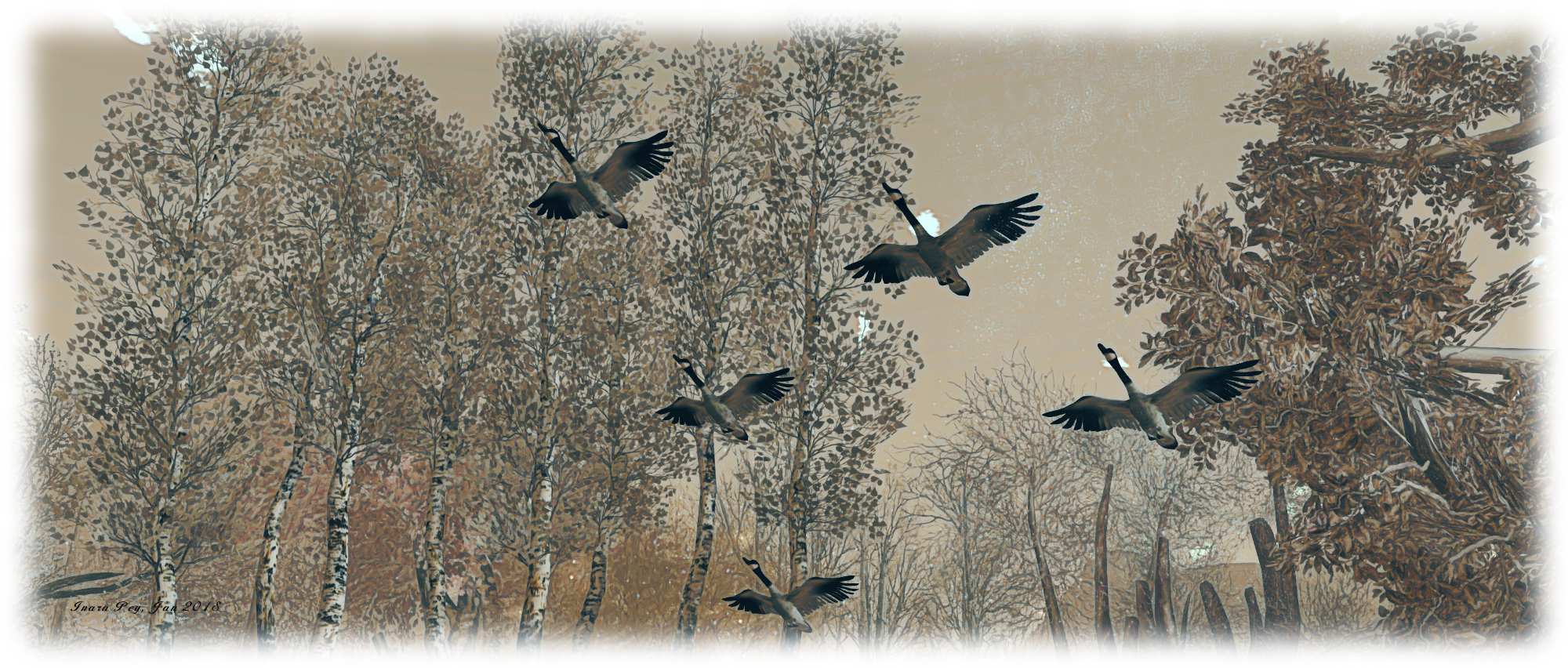
Flying Coyote River; Inara Pey, January 2018, on Flickr Flying Coyote River

However, whichever route you choose, you’ll be setting off on a voyage of discovery, because there is an awful lot to be found right across the region. So much so, in fact, that attempting to describe everything here would lead to a long article and spoil the fun. However, were I to be asked to define a possible single-word theme for the region, then it might be in “community”.

Not that there is an actual community of users here per se, but rather that the region has been designed to give a feeling that it has been established by a group of people; although quite why they’ve done so here in the wilds surrounded by mountains, is a story perhaps best left to individual imaginations. It’s also the kind of place that looks ripe for casual role-play for like minds paying in a visit – and that’s something that visitors are invited to try, as noted in the About Land description.

Flying Coyote River; Inara Pey, January 2018, on Flickr Flying Coyote River

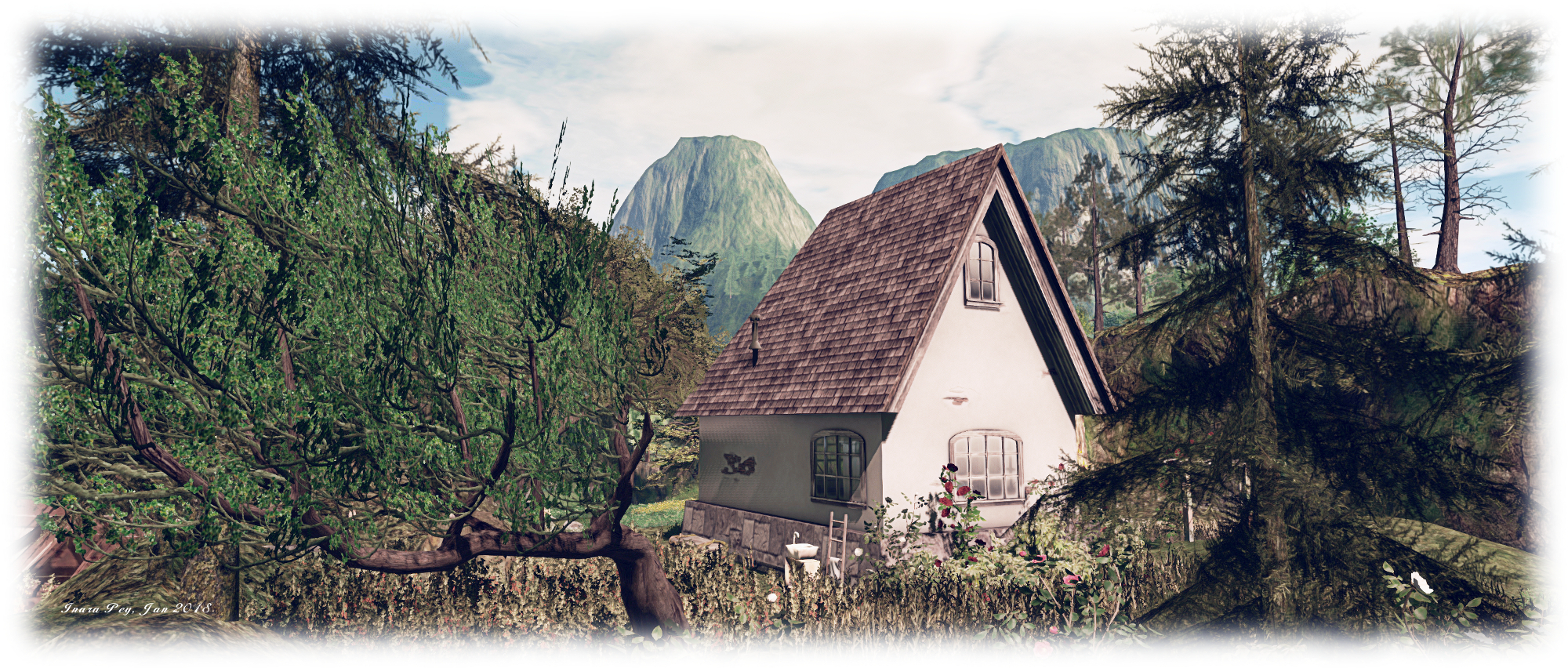
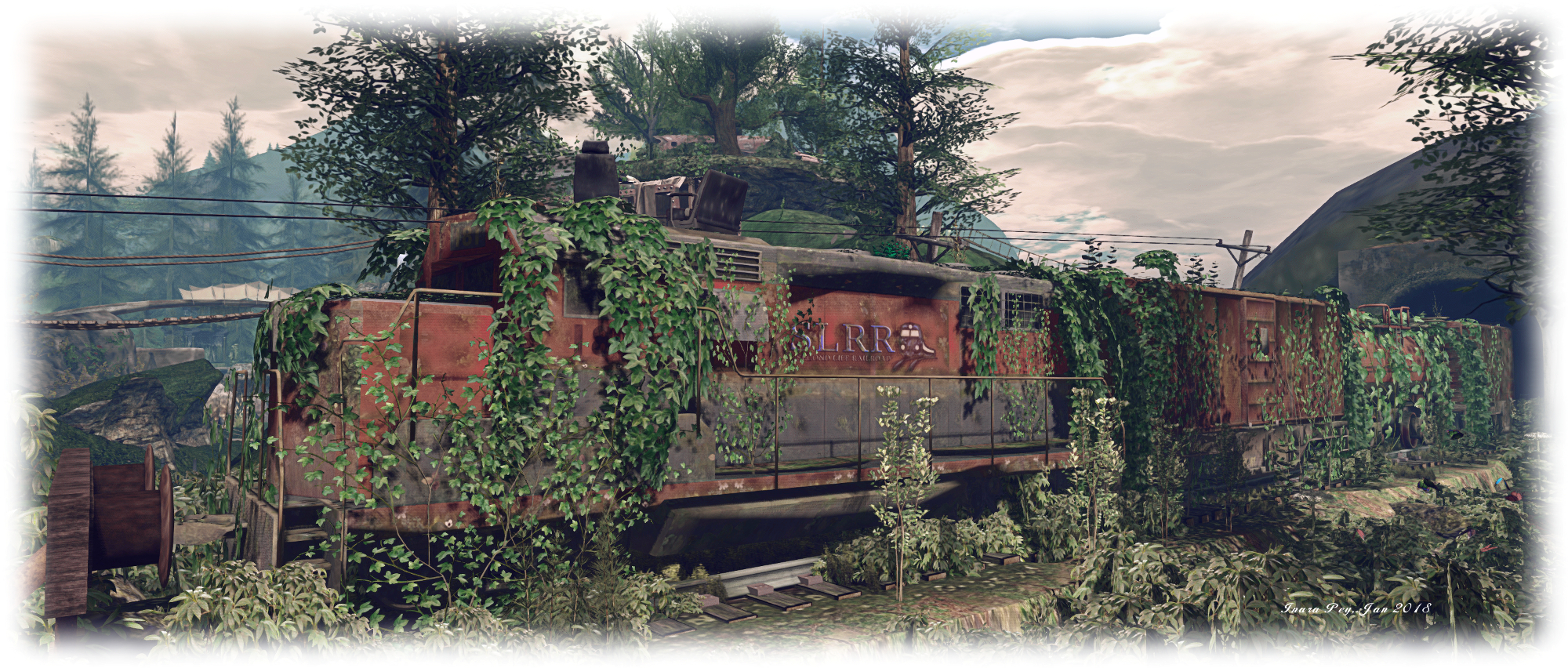
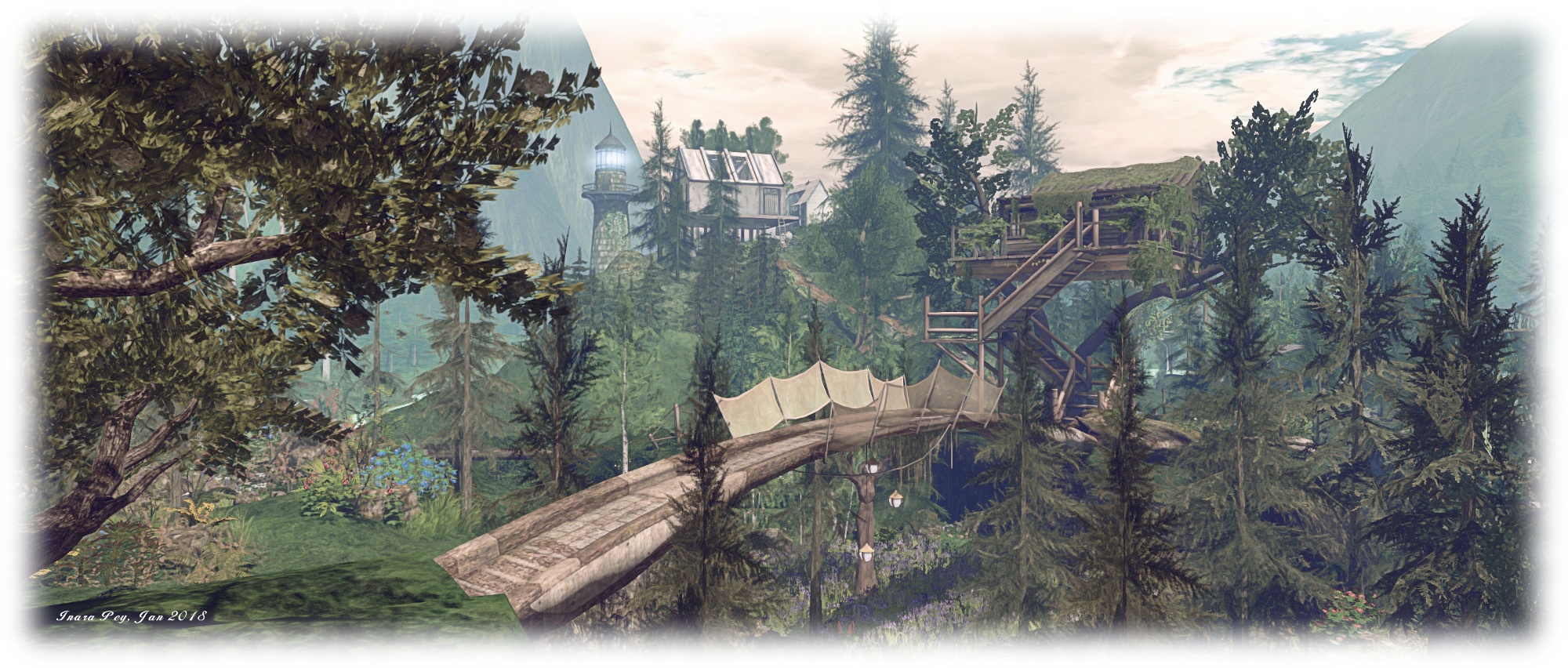
Buildings here come in all forms: houses, tree houses, converted rail cars, cottages, lighthouses, towers – even caves and hollows. All are scattered across the landscape, atop hills, improbably perched on cliffs, nestled along the coast or sitting in the branches of trees. Linking them one to the next is a series of trails, paths, bridges, ladders, tunnels and stairways, some of which are quite imaginatively placed, with others offering more than one way to reach a destination.

The best way of exploring the region is not to flycam / cam ahead – at least not to start with. It is far more fun to follow the paths and climb the hills to see what lies beyond the next ridge or hilltop then it is to constantly cam ahead. This way, you really get the feeling of being out in the wilds; and such is the design of the region, it can quickly start to feel as if is it far larger than its 256 metres on a side. Just as you feel you must have seen everything, there is something the pops into view or is at least hinted at just over the next rise – and so you’re drawn onwards.

Flying Coyote River; Inara Pey, January 2018, on Flickr Flying Coyote River

In this way, places like the garden with its wrecks of cars and bursts of flowery colour amidst the greenery of hills and trees raises a smile far more than when simply camming to it, while it hint of what might be a cavern or tunnel entices you further around the base of a hill or over a bridge and up a gravel path.  Gentle exploration also brings out the very mixed aspects of the region’s design, which brings together something of a post-apocalyptic flavour with twists of fantasy, all stirred into the feeling of being in the great outdoors – including a rope slide for the adventurous.

It is true that elements of the design are a little rough here and there – platform legs not quite reaching the ground, footings of bridges and buildings perhaps not as firmly placed into ledges and cliffs as they might be. But really, this doesn’t matter: Flying Coyote River offers so much to see, the attractions more than outweigh the niggles. There are also plenty of places to sit and rest, or look out over the landscape, from both indoors and from outside, again making a visit more than worthwhile.

Flying Coyote River; Inara Pey, January 2018, on Flickr Flying Coyote River

Again, when visiting the region, please remember access is restricted to those with PIOF, and note also that scripts are disabled if you re-log directly to the region. Our thanks again to Milo for suggesting we take a look.

SLurl Details