This summary is published every Monday, and is a list of SL viewer / client releases (official and TPV) made during the previous week. When reading it, please note:
It is based on my Current Viewer Releases Page, a list of all Second Life viewers and clients that are in popular use (and of which I am aware), and which are recognised as adhering to the TPV Policy. This page includes comprehensive links to download pages, blog notes, release notes, etc., as well as links to any / all reviews of specific viewers / clients made within this blog
By its nature, this summary presented here will always be in arrears, please refer to the Current Viewer Release Page for more up-to-date information.
Quick Graphics RC viewer updated to version 4.0.2.311103 on February 17 – provides the new Avatar Complexity options and the new graphics preset capabilities for setting, saving and restoring graphic settings for use in difference environments / circumstances (download and release notes)
The following notes and audio were taken from the weekly Bento User Group meeting, held on Thursday, February 18th at 13:00 SLT on Aditi. For details on each meeting and the location, please refer to the Bento User Group wiki page. Audio extracts are provided, however, due to circumstances beyond my control, I missed the first 20 minutes of the meeting, so the following update is not a full summary of all that was discussed.
The Default Avatar Mesh and Bento
An area of concern regarding Bento is that while custom-built avatars can make use of the new Bento skeleton, and some work has been done on making some of the appearance sliders for the default avatar mesh compatible with Bento, there is next to no way at presents for the default Second Life avatar mesh to make full use of a Bento extensions. Much of this wouldn’t actually matter, given that many of the circumstances where the new bones are being used would likely require the use of a custom mesh avatar. However, there are two noticeable areas where the it does have an impact: hands and faces.
Essentially, Bento introduces 30 bones into the face and 30 bones into the hands. However, these cannot currently be leveraged by the default avatar mesh, as demonstrated in the first 20 seconds of the video below.
As such, there has been discussion over the last couple of Bento meetings on ways in which this might be addressed. However, there are significant problems in trying to make the existing default SL avatar compatible with the Bento skeleton. One of these is that the default skeleton is designed in three core sections (head, upper body, lower body), each of which can only be rigged to utilise a maximum of 15 bones.
This means that trying to rig the default avatar to make correct use of the Bento skeleton additions isn’t that easy; the head and hands, for example, simply cannot support the number of bones offered by the Bento project. A further complication as that when it comes to facial expressions, the default avatar uses morphs rather than pure animations to achieve various expressions, and these could conflict with animations which utilise the Bento bones.
One solution would be to completely overhaul the default avatar or replace it. However, this is a massive undertaking, and one which could easily result in a lot of existing content breakage, as such it is not something the Lab is entirely sanguine about doing. Another idea put forward was for the Lab to provide two default heads, one utilising the default morphs and the other Bento bones and their associated animations. However, the limit of how many bones the default avatar mesh can support made this idea a non-starter.
Cathy Foil summaries the discusses on the avatar head, which occurred prior to my arrival at the meeting
During the discussion, Vir and Oz revealed that having the default avatar make use of the Bento skeleton is something the Lab has been pondering. However, it is not something that will be implemented during this initial phase of Bento due to the amount of work involved. However, it could be looked at as part of follow-on work from Bento.
Vir and Oz Linden raise the potential for Bento follow-on work to provide a means of making the default avatar head and hands more compatible with the Bento bones
That the Lab are considering trying to make some changes to the SL default avatar to leverage Bento capabilities lead to the suggestion by Medhue Simoni that perhaps the Lab should at the same time more broadly overhaul the avatar to provide a consistent set of vertices and weights throughout.
The idea here would be to present an avatar form which content creators could more readily use to model and rig fitted mesh items to a single, consistent set of vertices and weights, rather than each having to work to their own weightings. This would allow fitted mesh clothes to work more precisely with the avatar appearance sliders than is currently the case, and thus provide a more consistent and better feature set going forward.
The problem here is again exiting content breakage. One suggestion for dealing with this, put forward by Cathy, is that if the Lab decided to go the route suggested by Medhue, they could need to provide two default avatars, which users could swap between as needed dictated, by means of something like the gender change options currently found in the avatar appearance panel.
Comments on a wider re-working of the avatar skeleton
Appearance Sliders and Bento
As noted above, there has been some work completed on hooking some of the Bento bones to the appearance sliders – notably around the head and hands. Now that the updated skeleton is moving towards a final design, the hope is that perhaps more bones within it can be linked to the sliders.
Update, February 19th, 22:40 GMT: the SLS channel restarts have been completed and the Lab has issued a blog post on why they were required, which I’ve also blogged about.
Update, February 19th: the deployment of the update referred to below will commence at 15:00 SLT.
On Thursday, February 18th, there was an unscheduled server deployment to all three RC channels, which at the time of deployment was described as an, “Update on the simhosts. Nothing is changing Second Life functionality wise.”
Speaking at the Server Beta User Group meeting following the deployment, Steven Linden had this to say:
We had an unscheduled RC deploy earlier today. It’s for a security vulnerability that was released, and we discovered that Second Life regions were vulnerable. A full public post-mortem will be coming after we deploy to the rest of the main grid. I can’t say until it goes out to the rest of Agni; I can say that it was related to region availability only…. I honestly can’t say a great deal, other than we have a fix, and that it’s coming very soon to the rest of Agni.
All Steven could say about the issue was that a) it was related to region availability; b) it could only be exploited from within Second Life; c) there has been no evidence the issue is being actively exploited on Agni.
However, given the apparent urgency of the situation, it is likely that the update deployed to the RC channels will be also be rolled to the Main (SLS) channel well ahead of Tuesday, the normal day for Main channel deployments and restarts.
I’ll have more on this following the post-mortem release from the Lab.
Scheduled Updates
Details are scant at the moment, but Wednesday, February 24th should see a new server maintenance package which includes some code clean up around the area of parcel bans. There’s no new functionality being added, and the changes shouldn’t break anything. More details when the update notes are published.
SL Viewer
The Quick Graphics RC viewer updated on Wednesday, February 17th to version 4.0.2.311103. This sees the addition of the following resolved issues:
MAINT-5613: Complexity readings vary greatly for each avatar using the QuickGraphics viewer
MAINT-5620: Clicking on Graphics Preset title triggers favourite
MAINT-5681: Particles still render when complexity threshold is reached
MAINT-5682: Some avatars are invisible
MAINT-5685: Light still renders when complexity threshold is reached
MAINT-5690: Viewer crash when zooming out
MAINT-6070: Add detailed logging for how Avatar Rendering Complexity is computed.
The updates also sees the removal of SL-217: Document Avatar Complexity, from the list of resolved issues, presumably because the documentation is still a work-in-progress.
Other Items
Aditi Intellectual Property Tutorial
As mesh content creators are aware, in order to be able to upload mesh content to Second Life, you must a) have payment information on file, and b) complete the Intellectual Property Tutorial. The same is also true for Aditi; however, a problem with the Aditi services has meant that some people have been unable to complete the tutorial there (accessed when you log-in to your Aditi dashboard), due to the test page failing to load / failing to display all the questions.
If you wish to use Aditi to upload test models of your mesh content, but have encountered issues in trying to complete the tutorial, the interim workaround is to try refreshing the page to force it to load, as there appears to be a load balancing issue in the Aditi back-end services. However, the issue is expected to be resolved for next week.
There are no server deployments planned for this week, and no planned restarts for any of the channels.
There is an RC deployment planned for week #8 (week commencing Monday, February 22nd), details of which are still TBA.
As there have not been any rolling restarts, and won’t be any across the entire grid until around week #9, the advice is that if your region is behaving abnormally, file a support ticket to have it restarted. The Lab’s support team are aware that there are no scheduled restarts at present, so they should process requests OK.
SL Viewer
With Monday having been a holiday in the United States (Presidents’ Day), there was no meeting at the Lab to discuss viewer promotions. This leaves the current list of Lab viewer unchanged from the end of week #6:
Current Release version: 4.0.1.310054, January 15 – formerly the Maintenance RC viewer download page, release notes
RC viewers:
HTTP updates and Vivox RC viewer updated to version 4.0.2.310660 on February 4 – combines the Project Azumarill RC and Vivox Voice RC updates into a single viewer (download and release notes)
Maintenance RC viewer version 4.0.2.310545 released on February 2 – 38 updates. fixes and tweaks for memory leaks; viewer crashes; UI, permissions and mesh uploader bugs; visual muting issues, autopilot issues and duplicated calling cards (download and release notes)
Quick Graphics RC viewer updated to version 4.0.2.310127 on January 20 – provides the new Avatar Complexity options and the new graphics preset capabilities for setting, saving and restoring graphic settings for use in difference environments / circumstances (download and release notes)
Project viewers:
Project Bento (avatar skeleton extensions) version 5.0.0.310099 released on January 20 – adds 90+ bones to the existing avatar skeleton (download and release notes)
Oculus Rift project viewer updated to version 3.7.18.295296 on October 13, 2015 – Oculus Rift DK2 support (download and release notes)
Obsolete platform viewer version 3.7.28.300847 dated May 8, 2015 – provided for users on Windows XP and OS X versions below 10.7 (download and release notes).
As noted in my recent TPVD meeting report, further updates are expected to the HTTP / Vivox RC viewer and the Quick Graphics RC viewer, but these may not appear this week.
Region Crossings – Grey Box Issue
There have been increasing reports of region crossing issues, including the return of the “grey box” attachment issue which was originally seen in 2013 when crossing from a BlueSteel RC to any other region. This would see any passenger(s) sitting on a vehicle surrounded by (or even replaced by) a grey prim, and left with no choice but to relog, leaving the prim behind, attached to the vehicle.
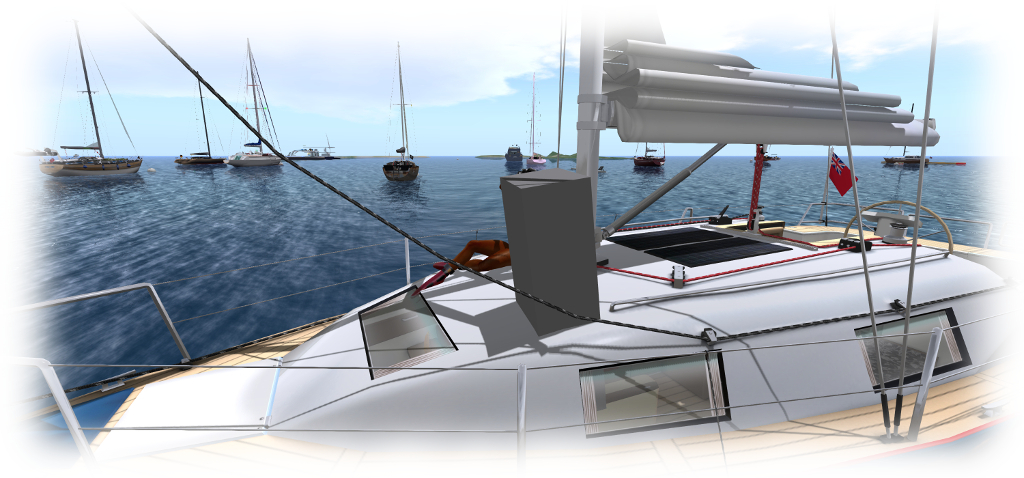
Caitlyn recently got caught by the “grey box” issue as we were sailing on the north side of Blake Sea. If you encounter the problem, please file a JIRA with as much information as possible (see below)
At the time of the problem first appearing, Kelly Linden described it thus:
Every agent has a ‘task’ representation on the server that is the same as a prim. The bug is in sending the linked set w/ avatars to the other region: avatars after the first are losing the special avatar treatment and getting passed as a regular linked prim. So that prim is what the server thinks all avatars look like.
Simon then added:
The region crossing code basically un-sits avatars from an object, sends both the avatars and object to the next region [as separate sets of data], which puts them back together. In this case, the 2nd avatar doesn’t get detached properly and things go south from there. So the 2nd avatar gets sent over bundled up with the object … which it’s not designed to do.
It had been thought this issue had been dealt with via a fix for (non-public) BUG-3547. However, if it is resurfacing, the problem now is to pin it down in a reproducible manner, if indeed it is returning. Should you encounter it, please make sure you file a JIRA providing as much information as possible, including your viewer log files, the regions you were crossing between when it happened yo you (or your passengers), the date and time, details of the vehicle you were using, etc.
This summary is published every Monday, and is a list of SL viewer / client releases (official and TPV) made during the previous week. When reading it, please note:
It is based on my Current Viewer Releases Page, a list of all Second Life viewers and clients that are in popular use (and of which I am aware), and which are recognised as adhering to the TPV Policy. This page includes comprehensive links to download pages, blog notes, release notes, etc., as well as links to any / all reviews of specific viewers / clients made within this blog
By its nature, this summary presented here will always be in arrears, please refer to the Current Viewer Release Page for more up-to-date information.
The following notes are primarily taken from the TPV Developer (TPVD) meeting held on Friday, February 12th, 2016. A video of the meeting is embedded at the end of this report, and time stamps in the text relate to that recording. My thanks as always to North for supplying the video.
Server Deployments – Recap
There were no server deployments for week #6, as the majority of staff at the Lab directly involved in developing and enhancing the platform were meeting to discuss plans for further enhancements and improvement to Second Life.
This more than likely means the next deployment will take place Wednesday, February 17th, 2016, to at least one of the RC channels.
SL Viewers
[00:19] The current version of the HTTP / Vivox viewer (4.0.2.310660) has HTTP pipelining disabled as a result of bug within it which was causing the viewer to crash. The Lab is now looking to fix the underlying cause of the issue.
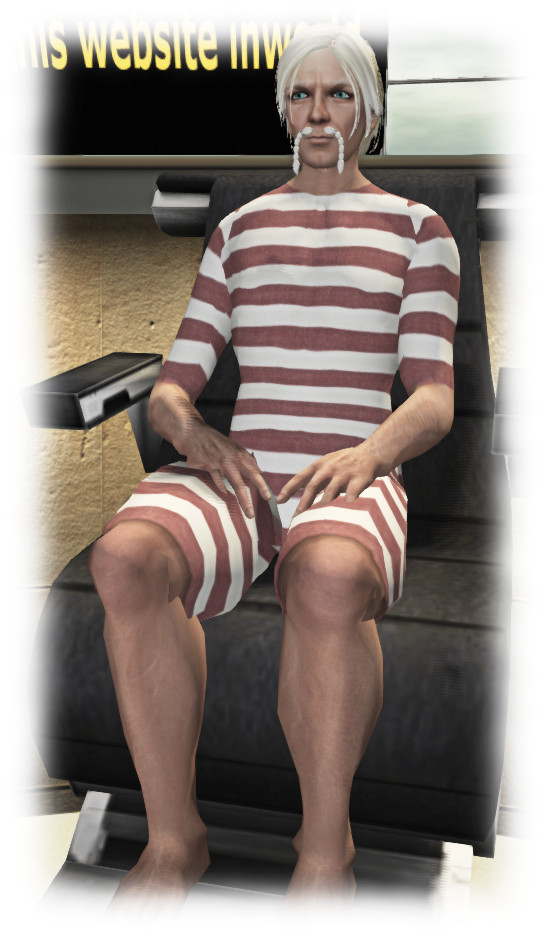
Oz arrived at the TPVD meeting suitably attired for the dunk-a-Linden fest at Isle of View, which also took place on Friday, February 12th
[00:55] The Quick Graphics viewer is undergoing a further round of changes to refine how it performs the avatar complexity calculations.
[02:40] It is thought that all of the remaining issues in this regard (such as blocked avatars not rendering correctly, elevated costs involved when using alpha masking instead of alpha blending and materials are not being accounted for correctly.
[03:22} Further changes to the viewer mean that from the next release it will no longer use a LOD of 3 on which to base avatar complexity calculations, but will be more responsive to the different LODs set within a mesh, depending on which you are seeing
So, for example, this means if you are close enough for the high poly version of the mesh to be rendered, the Avatar complexity calculation will be based on that; if you are further away, and a lower polycount version is rendered, then the LOD for that will be used in calculating the Avatar complexity.
Once all of these updates have been incorporated into the viewer, which should be in the next week or two, an updated RC will be issued, paving the way for this viewer to be promoted as the de facto release viewer sometime in the not too distant future after that.
An interesting point with this Quick Graphics viewer is that those using the RC version are tending to run longer log-in sessions which are “significantly longer” than with those users running the current release viewer.
The Oculus Rift project viewer is still anticipated as appearing “soon”, and will lift this viewer to being compatible with the latest SDK from Oculus VR, but will be for Windows only, given the Oculus SDK currently doesn’t support Mac.
64-Bit Viewer Versions
[05:00] The viewer team continue to pursue 64-bit versions of the official viewer, but it will still be a while before any initial versions are visible and available for people to try. It is likely that any project viewer will not be appearing for a “few weeks”. Once project viewers are released into the wild, it a likely the Lab will make available 64-bit versions of the pre-built Havoc extensions libraries to TPVs with the licence as well. The release of the 64-bit viewers will also see the Lab cease support for 32-bit versions of OS X, something which should hardly affect any Mac users.
Project Bento
[01:20] With the Bento Bones survey closed and feedback also gathered through meetings, it is hoped that the skeleton changes can be finalised relatively soon, allowing the Lab to focus on issues of bug fixing within the viewer and readying it for a release (project or C) on the main (Agni) grid. This will also see the server-side support for Bento enabled on Agni, having been deployed last year as a part of the routine server releases (week #48 2015 for the Main (SLS) channel and originally to the RC channels in week #46 of 2015).
[06:46] The Lab, with content creators, is continuing to experiment with reconfiguring the bones, and also to look into the issues of joints getting out of position. As noted in my Bento Project reports, there are a number of different circumstances where this can occur, some of which have yet to be fully diagnosed, and others of which could be caused by race conditions between the viewer and the server when it comes to message handling, or which may even be due to message packets being lost for those on poorer network connections.
A further issue is to do with the default human T-pose attempting to load between animations, which can cause quadruped avatars appear to try to cross their forelegs, depending on the bones used in rigging them. For a details discussion on all these issues, see my Project Bento update #4, with audio.
Other Items
CEF, and Firestorm and Anti-Virus software
[14:08] One of the significant factors in delaying the next Firestorm release is the merge with the Chrome embedded Framework (CEF) code which is now used for media handing, etc., within the viewer. A set of fixes for CEF are already available in the current Maintenance RC viewer (version 4.0.2.310545 at the time of writing), with further updates expected in the next Maintenance RC thereafter – although none of these are considered major issues.
[15:43] There have been reports that one or two anti-virus packages (one of them being Webroot) don’t play nice with CEF versions of the viewer. There’s not a lot the Lab can do about this, and users experiencing problems may want to look into the AV software and see if the viewer requires whitelisting, etc.