All change at Holly Kai Park – again!

Seanchai Library with the gallery in the background

I’ve been spending the last couple of weeks re-working Holly Kai Park. This came about for a couple of reasons: I found that trying to run this blog, spend time relaxing in-world with Caitlyn (and running the bar) as giving time to that “real life” thing, meant trying to organise up to six artists per month to exhibit at the park each month got to be just a little too much. So for the last several months I’ve been mulling over precisely what to do with the park and pulling at the threads around the edges with little changes here and there.

In the end, it was a visit to Erebos Harbor (which you can read about here) that spurred an idea for me. Not to try to replicate that outstanding build by Leaf and Julz, but rather take the idea of an observatory and use that as the focal point for a new gallery space and revised park layout. And not just any observatory; there is one in particular I’ve always loved visiting when on the West Coast of the USA, which has a design I find captivating: Griffith Observatory in Los Angeles. So a lot of my time for around the last 10 days has been focused on in-world building and poking and prodding with ideas.

Another view of the new gallery building, as seen from the lawns of Seanchai library. The steps linking the two with one another and the waterfront are visible in the foreground.

Things still aren’t entirely finished – there are the inevitable nips and tucks, and one or two things may yet be tweaked, but hopefully the news design and layout for the park is now complete.  This being the case, and allowing for said tweaks and the cleaning-up of sawdust from prim cutting and the shavings from mesh trimming, I’d thought I’d offer a note about what’s been done so far.

As noted above, the gallery building has been inspired by the major elements of the Griffith Observatory, Los Angeles California – as I hope those familiar with that building will recognised. It’s not an exact replica of the Griffith; essentially I’ve taken the two main wings with their telescope domes, the main entrance and the rotunda of the planetarium and cut away some of the structure to the rear of the original (and all the underground bits!). I’ve also (for now!) left out the external stairways up to the roof and the telescope domes.

Holly Kai Gallery from the upper terrace, which will be used for displays of 3D art, such as Giovanna Cerise’s Ice Castle, seen left

Inside, the design encompasses four linked parts: the foyer / entrance area, two gallery spaces contained within the building’s wings and an events space in the rotunda at the back of the building for exhibition openings. The gallery spaces can either be used for individual exhibits of art (allowing Holly Kai to display two artists at a time) or for a single display spanning both wings. It’s a little Spartan inside as of now, as I’m still mulling over interior fixtures and lighting.

Just below the gallery is a large terrace area with lawns and cypress trees. This is currently home to two interactive 3D art installations: Ice Castle by Giovanna Cerise and Reflections at Midnight by Frankx LeFarve; a smaller piece by Frankx is also displayed on one of the lawns. This terrace and lawns will be used to present 3D art from various artists and friends quite separately from any exhibitions within the gallery.

Given this is a radical makeover for the park, we have a new landing point. This is located within a new information centre, which might be a little cramped, so we’ll see how it goes and perhaps move it outdoors if people find it an issue. The info centre is still being equipped, but there is a large map of the park on one wall to allow visitors to get oriented, and which has information on the park and on Seanchai Library, whom we’re honoured to have as partners sharing the grounds with us.

Holly Kai Park Information Centre and Landing Point

The map has a couple of active web links in it – click the blue URLs to go to either the Holly Kai Park website and blog or to Seanchai Library’s website. Once things have settled down and the sawdust from cutting prims has been cleared away, active teleport links will be added to the map as well.

Also in the centre is a donations kiosk for Feed A Smile. We don’t take venue tips at the park, but we do ask that those who enjoy a visit to consider making a donation of L$100 at the kiosk (one the others to be found at various points in the park and its facilities) to help feed a young child in Kenya – and yes, as incredible as it may sound, L$100 is enough to provide a Kenyan child with a hot meal!

Between the information point and the Gallery terraces, is a “mid-level” terrace. This is home to the Holly Kai Café, with seating indoors and out (and I may be expanding the outdoor area to create a little more room! I also have a small studio area on this level for my SL photographs.

The Holly Kai Café

Getting between the terraces is achieved via the stairways – just look for the stone steps on the east side waterfront and follow the grass paths – everything is signposted as well!

One of the things that has bugged me about the park design – and it’s been entirely my fault – is that on the east side it’s always felt as if it’s not a single park area, but three distinct parts of a region that aren’t really related other than by position: the Art Hill, with Seanchai Library to the south, and Caitinara Bar and the Medici Collection – 2D and 3D art from Nber Medici’s personal collection – to the north.

Replacing the Art Hill with the new design has allowed me to rectify this. Paths from the gallery and its terraces now directly link to Seanchai Library and to the Medici Collection (the former path also giving access to the Park Walk that leads via an under-tree trail to the Pavilion and our bumper boats pool). This will, I hope mean that these three elements now feel part of a contiguous park looking out over the water.

gallery-13_0011
Caitinara Bar

Caitinara Bar, meanwhile, has been re-oriented to face the park’s bay with its piers for visiting boats. It also has an expanded outdoor seating area which linking it to one of the ways up to the gallery terraces. All of this will hopefully again make the bar feel more a part of the park as a whole. As a result of this, there’s also an updated landing point for Caitinara Bar.

The piers have mooring for up to 2 hours – small to medium-sized boats are welcome. Boats can be re-rezzed in the waters between the piers, if required.

There have been some revisions to the Pavilion events area on the west side of the park. At the time of writing, this is still a work in progress, with potential further changes to be made as we strive to make this a more flexible area of a wide variety of events. The landing point, however, remains unchanged and also serves the park’s bumper boats.

The Pavilion has been revised with a new stage area and the removal of the glass domes

These changes have obviously resulted in some extensive changes to the park itself. However, the park walk looping around the base of the gallery hill remains in place, and offers the way to various secluded spots visitors are free to enjoy.

So that’s it! I’m still working on bits here and there, as noted, but if you fancy dropping by, you’re welcome to so so and as of today unlike to find the grounds cluttered with bits of mesh or face the risk of a building suddenly rezzing overhead  – or the ground beneath you suddenly moving (or vanishing!).

SLurl Details

All location are on Holly Kai Estates, rated: Moderate

Sansar: August release and upcoming Edit Server

Scurry Landia

Thursday, July 16th saw the release of the Sansar Script, Snapshot and Share update. After the extensive updates in the July release, this is a more modest update, with a focus on what the Lab refers to a “quality of life” improvements – focusing on user-related capabilities, notably for creators.

This article highlights some of the more visible new features and updates with the release. As always, full details of the updates in the new release are available in the release notes.  In addition, these notes also include comments from the August 16th, 2018 Product Meeting, which preceded the release. Boden was attending the meeting, together with Aleks and Zaius. Their voices, along with that of Community Manager Eliot, can be heard in the audio extracts included below.

To jump directly to information on the upcoming Edit Server changes click here.

Events Improvements

This release follows in the footsteps of the web Events on the Sansar website, allowing you to add your events to your local Sansar calendar, which also has its own tab within the Events panel.

To make use of it:

  • Within the client, either while displaying the Atlas or within an experience, click on the Events calendar icon in the top right set of icons. This will open the Events panel (note: you can also get to the Events panel via the open Atlas and clicking Featured > View All Events).
  • The Events panel, which now comprises just two tabs: All Events and My Calendar (which replaces the My Events tab). To add an event to your Sansar calendar, click on the Add To Calendar button.
  • You Can then view all your recorded events (including those in the recent past) in the My Calendar tab. This actually lists:
    • Events you have created and are hosting, if you have created any.
    • Upcoming events you’ve added to your calendar (if any).
    • Those events you’ve recorded / attended in the past.
  • Listed upcoming / past events include a Remove From Calendar button, allowing your list to be managed.
The new option to add events to your Sansar calendar (ringed). Note that Featured events are no longer listed in a separate Events tab, but are highlighted within the main listing (arrowed). This was, IIRC, made in a prior release, but worth pointing out here in case someone missed  it

Events added to your Sansar calendar will also appear on the web version of the your calendar and vice-versa (a refresh of either will be required if both are open at the same time when adding / removing events from one or the other).

There is currently no ability to add events from the client to external calendars (Google, Apple, Outlook, Yahoo) as you can via the Sansar web site. This will hopefully be in a future update.

Snapshots to Profiles Update

It is now possible to save snapshots taken with the client to your Sansar web profile via a new button – Share. When you’ve positioned the camera and sized the capture area to your requirements, clicking the Share button will:

  • Save the image.
  • Upload it to your profile on the web.
  • Open a tab in your default web browser and display the snapshot.
With the August 2018 Sansar release, it is now possible to upload snapshots to your web profile, where they can be viewed by yourself and others

In the snapshot web page, it is possible to:

  • View all of your snapshots.
  • View all snapshots of the Experience featured in a given picture.
  • View the latest snapshots uploaded by anyone.
  • Delete the snapshot you are displaying (your own snapshots only).
  • Report a snapshot (only available when viewing snapshots uploaded by others).

The options are listed above an image when viewing them in your browser, and are arrowed in the image above. You can also obviously share the image URL if you wish.

You can view other people’s snapshots directly from their web profile. So, if you click on the name of an experience creator, or on the name of a friend in your Friends list, for example, you can view their snapshots alongside of their published experiences and current store listings (if they have any of either of the latter). Clicking on a snapshot will display it in its own page, with the options described above.

Side Notes on Snapshots to Profiles

  • Snapshots to profiles can currently only be viewed on the web, they cannot be seen when viewing profiles from within the client.
  • There is no ability to caption a snapshot with a description. This is intentional on part of the Lab, although it may be reconsidered in the future.
  • In the future, snapshots will be appended to the web pages for experiences as well, whether uploaded by the experience creator or anyone else (however, the experience creator will be able to moderate which snapshots remain displayed on their experience page.
    • This is why the ability to include descriptions in uploaded snapshots has been excluded; it is felt that there is too much risk of people leaving inappropriate descriptions with images, giving experience creators a moderation headache.
    • This option is ready to go, but will be turned on once the necessary moderation tools are in place for experience creators to manage snapshots shared to their experiences.
  • However, a future update to the capability will include the ability to tag snapshots, making them searchable.

Other snapshot items raised at the Product Meeting:

  • This update doesn’t change anything else within the snapshot app. However there have been requests put forward the Lab is considering:
    • Adding date and time to snapshots when captured.
    • Auto-generating sequential file names for snapshots taken in sequence, rather than each one having to be manually named.
    • Possible offering a broader range of saved file formats (e.g. TGA, JPG, etc).
  • One thing that is being considered is the option to take a series of snapshots and have them “held” during a session, allowing the user to then go through them and select which ones they want to actually upload to their profile and discard the rest.

Edit Mode Improvements

Scene Report Generation

It is now possible to export a .CSV breakdown (comma-separated values file that may be opened in a spreadsheet or text editor.) of every object in your scene. These reports comprise:

  • Name.
  • Size estimate for download.
  • Number of textures.
  • Number of triangles.

Reports are generated via Scene Toolbar > About This Scene > Generate Report > Set the destination location on your computer > Save.

Import Lighting from .FBX

This release allows creators to create point lighting (e.g. colour, intensity, animation) in their preferred editing tool and then import them directly into the scenes as .FBX files. Once in Sansar, the properties for these lights can still be edited  when the .FBX file is within a scene.

Additional Edit Mode Enhancements

  • Locking persistence: objects locked within a scene when editing will now remain locked between Edit mode sessions.
  • Scene objects panel enhancements: these comprise:
    • Rename a scene object’s name: the name fields for various scene objects have been removed from the properties panel, with the Rename option moved to the scene objects panel.
    • New object icons: there are new object icons attached to scene objects to help guide you in distinguishing items
  • Toggle visibility per object: it is now possible to toggle an object’s visibility in a scene.
  • Toggle selectability per object: the ability to select an object within a scene can now be disabled or enabled. This allows for easier selection of objects which may be layered behind others, etc (e.g. lighting within an object).
  • Trigger Volume filter: it is now possible to now filter by trigger volumes.

Scripting Updates

New Simple Scripts

Simple scripts were introduced in the August release with the aim of offering non-scripters the ability to achieve basic functions within their scenes (such as opening / closing doors, etc.), in an easy-to-understand and simple manner. The August release builds on this with three further simple scripts:

  • SimpleDispenser to rez objects.
    • Currently this does not include any form of parameter to allow spawned objects to decay, but does include the ability to remove the last or all spawned objects.
    • It includes the ability to cap how many items can be spawned in a given time.
    • Objects are spawned as the are imported into the script. So a dynamic object imported into the script will spawn as a dynamic object, for example.
  • SimpleMedia to change the streaming media
 – the Greenwall VR experience utilises the SimpleMedia script on their media board.
  • SimpleObjectReset to reset an object’s position.

Additionally, the SimpleCollision script has been revamped to better handle Trigger Volumes.

New Base Script Class: ObjectScript.

In anticipation of rezzable scripts (not yet enabled), this base class only has access to ScenePublic and a maximum of 10 parameters. SceneObjectScript scripts will not run on rezzed content; ObjectScript scripts can run on scene content or rezzable content.


Other Scripting Updates

  • Parameters limit for scene objects increased from 10 to 20 parameters.
  • ObjectPrivate.AddInteraction: an Interaction to an object dynamically. Used to add Interactions to rezzed objects or when it isn’t desired that the Interaction prompt be a script parameter.
  • Improved syntax for [DefaultValue] on vectors, quaternions and colours. These no longer need to be specially formatted strings, simply list 2 to 4 values: [DefaultValue(1.2, 3.4, 5.6)]
  • SimpleScript base class deprecated. Not to be confused with the new Simple Scripts. Scripts that use this base class will still compile with a warning. Support for new compiles will be disabled in a future release.

Store Categories

It is now possible to browse the Sansar Store using the two new top-level categories of Avatar Looks and Scene Creation, with the sub-categories defined accordingly.

New Edit Server

Due to appear in a point release between the August (R24) and September (R25) updates is the Edit Server release. This moves scene editing from within the Sansar Client (and local) to being server-based. It means that when editing a scene for the first time, there will be a delay in accessing Edit mode and the scene being edited as the Edit Server instance is spun-up.

The reason for this change is to pave the way for a range of new capabilities in Sansar, most notably in relation to the platform’s upcoming licensing / permissions / supply chain system.

Moving the Edit capabilities server-side allow the Lab to incorporate the ability to check the licenses associated with all of the objects within a scene and verify what can / cannot be done with them (e.g. is an object / script modifiable? Can it be incorporated into objects intended for sale? etc).

The initial benefit of this is that it will allow creators to build complex objects in a scene and then export them as a single object back to inventory (so a car is complete with its wheels, engine, seats, etc.), rather than these all being individual objects), allowing the composite object to be sold.

Additionally, this will enable the licensing / permissions / supply chain system of Sansar’s economy, so that duly licensed objects by other creators can be used within an individual’s own creations, which can then be saved to inventory and sold through the Sansar Store. The first elements of the licensing  / permissions / supply chain system is due to start deployment in upcoming releases following the switch to using the Edit Server. Beyond this, the move may in the future allow for things like creators being able to work collaboratively within the same scene.

Ethereal Shapes in Second Life

Ethereal Shapes

Currently open through (I believe) until the end of October 2018, is Ethereal Shapes, an installation of form and light by Noke Yuitza. It comes with an intriguing introduction (touch “Info” on the board on arrival):

Within the forms of faces, animals, flowers… in groups of stars, ink, glitter… There are 4 scenes: Dreamer, Galaxy, Ballet, and Eyes. The concept that brings them together is the dreamer that looks at how stars dances in a galaxy ballet.

The landing point – a gazebo that appears to have been in part delicate spun from light – sits at the centre of a series of scenes brought to life by the shimmering play and movement of light. They stand in a circle against the darkness of night sky (note the windlight for the installation appears to have been set at parcel level, so if you are not using Firestorm, you may have to manually swap to Midnight in order to appreciate the setting properly).

Ethereal Shapes

The ring of scenes, linked by more shimmering tendrils of light that form intricate, ghostly flowers, are pointed t to by short walkways radiating out from the gazebo. Two of these routes may appear to have greater prominence than the others as they are marked by avenues of the gossamer, gently pulsating flowers. However, I’d venture to suggest it does not matter which of the five routes you opt to take in stepping off the gazebo; all of the scenes will captivate both eye and imagination.

These are elements designed to appeal to our imaginations, the dreamers within us, calling to us to look beyond the obvious and see what lies within each of them – the hidden faces, the hints of animal or creature outlines by curve and twist of leaf; the majesty of the cosmos around us, and the life it gives to us – and so much more. As such, words alone are insufficient to convey this installation; it needs to be experienced first-hand.

Ethereal Shapes

In this, having to manipulate the camera freely is of a huge advantage – and those who have a means to flycam via a joystick, game controller or Space Navigator style of mouse controller will be at a distinct advantage, as with some of the elements within the installation, a distant look isn’t always enough to fully grasp, rationally or via the imagination, the subtle beauty of things.

Take for example, the plants and the play of light across them.  It is as if they are in motion: dancers caught in an intricate ballet, or intangible creatures leaping into the air or caught on the wing. Then there are the very human figures also give to dance, their outlines broken into tiny constellations of softly pulsing light and flaring blooms of flowers. Zoom on these, and it is like zooming into the microcosm of the the heavens, a delicate reflection that we are in fact star-stuff.

Ethereal Shapes

Ethereal Shapes is an environment where the longer one spends within it, the more captivating it becomes. It is also a setting that is hosting a number of music events while open; so be sure to check the events board as well when visiting.

SLurl Details

Ethereal Shapes (LEA 2, rated Moderate)

ACS: new SL volunteer structure – Growth, Service, and Outreach

The American Cancer Society (ACS) has a long and distinguished history of fund-raising to help those with cancer, their families and their caregivers not only in the United States but the world over. ACS is perhaps most widely recognised for the Second Life Relay for Life season with its mainstream events: the kick-off weekend, the main weekend, and the mega events such as Fantasy Faire, Making Strides Against Breast Cancer, the Science Fiction convention and so on.

This 2018 in-world season for ACS has been one marked by a number of changes, all of represent the first step in a multi-phase plan to shape the future of the American Cancer Society in Second Life and in virtual spaces beyond. For example, for 2018, Making Strides Against Breast Cancer (MSABC) is launching a new approach to breast cancer fund-raising in Second Life,with not one, but two month-long events running throughout the month of October: the Parade of Homes, and the Out-Shop Cancer event. In addition, MSABC will also host the “5K” walk, where walkers can collect donation pledges for the amount of laps walked around a pink-ribbon track.

Also, earlier in 2018, the Fantasy Faire team raised over US $50,000 to help with the Kenyatta Hospital Hope Hostel project in Kenya (see: Fantasy Faire 2018: supporting the KNH Hope Hostel). Going forward, ACS plan to allow volunteers and fun-raisers to have more opportunities to directly affect specific global projects, while additional focus will be placed on establishing new partnerships with businesses both in and out of Second Life, helping the ACS volunteers communities grow and increasing outreach efforts to let cancer patients, survivors, and caregivers know that they have a place to turn for support, without having to leave Second Life.

Artist rendering of the Hope Hostel in Kenya, the focus of the 2018 Fantasy Faire fund-raising programme. Credit: Kenyatta National Hospital website

As a part of this planning, ACS is refocusing its in-world efforts, to both enhance existing activities and events and to offer a new range of opportunities and programmes in world to assistance and support to anyone facing cancer either directly or as a caregiver or family / friends.

In addition, ACS is asking all of those who have supported their work as a volunteer, or who wishes to join the ranks of ACS volunteers to take a moment to find out more about the restructuring and refocusing (see below), and complete the ACS in SL Volunteer Form.

During the next few weeks, we want to offer everyone the opportunity to express interest in being involved with any of the areas identified…or offer suggestions for something that you don’t see reflected in this structure

Stingray Raymaker,  Director of the American Cancer Society in Second Life
on the call for volunteers and supporter to indicate their interest in supporting ACS activities in Second Life

The refocusing is summarised in the images seen at the top of this article, which outlines the key areas of ACS focus – existing and new -, which are also summarised as:

  • Support, Outreach, Advocacy Team: providing overall vision and strategic guidance for the American Cancer Society in Second Life, including developing and executing outreach strategy for recruitment of new volunteers, new partnerships, new relationships, events, etc. Also advocates on behalf of all teams within the ACS volunteer structure.
  • Partnerships: working with volunteers to meet & discuss partnership opportunities for all areas within the ACS in Second Life. Provides strategic consulting and fundraising coaching to volunteers in Second Life.
  • Research: investigating ways to help identify opportunities for all areas within the ACS in Second Life.
  • Mega Events: consulting with the RFL mega events teams, identifying potential events, and fostering growth, when appropriate.
  • Media: establishing and maintain relationships with media partners, providing back and forth communication of needs, assets, and expectations.
  • RFL Season Lead: coordinating tasks associated with the execution of the RFL of SL season, from pre-kickoff until event weekend.
  • RFL Event Lead: coordinating the tasks associated with the execution of the RFL of SL event weekend.
  • ACS Island Design: establishing ACS island as a destination experience that features the services offered by the ACS in Second Life.
  • ACS Island Event: managing the calendar of events for ACS Island; booking performances, recruiting merchants for stores, and promoting ACS island events to the grid.
  • Hope Haven Survivor Group: fulfilling the new vision for Hope Haven Survivor Support, working with ACS team to promote Survivor Support Group to the grid as a place for cancer patients and survivors to receive support from one another.
  • Hope Haven Caregiver Group: fulfilling the new vision for Hope Haven Caregiver group, working with ACS team to promote Caregiver group to the grid as a place for education and information for caregivers. Also produces interactive experiences that educates residents on cancer information and support.
  • Hope Haven Memorial Garden: managing the memorial garden experience on the American Cancer Society island.
  • Community Gateway Story: developing and writing the story that will be used to teach/train new users in Second Life on how to use the platform.
  • Community Gateway Design: coordinating the design tasks in order to build the Community Gateway learning environment, as defined by the story.
  • Community Gateway Host: leading and coordinating the hosting tasks for the Community Gateway, ensuring that new users are welcomed, supported, encouraged, and have a friend along their journey. Also provides recommendations for groups and communities to join, as well as offering ACS volunteer opportunities, when appropriate.
  • MSABC 5K Walk: coordinating the tasks related to the MSABC 5K walk event in Second Life.
  • Parade of Homes: coordinating the tasks related to the annual Parade of Homes breast cancer event in Second Life.
  • Out Shop Cancer: coordinating the tasks related to the Out-Shop Cancer breast cancer event in Second Life.

It is Stingray Raymaker’s hope that by initiating and growing the new events and activities within this list while continue to grow and enhance the existing range of events fostered by Relay for Life in Second Life, the American Cancer Society will be seen as the premier destination experience for cancer patients, survivors, caregivers, and their families and friends worldwide. A place where they can find support, answers, education, and resources to help one another and anyone facing cancer wherever they are in the world and on the grid.

via Stingray Raymaker and the RFL of SL website.

2018 SL UG updates #33/1: Simulator User Group – Animesh in viewer RC

Cloudbreak; Inara Pey, July 2018, on FlickrCloudbreak blog post

Server Deployments

as always, please refer to the server deployment thread for the latest update.

  • The Main (SLS) channel was updated on Tuesday, August 14th with server maintenance package 18.07.20.518086, previously deployed to the RC channels and containing internal fixes.
  • On Wednesday, august 15th, all three RCs should be updated with server maintenance packager 18#18.08.10.518612. This comprises an update to the HTTP delivery of off-line IMs and notifications that should ensure group notices and Friend requests are correctly delivered.

SL Viewer

Animesh RC Viewer

The Animesh release candidate viewer arrived on August 13th, with the release of version 6.0.0.518579. For those not familiar with Animesh (anyone?) please see the viewer release notes and the links within them, or check my updates on Animesh, provided as a part of my Content Creation User Group meeting summaries.

Remaining Pipelines

Outside of the Animesh update, at the time of writing, the remaining SL viewer pipelines remain unchanged from the end of week #32:

  • Current Release version 5.1.7.517973, dated July 30th, promoted August 3rd. Formerly the Quinquina Maintenance RC viewer.
  • Release channel cohorts (please see my notes on manually installing RC viewer versions if you wish to install any release candidate(s) yourself):
    • BugSplat RC viewer, version 5.1.8.518305, August 7th. This viewer is functionally identical to the current release viewer, but uses BugSplat for crash reporting, rather than the Lab’s own Breakpad based crash reporting tools.
    • Second Life Voice RC viewer, version 5.1.8.518310, August 7th.
  • Project viewers:
    • EAM project viewer, version 5.2.0.518362, August 9th – improved region access control tools; see my overview for more.
    • Bakes on Mesh project viewer, version 5.1.7.518013 August 3rd.
    • 360 snapshot viewer, version 5.1.6.515934, June 6th.
  • Linux Spur viewer, version 5.0.9.329906, dated November 17th, 2017 and  offered pending a Linux version of the Alex Ivy viewer code.
  • Obsolete platform viewer, version 3.7.28.300847, May 8th, 2015 – provided for users on Windows XP and OS X versions below 10.7.

Region Crossings

Region crossing have been somewhat rougher recently than had been the case of late. Simon Linden had been poking at the code in the hope of making some updates, but has been diverted but other working, and is hoping to get back to things soon.

I know the viewer has very similar messaging code as the simulator and there are tweaks I want to make to that which  should help crossing issues caused by packet loss … it doesn’t always recover when a crossing goes bad, as we all know. We’re looking at that from two ways … ideally fix things so it doesn’t go bad. But if it fails, be more graceful about it … and there’s a certain amount of hope that the way we force the error is actually what happens in the random normal case.

Part of it now is even having the 2 regions and the viewer agreeing on what happens and how to deal with it … where an AV and vehicle end up and confirming all parties know the same state… I’m hoping this can at least get better if the target region can at least report to the viewer and 1st region a status for how it works out.

Simon Linden discussing region crossings at the Simulator User Group meeting, August 14th, 2018

The question was asked if part of a multiple region crossing (e.g. from the corner of one region to another, passing through the corner of a region adjacent to both) could result in the viewer talking to the “wrong” simulator, to which Simon replied, “I haven’t seen it have issues with talking to the wrong simulator, but then I’m not looking yet at the issue of a corner crossing that might quickly move to a 3rd region.”

So, no changes for the present, but the problem is still getting attention at the Lab, and there is an appetite for trying to improve things from the server-side of the equation, with Simon also noting, “It’s also a classic case of working on SL … we always want to fix things with a minimum disruption. Being able to make something better only by touching the server is a lot better than requiring a viewer update.”


A return to Kekeland – Bardeco in Second Life

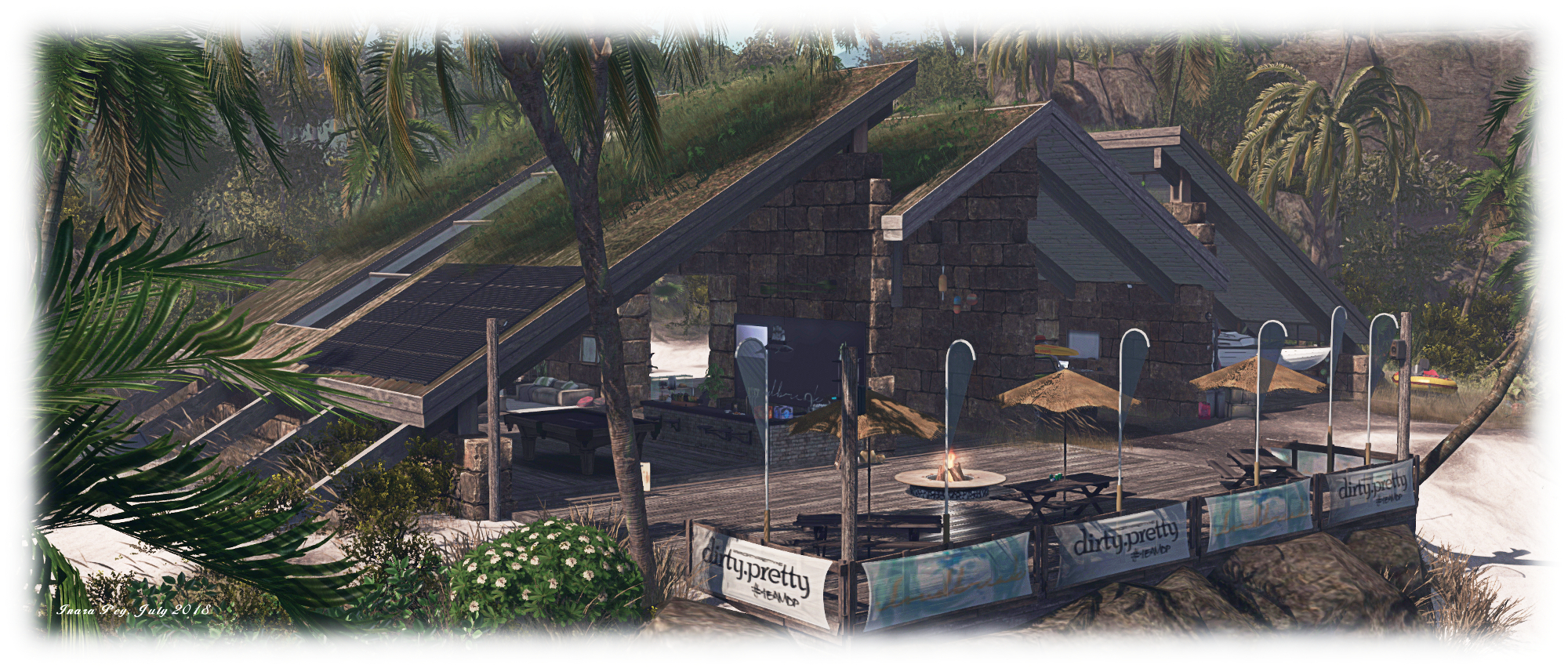
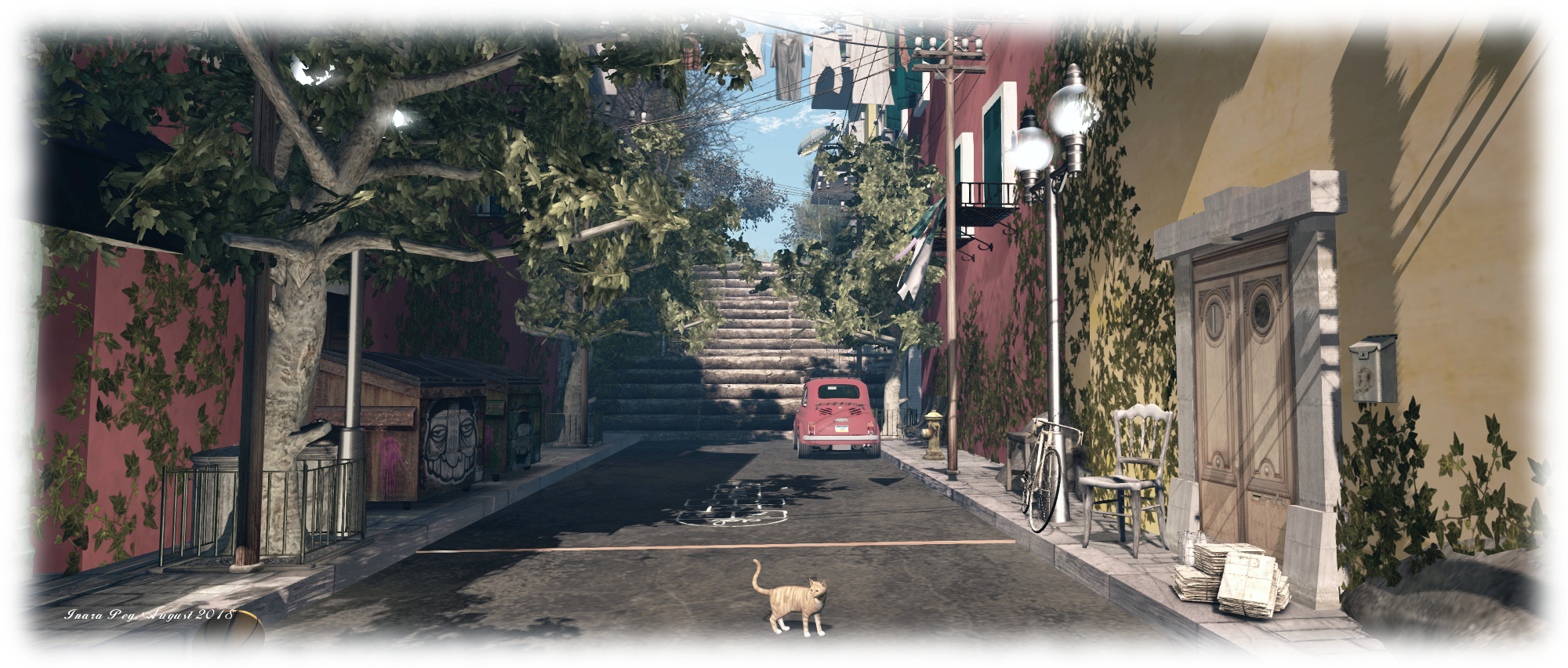
Kekeland - Bardeco; Inara Pey, August 2018, on FlickrKekeland – Bardeco – click any image for full size

Update: Kekeland – Bardeco has closed. SLurls have therefore been removed from this article.

It’s been nigh-on a year since our first visit to Kekeland – Bardeco, and while the titular bar served as an inspiration of me to remodel Caitinara Bar, after we visited the in the latter half of 2017,  we hadn’t been aware of any move or make-over in the design – until, that is, Shakespeare dropped a new LM on me. Intrigued, we hopped over to have a look, to discover Kekeland – Bardeco has moved from a Homestead to Full region, and undergone a make-over in the process.

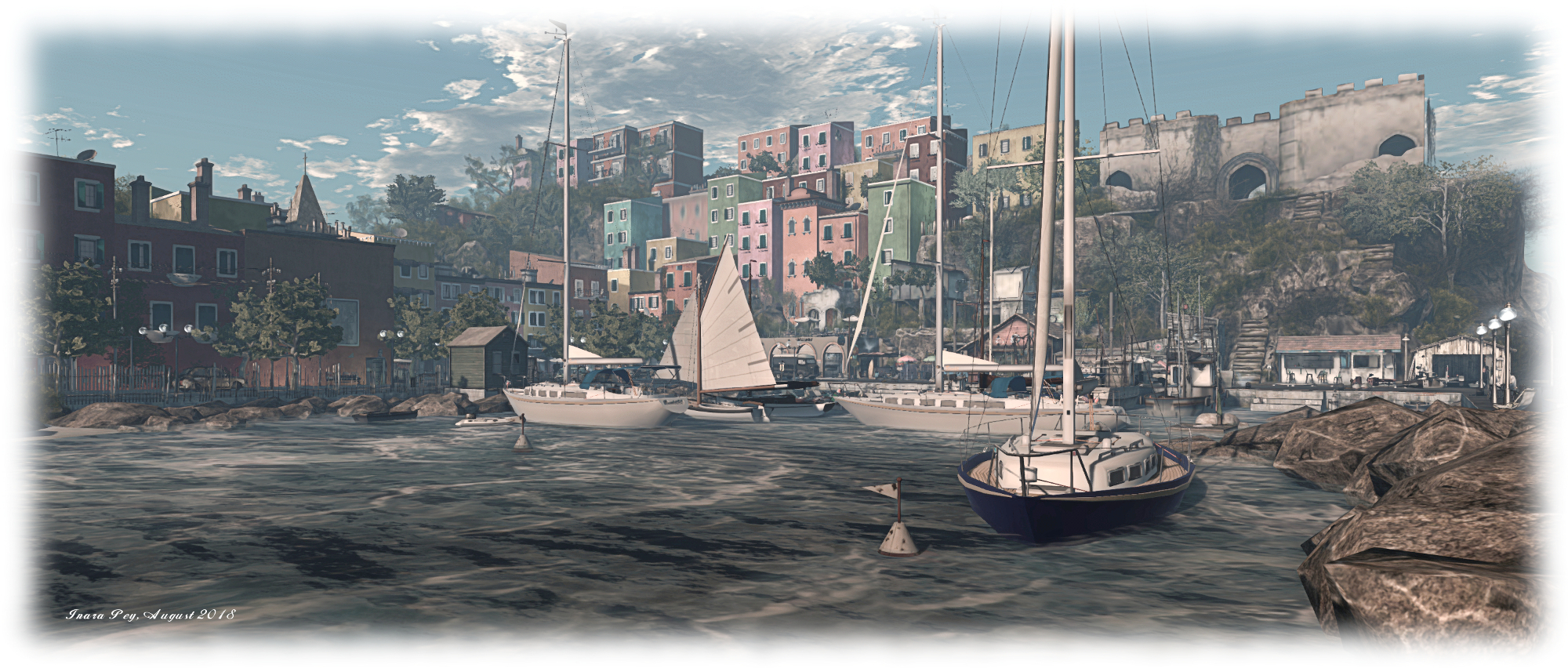
We tried to recreate a quiet, sunny and peaceful fishermen place, inspired by an Italian village. You will find a little harbour and a coloured village, and hillsides of vines, with camping and mountains.

– Dandy Warhlol (terry Fotherington) and Belle des Champs (Bridget Genna)

Kekeland - Bardeco; Inara Pey, August 2018, on FlickrKekeland – Bardeco

As recreations go, the “new” design for Kekeland is impressive, and succeeds in imparting the feeling of being within the kind of setting that inspired it; but the success might come at s slight cost to some visitors: this is a place where there is a lot going on, particularly with textures, so some adjustment to viewer settings might be required to compensate.But this should put you off visiting; after all, that’s what graphic presets are for!

The harbour described in the land description sits on the south side of the region, a walk down through the streets of the town surrounding it on two sides. Protected from the sea by a breakwater and watched over by a lighthouse, it is fairly bustling with boats: sailing boats, yachts, motorboats, RHIBs – so much so that the fishing boats tied-up at the wharves must have to fight their way out to the freedom of the sea in order to ply their trade each morning!

Kekeland - Bardeco; Inara Pey, August 2018, on FlickrKekeland – Bardeco

These fishing boats are tied-up on the east side of the harbour, which is clearly the “working” side: a busy waterfront road where a lot is going on. Behind it, and climbing the stepped cliffs, tall, modern-looking apartment blocks vie with  an ancient fort that once commanded a strategic view over the bay, to claim the skyline as theirs.

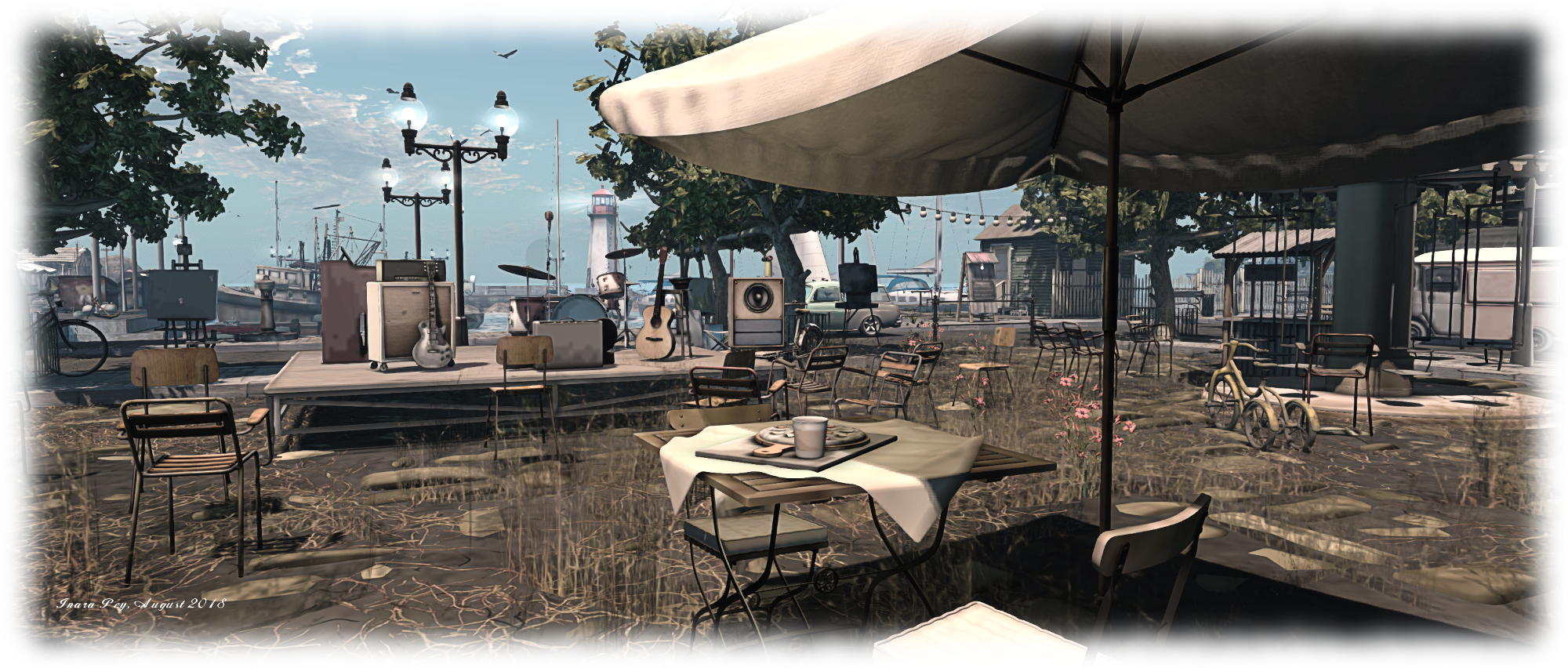
The town continues round to the north where, set back from the harbour is a plaza – surprisingly overgrown and with more tower blocks and houses climbing up the inland slope behind it. Along the plaza the predominant business appears to be entertainment and refreshment. The coffee houses, bars, boutiques and open-air music area, together with the more modern apartment houses up on the cliff-top, suggest why the harbour is so chock-full of boats: once a working coastal village, this place has now become a holiday destination.

Kekeland - Bardeco; Inara Pey, August 2018, on FlickrKekeland – Bardeco

A further attraction lies on the west of the harbour. Here, sitting atop a rough table of rock, sits Bardeco. The last time we saw this (also the occasion of our first visit to a region design by Belle and Dandy), it was imaginatively placed at the foot of of the region’s cliffs and built back into them, offering an entirely “covert”, so to speak, setting that was both part of yet separate from the rural setting above. Seeing it out in the open in this “new” location did take a little getting used to, I admit, but it has not lost any of its shabby-chic appeal.

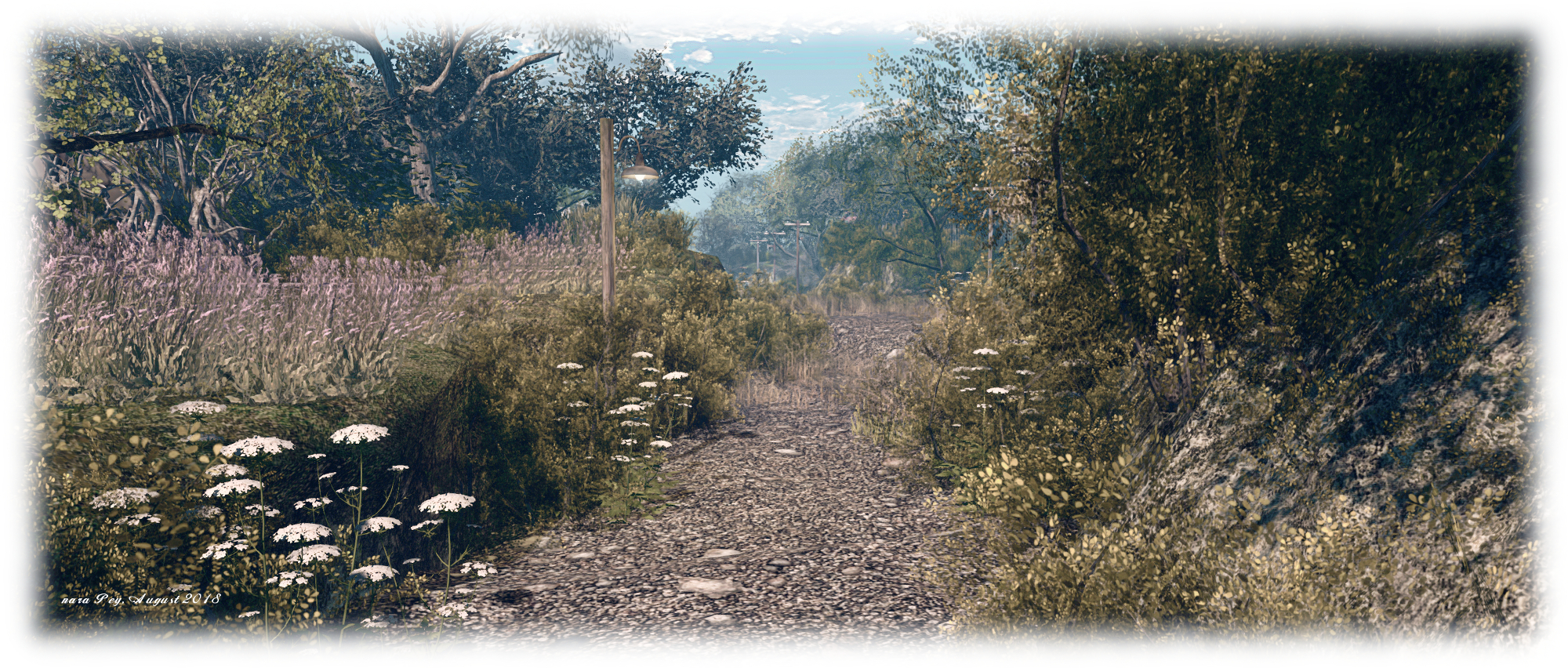
North of Bardeco, beyond the slip of water and beach dividing it from the town, the buildings quickly give way to open, rugged land. Here can be found trails, old ruins and signs that not all the locals have been driven away by the maddening crowd on the waterfront. Goats are being reared and grape vines cultivated on some of the lower northern steps of the island, while old farmhouses hide among the trees or sit aloof from the trails on their own shoulders of rock. There’s also the ruins of a much grander property sitting forlorn and alone, whatever story of times past lying within its broken walls fading slowly as nature takes up a greater and greater residence.

Kekeland - Bardeco; Inara Pey, August 2018, on FlickrKekeland – Bardeco

In its Homestead iteration, Kekeland – Bardeco offered a wonderful sense of rural living, complete with its discrete and neatly tucked away bar. With its move to a Full region simulator, it presents a more urban setting, and marries these with some of the feeling on open spaces that made the “original” so appealing. It is very different to the “old” design, but sports a unique look and charm nevertheless.