While the traditional Second Life Birthday celebrations are now pretty much coordinated and run by the community – hence the title Second Life Birthday Community Celebrations, the Lab has a track record of sharing in the celebratory mood around the time of SL’s anniversary through various promotions, gifts, and so on, often as an overall part of the community celebrations.
In 2015, for example, the Lab held the first Anniversary Music Festival, which they then repeated in 2016 – and which is now set to take place as a part of the 14th Birthday celebrations as well, alongside of an in-world shopping event.
Xiola Linden once again brought forth the news in an official blog post, in which she once again invites musicians across Second Life to sign-up for auditions to be a part of the 2017 Music Festival showcase. All genres are welcome to apply, from bands to solo acts, electronic to acoustic – and the event itself, for those invited to participate, will be a 30-minute paid gig (subject to the Lab’s terms and conditions) at the SL14B Community Celebrations.
Those interested in applying should complete the submission form no later than May 22nd, 2017 – signs-ups will close at 00:01 SLT on May 23rd, 2017. All applications will be reviewed, and a selection of acts will be invited to attend in-world audition sessions. At the auditions, they will have a maximum of five minutes to perform before a panel of judges made up of Lab staff and Second Life residents, who will select acts to perform at the actual SL14B Music Fest. In addition, Second Life residents who wish to, can attend the audition sessions as members of the audience.
The 2016 Music Fest Auditions
The key dates for the auditions and the Music Fest itself are:
Auditions:
First session: 12:00 noon to 14:00 SLT, Friday, 2nd June 2017
Second Session: 18:00 to 20:00 SLT, Saturday, 3rd June 2017
Music Festival:
11:00 to 15:00 SLT, Friday, 23rd June 2017
20:00 to 00:00 SLT, Saturday, 24th June 2017
16:00 to 20:00 SLT, Sunday, June 25th 2007.
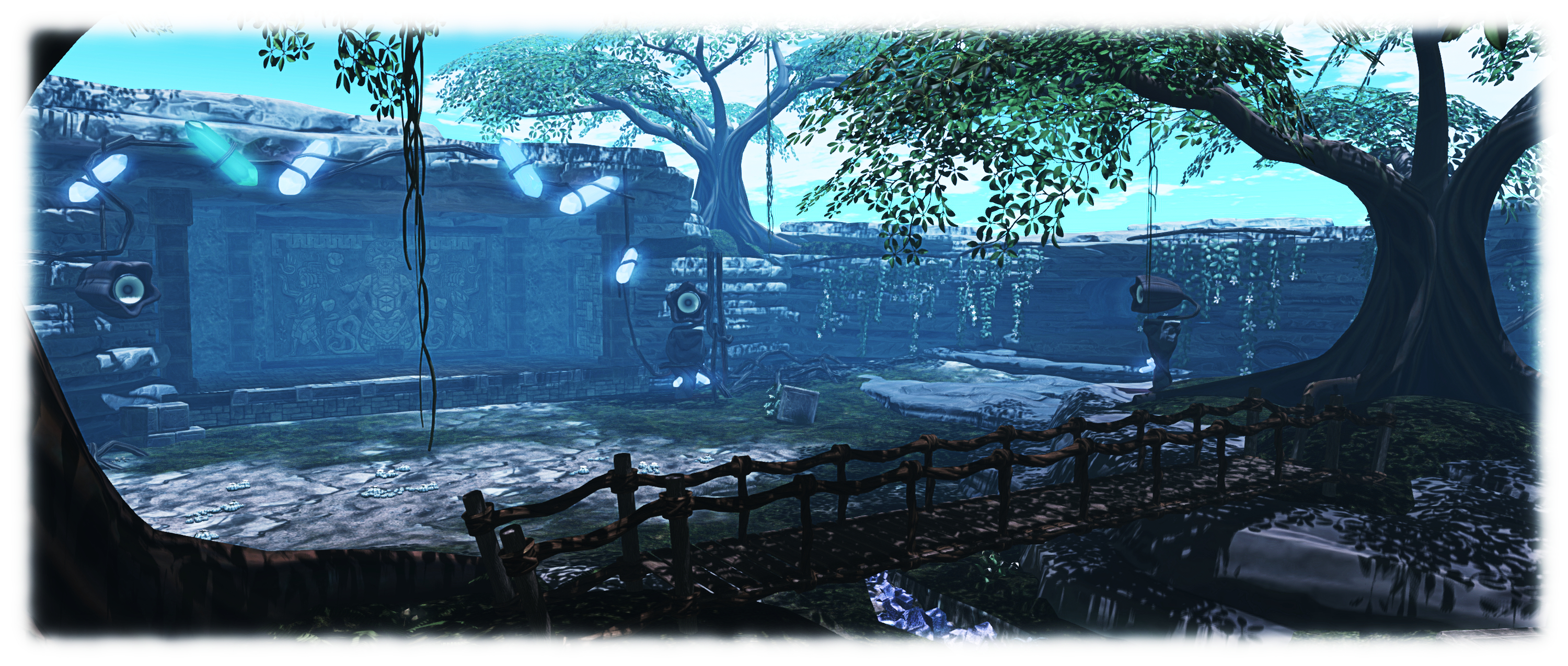
In 2015 the Music Fest was held during the SL12B Community Celebrations at the SL12B Ixtlan Stage, designed by Cube Republic
The blog post also gives notice of an anniversary in-world shopping event, with Xiola stating:
In addition to Music Fest, we are also planning a festive in-world shopping event and are actively looking for Merchants who are willing to participate! We had a very successful Valentine’s Day shopping event, and are making this one even bigger – with plans for three Regions of participating stores offering gifts and discounts on items.
The event will take place across three regions in Second Life, between Monday, June 5th, and Monday, June 26th, 2017. If you are a Merchant interested in being part of this event, please complete and submit the application form, no later than Monday, May 15th, 2017.
The Raglan Shire Artwalk is one of the staples of the SL art calendar, and for 2017 will take place between Sunday, May 14th and Sunday, June 18th, inclusive, as a part of Raglan Shire’s 10th anniversary celebrations.
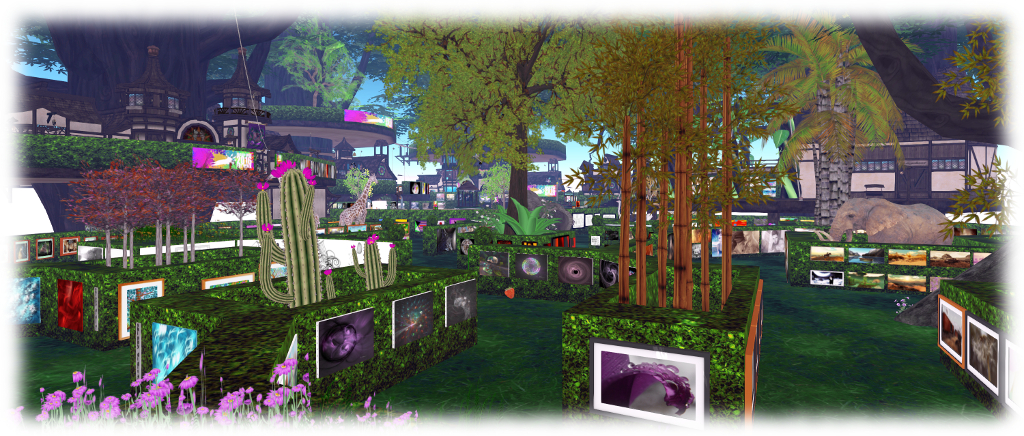
Every year over 100 artists and residents in Second Life display 2D and 3D art across a number of exhibition spaces across all the regions of the Raglan Shire cluster. 2D art is displayed on hedgerows in and around the regions, offering visitors the chance to view pieces as they explore the Shire, while sculptures and 3D art is displayed in a number of designated areas across the regions.
Those wishing to exhibit their work at the 2017 Artwalk are invited to complete the Artist Registration Form, which should be submitted for inclusion no later than 21:00 SLT on Sunday May 7th, 2017.
Artists can display more than one piece if they wish
2D (“flat” art pieces will be awarded a maximum of 15 prims, and individual pictures should be 1 prim, including the frame
3D art (sculptures, etc.), will be awarded a maximum of 500 prims for up to three pieces of work. Artists are requested to state the number of prims per piece in their application
Sales of art are allowed
Types of art supported by the show are: representations of RL photography, painting, drawing, printmaking, collage, and digital fine art that can be displayed on a prim; and SL photography, manipulated SL photography and SL sculpture.
Pictures of RL crafts, such as beadwork, leatherwork, etc., are not part of the show’s definition
All the above art forms are welcome, but should be rated PG / G – so no nudity, please!
Group membership will be required in order to display work
Questions and enquiries should be forwarded via note card to Artwalk Director Karmagirl Avro, or Artwalk Assistants Kayak Kuu & Trebek Raymaker.
Key Dates
Sunday May 7th: Applications close at 21:00 SLT
Tuesday, May 9th: Notification of exhibit space location issued to artists
Friday, May 12th / Saturday May 13th: Artist set-up days
Sunday, May 14th: ARTWALK OPENS
Sunday, May 25th: Artwalk closes
Sunday, May 25th (after 18:00 SLT) / Monday, May 26th: Takedown of works.
Logos representative only and should not be seen as an endorsement or preference / recommendation
Updates for the week ending Sunday, April 23rd
This summary is published every Monday, and is a list of SL viewer / client releases (official and TPV) made during the previous week. When reading it, please note:
It is based on my Current Viewer Releases Page, a list of all Second Life viewers and clients that are in popular use (and of which I am aware), and which are recognised as adhering to the TPV Policy. This page includes comprehensive links to download pages, blog notes, release notes, etc., as well as links to any / all reviews of specific viewers / clients made within this blog
By its nature, this summary presented here will always be in arrears, please refer to the Current Viewer Release Page for more up-to-date information.
Official LL Viewers
Current Release version: 5.0.4.325124, dated April 3, promoted April 19th – formerly the Maintenance RC viewer overview – download page, release notes – NEW
Project AssetHttp project viewer updates to version 5.0.5.325600 on April 20 – This viewer moves fetching of several types of assets to HTTP / CDN – overview (download and release notes
An artist’s impression of NASA’s Cassini passing Titan, Saturn’s largest moon. Credit: NASA
NASA’s Cassini spacecraft performed what is effectively its last close flyby of Titan, Saturn’s largest moon on Saturday, April 22nd, 2017, marking a final opportunity for the mission to make up-close observations of the lakes and seas of liquid hydrocarbons that spread across the moon’s northern polar region and for the probe to use its radar imager pierce the haze enveloping the moon and map its surface. The next time the spacecraft passes Titan, it will be on its way to its destruction.
It is twenty years since the mission was launched from Earth, a combined NASA / ESA attempt to explore Saturnian system and probe the mysteries of Titan. It took seven years for the vehicle, carrying the European Huygens Titan Lander to is own rendezvous with the surface of Titan. Over the last thirteen years, the Cassini vehicle, roughly the size of a small truck and massing (at launch), 5 tonnes, has revolutionised our understanding of Titan and the potentially habitable moon of Enceladus.
July 22nd, 1997, the Cassini probe, with the Huygen’s lander attached (left side, in the gold aeroshell), is hoisted aloft in the spacecraft’s assembly clean room at NASA’s Jet Propulsion Laboratory, California, ready to be mated to is launch vehicle adapter (seen under it). Credit: NASA/JPL
However, all good things must eventually come to an end. The Cassini vehicle now has limited manoeuvring fuel left in its tanks, and while its three plutonium radioisotope thermoelectric generators (RTGs) are still capable of producing around 600 watts of electrical power, a decision was made some time ago to ensure the probe ended its mission before its tanks were dry and it was left to tumble around Saturn, where it might one day collide with one of the moons and contaminate it.
Instead, it was decided to direct the probe to into a series of orbits which would eventually see it enter the upper regions of Saturn’s atmosphere to burn up. This might seem an ignominious end for such a grand mission, but it is not without purpose.
This final plunge will not occur until September 15th, 2017, and the flyby of Titan – Cassini’s 127th – was the first step in that final journey, turning as it did, Cassini’s path in towards Saturn as it loops around the planet from pole-to-pole. But before that fiery end comes, the vehicle will complete 22 more orbits of Saturn which will see it repeatedly dive between the gas giant and its series of concentric rings, giving it an unprecedented science opportunity – a dive into the unknown.
“No spacecraft has ever gone through the unique region that we’ll attempt to boldly cross 22 times,” Thomas Zurbuchen, associate administrator for the Science Mission Directorate at NASA Headquarters in Washington said. “What we learn from Cassini’s daring final orbits will further our understanding of how giant planets, and planetary systems everywhere, form and evolve. This is truly discovery in action to the very end.”
“Based on our best models, we expect the gap to be clear of particles large enough to damage the spacecraft,” Earl Maize, Cassini project manager at JPL added. “But we’re also being cautious by using our large antenna as a shield on the first pass, as we determine whether it’s safe to expose the science instruments to that environment on future passes. Certainly there are some unknowns, but that’s one of the reasons we’re doing this kind of daring exploration at the end of the mission.”
In mid-September, Cassini will make a final, distant pass by Titan. Distant, but still close enough for the moon’s gravity to turn the craft into its rendezvous with Saturn’s cloud-tops. And when Cassini makes that final plunge on September 15th, it will send data from several instruments until its signal is lost.
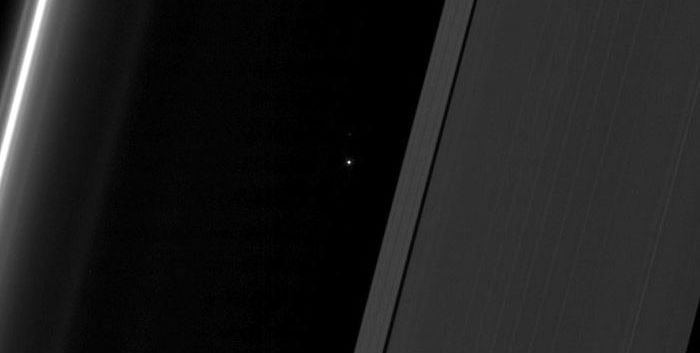
Ahead of the April 22nd Titan flyby, Cassini captured an image of Earth as seen through the ring of Saturn. Taken on April 13th, the probe was 1.4 billion kilometres (870 million miles) from Earth. when the image was taken.
April 13th, 2017: the “evening star” of Earth, as seen through Saturn’s rings by Cassini. Credit: NASA/JPL
Visible in the picture are, on the right, the A ring and the Keeler and Encke gaps, with the F ring over to the left. Earth is plainly visible in the gap between the rings. During this observation, Cassini was looking toward the backlit rings with the sun blocked by the disk of Saturn. The part of Earth facing toward Cassini at the time was the southern Atlantic Ocean.
Seen from Saturn, Earth and the other inner solar system planets always appear close to the sun much like Venus and Mercury do from Earth. All orbit interior to Saturn; even at maximum elongation, they never get far from the Sun. Early this month, as viewed from Saturn, Earth was near maximum elongation east of the sun, thus an “evening star,” making it an ideal time to take a picture.
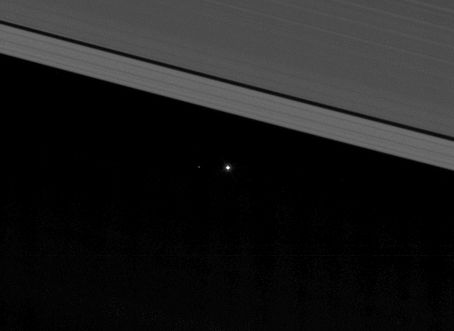
A cropped and rotated version of the Cassini image, showing the Earth and, a short distance away, below and to the left of Earth, the Moon. Credit: NASA/JPL
Morbus – your eventual destination in the Fantasy Faire Quest!
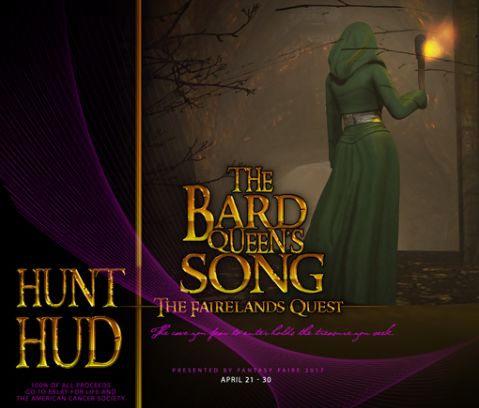
This year, Fantasy Faire once again presents the hunt in an expanded, story-based quest in which visitors to the Fairelands are invited to participate. In previous years, a call has gone to Heroes and Heroines to come to the Bard Queen and assist her in righting wrongs. But this year, it is the Bard Queen herself who has seemingly vanished – and that could be very bad news for the Fairelands!
Watch the trailer to find out more!
So – if you’re ready to be the Hero or Heroine – here’s a quick run-down of what to do and what to expect.
A Quick Overview
There are in fact two quests available – the The Bard Queen’s Song, which forms a multi-part adventure, and a treasure hunt.
The Bard Queen’s Song is multi-part, HUD-driven story you can complete in one go, or complete in stages; it is an Experience based activity, so all your progress is automatically saved, even if you remove your HUD. These notes are about this quest.
The treasure hunt involves seeking the treasure chests hidden in each of the Fairelands involved in the hunt (one per region) and touching them to claim your prize. The hunt can be completed before, after or during your progress through The Bard Queen’s Song, or without ever engaging on the main Quest.
Loo for the Quest vendors at the landing point in each Fairelands realms to get yourself started
Getting Started
First off, you’ll need the Quest HUD. This can be obtained from the kiosks at any of the Faireland realms landing points. Two versions are available:
L$250 – provides you with the quest HUD and tools to get you going
L$350 – provides you with the quest HUD and tools to get you going and male and female costumes so you can be more in character – and it will help you recognise other Adventurers, so you can help and support one another!
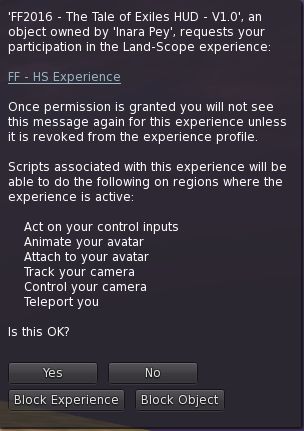
The Experience Permissions dialogue
When you have purchased your HUD package and unpack it.
IMPORTANT: if you purchase the Deluxe HUD package you must REZ it to unpack it do not wear it to unpack, as doing so will cause the gift card to be lost.
When you have unpacked the package, wear both the HUD and the Farion NPC (which will sit on your shoulder, but be invisible – it will appear once you have met Farion on the Quest.
As noted above, The Bard Queen’s Song is Experience based. This means that if this is your very first Fantasy Faire Quest, or if you revoked the Fantasy Faire Experience from 2016, you must accept the Experience via ta dialogue similar to the one shown on the right (note that as I never revoked the Fantasy Faire Experience, the image on the right refers to the 2016 Quest – the dialogue box you see will reference The Bard Queen’s Song).
It is essential you accept the Experience by clicking Yes, otherwise it will not work.
If you have previously participated in the 2016 Fantasy Faire Quest and did not subsequently revoke the Experience, you will be automatically accepted into The Bard Queen’s Song without this dialogue appearing.
The HUD
As with most HUD-based activities, the HUD tracks your progress, provides hints, provides access to various options and displays information pertinent to your progress, such as the scrolls shown below.
The Quest HUD (bottom) with clickable options, and showing three of the scroll displays – note the centre one is only displayed when you first wear the HUD, and explains joining the Experience
The following options are available on the HUD:
Teleport – displays the clickable teleport list (shown above right)
Sponsors – displays a list of Quest sponsors’ logos
Help – provides a note card on using the HUD
History – displays dialogue box allowing you to replay the videos (“cutscenes”) which introduce the various parts of the Quest or obtain note cards (“logs”) introducing the various parts of the Quest
Lists – displays a list of the Fairelands containing a treasure chest if you’re on the treasure hunt (shown above left). Regions where you have found a chest are greyed-out (as with Mudrana)
Setup – offers you a number of settings:
SAVE – saves your progress to date in the Quest (which should happen automatically)
RELOAD – reloads your progress to data if required – this is sometimes necessary if you crash for any reason while on the Quest
RESET – completely resets your status in the Quest, allowing you to start over from the beginning, if you want. Use this option with care, as all your current progress will be lost!
Farion NPC
Make sure you wear the Farion NPC – it will not be visible until you’ve completed your fist task (finding him!) – but one visible, you can touch him at any time for additional clues – some of which will be vital for progress without frustration. Should he turn transparent for any reason, just touch him again to pop him back into view.
The majority of the following notes are taken from the following sources:
The TPV Developer meeting of Friday, April 21st. A video of the meeting is embedded (my thanks to North, as always), and time stamp reference appearing in the text relate to that video
The Server Beta User Group meeting of Thursday, April 20th.
On Tuesday, April 18th the Main (SLS) channel received the server maintenance package previously deployed to the RC channels in week #15.
On Wednesday, April 19th, the RC channelsreceived the improved region capacity and access capabilities previously on the McRib micro-channel, which has been reabsorbed into the RCs
Simulator OS Update
The simulator build using a new version of Linux is now on the Main (SLS) grid, but currently restricted to the Cake micro-channel. Region holders with a defined interest in testing their products, scripted objects ,etc. on the build should contact Concierge Support to request an opt-in to the channel.
SL Viewer
Release Viewer
[02:15] The release viewer was updated on Wednesday, 19th April with the promotion of version 5.0.4.325124, formerly the Maintenance Release viewer.
This viewer includes a number of important updates, including:
Avatar Complexity Rendering Updates, including avatar rendering exceptions
Grid Status Display Toolbar Button
Improvements to the snapshot floater, inventory offer messages
Block list improvements
See my overview of this viewer (from when it was an RC release) for more.
HTTP Asset Viewer
[02:38] The AssetHTTP release candidate updated to version 5.0.5.325600 on Thursday, April 20th. This viewer moves fetching of several types of assets to HTTP. This update was primarily to merge the HTTP code with the new release viewer, but also includes additional logging code in an effort to try to determine why the previous version had an elevated crash rate.
Voice Viewer
[02:56] This RC viewer was withdrawn due to a high crash rate. An updated version may soon be available, but is dependent upon another bug being fixed, described as a “really loud, horrible screech in your headphones” if you teleport when someone is talking.
Once available this is seen as an important update for TPVs to pick-up, not only for the new voice updates but also because it fixes a number of bugs in certificate handling.
Project Alex Ivy 64-bit Viewer
[03:45] This viewer is awaiting a further update, which will hopefully appear in week #17 (commencing Monday, April 24th), pending the outcome of QA testing. The update will include 64-Havok on the Mac (it is already in the Windows version).
[05:17] There will be an update viewer supporting this (for IMs-to-e-mail, etc.), available “soon”.
Improved Estate / Parcel Access Controls
[09:08] A viewer supporting the server-side changes to the Public Access settings at region / parcel level (in short, parcel owner will not be able to set their parcels to restricted access if the region is explicitly set to Public Access at the Estate level), will be out shortly. Commenting on this, Grumpity Linden said:
Hopefully, we’ll have the first iteration out next week [week #17], and we might have to have some back-and-forth to make sure that the behaviour makes sense.
This viewer will also hopefully resolve issues such as BUG-4994 which results in a parcel being set to Group access (and gaining ban lines) if both the Public and Group access options are checked, are also resolved as a part of the work.
Improved Estate Ban List Management
[12:18] in February it was indicated that the current capabilities for managing estate ban lists are far from ideal. The ban list is confined to a small area of the World > Region Details > Estate tab, which is currently shared with three other lists. It is also non-searchable, making locating individuals for removal from very large lists time-intensive and difficult.
The Lab is working to provide a larger space for managing estate ban lists, with Grumpity Linden noting:
What I hope is not going to be unreasonably complicated to do, is to actually give you additional information, like when the user was banned and by whom. But we still need to see whether that is hard to do. It’s not going to be a part of the other UI changes for estate controls, because we want to get those out quickly; [but] I expect both of these things will require a couple of iterations.
Other Items
Second Life Statistics Stuck
[10:04] There is an issue with the statistics for the number of concurrent users on-line, Linden dollar exchange rate and number of daily sign-ups, which have remained frozen at the same values since April 12th, 2017 (the number of users on-line statistic, often referenced on the log-in splash screen by a number of viewers spent several days stuck at 44,647, for example) – see BUG-100468. The Lab is looking at the issue, but state it might take “a little while” to determine the problem.
Media Volume Issues
This breaks down into two areas:
Groups involved in the Community Gateway programme report that many incoming new users complain about the default volume at which the official viewer auto-plays streaming media on logging-in. An informal request has been made for the Lab to adjust the volume level downwards, but no work has been done on this (and no JIRA formally requesting the change has been raised)
[17:30] BUG-40937: “Shared media a great distance away (different region even) sometimes plays at maximum volume when entering a region or moving camera slightly” – the Lab has promised to discuss this, but is making no promises as to what might be done by way of resolution.
Fun Fact – Maintenance Viewer Internal Names
[19:37] Grumpity and Oz Linden revealed that they use internal project names to identify the various Maintenance viewers which are either under development or in flight. For some time now, these viewers have been named for assorted alcoholic drinks!
“For a while we stuck with drinks beginning with ‘s’,” Grumpity said, “but we had to expand.”
 While the traditional Second Life Birthday celebrations are now pretty much coordinated and run by the community – hence the title Second Life Birthday Community Celebrations, the Lab has a track record of sharing in the celebratory mood around the time of SL’s anniversary through various promotions, gifts, and so on, often as an overall part of the community celebrations.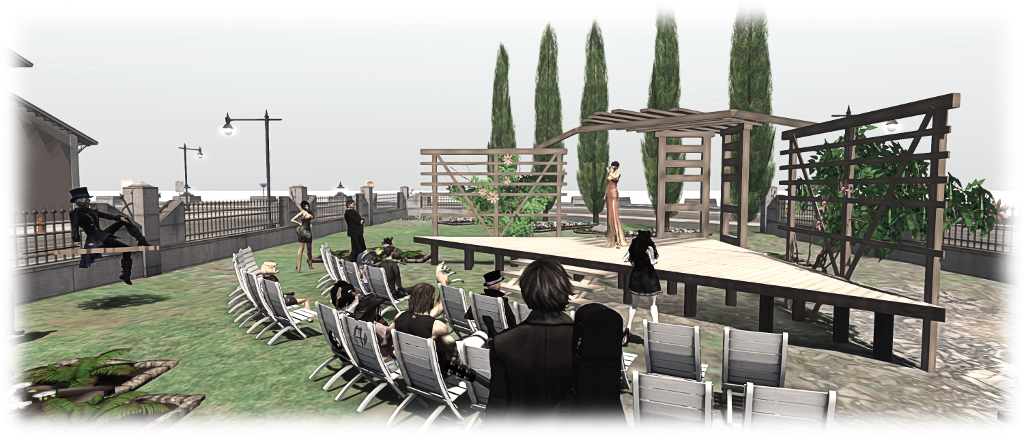
 In 2015 the Music Fest was held during the SL12B Community Celebrations at the SL12B Ixtlan Stage, designed by Cube Republic





 Inara Pey: Living in a Modemworld