SL project updates 33/1: server, viewer, Experiences

Eclectica; Inara Pey, August 2015, on FlickrEclectica August 2015 (Flickr) – blog post

Server Deployments

There was no deployment to the Main (SLS) channel on Tuesday, August 11th, following the lack of an RC deployment in week #32.

The three RC channels *should* get a new server maintenance package on Wednesday, August 12th. Details were still TBD at the time of writing, however, it is thought to be a series of updates aimed at reducing the rick of No Copy inventory item losses due to race conditions occurring between the viewer and server.

SL Viewer

There is not expected to be any viewer promotion this week given the Viewer-Managed Marketplace viewer was promoted in week #32, and both of the active RC viewers were updated to match its code base.
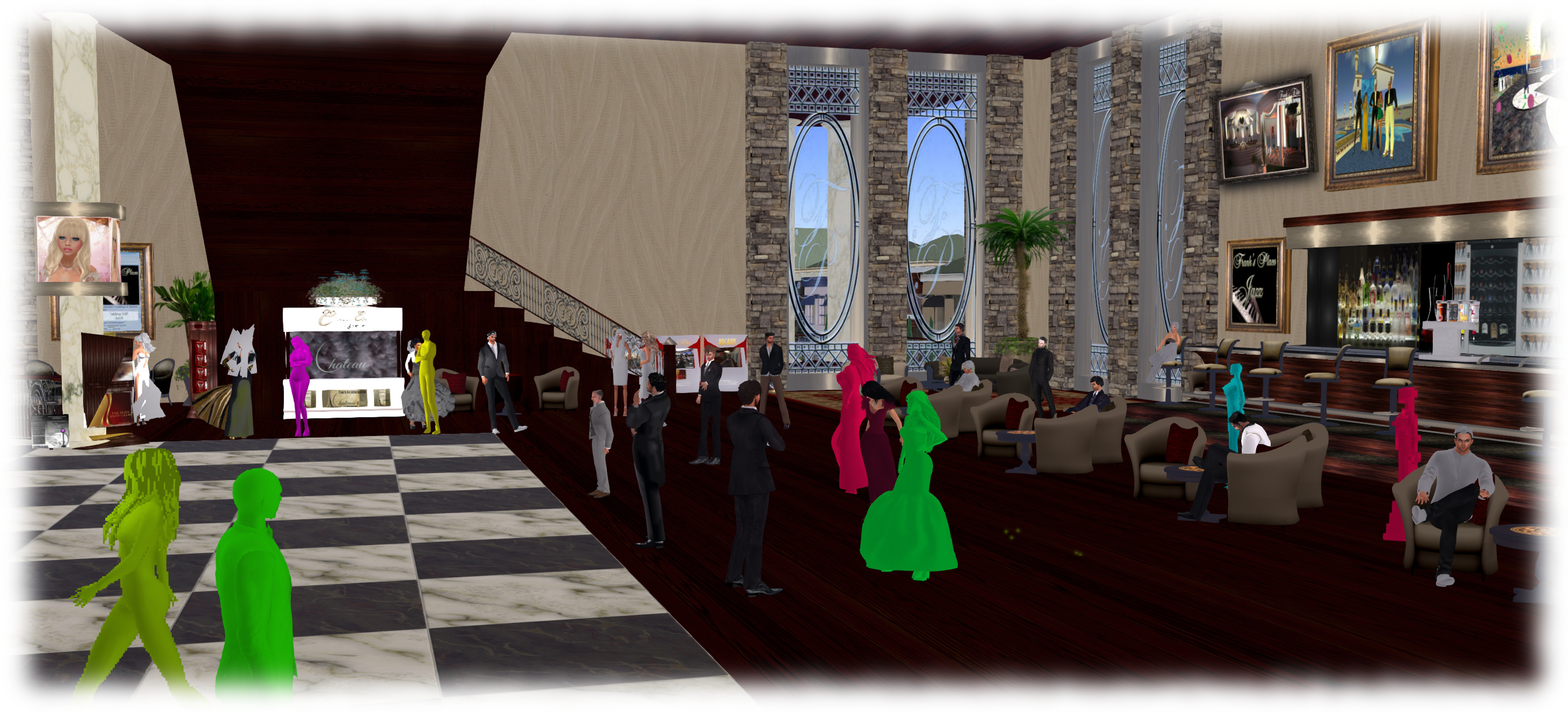
Avatar Complexity (aka Jelly Babies) will hopefully appear in week #33 as a project viewer, as per the Lab's timetable for the project
Avatar Complexity (aka Jelly Babies) will hopefully appear in week #33 as a project viewer, as per the Lab’s timetable for the project

However, it is anticipated that the Avatar Complexity / graphics preset viewer will appear in project viewer during week #33.

This is the viewer which enabled yo to set a rendering cost above which other avatars and their attachments will be rendered at a solid colour (aka “Jelly Babes”) in order to reduce the load on your GPU. It also provide a means by which users can save and restore different sets of graphics settings within the viewer. The idea being that users can then switch between different presets according to circumstance to help with viewer performance.

I provided a high-level overview of this viewer in June 2015, and I’ll be taking a closer look at it once the project viewer is available for people to download and try.  Currently, the main thing apparently preventing the viewer reaching a project release status is that the Lab is making some final adjustments to get the frequency of the Avatar Complexity notifications it sends to users. the viewer is designed to inform those who have avatars with a high rendering cost how many people around them are rendering them as a Jelly Baby, for example, and the balance of these messages need to be reasonable.
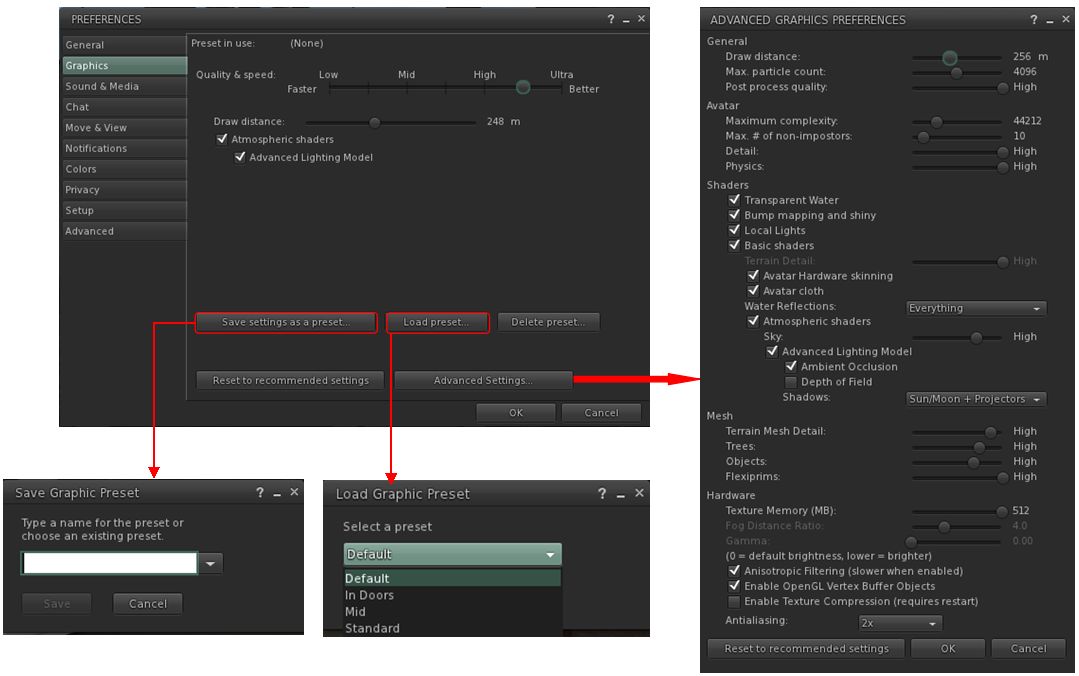
The viewer includes the means to create and save sets of graphics presets which can be quickly loaded according to need / circumstance to help maintain a viewer's performance
The viewer includes the means to create and save sets of graphics presets which can be quickly loaded according to need / circumstance to help maintain a viewer’s performance

Experience Keys / Tools

An issue with Experiences is that access to the KVP data store (used to store data and values for an Experience) is currently handled on the same thread in the region and object rezzing. This means that reading / writing from / to the KVP store can be impacted when a region is busy with people rezzing items, etc. Requests have been put to the Lab to move the KVP access to a separate thread, and now he has completely a number of other tasks, Simon Linden is hoping to look into this and get things separated.

In addition, the Lab is mulling options for further Experience Keys / Tools enhancements. Nothing specific has been decided, and the emphasis is that any changes made will be small, rather than anything “massive”. Without the Lab committing itself to any of them, some of the following were suggested for consideration during the Simulator user group meeting on Tuesday, August 11th:

  • Limiting draw distance within an Experience
  • Providing a means to force sit avatars on items, when required
  • Providing a means to force a user into Mouselook at certain points in an Experience and then back out of Mouselook
  • Providing a means to control set the windlight environment and prevent viewer-side overrides.

A problem with ideas like these is that the options are controlled by the viewer, and could theoretically be over-written by the user unless an RLV-like capability was implemented to prevent cheating by a user simply overriding a setting. However, the Lab are poking at ideas, and we might see further updates of some sort appearing in the future to further enhance Experiences.

Reshade: post-processing Second Life in real time

Reshade: injecting shader effects into Second Life (or any game) in real time
ReShade: overlaying your SL world view with shader effects. In this image, I’m using the ReShade split screen option to show a real-time view of Oyster Bay, with the original windlight-based view on the left, and a preview of effects overlays on the right. (which have been deliberately exaggerated for effect)

ReShade is an application which has been generating a bit of buzz around Second Life for the last couple of weeks. When installed on a Windows PC (7, 8 or 10), it allows you to overlay you Second Life world view with a wide range of shader-based effects, which can be used in screen captures for images, or when recording machinima to offer real-time visual effects.As it is an overlay system, it also works with OpenSim environments.

I first got to hear about ReShade from Whirly Fizzle at the start of August (she in turn got to learn of it through Caetlynn Resident), and having been playing with the beta since then. Just how practical it might be is a matter of personal choice / want / ability with more traditional post-processing tools, etc. However, as version 1.0 launched on August 10th, with some much-need clean-up, I thought I’d offer a write-up on it, together with a few thoughts.

Remember, ReShade is third-party application, LL and TPVs cannot provide assistance in using it – and nor can I. If you need help with it, please refer to the ReShade forums. As relatively new software, it can be a little buggy, and it doesn’t always run with the viewer when installed – again, if you have problems getting it going, neither viewer support teams nor I can really help.

A quick and dirty demo video showing how ReShade effects can be used in real-time machinima capture in Second Life

Set-up

Please ensure you’re logged-out of Second Life when setting-up ReShade.

  • Download the ReShade Framework ZIP file from the ReShade website.
  • Unzip the contents of the downloaded file to a location of your choice.
  • Navigate to the unzipped folder location and right-click on ReShade Mediator and Run As Administrator.
  • The Mediator will launch to display the configuration tab (shown below). This is the UI element used to apply and adjust effects.
  • You now need to create a profile for Framework to work with your viewer.
Your first step is to configure the Framework Mediator to recognise your viewer
  • Under the Profile section on the left of the Mediator, click Add. A file picker will open Use it to navigate to your viewer’s installation folder.
  • Locate the viewer’s .EXE file in the installation folder and click it once to highlight it, and then click the Open button in the picker
  • You will be returned to the Mediator panel, and the viewer name or “Second Life” should be displayed in the profile drop-down (below) – note that some TPVs may display their own name or may display “Second Life”, it makes no difference.
  • Make sure OpenGL has been correctly identified. Click on the Confirm button to create a profile for your viewer.
When adding a viewer to ReShade Framework, note it may display as
When adding a viewer to ReShade Framework, note it may display as “Second Life” rather than the viewer’s name – this doesn’t prevent things from working
  • When Mediator has finished creating the profile, click Apply at the top right of the panel.

The set-up process is now complete. However:

  • Note that this has created two files in your viewer’s installation folder: reshade.fx and opengl32.dll. These must be deleted if you decide to remove ReShade from your PC.
  • Also, as I’ve found ReShade to be slightly flaky, before going any further, copy the opengl32.dll and save the copy in another location – I’ll explain why later.

Continue reading “Reshade: post-processing Second Life in real time”

The Seasons of Life in Second Life

Seasons of Life - LEA 4
Seasons of Life – LEA 4

Now open at LEA 4 is Seasons of Life by John (Johannes1977 Resident), a Second Life photographer who has been rightfully gaining a respected reputation in-world for his photographic studies, which straddle the virtual and the physical worlds. As a serving member of the US Marines, for example, he shot a series of photographs showing military life whilst on deployment to Afghanistan, and these were recently featured in an exhibition at The Rose Gallery, Angel Manor.

Seasons Of Life is focused squarely on John’s work as an in-world artist, and is his first exhibition at the LEA. In his words, it represents “a person’s life cycle combined with the scientific seasons of the Earth”.

It sees the region, which is largely flooded at ground level, divided into five areas. Four of these are devoted to the four seasons – Winter, Spring Summer and Autumn, each presided over by portraits of its Guardian, as modelled by Draakje Dailey (Spring), Eleseren Brianna (Summer),  Emma Portilo (Winter) and Issy Flatley (Autumn). The fifth area is given over to the Guardian of the Night, modelled by  Seashell Dench.

Seasons of Life - LEA 4
Seasons of Life – LEA 4

The portraits are individually and collectively fascinating, presented in a variety of styles which offer strong contrasts to one another, while at the same time complimenting their individual seasonal theme,

For example, the Winter Guardian is presented in two monochrome / grey-scale images, providing a subtle emphasis of the cold grip winters holds. However, where one has a bold, charcoal-like thrust to it, the other offers a more gentle, light-handed pencil feel to it. Thus they contrast with one another while at the same time complementing the scene they present – the stark boldness of the darker image emphasising the Guardian’s power as she towers over the landscape, arms raised and outstretched as if in invocation.

Similarly, Autumn uses a more painting-like finish to each of the images (both watercolour and oil), allowing colours to be over-emphasised, echoing the rich natural hues of nature at that time of the year.

Seasons of Life - LEA 4
Seasons of Life – LEA 4

Clever use is also made of animated gifs in places which again adds depth to the images concerned. The Guardians seem to shimmer into existence as you cam onto the portraits, for example, while in an Autumn images, the waters are the Guardian’s feet ripples gently. The animations can take a number of seconds to fully work given the rain, show and lightning effects in the installation, but the end result is certainly eye-catching.

All told, an intriguing installation which will be open through until the end of October, I believe – but do take care when walking around. Step off the walkways, and you might find the water a tad bit deeper in some places than in others 🙂 .

SLurl Details

2015 viewer release summaries: week 32

Updates for the week ending: Sunday, August 9th

This summary is published every Monday, and is a list of SL viewer / client releases (official and TPV) made during the previous week. When reading it, please note:

  • It is based on my Current Viewer Releases Page, a list of all Second Life viewers and clients that are in popular use (and of which I am aware), and which are recognised as adhering to the TPV Policy. This page includes comprehensive links to download pages, blog notes, release notes, etc., as well as links to any / all reviews of specific viewers / clients made within this blog
  • By its nature, this summary presented here will always be in arrears, please refer to the Current Viewer Release Page for more up-to-date information.

Official LL Viewers

  • Current Release version: updates to version 3.8.2.303891 on August 3rd – formerly the Viewer-Managed Marketplace RC (download, release notes)
  • Release channel cohorts (See my notes on manually installing RC viewer versions if you wish to install any release candidate(s) yourself):
    • Mesh Importer RC viewer updated to version 3.8.3.304090 on August 6th – multiple improvements to the mesh uploader + optional logging (download and release notes)
    • Maintenance RC viewer updated to version 3.8.3.304115 on August 6th – comprising some 50 updates, fixes and features (download and release notes)
  • Project viewers:
    • No updates.

LL Viewer Resources

Third-party Viewers

V3-style

  • Kokua updated to version 3.8.2.36075 on August 7th – core updates: parity to release 3.8.2 of the LL viewer (Viewer-Managed Marketplace) – release notes
  • UKanDo updated to version 3.8.2.28127 on August 3rd – core updates: Viewer-Managed Marketplace release – release notes

V1-style

  • Cool VL Viewer Stable branch updated to version 1.26.14.3 and the Experimental branch updated to 1.26.15.2, both on August 8th – release notes

Mobile / Other Clients

  • No updates.

Additional TPV Resources

Related Links

Space Sunday: active Ceres, open Mars, and shooting stars

Dawn mission patch (NASA / JPL)Dawn, the NASA / ESA joint mission to explore two of the solar system’s three “protoplanets” located in the asteroid belt between the orbits of Mars and Jupiter, continues to intrigue scientists as it studies Ceres, the second of its primary targets.

As I reported in June 2015, Dawn is part of a broader effort to better understand the origins of the solar system and how the planets actually formed; all of which might give us greater understanding of how life arose here on Earth.

Launched in September 2007, Dawn arrived at Ceres in March 2015, after a 2.5 year transit flight from Vesta, its first destination, which it had been studying for 14 months following its arrival in July 2011. Because of their relative size – Ceres accounts for around one-third of the total mass of the asteroid belt – both of these airless, rocky bodies are regarded as dwarf planets, rather than “simple” asteroids. However, Ceres is proving to be quite the conundrum.

At the start of July, Dawn completed the first part of its high-altitude survey of Ceres and fired its low-thrust ion drive to start a series of gentle manoeuvres to reduce its orbit around from 4,400 kilometres (2,700 miles) to 1,450 kilometres (900 miles). It’s now hoped that from this lower orbit, the space craft will be able to discover more about some of Ceres’ more mysterious features.

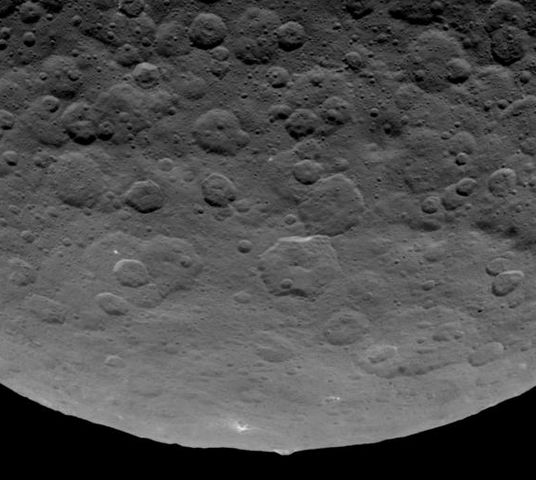
One in particular has been the subject of much debate. It started when Dawn imaged a series of bright spots within the crater Occator as it made its initial loop around Ceres to enter orbit. Since that time, it has repeatedly images the bright spots, and their presence has also been confirmed by the Hubble Space Telescope.

A June 6th image of the bright spots within a crater on Ceres, captured by Dawn on June 6th, 2015, from a distance of
A Dawn spacecraft image of the bright spots within a crater on Ceres, captured on June 6th, 2015. With the vehicle now entering a much lower altitude mapping mission, it is hoped that even more detail on the spots  – and the faint haze discovered within the crater – will be obtained

Currently, it is believed the bright marks might either be salt deposits or water ice (the European  Herschel Space Observatory had previously found evidence of water vapour on Ceres).  However, while the science team aren’t leaning either way, their mission briefing on July 21st, leant some weight to the bright spots perhaps being water ice. This came in the form of an announcement that he 92 kilometre (57 mile) wide Occator has its own, very localised atmosphere focused around the bright areas.

The evidence for this comes from images of the crater taken from certain angles which reveal a thin haze covering around half of the cater, but not extending beyond its walls. Th thinking is that this haze is perhaps the result of the ice in the bright area – if they are ice – sublimating out.

However, if this is the case, it actually raises a further mystery: why the haze? Generally, such sublimation would lead to the resulting gases dissipating very quickly, without forming a haze. One hypothesis is that Ceres’ gravity, which is somewhat higher than might be expected for a body of its size) may be and influencing factor.

The 5 km high "pyramid" mountain pokes up above the limb of Ceres. Flat-topped, it has streaks of bight mateiral on its flanks giving the impression something has been flowing down it.
The 5 km high “pyramid” mountain pokes up above the limb of Ceres. Flat-topped, it has streaks of bright material on its flanks giving the impression something has been flowing down it.

The bright spots aren’t the only curious feature on Ceres. Dawn has also spotted numerous long, linear features whose cause is unknown, as well as one big mountain that mission team members have dubbed “The Pyramid.” This massif, about 5 km (3 mi) in height, and around 30 km (19 mi) across at its base, is oddly flat-topped and has streaks of bright material on one of it flanks, as if something has been cascading down the slope. What this might indicate has planetary scientists scratching their heads at this point.

With all the mysteries thrown up by New Horizon’s recently flyby of Pluto, and Dawn’s discovery of mysterious features on Ceres, it really is becoming a case that the tiny worlds of our solar system are perhaps the most perplexing.

Three years ago, in August 2012, NASA’s Mars Science Laboratory rover, Curiosity, arrived in Gale Crater, Mars. Since that time, the rover has made some remarkable discoveries, as reported in this blog over the years.

To mark the anniversary of the landing, NASA has launched two new on-line tools designed to open the mysterious terrain of the Red Planet to anyone with an interest in planetary exploration.

Experience Curiosity allows users to journey along with the one-tonne rover on its Martian expeditions. The program simulates Mars in 3-D, using actual data returned by the rover and NASA’s Mars Reconnaissance Orbiter (MRO). It also uses a  game-ready rover model based entirely on real mechanisms.

Experience Curiosity allows you to learn about the rover using a 3D model which can be manipulated and driven, using a WebGL application

User are able to drive the rover, examine it, call up data on key components, witness the driving view from different cameras on the rover, and operated the robot arm. Activities are a little basic, but as this appears to be a part of NASA’s Eyes On project, capabilities may grow over time.

Mars Trek is a much more expansive tool – one which is actually being used in the planning for the Mars 2020 rover mission. It features interactive maps, which include the ability to overlay a range of data sets generated from instruments aboard spacecraft orbiting Mars, and analysis tools for measuring surface features. Standard keyboard gaming controls are used to manoeuvre the user across Mars’ surface, and topographic data can be exported to 3D printers to allow the printing of physical models of surface features.

The map view and be manipulated in 2D or 3D, data on various surface missions is provided, compete with the ability to zoom into the surface locations for these missions, making for a visually impressive model.

Continue reading “Space Sunday: active Ceres, open Mars, and shooting stars”

An eclectic visit in Second Life

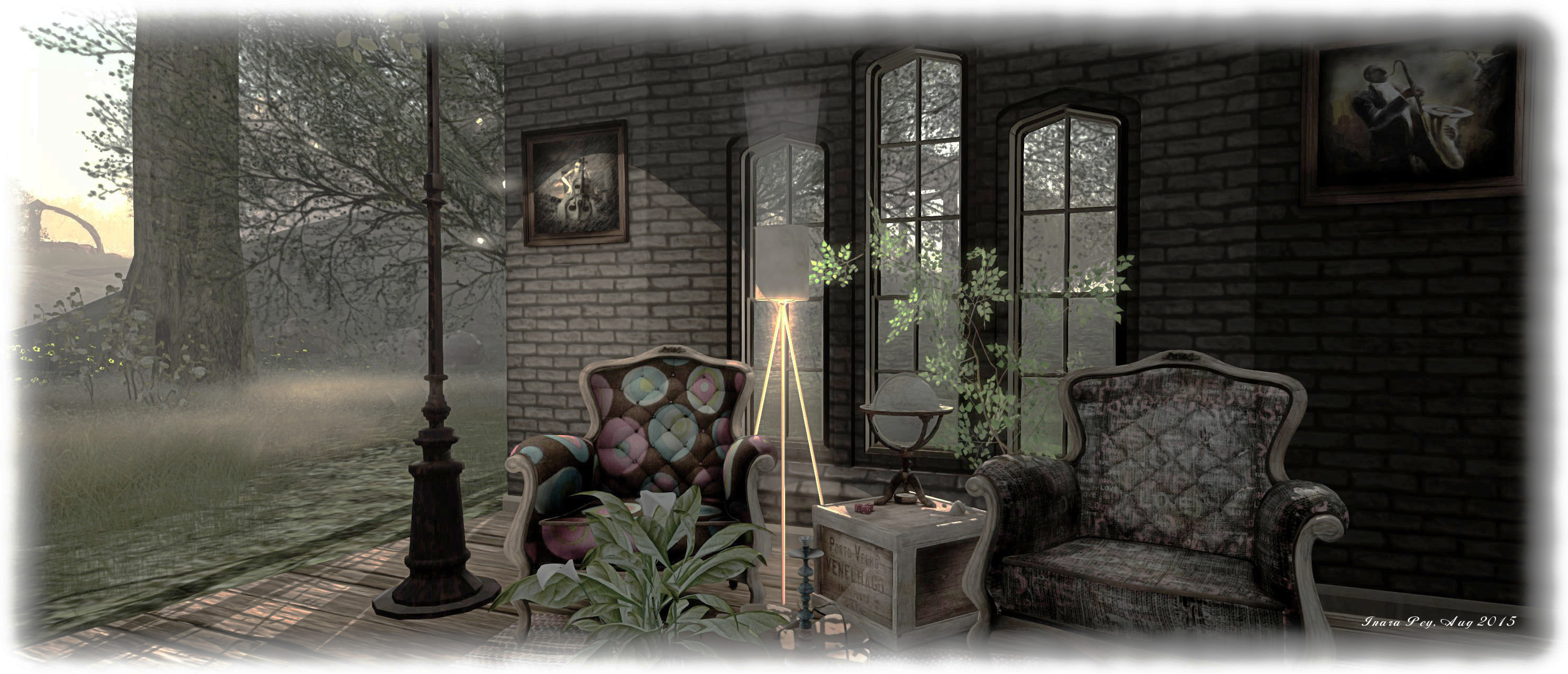
Eclectica; Inara Pey, August 2015, on FlickrEclectica August 2015 (Flickr) – click any image for full size

Eclectica, located on the homestead region of The Place, is somewhere I’ve been meaning to visit since it opened earlier in 2015. Designed by Maddy  (Nibby Riddler), it is disarmingly described as an “enchanting sim with an eclectic blend of forestry, fantasy, folklore, whimsy and magical exploration, with wonderful photo opportunities amongst the ruins, hidden caves, lovers spots and romantic meadows.”

And the truth is – it really is – and so much more. This is a region of scenic contrasts, from low-lying, meadows edged with water, to high rocky plateaus from which waterfalls cascade, this is a place demanding gentle exploration, by either following the footpaths leading away from the landing point, or by wandering where soever your feet wish to take you.

Eclectica; Inara Pey, August 2015, on FlickrEclectica, August 2015 (Flickr)

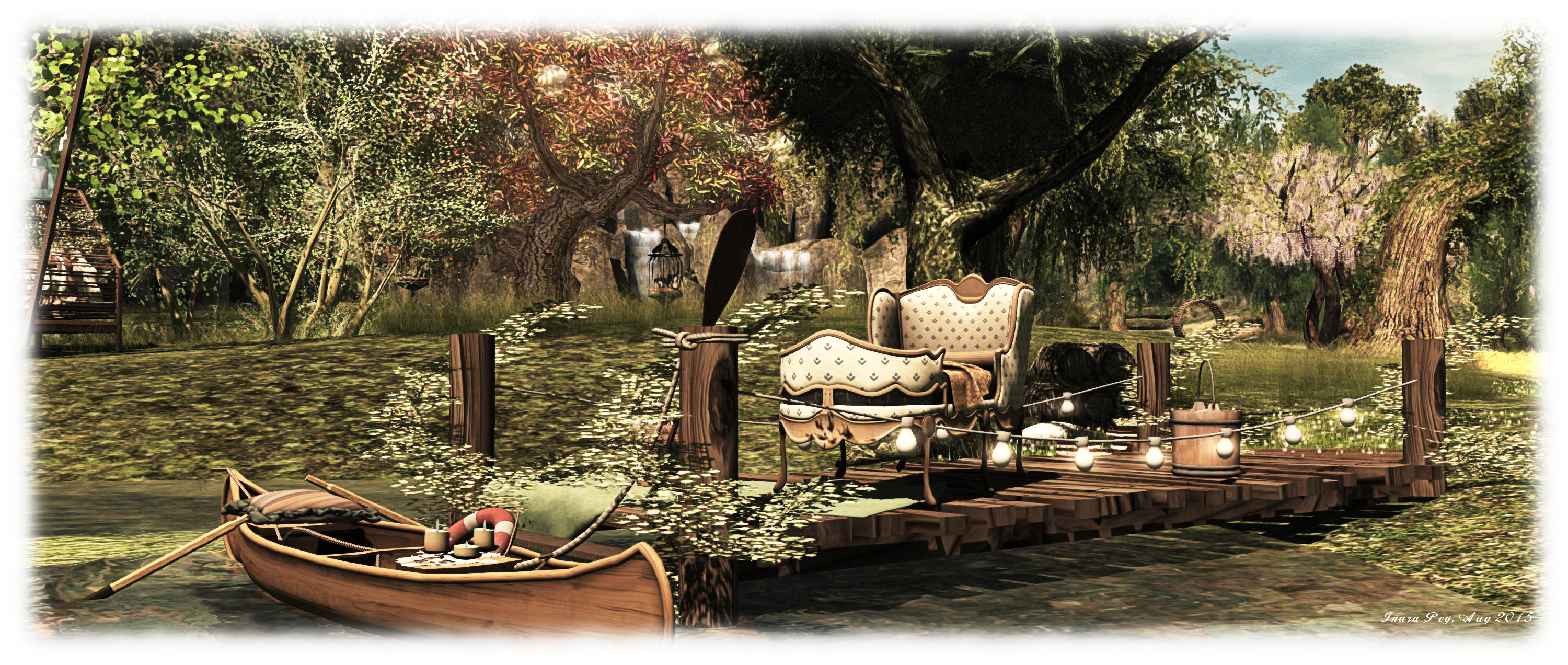
This is a place rich in natural colours, the trees and flowers suggestive of a long afternoon stretching its way lazily from spring to early autumn, and where surprises await around every corner. Romantics are catered for, with plenty of cuddle spots scattered around, some on the ground, others hanging from sturdy tree branches and others floating on the waters or under the tiled roofs of gazebos. often with Intan dance systems nearby.

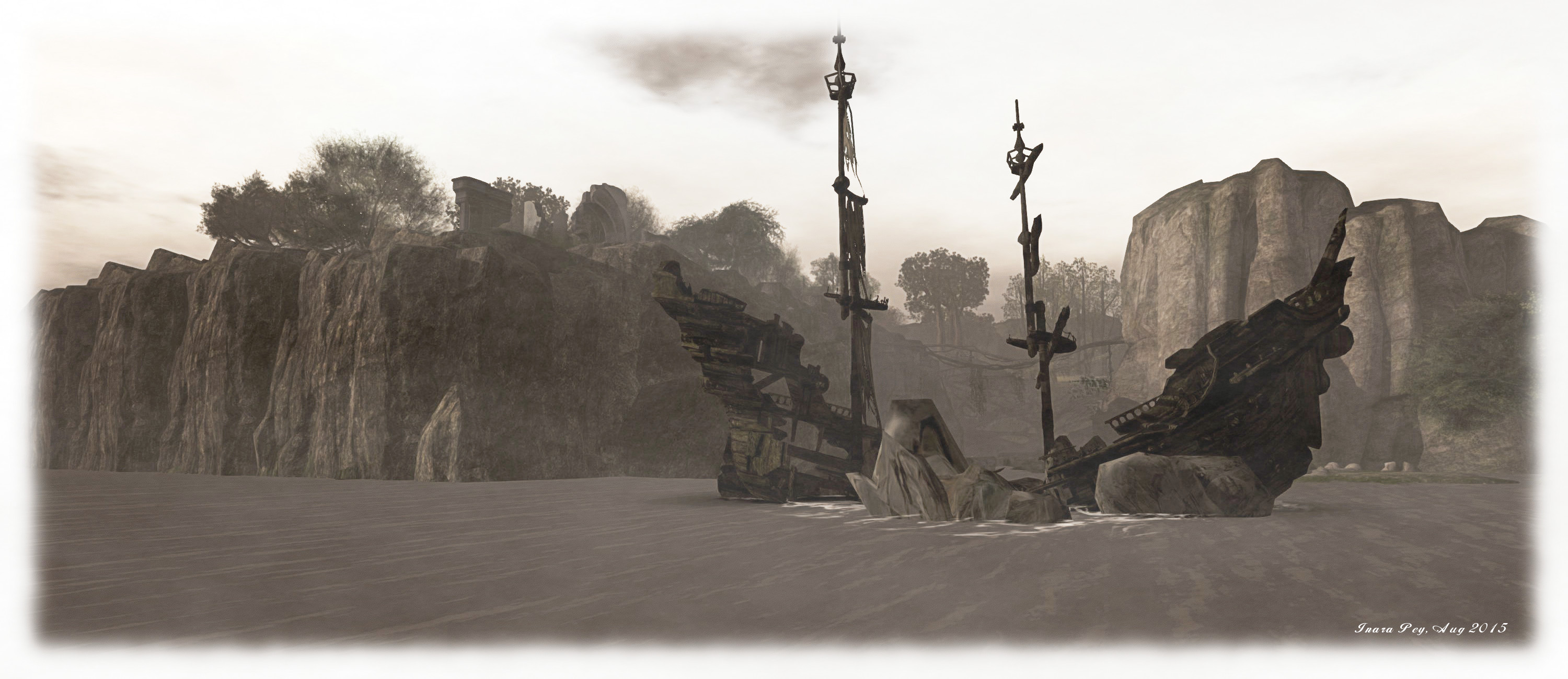
Photographers are also catered for; there is much here to attract eye and snapshot floater, and under a wide selection of windlights, depending upon your location and where you’re looking. The paths, trees and fields offer lots of rural opportunities for pictures, while the wreck of an ancient man o’ war (or is it perhaps a pirate ship? Ah, let your imagine decide!) sitting off the coast, watched over from ruins on a high cliff offers plenty of opportunity for dramatic and mysterious shots. Meanwhile, the ruins offer a hint of fantasy in which to indulge, as does what appears to be an alchemist’s cottage sitting a short distance away.

Eclectica; Inara Pey, August 2015, on FlickrEclectica, August 2015 (Flickr)

This is also a place of delightful whimsy, with lots of little touches scattered throughout which cannot fail to bring a smile to the face when discovered. Even the orient touches the region in one corner, adding to the eclectic nature of The Place.

Not that everything is in any way a jumble. Such is the skill of the design, everything flows together naturally; so much so, that the overall effect of exploring Eclectia is one of journeying through neighbouring lands, rather than simply wandering a single region.

Eclectica; Inara Pey, August 2015, on FlickrEclectica, August 2015 (Flickr)

In fact, with so much to discover, coupled with the opportunity to take photographs, as well as the myriad of places to sit and unwind as the music plays, it’s easy to get lost within Electica – as I did, for an entire afternoon!

Maddy has done a superb job with what is her first region build. Electica has deservedly gained wide recognition across Second Life. With my own project beckoning me back, I hope that some of her creative eye has rubbed off on me, such is the captivating look and feel to the region. And if not, then I’ll just and to come back and sit under tree or on boat or couch and let the world take care of itself.

SLurl and Website Details