Tales from Ireland, mysteries in London and space

It’s time to kick-off another week of fabulous story-telling in voice, brought to Second Life and Kitely by the staff and volunteers at the Seanchai Library.

As always, all times SLT / PDT, and unless otherwise stated, events will be held on the Seanchai Library’s home on Imagination Island, or at their Kitely Homeworld.

Sunday, March 8th

11:00: Seanchai Kitely: Ireland – Land of the Poets

With Caledonia Skytower and Shandon Loring at Seanchai Library’s Celtic world (grid.kitely.com:8002/InisArcain)

13:30: Seanchai SL: Tea Time at Baker Street

Caledonia, Kaydon OConnell and Corwyn Allen reconvene at the rooms of 221B Baker Street to this week read the story of The Man With the Twisted Lip, which first appeared in The Strand Magazine in December 1891.

colourised version of Sidney Paget’s drawing of the beggar, Hugh Boone

Whilst assisting a friend of Mrs Watson but recovering her husband, an opium addict, from a den in the East End of London, Watson is surprised to see Holmes, in disguise, also in the den, attempting to obtain information relating to a case.

It seems a respectable businessman Mr. Neville St. Clair has vanished, and his wife is convinced she she him at an upper floor window of the opium den. But when the police raid the place, Mrs. St Clair in their company, all they find is a dishevelled beggar known locally as Hugh Boone.

However, when a toy her husband had said he would buy for their son, together with some of St. Clair’s clothes in the room, a wider search is carried out, and St. Clair coat, loaded with small change is found in the Thames just below the den, foul play is suspected, and Boone is arrested.

Holmes is initially convinced St Clair has been murdered, although no body is found and Boone reveals nothing. But then Mrs. St Clair receives a letter from her husband, and the mystery deepens.

Monday, March 9th

06:00: The Emerald Atlas

emerald atlasCata Charisma continues his reading of John Stephens’ The emerald Atlas, the first volume in his fantasy trilogy for young adults, The Books of Beginning.

Having been passed from pillar to post through orphanages, three siblings, Kate, Emma, and Michael, find themselves lodged at the home of one Dr. Stanislaus Pym. Kate, the eldest of the three is driven by a promise made by her mother, that if Kate protects her younger sister and brother, then their family will be one day reunited.

But in their explorations of Dr. Pym’s house the three of them find their way into the basement, where they come across a mysterious door and a equally mysterious emerald-covered booth, entirely without text. When an old photograph touches the blank pages of the book, however, the three are immediately transported to the time and place depicted in the photograph. Her they find themselves in a realm populated by witches, henchmen, giants, dwarves and more – and one Dr. Stanislaus Pym, a good deal younger than when they last saw him in his house…

19:00: Starswarm

StarswarmStarswarm Station is a remote research station established to study strange alien life. The planet on which it is located is the home of the starswarm, intelligent plants living under the planet’s shallow lakes and seas, and roaming bands of centaur-like creatures dubbed “haters”.

The station is also home to Kip, a teenage boy living under the guardianship of his “uncle”. However, as Kip begins to discover, he has another guardian: Gwen, an AI system his mother had been working on, prior to her death, and which communicates with Kip via a small implant placed inside his brain at birth.

Gwen knows far more about the planet and the lifeforms it harbours than Kip could imagine. It also knows a lot about the company that runs the station and, for all intents and purposes, “owns” the planet on which it sits.

Slowly, Gwen reveals these various truths to Kip, including his own destiny. But in doing so, it puts Kip, and potentially the entire station, at risk.

Join Gyro Muggins as he commences a reading of Jerry Pournelle’s 1998 novel intended for teenage readers but which offers an interesting look at subjects such as neural nets and living computer systems.

Tuesday March 10th, 19:00: Saint Patrick and Friends

With Caedmon Sharkfin.

Wednesday March 11th, 19:00: Bard: The Odyssey of the Irish

Caledonia Skytower reads selections from Morgan Llywelyn’s 1984 historical fantasy novel depicting a hypothetical 4th century migration of Galicians to Ireland, led by Amergin the bard.

Thursday March 12th, 19:00: Celtic Myths and Magick

With Shandon Loring.

—–

Please check with the Seanchai Library SL’s blog for updates and for additions or changes to the week’s schedule. The featured charity for January / early March is Project Children, teaching and building peace in Northern Ireland, one child at a time.
Related Links

Doing a “Little Nellie”

The Piaggio RR39F Orion

In January 2015, I wrote about my purchase of Ape Piaggio’s Kv23H FoilStream power boat, which I’ve come to really enjoy when in the mood to zap around on the water 🙂 . Since then, Ape has produced a new vehicle in her range. Not a boat, this time – an aircraft. Or more precisely, an autogyro, which I’ve recently had the opportunity to take out and about.

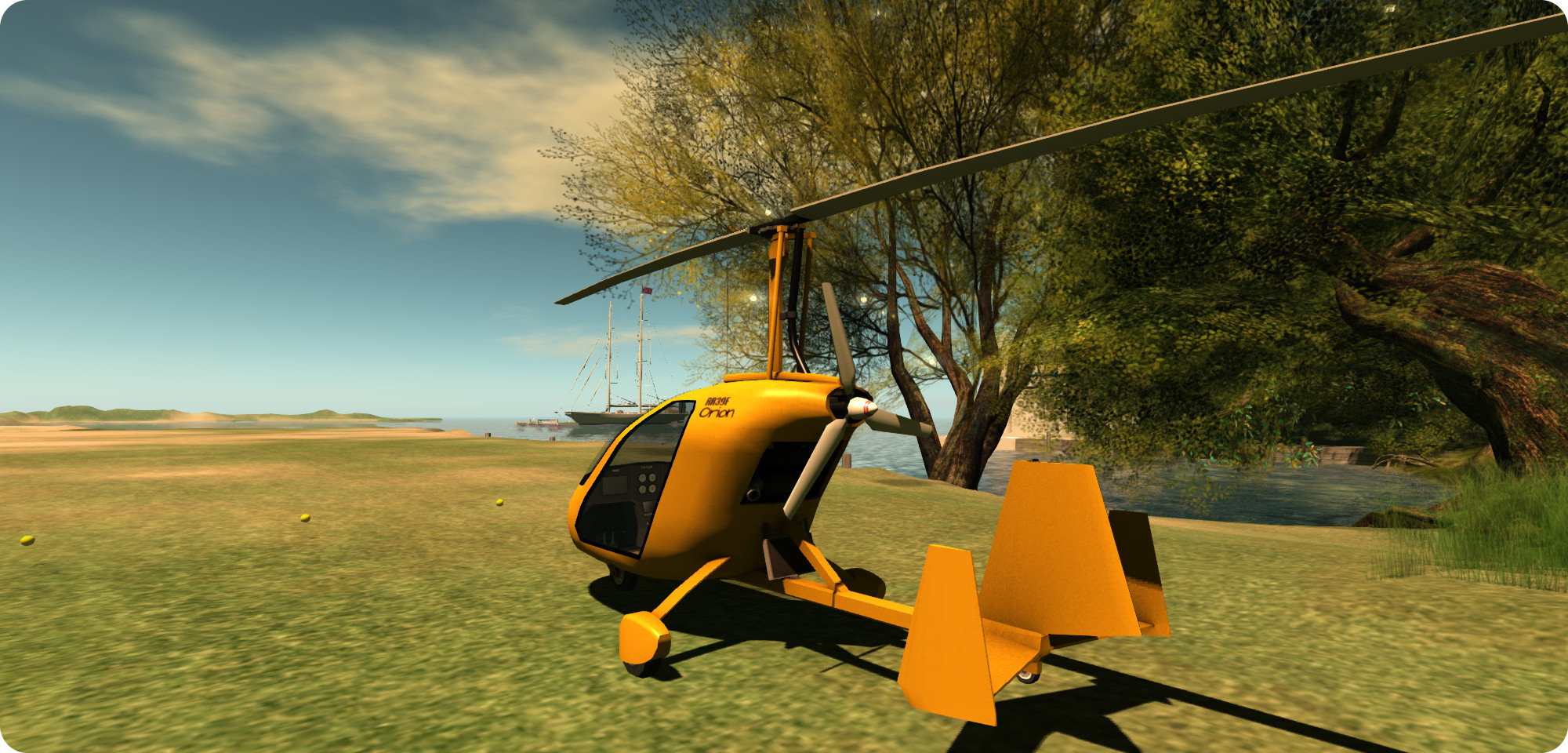
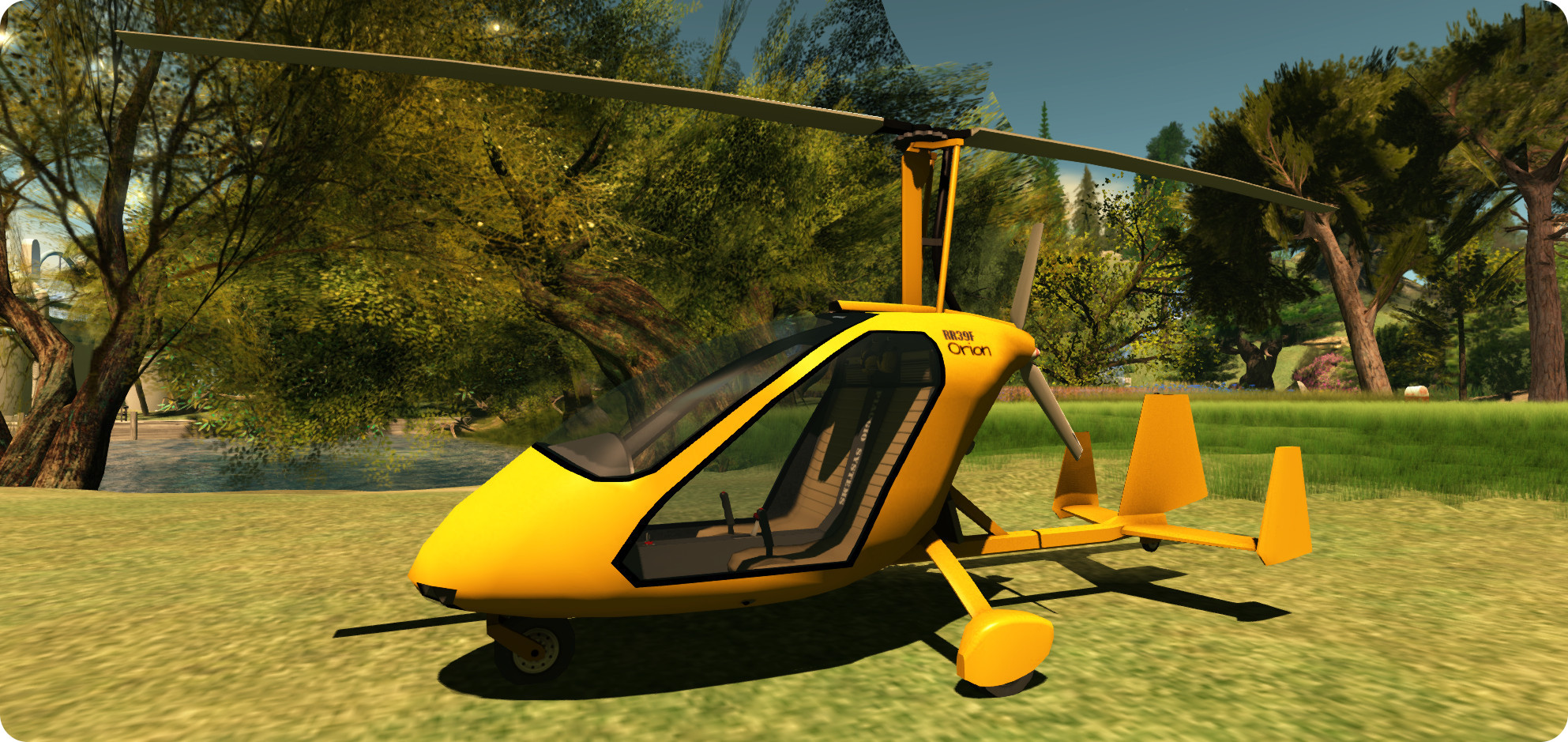
The RR39F Orion is a beautiful little two-seat (side-by-side configuration) autogyro with a fully enclosed cabin. Bright yellow in its default colour, I was immediately put in mind of James Bond’s famous “Little Nellie”, even though the two vehicles are worlds apart, and may even end up calling my Orion “Nellie” when I get around to repainting it!

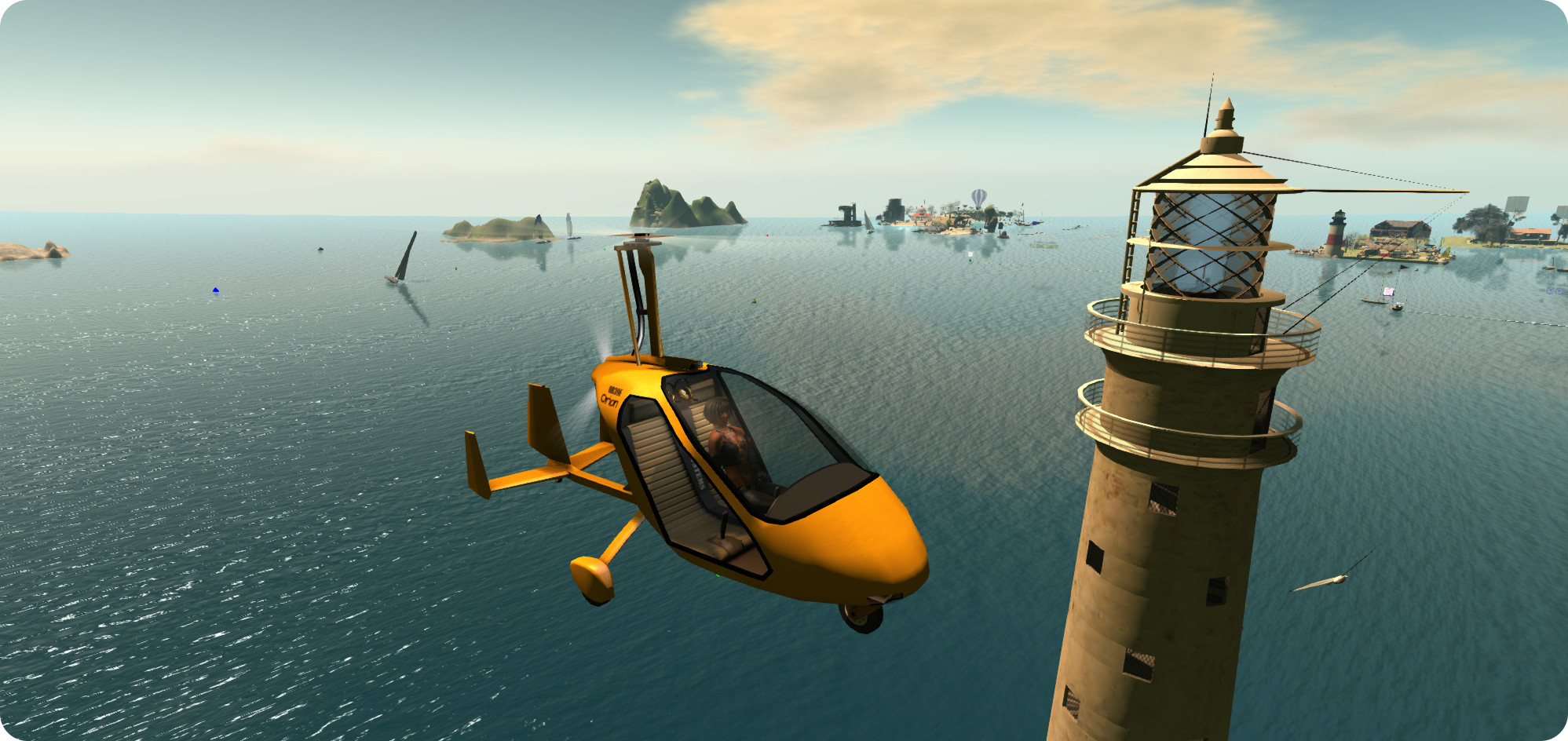
The Piaggio RR39F Orion - flying past a familiar landmark on Blake Sea
The Piaggio RR39F Orion – flying past a familiar landmark on Blake Sea

For those unfamiliar with the concept, an autogyro is essentially a combination aeroplane and helicopter, using a propeller engine for thrust, and a set of unpowered rotors in autorotation to generate lift and keep the craft airborne. This means it takes-off like a ‘plane, and can hover, descend and land like a helicopter (although it cannot hover and ascend like a helicopter).

This combination of characteristics means an autogyro can take a little time to master – and Ape’s Orion is no exception to this rule. Which should not be taken to mean it cannot be fun to fly; quite the reverse in fact. Half the fun in flying it is mastering it, and once it is properly understood, then it is an absolute joy to fly.

The aircraft comes complete with a HUD, texture maps (for custom painting), an additional paint kit (plain white), and a custom paint applier for your own designs and a manual. Often, when flying aircraft in SL, the instinct is to hop in, start-up and fly. With the Orion, I seriously suggest an appetiser of RTFM (Read The Flippin’ Manual) is the first order of business.

The Piaggio RR39F Orion is a "pusher" autogyro, with the egine mounted bhind the cabin, and facing the rear
The Piaggio RR39F Orion is a “pusher” autogyro, with the engine mounted behind the cabin, and facing the rear

The Orion has three operational modes: automatic, semi-automatic and manual. When flying in the first two modes, everything in terms of getting powered-up and ready to fly is taken care of for you, and you’ll only need the HUD for activating the lights and GPS system (if flying in Mouselook). If you’re flying in manual mode, you will need the HUD and the aforementioned RTFM time; like many real autogyros, the Orion has some very specific steps to getting airborne, including pre-rotating the overhead blades.

In the air, I found the Orion light and responsive, and could handle region crossings very well, both when flying it alone and with a passenger on board (I volunteered my Crash Test Alt for the privilege, rather than risking dunking a friend in Blake Sea 🙂 ). I did find the camera position a little high, giving the Orion the look of being nose-high in level flight, so you may, like me, find yourself using the hover text rate of climb / descent indicator to monitor your horizontal flight, and you may need to keep an eye on the rotor RPM reading as well. So just like real flying, using this autogyro can be a case of learning to trust your instruments over instinct!

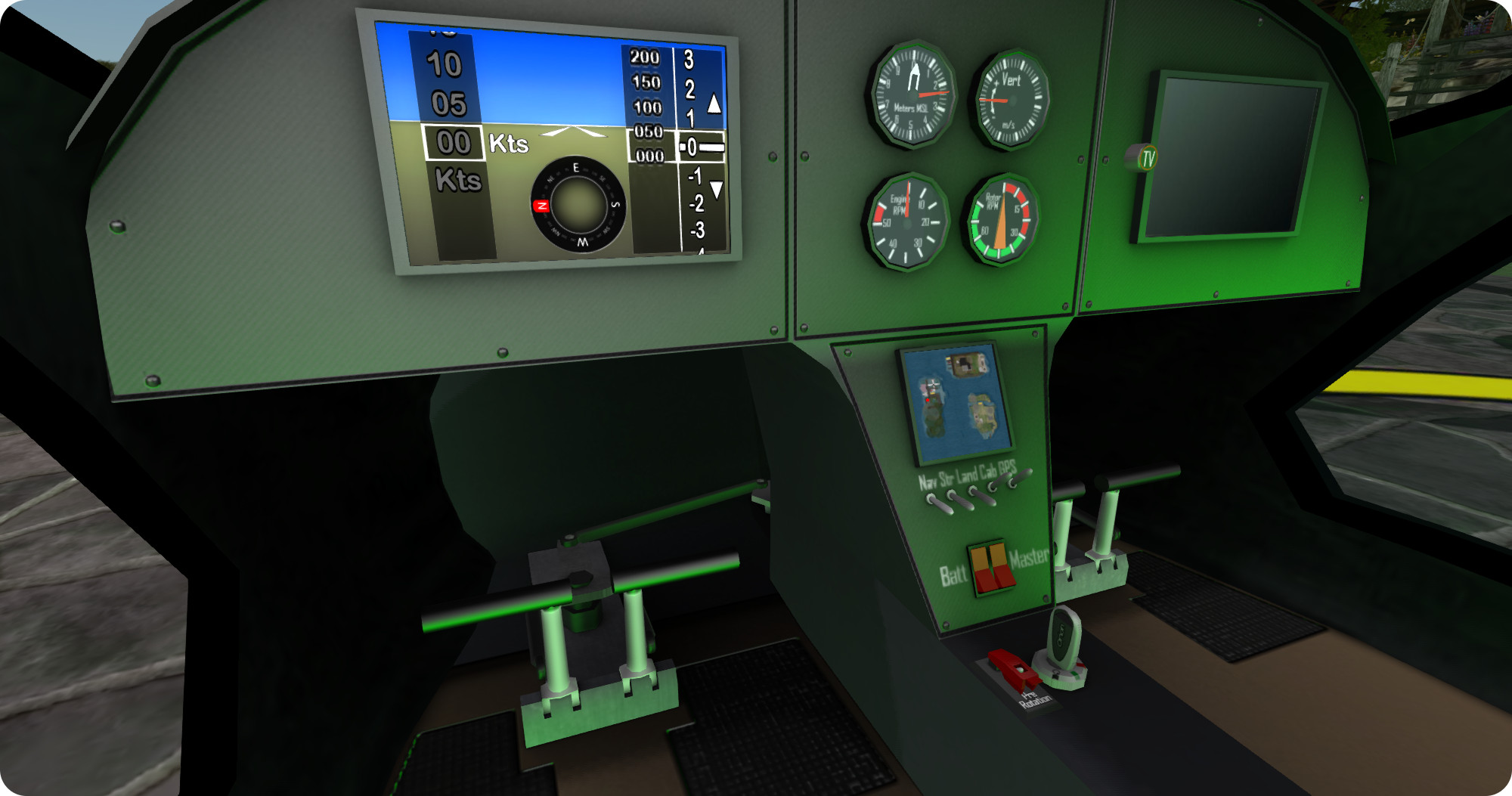
The Orion's cockpit includes fully working switches, CRT, GPS and even a media centre!
The Orion’s cockpit includes fully working switches, CRT, GPS and even a media centre!

The Orion handled well in Mouselook flying and, like the FoilStream, there is a GPS option on the dashboard which tracks your progress across the grid, while the pilot’s CRT will keep you informed of airspeed, etc., as well the hover text, which also re-aligns inside the cabin when using ML. A nice touch is that all the control switches in the cockpit work, although using them in ML will likely required a the use of CTRL-0 and CTRL-9, etc., to flip them. As with Ape’s boats, the cabin also has a built-in TV / media display.

A menu, accessed by touching the aircraft or by clicking on the menu option on the HUD, provides access to various setting – flight mode, throttle mode (digital = increase / decrease throttle by 10% increments; analogue = press and hold PAGE UP or PAGE DOWN to increase / decrease throttle). Digital works great when flying, however, when moving around on the ground, 10% (the minimum setting for the digital throttle) is a tad bit racy and may cause ground controllers (and other pilots at busy airports) to get a little apoplectic as you race along taxiways, so I recommend the analogue setting, which offers a more granular increase / decrease in throttle settings for ground movements. The menu also provides access to the paint controls, added skis for flying from snow, and setting-up the Orion so it can be flown by a friend.

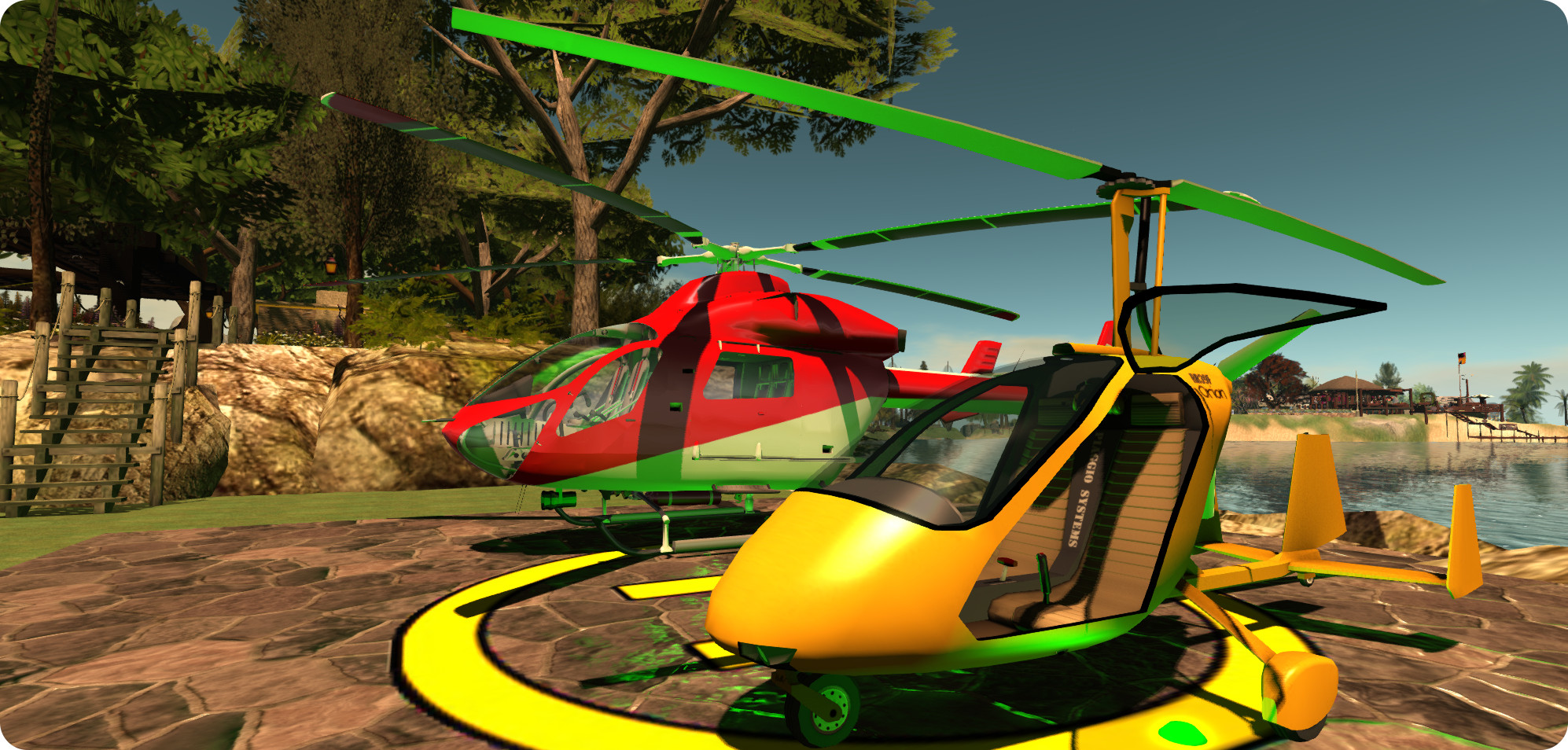
The RR39F Orion alongside my MD900 Explorer

I can’t actually vouch for the painting system; right now I’m without my primary PC and running everything via SL Go, therefore I don’t have the means to download the supplied texture files full-size, so that’s something that will have to wait.

Overall, the Orion is a great little aircraft; fun to master, fun to fly, and with some nice options and touches, as I’d expect, given the creator. I  had fun putting it through its paces – and discovering some of the ways in which you can end up going for an unexpected landing (or if over water – a sudden bath). I found it flies well, handles two avatars on board without too much in the way of camera issues. If there is perhaps one thing it is missing, it’s a brake function for better ground movements control; jiggling the throttle, especially in analogue mode, can be fiddly at times. But, that said, I’m looking forward to flying the Orion again when my “big” PC comes back and can be used, and in getting it set with a custom paint scheme!

Price at the time of writing: L$1750; construction: mesh. LI:  29.

Related Links

VR: HTC Vive hands-on

The Vive from HTC:  a VR headset developed with Valve
The Vive from HTC: a VR headset developed with Valve

On Sunday, March 1st, HTC held a presentation on the eve of the Mobile World Congress, Barcelona. During the course of the event, they revealed a new VR headset they’re developing in partnership with Valve.

I pulled together news on the announcement from a variety of sources a few hours after it was made. Since then, more information has hit the media, the results of numerous opportunities for hands-on demonstrations. And going by the feedback, it would appear Oculus VR has some very series competition on its hands.

The big thing everyone has been pointing to as being the real secret sauce for VR is a sense of presence. With so many different systems in so many different states of development, how this will be properly achieved has perhaps been hard to judge. Some headsets are managing it in part, some third-party peripheral makers are looking at various means of providing it with room sensors, body kits, etc. However, from all the hands-on reports, it would seem that HTC are the first to nail it in one fairly straight forward package.

“With the original Oculus Rift and things like Samsung Gear VR, that sensation of really being somewhere else is present, but fleeting,” Carlos Rebato says, writing for Gizmodo. “Those can’t track your body, so as soon as you lean just slightly, the illusion is shattered. The Oculus Rift DK2 did it better, with a motion tracking camera that at least let you lean, but you were still a sort of an armless half-body. Sony’s Project Morpheus improved it further by using controllers keep track of your hands.

“But the Vive? It’s like nothing that’s ever come before.”

The HTC Vive headset with a pair of "base station" scanner below and to the left of it, and a pair of the hand controllers in the foreground (image courtesy of PC Gamer)
The HTC Vive headset with a pair of “base station” scanner below and to the left of it, and a pair of the hand controllers in the foreground (image courtesy of PC Gamer)

Gareth Beavis, over at Techradar, is equally gushing. “There’s a TV show from the early 1990s called Red Dwarf that depicted the last human (and a group of humanoids) that were lost in space in the future, desperate to get home. One of the big ways they stayed entertained was with a holographic headset that let them play in hyper real worlds, like they were living in the action sequence … I always thought that idea, that experience, would never be real.

“But with the HTC Vive I took my first steps into that world.”

Both reports – and others in a similar vein – point to the distinguishing factors that make the Vive the complete package: the laser “base station” scanners and the dedicated hand controllers. Details of both of these were rough at the time of HTC’s announcement, but the various hands-on demonstrations taking place at the MWC and, under the Valve banner, as the Game Developers Conference in San Francisco, more information on them has filtered into the tech media.

The scanners are small, box-like objects designed to be mounted on wall at 90-degrees to one another. As noted in my original article ion the Vive, these can then scan a square area up to 4.6 metres (15ft on a side), accurately tracking multiple sensors on the headset, and the motions of the wearer’s body and recreating them within a virtual environment, allowing the wearer to move around “inside” a virtual space. To reduce the risk of collisions with physical objects, the scanner also map the location of walls and furniture, and the system fades these into the wearer’s field of view should they get too close.

A closer look at one of the "base station" laser  scanners used with the Vive (image courtesy of PC Gamer)
A closer look at one of the “base station” laser scanners used with the Vive (image courtesy of PC Gamer)

Continue reading “VR: HTC Vive hands-on”

SL project updates week 10/2: server and viewer notes

RMS Titanic, Second Life

Server Deployments

Tuesday, March 3rd, saw the Main (SLS) channel receive the server maintenance package deployed to the RC channels in week #9. This includes:

  • A server-side fix for BUG-8297, “Unable to teleport anywhere using SLGO”
  • Improvements to server logging.

There were no deployments to the RC channels on Wednesday, March 4th.

Upcoming Server Updates

During the Server Beta User Group meeting on Thursday, March 5th, Caleb Linden, who now chairs the meetings, indicated that an upcoming deployment to the RC channel will include a change to the number of off-line IMs delivered when you log-in.

Currently, the cap is set to 25, but it’s not clear what the new limit will be, although it might vary (or be adjustable) depending on whether a user is a Basic or Premium member. This change will not affect the forwarding of off-line IMs to e-mail.

SL Viewer

The new Tool Chain Update viewer was promoted to Release Candidate status on Wednesday, March 4th. Version 3.7.26.299443 see a change to the tools used to build the viewer (e.g. the use of Visual Studio 2013, Xcode 6.1, and some other tools improvements). This update also incorporates the log-in screen update to a single button, replacing the need for the Log-in Screen RC viewer.

Future Viewer Updates

Avatar Layers Global Limit

In 2014, BUG-6258, “Popularity of Mesh Attachments Facilitates Need For More Alpha Layers” is a request to raise the number of alpha layers which can be concurrently worn, prompted the Lab to consider the introduction of a global limit on the number of clothing layers an avatar could wear,so that, like attachments, an avatar can wear as many clothing layers in any combination, up to that limit, rather than having individual limits enforced per clothing layer.

During the TPV Developer meeting in week #9, Oz Linden indicated that while there had been major progress on this idea since it had been first raised, something would likely be appearing later in the year. Since then. Whirly Fizzle has spotted a viewer code repository from Vir Linden: “SL-103 WIP – viewer enforces wearable limits based on total articles of clothing rather than per-type limit. Limit is artificially low for testing, will bump before release.”

This doesn’t mean new global limits on avatar cloting layers will be appearing in the next few weeks, but it does indicate that it is one of several avatar related projects he’s working on (together with the new Avatar Hover Height feature and fixing at least some of the current crop of attachment issues).

Notifications Changes

Also during the TPVD meeting in week #9, Oz commented that some “cosmetic” work was being done to the way notifications are presented through the viewer. Again, thanks to Whirly’s poking around, this would appear to be in connection with BUG-8000, “Separate transaction notices from group notice/invites or provide some means for sorting incoming notifications”, which has been imported by the Lab and is being worked on.

A preliminary version of the proposed new notification panel (see BUG-8000). Note that is is a work-in-progress and may be subject to change prior to release (image courtesy of Whirly Fizzle)

 Group Chat

Simon Linden is continuing to bang on things to try to correct issues that have arisen since the last set of updates at the end of week #9. According to Caleb Linden, who now chairs the Server Beta Group meetings, those groups that are affected are seeing up to a 20% failure rate in delivered messages.

Other Items

Rigged Mesh Crashers

Further to my last report on this issue, Whirly Fizzle (who is genuinely one of the great powerhouses in helping to keep SL rolling along) stepped up to provide a more detailed explanation of the issue based on her own extensive investigations into the matter (thanks Whirly! 🙂 ).

In her comments, Whirly notes that Chalice Yao has developed a debug  setting within her own NACL viewer setting specifically stop cap rendering of worn rigged meshes, and that Nicky Dasmijn from the Firestorm team is working on a patch for their viewer. However, while the setting works, it can also prevent “legitimate” rigged mesh items with high vertices counts from rendering.

Further discussion of the problem with regards to BUG-2082, which includes new viewer rendering controls, confirmed this would not help with the issues presented by this particular kind of rigged mesh crasher but it will prevent issues such as the animated mesh “tail of doom” which can cause viewer crashes as a result of overloading memory.

RFL: The Paint it Purple wrap and the Kick-off weekend

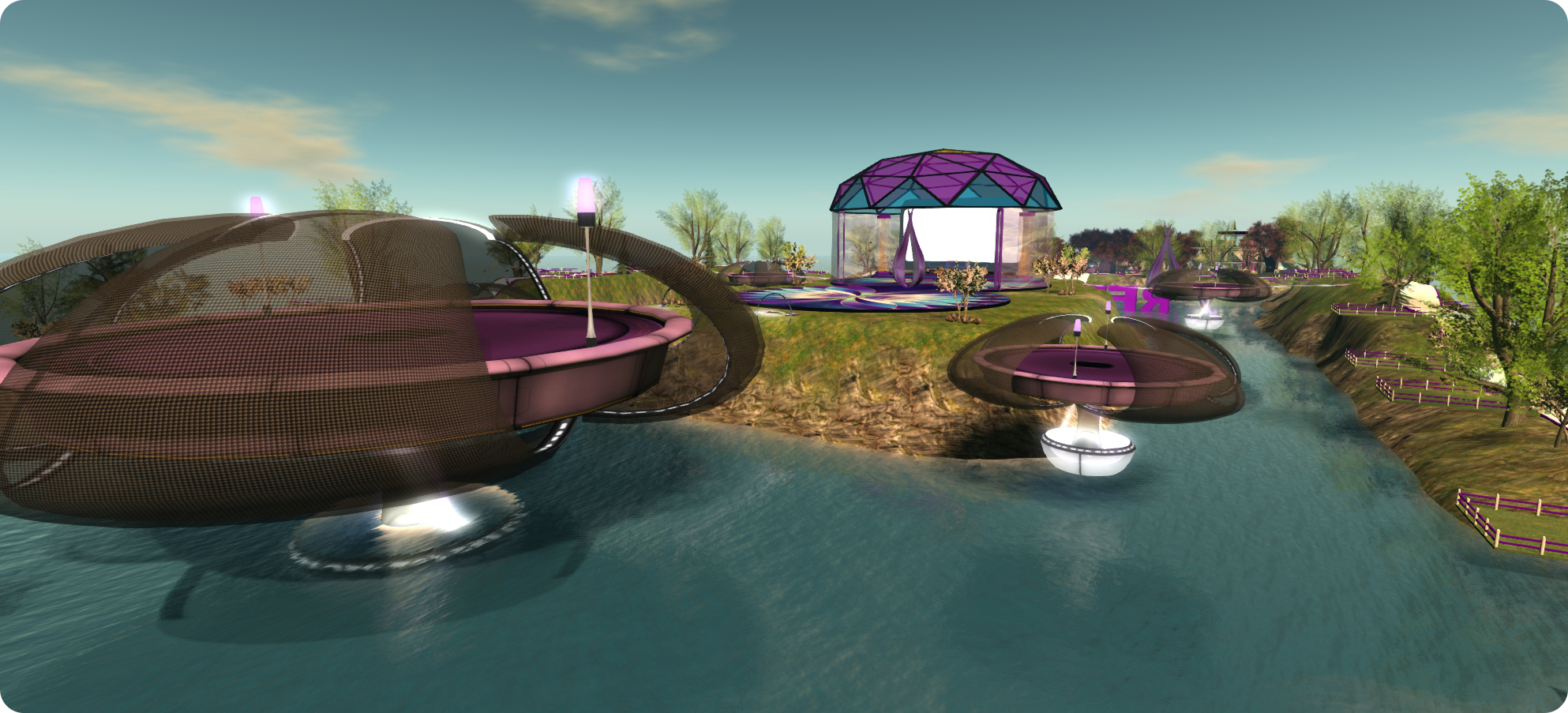
2015-RFL-Kick-OffSaturday March 7th and Sunday March 8th will see both a wind-down of the 2015 RFL of SL Paint it Purple campaign and the launch of the official 2015 RFL of SL fund raising season as he kick-off weekend arrives.

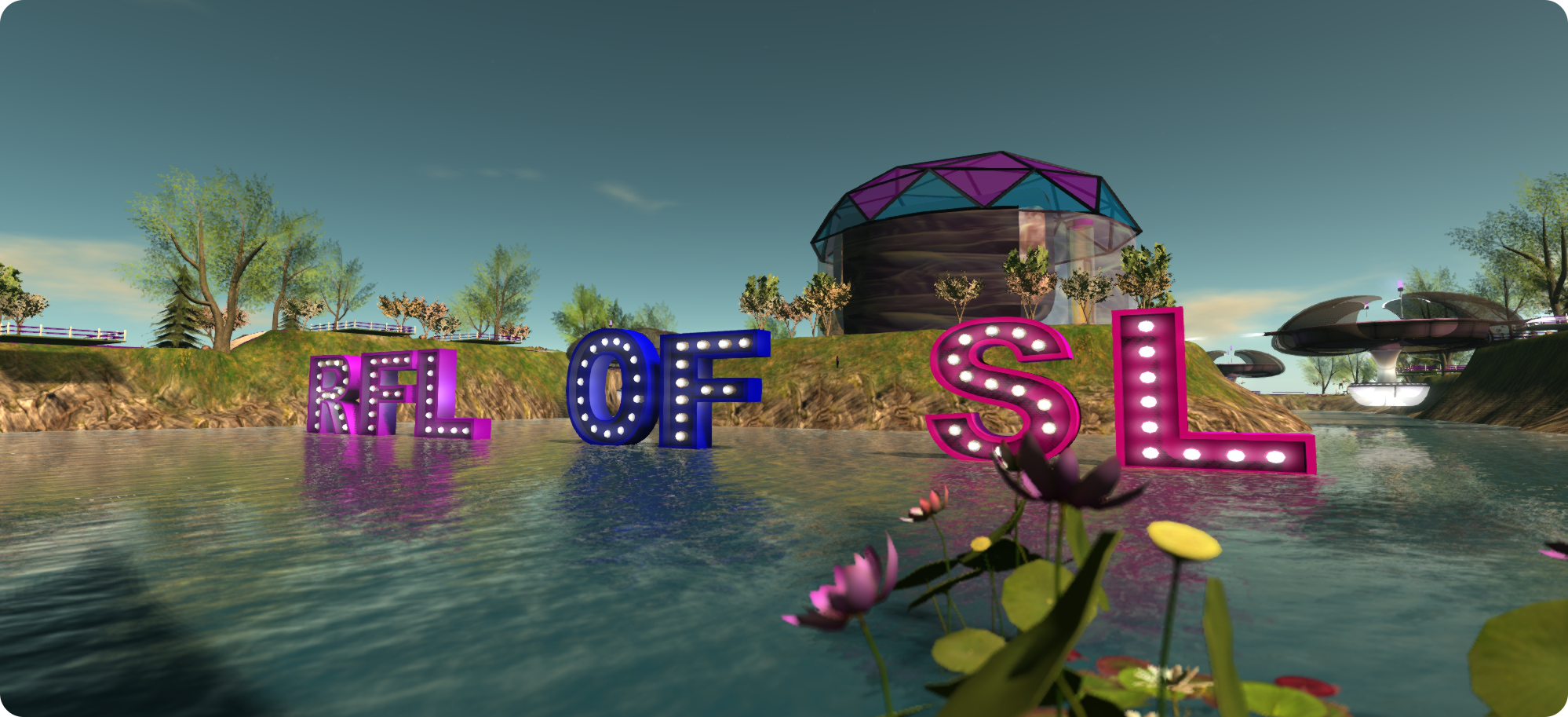
Paint it Purple, the annual event designed to raise awareness and excitement about the current year’s RFL of sL season, started on February 21st and concludes on Saturday February 7th (so you still have time to join in, if you haven’t already done so!). It does so by encouraging everyone to paint the grid purple, the official colour of RFL of SL, and you can do so by painting your house, your land, even yourself purple for all or part of the time.

To mark the end of this year’s campaign, there will be a special Paint Second Life Purple wrap up party on Saturday, March 7th, starting at 17:00 SLT and running through until 20:00  SLT. Hosted by T1 Radio, the party is also an opportunity for  teams to set-up for the Main Event on Sunday, March 8th. So why not get the purple togs out one last time and join the fun!

The RFL of SL 2015 kick-off event takes place on Sunday, March 8th

Sunday, March 8th marks the official RFL of SL kick-off event, with activities occurring throughout the day (all times SLT):

  • 09:00 – 10:00 – T1 Radio Pre-Kick Off Show
  • 10:00 – 11:00 – Kick Off Opening Ceremony & Speeches
  • 11:00 – 17:00 – Live performers, djs, and team campsites are open
  • 17:00 – 19:00 – Fireworks & Closing Party with T1 Radio’s Trader1 Whiplash

The kick-off events will take place across two regions adjacent to the American Cancer Society island (offical SLurls will be available via the RFL of SL website nearer the weekend). In keeping with the Back to the Future inspired theme for this year’s season, they have been designed to recreate the feel of the very first virtual relay, which took place in 2005, complete with team camp sites ready and waiting for set-up to commence.

So the only question now is: are you ready to relay?

The kick-off event regions recreate the feel of the first ever virtual Relay event of 2005

Related Links

FreeWee’s Lab: the magic of sound, light, physics and colour

The power of projected lights at FreeWee's Laboratory v.8.0: Music, Myth, Magic, Light, Shadows, Physics, LEA27
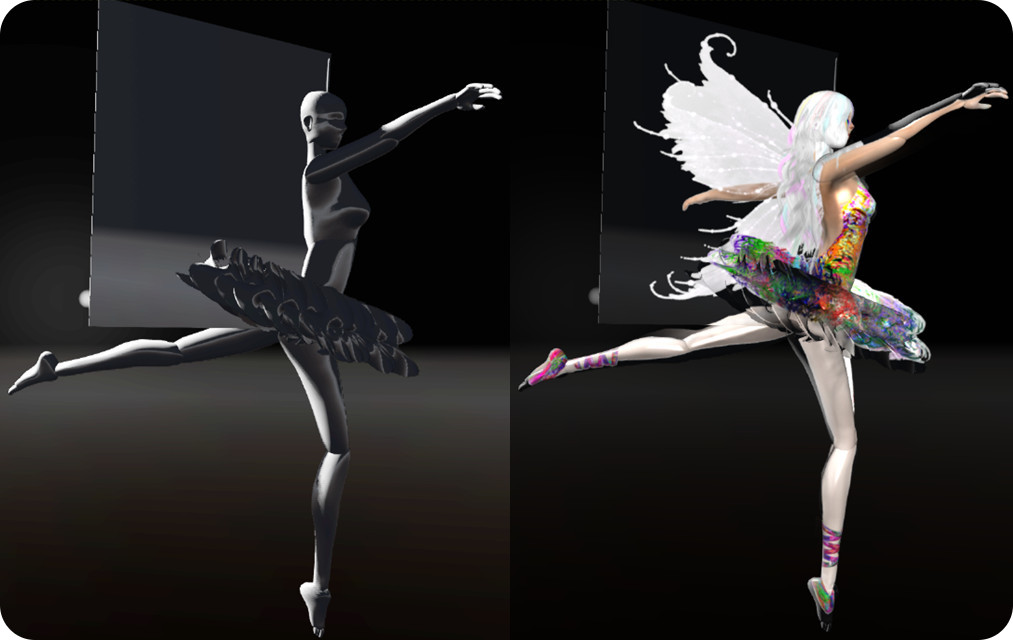
The power of projected lights – neither of these figures is textured; the colours and clothing on them is created purely be projected lights. FreeWee’s Laboratory v.8.0: Music, Myth, Magic, Light, Shadows, Physics, LEA27

FreeWee Ling is perhaps best known for her tireless work on behalf of the University of Western Australia (UWA), and co-organiser and curator of the UWA’s art-related projects, activities and galleries within Second Life. She recently – and rightly – gained recognition from the Australian Department of Education for this work when she was awarded her an Endeavour Fellowship at the end of 2014. This has allowed her to travel from her home in the eastern United States to spend four months at the UWA in Perth, Australia, where she is based with the UWA’s Department of Physics.

In conjunction with her time at the UWA in the physical world, FreeWee has been granted the use of a LEA Artist in Residence region, where she has established FreeWee’s Laboratory v.8.0: Music, Myth, Magic, Light, Shadows, Physics, a unique combination of workshop, study space, laboratory and gallery focused on helping her demonstrate the potential of virtual worlds to students at the UWA.

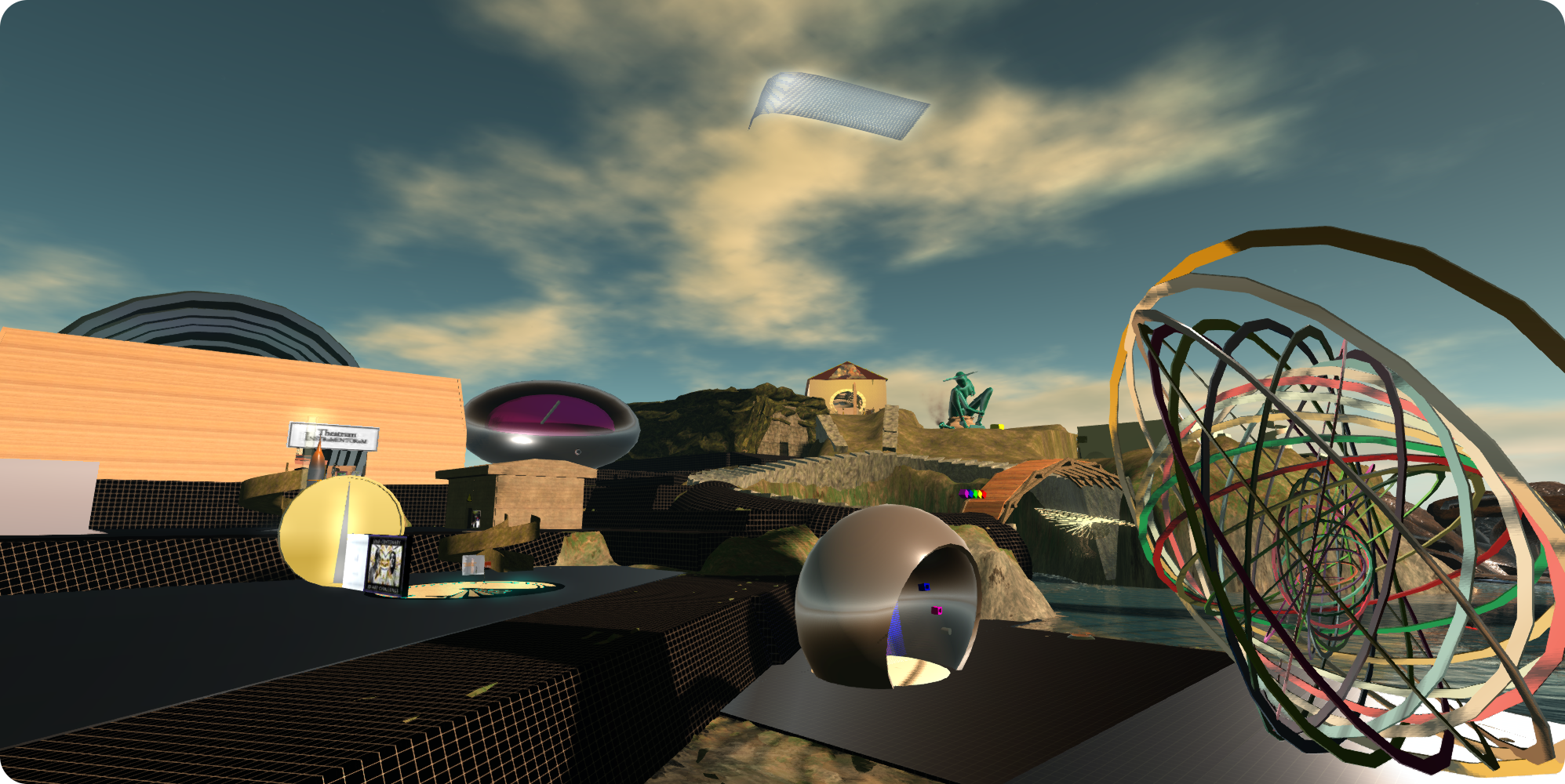
FreeWee's Laboratory v.8.0: Music, Myth, Magic, Light, Shadows, Physics, LEA27
FreeWee’s Laboratory v.8.0: Music, Myth, Magic, Light, Shadows, Physics, LEA27

When you arrive in the region, it may look somewhat chaotic and perhaps even feel half-finished. Don’t let this put you off; this is a workshop / lab, and what is on offer more than makes up for chaotic the appearance. Keep in mind as well, that elements within the installation may change over time in order to meet FreeWee’s evolving needs as a part of her work at the UWA.

As FreeWee is working with the Department of Physics at the UWA, many of the items within the region explore the nature of physics in Second Life, be it through movement, light or colour.  Just up the ramp from the landing point, for example, is her award winning nanoprim physics lab from 2010, together with a rocket that will take you up to her Solar Observatory, which I’ll have more to say about anon.

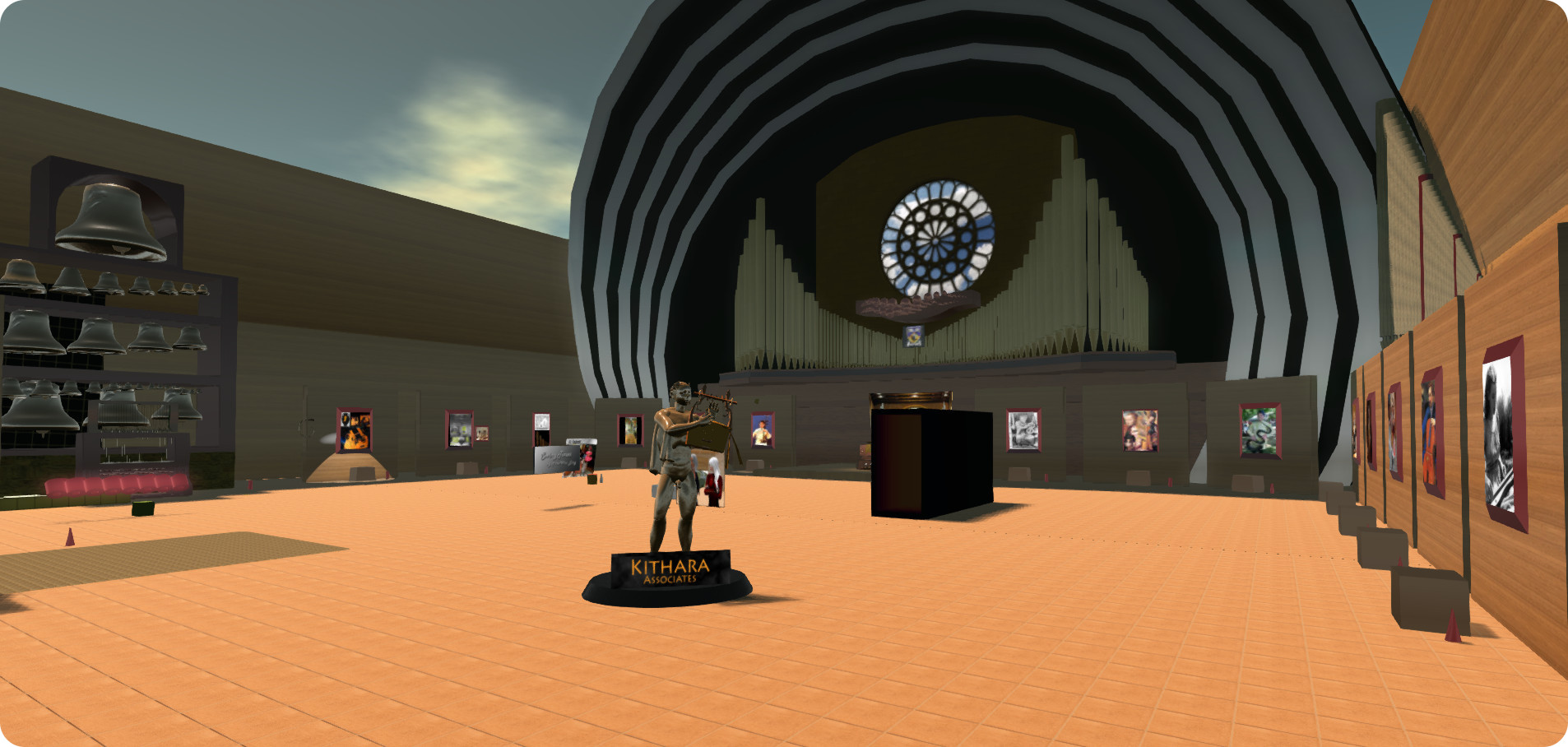
FreeWee is a musicologist by education, with a specialist interest in the history, use and physics of music. Together with fellow musicologist Oriscus Zauberflote, she formed the Kithara Associates, which is focused on the creation of musical instruments in SL that are reasonably authentic in appearance, in order to enhance the immersive experience of the platform for the purpose of learning and research, and this work is also present within the installation, in the form of the Theatrum Instrumentorum.

FreeWee's Laboratory v.8.0: Music, Myth, Magic, Light, Shadows, Physics, LEA27 - Tthe Theatrum Instrumentorum
FreeWee’s Laboratory v.8.0: Music, Myth, Magic, Light, Shadows, Physics, LEA27 – the Theatrum Instrumentorum

This is, in essence, a museum of musical instruments featuring photographs and information boards of the instruments in the physical world, and samples of instruments built in-world, some of which extend to the creation of hybrid / fictional instruments depicted in works of art. Several of the pieces are playable, and I particularly enjoyed using the carillon to play a melody I’d had to learn many, many moons ago when starting to learn to play the piano. Also on offer within the Theatrum is a teleport up to Swingtones, a demonstration of the effectiveness of sound in helping to create an ambient, immersive environment.

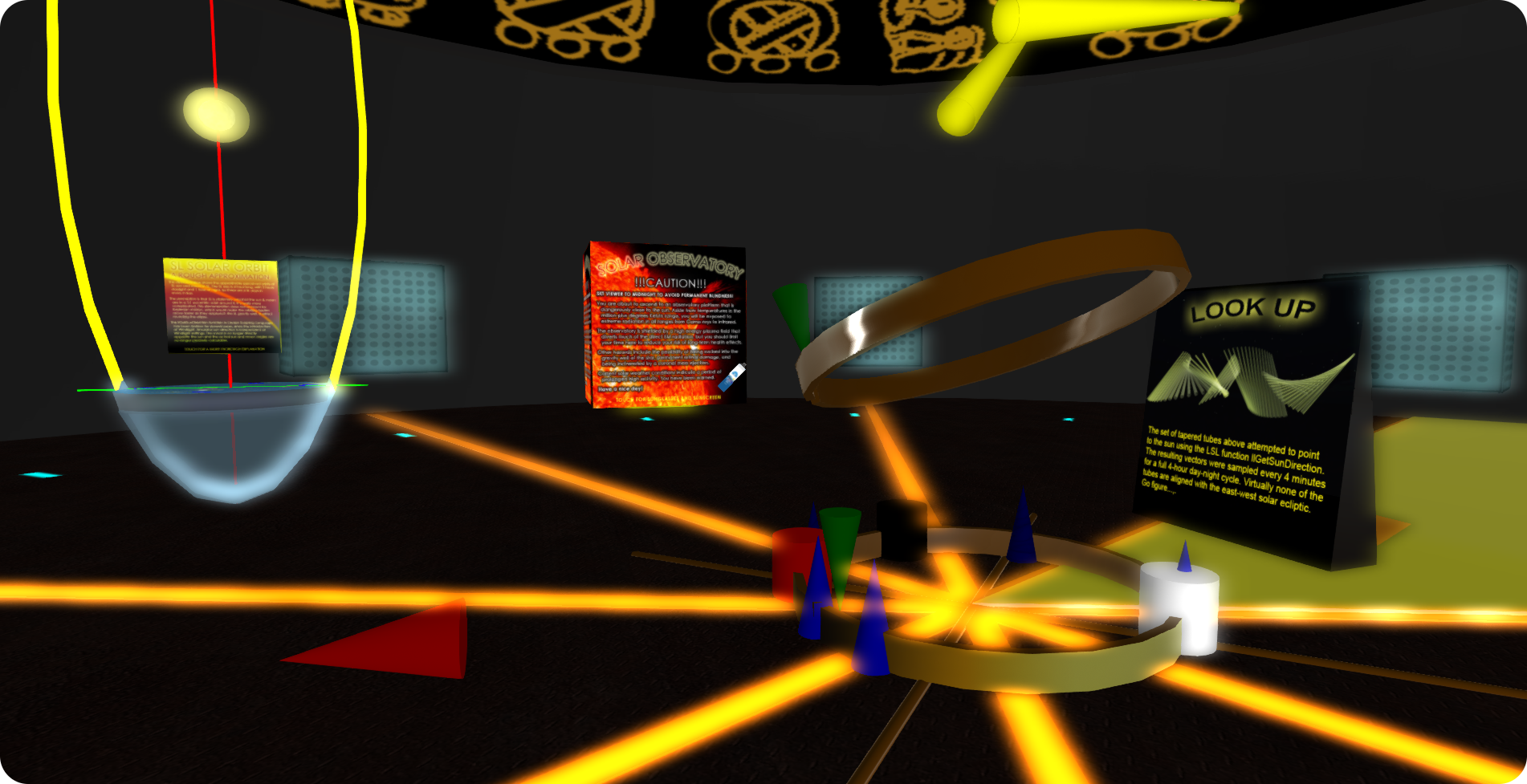
The Solar Observatory mentioned earlier, and which can be reached by rocket, is spread over two levels. The lower level presents visitors with both an introduction to elements of solar and stellar astronomy and also provides insight into the peculiarities of the SL “solar system” and day / night cycle, with interactive demonstrations throughout, as well as well-written information cards and links to external sources.

FreeWee's Laboratory v.8.0: Music, Myth, Magic, Light, Shadows, Physics - the lower floor of the Solar Observatory
FreeWee’s Laboratory v.8.0: Music, Myth, Magic, Light, Shadows, Physics, LEA27 – the lower floor of the Solar Observatory

The upper level, reached by elevator, offers the chance to study the Sun first hand, complete with coronal mass ejections (CMEs), sun spots and the flow of the solar wind. The elevator is guarded with a firm caution about the risks of blindness and exposure to gamma radiation should you opt to take the elevator, but both both sun screen (SPF 1000) and sunglasses are thoughtfully provided to mitigate the effects of both 🙂 . At the top of the elevator is a platform allowing you to view the Sun Sunshine-like, or if you’re feeling particularly daring, you can rez a chameleon flyer and fly yourself around the Sun. However, if you opt to do the latter, do try to keep in mind the story of Icarus, and what happened when he flew a tad too close to the Sun …

Elsewhere in the region you can find a novel “get away from it all” rezzer system, interactive art pieces, a gallery of FreeWee’s own art and, in what is another superb demonstration of SL’s capabilities in the Projection Room (a large white building on the east side of the region.

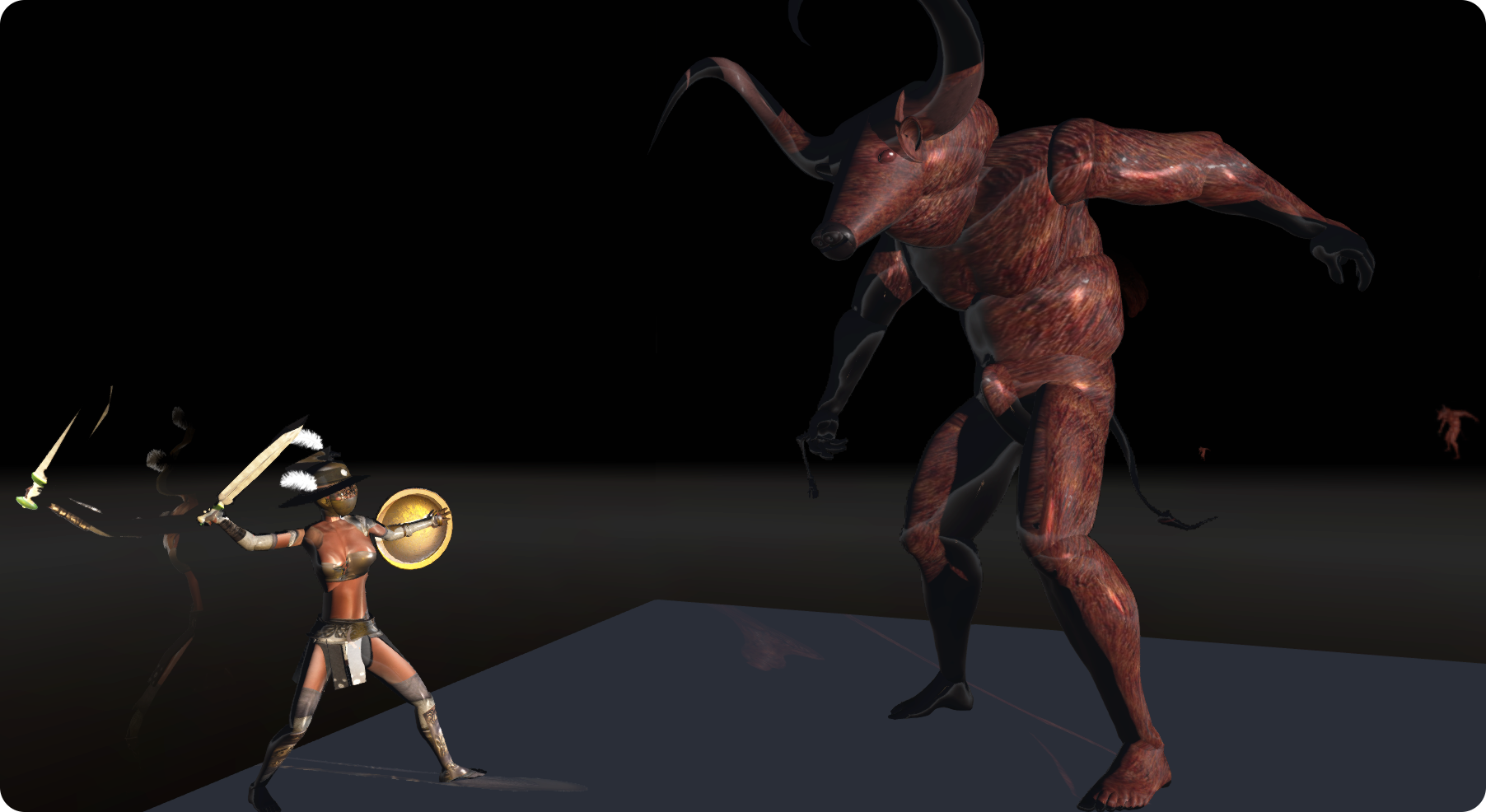
The power of projected lights - the image on the left shows an untextured figure; on the right, the same figure, lit entirely by projected lights. FreeWee's Laboratory v.8.0: Music, Myth, Magic, Light, Shadows, Physics, LEA27
The power of projected lights – the image on the left shows an untextured figure; on the right, the same figure, lit entirely by projected lights. FreeWee’s Laboratory v.8.0: Music, Myth, Magic, Light, Shadows, Physics, LEA27

This focuses on the use of projected lights in Second Life. As such, you will need to have the Advanced Lighting Model graphics option enabled on your viewer (you do not need to enable shadows, so any performance hit you may experience shouldn’t bee too great), and keep in mind that none of the figures in the room are actually textured. What you see as you move around and active the lighting sources is purely the result of using projected light sources and textures.

All told, the Laboratory makes for a fascinating installation, one in which it is easy to become absorbed in the individual elements on offer, allow of which are provided with informative note cards which not only provide insight into what they are and how they work, but often explore the creative processes involved in creating them, and provide a glimpse into FreeWee’s mind and thought processes, further enhancing the time one takes in exploring the installation.

Highly recommended.

Related Links