Fantasy Faire 2020: previewing the LitFest

via Fantasy Faire

Note that SLurls provided in this article will not be available to the public until Fantasy Faire officially opens at noon SLT on Thursday, April 23rd, 2020.

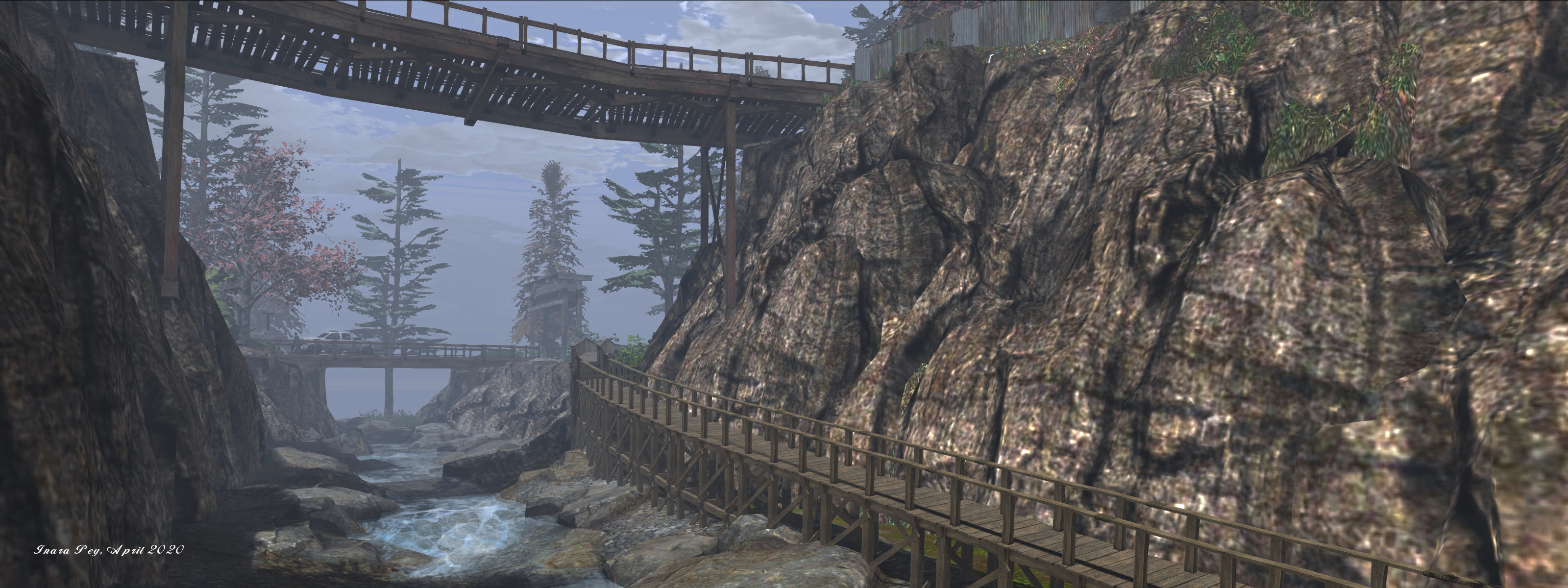
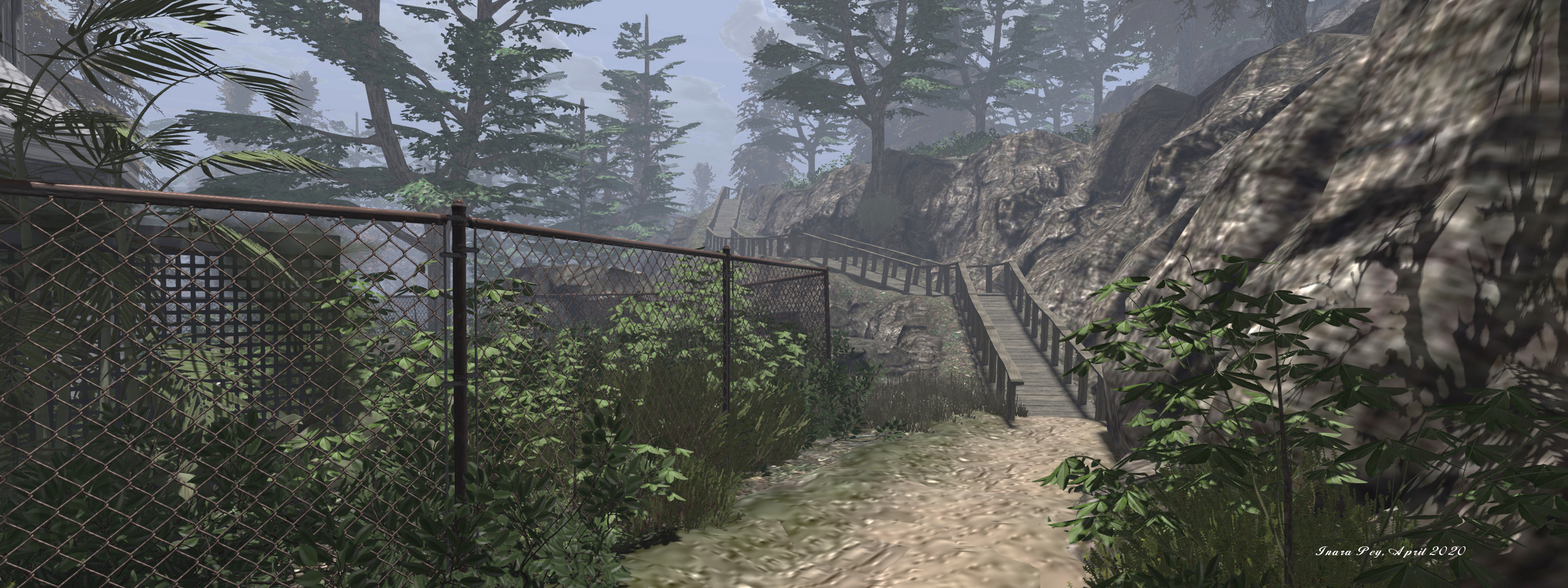
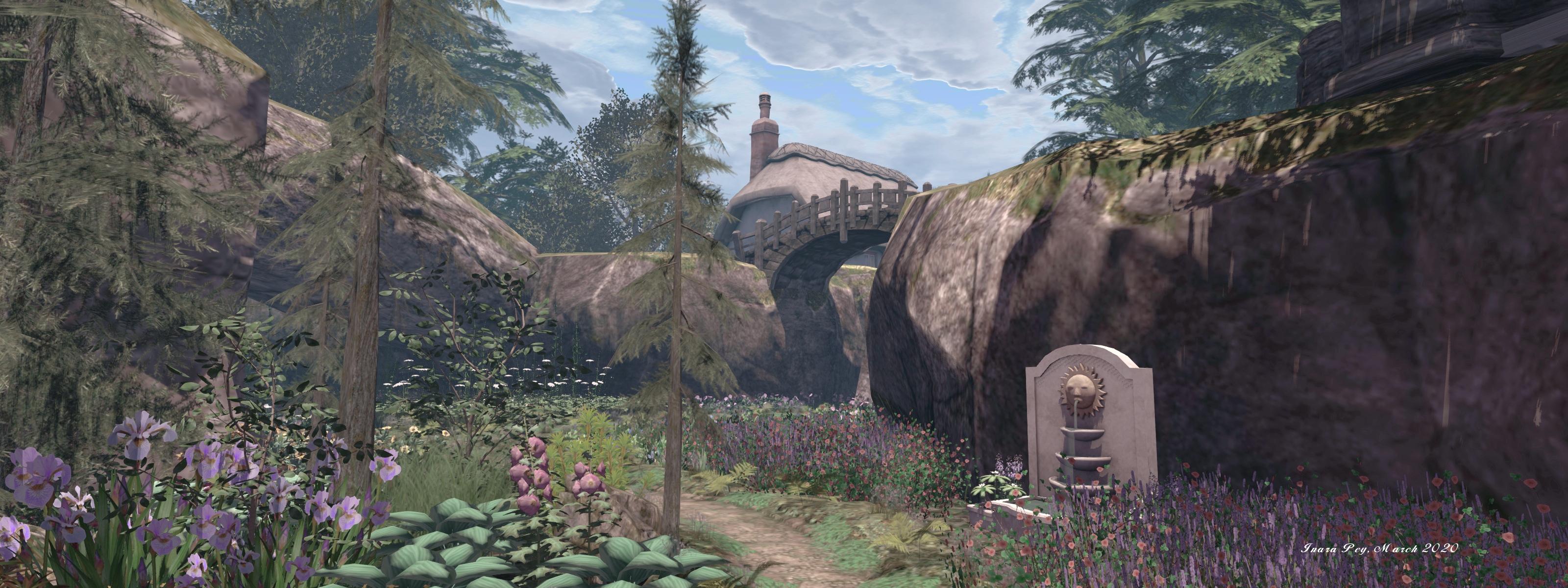
On Thursday, April 23rd, Fantasy Faire will open for 2020, and will remain so through until  Sunday, May 10th, 2020, raising money for Relay for Life and the American Cancer Society’s global efforts to eradicate cancer. Throughout the entire course of the Faire, the Fairelands will once again be host to the Fantasy Faire Literary Festival (LitFest).

Centred on the desert sands of Drifts of Anamnesis, the Litfest is a special place where the magic of the spoken word will weave tales of wonder, relate stories of great adventure and daring; where talks by authors, discussions, creative writing sessions and performances will all take place. In addition, literary hawks and writers will be encouraged to join daily LitFest tours of the Fairelands and afterwards compose pieces related to their travels.

The full LitFest schedule is now available, but here are some preview highlights to whet appetites!

Guest Of Honour

Fran Wilde

The special guest for this year’s festival is American science fiction and fantasy writer and blogger. Fran Wilde.

Fran’s first novel, Updraft (2015), was nominated for the 2016 Nebula Award, and won the 2016 Andre Norton Award and the 2016 Compton Crook Award. Within it she established the first volume of her Bone Cycle, with two further works – Cloudbound (2016) and Horizon (2017), set within the same cycle. Her latest novel, Riverland, was published in 2019.

She has also published numerous short stories and poems, and here non-fiction work has appeared in publications such as The Washington PostThe New York Times, and Tor.com. She will be appearing at Fantasy Faire as follows:

  • Tuesday April 28th at 15:00 SLT, : in an interview with Saffia Widdershins.
  • Friday May 1st at 13:00 SLT, when she will be reading from her work.

LitFest highlights

  • Friday, April 24th – Saturday, May 9th, 08:00-09:00 SLT – NaPoWriMo Fantasy Writing Prompts: April is National Poetry Writing Month, and participating poets are asked to write a poem a day for the month of April – so why not do so in-world with like-minded poets?
  • Fiday April 24th – Saturday, May 9th* – Inksters Poetry Prompt: This group meets daily on weekdays throughout the year to compose poems based on a daily word prompt – so sharpen your pencils, and be prepared to get writing! During LitFest, they’ll meet in the Hall of Ras Tarshayn on Drifts of Anamnesis. (* except Sunday, May 3rd.)
  • Monday, April 27th, 10:00-11:00 SLT – The True Story of Scheherazade: celebrating the teller of the 1,001 Nights. In fact,there are many tellers of these Tales, and this session explores the genesis of the Tales, drawn from Arabia, Persia, India and China. There will also be tales of some of the fascinating history of translation (and translators – such as the fascinating Sir Richard Burton).
  • Wednesday, April 29th, 06:30-07:30 SLT – Readings from the Novel Writing Workshop: Wolfgang Glinka, Keykey Underwood, Singh Albatros and Adele/Jilly Kidd have been workshopping novels for seven years in Second Life and will share extracts from their works in progress, followed by a Q&A.
  • Friday May 1st, 10:00-11:00 SLT – Beyond the Seven Kingdoms: A World of Ice and Fire Special: In Real Life, Freyja Nemeth is the co-founder of Westeros.org and co-author of “The World of Ice and Fire”. She will be talking about how George RR Martin has constructed the cultures that are less inspired by Medieval Europe, such as Dorne and the many cultures of Essos.

LitFest Tours

The popular Fantasy Faire LitFest Tours will once again be taking place, leaving daily from the LitFest home base in the Drifts of Anamnesis to explore the Fairelands and seeking the stories they have to tell as well as their special secret places and details. Each tour will be guided and accompanied by music, as some of the Faire’s best loved DJs offer selections especially chosen for each of the regions visited. Stories can also be submitted for publication on the Fantasy Faire website, provided they are submitted within two days of each tour.

The Tours for 2020 depart daily at 17:00 SLT (unless otherwise indicated) from the Al-Ma’ala Gathering Place on the Drifts of Anamnesis, and the tour schedule is as follows:

Friday, April 24th
Elemaria
Saturday, April 25th
Autumnium
Sunday, April 26th
Lunafae
Monday, April 27th
Agra Adara
Tuesday, April 28th
 Lamented Fens
Wednesday, April 29th
Melusina’s Depths
Thursday, April 30th
Spirit Valley of Kuruk
Friday, May 1st
15:00: Heliodor
Saturday, May 2nd
Zodiac
Sunday, May 3rd
Mistakes Were Made!
Monday, May 4th
 Sirens Lore
Tuesday, May 5th
Auxentios’ Pass
Wednesday, May 6th
14:00: Ambigula; 17:00: Cassiopeia
Thursday, May 7th
Queensgarden
Friday, May 8th
 Isle of Shadows
Saturday, May 9th
 Fairelands Junction and Drifts of Anamnesis

Keep up with all the news and information on the LitFest and Fantasy Faire through the Fantasy Faire website.

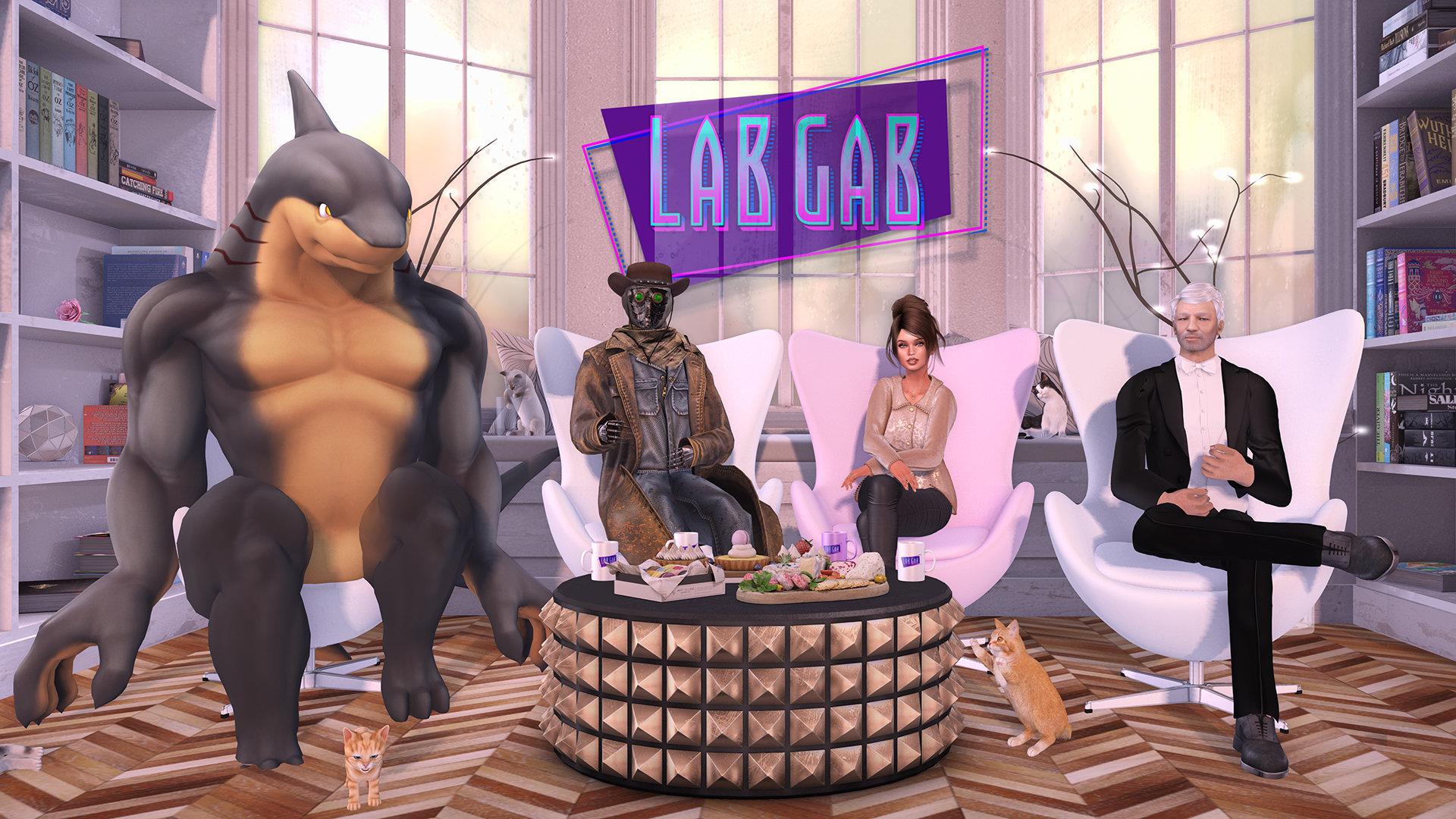
Previewing Lab Gab 23: meet the EEP team!

via Linden Lab

The 23rd edition of Lab Gab will be live streamed on Friday, April 24th at 10:00 SLT (18:00 UK; 19:00 CET). For those who have not seen the official blog post about it, the segment will feature the team primarily behind EEP – the Environment Enhancement Project: Rider Linden, Ptolemy Linden and Euclid Linden.

Rider Linden is a Senior Software Engineer who has been with Linden Lab for just over five years – although his familiarity with Second Life goes back beyond that, as he is one of the many personnel LL have recruited from the ranks of Second Life users. He was responsible for initially defining the EEP project. He then went on to develop the viewer controls for EEP, taking considerable feedback from users along the way, as well as working with the rendering team during the project’s development.

Ptolemy and Euclid Linden are more recent hires at the Lab, both are working on the rendering side of Second Life. Both have been Lindens for around 6-7 months, although I confess I have no idea if their familiarity with SL extends back further than that. Since joining the Lab’s team, both have been engaged in clearing-up the rendering issues with EEP and have been regulars at the Content Creation User Group meetings.

Euclid, Rider and Ptolemy Linden will be joining Strawberry Linden to discuss EEP on Friday, April 24th

As EEP was officially released on Monday, April 20th, all three are appearing on Lab Gab to discuss EEP – but I have little doubt they’ll endeavour to answer more general questions on the viewer and rendering. If you have a question you’d like to put them, make sure you submit it via the Lab Gab Google form.

As usual, the programme will be streamed via YouTube, Facebook, Mixer, or Periscope, and if all goes according to plan, I’ll have a summary of the video (and the video itself) available soon after the the broadcast, for those unable to watch live.

EEP Links

Gem’s Skyscrapers in Second Life

Gem Preiz: Skyscrapers

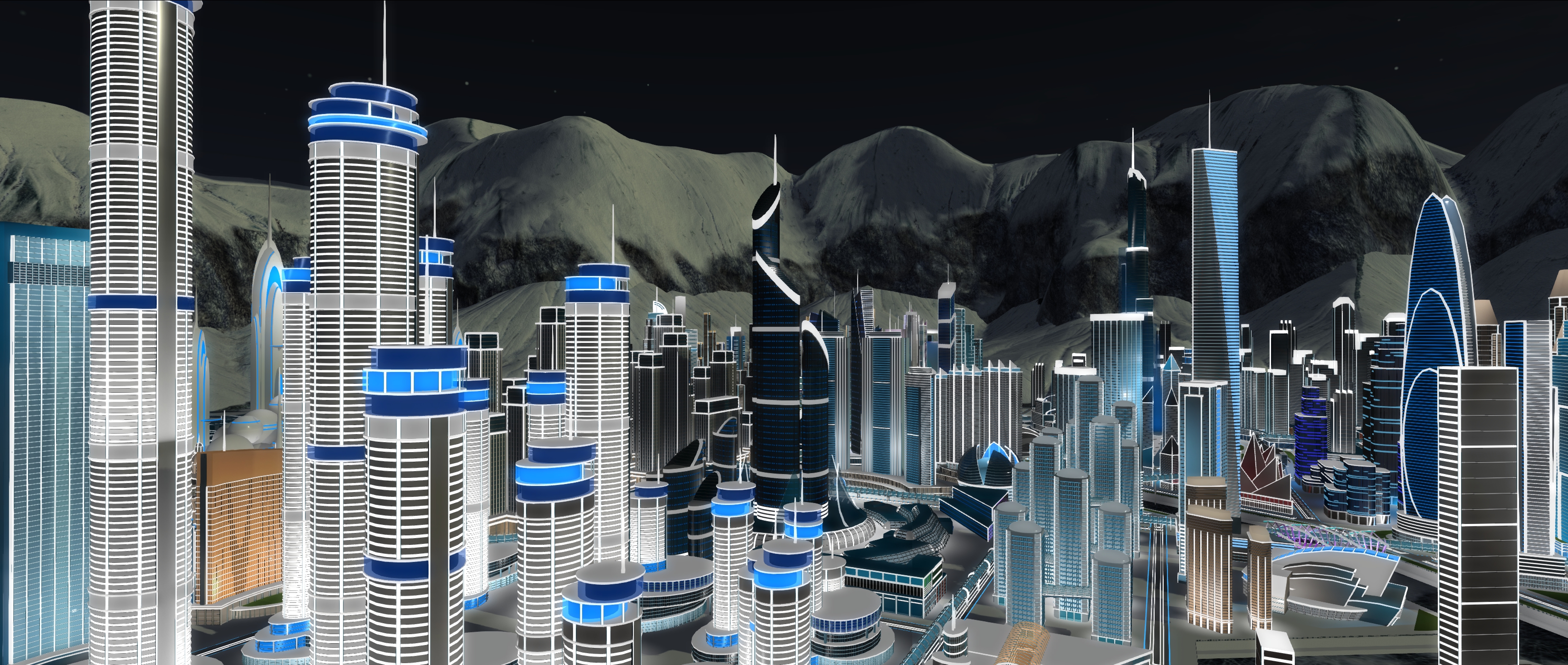
On April 19th, 2020, Gem Preiz, the master of the fractal image, opened a new installation in Second Life – one that is a little different to his past installations / exhibitions in that fractals are almost non-existent within it. Instead, with Skyscrapers, he presents an immersive installation that is drawn from one of his many passions: architecture.

In short, the installation presents a region-wide city – but with a difference. Everything in it is represented at 1/10th scale (based on a region’s size). Thus, rather than offering a location just 256m on a side, Gem presents a city that is 2.56 kilometres on a side, representative of a city covering 100 regions. It has been built to reflect the beauty of modern skyscrapers which have a unique impact on Gem, as he explains in the introductory note card:

skyscrapers [are] modern cathedrals which are, like those of the past, the synthesis of all the techniques of their time, dedicated to the collective aspirations of their builders. Incredible technological challenges, they are increasingly integrating the search for an aesthetic that reinforces their impact. They have to be beautiful, since they will be more and more numerous in order to limit the surface of land arable or reserved for ecosystems that will be needed for human housing.

Gem Preiz: Skyscrapers

It is also – as he also explains – an exercise in immersion. By using a set scale for this build, and by providing the means to move through it at an equivalent scale, Gem has created an environment that is richly encapsulating, the scale allowing you to travel through the streets and parks of a city some 2.56km on a side.

This is achieved through the use of an option to make your avatar “invisible” via an alpha layer (remove all mesh and other attachments) and then using one of the flying vehicles available at the landing point within the city itself (in turn reached via a teleport board from the main landing point). Three of these vehicles are “self drive”, so you can pilot them yourself, or you can take the red car on a guided tour of the city, its sectors and buildings.

Gem Preiz: Skyscrapers

While it is possible to walk and fly around the city as an avatar, I strongly recommend using the alpha layer (your avatar sans all mesh and attachments) and the vehicles. The latter are scripted to move at a speed consistent with the scale of the city, and by hiding your avatar, you gain the distinct impression of the city’s size. If you opt to go into the installation as you are, without using the alpha option, then I still suggest using the vehicles – but switch to Mouselook when doing so to gain a real sense of scale. Note also that a teleport HUD is available from the city landing point, and with will allow you to hop between specific points of interest.

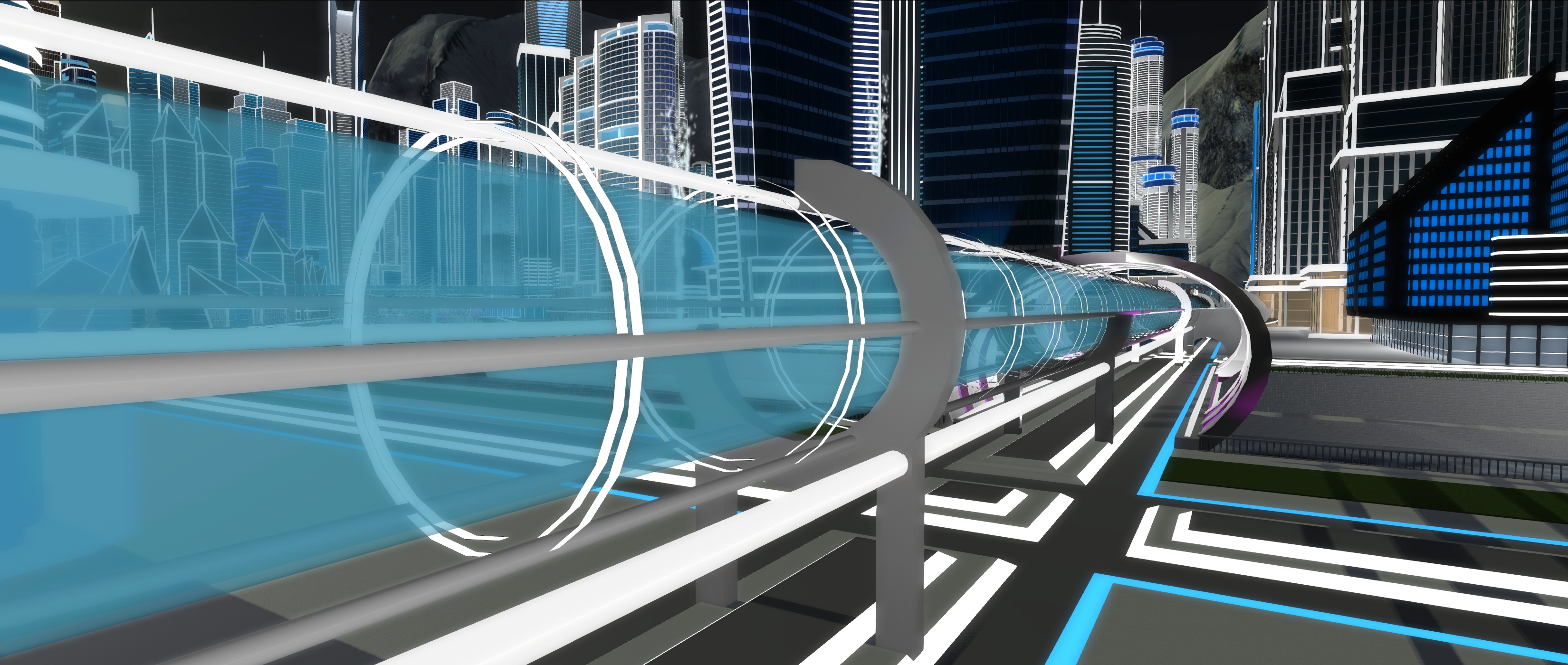
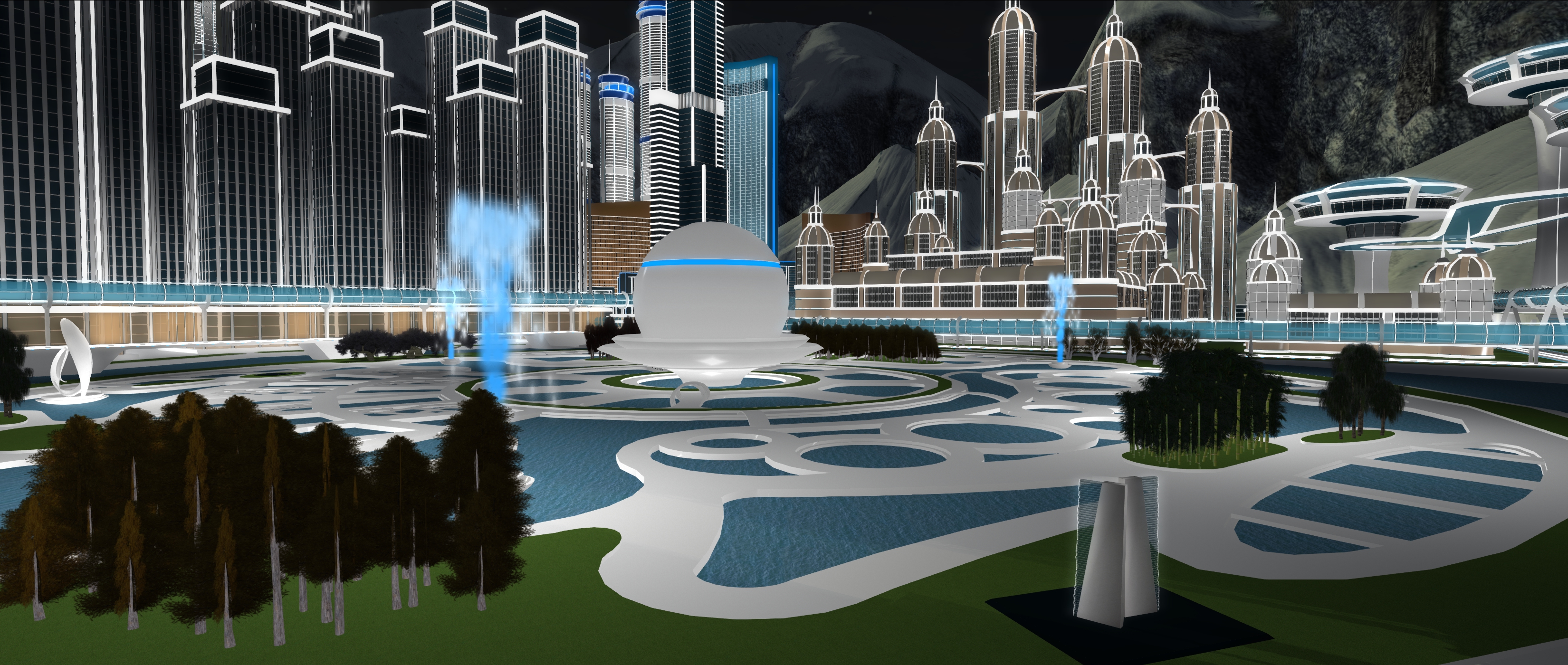
Like a real city, Gem’s is split into various districts, each with its own buildings / architectural styles. Some sections are purely conceptual / entirely futuristic in style, others are more recognisable in style (such as the residential districts, the shopping district with its malls, etc.). Most of the buildings are ultra-modern in look, although some offer stylised designs that embrace the past. Surface and elevated roads cut their way between districts, as do the tubes of what might be taken as a mass transit system, which also separates the main park in the city from the surrounding districts, giving it room to breathe.

Gem Preiz: Skyscrapers

However, it is the buildings that are the most fascinating. Some are simple box and cylinder designs, others more sculpted  / futuristic in style. However, many owe their inspiration to skyscrapers from the physical world, and it is seeking these out among the towers and districts that can get someone thoroughly engrossed. Gem provides a list of the latter, but during my visit I spotted what appeared to be a number  – by happenstance or design – that also appeared to be drawn from physical world counterparts not listed in the note card. These included the Hong Kong and Shanghai Bank building in Hong Kong, the shape of which appears echoed through a number of blue buildings in the city, London’s Shard, and two graceful golden curves of buildings that put me in mind of the U.N. Building in New York, while a series of paired towers each linked by high-level walkways put me in mind of the Petronas Towers.

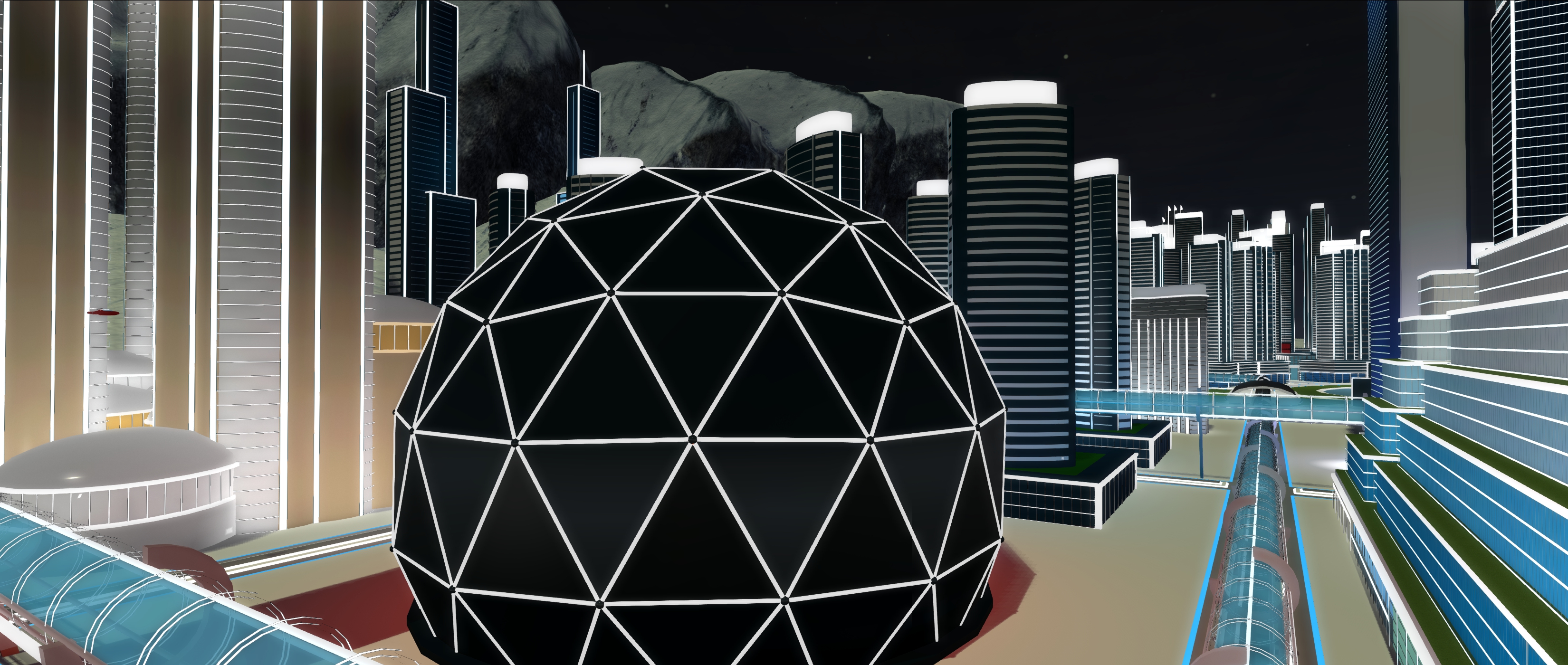
I mentioned above that Gem’s Fractal images are “almost” non-existent in this build. The qualifier comes because deep within the city is a large geodome, within which is a series of his fractal images, scaled down from their usual size, each one offering a view of futuristic architecture entirely in keeping with the installation’s theme.

Gem Preiz: Skyscrapers

An extraordinary and engaging installation, Skyscrapers is well worth visiting while it remains open.

SLurl Details

A Devil’s Bend in Second Life

Devil’s Bend National Park, April 2020 – click any image for full size

We came across Devil’s Bend National Park, a region design by Aiden Caudron and occupying a Full region using the full region land capacity bonus, after poking at the Recently Added category of the Destination Guide.

Intended to offer the look and feel of a rugged national park, the setting is an interesting mix of public and residential spaces (the former well scattered across the region so as not to interfere with exploration). Raised into a high plateau, the park is a series of dusty trails running under rich fir foliage and over deep ravines by means of wooden bridges, together with wooden board walks that wind through the ravines and cling to the sides of cliffs as they rise and fall through the park.

Devil’s Bend National Park, April 2020

The landing point sits at the visitor centre, a small lodge sitting at the side of one of the dusty roads. From here lie a choice of routes – one of which is reasonably short inasmuch as it crosses a bridge to reach two of the rental properties before coming to an end. Taking the road in the other direction is more constructive for explorers, as it winds much further through the park and offers a means to reach some of the wooden  walkways.

This is a place with a curious (in an interesting way) feel to it: open spaces, winding trails, and walks that are in keeping with the overall theme of a national park; but at the same time, the rental properties have something of a run-down feel to them; fenced gardens are overgrown, the houses faded by the sun and looking a little the worse for wear.

Devil’s Bend National Park, April 2020

Meanwhile, the north-east and northern side of the region are closed to public access – that is, the road is unexpectedly blocked by the wreck of a school bus. This appears to be less to do with matters of privacy and more with the fact that a major bridge has partially collapsed. Whether this is the result of an earthquake or rockfall – or both – is unclear; but the damage is such that it does bring the route to an abrupt end. Nevertheless, the use of the wrecked bus to block the road, together with the dilapidated state of the buildings beyond it suggest perhaps another narrative for this northern side of the region.

Follow the roads and the wooden board walks up to the summits of the park, and you may find yourself passing through at least one tunnel boring through the rock. It leads the way to a zip line that can be used for riding past a waterfall and back to the road below. Should you miss the tunnel, you can make your way to the radio mast on the highest peak – but be aware that the radio station close by is now a private home.

Devil’s Bend National Park, April 2020

I mention the tunnel, as tunnels are very much the secret to the park – threading through its rocky mass is a network of them, together with  chambers. Some are interconnected, others run on their own. Whilst most of the chambers do not hold a secret waiting to be found, they and the tunnels add a dimension to exploring the park that can keep visitors engaged for no small amount of time.

Rich in detail and offering numerous opportunities for exploration (and a café where visitors can rest should walking get a little too much), Devil’s Bend makes for an engaging visit. The texture load can have an impact if you’re running with all of the viewer’s bells and whistles engaged (particularly shadows), but this shouldn’t be a reason for not visiting, nor does it detract from the rugged charm of the region.

Devil’s Bend National Park, April 2020

SLurl Details

2020 Simulator User Group week #17 summary

Peacehaven, March 2020 – blog post

The following notes were taken at the Simulator User Group meeting held on Tuesday, April 14th.

Simulator Deployments

Please refer to the simulator deployment thread for updates.

  • There was no deployment to the majority of the grid on Tuesday, April 21st, leaving in on server maintenance update 539684.
  • On Wednesday, April 22nd, three RC deployment should take place:
    • 540213 – simulator updates related to Premium benefits.
    • 540369 – containing updates to fixes for the just released name changes after it was discovered the feature could, in a couple of places still call you by your former name for up to a week (“oops!”, as the Lab put it), and assorted internal changes.
    • A further deployment 540032 first deployed on April 15th, containing updates related to the cloud uplift.

SL Viewer

On Monday, April 20th, 2020, the EEP RC viewer, version 6.4.0.540188 and dated April 15th, was promoted to the de facto release viewer. See:

At the time of writing, the remaining RC viewers have yet to be merged up to the EEP release, and there have been no project viewer updates, leaving the remaining official viewer pipelines as follows:

  • Release channel cohorts:
    • Camera Presets RC viewer, version 6.3.9.538729 March 25.
    • Love Me Render RC viewer, version 6.3.9.538760, March 25.
    • Zirbenz Maintenance RC viewer, version 6.3.9.538719, issued March 19.
  • Project viewers:
    • Copy / Paste viewer, version 6.3.5.533365, December 9, 2019.
    • Project Muscadine (Animesh follow-on) project viewer, version 6.4.0.532999, November 22, 2019.
    • Legacy Profiles viewer, version 6.3.2.530836, September 17, 2019. Covers the re-integration of Viewer Profiles.
    • 360 Snapshot project viewer, version 6.2.4.529111, July 16, 2019.

In Brief

A question was raised over the potential for EEP to cause “lag” (with up to 4 altitude layers for EEP sky settings plus the use of parcel environment options, there is concern loading and reloading the required textures could impact travellers. In response to the concern, Simon Linden said:

Compared to the cost and payload of stopping your AV on one region, sending the data to the next and adding you into that part of the world, the EEP data change is pretty small. Your viewer might have a little more work to get textures and set up the sky and lighting, but I don’t think those will be significant.

Rider, Ptolemy and Euclid Linden, the three major movers behind EEP will be on the Friday, April 24th edition of Lab Gab.

Environment Enhancement Project: a primer

The Environment Enhancement Project (EEP) is a set of environmental enhancements designed to replace windlight XML settings to control the water and sky environments seen in Second Life, and provides a wide range of additional / new capabilities for region holders, parcel holders and general users. It represents a fundamental shift in how environment settings are used and applied.

In brief EEP:

  • Uses environment objects that you can keep in your inventory and / or share with others.
  • Provides parcel-level control of environments.
  • Allows up to four different, independently controlled sky layers.
  • Allows the Sun, Moon and Cloud textures to be replaced with custom textures uploaded to the viewer.
Table of Contents
  • Provides an extended day cycle of up to 168 hours (thus allowing a 7-day, 24-hour day / night cycle to be defined, for example).
  • Allows users to override region / parcel settings as seen within their own viewer, by either attaching EEP settings to their avatar or through the Personal Lighting floater.
  • Provides new LSL functions to allow scripts to interact with parcel environments.
EEP allows you to have a little fun, if you wish. Credit: Bellimora

Many have already gained familiarity with EEP whilst it has been in development, using both the original project viewer and iterations of the release candidate viewer. However, given it is such a fundamental shift in how environment settings are created and used, I have attempted to break things down into more easily digestible pieces through the use of this EEP primer, and a more comprehensive EEP tutorial.

  • This primer is designed to provide an overview of the basic EEP capabilities and options from the point-of user of someone wishing to use them.
  • The EEP Tutorial is intended to provide a comprehensive breakdown of EEP capabilities, including how to create new EEP sky, water and day settings for personal use or which can be given or sold to others.

You can use either this primer or the tutorial to better understand EEP (the information here is also presented in the tutorial, which also explores the various floaters and options in greater depth).

For official information on EEP, please refer to the Environment Enhancement Project SL wiki page.

EEP Basic Concepts and Terminology

In brief EEP:

  • Uses environment objects that you can keep in your inventory and / or share with others – including selling (subject to the SL permissions system) via in-world stores and on the Marketplace.
  • Provides parcel-level control of environments.
  • Allows up to four different, independently controlled sky layers.
  • Allows custom textures for the Sun, Moon and clouds.
  • Provides an extended day cycle of up to 168 hours (thus allowing a 7-day, 24-hour day / night cycle to be defined, for example).
  • Means that as environments settings are simulator-side, and so by default are automatically seen by anyone using any EEP enabled viewer on entering the region / estate / parcel.
  • Still allows the use of “personal” settings seen only be the use applying them, for the purposes of photography, machinima, etc.

Terminology

EEP uses some key terminology that should be understood.

  • Settings: used to define the environment you see. There are three settings types:
    • Sky: define the atmosphere and lighting for a day (or night); the movement, density, etc., of the clouds; and the appearance of the Sun and / or the Moon (which remain in a fixed point in the sky).
    • Water: define the appearance of Linden Water (prim or mesh animated water is not affected): water colour and reflection; wave movement; amount of light refraction, etc.
    • Day Cycles: collections of Sky and Water settings that are combined to present a dynamically changing environment over a user-defined time period representative of a “day” (by default this is set to the legacy Second Life day / night cycle of 4 hours, but can be extended out to represent physical world time periods of up to one week).
    • Note that Sky and Water settings are referred to as Fixed Environments.
  • EEP assets: physical “containers” for storing EEP settings. These are inventory items that by default, are stored in the new Settings folder in your inventory (see below), they are split into three types:
    • Sky – Sky settings. Icon: a blue sky with clouds.
    • Water – Water settings. Icon: a water droplet.
    • Day Cycle – for Day Cycles. Icon: a split Sun / Moon.
    • EEP assets (permissions allowing) can be exchanged, given away, and / or sold through a store or via the Marketplace.

Note that EEP settings are:

  • Created or edited using their corresponding EEP asset (e.g. to create Sky settings, you use the Sky asset type).
    • New EEP assets can be created directly from inventory, just like any other system inventory asset type (notecard, clothing item, gesture, script, body part).
    • Creating / editing EEP assets and settings is covered in depth in my EEP tutorial.
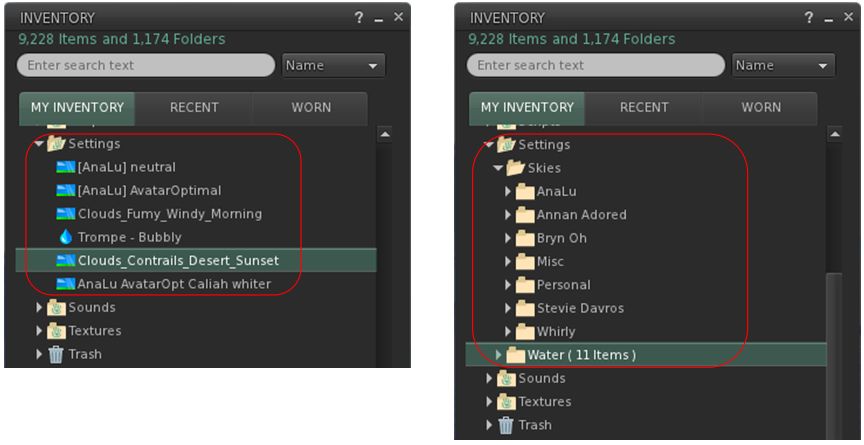
  • By default stored within a new system folder in inventory – the Settings folder. This folder may be hidden until such time as an EEP asset is created.
By default, EEP assets are stored and created in the Settings folder in your inventory (l). If you want, you can manually sub-divide your settings into suitable folders for easier tracking (r)

EEP Permissions

There are a few notes on permissions associated with EEP settings / assets.

  • Copy/no-copy: EEP settings assets may never be marked no-copy. A person who owns a setting object may always make a copy of it in their inventory.
  • Transfer/no-transfer: the no-transfer permission is persistent. If you import any no-transfer day or water setting into a day cycle, that day cycle will also become no-transfer. Once saved, this change cannot be undone.
  • Modify/no-modify: these permissions behave as normal.

EEP Library Assets

EEP includes a collection of Sky, Water and Day Cycles, together with a set of textures that can be used for clouds and / or to replace the Sun and Moon, etc.

  • These are located in Inventory (CTRL-I) → Library → Environments.
  • They can be used in one of two ways:
    • Unmodified, directly from Library → Environments.
    • By copying them to your inventory (e.g. to your own Settings folder, if it is visible through the creation of an EEP asset; if not, any other folder can be used), where they will become modifiable, allowing you to adjust them / use them to create your own settings.
    • See my EEP Tutorial for editing / modifying EEP assets and settings.

Differences to Windlight

Some of the key differences between EEP and windlight are:

  • EEP settings are stored in inventory assets, not as XML files saved to your computer.
  • Because they are server-side, EEP settings are by default seen by any viewer affected by the. This can mean:
    • Parcel owners using a specific set of environment settings no longer have to request visitors manually switch to them.
    • Settings are no longer dependent on visitors to a parcel with a custom environment having the precise windlight XML file stored on their computer.
  • EEP setting do not require any external storage (e.g. Dropbox) in order to be shared with other users, if they are to be given away.