Cloud Party art contest offers $1,000 prize

logo-CPI’m not that active in Cloud Party, although I do log-in from time to time, largely because Claudia222 Jewell has a workshop there and I love slipping in and seeing what she is doing, and also because Maxwell Graf tends to be busy there as well.

Nevertheless, Cloud Party appear to be very much aware of me, as I discovered they’d e-mailed me about their first art contest. Entitled the “Monumental Work of Public Art”, it is being held to mark the platform’s first first anniversary, and it is open to anyone to enter.

On offer is a $1,000 USD prize for the overall winner, and a 2,000 Cloud Coins prize for the “Community Favourite” entry as judged by Cloud Party residents. In addition, all artists entering the contest will receive an in-world studio workspace in which to create their entry.

Claudia222 Jewell is one of a number of well-known virtual world artists active in Cloud Party

The e-mail announcement reads in part:

Cloud Party is pleased to announce a very exciting community event to celebrate our first year. In collaboration with Ben Davis, editor of Artinfo Magazine, we are sponsoring an Art in Cloud Party contest. Our theme is “Monumental Work of Public Art” with a first prize of $1,000.00 (USD)! The Community Favourite prize, as voted by our community, takes home 2000CC (Cloud Coins virtual currency).

If you decide to enter, you’ll get access to your own virtual studio space for a month to create your masterpiece. Entries will be judged on the following criteria:

  • Originality of concept
  • Personal voice
  • How well it takes advantage of the virtual environment
  • Overall coherence of vision.

In addition, the Cloud Party blog provides further information, stating in part:

The rules for what you create are pretty wide open. It can be visual, interactive, collaborative – whatever you come up with that meets your definition of art and reflects our theme. Since this is a subjective topic we intend to be pretty open-minded, but do keep our Terms of Service in mind and that this is a 13+ website.

Key Dates for the Contest

  • The contest opens at 12:00 noon PDT on Wednesday May 8th, 2013
  • Last of contest and first day of community voting: 17:00 PDT Wednesday June 12th, 2013
  • Official winner and Community Favourite winner announcement: 12:00 noon PDT Friday June 14th, 2013.

The overall winner will be judged by Ben Davis, editor of Artinfo magazine.

How To Enter

  • Those wishing to enter must submit Art in Cloud Party Entry Form after the competition has formally opened at midday PDT on Wednesday March 8th, 2013 – any entry forms received before this time will be ignored
  • Entrants should receive confirmation of their application and be granted access to their Cloud Party studio workspace within 24 hours of their entry form being received
  • Once an entry is completed, an Art in Cloud Party Submission Form must be submitted in order for the piece to be considered in the formal judging and Community Favourites contest.

As always, there are also Official Contest Rules which should also be read through.

So, if you’ve ever wondered what Cloud Party might offer you as an artist – now might be the time to take the plunge – and perhaps be rewarded for your efforts!

Related Links

An OpenSim material(s) girl

Those of us who spend the majority of our time in Second Life are just starting to get our heads around materials and opportunities it presents for enhancing mesh, prim and sculpt builds and attachments. Now OpenSim may not be that far behind, as Marcus Llewellyn commented on this blog, and has himself explained on Bearly Written, where he tells us:

Dahlia Trimble, one of the core developers of OpenSimulator, has begun work on a module that gives OpenSim support for new materials on prim, sculpt, or mesh builds. The module that enables it is really more of a demonstration right now; it has issues setting materials, and they will only persist until a region is restarted …. Still, it’s a start, and an exciting one!

The work is still at a very preliminary point right now, as Marcus points out, with the server-side code still very much in its infancy. The work is also hampered by the fact that the only viewer currently capable of rendering materials is a project viewer from Linden Lab which isn’t actually intended to be connected to OpenSim (due to Havok licensing restrictions). However, this latter aspect should change once the code reaches a point where it is suitable for merging into third-party viewers.

Both of these point mean that there is still much more work to be done – but Dahlia, with assistance from Marcus himself and Nebadon Izumi has made a good start on things, and the simulator code is already available for those who want to give it a go or help-out with the work.

Marcus has more information on the project over on his blog, and I refer you to him for a good overview of the project. IN the meantime, here’s a video of Dahlia’s work. Kudos, Dahlia!

Related Links

With thanks to Marcus Llewellyn

NWS: licensed version due to launch; tutorials start being released

My Fallingwater OAR file loaded into New World Studio on my PC as a part of a Host you own region / megaregion at home using NWS: my own initial set-up featuring 16 regions and using an OAR of my Fallingwater build
Host you own region / megaregion at home using NWS: my own initial set-up featuring 16 regions and using an OAR of my Fallingwater build

I recently reviewed the free version of Olivier Battini’s New World Studio, which allows anyone to to run their own single or multiple-region OpenSim environment on their own computer at home.

Currently, the free – or Community – version is very much as standalone version, although Olivier has indicated that connectivity will be possible in the future as a part of the manual configuration capability. This capability, which requires the editing of an .INI file, already allows users to define the number of regions their NWS installation supports, whether or not these are to be treated as a megaregion, the default starting OAR file (and avatar IAR file, if applicable), specify a preferred viewer rather than the default Imprudence viewr, and so on.

The Community edition of NWS is fully configurable - but requires editing an INI file (original shown left, and my own updated version, right)
The Community edition of NWS is fully configurable – but requires editing an INI file (original shown left, and my own updated version, right)

Due to be released later this week, the licensed version of NWS (currently starting at a 50% off 15 Euros / $20 for a home licence) does, among other things, take away the need to edit the INI file by allowing access to simple selection panel which can be accessed via the Access Advanced Features button on the NWS Launcher.

This panel allows users to configure NWS quickly and easily through a series of option fields and drop-downs. Using it, you can set your avatar name and default look, define the number of regions you wish to run (1, 4, 9, or 16), the default region name and whether or not the regions are to be treated as a megaregion, and set the default OAR file.

The licensed version of NWS includes a configuration panel for easy-of-set-up (image courtesy of Olivier Battini by way of Hypergrid Business)

Currently, the control panel doesn’t include an option to select your own preferred viewer. However, this is coming with future updates, together with a number of other options, such as automatically network and firewall configuration for public access, public 3D worlds searches, and so on, as defined on the NWS Features page for the website. In terms of functionality and features, these will take time to develop, which is why licensed versions are being discounted and there is an active Early Adopter Programme, as Olivier explained when we discussed NWS recently.

“People must know and should understand that all will not be functional right now. This project requires a huge amount of work, especially as it’s multi-platform (Win, Mac, Linux),” he said, emphasising the effort involved in putting it all together before highlighting the benefits, “People can experience how easy to use NWS is, and they may not realize the cost of simplicity. This is why there’s an Early Adopter Programme that will allow people to, not only get lower prices, but also be able to vote for the features they want to see implemented first.”

In preparation for the wider availability of NWS options, Olivier has also been working on documentation and tutorials, the latter starting with an introductory video to NWS 2.1 Community Edition.

Again, if you’re looking for a “home studio” OpenSim capability for design / building work, whether your products are for use on OpenSim or Second Life, New World Studio – with a few caveats in the case of use with SL – might be just what you’re looking for as a fast, clean, easy-to-install option.

Related Links

With thanks to Maria Korolov at Hypergrid Business and to Olivier Battini.

New World Studio: self-hosting a region made easy

Note: New World Studio is no longer functional.

New World Studio, which is currently in beta testing, is designed as a quick-and-easy means of setting-up an OpenSim environment on any Windows, Mac or Linux computer.

The brainchild of Olivier Battini, New World Studio (NWS) is designed to provide home users, educational organisations and businesses a “one stop” means of establishing a self-hosted OpenSim environment, complete with a choice of region designs and with licence options (starting for 30 Euros / $40  – and subject to a 50% discount at the time of writing), which include automated network / firewall / access configurations.

NWS supports all current OpenSim commands, and can be quickly and easily configured to run as a single region or as an estate of multiple regions or megaregion, accessed by either the supplied viewer (Imprudence) or an OpenSim-compatible viewer of your choice. While the free version currently only supports a standalone capability, Olivier is re-working things so that installations can be opened-up for public access when online. Even so, and as a standalone option, NWS already offers home users a quick and easy way of establishing a private sandbox environment which content can be created and / or tested ready for export to other OpenSim environments and – to a degree at least – to Second Life.

To say NWS is exceptionally easy to set-up is an understatement. From download to running in its default mode takes less than five minutes. I had it downloaded, installed and customised to suit my requirements (avatar, my own OAR region file & choice of viewer) in under ten.

Installation

Installation is a matter of downloading the required ZIP archive (obtained directly from Olivier at the time of writing) and extracting it to a nominated location / folder. Linux and Mac users will also need to install Mono, otherwise everything is ready to run NWS in a default configuration.

However – if you want to customise the installation in any way (use your own region OAR or preferred viewer, for example), you will need to do so before you run NWS for the first time.

Custom Configuration

Configuring NWS requires editing the NewWorldStudio.INI (contained in the application folder) file using a suitable plain text editor (such as Notepad). Generally speaking, the [World], [Owner] and [Software] sections of the file will need to be updated.

[World]

Sets your region details and type.

Name: the name of your region (Default “New World Studio”) – can be anything you want

Initial Region: the region loaded on start-up. This can be one of the five supplied regions, or your own OAR file. The supplied regions are:

    • OpenVCE – a conferencing region with open and enclosed meeting spaces
    • Flat 21 – a complete flat grassland region 1 metre above sea level
    • Business District – a built-up region with roads, high-rises, a plaza, etc., supplied by Linda Kellie.com
  • Mountain Retreat – a mountain / snow region with house, chair lift and various activities, again supplied by Linda Kellie.com
  • Undersea Observatory supplied by Justin Reeves.

To use any of the supplied regions, replace the existing region name “OpenVCE” with the name of the region you wish to use exactly as it is listed in the REGIONS folder in your New World Studio installation (e.g. “Business District (LindaKellie.com)”).

If you want to use your own OAR file with NWS:

  • Create a folder in the REGION folder of your NWS installation & give it a suitable name
  • Copy the required OAR file to the folder you just created and rename it “region.oar”
  • Replace “OpenVCE” in Initial Region with the name of the folder containing your OAR file.
The deafult region with New World Studio and the (just visible) default male avatar
The default OpenVCE region supplied with New World Studio under a Creative Commons licence

SizeX and SizeY: define your region size. The default is a single 256m x 256m region. However, you can create multiple regions by entering suitable values here (3 and 3 will create a block with 3 regions on a side, for example).

IsMegaregion: If you create multiple regions, determines whether they should be treated as individual 256mx256m regions (FALSE) or whether they should be treated as a single megaregion (TRUE).

PosX and PosY: Define the global starting co-ordinates for your world. The default is 7000 for each, which is fine if you’re intending to have your world purely as a private environment. However, if you want your world open to the public, you should consider changing the co-ordinates to something more unique – the hypergrid system doesn’t allow moving directly between destinations with the same co-ordinates.

ShowOsWindow: Determines whether the system console is displayed when starting-up NWS. TRUE (default) = console will be displayed; FALSE = console is not displayed. Allowing the console window to open means you have access to OpenSim’s server-side commands, such as saving any region you build as an OAR file, etc.

[Owner]

This section defines your user name, password and default avatar.

  • Change FirstName and LastName  and Password to suit your requirements
  • InitialAppearance: enter the name of your preferred default avatar here (Benjiro, Benjiro2, Cara, Cara2)
The four avatar styles
The four default avatar styles: Benjiro, Benjiro2, Cara and Cara2

Continue reading “New World Studio: self-hosting a region made easy”

Getting back to work and an Opportunity for comparisons

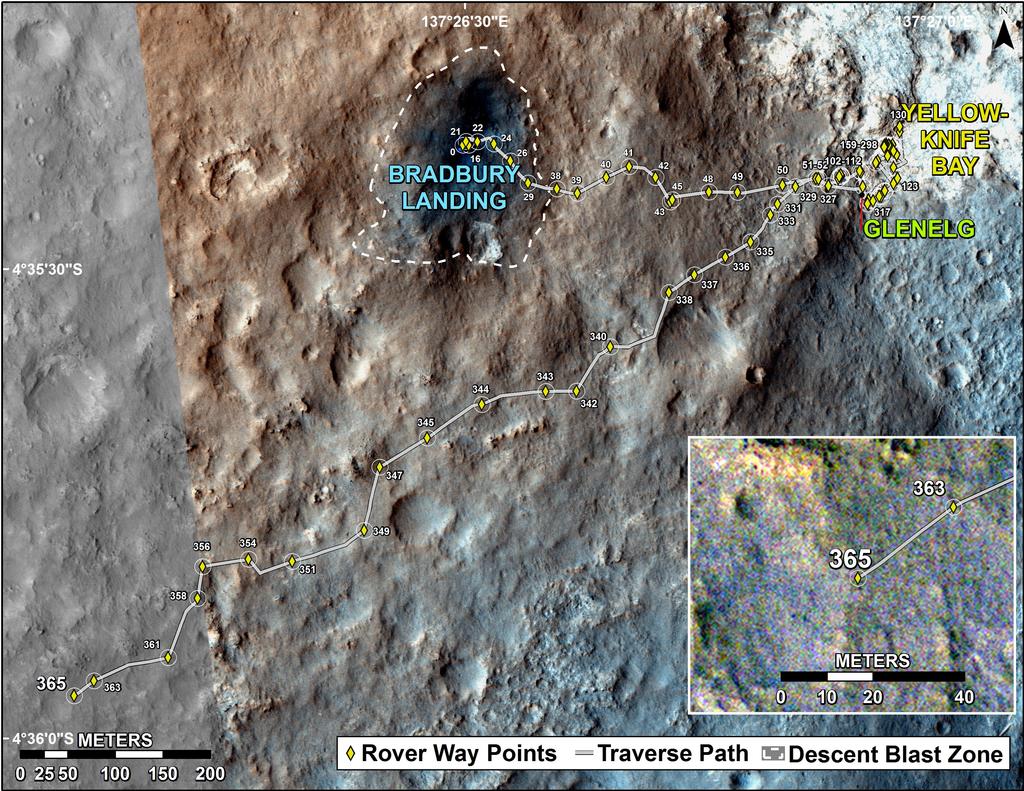
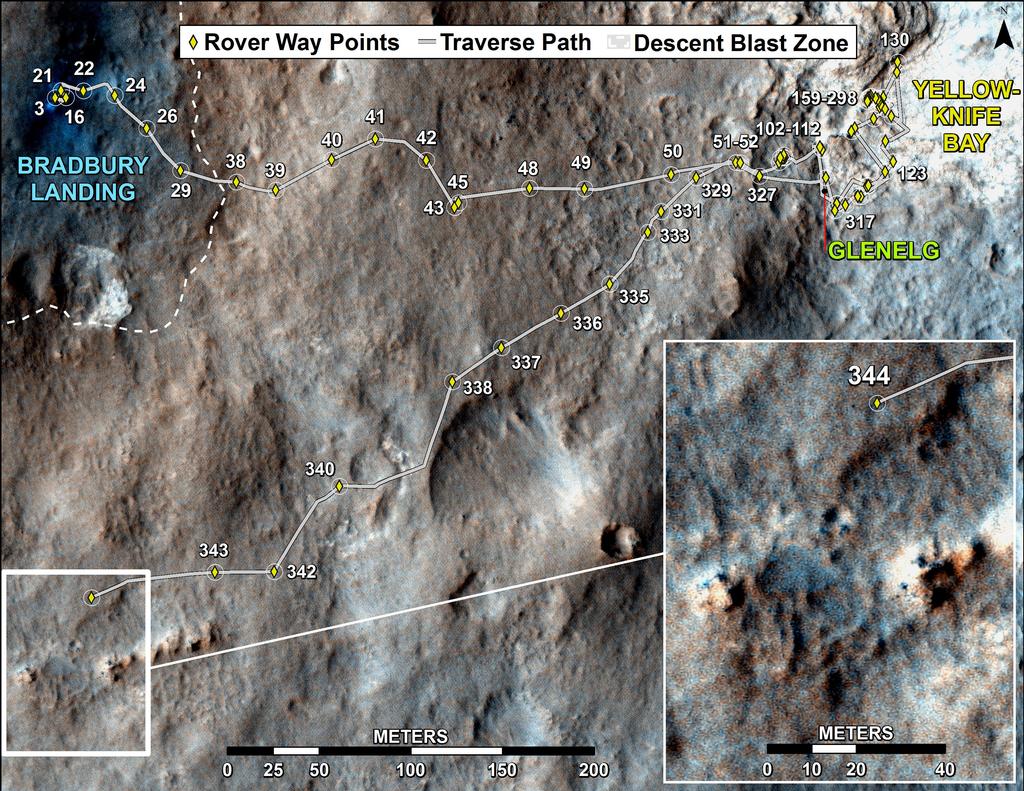
CuriosityThe Mars Science Laboratory rover Curiosity resumed full science operations on March 23rd, with the delivery of a second portion of cuttings to the Sample Analysis at Mars (SAM) instruments inside the rover. Earlier, on March 21st, Curiosity resumed continuous environmental monitoring of the “Yellowknife Bay” area of Gale Crater.

Full-scale operations with the rover had been halted following the discovery of a computer glitch in the primary computer system the so-called “A-side” computer, which prompted mission controllers to order the rover to switch to the redundant “B-side” computer.

Since then, engineers and scientists on Earth have been working to both recover the “A-side” computer while simultaneously working to transfer all relevant data and command sets to the “B-side” computer and run Curiosity through a series of tests in order to ensure the “B-side” computer can increasingly take over day-to-day operations on the rover.

The “A-side” problem was traced to the unit’s memory module which acts as the “table of contents” for accessing the computer’s memory, preventing data and instructions from being accessed and causing the computer to enter into an “endless loop”. The computer has now been fully recovered and is available as a back-up once more, should it be required.

Recovery to the “B-side” computer was drawn-out due to the need for the computer to “understand” various aspects of the rover’s condition, including the placement of the robot arm, so that it could correctly take-on command and control. This involved a series of tests carried out early in March. More recently, engineers had to confirm the “engineering camera” sets, were functioning correctly.

In all, Curiosity uses some seventeen camera systems. Of these, 12 are paired sets of “engineering cameras” comprising the black-and-white Navigation Cameras (Navcams) mounted on the rover’s mast, the black-and-white front Hazard Avoidance Cameras (Hazcams) mounted at the front of the rover’s body, and the rear black-and-white Hazcams. Of these cameras, three pairs (of Navcams and front/rear Hazcams) are hard-wired to the “A-side” computer, and three pairs are hard-wired to the “B-side” computer.

The last time the “B-side” engineering cameras had been used was in April 2012, when the Mars Science Laboratory was still en route to Mars (the “B-side” computer was used to “look after” the rover and its ancilliary systems during the long flight from Earth to Mars). As the rover was switched-over to the “A-side” computer shortly after arrival on the surface of Mars, the “B-side” cameras had never been actively used on the planet, and thus needed to be run through a similar set of commissioning tests and check-outs which marked Curiosity’s initial activities back in August 2012.

Looking at Curiosity’s left-front and left-centre wheels and tread marks, using the left Navcam on the rover’s mast, which is hard-wired directly to the “B-side” computer. Captured on March 22nd, 2013, or Sol 223 of the mission, this image marks the first time the “B-side” engineering cameras have been used in more than six months – and the first time they have been used by the rover on the surface of Mars. For reference, the wheels are 50 cm (20 in) in diameter.

Bringing the “B-side” computer up to a point where it could take over all on-board operations  was further delayed when it also suffered a glitch on March 16th which, although relatively minor in scope, caused engineers on Earth to order Curiosity back into a “safe mode” of operations while the glitch was investigated, diagnosed and corrected.

Continue reading “Getting back to work and an Opportunity for comparisons”

Water, white balance, rocks and glitches

CuriosityFollowing the announcement that Curiosity had found chemical and mineral signatures pointing towards Mars – or at the very least, Gale Crater – once being wet enough to create the right conditions in which micro-organisms may have once survived, the mission team has continued to analyse data returned by the rover over the last several weeks. In doing so, they have uncovered further evidence as to role of water in area during wet periods of Mars’ past.

The most recent findings from the Mars Science Laboratory team was presented to the Lunar and Planetary Science Conference, being held in Texas, on March 18th, in which the team discussed the use of the infrared-imaging capability of the Mastcam system and the neutron-firing Dynamic Albedo of Neutrons (DAN) instrument to find further evidence of the hydration of minerals in the area.

Mastcam’s ability to capture infra-red images means it can be used as a mineral-detecting tool and as a means of observing hydration in surface rock features, where the ratio of brightness in images captured at different near-infrared wavelengths can indicate the presence of hydrated minerals. The technique was used to check rocks in the “Yellowknife Bay” area and has revealed some rock formations in the area to be crisscrossed with bright veins.

An area of the target rock “Knorr” at “Yellowknife Bay”, some 25 cm (10 inches) across, mapping the amount of mineral hydration indicated by a ratio of near-infrared reflectance intensities as detected by Curiosity’s Mastcam. The scale on the right shows the assignment of colours for relative strength of the calculated signal for hydration. The map shows that the stronger signals for hydration are associated with pale veins and light-toned nodules in the rock. This image and data were recorded on Sol 133 (Dec. 20, 2012) – click to enlarge

“With Mastcam, we see elevated hydration signals in the narrow veins that cut many of the rocks in this area,” said Melissa Rice of the California Institute of Technology, Pasadena. “These bright veins contain hydrated minerals that are different from the clay minerals in the surrounding rock matrix.” She went on to explain, “What Mastcam is seeing is water that is bound in the mineral structure of the rocks. This water is left over from a previous wet era and is now trapped and preserved in these hydrated minerals.”

The Russian-made DAN instrument on Curiosity detects hydrogen beneath the rover. At the rover’s very dry study area on Mars, the detected hydrogen is mainly in water molecules bound into minerals. “We definitely see signal variation along the traverse from the landing point to Yellowknife Bay,” said DAN Deputy Principal Investigator Maxim Litvak of the Space Research Institute, Moscow. “More water is detected at Yellowknife Bay than earlier on the route. Even within Yellowknife Bay, we see significant variation.”

Findings from the Canadian-made Alpha Particle X-ray Spectrometer (APXS) on Curiosity’s arm-mounted turret indicate that the wet environmental processes that produced clay at Yellowknife Bay did so without much change in the overall mix of chemical elements present, and confirmed the elemental composition of the outcrop Curiosity drilled into matches the composition of basalt, the most common rock-type on Mars. The APXS findings were initially affected by the dust layer common to most surfaces on Mars, which masked the basaltic signature of the rocks until the rover’s wire brush was used to scrub a section of rock clean of the dust.

“By removing the dust, we’ve got a better reading that pushes the classification toward basaltic composition,” Curiosity science team member Mariek Schmidt said. The sedimentary rocks at Yellowknife Bay likely formed when original basaltic rocks were broken into fragments, transported, re-deposited as sedimentary particles, and mineralogically altered by exposure to water.

Continue reading “Water, white balance, rocks and glitches”