Craggy Island, May 2021 – click any image for full size
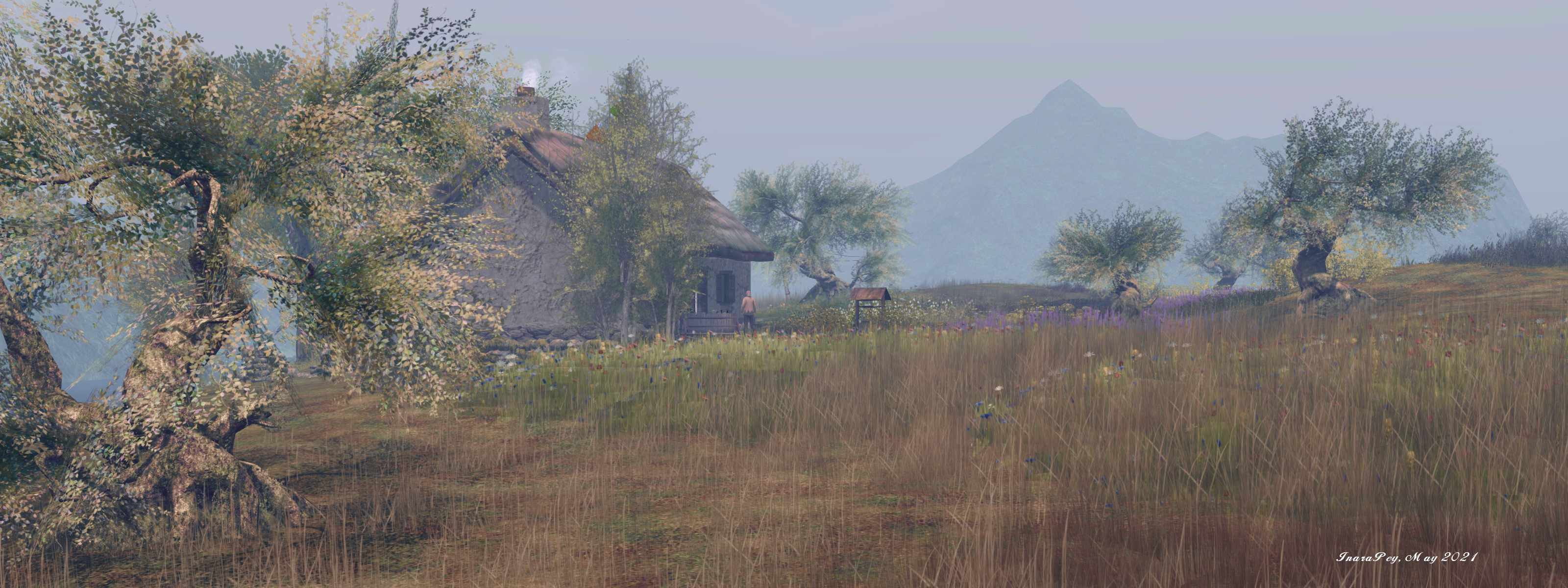
Craggy Island, designed by Mishi (Mishi Masala), sits on a Homestead region as a “peaceful and picturesque island off the coast of Ireland”. It’s a place people are encouraged to visit for the views, to unwind and / or for the craic (gossip / new, presumably of the local variety!). It’s also a place Shawn Shakespeare pointed me towards by way of a landmark he dropped into my lap, so I donned my hiking boots and headed off to take a look.
Almost completely encircled by the green hills of an off-region surround, Craggy Island is a genuine delight, offering as it does not so much a sense of being out on a little island somewhere, but perhaps a place within the rural regions of Eire; From some angles, I felt is if I might be in Galway, perhaps Connemara, not far from the coast there. But then on swinging my camera around to look in another direction, the view brought to mind County Kerry, perhaps not far from Derryfanga – a feeling heightened by the simple expedient of positioning my camera so the intervening Linden Water between region and the peaks of the surround was masked from my view.
Craggy Island, May 2021
Undulating gently, this is a setting that is easy on the eye and a quiet delight to explore (the sussuration of waves duly noted!), the scattered buildings sprinkled across the moor-like landscape encouraging the feet to wander.
The landing point sits just a handful of paces from a thatched roofed pub – a place that has attracted the attention of one famous visitor! It is a natural place to wander towards, given the track the meanders towards it from the landing point, but turn the other way upon landing, and the stubby spire and slate roof of the local church might equally attract your attention as they peek over the lip of a small rise in the land, the smoke rising from the chimney of a house beyond it also encouraging feet to head in that direction.
Craggy Island, May 2021
But really, where you chose to roam makes no difference: you’re going to come across something worthy of your attention whichever direction in which you strike out.
To the north and east sits a farm that appears to be focused on rearing sheep and pigs – although a recently ploughed field close to hand suggests a modest crop of some short might also be cultivated. Away to the south and west, the crofter’s cottage with smoke rising from its chimney appears to be focal point for cattle and goat rearing. Or perhaps they are both part of the same farm.
Craggy Island, May 2021
Between them, the land rises and falls in gentle slopes and folds, places to sit nestled here and there, a small loch puddling the land, its calm surface home to a small mist. Horses wander more freely than cattle or sheep – which appear to keep close to the respective farm buildings, whilst a Romany caravan offers a particular retreat for those wishing to escape. Throughout, little tracks start here and there, wind along the grass for a while and then vanish, as if teasing those that follow them.
Needless to say, opportunities for photography abound throughout the setting, and if you have a wearable horse, this is a place that also offers the opportunity for taking a ride over its moorlands or along the low-lying areas of the coastline.
Craggy Island, May 2021
Watched over by the vigilant eye of a lighthouse and set under a hazy, late afternoon sky, the charm of Craggy island certainly lives up to the promise of céad míle fáilte.
The following notes were taken from the Tuesday, May 4th, 2021 Simulator User Group (SUG) meeting.
Server Deployments
At the time of writing, there had been no server deployment thread available for review.
Tuesday, May 4th saw simulators on the Main SLS channel updated with server maintenance package 558586, comprising internal fixes.
There does not appear to be any RC channels deployment set for Wednesday, May 5th.
Week #19 (commencing Monday, May 10th) should see an RC deployment that will likely include new LSL functions – its not clear if these are the llOrd, llChar and llHash options Rider Linden spoke about a few weeks ago.
Love Me Render (LMR) 5 viewer, version 6.4.18.558365, dated April 22nd.
Maintenance 2 RC viewer – Fernet, version 6.4.18.558441, dated April 21st.
Project viewers:
Legacy Profiles viewer, version 6.4.11.550519, dated October 26th.
Copy / Paste viewer, version 6.3.5.533365, dated December 9th, 2019.
Project Muscadine (Animesh follow-on) project viewer, version 6.4.0.532999, dated November 22nd, 2019.
360 Snapshot project viewer, version 6.2.4.529111, dated July 16th, 2019.
In Brief
Some private regions / estates appear to be undergoing random restarts on a roughly weekly basis and outside of the normal deployment rolling restarts. It’s not clear why this should be, but outside of verbal reports at the SUG meetings and forum comments, no JIRA has been raised as yet.
BUG-230677 “llSetAgentEnvironment transition doesn’t work” is an EEP issue that may be related to how the code handles “partial” sky settings on transitions. Further investigations are required.
Setting region chat range limits: this is a project that has been in progress for around a year (see feature request BUG-230677, and also my May 15th, 2020 TPV Developer meeting notes and notes from the May 26th, 2020 SUG meeting). Support for the capability has been in the simulator code for some time, but the viewer-side support is pending UI updates.
Sina Souza: Retrospective (Nitroglobus Roof Gallery)
Art is a powerful means of expression. Among its many abilities, it can enthral, delight, puzzle, confuse, evoke feelings, provoke reactions, entice, suggest, and tell stories. It can also be a vehicle by which life – either as a whole or just that of the artist – can be reflected, examined, quantified, dissected, displayed, and offered for commentary, be it by the audience witnessing it, or (again) by the artist.
Thus, both its production and in its viewing, art can be cathartic for artist and audience alike, and this is certainly true for two small but utterly engaging exhibitions I’ve visited over the last couple of days.
The first is by Traci Ultsch, an artist who has only relatively recently started exhibiting her art in Second Life (her first in-world exhibition being in November 2020), but is who has more than demonstrated that she is an artist who can both evoke and provoke through her work in the most compelling of ways and with a richness of narrative. These traits are fully on display at Mareea Farrasco’s IMAGOLand art spaces, which is currently hosting Overdose by Traci.
Traci Ultsch: Overdose (IMAGOLand Art Space)
A small collection of five large-format pieces that offer a double-dive into matters of addiction which are presented in such a way that both their design and their presentation to have much to say about the subject.
I say double-dive because, as Traci notes in her introduction to Overdose, this is an exhibition that can be viewed in two ways:
The first view is a personal one looking at my past experiences with drugs and drug use. Each image dealing with a drug I’ve been involved with. Heroin, LSD and amphetamines. Which directly led to several overdoses and the problems following that.
Another view deals more with the overdose of general life itself and the pressures that can lead to the need for escape.
Whether one takes the first or second of these interpretations, there is no doubt that the images presented in Overdose exhibit a raw, loud power that is reflective of both the often skewed view of reality and self that drugs can induce, together with the highs (e.g. sense of Godhood / power, moments of starling clarity) and lows (loss of self, blurring of reality and the unreal, paranoia and withdrawal), and the cacophony of life that seems to increasingly haul us towards an all-or-nothing series of extremes, from the constant outpouring of streamed television through to the demands of skewed politics, religion and more that demand everything be measured in terms of being either “for” or “against”, to the ever widening social gaps between classes. and so on.
Traci Ultsch: Overdose (IMAGOLand Art Space)
Placed within a confined space, even the size of the pictures speak to the pressures of being constantly immersed / unable to escape no matter where we turn. They are, in short overwhelming – as can be the allure of drugs and/or the demands of life; whilst the hospital beds floating in the air offer a further statement on both aspects of Overdose and its meaning.
Often when it comes to art, Retrospective is used in terms of presenting a selection of past works that speak to the artist’s life and work to date. However, for her exhibition that is currently taking place in Dido’s space at her Nitroglobus Roof Gallery, Sina Souza uses the term and the pieces she is exhibiting to present a personal statement in a similar vein as might be seen within Traci’s – stories of personal struggles – as Sina similarly explains in introducing the exhibit:
[This] is an exhibition about struggles in my past, wrong decisions that I have made or experiences that I have gained.
It is a path between depression, strokes of fate and the problem of trusting others. But it’s not just a look back at what’s behind me, it is also a kind of self reflection, a step forward, a way to learn from mistakes and to grow from experiences. Sometimes we need to look back to look ahead.
Sina Souza: Retrospective (Nitroglobus Roof Gallery)
Thus we have personal, but again compelling pieces, the majority of which are presented in black-and-white, but all of which have a story contained within it – be it a message about the benefits of thinking outside of the box in whatever situation we find ourselves in, through to the weight of time that can often drag at us.
Richly evocative, powerful in narrative and deeply personal, these are two exhibitions in which the artists expose as much of themselves as they do their work. As such they are both deserving of being seen.
Sina Souza: Retrospective (Nitroglobus Roof Gallery)
As has been indicated in various discussions and statements from the Lab – such as the Above the Book sessions with Grumpity, Brett and Patch linden at this year’s VWBPE event, one element of Second Life that the Lab is focused on is the new user experience.
This work involves various projects, including the on-boarding process and changes to the viewer to help new users get to grip with things, and on Monday, May 3rd, Alexa Linden announced the release of the Project UI viewer which includes a range up updates specifically aimed at new users.
According the Alexa’s forum post, the new viewer includes three core areas of update:
A new menu option called Avatar, and streamlined / revised right-click avatar context menus.
Improvements to the Inventory panel.
An updated Places floater.
However, there’s actually more to this viewer than the forum post reveals, so here’s a run-down of some of the documented changes and some of those that are missed out from the forum post – but which could actually be of greater interest to established users.
The Avatar Menu and Right-Click Avatar Context Menus
This is perhaps the most significant update to in the viewer. To quote from Alexa’s post:
Making SL easier for newcomers to learn can improve the chances that they will become long-term Residents. Growing the Resident community benefits everyone — more people to meet, more participation in events, and more commerce. The changes described below are the first batch of what we hope will be an ongoing series of usability improvements.
Avatar menus
With this release we introduce the Avatar top-level menu which brings together all avatar tools in one place. One of SL’s most important features is now more visible to newcomers. You’ll notice the avatar right-click menu has been streamlined as well.
Have you ever struggled to select an avatar attachment? It’s inside your avatar, it’s transparent, or it’s a mesh attachment that you just can’t grab. You can now touch, edit or remove an attachment using right-click from all Avatar windows and Inventory.
The Avatar menu and the revised right-click context menus are show below:
The new Avatar menu sits between the Me and Communicate menus brings together all of the frequently used avatar tools (l). Centre: the revised avatar right-click context menus seen when touching your avatar (top) or an attachment (bottom), and how they compare to the current versions of the menus (r)
Inventory and Places Updates
I’ve not a lot to say on the Inventory floater updates, so will leave that to Alexa’s forum post. The changes to Places and how landmarks are handled, again as specified in the blog post, are also straightforward, although there are a few additional points to note:
The new panel also sees the gear button moved to the top of the panel, and provides a new set of fairly self-explanatory options:
Teleport.
View.
Show on Map.
Copy SLurl.
The original Expand and Collapse options from the gear button have been moved to a separate drop-down menu button, with the delete option moved to a its own Trash button.
The Project UI viewer’s updated Places panel (l) and the release version
Other Menu Updates
The new Avatar Menus means there have been revisions to the Me and communicate menus as well, with avatar-related options (such as the Choose and Avatar option moving from Me to Avatar (and renamed Complete Avatars).
The revised Me and Communicate menus (with the blue bands) compared to the current release viewer – click for full size, if required
As well as these, there are other small tweaks – World Menu now has a My Linden Home … option. Clicking this will open up the in-viewer browser and take the user to the Linden Homes page:
Premium members with a Linden Home will see the page relating to their home.
Premium members who do not have a Linden Home and Basic Members will see the Linden Home selection page (and Basic members will go forward to the Premium sign-up page).
Note also, that using this menu option (as with others in the viewer that use the built-in browser to access Second Life web pages) may trigger single sign-on, and require you log-in to the SL web properties.
EEP Updates
One of the biggest complaints with the Environment Enhancement Project (EEP) has been use use of trackball options to position the Sun and Moon, with many voicing their preference for “a slider like Windlight”. To address this, the UI Project viewer implements two sliders for positioning the Sun and two for the Moon across all of the EEP settings floaters. These are:
Azimuth – which might be thought of as the east / west position of the Sun or Moon (technically, azimuth is more than this, but it’ll do for these notes).
Elevation – the position of the Sun or Moon over or under) the horizon, relative to azimuth.
These sliders are tied to the Sun / Moon movement using the trackball systems, allowing both to be used as preferred.
The Sun & Moon tabs on Fixed Sky and the Day Cycle floaters now include Azimuth and and Elevation sliders for positioning the Sun / Moon, and similar sliders can be found on Personal Lighting
Rapid-Fire Feedback
Overall, this is a reasonable set of changes; they do enough to streamline things in places without being a potential source of confusion for established users; the changes are for the most part logical – although I do have a couple of reservations.
On the plus side, bringing together the majority of avatar tools into a single menu makes a lot of sense. But I do wonder if having menus called “Me” and “Avatar” side-by-side might not be a little confusing for new users (e.g. “Huh? Wassa difference? Why two menus for my avatar?”). The use of the “avatar” menu name is liable to cause a small amount of consternation with Firestorm, as that viewer already use it in place of “me”, but c’est la vie.
I was also surprised to see that the Linden homes page has yet to be updated for Basic members – it still features photos and a video of the old 512 sq m Linden Homes. Given the newer Homes are more attractive (and have now been with us for a while), and the aim of this viewer is to help make engagement with SL more attractive to new users, linking to information that is pretty much out-of-date and doesn’t actually reflect the more common Premium offering seems a little disjointed.
Elsewhere, I like the ability to touch / select attachments – particularly worn mesh – made more accessible. Catznip introduced such a capability a few years ago, and I can’t help but wonder if seeing it now in the official viewer might be the result of a code contribution from that viewer.
It’s also good to see the Lab respond to requests with EEP, and hopefully the new sliders will help those who find the trackballs a little confusing – although I don’t doubt the labelling might cause a little confusion (“why not east and north?”).
I understand the updates to the learning / social islands will be coming along in summer – although I’ve no idea if these will see further tweaks to the viewer as well. as well. In the meantime, it’ll be interesting to see how this Project UI viewer develops over the coming months.
Logos representative only and should not be seen as an endorsement / preference / recommendation
Updates from the week ending Sunday, May 2nd
This summary is generally published every Monday, and is a list of SL viewer / client releases (official and TPV) made during the previous week. When reading it, please note:
It is based on my Current Viewer Releases Page, a list of all Second Life viewers and clients that are in popular use (and of which I am aware), and which are recognised as adhering to the TPV Policy. This page includes comprehensive links to download pages, blog notes, release notes, etc., as well as links to any / all reviews of specific viewers / clients made within this blog.
By its nature, this summary presented here will always be in arrears, please refer to the Current Viewer Release Page for more up-to-date information.
Note that for purposes of length, TPV test viewers, preview / beta viewers / nightly builds are generally not recorded in these summaries.
Official LL Viewers
Release viewer: Eau de Vie Maintenance viewer, version 6.4.18.558266, dated April 23, promoted April 29 – NEW.
Release channel cohorts:
No updates.
Project viewers:
Project UI viewer, version 6.4.18.558718, issued May 3rd..
El Pueblito at LeLoo’s World, May 2021 – click any image for full size
LeLoo’s World is a place we’ve frequently visited over the years. Occupying a quarter Mainland Full region and held by LeLoo (LeLooUlf), it always offers some for the seasons as the year turns, and on May 1st, LeLoo re-opened it for spring 2021 with a trip into what might be Old Mexico.
A little Pueblo nestled in the middle of a forgotten desert patch. A place to wander as you take in the deserts beauty and simplicity.
LeLoo, describing her latest quarter region design.
El Pueblito at LeLoo’s world, May 2021
El Pueblito, which might be translated as “Little Town”, offers a box canyon setting in which a little corner of forgotten Mexico, a place where the horse is still an essential form of transport and Spanish-style haciendas sit alongside adobe buildings that carry within them a strong pueblo heritage.
Caught between the high walls of the canyon and sitting on the sands that have flowed in from the broader desert, is a ranch that appears to specialise in rearing horses. From the water towers and the growths of cacti, juniper and Joshua trees, it’s clear that there’s a sub-surface aquifer close to hand, helping to give life to this little corner of Somewhere.
El Pueblito at LeLoo’s world, May 2021
To the south, the sand gives way to a paved market village, a wall spanning the throat of the canyon helping to keep the sand from being more widely spread across the cobbles. This market offers a range of indoor and outdoor stalls and shops waiting to tempt casual browsers who may be in search of something a little different. The presence of this little market suggests that while this may be Somewhere, it is not so far off the beaten track it cannot attract tourists.
As with all of LeLoo’s designs, this is not a place that requires heavy descriptive prose – it is a place to be explored and savoured. And again, as with LeLoo’s designs, it is one rich in details waiting to be discovered, and places to sit and appreciate the view and the comings and goings of visitors.
El Pueblito at LeLoo’s world, May 2021
Most of the latter are outdoors – although if the heat and Sun get a little too much, there are some indoor spots to be found as well – such as the caravan that has managed to perch itself up on the rocks across from the main hacienda, which in turn forms the landing point for the setting and offers a refreshing glass of lemon-flavoured water for those need it.
Simple and elegant, photogenic and restful, LeLoo’s El Pueblito is another delightful location created by LeLoo.
El Pueblito at LeLoo’s world, May 2021
Surl Details
El Pueblito at LeLoo’s World (St. Martin, rated Moderate)





 Inara Pey: Living in a Modemworld