Sansar R39 release overview

Sansar: Hollywood Art Museum

On Tuesday, February 4th, Linden Lab deployed the Sansar R39 release, entitled “Sweet Emote-tions”. It’s again something of a comparatively small update. Key updates within it that are covered in this article comprise:

  • New emotes system.
  • Instance picker.
  • New avatars.

As always, please refer to the formal release notes for full details of all the updates in R39, notably fixes with the release.

New Emotes System

The first pass of the emotes system sees the old system completely replaced, with the ability to use short-cut keys to trigger assigned emotes and obtain and assign emotes to short cut keys without having to go to the Look Book.

Emotes are now access via the Emote button in the client or by pressing CTRL-E (as before). This opens a new, compact menu that lists the default emotes and the keys (1-0 of the number row keys) they have been assigned to.

  • To activate an emote, left-click on its name in the menu or press the assigned number key (e.g. 1 for “wave”).
  • To deactivate a playing emote, either left click the emote name on the menu or move your avatar.

To obtain an emote from the store:

  • Open the Emotes menu.
  • Click the shopping cart in the top right of the Emotes menu.
  • The Store panel will open with the Emotes category selected by default.
  • Refine your search as required using the drop-downs (gender and order).
  • Make a purchase of an emote.
  • The emote is added to your menu and flagged as New, and is ready for use.
The emotes menu and shopping cart button for obtaining further emotes from the Sansar Store

To assign an emote to a short cut key (1-0 on the number row):

  • Open the Emotes menu.
  • Highlight the emote you wish to assign to a key.
  • Hover the mouse over the emote to which to assign to a short-cut key.
    • If the emote is not already assigned to a key, the Assign Shortcut button is displayed.
    • If the emote is already assigned to a short-cut key, hover the mouse of the number button, which will toggle to the Assign Shortcut button.
    • In either case, click on Assign Shortcut.
  • The display will switch to display a list of short cut numbers and the emotes currently assigned to them, or will be labelled “Unassigned”.
  • Click on the number to which you want to assign your selected emote.
    • The menu will update so the selected emote is displayed with its selected short-cut, and end emote previously assigned to the short-cut key will appear at the bottom of the menu.
Assigning emotes to short cut keys

Instance Picker

Where there is more than one instance of a world or event running, users can now see available instances and visit the instance of their choice (subject to avatar capacity. In addition, user can:

  • See a list of all available instances of a world.
  • Copy a link or drop a portal to a specific instance.

New Player Avatars

A new line of electronic dance music (EDM) inspired avatars have been added to the new player avatar carousel. These have been developed by by the Sansar studio team and by selected Sansar creators.

The updated Sansar starter avatars

Backpack Updates

The Backpack functionality has been updated:

  • Sound effects volumes have been reduced
  • Physics properties of some props have been improved so they behave more like their physical world counterparts.
  • Grab point locations on the backpack objects have been improved to fit into hands better

Feedback

A modest update, but one again steered towards live events – the new starter avatars are biased to “EDM looks”, while the new emote system (for now) is dance-heavy, with the original sit animations now gone from it.

The Sansar team have already indicated the instance picker will be enhanced in future updates, but the functionality here does exactly what it says on the tin – although it is hard to test as there are not that many Sansar worlds that require more than one instance at any given time.

Other than that, not a lot to report, having only spent limited time using the update and in Sansar.


February 2020 Web User Group: Name Changes, MP updates and 2FA

The Web User Group meeting venue, Denby

The following notes are taken from my recording of the Web User Group (WUG) meeting, held on Wednesday, February 5th, 2020. These meetings are held monthly, generally on the first Wednesdays of the month, with dates and details of the meetings available via the Web User Group wiki page.

When reading these notes, please keep in mind:

  • This is not intended as a chronological transcript of the meeting. Items are drawn together by topic, although they may have been discussed at different points in the meeting.
  • Similarly, and if included, any audio extracts appearing in these summaries are presented by topic heading, rather than any chronological order in which they may have been raised during the meeting (e.g. if “topic X” is mentioned early in a meeting and then again half-way through a meeting, any audio comments related to that topic that might be included in these reports will be concatenated into a single audio extract).

Cloud Uplift

  • The work transitioning SL services to the cloud is very much a daily task for the Web Team, who appear to be the focus at the moment in the drive to get SL-related web properties and services transitioned to provisioning by AWS.
  • This work is also impacting a lot of cycles of QA and engineering work.
  • It is believed that the initial benefit for SL web services following their transitioning will be in performance.
  • It was reiterated that the focus of the work is just on making the transition to AWS provisioning; and other work (such as possible regional localisation of servers where it makes sense to do so) will not come until much later.

Name Changes

  • Still no confirmation of likely deployment date. However, and as per my week #6 Simulator Group summary, the necessary server-side support for Name Changes is being deployed to the grid.
  • The final tally of entrants in the Last Names competition is 2,300, with the majority all entering their allowed three choices, so somewhere in the region of 6,900 suggestions (some of which might be duplicates of one another).
    • Work is in-hand to select the winners that will be included in the first batch of available last names.
  • Some additional blockers have been encountered that are delaying the deployment of the capability.

Marketplace

  • End-to-end Localisation of Marketplace pages is continuing, with the side bar now being shown in Spanish for users selecting that language, and with all the categories, etc., displaying correctly.
  • Landmarks can once again be included in land sale listings.
  • Ongoing back-end work to support the upcoming new Premium Plus subscription option.
  • It has been noted that the new search filters (demos and limited items) has highlighted a large number of demo items on the MP that are not linked to actual products – which is against the listing guidelines. Those coming across such items are asked to flag the items, and if no action is seen to be taken after a period of time, to raise a support ticket.
  • There are reports that some who have items de-listed from the MP are not receiving an advisory e-mail that their items have been de-listed.
    • Should it be noted that this is the case, make sure the any supplied e-mail address you use with Second Life has been correctly verified (see Important: verifying your e-mail address with Second life).
    • If the e-mail is apparently verified, the advice is to contact support, who will try to help determine why e-mails are not being received.
    • Additionally, the Web Team are going to follow this up to see if there are any reasons which the notifications are not being sent from their end.
  • There has been an issue of items No Copy items being wrongfully obtained / re-sold via the Marketplace. Accounts found to be doing this are held for assessment, but it is hard for LL to arrange the return of the items to the original creators, as very often the items are moved between multiple accounts, requiring extensive and time-consuming back-tracking through MP listings, etc.
    • However, it is acknowledged that the assessment process is unfair to merchants using the MP, and the process is under view with the aim of the Lab trying to “do better” for merchants hit by these issues.

Two-Factor Authentication

  • Two-Factor Authentication (2FA) – this has oft been requested for Second Life log-in processes, and it is on the road map. However, there are “many hurdles” in implementing such a system, which LL are trying to overcome.
    • For those unfamiliar with the concept of 2FA, it is a method of confirming users’ claimed identities by using a combination of two different factors, e.g. something they know, something they have, or something they are. For example, using a bank card (something a person has) and a PIN number (something they know) to withdraw money from an ATM¹.
  • Whilst the complications of 2FA are being investigated / addressed, the Lab may implemented additional account security safeguards in the nearer-term road map, which are seen as easier to achieve
    • An example of this might be a user receiving a notification if a log-in to their account is made from a new location or from a different device / computer.
  • It is expected that when initially introduced, any 2FA process is introduced for Second Life will be opt-in by users.

In Brief

  • Details of the Premium Plus offering are unlikely to be made available until such time as Linden Lab is ready to make it available, and this will not be until some time after Name Changes has been deployed.
  • Recurring Events has seen good take-up among Premium users, and further updates are in development.
    • Adding the ability to include events in your personal on-line calendar (e.g. Outlook, Google, etc.), is currently targeted for a Q2 (April – June) or Q3 (July-September) deployment.
  • Password Reset Changes  – whenever a user changes their SL password, they will now get a full notification e-mail about the change.
  • The site defender used to protect Second Life web properties was updated during January 2020. A side benefit of this work is that various web pages from the Lab – notably those on the Marketplace – load faster. The Web Team estimate the performance gain to be at least 11%.
  • There is no date for when resident-to-resident Mainland land auctions will be returning. These were suspended in 2019 fulling the system being abused.
  • Linden Homes:
    • The “collection page” (the page seen when you have selected a Linden Home through the web and which provides the SLurl to the house) has been updated to obfuscate the personal e-mail address, which had been previously exposed in full. This is part of a on-going effort to prevent user’s personal data from being exposed in the event of someone else accessing their account.
    • The “next batch” (presumably a new type, given all current variations are now part of the weekly “rolling” deployments) of Linden Homes is being targeted for the end of Q1 (so late March), barring any unforeseen issues.
  • Windows 7 has been removed from the Second Life System Requirements page, following the official ending of support of that version of Windows by Microsoft on January 14th, 2020.
    • As I noted in Linden Lab announce end of support for Windows 7, users can still use systems running Windows 7 to access Second Life if they so choose, but will not receive any support from the Lab for issues directly related to that version of the OS.

Date of Next Meeting

The next Web User Group meeting will be on Wednesday, March 4th, 2020, commencing at 14:00 SLT.

¹ Note that this example should not be taken to mean it is how any form of 2FA implemented by the Lab will be implemented; it is purely an easy-to-understand illustrative case. 

Kokua: 6.3.6 release overview

The Kokua team released Kokua 6.3.6 on Wednesday, February 5th, 2019. The release brings Kokua up to parity with the Lab’s 6.3.6 code base (to the 6.3.6.535003 release – formerly the Xanté Maintenance RC, promoted on January 27th), and includes a number of Kokua-derived updates and ported TPV options.

The following notes highlight the key aspects of Kokua 6.3.6.46311. For a full list of updates and changes, please refer to the release notes.

This release sees Kokua incorporates the ability to remember username/password combinations for multiple avatars via a drop down menu added to the user name field at login.

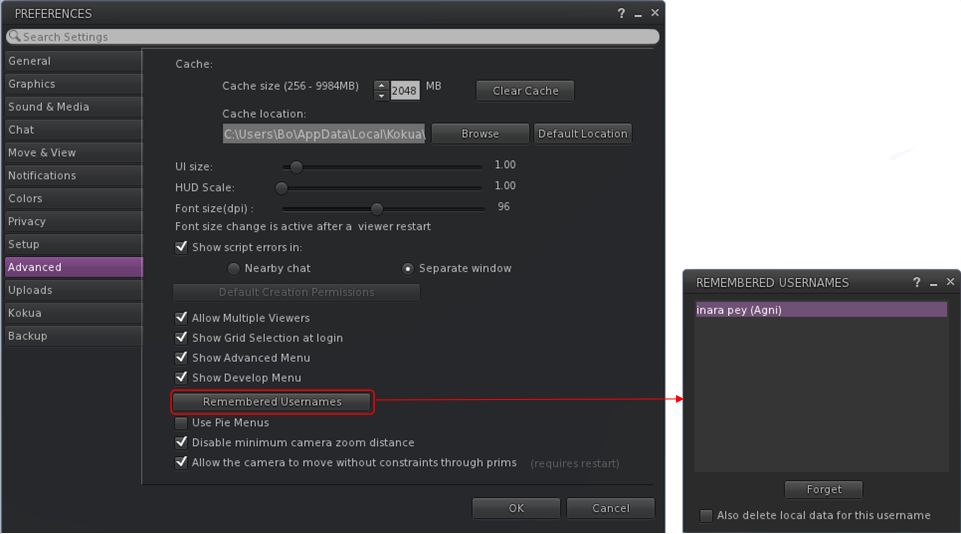
The ability to manage saved / remembered user names is via a new Preferences option, found a a button called Remembered Usernames in the Advanced tab.

  • When clicked, it opens a new floater that lists all user names recorded by the the viewer, together with the grid where they have been used.
  • To delete an unwanted user name, click on it to highlight it, then click the Forget button at the bottom of the panel. If you want to completed remove all local data for the user name, click the check box below the button first.
The new Preferences button and floater to manage remembered users names

This release of Kokua also includes the ability to set media to Ask before playing. As Kokua already has changes which separate parcel audio and other media playing, for the new Ask feature to work you must have parcel audio set to play automatically as well (via Preferences→Sound).

Text Display Options

Previously Kokua used standard size text on script menu text and slightly smaller for menu buttons.

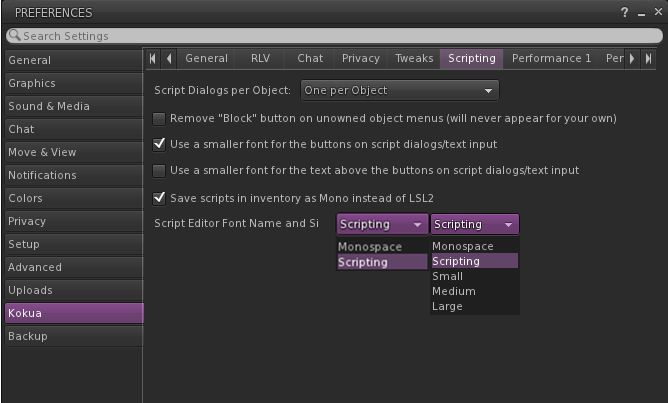
It is now possible to switch between standard/small text for both using new drop-down menus on Preferences→Kokua→Script. The text size control also governs the text size for the informative text on text entry boxes (llTextBox).

The two text size drop-downs and text size options. Note only one or the other can be displayed at any one time. The above is illustrative only

Other Notable Updates

  • World Map land sale information: previously, when viewing land for sale on the World Map, the parcel price would only be displayed when clicking the For Sale tag. This has now been revised so that the sale information is displayed when clicking anywhere in a parcel highlighted for sale.
  • This version of Kokua includes a port of Firestorm’s enhanced World Map region captions
  • It is now possible to enter a land selling price by entering the desired L$/square metre price as well as the total price.
  • The date display for Group Notices has been changed to ISO-style YYYY-MM-DD format which avoids a very old bug where group notice sorting would go wrong for the first few days of each new year (because the previous sort started with the month number so 12 of the previous year got sorted ahead of 01 for the current year).

RLV Specific Updates

  • The mouse pointer in RLV will now only change to a the required icon (hand / sit, etc.), when the action is going to be permitted (adopted from RLVa).
  • If a user is under RLV IM restrictions, a hint is displayed in in the IM window to inform those trying to contact them that IM communications are going to be suppressed. This allows the message to be abandoned without being sent (if it is still sent, the usual RLV message about IMs being blocked will be displayed). A similar hint is sent to Group chats, etc, ahead of the person under IM restriction trying to message others.
Kokua now offers a hint to warn people when someone is under RLV IM restrictions

Other RLV updates in this release include:

  • The name anonymising code for @shownames has been further improved to cope better with situations where one name is a sub-string of another.
  • When ALM is enabled and RLV effects based on changing RenderResolutionDivisor are in effect this used to cause the CPU and/or GPU to sometimes start running at full speed and sometimes could even result in a crash. This is now prevented by automatically temporarily disabling ALM when the RenderResolutionDivisor value gets to a point where ALM would not give any rendering benefits because the whole scene is too “blurred”. This protective code is also in the non-RLV version however RenderResolutionDivisor is less likely to be changed there.
  • The recent introduction of keyword alerts meant that on some occasions where @recvim should have squashed an incoming IM it would get through unaffected

Additional Links

On a Lakeside in Second Life

Lakeside, February 2020 – click any image for full side

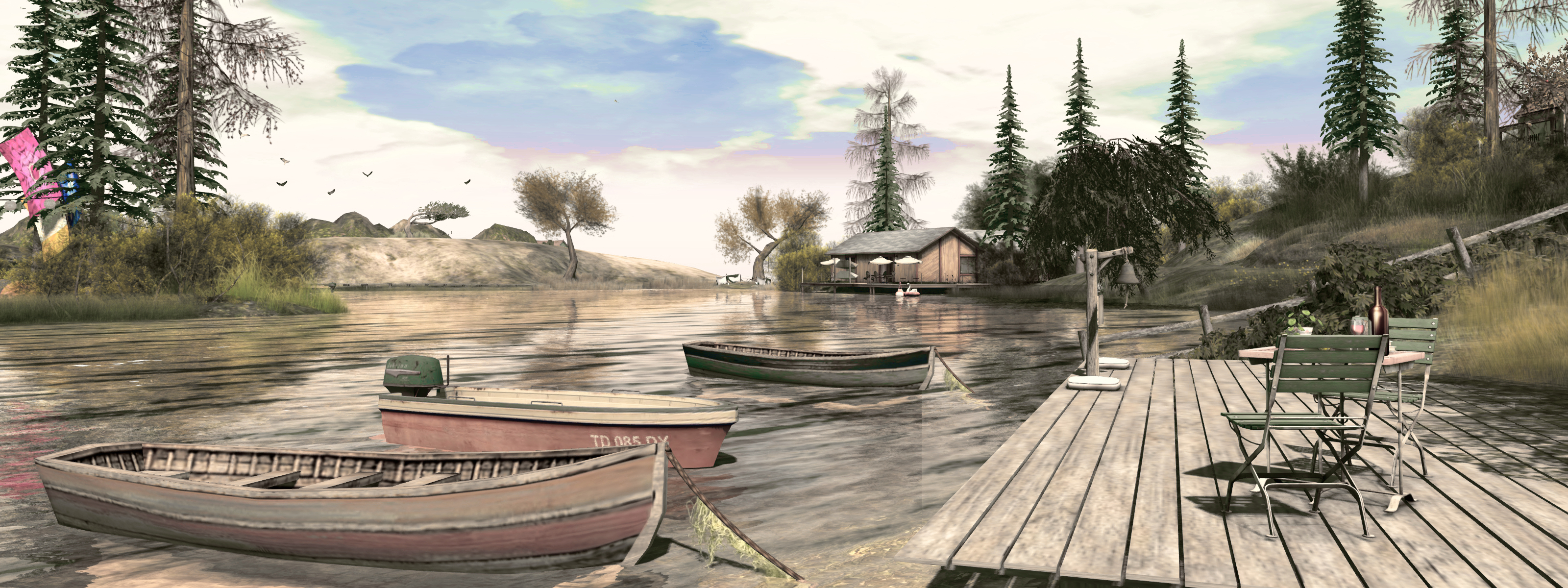
Lakeside is an attractive and somewhat eclectic homestead region designed by Kimmy Sweetwater as a place for exploration and hanging out. The majority of the region is open to the public, but there are rentals to be found within the setting, so some care is needed to avoid invading privacy (or at least avoiding getting a security orb growling at you).

The region takes its name from the fact it is formed around a large lake, one with a central island complete with little holiday camp site. This limits the amount of landmass available to explore – but this doesn’t make the region any less interesting; rather the reverse: it requires a more creative use of the landmass that is still available., which in turn makes exploration more interesting.

Lakeside, February 2020

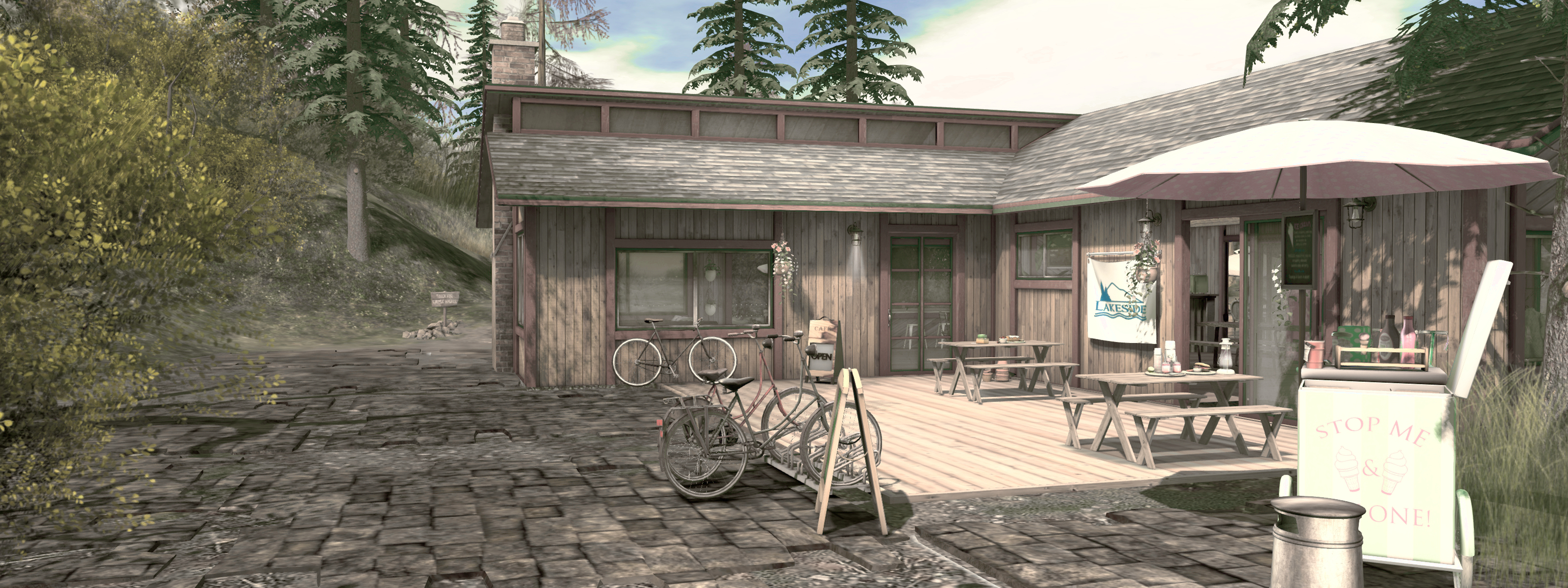
Visitors arriving at Lakeside are directed via landing point to the north side of the region and the waterside café located there. The landing point is guarded by an avatar mover that shifts arrivals away from it in order to prevent avatars landing one on top of / within one another. This helps prevent avatar stacking, but in this case the mover can randomly relocate the odd visitor into the bushes to one side of the trail running past the café.

Take this trail to the west, and it will lead you to a rocky dune that shelters a west-facing beach running the length of the region. Take the same trail eastwards, and it curls past a green hill overlooking the lake. Both the beach immediately beyond the dune and the top of the hill are home to five rentals units: two small cottages on the hilltop, three beach houses raised above the sand. I mention this because it is easy to miss the fact they are rentals, and get an annoyed security orb grumbling at you.

Lakeside, February 2020

Those wishing to reach the public beach to the west can do so in two ways: by scuttling past the beach houses or by following the edge of the lake to where a board walk points the way south, running past a small deck before climbing the spine of the hill to offer a way down to the beach, or onwards to where hills rise in the south-west corner of the region and extend along the southern side. The ridge line above the beach could perhaps do with a little more blending between mesh and terrain when seen from the lake, but while noticeable, it doesn’t massively interrupt the scenery.

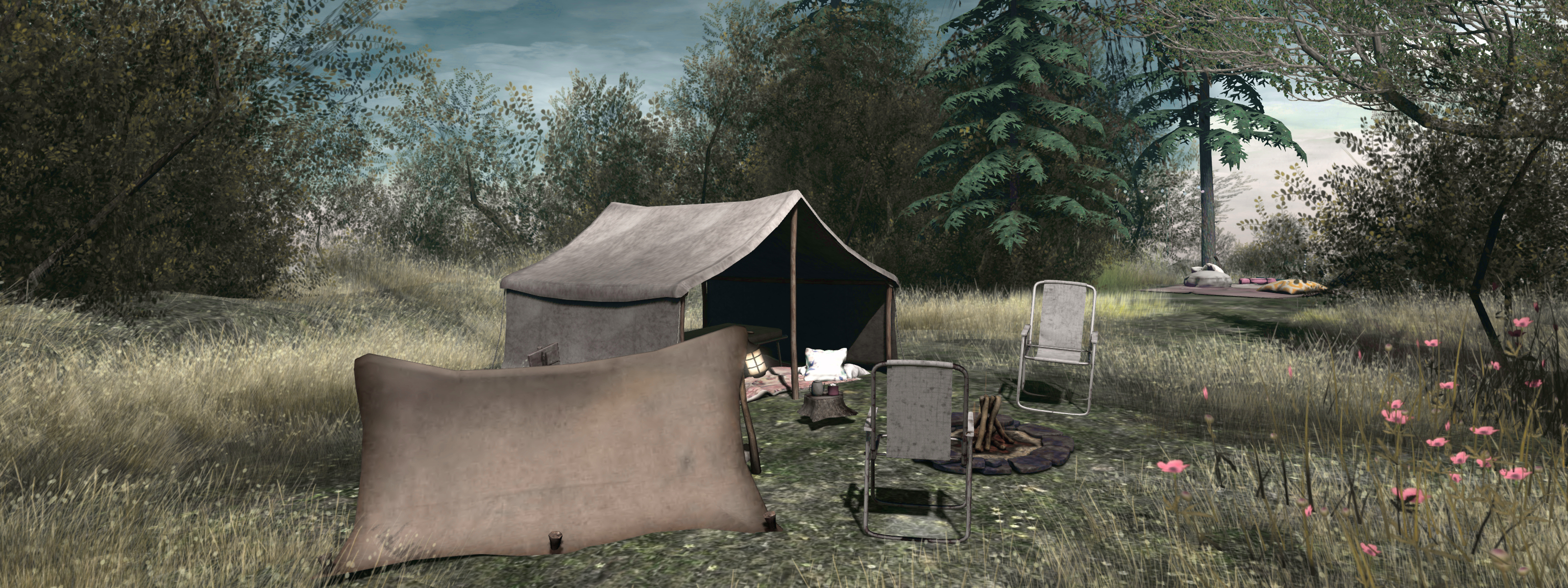
The south-western uplands are home to a camp site amidst the trees and bushes crowning the hill, and to a hidden cavern reached via a single tunnel from the beach. This is home to a large club space, the far corner of which opens out to where a large deck area with seating has been built.

Lakeside, February 2020

The south side of the region is marked by further hills, which in part hide another rental property – easily avoided by following either of the two paths down the slopes and across the narrow tongue of water connecting the lake with the surrounding waters beyond the region. Rising once more on the east side of the region, the hills provide a open-air self-service weddings space (just pay the official L$500 to get started).

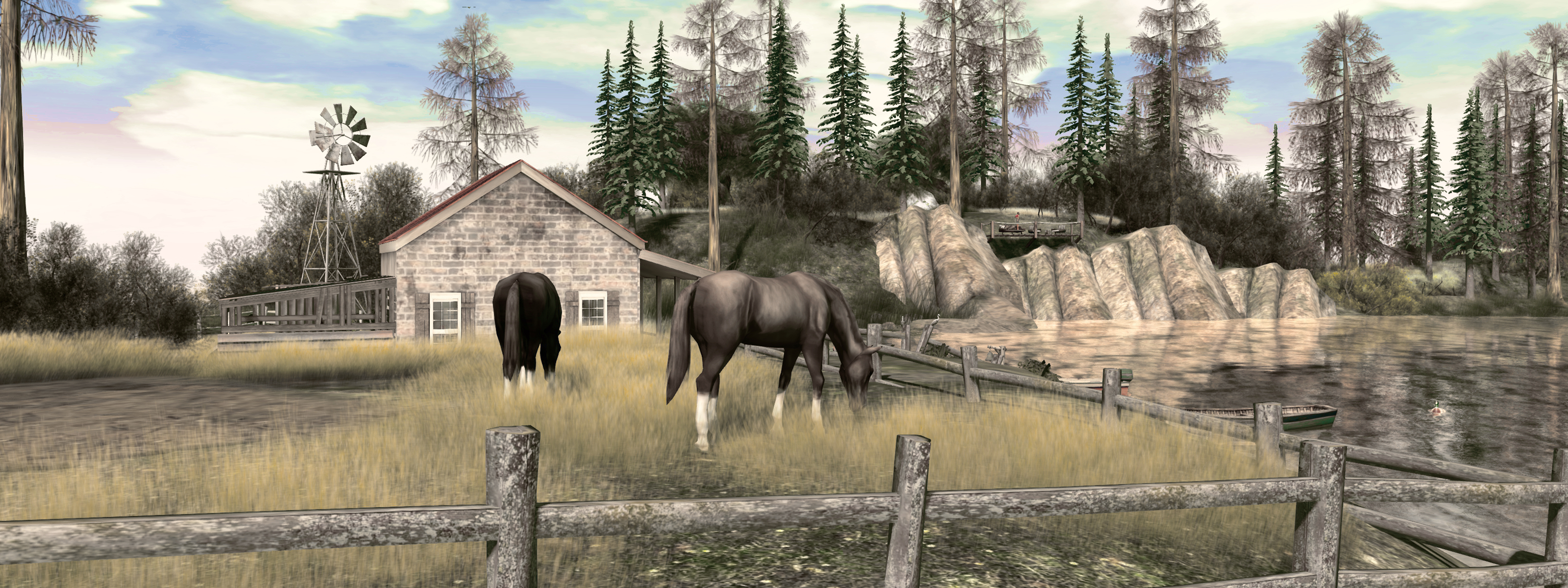
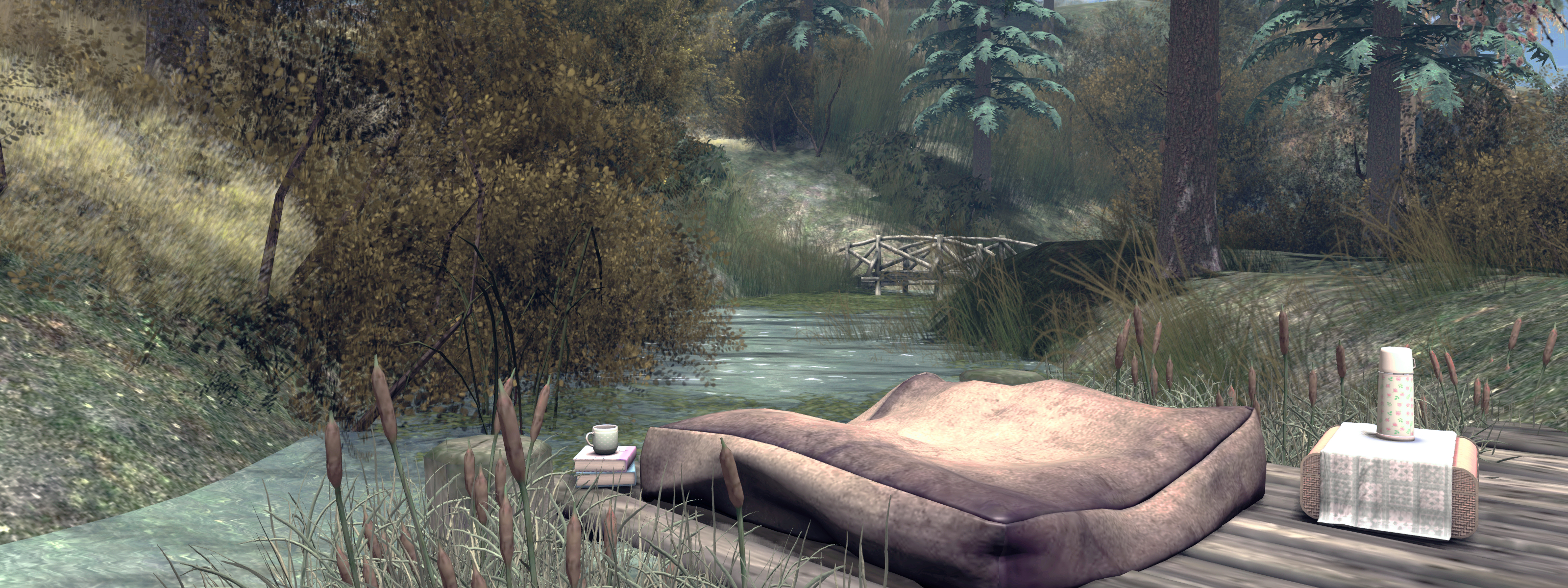
To the east, the land sits between southern and northern hills to form low-lying grasslands marked by what might at first appear to be another private cabin, but which is in fact open to the public, despite the surrounding fencing. This offers further places to sit, notably on the deck extending into the lake waters. Also to be found at the cabin is a Teagle horse rezzer for those who wish to ride around the region (those with their own wearable horses can obviously use them if they fancy a ride around the landscape). For those who want time on the water, there are rowing boats located at the various lakeside decks and offering places to sit, while the landing point café  has a bumper boat rezzer alongside its deck.

Lakeside, February 2020

Overall, a charming, easy-on the eye (and viewer) region, with a lot of opportunities for passing the time alone or with friends. Do note that as this is an adult region, nudity is permitted in places.

Note: the images here do not include the sim surround used with the region, due to issues with it rezzing / rendering.

SLurl Details

  • Lakeside (Roleplay Heaven, rated Adult)

2020 Simulator User Group week #6 summary

Tonarino, December 2019 – blog post

The following notes were taken at the Simulator User Group meeting held on Tuesday, February 4th.

Simulator Deployments

As always, please refer to the week’s deployment thread for updates.

  • A single RC channel deployment is planned for Wednesday, February 5th. Server update 2020-01-30T23:51:10.535702 should comprise support for the upcoming Name Changes capability.
  • All other channels and simulators should remain on server update 2019-12-04T20:29:26.533447.

Linden Lab is considering dropping the date / time stamp from simulator update references, and just leaving the version number (the last 6 digits of the reference – so 535702 and 533447 in the releases above).

SL Viewer

On Tuesday, February 4th:

At the time of writing, all remaining viewer pipelines remain as follows:

  • Release viewer,version 6.3.6.535003, formerly the Xanté Maintenance RC, dated January 22, promoted January 27
  • Release channel cohorts:
    • Camera Presets RC viewer, version 6.3.6.535138, January 24.
    • Love Me Render RC viewer, version 6.3.6.534234, January 9.
  • Project viewers:
    • Copy / Paste viewer, version 6.3.5.533365, December 9, 2019.
    • Project Muscadine (Animesh follow-on) project viewer, version 6.4.0.532999, November 22, 2019.
    • Legacy Profiles viewer, version 6.3.2.530836, September 17, 2019. Covers the re-integration of Viewer Profiles.
    • 360 Snapshot project viewer, version 6.2.4.529111, July 16, 2019.

Brief Notes

  • Rider Linden is working on trying to improve avatar and vehicle region crossings by reducing some of the overheads involved.
  • It has been pointed out that with the on-going work in transitioning Second Life to the cloud, parsing http-in urls is not a good idea.
  • Simulator host names are still liable to include “agni” and “aditi” following the cloud transition, but they will not be at “lindenlab.com”.

Kultivate The Edge: February 2020

Kultivate The Edge: Jamee Sandalwood (l) and MTH63 (r)

Kultivate’s The Edge Gallery opened its first exhibition for 2020 on February 2nd. Specialising in black and white photography, the gallery invites submissions for its monthly exhibitions – those interested can apply here – which means that exhibitions there can be an interesting mix, and such is the case here.

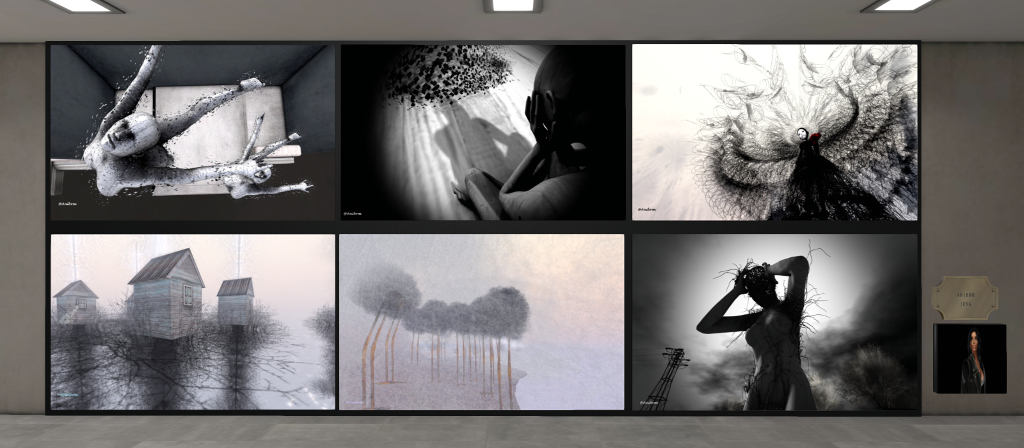
For this exhibition, the gallery presents selections of art by Kapaan, MTH63, Ragingbellls, Wintergeist, John Brianna, Carisa Franizzi, Anibrm Jung, Lena Kiopak, CybeleMoon, Jamee Sandalwood, and Karma Weymann. Together they offer a rich mix of avatar studies, portraits, Second Life landscapes and art studies and photos of physical world locations.

Kultivate The Edge: Carisa Franizzi

When visiting the exhibition I was particularly drawn to Carisa Franizzi’s work, located on the lower floor of the gallery and to the left of the entrance. She offers 20 pieces divided between avatar studies and landscape pieces, with several of the avatar studies being striking in their classic composition and presentation.

Another name new to me is that of Karma Weymann. Her eight avatar studies, located diagonally opposite Carisa work in the gallery, are equally as striking, offering as they do unique glimpses into their subject’s lives. These are pieces that do not appear to have been posed or framed, but stand as moments caught in time – possibly as private moments of fun or introspection.

Kultivate The Edge: Anibrm Jung

I’m going to restrict myself to highlighting these to artists – not because the others are not worth mentioning – quite the reverse, in fact – but simply because they are names new to me, and so tended to attract my attention somewhat more  whilst visiting the exhibition. But make no mistake, this is another attention-holding monochrome ensemble of art well worth taking the time to visit.

SLurl Details