Storie’s Helendale (GlitterPrincess Destiny) has a reputation for producing thought-provoking installations that often combine narrative and art. Such is the case with Kiss Like a Blow, which opened at the Black Label Exhibitions Centre on Saturday, February 9th, 2019.
Reaching the installation is a two-step process: take the teleport sphere from the gallery’s landing area up to the introductory area, where some essential information on the installation can be found – and should be read. Once done, a second teleport sphere will carry you up to the installation proper.
This project was done in regards to No Violence by 2lei … Only I chose to do my own Story, my way. A strange love story, somewhat – twisted. Is this your story?
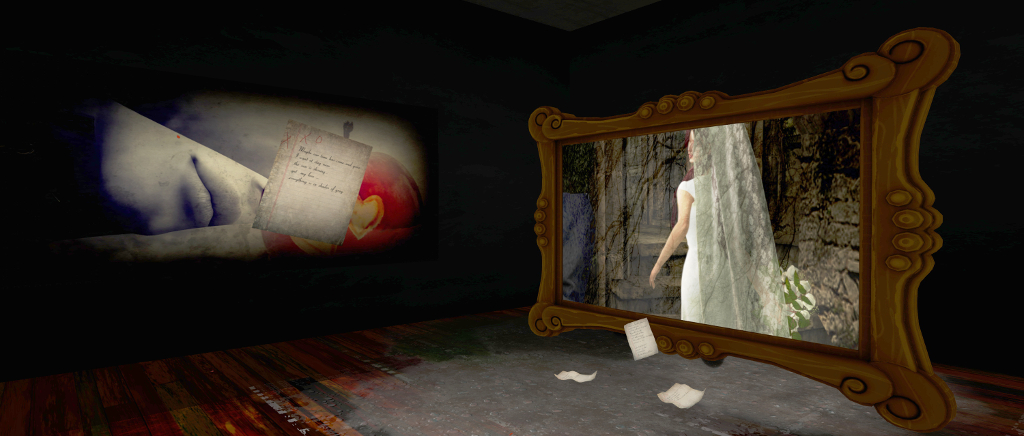
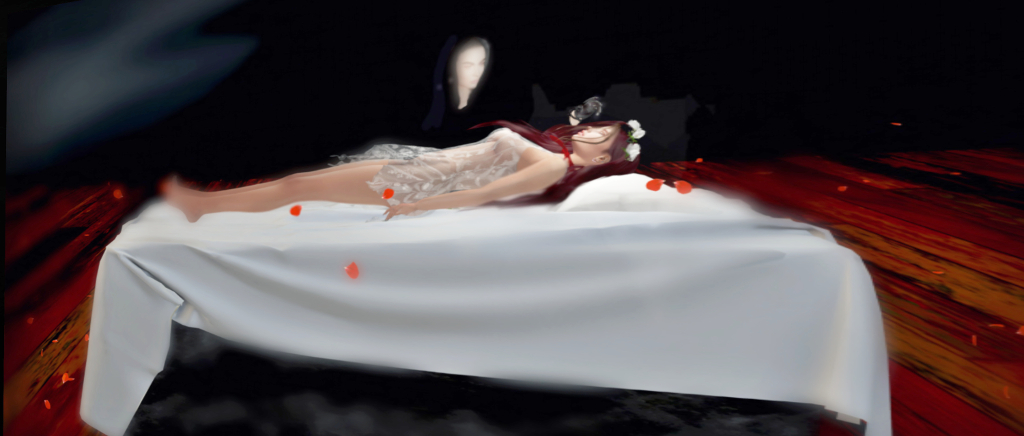
This takes the form of a house sitting within a winter setting – and given the focus of the installation, I would say this winter setting is intentional, as the coldness reflects the core of the story. Within this house are five rooms and six diaries. On the walls of each of the rooms are pictures that tell the story of what should be the happiest day in the lives of two people in love, a story reflected in the diaries.
The latter are to be found throughout the house, at least one per room. Some are hidden in plain sight, others will need to be found. The story they reveal is written from the perspective of the female half of the couple. As Storie’s hints, this is not the usual tale of a couple in love – but it is a story thousands of women will recognise, and one so unfortunately often the subject of news reports.
At 2lei and One Billion Rising (which will once again be taking place in Second Life on Thursday, 14th February 2019), the vast majority of violence against women and girl is of a domestic nature perpetrated by loved one, be they a spouse, a partner, a parent or a relative.
Women caught in these situations are often unable to break out of a cycle of love and violence. It is a harrowing, heartbreaking situation; one in which physical blows are seen by the victim the equivalent of kisses, and manipulation viewed as an expression of love; where the emotional need for love and affection overrules the instinct for self-preservation.
All of this is reflected within Kiss Like A Blow, offered both as a means to bring the plight of so many women into the light – and perhaps a means of holding a mirror to those who might be all too familiar with the story through their own lives, and by doing so, perhaps encourage them take steps to end their own cycle. Hence Storie’s comment: Is this your story?
It’s a dark subject, but one handled with care and concern for the subject by Storie’s. The narrative is presented in blank verse, the images intentionally stepped away from pictures of overt violence – something that makes Kiss Like A Blow a poignant installation.
The following notes were taken from the Sansar Product Meeting held on Thursday, February 7th. The full video of the meeting is available here. This meeting was attended by Ebbe Altberg, so the primary discussion points were around Sansar as seen from the CEO’s standpoint, with some riffing (or should that be Ebbing?) on ideas.
R29 Feedback
The R29 Release was made on Tuesday, February 5th (see here for more). This has largely been positively received. The ability to spawn teleport portals has largely been favourably received, although some experience creators would like an option to block it (to avoid cheating in games, etc.). Ebbe Altberg also expressed some dissatisfaction with it (how it looks, where it appears, what is required to spawn it, etc.), so this could well be changing in the future.
There were some issues with the release, and as a result an update was deployed on Friday, February 8th with fixes for:
Frequent crashing issues caused by various factors.
Some experiences appeared darker or brighter based on the user’s video card.
Unexpected text inputs and modals with no input options may appear when saving store-bought items back into the inventory in edit mode.
Saving an object back to inventory that contains an inventory cluster resource would contain unlicensed info and cannot be sold.
Avatar Turning
The latest release has re-enabled a left-handed snap-turn capability for those in VR (the F5 key). This appears to be related to some aspects of VR control (e.g. a “basic” and “advanced” control mode, although one of them hasn’t really been followed through on.
Strafing vs Avatar Turning
There was further debate on strafing vs. avatar turning. In Sansar, as with SL, the camera is generally positioned behind the avatar and facing in the same direction as the avatar. However, when walking left or right, rather than turning to face the direction of travel, the avatar “strafes” sideways by default with the camera still behind them (see below), unless a mouse / right-click combination is used to turn the avatar / camera.
The default “strafing” motion in Sansar – see as confusing for some new users
While common among various games, this is causing confusion for incoming users (including those from Steam). A suggested solution is to keep the current “strafing” motion the default action, but add a capability to have the avatar / camera turn automatically that users can enable, if preferred.
Ebbe’s Comments
Immediate Focus for the Lab
There are two key areas that the Lab will be focusing on for Sansar over the next (roughly) six months.
“Day Three retention” – increasing the number of users engaging in Sansar beyond their first one or two exposures to the platform.
The introduction of the Home Space / social hub apparently increased “day three” retention by some 50%.
The quest / rewards / achievements system being considered / developed (see my previous Product Meeting notes) is a part of this work.
As per those notes the idea is to boost interest in the platform by propelling users into a space where they are doing and earning things whilst also making friends and discovering other places in Sansar as along the way.
This system will over time be opened up to allow experience creators to also leverage it / participate within it, but this will not be possible straight off the bat.
First step is for LL to build the required infrastructure needed to provide such a system (back-end tools, possible HUD system, etc.), and then get things running.
Avatar enhancements – LL acknowledge there is a lot can could be done to improve the Sansar avatar (.e.g. attachments on custom avatars, MD clothing on custom avatars, skinning, bone deformation, and so on). Some of these may be small-scale projects, others more complex. Time is being given to determining the order in which this work is to be handled and how it should be progressed, which includes seeking feedback from creators.
Avatars will likely be the first element in Sansar to get a level of Detail (LOD) implementation.
One aspect of avatars related to user retention is providing a flow by which incoming users can easily see and understand how they can access the Sansar Store and buy avatar accessories / custom avatars, how they can use the items they have brought on their avatar, etc. It’s not directly clear to first-time users that any of this can be done, and so thought is being given to making it clearer.
Other Points of Discussion
“Sansar is A Virtual World”
The idea that Sansar is a virtual world was a concept that LL has steered away from, referencing it as a “platform for virtual experiences”.
“World” was seen as problematic, as it suggests a wholly contiguous space, a-la Second Life, which Sansar clearly isn’t. It was also hoped that by positioning Sansar as a “platform”, it would maximise the platform’s appeal to a broad cross-section of audiences. However, the Lab are now viewing Sansar as a “world”. This will feed back into into things like user retention, how some capabilities are implemented in Sansar in order to give consistency of expectation / function / immersion across experiences), etc.
An example of the latter is teleport portals. On the one hand, the Lab would like to see these use more for moving between experiences, but on the other they are currently immersion breaking, due to the experience load screen being displayed. Ergo, attempts might be made to try to lessen the impact of scene / experience loading when teleporting between experiences.
Thought also needs to be given to balancing how far experience creators can limit “expected” functionality within Sansar (e.g. preventing free camming or teleport portal spawning) without confusing users. One suggestion is to add icons to the Sansar client to indicate when core options are disabled at experience level (as with Second Life). Ebbe Altberg appeared unfavourable to this idea, citing people don’t look at the icons – something I would personally dispute; if people are made aware of the icons, they will refer to them.
Atlas Sorting
The Atlas initially sorts experiences in a complex manner. In the first place, those experiences currently being visited are listed. After that, a number of factors come into play to determine the listed order of experiences (has the experience had a high volume of traffic recently? what’s the number of likes it has received? etc.).
This has led to some experiences generating regular traffic being pushed down in the Atlas listing in favour of those that have a “one-time” spike in visitors who only stay for a few minutes. LL is aware of this issue, and is working to adjust the algorithm used to sort the experiences ordering in the Atlas (outside of those currently with visitors) help expose those generating steady traffic engagement much earlier in the default listings.
However, a major effort isn’t being put into refining the Atlas overall, as LL would rather have people moving between experiences and discovering places to go from within Sansar (e.g. using portals to link experiences) rather than hopping between immersion and the Atlas.
Collaborative Building
When the Edit mode was moved server-side it was seen as the “first step” towards collaborative building in Sansar. This is still something LL want to provide, but with the focus on user retention, enabling people to work easily together within Sansar’s Edit mode has now slipped to “some day”.
In Brief
Nvidia bug: the Lab has a workaround for the bug in the latest Nvidia drivers that is affecting some Sansar users. It’s not clear whether this fix will be released as part of a patch release or the next major release.
There is a bug that means that if avatars in the scene are not moving (e.g. they are seated), they may not be seen by those entering the experience until such time as they do move.
As well as LOD capabilities, more intelligent use of textures, etc., to reduce the number of draws, and other back-end changes that can be made to help improve performance within experiences, LL also hope to provide creators with more tools that will inform them and help them to make performance-related choices when building their scenes.
In August 2017, Caitlyn and I visited Cocoon, a futuristic, cyberpunk-ish role-play environment established in 2016 – see A cyberpunk Cocoon in Second Life for more. Since then, the entire setting has relocated and has undergone an extensive update. While I didn’t document the previous simulator type on which Cocoon was placed, the new one is a Full region, utilising the added full region land capacity bonus.
Alongside the move, the backstory for the environment has also been updated, moving the clock forward some two years from the August 2017 setting:
It is the year 2489. What’s left of Earth is a by-product of the things that went wrong there. The weapons unleashed in the Transcendence War transformed the surface into a blighted wasteland and forced the refugee remnants skywards, first to floating cities and arcologies in Earth’s upper atmosphere, then further out, to orbital colonies and settlements throughout the solar system.
Cocoon is one of those orbital facilities, an artificial asteroid owned, operated and governed by the Cocoon Corporation. Its primary function is that of a commerce hub, and – if I might borrow from Babylon 5 (one of my favourite Sci-Fi shows) and re-phrase it a little:
It’s a port of call; a home away from home for business men and women, hustlers, entrepreneurs, freighter crews, smugglers, gangs, and wanderers, all alone in the night…
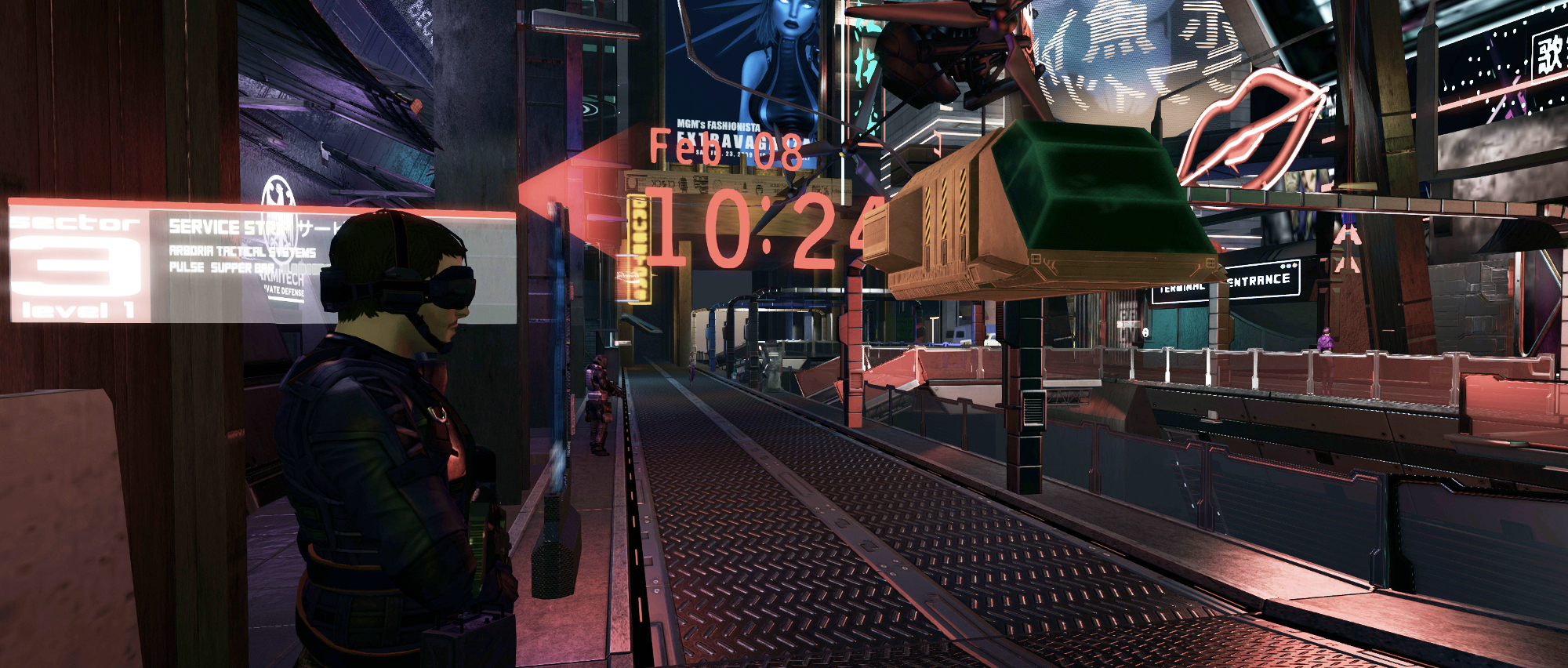
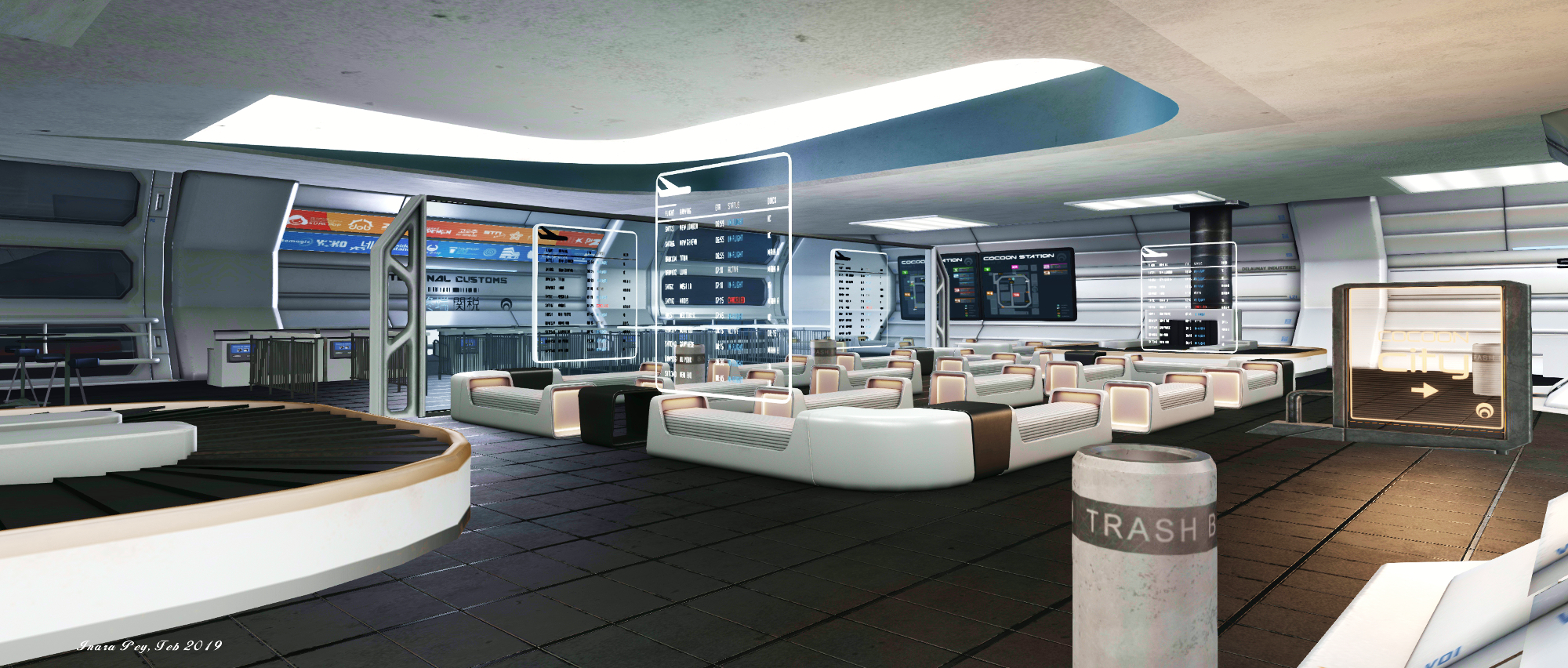
The station itself appears to have been greatly expanded on as well, although many of the locations present from the last iteration we visited remain – such as the walks visitors are delivered to from the main landing point / information area (be sure to collect and wear your OOC visitor tag if just visiting), the Pulse Bar, the Luxxon Hotel, and the extensive road network which Cocoon group members can be ride via bike. However, the overall sprawl of the asteroid city appears to have been extended.
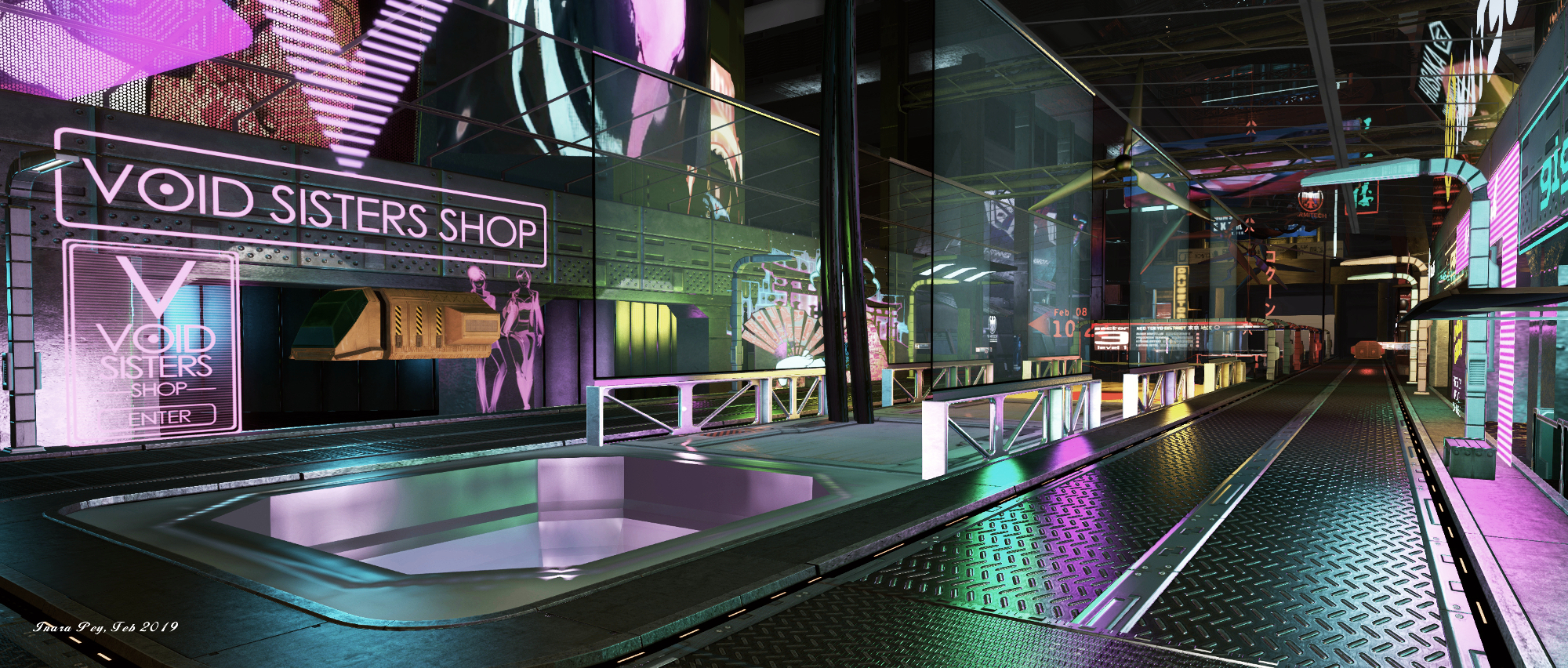
This makes, as I noted when previously writing about the setting, Coccon feel much more of a place – walking the streets with their automated vehicles and interactive non-player character (NPCs) – just touch them to engage with them via a mix of local chat and dialogue menu options – it is easy to become disoriented. Thus, just like any newcomer to a strange environment, you have to spend time gaining familiarity with the city and its various sectors.
It might be a case of mis-remembering, but the city also seem to have far more depth in a literal sense, levels being more stacked one atop the other. This again adds to the feeling this is an entirely artificial construct. In particular, the main terminal building seemed to be much larger and more multi-level; finding your way down to the shuttle teleporter to reach Earth can be a little bewildering, for example, and I don’t recall that from our last visit.
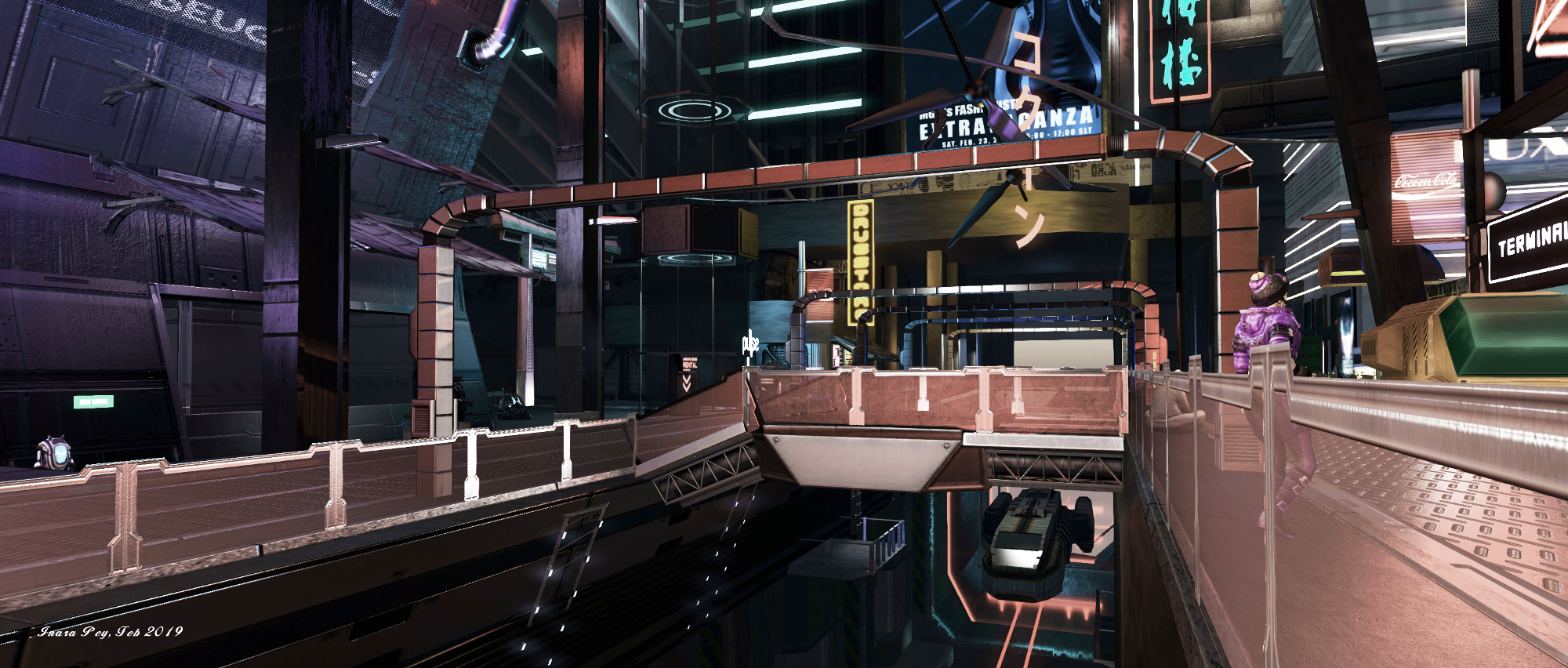
Teleporters are also provided in the form of The Fifth Element style flying taxis. These are either parked on various platforms or parking bays, or can be summoned via yellow taxi call boards. Just select your desired sector and destination in that sector. Within various buildings are elevators. These may operate as actual elevators, as per the one at Pulse, or as teleporters.
One of the aspects of Cocoon I’ve always liked is this blending of influences. There’s the echo of The Fifth Element in the taxis, sense of Blade Runner within Sector 2’s residential strip and within the advertising boards and signs, and there are the Anime reflections throughout. There’s even a slight whiff of the Yorktown star base from Star Trek Beyond with the freighters moving directly below the building and walkways of Level 1.
Again, as I noted last time. this doesn’t make Cocoon in any way derivative, but rather a unique blending of styles and approaches that simply work. And while the city was not quite as active during our more recent visits as it was in August 2017, it still offers an attractive – a pull if you will.
Nor is this all. As Ellie (Mii1a), the prime mover behind Cocoon informed me on our first return visit, a new Lunar setting is being added to the region as a further destination alongside of Cocoon and the remnants of Earth below.
With full information on role-play and the setting available on the Cocoon website as well as at the landing point, Cocoon remains an intriguing place to visit.
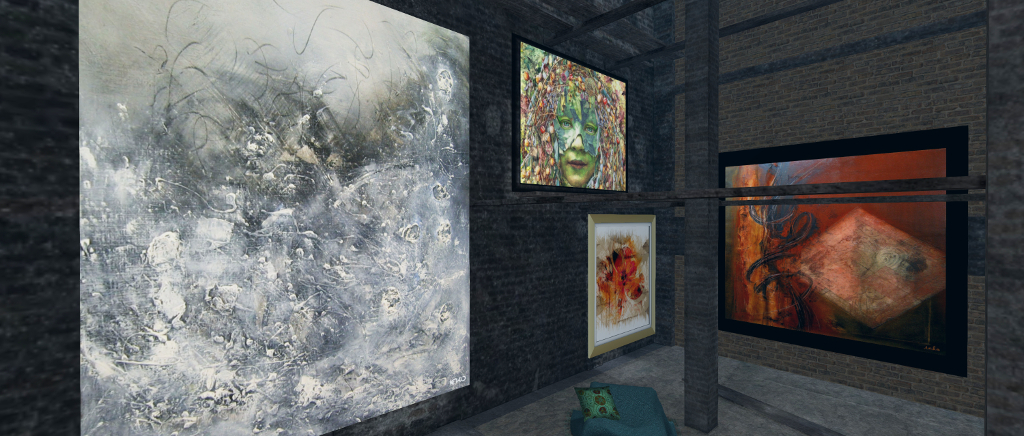
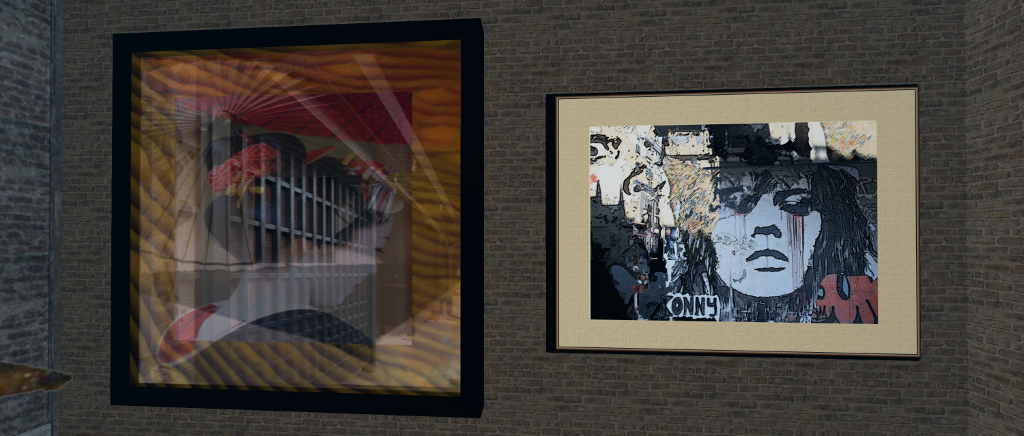
The Art Collector: Ieko Catnap (l and far r), Tigre Milena, and Charles Hera
The Art Collector is the name of Kayly Iali modest gallery of art she has collected in-world over the time she has been engaged in Second Life.
Located on a cosy beach parcel, the gallery has recently been expanded underwater, with an annexe sited beneath the waves and under the sands of the beach itself, leaving only the cabana housing part of the exhibition visible to visitors on arrival. Access to the underwater section of the gallery is gained via a teleporter hidden within a group of three flagstones in the sands of the beach.
The work on display covers both physical world and SL art by a number of artists active in Second Life, including Silas Merlin, Tigre Milena, Ieko Catnip, Milly Sharple, Asmita Duranjaya, John Brianna, and Kayly herself, to name but a few.
The underwater element of the gallery is split into two parts: a wall courtyard and the ruins of what looks to have been a large industrial building, its walls still standing, but the glass of the windows and the tiles of the roof long gone. Art is displayed on both the walls of the courtyard (which also help point the way to the doorless entrance to the building) and within the building itself. Most of the images here are offered in a large format, allowing for detailed viewing.
From the beach, a second teleport offers a way up to a garden in the sky. There is no art offered there (or there wasn’t at the time of my visit), but it does offer a quite place to relax.
On Tuesday, February 5th, Linden Lab issued the latest release for Sansar: The Places You’ll Go (aka R29). This article is designed to provide an illustrative summary of the release, but do note the lack of an VR headset and controller on my part means that any features described in detail here are looked at from the Desktop Mode. For additional details on the release, please refer to the R29 release notes.
Initial Notes
As with the majority of Sansar deployments, this update requires the automatic download and installation of a client update, particularly as it involves changes affecting the Sansar avatar system.
Client Save Account Credentials
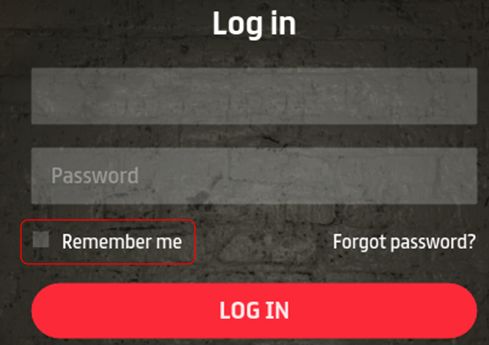
The Remember Me function has changed, and might be inconvenient for people using more than one account to log-in to Sansar (so perhaps disable it?)
With R29, the Remember Me account credentials option has been revised.
When checked, your current account credentials are automatically saved so that if you close the client via the top-right X, the next time you launch the client, you will be automatically logged-in to your Home Space or to an experience directly, bypassing the client log-in screen.
To display the client log-in screen with Remember Me enabled, you must log out via the More Options > log out function.
Uncheck Remember Me if you use more than one account to access Sansar, and wish to avoid having your last-used log-in credentials automatically re-applied to log you in to Sansar.
Custom Animations Re-Assignment
Due to bug introduced in a previous avatar upgrade, a custom animation may have overridden a non-emote animation. So for this release, users must re-assign custom animations to their desired emotes to see the desired results (one time update only).
Group Teleport
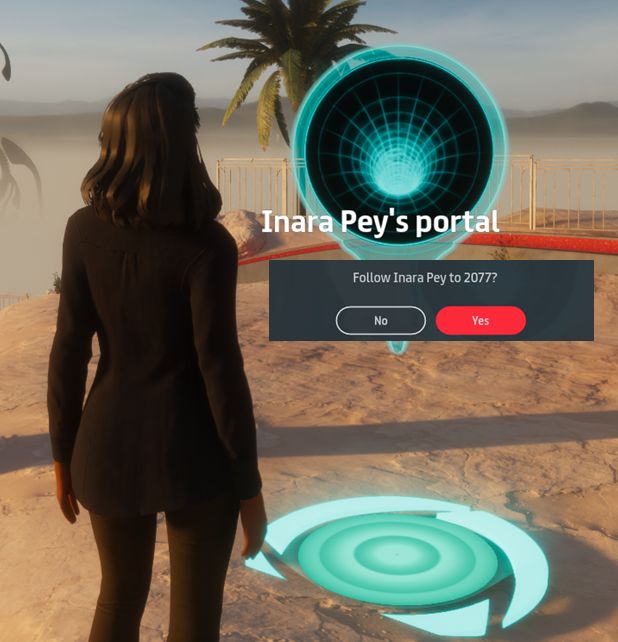
You can now generate your own teleport portals to other experiences using the “/portal” command and a valid experience URL. Hovering the mouse over the portal will display the owner’s name. Clicking on it will ask whether or not you wish to teleport to the selected experience.
R29 introduces a new teleport portal capability that can be used when exploring / showing Sansar with / to friends.
Simply type “/portal” (minus the quotes) followed by an experience URL, and a short-lived portal will appear in front of you, and will remain in place until it times-out after about 2 minutes. During that time, anyone touching the portal will be asked if they wish to teleport to the selected experience. If they select Yes, they will be teleported. Simples.
Notes:
You can only have one active teleport portal at a time. Calling another will immediately delete the one currently visible.
Teleporting between experiences is still via the experience load screen (as with the Atlas and static portals).
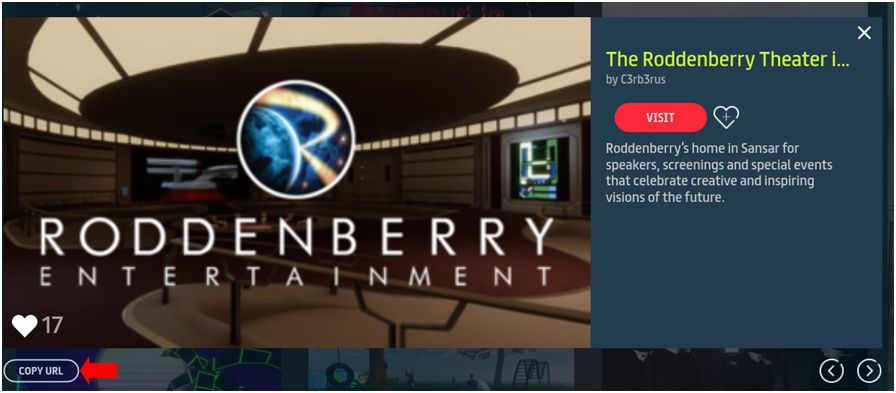
Remember, you can obtain the URL for an experience via the in-client Atlas (GO > Find Places to Go (Atlas)), by clicking the Copy URL button in the pop-up for the desired experience.
You can obtain the URL for an experience via the in-client Atlas (GO > Find Places to Go (Atlas)), by clicking the Copy URL button in the pop-up for the desired experience
In-Client Atlas Auto-Select
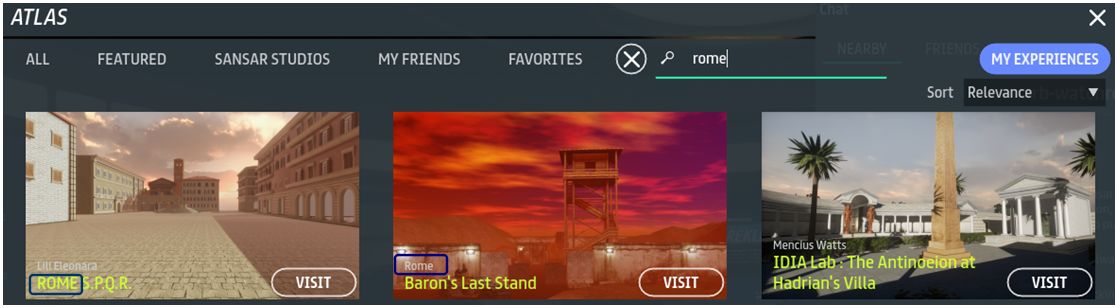
The in-client Atlas search now has an auto-select function that will attempt to list experiences based on what you’re typing in.
Note that this select experiences on various criteria (e.g. experience and creator name and more), so depending on the combination of characters used, you might get some unexpected results.
The in-client Atlas auto-select will offer experience suggestions based on entered text. However, selections can be based on experience name (l) creator name (c) and … something else entirely (metadata?) – note while “Roman” in purpose, the experience on the right does not feature “rome” in the experience or creator names. Click for full size
VR Updates
The R29 release sees:
An updated VR IK system: hand movements should not lag so much against actual hand movements.
A new height calibration UI: this includes options to calibrate your height automatically, manually input your height, and remember your height (pull in the last available setting).
Shop via VR: VR users can now access the Sansar store and shop.
R29: shop via VR. Credit: Linden Lab
Scripting Updates
Script performance in events improved.
Simple Scripts have been moved to Scene Script Libraries.
New scripts added to the script libraries.
New Object Script Library.
Added a Store Listing script to users’ inventory.
Added three new APIs:
Haptic Pulse API – lets a script fire a haptic vibration, so that a controller holding a gun, for example, would vibrate once you pulled the trigger.
Sit Event API – notifies other scripts when an avatar sits or stands. Meaning: if you wanted to make a whoopee cushion noise each time a person sits in a specific chair, you absolutely could.
Media Action API – Allows media actions to be performed on media surfaces. More specifically, it enables interaction with Twitch’s Mature Stream “Start Watching” button.
A new hidden surface algorithm should offer much improved performance when saving an avatar after making appearance changes in the Character Editor.
Feedback
A more modest update in terms of user-visible changes, when compared to recent releases. However, a long list of known issues resolved within it (see the release notes for details). Some nice updates for VR users, but it is the in-world teleport capability for groups that is liable to be particularly welcome.
The new functionality for Remember Me, while handy if you are a sole user of Sansar, feels clunky if you use more than one account with the platform. If you have it enabled, you must remember to perform a “hard” log-out via More Options in order to get back to the client’s log-in screen.
In this respect, it does question why not simply have Remember Me set to record the last-used credentials in the log-in / password fields? Sure, this requires an extra click on the log-in button to access Sansar (and so is perhaps less “seamless”). But conversely, it is both how most clients tend to work and potentially a lot more convenient for those who switch between accounts (although you now have to re-enter your account password).
We visited The Four Villages, a full region utilising the full 30K land capacity, early in January 2019, but its taken me a while to document it. Held and designed by Vita (Vita Camino), the region is region is a mix of public and residential parcels within a themed environment that makes for a pleasant visit.
The residential parcels are grouped into four themed groups, including a beach side area and Mediterranean area, of which more anon. Public areas link these together, offering the means to explore all of then, and with two of them – the beach theme and the Mediterranean – provide something of a community heart.
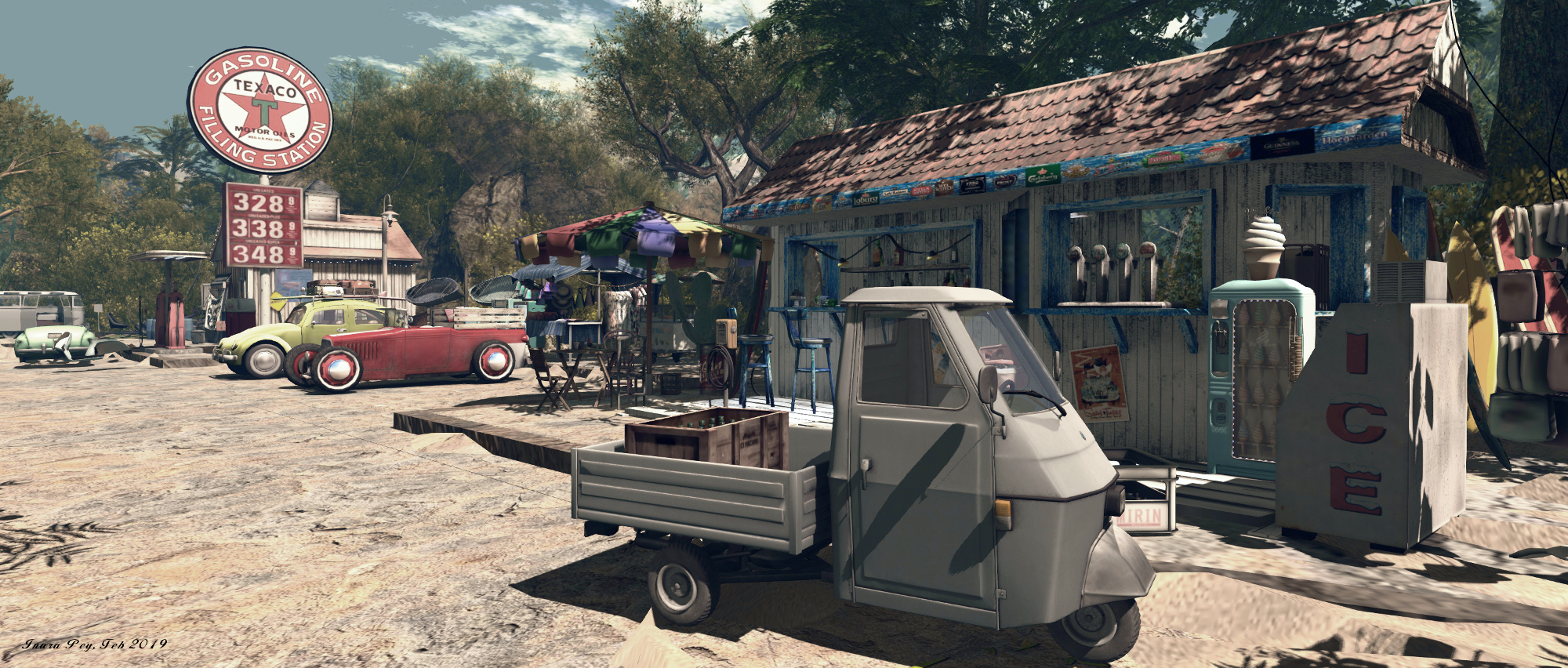
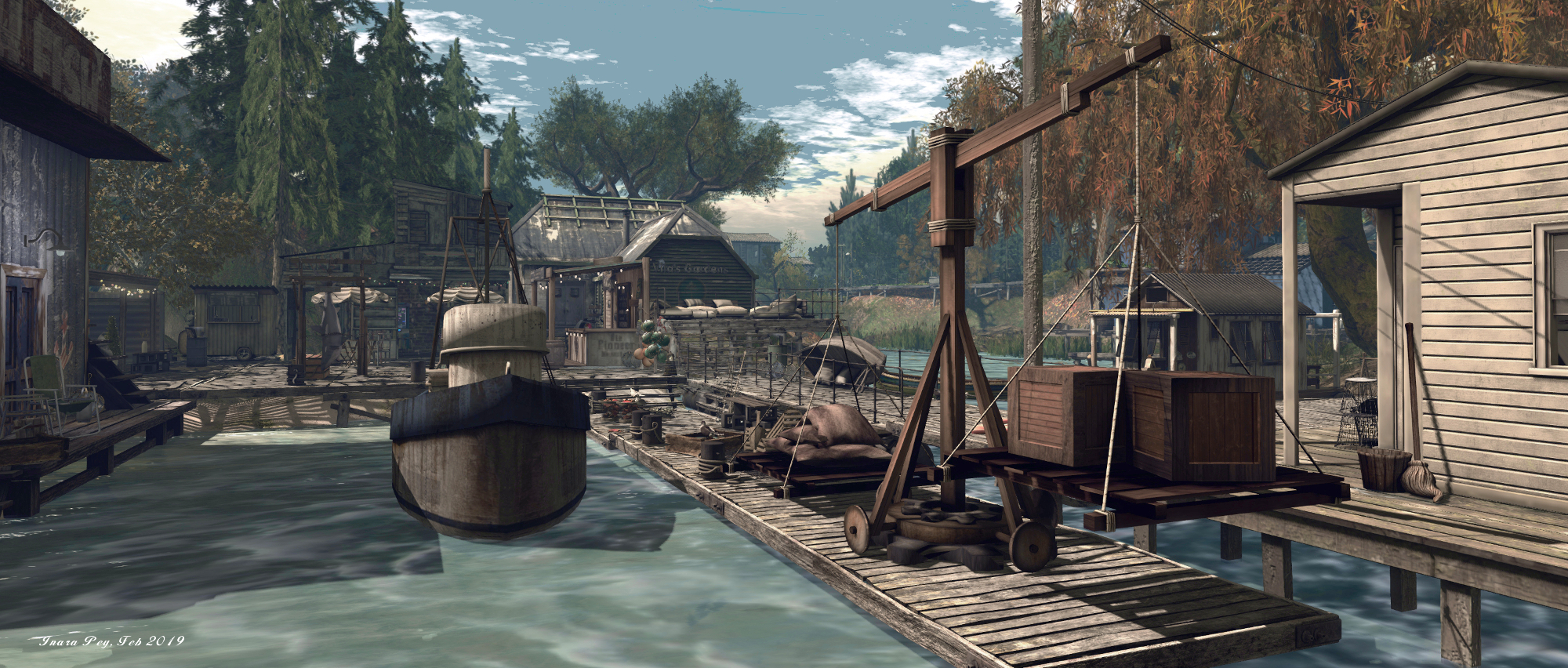
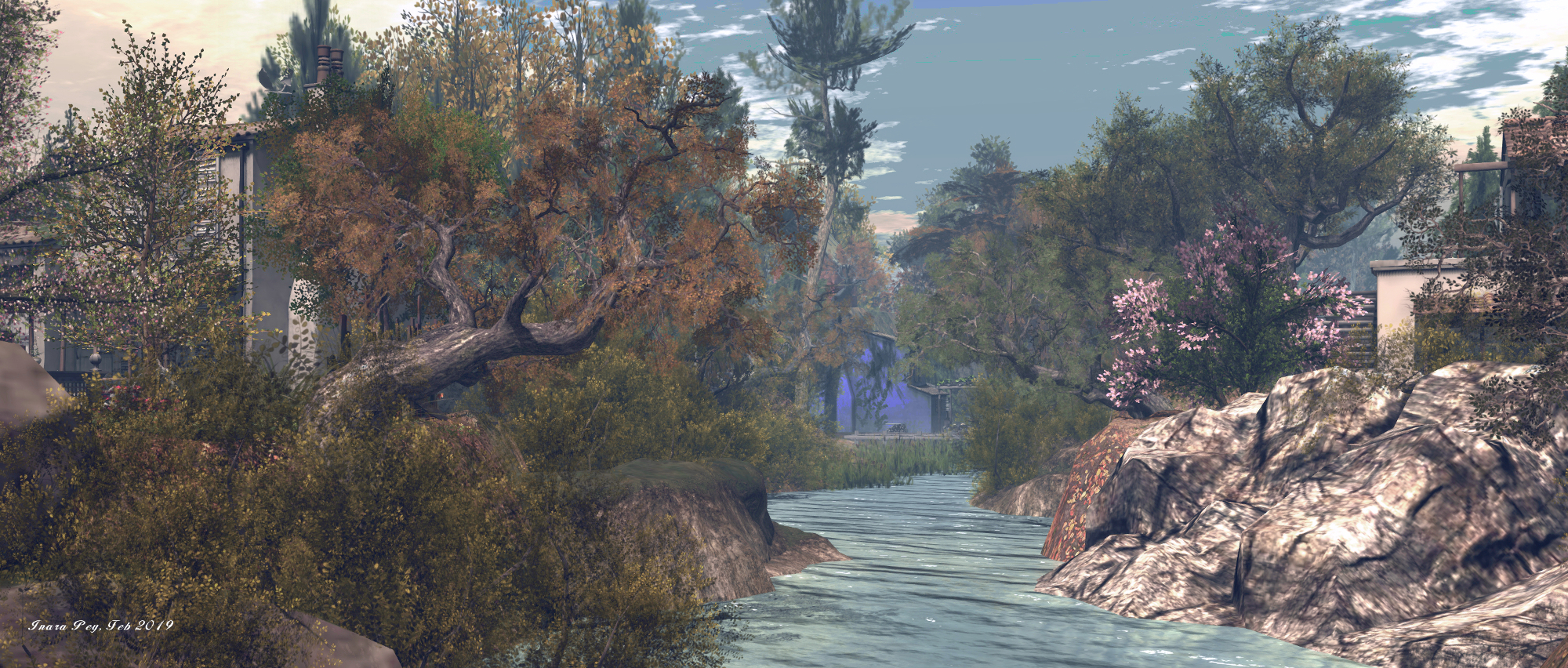
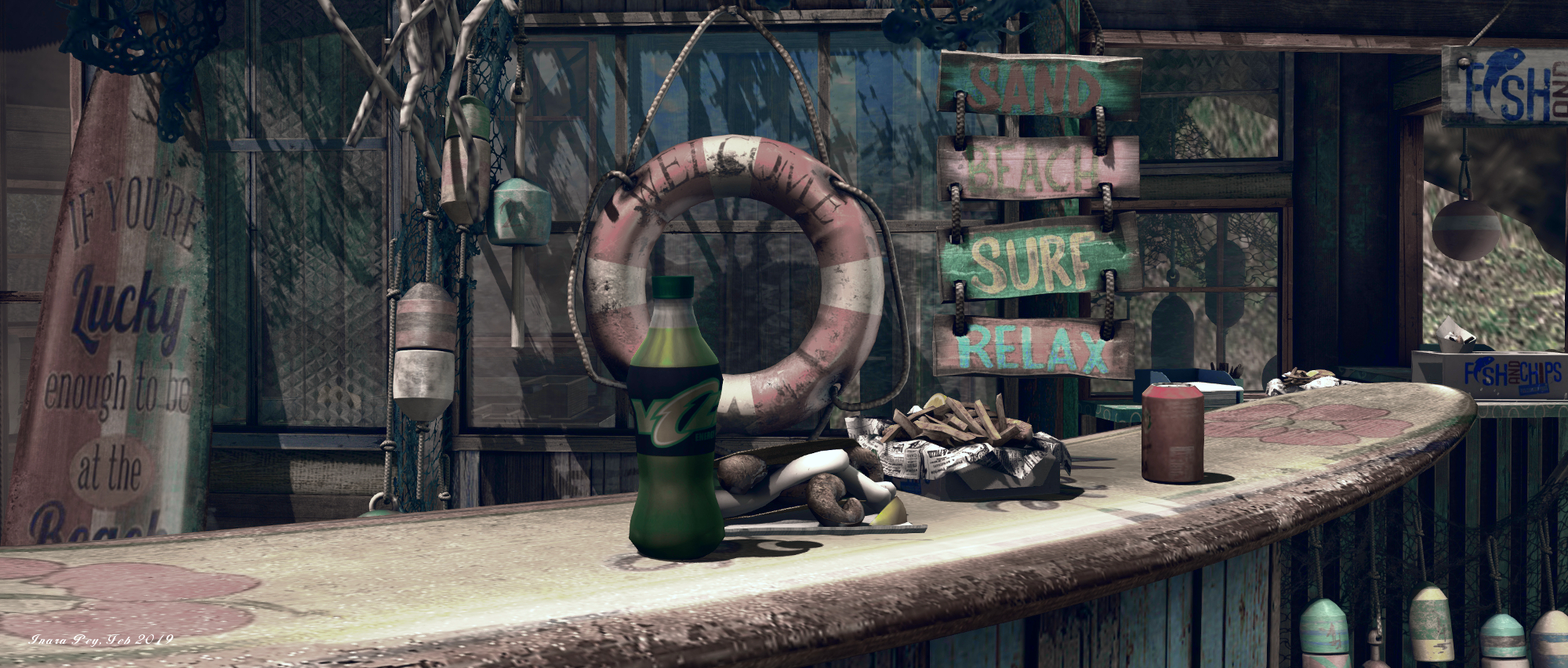
The beach area, referred to as the Beach Club, is located to the east side of the region, includes a sandy road that runs from nowhere to nowhere, offering a landing point. While the road may be short and without real start or destination, it has plenty of character waiting to be explored along its short length. It also overlooks the larger of the two waterways to the north, which is home to a small inland fishing harbour, again rich in character.
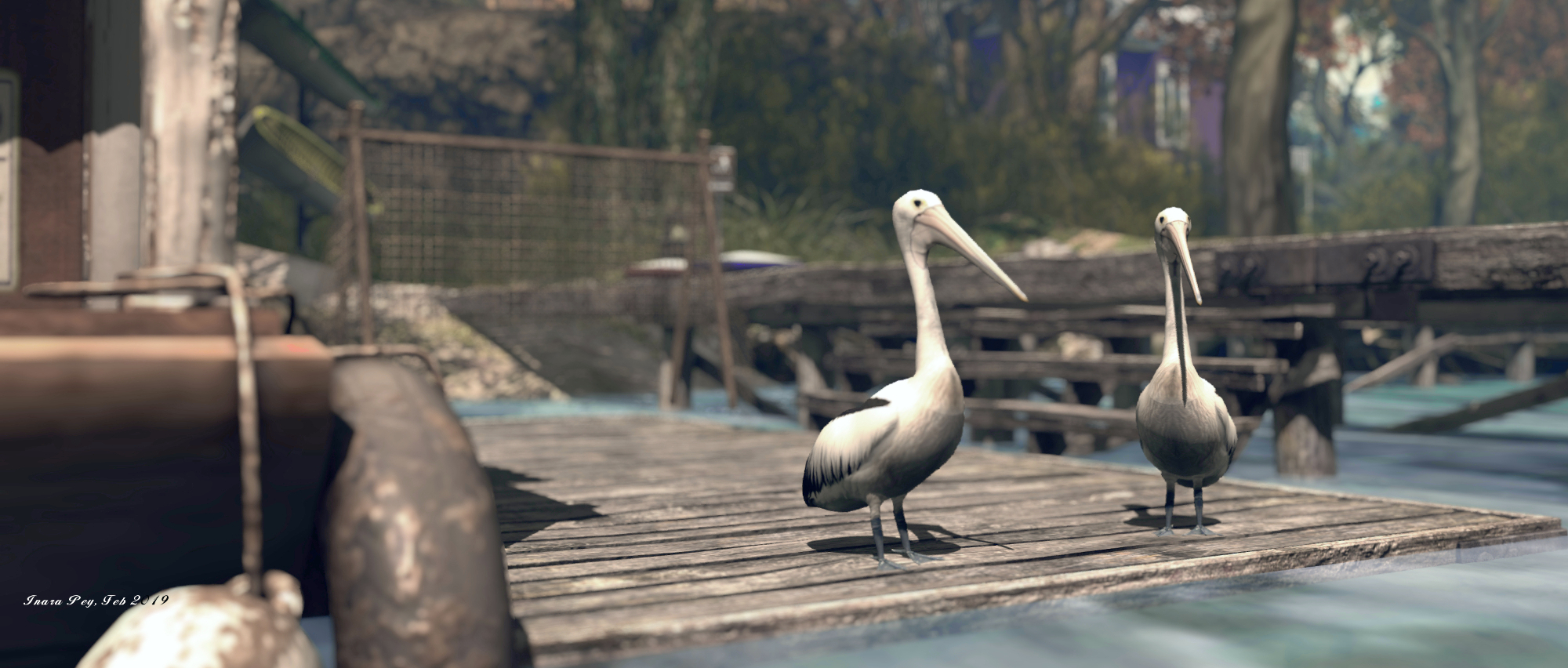
The harbour forms a further focal point that includes a small hang-out area atop a raised wooden deck and the Vitas Gardens office. The piers of the harbour effectively block navigation along the length of the river, but they do provide access to the north side of the land. This is home to the two remaining residential areas, respectively New England and Countryside, and both are landscaped in reflection of their names. A hiking trail extends into this area, raising up from the piers to a chapel, before running east and west – but do keep in mind it both runs by and ends at private homes.
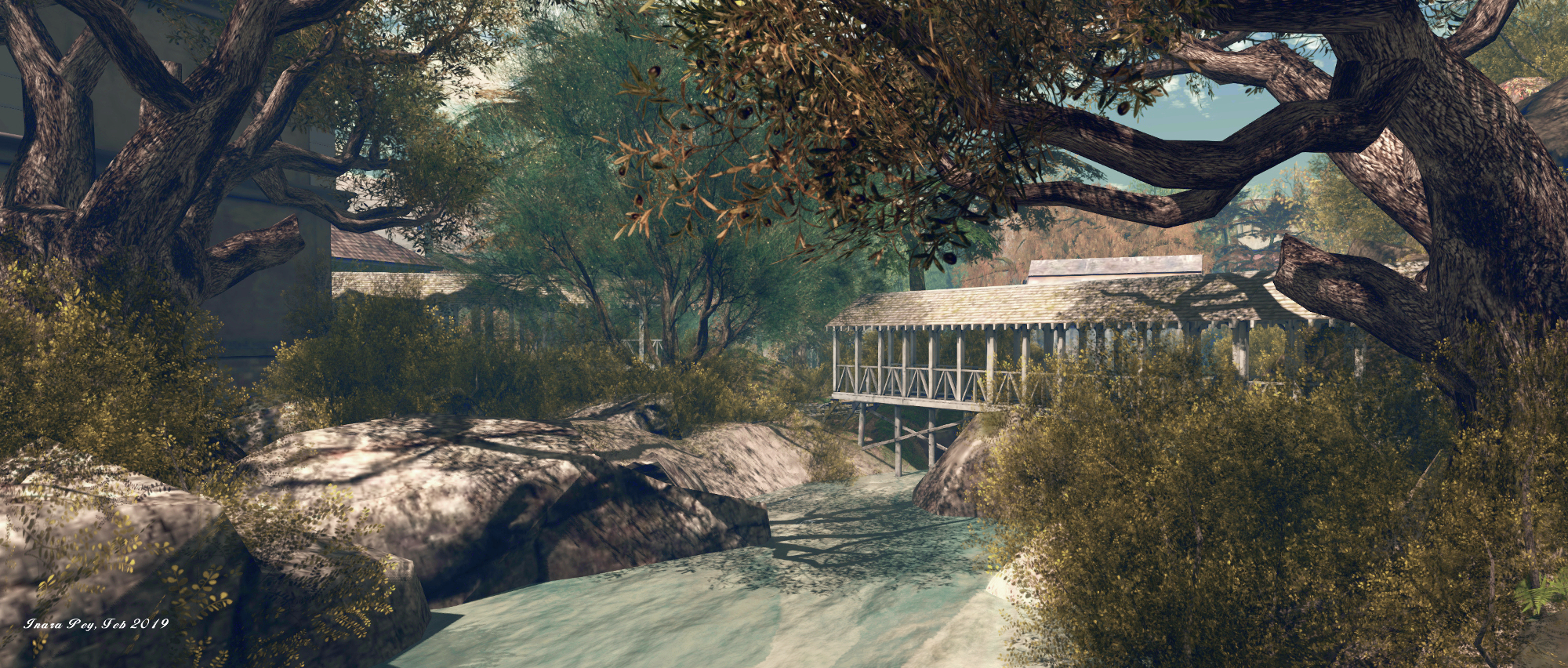
Covered bridges run from the beach area’s road over the second river splitting the region and a small pool. They carry visitors to the Mediterranean residential area – called Little Italy. Bordered by private residences, this offers more places to sit and relax, the opportunity to take a swim. Roman bath style.
To ease getting around the region, the Vitas Gardens offices sitting above the mooring piers offers a teleport board to all four of the residential areas, as well as to the principal public area on the region. If you’re looking for a place to rent, check the mailboxes outside of the residential parcels.
Providing care is taken when exploring, The Four Villages offers plenty to see., and provides numerous opportunities for photography, making for a pleasant visit.







 Inara Pey: Living in a Modemworld