SL project updates week 32/2: Content Creation UG

Content Creation User Group Meeting, Hippotropolis Camp Fire Circle

The following notes are taken from the Content Creation User Group meeting, held on  Thursday, August 10th, 2017 at 13:00 SLT at the the Hippotropolis Camp Fire Circle. The meeting is chaired by Vir Linden, and agenda notes, etc, are usually available on the Content Creation User Group wiki page.

Medhue Simoni live steamed the meeting to You Tube, and his video is embedded at the end of this article. These notes present the meeting in terms of topics discussed, rather than a chronological breakdown of the meeting, so the provided time stamps may appear to be out of sequence in places. All time stamps are provided as links which will open the video in a separate browser tab, allowing the discussion to be heard in full.

Note: Due to Vir’s time on vacation, the next official CCUG meeting will be on Thursday, August 31st. Details will be posted on the wiki page.

Project Summary

The goal of this project is to provide a means of animating rigged mesh objects using the avatar skeleton, in whole or in part, to provide things like independently moveable pets / creatures, and animated scenery features via scripted animation.

  • At this point in time, this is not about adding fully functional, avatar-like non-player characters (NPCs) to Second Life
  • Animated objects will not (initially):
    • Have an avatar shape associated with them
    • Make use of an avatar-like inventory (although individual parts can contain their own inventory such as animations and scripts)
    • Make use of the server-side locomotion graph for walking, etc., and so will not use an AO
    • Use the avatar baking service
    • Be adjustable using the avatar shape sliders
  • The project may be extended in the future.
  • It will involve both back-end and viewer-side changes, likely to encompass new LSL commands to trigger and stop animations (held in the object’s contents)
  • It will most likely include a new flag added to an existing rigged object type in order for the object to be given its own skeleton.

Recent Progress

[06:05] Alexa Linden is leading the product side of the animated objects project, and is working on build documentation for the viewer, test plans and related information, etc., for LL’s internal use.

[30:32-31:45] Will it be possible to attach a rigged mesh (e.g. clothing) onto an animated object? If it is rigged mesh, it doesn’t actually need to be an attachment; it can just be specified as a part of the linkset comprising the animated object, and animated against the same skeleton. However, static attachments will not be initially supported with animated objects.

[33:28-34:56] Animesh and sliders:  it’s unlikely that slider support will be implemented for animated objects in the sense that you right-click on an animesh, edit its shape and then adjust the sliders as with an avatar. What would be more likely is to allow body shapes which already contain all the slider settings to be taken and applied to animated objects to given them a desired shape.

This work will likely follow-on for the current project and the work with the baking service, as it would require baking service support to work correctly, just as body shapes for avatars are currently supported through the baking service.

[36:12-36:58 and 37:44-38:10] There is no time frame on when the viewer will appear, but the Lab wants to build on Bento’s experience: get a test viewer out, gain feedback and suggestions, and then improve on it. This doesn’t mean everything people would like to see associated with animated mesh reach the viewer – or at least in one release of the viewer -, but the idea is very much on collaborative efforts to develop the capability. Internal testing the viewer has revealed a couple more things which need to be tackled before its made more generally available (and, of course, test regions need to be established on Aditi).

[57:16-58:05] Performance impact with animated objects won’t really be understood until more widespread testing begins with a public project viewer. There will be some limitations places on animesh intended to help reduce any negative impact (e.g render cost, land impact, maximum number allowed in a region, etc.), but these are all still TBD at this point in time.

Rendering Cost Calculations

[07:29 – 08:25] Related to the above (but not confined to animesh) and as has been previously noted in a several of my SL project updates, the Lab is re-visiting how the rendering cost calculations are handled within Second Life, and Vir has most recently been involved in this work. The aim is to make the calculations a lot more reliable and accurate when establishing the render cost of objects, and thus possibly encourage people to make more efficient content. This work will involve both internal testing by the Lab and “external” testing involving users.

Project EEP (Environment Enhancement Project)

Project Summary

To enhance windlight environment settings and capabilities, including: making environment settings an inventory asset (so they can be sold / bought / swapped); the ability to define the environment (sky, sun, moon, clouds) at the parcel level; LSL scripted support for experience environments / per agent; extended day settings (e.g. having a 24-hour day for a region and 7-day cycles) and extended environmental parameters (possibly including Godrays, distance fog, etc).

See also:

[12:44-13:50] Rider has been busy with other projects since the work was first announced, but will hopefully provide updates when the work resumes.

[44:15-46:32] Further summary of the work by Rider.

Bakes On Mesh

Project Summary

Extending the current avatar baking service to allow wearable textures (skins, tattoos, clothing) to be applied directly to mesh bodies as well as system avatars. This involves server-side changes, including updating the baking service to support 1024×1024 textures. This may lead to a reduction in the complexity of mesh avatar bodies and heads.

Recent Progress

[22:33-23:12] Work is progressing. The updates to the baking service to support 1024×1024 textures are currently on internal testing by the Lab using at least one of the development grids. It’s in a “pre-Aditi” (Beta grid) state, but will hopefully be moving forward soon.

Other Items

Note that some of the following are the subject of more extensive commentary in local chat.

[11:46-12:40] Adjustable walk / run speeds: (see: feature request BUG-7006 for example) nothing happening on this “immediately”. The JIRA has been pulled in by the Lab as it may tie-in with some work being considered for animation playback. However, things are unlikely to be looked at until the next round of animation updates, which will include supplemental animations. The specs for this work have to be fully determined.

Alexa Linden: Product Manager for Animated Objects (Animesh)

[16:29-17:00] Increasing script memory limits: not currently on the roadmap.

[18:00-19:35 and 21:36-22:15] Development kits for the default mesh avatars: in short, nothing planned on the Lab’s part at present. There are, of course, various models and samples available through the Bento wiki pages which might be useful as teaching tools.

[23:14-29:56] Adding further bones to the avatar skeleton for clothing, etc / custom skeletons: adding further bone to the avatar skeleton is unlikely. As it is, the additional Bento bones – if carefully used – can be re-purposed for a wide variety of uses beyond their default names, including in clothing, etc., although custom animations will be required as well. However, this can – within limits – allow creators to build semi-customised skeletons.

A particular consideration with custom skeletons is the issue compatibility between different objects wanting different skeletons, it makes it much harder to ensure different avatar part work together smoothly (e.g. a pair of wings from one avatar working with the quadruped body of another).

[25:33-26:02] Near-term roadmap: the current near-term roadmap for content creation features is; animated objects (animesh), bakes on mesh, then a follow-on to allow bakes on mesh to be used on animesh objects together with some additional features, in order to enable more NPC-like character creation.

[49:44-50:34] Dynamic mirrors: (see STORM-2055) these continue to be periodically raised at meetings, the Lab remains disinclined to implement anything on the grounds of performance impact, particularly as dynamic reflective surfaces would, in all likelihood, be used indiscriminately by many.

[50:45-51:41 and 53:24-54:54] Terrain texture resolution and adding materials to terrain: SL terrain textures suffer from having a relatively large pixel size/ low pixel density, resulting in terrain looking blurred. This can be exacerbated when default terrain is mixed with mesh terrain, where the latter can use the same textures and benefit from the use of materials.  Currently, there is nothing on the SL roadmap for making changes to SL terrain textures.  The pixel size / density issues is seen as a non-trivial fix, given the impact it would have on terrain as a whole and how it may affect those using custom textures on their land.

[59:10-1:01:20] Lab-provided building learning centres: the question was raised about the Lab providing more in-world locations where people could learn about building in SL (“building islands”). There are already a good number of user-provided areas in SL, however, the idea here is to provide more of a self-teach facility (think the Ivory Tower of Prims) rather than one which relies on classroom based teaching, and which includes the best practices, access to test models, etc. Alexa said she’d run the idea past the LDPW team.
An August return to Yasminia in Second Life

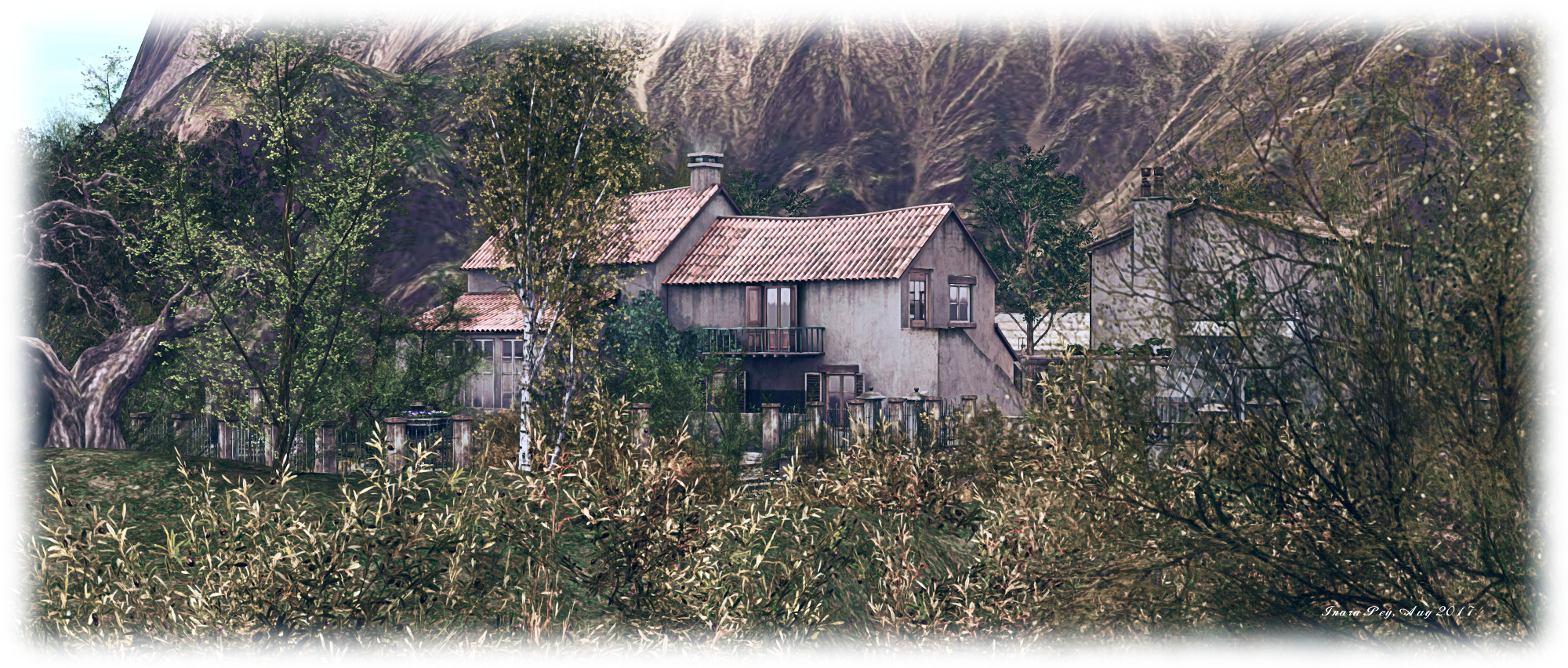
Yasminia, Yasminia; Inara Pey, August 2017, on Flickr Yasminia – click any image for full size

It’s been almost a year since Caitlyn and I first visited Yasminia, the homestead region designed by Busta (BadboyHi). At the time, he’d opened the region to the public for a limited time and was planning to close it once more. However, such has been the response from visitors, he decided to leave it available to public access and continue to offer people a chance to visit – and I’m happy to report it remains open to all.

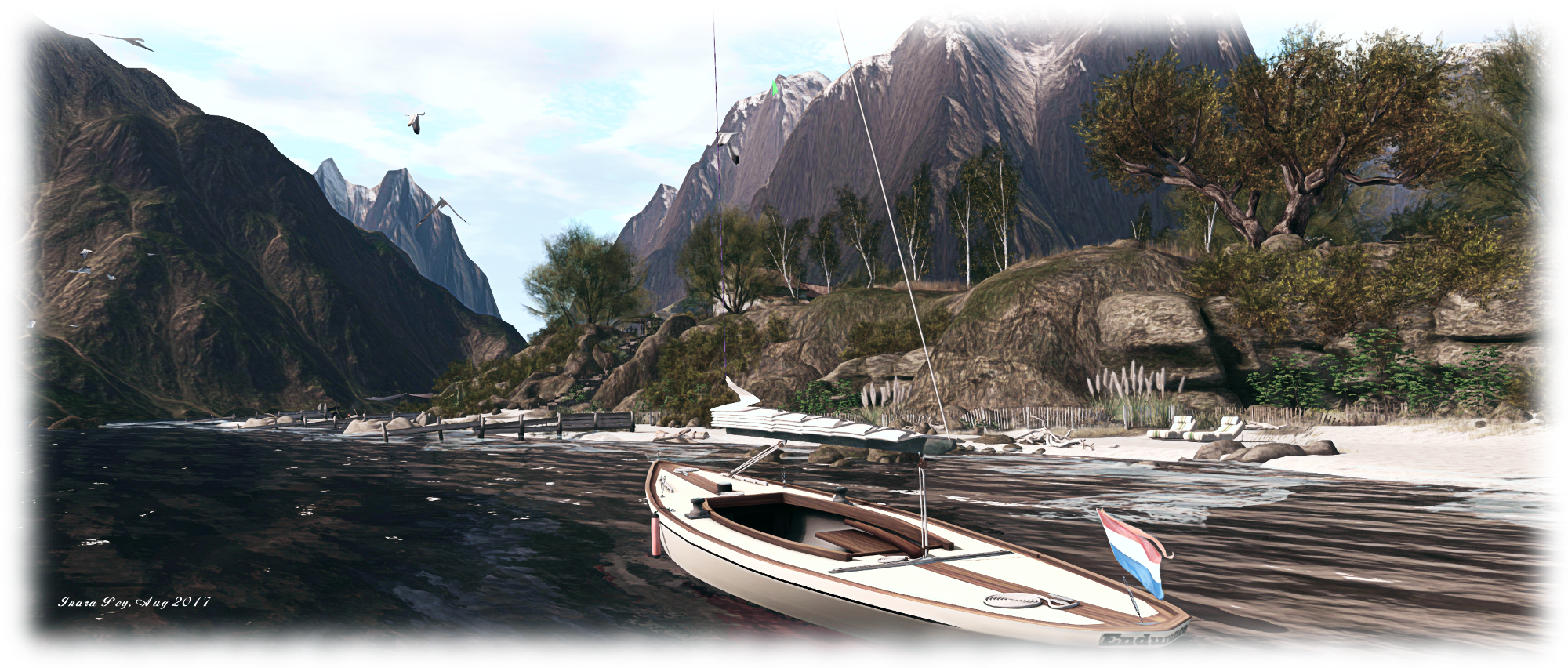
Beack then Yasminia was a very pastoral setting with open fields and horses grazing, offering visitors a photogenic delight. Today’s Yasminia is very different look – albeit one no less photogenic. The largely pastoral setting has given way to one that is more mixed – still rural, but with the corner of a small town poking into it, suggesting a place where the countryside meets a more urban setting.

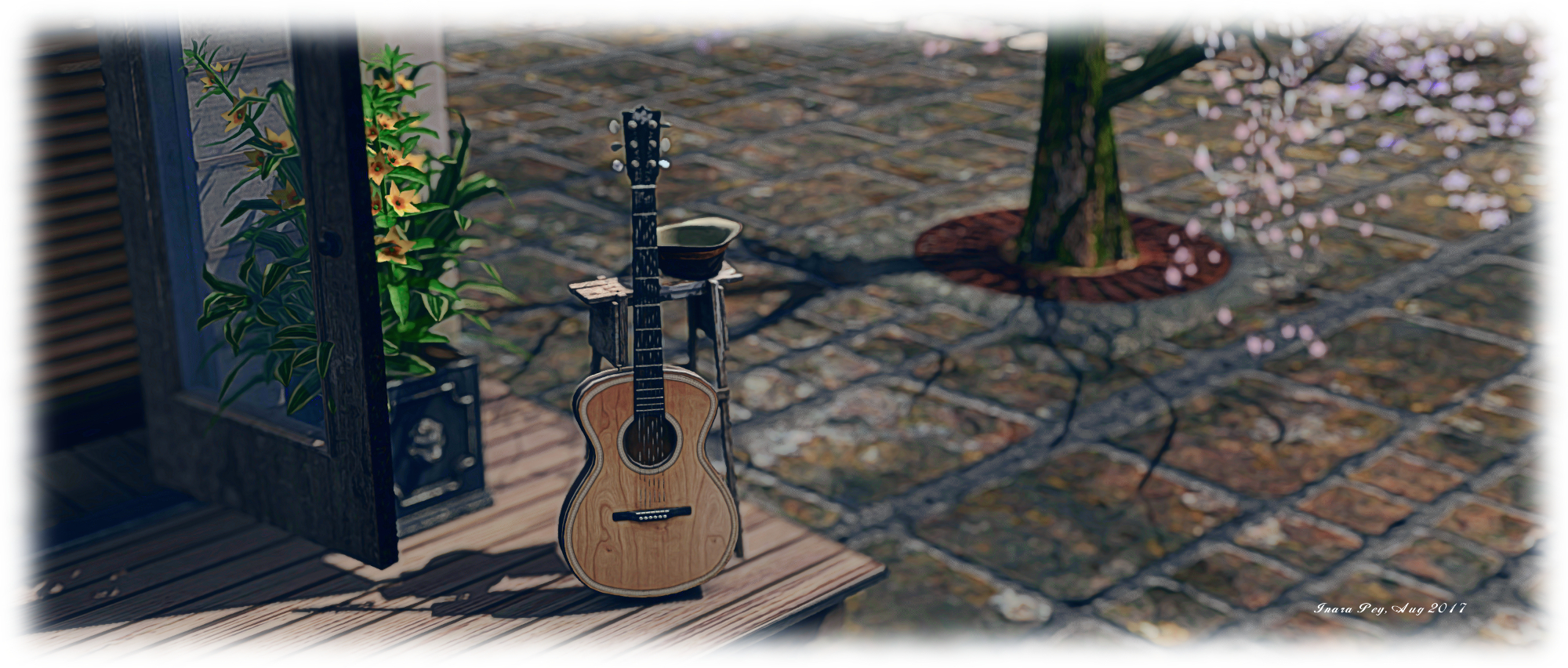
Yasminia, Yasminia; Inara Pey, August 2017, on Flickr Yasminia

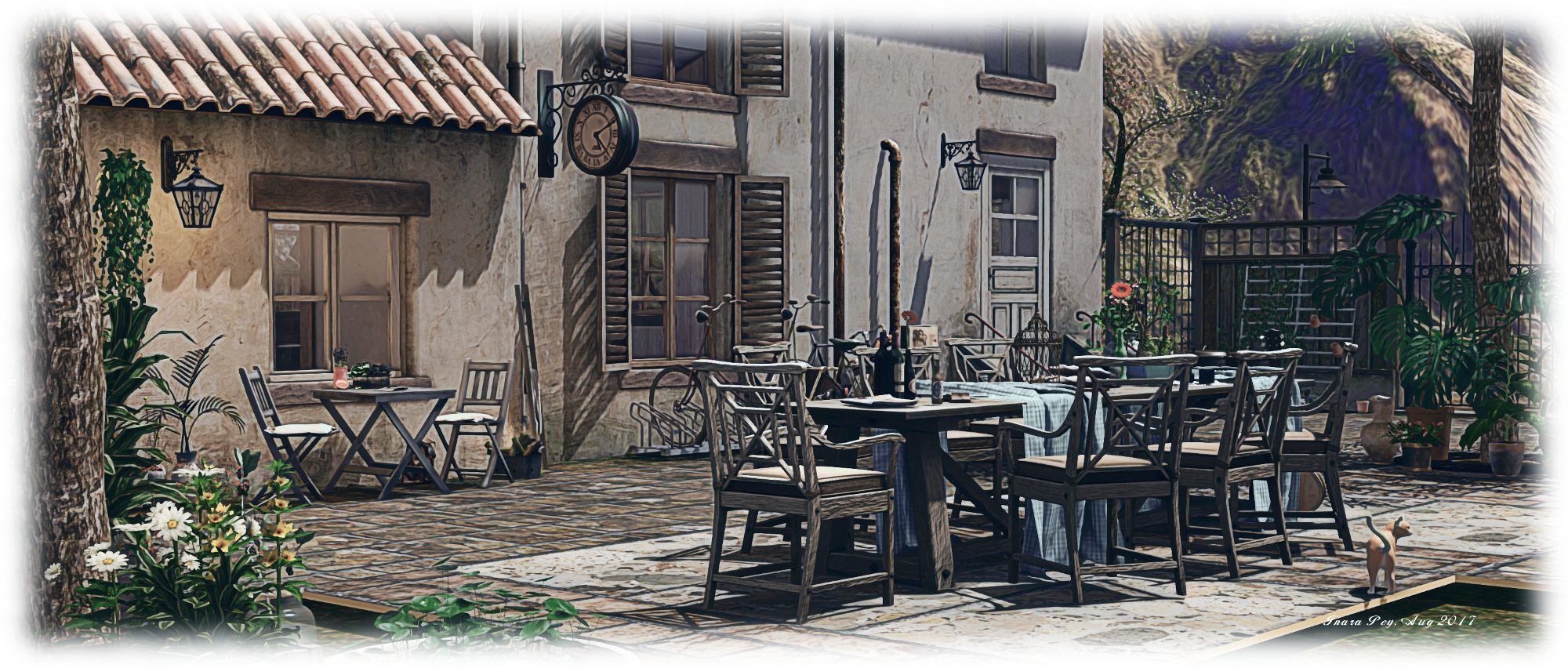
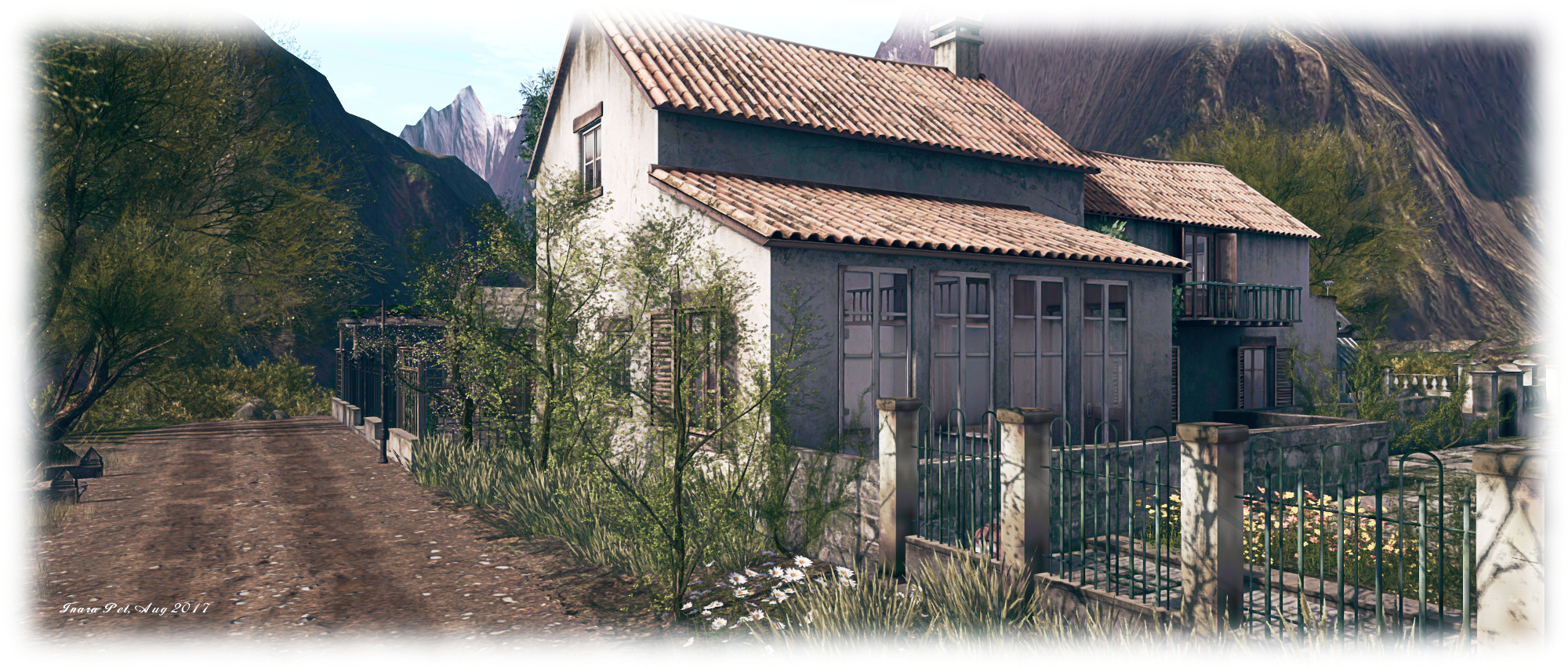
Where you begin a visit is entirely up to you, as no landing point is set. Opting for the default central arrival point on the region will deliver you to the edge of the little town. Rather than use that, however, the SLurl I’m using here will drop you off towards the north-west corner of the region, on a track running southwards above a ribbon of beach.  This can be reached via a set of stone steps descending the slope between track and sand, while across the track sit houses and outbuildings arranged around a courtyard and fronted by a paved garden with fountain and water feature. The courtyard, with its outdoor table set out with soup pots, wine and bread, makes for the ideal place to return to following a walk through the rest of the region.

The track winds its way down through the timberline towards the little town, running south and then west, offering a relaxing walk down to where the paved road running through this corner of civilisation starts. Those wishing a shorter route can walk through the gardens fronting the houses,  then take another set of stairs down to the north-eastern edge of the town, where just a few steps will bring you to the road and its companion footpath.

Yasminia, Yasminia; Inara Pey, August 2017, on Flickr Yasminia

Careworn buildings line either side of the road – this is perhaps not the most prosperous place nestled within the surrounding peaks. A small chapel sits alongside the road, the tall tower of what might be a granary rising beyond it and standing sentinel between two small bays which cut their way into the land. One of these, overlooked by a broad, paved terrace set as an outdoor café, offers mooring for boats and a scenic look out over the broader bay separating Yasminia from the surrounding mountains.

The buildings backing onto the cafe terrace may all once have been thriving businesses; now however, they are run-down, deserted and empty, their windows shuttered or with blinds drawn, life having apparently moved on. Only the gas station / auto shop appears to still be doing business, perhaps the last hanger-on, even as the dirt of the tracks either end of the street encroach on its paved surface.

Yasminia, Yasminia; Inara Pey, August 2017, on Flickr Yasminia

If the apparent desertion of the town is a little too much, follow the road and track north and then east as it curls around the base of the uplands on which the houses sit. It will lead you back to the beach. Here can be found signs of life aplenty: surfboards upended in the sand, chairs and seating ranged under canvas awnings, a beach side disco with dancing on the sand, fire pits, and sun loungers pairing their way down the longer ribbon of west-facing beach, presenting couples with plenty of room to relax under the sun.

Today, as noted, Yasminia presents a very different face to the world than a year ago – but one which has its own unique beauty, with places to relax and that three-sided courtyard ready to greet visitors with wine and food and the chance for friendly conversation.

Yasminia, Yasminia; Inara Pey, August 2017, on Flickr Yasminia

SLurl Details

Dathúil: Welcome to My Brain

Welcome to My Brain, Isa Messioptra – Dathúil Gallery

“Ever wanted to take a journey through the human brain? No, not really? Eew? Well too bad because I am going to make you!” Isa Messioptra says of her new exhibition at Dathúil Gallery, which opened on August 6th, 2017. She describes Welcome to My Brain as being unlike anything else she has worked on before – and it is certainly quite unlike any previous exhibition held at Dathúil.

For it, the usual gallery space has been converted into a series of rooms across two levels, all of which need to be explored. However, before doing so, visitors are asked to ensure their viewer is correctly set. Information on requirements are provided in the foyer space, just inside the gallery entrance – albeit for Firestorm / Phototools only. If you’re not using Firestorm, ensure you have Advanced Lighting Model enabled (via Preferences > Graphics), local lighting is enabled and you have windlight set to Phototools – No Light (if installed) or a similar very dark environment. Once you’ve set your environment, proceed through the entrance to the exhibition proper.

Welcome to My Brain, Isa Messioptra – Dathúil Gallery

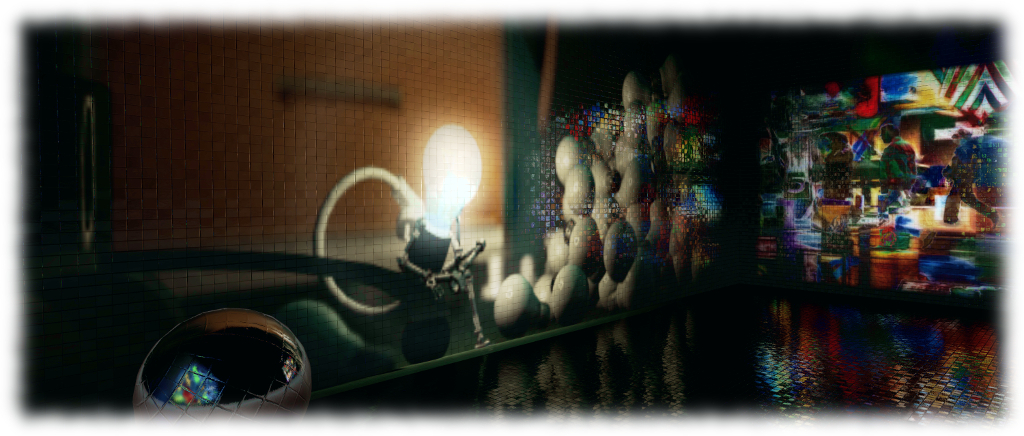
“[This] but is intended to be an immersive experience,” Isa says of the installation. “As you walk through the exhibit you travel through different chambers of the subconscious each completely different from the next much like a Fun House. In this exhibit I use light projection, reflective surfaces, mesh builds, photography, video, physics, animated textures…”

The result is a fascinating jumble of images, lyrics, scenes and lighting which offers an extraordinary trip through the subconscious – or a dream state where the mind is trying to re-order events and experiences – complete with a political comment.

Welcome to My Brain, Isa Messioptra – Dathúil Gallery

Passage through the various rooms is via stair, door and teleport; the dark windlight setting can made finding your way difficult, the journey is worthwhile. Commenting on the various scenes is not that easy, representative as they are of the subconscious; the best way to appreciate them is via a visit and tour through the rooms, and seeing how they speak and or reflect your own subconscious.

That said, this is a skilfully executed exhibition richly demonstrates what can be done with Second Life lighting, reflections, materials, and more – and the hall presenting images apparently behind walls of water or liquid really should be seen to be appreciated. All told, it’s a beautifully immersive installation.

Welcome to My Brain, Isa Messioptra – Dathúil Gallery

SLurl Details

Sansar basics: Atlas, Desktop mode movement, chat and friends

(courtesy of Linden Lab)

Note, October 4th: interaction with objects when using Desktop Mode were introduced with the Sansar Discovery release. Read more about the release in this article.

Updated, September 8th: minor changes to reflect changes made to personal teleporting when in Desktop mode in the September release.

Note: this article covers using the Sansar client in Desktop mode. For information on creating a Sansar account, downloading the client, and creating and avatar, please refer to Sansar: getting started – the basics

The following is a basic guide to using Sansar when visiting / exploring experiences. As the majority of Second Life users do not have VR headsets and controllers, the focus on using Sansar in Desktop mode. Those using a VR headset and controllers, or who have a game controller, should refer to the following official Sansar help pages:

Some of the following notes have been drawn from my earlier articles on getting start with Sansar and pick and tips, and are included her for completeness

The Atlas

Client

  • Use the menu to switch Atlas view between displaying all publicly available experiences, those produced by Sansar Studios (Linden Lab and partners), and those you have created.
  • Use the Create button to start creating an experience (if available), review your existing experiences or change your Sansar subscription.
  • Use the scroll wheel to scroll down / up through the Atlas when the mouse is hovered over the atlas tiles.
  • Feature Panel:
    • Click “<” or “>” to page through featured experiences.
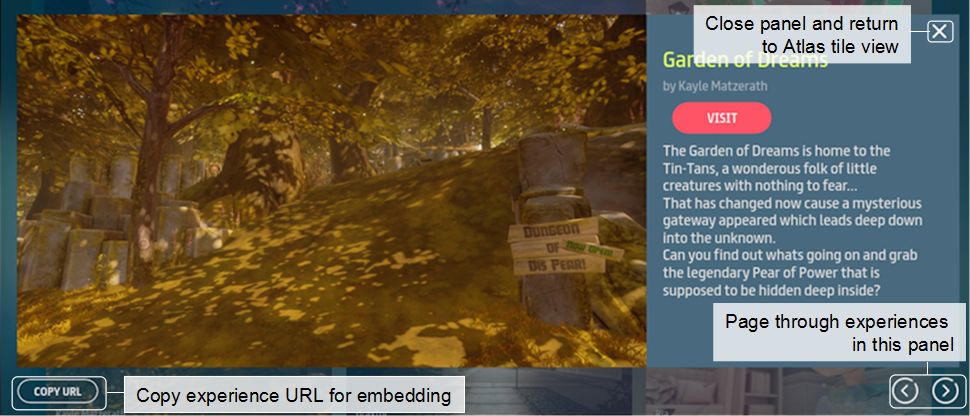
    • Click the display experience image to open the experience floater (see image below).
    • Click the Visit button to visit the experience.
  • Experience tiles:
    • Click the display experience image to open the experience floater (see image below)
    • Click the Visit button to visit the experience.
  • Experience floater:
    • Click the Copy URL to the currently selected experience to your computer’s clipboard.
    • Use the “<” and “>” to page forward / backward through available experiences.
    • Use the X button to close the floater.
    • Click the Visit button to visit the currently displayed experience.
The experience floater: displayed when clicking the image for any experience listed in the Atlas

Web

  • Use Search (top right of the Atlas page) to search experiences (e.g. by full / partial name, by full / partial creator name, etc.)
  • Feature Banner:
    • Click “<” or “>” to page through featured experiences.
    • Click the display experience image to open the experience floater (see image below).
    • Click the Visit button to visit the experience.
  • Experience tiles:
    • Click the display experience image to open the experience web page.
    • Click the Visit button to visit the experience.
  • Experience Web Page:
    • Click the creator’s name to list all experiences by the same creator & select any of them to visit it.
    • Click the Visit button to visit the experience.

UI Control Icons

Sansar UI buttons

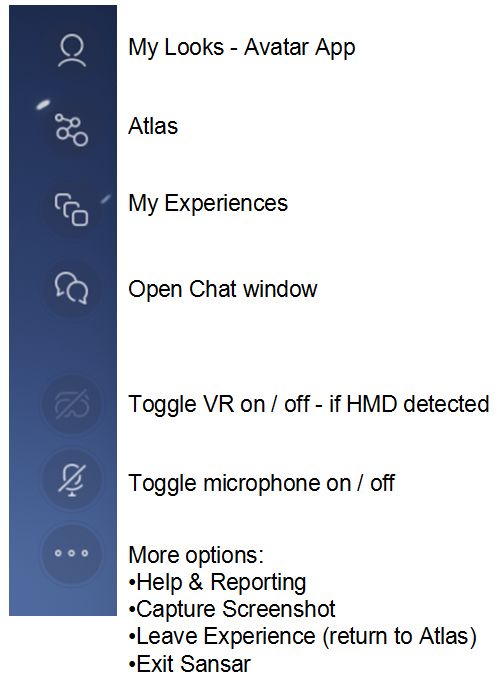
The UI icons in Sansar’s run-time mode are relatively self-explanatory. Hovering the mouse over any of them will display additional hover text.

My Looks: takes you to the Avatar App, where you can change you appearance, swap avatars, create new avatars, add attachments, etc. On exiting the Avatar App, you will be returned to the starting point of the experience you were in.

Atlas: Opens the Atlas, allowing you to select and enter another experience. Closing the Atlas without making a selection returns you to the current experience.

My Experiences: opens a list of the experiences you have created (if any), which you can then jump to. Options to create a new experience (if you are able to) and / or change your subscription are also available.

Chat: opens the Chat window. A green circle displayed against this icon indicates awaiting direct messages / Friend requests.

Headset icon: (only available if a HMD is detected) toggle between Desktop and VR modes (can also be done via F1).

Microphone icon: (only available if a microphone is detected) toggle microphone on / off.

More Icon (…):  as per the notes in the image, above right.

Movement – Desktop Mode

Avatar and Camera Movement

Keys / Mouse actions
Actions
F3
Toggle between third-person and 1st person (“Mouselook”) views.
F4
Enter camera “free flight” mode (F3 to return camera to 3rd person view).
W A S D / ↑ ← ↓ →
Move your avatar / camera (free flight mode) forward, left, back and right. Press and hold the right mouse button to smooth your avatar when turning left/right turning.
Press and hold right mouse button & drag mouse around
  1. Orbit camera around avatar when in third-person view and standing still.
  2. Pan and tilt avatar’s field of view in first-person view.
  3. turn avatar smoothly when walking (1st or 3rd person view).
  4. Pan and tilt the camera when in “free flight” mode.
Mouse scroll wheel
3rd person view only:  adjust camera position relative to avatar.
E and C
Camera “free flight” mode only: increase / decrease camera vertical elevation.
Numeric Pad “-” & “+”
Camera “free flight” mode only: decrease / increase camera movement speed.

Personal Teleporting

You can increase your movement around experiences using your personal teleport option, which is available in both 1st and 3rd person modes.

  • Press and hold the SHIFT key display the blue teleport cylinder.
  • Use the mouse to position the cylinder at the point to which you wish to teleport.
  • Use the mouse scroll wheel to select the direction you wish to face on arrival (indicated by a blue arrow).
  • Click the left mouse button to teleport.
Teleporting in 3rd (left) and 1st (right) person views, with instructions on teleporting in Desktop mode. Note the image on the left has been intentionally foreshortened to more clearly show teleport icons

Continue reading “Sansar basics: Atlas, Desktop mode movement, chat and friends”

SL project updates 32/1: server, viewer

Follow Your Bliss, Sea Foam; Inara Pey, July 2017, on Flickr Banana Bayblog post

Server Deployments Week #32

Please refer to the deployment notice for the week for latest updates and news.

  • On Tuesday, August 8th, the Main (SLS) channel was updated with a new server maintenance package (#17.07.27.327933), comprising “additional internal fixes”,
  • The scheduled deployment to the RC channels for Wednesday, August 9th has been cancelled due to a back-end data issue which meant the region channel names weren’t being set correctly, so they didn’t start.

SL Viewer

There have been no viewer updates so far this week, leaving the various pipelines as follows:

  • Current Release version 5.0.6.326593, released on May 26, promoted June 20 – formerly the AssetHTTP RC viewer – overviewdownload and release notes
  • Release channel cohorts (please see my notes on manually installing RC viewer versions if you wish to install any release candidate(s) yourself):
  • Project viewers:
  • Obsolete platform viewer version 3.7.28.300847, dated May 8, 2015 – provided for users on Windows XP and OS X versions below 10.7. This viewer will remain available for as long as reasonable, but will not be updated with new features or bug fixes.

Other Items

Terrain Issues

For the last few months there have been intermittent reports of odd terrain changes occurring following scheduled restarts. These have been mostly seen around golf courses (see my week #26 update and BUG-100693). There have since been a number of what appear to be similar incidents see:  BUG-7922 and BUG-41609). Commenting on the problem during the Simulator User Group meeting on Tuesday, August 8th, Simon Linden said, “the reports of terrain shifting are totally mystifying to me … I believe it’s happening but really a mystery how and why”.

Feeds Issues

Issues with the feed (my.secondlife.com) appear to have been fixed, with many people reporting they can once again post images and comments.

Sansar Creator Beta: personal thoughts

Sansar: Villa Ortli – Sansar Studio

It’s been just over a week since the Sansar Creator Beta opened its doors to the public, allowing anyone who wishes to visit to do so. I’ve been jumping in and out for a while, both as a part of the Creator Preview and during the last week, and have also been following some of the feedback since the doors opened on Monday, July 31st. So, what are my thoughts (whatever worth they might be) on the new platform?

Well, first and foremost – it’s not Second Life.

I’m being neither flippant nor dismissive in saying this. Sansar is a very different beast to Second Life, and is liable to remain so for a good while to come. However, despite all the comment to this effect from the Lab, in blogs like this and elsewhere, there still seems to be a perception that Sansar somehow “is” the “new” / “replacement” Second Life, giving rise, perhaps to certain expectations where Sansar is concerned, as well as fears for SL’s future.

Certainly, and given it is early days for Sansar, which is still being built out with capabilities and features, the time may come when it appeals more to some SL users than SL itself. However, given the Lab intend to continue to develop Second Life for as long as it is a viable product1, it’s equally fair to say that other SL users may find Sansar offers little they don’t already enjoy in Second Life, and thus remain with the lattr as it continues to be enhanced; equally, some may find it attractive to have a foot in both. But overall, it is far too early to be looking at how Sansar is affect SL log-ins or carrying forward fears about SL’s future – particularly given the Lab is looking at a far broader audience for Sansar than the existing SL user base.

One significant area of negative feedback I have witnessed is over the use of the term “beta” in the title of this phase in Sansar’s development, with people decrying it as “not beta software”. However, I’d suggest that doing so is more a case of mistaken context than anything else. “Creator Beta” isn’t a reference to the platform’s software  development status (and thus a reason to dismiss it); rather it is indicative that this is the “second phase” of the development work involving creators – the first having been the closed Creator Preview.

Sansar: City Park night lighting experiment, Lex4Art

Personal Feedback as a User

The following feedback is based on what is currently available in Sansar, rather than what is lacking at present.

Atlas: the Atlas is a mixed bag. The title approach to presentation just doesn’t work for me, particularly given positions of items seem to change based on rating (visits?). Hopefully some form of experience categories / classifications will be added over time.

  • Negatives: finding experiences; lack of search in the version of the Atlas built-in to the client
  • Positives: URL access from web Atlas to experiences; ability to easily copy & share experience URLs; “slide show preview” option (although this is also now getting cumbersome); ability to see  all experiences by a specific creator.

Client Run-time UI: simple, clean, options easy to find and icons reasonably easy to identify. Snapshot capability: basic, but usable, particularly when using the camera in “free flight” or operating in first-person mode.

Movement: the WASD / arrow keys are pretty much standard for games (and should be familiar to all SL users).  The personal teleport option (CTRL and Left-click) can be very handy for “rapid” movement around experiences.

Camera: clunky and uneven.

  • Negatives (Desktop mode): no apparent default “follow avatar” position after orbiting camera (right-click and mouse drag) around avatar centre can initially be confusing when resuming avatar movement; the side-to-side juddering of the camera on small avatar turns left / right using the arrow or A and D keys can be visually unsettling (try pressing and holding the right mouse button and turning by dragging the mouse gently left / right for a smoother experience); “free flight” movement (F4) very basic, with camera movement perhaps a little too fast by default (numeric “-” to slow down / “+” to speed up).
  • Positives: reasonable integration with the mouse at this point; good first-person representation, making this “Mouselook” approach to movement superior to SL – although it would be nice to look down and see one’s own avatar.
Currently, arm movements made using HMD hand controllers can be disconcerting when seen by others

Avatar: basic, but acceptable. The walk is ungainly, but will hopefully be improved alongside things like the return of running, greater customisation, etc.

One strongly disconcerting element with the avatar right now is watching those who are using HMDs and hand controllers. The latter allow the avatars arms to behave most unnaturally (e.g. passing through the avatar’s body, arms sometimes appearing to detach from shoulders or bending weirdly, etc). Avatars being guided with HMDs / controllers also appear to have a really odd-looking arm “at rest” pose (hands held out in front of them as if carrying an invisible box).

Identification: for those from SL used to seeing avatar tags, this is perhaps the hardest element to get used to in Sansar – it’s simply not possible to readily identify who is who in a large group of people. The reason for the lack of tags is given as “spoiling the VR immersion”. Fair enough; however, right now, the avatars are far, far too generic to allow for easy visual recognition – so much so that people have already resorted to their own means of “tagging” themselves with their names in mesh placed above them or by wearing badges with their names on them.

Chat: text chat works well, as does direct messaging in text (IMs). It’s useful to remember the former can be seen throughout the current instance of the experience – there is no range limit as with SL. Voice chat is similarly unimpeded by range and can, frankly, be a pain right now.

While audio may well be spatial, when operating in groups, overlapping conversations can become confusing – as can quickly identifying just who is talking. People also have an annoying habit of leaving their microphones open when not speaking, leading to extraneous noises spilling “in-world”. While this is not a specific issue for Sansar per se, the controls for muting are currently limited, and the inability to  disable voice entirely (so one can focus purely on audio from videos, etc., within an experience) can be irritating.

Interactions: basic, but developing. HMD / controllers currently give far more in the way of interactive abilities (“holding” things, throwing things, etc), but Desktop mode allows some interaction with objects – notably teleport disks, doors and portals.

Sansar: Tierra de Gigantes, Luis Sotillos

Premature?

A lot of SL users have seen the Creator Beta as “premature” on the basis of a lack of expected capabilities. I’d agree that opening the doors to a general audience does feel premature – but not strictly because of any lack of capabilities per se. Rather, given this is intended to be a further step in developing the platform from a creator’s perspective of the platform, why throw the doors wide now? As it is, it has been indicated to the media that the Creator Preview attracted 10,000-12,000 applicants, of which some 2,000 were invited into the platform, so why not simply keep rolling that process forward for another few months?

If nothing else, it would have achieved two potential goals: allow further integration of more of the social tools and abilities which the Lab have indicated are part of the raison d’etre for Sansar, and it would have likely reduced the volume of negative feedback by offering general users more “things to do” when visiting experiences.

A Broader Perspective

All of that said, the Creator Beta undoubtedly gives a glimpse of the potential for the platform to reach into a range of markets, should those markets continue to invest in and grow their use of this new era of VR as a medium. This is an important point to repeat, because Sansar really isn’t about building another virtual world a-la Second Life, nor is it – strictly speaking – about appealing to the wants and needs of Second Life users. The Lab is casting Sansar’s net far wider, as has repeatedly been said throughout the development process, and which was repeated during the Creator Beta launch.

When one visits experiences such as LOOT Interactive’s Apollo Museum, or Sansar Studio’s Villa Ortli or any of the experiences being built by Mencius Watts, aka John Fillwalk from the Institute for Digital Intermedia Arts (IDIA – a division within Ball State’s College of Architecture and Planning that explores the intersection of digital and physical design) the huge potential of Sansar in the realms of architectural design, historical recreation, and education and learning via immersive environments, becomes abundantly clear.

Sansar: Newton’s Cenotaph (Work In Progress), Mencius Watts

Other emerging experiences equally point the way towards Sansar offering unique opportunities for entertainment and games. Teager’s Secrets of the WorldWhale, for example, offers a glimpse of adventure / explorations type environments which could be built complete with interactions, and Maxwell Graf clearly shows that role-play could be well suited to the platform.

In this, it’s perhaps important to note that the response to Sansar from beyond Second Life has, it’s fair to say, been positive. The press has been good, and (I understand) it has led to an uptick in interest from agencies beyond the SL catchment. What will be interesting to see is how this interest  / involvement grows as Sansar continues to be built-out, and just how effective the Lab is working both directly and through partners to enhance Sansar’s visibility among the markets they’d like to reach, the expansion in use of VR within those markets allowing, as time continues forward.

  1. I hope to be able to write more on this in a future article.