SL project updates 2016 51: server, simulator OS update

DRD Arctic Express
DRD Arctic Expressblog post

Server Deployment

While the No Change window was supposed to have come into operation on Friday, December 16th, there was indeed a deployment to the Main (SLS) channel on Tuesday, December 20th. It comprised the same server maintenance package as deployed to the RC channel in week #50, comprising internal logging changes.

The deployment means that all of the server channels on the main grid (Agni) are now running the same simulator version. As there are no planned deployments to the RC channels, all four channels should remain on this release until deployments resume after the holiday period.

SL Viewer

We might see a 64-bit project viewer appear during the week. However, at the time of writing,  the list of viewers in the various pipelines remains as:

  • Current Release version: 5.0.0.321958, dated December 1st, promoted December 5th – formerly the Project Bento RC viewer.
  • Release channel cohorts:
    • Maintenance RC viewer, version 5.0.1.322219, dated December 9th – some 42 fixes and improvements + Bento support
  • Project viewers:
    • 360-degree snapshot viewer, version 4.1.3.321712 dated November 23rd – ability to take 360-degree panoramic images – hands-on review
  • Obsolete platform viewer version 3.7.28.300847 dated May 8, 2015 – provided for users on Windows XP and OS X versions below 10.7.

Bento Support

With the release of Kokua for Second Life 5.0.0 and RLV 2.9.21 (see my article here), the following currently maintained viewers all have Bento support: Black Dragon, Catznip, Cool VL, Firestorm, Kokua for Second Life, Restrained Love. Alchemy is expected to update to include Bento “soon” and UKanDo is still awaiting a complete overhaul.

In terms of clients with 3D viewing capabilities, Radegast has been updated to support Bento, but the update is pending release. Lumiya for Android will have Bento support added “soon” (Lumiya 3.3 with Voice support released on Sunday, December 18th, and my review is available here).

Simulator OS Update

The Lab is in the process of updating the operating system on the simulator servers. At the moment the new OS version is installed on a number of regions on Aditi (the beta grid), including: Fire Ants 1, Fire Ants 2, Grasmere, Oak Forest, and Twilight Shores, not all of which are open to the public.

“This is one of those ‘features’ that might perform a bit better, but otherwise is a success if it behaves exactly like our current servers,” Simon Linden said at the Simulator User Group meeting on Tuesday, December 20th.

“We’re in the starting process of testing things. We have a lot of testing to do. [We’re] updating from an old version of Linux to a not-so-old version of Linux,” April Linden added. “Just to keep things moving. All the usual reasons. Performance updates, security, etc.”

Second Life hits a lot of low-level server code hard, including networking, memory and multi-processing. The overall hope is to have the newer revisions of the operating system will improve these. Expect this work to reach Agni in early 2017.

Group Chat

Group chat was long a bane of Second Life. In 2014/15 however, the Lab put a considerable amount of work into improving things, although some issues remain. One of these is that if an individual role outside of the default “Everyone” has a very high number of group members assigned to it (e.g. several thousand), it can dramatically impact things like group chat performance and can prevent the members’ list loading. One solution might be to delete the role (converting those in it to Everyone).

Magic Leap: DOA, over-hyped or still possible?

Well, maybe it IS only a lens. Not too long ago, Magic Leap were proclaiming they had more than just a lens, but a Photonic Chip. The Infromation thinks it was just more hype
Well, maybe it IS only a lens. Not too long ago, Magic Leap were proclaiming they had more than just a lens, but a Photonic Chip. The Infromation thinks it was just more hype. Credit: Wired.

Magic Leap has been the most controversial company in the emerging market of new VR, AR and MR technologies. Super-secretive but boasting an influx of US $1.4 billion in capital from leading technical and entertainments companies  – including Google – it has drawn a lot of attention, despite almost nothing of its technology being generally revealed.

Magic Leap promises a headset system which will be as easy to wear and remove as a pair of glass – but crucially, and despite several years of development work , has not revealed anything of what this headset might look like beyond various patent filings. In the meantime, the company has continued to release astonishing videos of their product’s apparent capabilities. Some of these were undeniably special effects enhanced pieces – but it now appears that this might be the case with more of the videos than the company were actually willing to let on.

In particular, on December 8th, the paywalled site The Information published a report on Magic Leap indicating that at least one of the more recent videos – that of office workers playing a shoot-’em-up game which was stated as being filmed using Magic Leap’s own technology was actually enhanced by Magic Leap partner, Weta Workshop (Weta’s head, Sir Richard Taylor, was an early investor in the company, and his business partner, director Peter Jackson, is an advisor). This has led to questions being raised over just how genuine Magic Leap is, and how real their product might in fact be.

The Verge summarises the report from The Information, pointing to the less-than-honest video and making mention of Magic Leap’s massive test rig, called The Beast, and the fact that as yet, the company hasn’t moved beyond a tethered headset style device which is claimed to give an inferior result when compared to Microsoft’s HoloLens. This has prompted others to question whether Magic Leap is dead – or potentially could be DOA, given it appears to lag behind what might be somewhat comparable products such as the HoloLens.

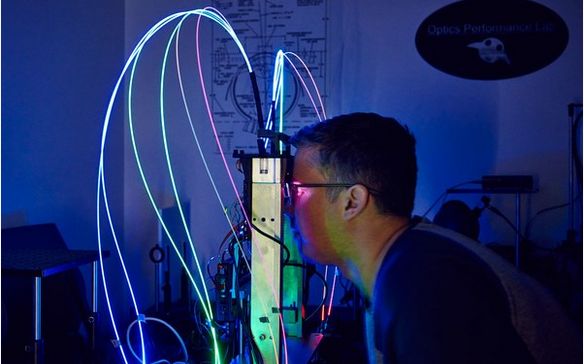
Magic Leap haven't been entirely secretive about the size of some of their test rigs. Credit: Peter Yang / Wired
Magic Leap haven’t been entirely secretive about the size of some of their test rigs. Credit: Peter Yang / Wired

As it is, the report from The Information stands sharply at odds with those from the likes of Wired, where Peter Yang from Wired spent time with Magic Leap back in April 2016, using that experience to tell The Untold Story of Magic Leap. Then, shortly ahead of The Information’s piece, and at the end of November, Forbes’ David Ewalt sat down with Magic Leap’s founder, Romy Abovitz. Like The Information’s Reed Albergotti, both Yang and Ewalt reference the fact that Magic leap utilises a headset rather than “glasses”, but that’s about all their articles have in common with Albergotti’s view. So where does that leave us?

First off, scepticism is healthy. There are many promises being made around VR / AR and MR, many of which could well be a mix of hype, hope and wishful endeavour. WE also have little ide just what reporters are being shown – and there is no denying Abovitz enjoys his role as unconventional showman.

Even so, it’s hard to see Magic Leap as purely being smoke and mirrors and flimflam; Abovitz has a track record of innovation and product delivery – he sold his medical robotic company for US $1.7 billion in 2009. Magic Leap has also made no secret of being in things for a long haul, developing a new paradigm in computing, while Albergotti acknowledges the company is now working towards a pair of glasses type of headset, albeit with different technology for their earlier work. Thus, writing them off entirely could be a premature.

A final point is that the company has never gone beyond saying a consumer product will be appearing “soonish”. Ewalt, writing for Forbes, estimates Magic Leap has perhaps another 18 months to go before a consumer launch. That’s a long time, given the HoloLens and Meta’s offerings will be out will before then. but the latter two are liable to have price tags of US $1,000 or more. If this is the case, are they really liable to corner the market, particularly if Magic Leap comes up with a product as user-friendly (and potentially superior) as Peter Yang at Wired feels will be the case – and at a lower price point, even if it is based on technology other than the hyped “Digital Lightfield™”?

The only thing we perhaps can say as a result of this is the hype trains – positive and negative – on what VR / AR / MR might or might not deliver will likely continue to rumble forward for a while yet.

With thanks to Roblem VR

Resting in Fall Trace in Second Life

Fall Trace, Tranquil Bay; Inara Pey, December 2016, on Flickr Fall Trace, Tranquil Bay – click any image for full size

In November, Caitlyn and I dropped in to Winter Trace, one of the three seasonal Trace regions in Second Life designed by Kylie Jaxxon and Elvira Kytori – see my article here. At the time of writing, I noted that we had yet to visit Fall Trace, so having spent some time bouncing around wintry regions, we decided to spend a lazy Monday taking a look.

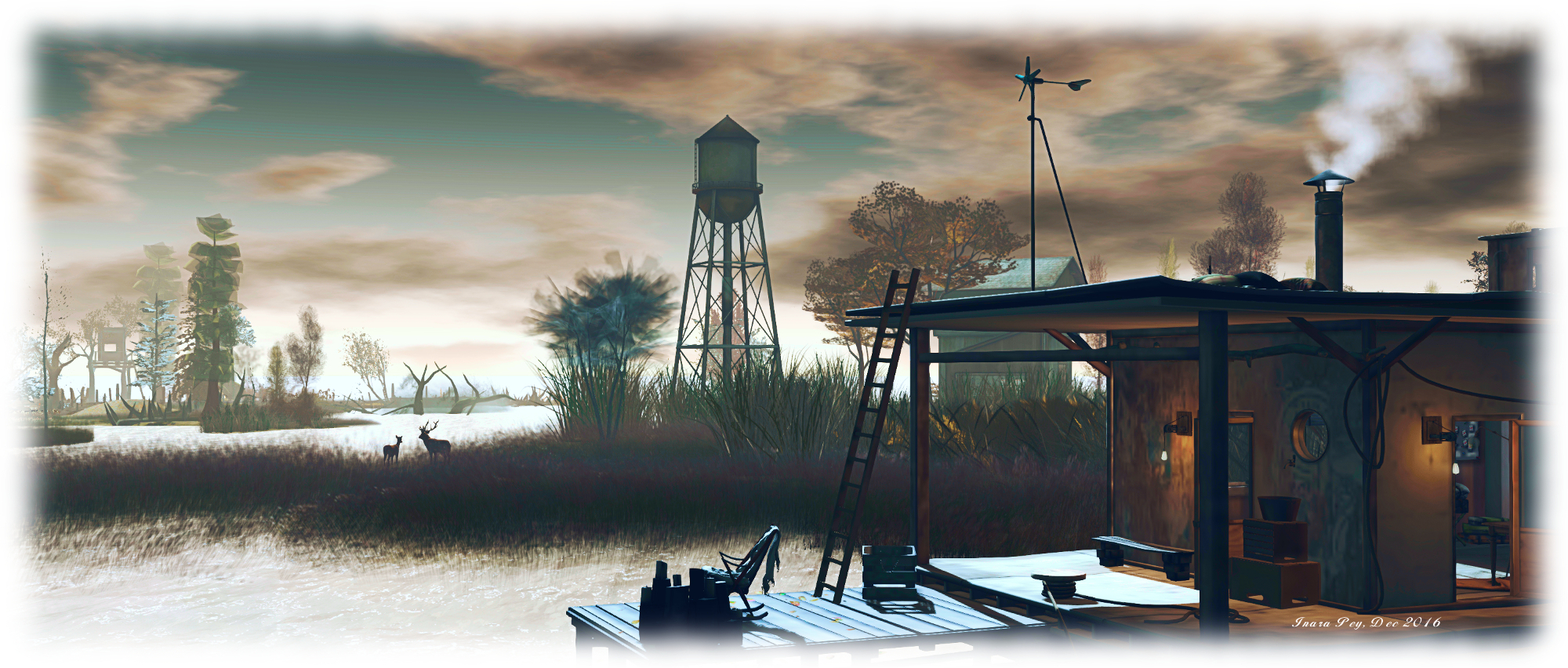
As the name suggests, Fall Trace offers an autumnal look and feel, with Eliva taking the lead in the design, and Gnaaah Xeltentat providing additional support. The presentation is that of a low-lying marshland, perhaps at the estuary of a slow-flowing river. The land is flat and reedy, much of it under a shallow covering water, across which trees coloured in autumn’s golden hues stand sentinel.

Fall Trace, Tranquil Bay; Inara Pey, December 2016, on Flickr Fall Trace, Tranquil Bay

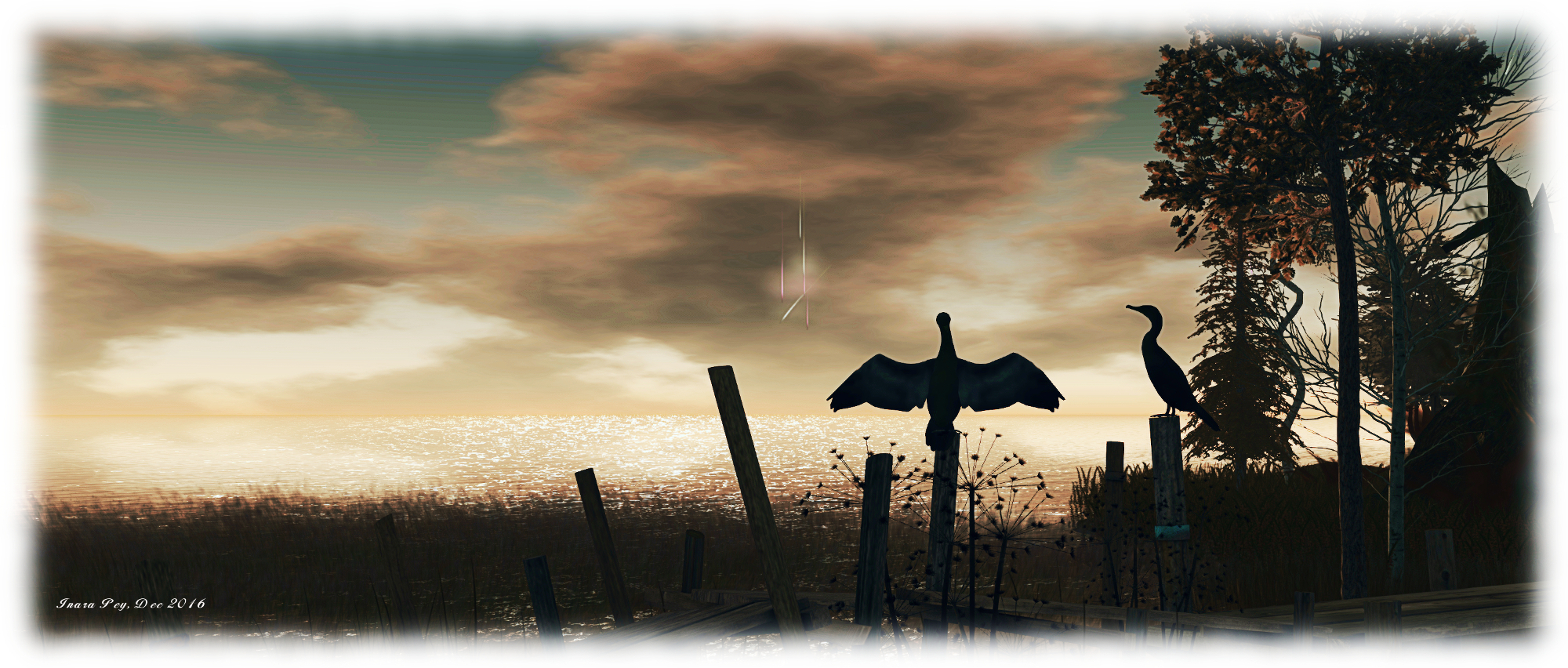
This is a wildlife haven: deer stand in the ankle-deep water, appreciative of the tall grasses growing along the edges of the various water channels, watched by geese and black swans on the water. Cormorants and pelicans vie for perches on the posts supporting the wooden board walks which snake across the landscape, while crows wheel overhead.

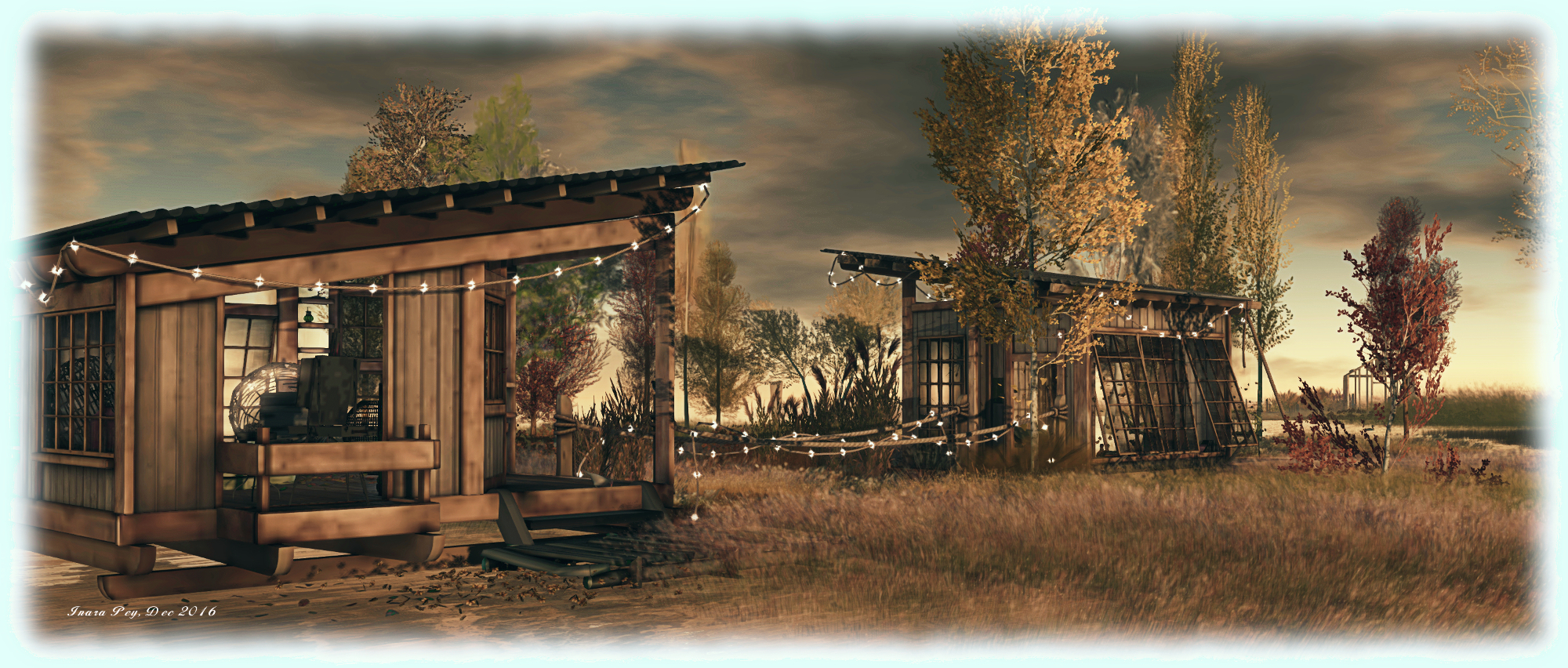
The board walks offer visitors a dry means of getting around a lot – but not all – of the region. From the landing point, they run eastward before curling north and then back to the west, branching periodically to offer access to the stilt-mounted cabins and shacks or pointing the way to little decks with seating. Roughly half way around this arc of walkways sits a houseboat, smoke wafting from its stack, testament to the warmth inside.

Fall Trace, Tranquil Bay; Inara Pey, December 2016, on Flickr Fall Trace, Tranquil Bay

South of this main route around the region, across a broad swathe of water, sits a little group of islands, another board walk running along them. These are home to a social deck with music, a tree house and, at their eastern end, a small shack. Two more shacks lie to the north-east, whilst dotted around the region are rowing boats and poses offering plenty of opportunities – along with the deck seats noted above – for sitting and watching the wildlife or enjoying time with a partner or loved one.

It seems that airboats were at one time available for getting between the main board walk and these outlying areas, but the rezzers were disabled on our visit; we assumed they’d proven too disruptive to the local wildlife. Getting across the water is therefore a case of getting feet wet and wading.

Fall Trace, Tranquil Bay; Inara Pey, December 2016, on Flickr Fall Trace, Tranquil Bay

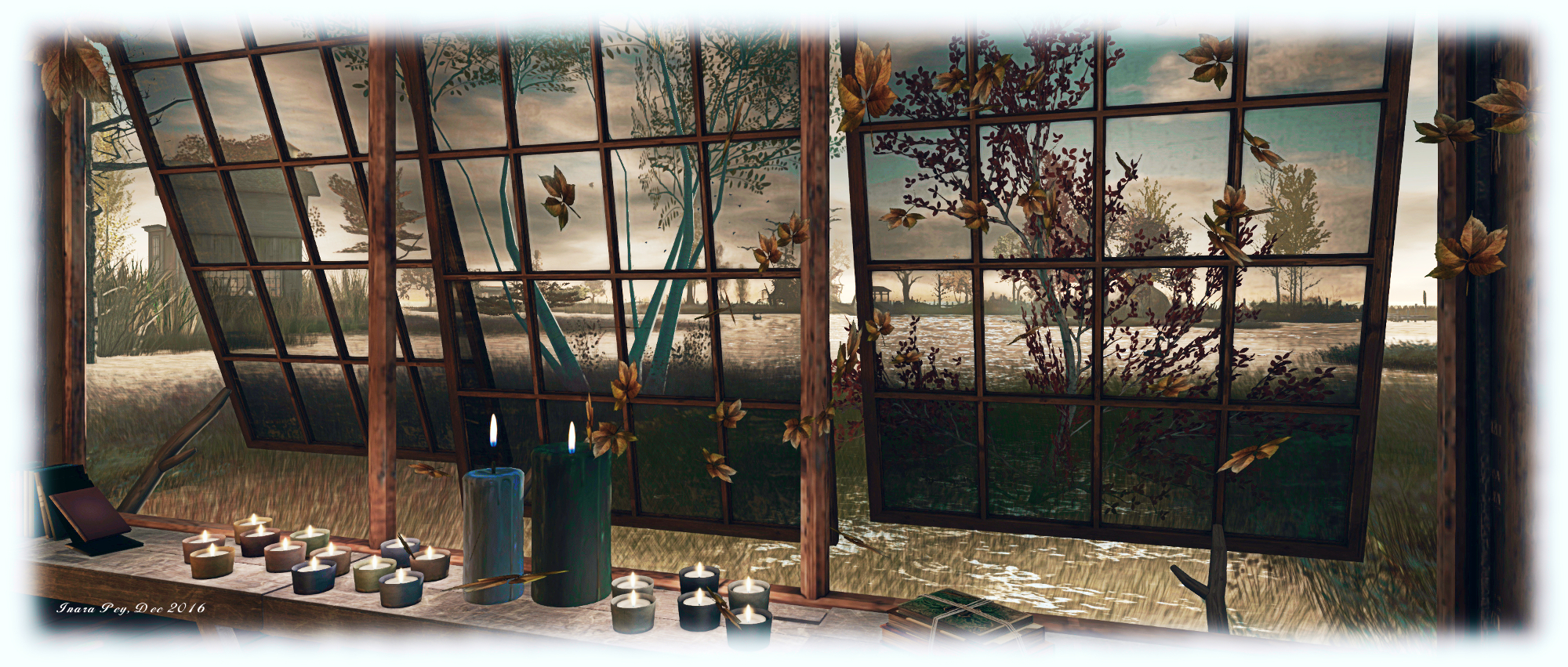
Set under a cloud scudded autumn sky, the sun low on the horizon, bathing it in a soft golden glow and scattering glimmering reflections over the water, Fall Trace offers a peaceful haven when so much is rush, rush, rush at this time of the year. It perfectly accompanied by an ambient sound scape, and offer considerable scope for the photographer.

I confess to having some performance issues during our visit – the region and my PC just did not want to play nicely, forcing me to turn off options such as shadows when moving around. However, this wasn’t a major inconvenience, and certainly didn’t in any way diminish my impressions of Fall Trace.

SLurl Details

Lumiya 3.3: Voice and more

lumiya-logoOn Sunday, December 18th, Alina Lyvette released Lumiya 3.3, the Second Life /  OpenSim Android client for smartphones and tablets.

The new update brings with it Voice chat via the built-in microphone on your device (or suitable Bluetooth unit connected to your device), the ability to upload images via your device, and additional VR support, including Google Daydream. The realise notes are available here.

Voice Chat

Voice chat for Lumiya 3.3 requires the download and installation of the free Voice plug-in app. Once you’ve downloaded and installed the plugin, the first step is to enable Voice:

  • Log-in via Lumiya.
  • Tap the menu icon (top left of the screen) and then tap Settings > Chat and Messages
  • Tap Enable Voice Chat and make sure it is checked as enabled. To disable, tap the option again.
Enable Voice via Menu (top left of the Lumiya screen) > Settings > Chat and Messages > Enable Voice Chat. Tap again to uncheck and disable at any time.

With Voice chat enabled you can use voice for open chat, IM calls and via the 3D World view.

Open Chat

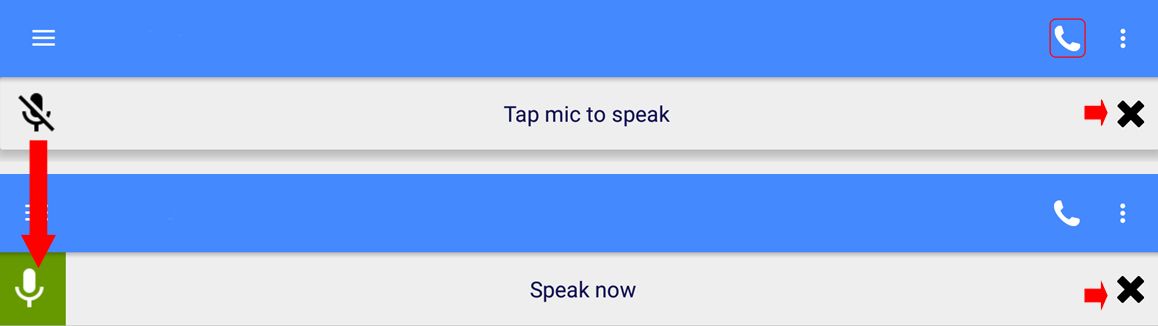
To initiate Voice chat in open chat, tap on Local Chat in Lumiya. then tap the telephone handset icon in the top right of the screen. This will enable your device’s microphone and display the open / close microphone bar. Tap the microphone icon to activate your microphone; the icon will turn green, indicating the microphone  on your device is hot, and the bar will display the instruction to Speak Now.

The open / close device microphone bar as it appears in either state on the open chat, 3D world view or IM chat screens in Lumiya

Remember to tap the bar again when you’ve finished speaking to prevent any extraneous noises around you from being picked-up and transmitted in-world. To close the current Voice chat session at any time, tap the X on the right of the chat bar (arrowed to the right, above).

IM Voice Calls

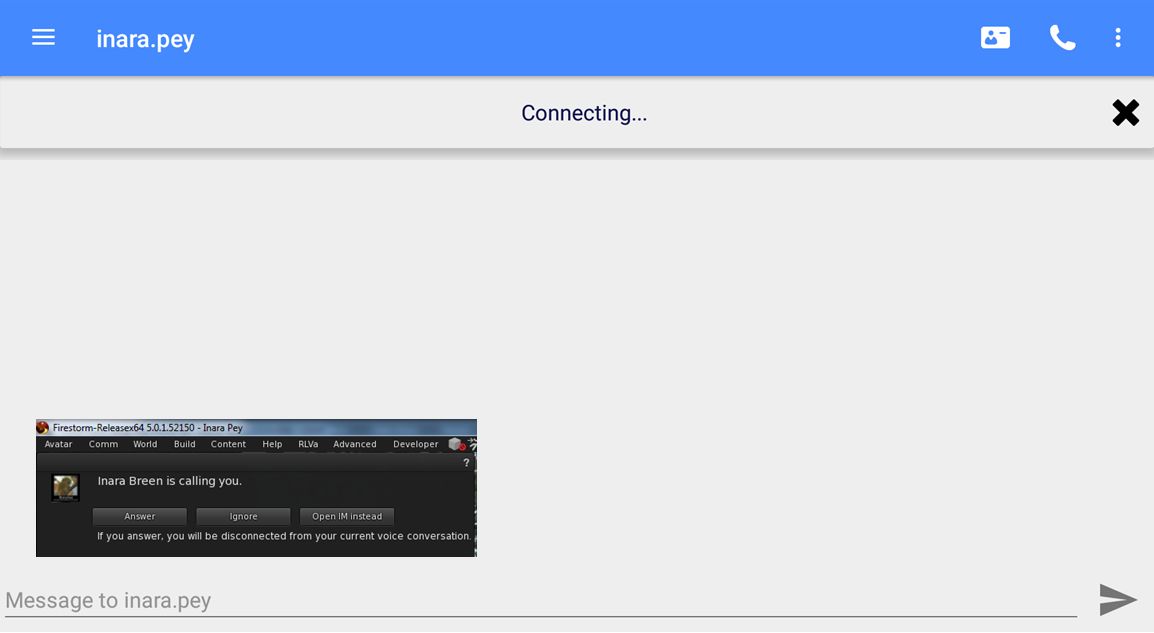
For an IM voice call, tap the name of the person you wish to IM (e.g. via the list of people nearby or your Friends list). When the IM window has opened, tap the telephone handset icon (top right.The microphone bar is displayed, with the message “Connecting…”. The person you are calling, assuming they are on a full viewer, will receive the usual Voice call message (shown inset, below).

Making a Voice IM call on Lumiya. The recipient - assuming they are on a full viewer will receive the usual notification (inset)
Making a Voice IM call on Lumiya. The recipient – assuming they are on a full viewer will receive the usual notification (inset – click for full size)
  • If they accept the call, the microphone icon on the left of the bar will turn green, indicating they’ve accepted the call, and your microphone is now hot. Remember to tap the bar when you’ve finished speaking to prevent any extraneous noises around you from being picked-up and transmitted in-world.
  • If they reject the call, or opt to converse in IM via text, the microphone bar will vanish.
  • If they do not answer the call before the Voice connection times out, the microphone bar will vanish.
  • To end the call, tap the X on the right of the microphone bar.
    • Note that you can restart the conversation from the IM window by tapping the Action menu icon (three vertical dots, top right of the screen) and selecting Voice Chat from the drop-down. This will initiate a fresh call.

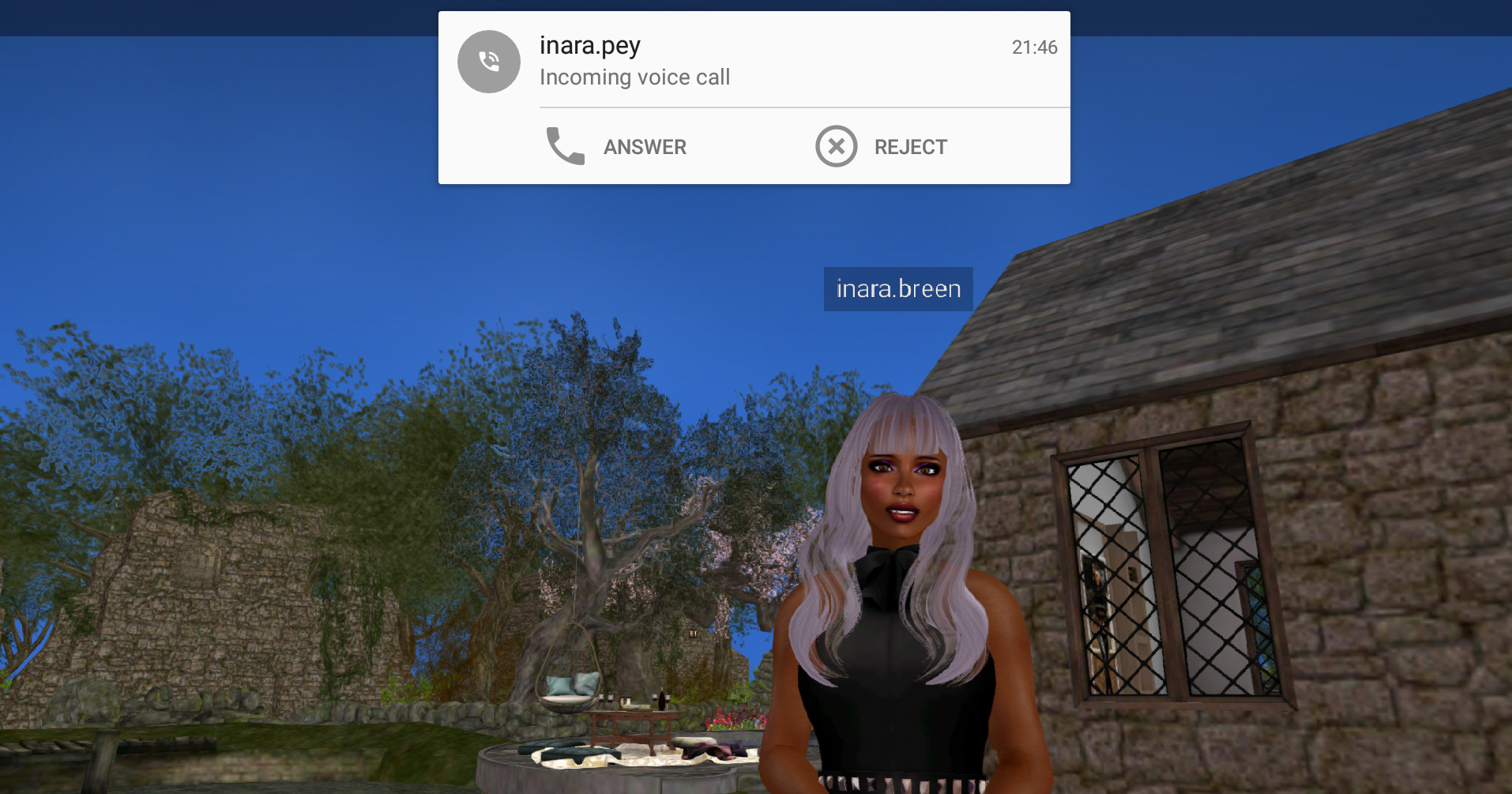
Should you be in receipt of an IM Voice call when using Lumiya, a drop-down will appear at the top of the window you are using, and you can opt to accept or reject the call. If you reject the call, but wish to converse via IM text and are not in the IM chat window, you’ll have to manually switch to the IM window for the person who called you.

When in receipt of a Voice IM call, a drop-down will be displayed at the top of the currently active Lumiya screen (3D world view shown)

If you accept the call, the microphone bar will be displayed, and your microphone will be hot. Remember to tap the bar when you’ve finished speaking to prevent any extraneous noises around you from being picked-up and transmitted in-world.

Continue reading “Lumiya 3.3: Voice and more”

December 19th: don’t forget – snowball showdown in Second Life

Winter Wonderland - the Snowball Arena
Winter Wonderland – the Snowball Arena

Don’t forget – if you needed any reminding – that the Lab’s Jolly Holiday Crawl (Monday December 19th) will be finishing at Winter Wonderland at 12:00 noon SLT, ready for the traditional snowball fight  – the Snowball Showdown – with residents, which will continue through to about 14:00 SLT.

To get to the Snowball Arena in the 5-region Winter Wonderland (which I again previewed this year) can be reached either through the new portal parks (again, reviewed here), or via direct teleport to the landing point. Just walk through the village on arrival and follow the path up over the hills. Kiosks at the entrance to the arena are available for obtaining your weapons.

Those who are Premium members can also pick-up the latest Premium gift via the Premium Kiosks,  which once again includes a wearable token which allows you to upgrade your snowball weapons. I have no idea if the tokens given out in previous years also work as … I deleted mine!

lock'n'load at the weapons kiosks at the entrances to the Snowball Arena
lock’n’load at the weapons kiosks at the entrances to the Snowball Arena

SLurl Details


Body Talk in Second Life

Club LA and Gallery - Body Talk
Club LA and Gallery – Body Talk

Fellow Second life traveller and blogger Wurfi drew me, by way of a Tweet, to a new exhibition of images by Vallys Baxter, which opened on Sunday, December 18th.

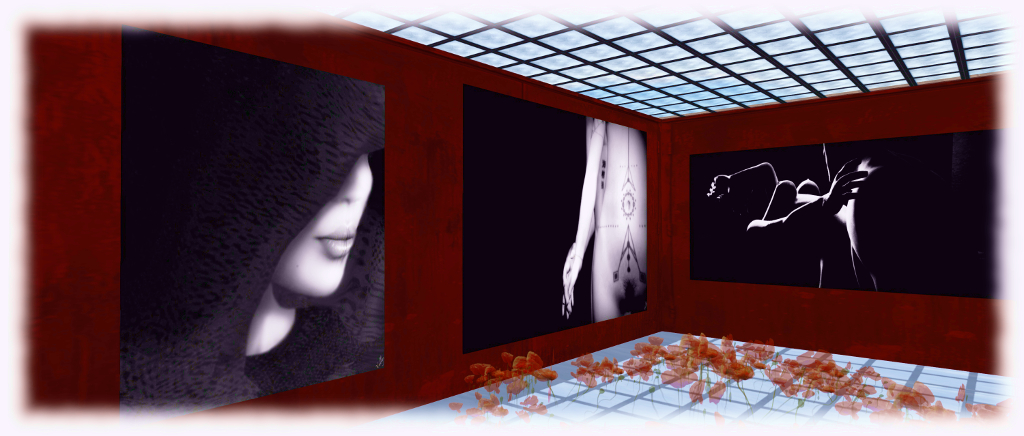
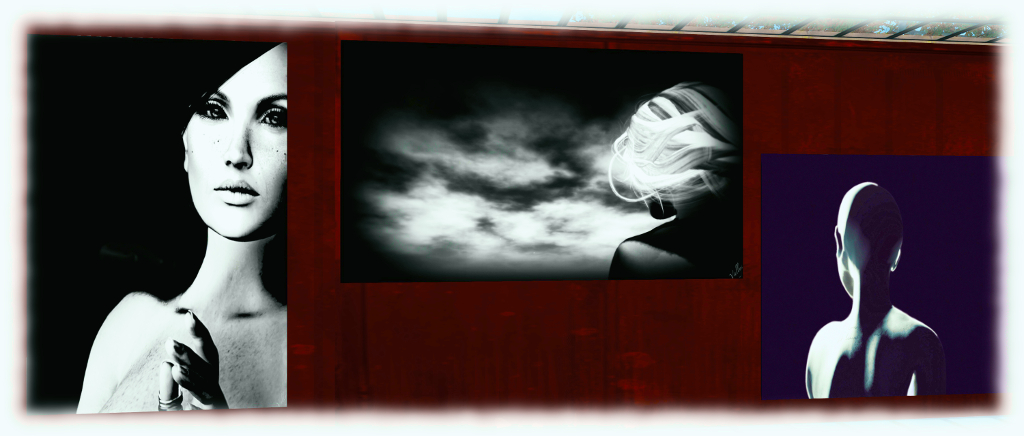
Taking place at the Club LA and Gallery, curated by Fuyuko ‘冬子’ Amano (Wintergeist), Body Talk offers a collection of 16 pieces offered in a large format. Presented as a series of monochrome images, they form an evocative study of the human form and moods – not all of them necessarily suitable for viewing at work – with equally evocative titles: Desire, Cocoon, Jeux de Mains (“Hand Games”), No Regrets, and more.

Club LA and Gallery - Body Talk
Club LA and Gallery – Body Talk

As one might expect from the title, each piece focuses on the avatar body – or a part thereof. So within the exhibition are studies of the face and head, the torso, the body as a whole, legs, arms – all of which are intended to convey a specific sentiment, mood or emotion. There is a sensuality about many of the pieces which may be obvious in some, and more subtle in others, and it appears the artist has positioned these so that their differing approaches to presenting their sensuality is carefully juxtaposed.

Take Codex and the image immediately to its left (both seen on the left side of the banner image for this review), apparently called Step by Step. In Codex, the sensuality of the piece is clear through the use of nudity the symbols on the torso and the posing of hands. In the piece to its left we are offered an image of a face partially hidden by the hood of a cloak; but what is visible – line of neck, sweep of cheek and hint of smile about the lips – offers a soft, subtle sensuality easily matching that of Codex.

Club LA and Gallery - Body Talk
Club LA and Gallery – Body Talk

The pairing of images seems to be apparent through the use of emotions – such as with No Regrets and Avec le Temps (“With Time”), or through the repeated use the a title, as with the two pieces entitled Barricade (seen directly above).

No Regrets and Avec le Temps are extraordinarily emotive, while the Barricade pair still have a sensual feel to them, but it is one perhaps mixed with other responses. The raised leg in one of them literally stands as just that, and thus is edged with a sense of confrontation. In this, it might also be paired with another piece called Step by Step, which presents a pair of booted feet, one apparently stomping downwards in a forceful stride.

Taken together, this set is an intriguing, enigmatic series, worth taking the time to visit.

SLurl Details