Loki Eliot is many things. Games developer, content creator, blog / philosopher to name but three. He’s also generous of heart.
His generosity and gaming nous recently combined when he wanted to present an SL friend and Star Trek fan with a special gift. The result was a flyable Starship Enterprise, which utilised a model he found on a Star Trek fan site and imported into SL before scripting it to fly and adding local lighting and materials.
Following this, Loki imported a number of additional Star Trek models, including one of the USS Reliant (“KHHHHHAaaaaaannn!!”) and a Klingon Bird of Prey, both of which he decided to put together into a little freebie boxed starship combat game and make it available via his in-world store.
While the set isn’t intended as a demonstration of materials capabilities (it’s more of a teaser / taster of an airship combat game Loki is working on), that the vessels do use materials piqued my curiosity enough for me to take a look. Besides, as Loki says, “Starships, PEW, PEW!”
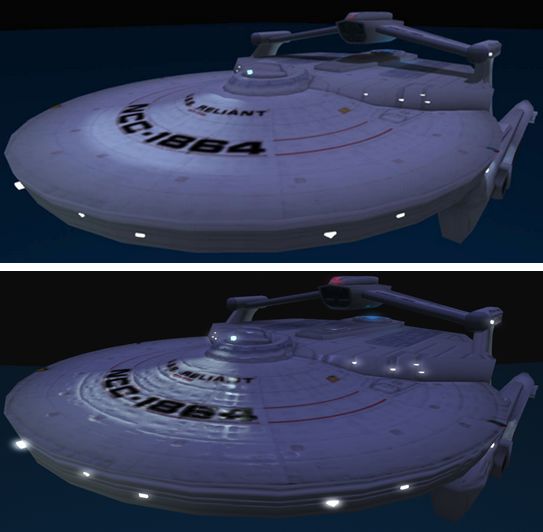
When seen on a non-materials viewer, both models do look a little basic, particularly the Reliant, even with the Advanced Lighting Model option enabled in the viewer. The textures are on the poor side and give the ship a bit of a cartoonish look – as Loki himself pointed out to me.
However, switch to a materials-capable viewer, and things tend to change. True, the hull detailing perhaps isn’t spectacular as it might be (remember, Loki was working from someone else’s designs, not his own), but it certainly adds a credible amount of depth to the model.
USS Reliant: (t) on a viewer without materials support but with ALM enabled; (b) on a viewer with materials support
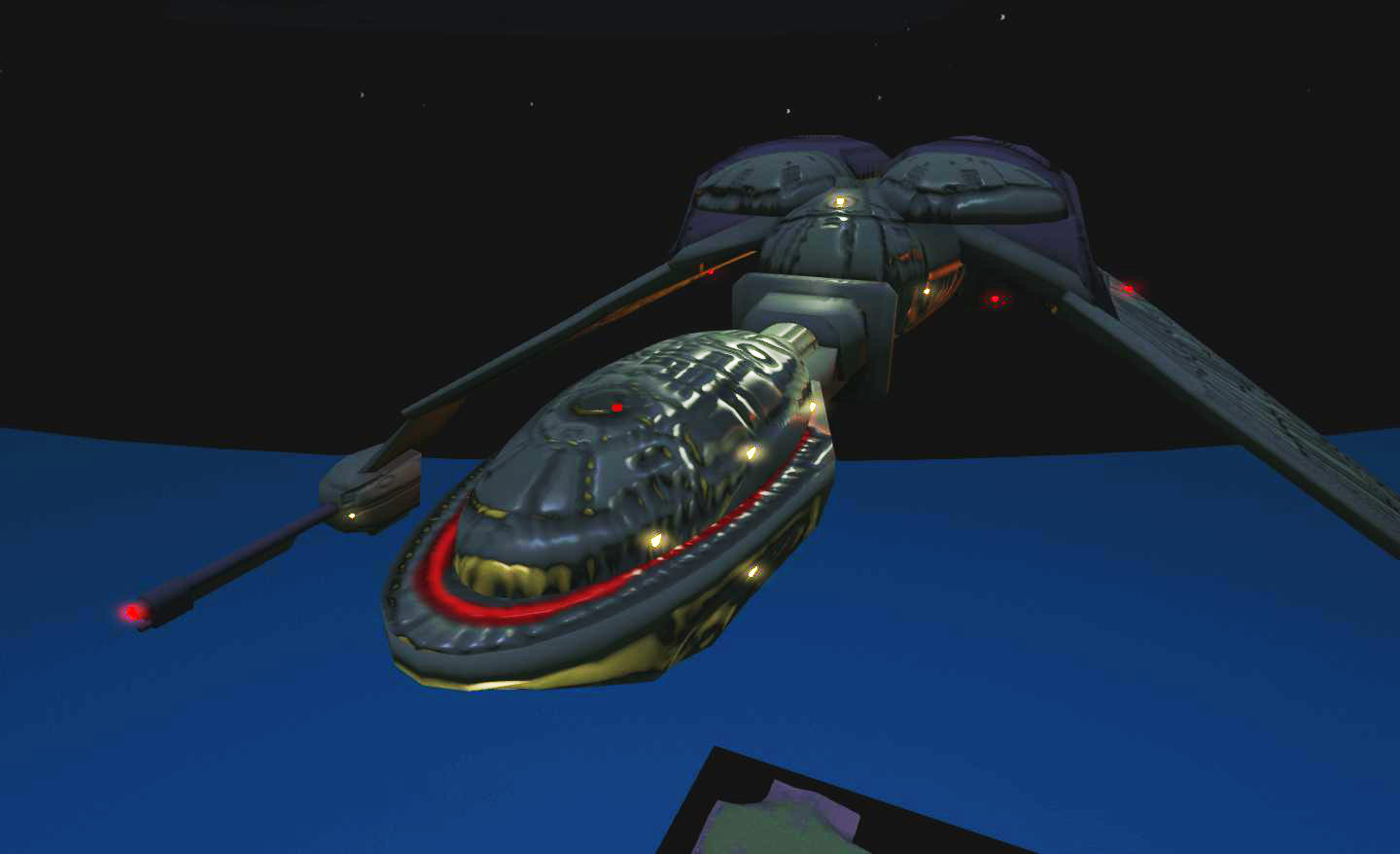
The Bird of Prey model was even more impressive, with the hull detailing leaping out very dramatically, bringing the ship to life.
As well as the lighting and materials elements, Loki has also scripted the ships as flying “sit” objects and added a range of Trek sound effects. For those wishing to try them as intended – in combat – they both fly well, and can be comfortably manoeuvred in a single region, although it might be best to fly them where there is a tad more space so you don’t end-up bouncing off sim boundaries in the heat of battle.
The Bird of Prey with Loki’s lighting and added materials
While using the ships in combat wasn’t my original aim in getting them, and probably not something I’ll be doing a lot of, I have to say that trying it out was fun. Both ships handle well, and Loki has included photon torpedoes for the Reliant and disruptor fire for the Bird of Prey. Combat is very much a case of manoeuvring to get weapons lined on your opponent or across their line of flight and then firing away (just be careful you don’t end up hitting a comrade in your enthusiasm – or yourself!). Both ships will register damage when hit and “vent atmosphere”. Get hit too many times and you’ll end up drifting helplessly for 30 seconds. Vessel health can be regained by rendezvousing with the medical centre space station and touching it.
If you do find the ships a little bit of a handful on a single region, they are modifiable and will resize (no worries of LI ballooning), so they can be scaled down somewhat – although you’ll likely need to swap the avatar “sit” pose if you do, as the default can have bits of your avatar sticking out of the ships…
Loki has a video of the ships in combat (and shot with a materials-enabled viewer) on his blog article about them. Natascha Randt also made a fun little video on a non-materials viewer, which I’ve included here.
As mentioned, Loki offers the Star Trek Battle Game for free through his in-world store. This both reflects the fact that the original models are not his own and avoids any potential snarl-ups with CBS over IP. If you’re into aerial combat, or just into Trek and want to try something different, why not give Loki’s game a try?
It’s time to kick-off another week of fabulous story-telling in Voice, brought to Second Life by the staff of the Seanchai Library SL.
As always, all times SLT, and unless otherwise stated, events will be held on the Seanchai Library’s home on Imagination Island.
Monday 15th July, 19:00 – The City and the Stars concludes (2)
In 1948 Arthur C. Clarke saw his first novel, Against the Fall of Night published in the magazine Startling Stories. Later, in 1953, it appeared as a novella in its own right, prior to becoming the basis of a much expanded work, The City and the Stars, published in 1956. Both focus on the same setting and principal character: the City of Diaspar and a young man called Alvin, but they tell individually unique tales – so much so that both remain in circulation,enjoying equal popularity.
One billion years in the future, Diaspar stands amidst the desert of Earth as the last, self-perpetuating city of humankind. Here, the Central Computer watches over people who live multiple lives over thousands of years before they return to storage, only to be “reborn” at a time selected by the Central Computer. Diaspar is utopian: poverty and need have long been eradicated and there is little strife. Life within the city is focused on creativity and art and in the deeper exploration of already well-understood fields. Enclosed, cyclical and ultimately static, Diaspar is both the culmination and twilight of human endeavour.
Join Gyro Muggins as he brings us the final part of a story which has been hailed as one of Sir Arthur C. Clarke’s best works.
Tuesday 16th July, 19:00: Ruffles On My Longjohns (2)
In 1913, American-born Ralph Edwards established a homestead in Bella Coola Valley, British Columbia, and went on tom become famous as a conservationist and the “Crusoe of Lonesome Lake”.
In the early 1930s, following his return to Bella Coola, he was joined by his brother Earle, and sister-in-law Isabel, who came straight from the city of Portland, Oregon on what was supposed to be a vacation visit. However, both of them fell in love with the wilds of British Columbia and decided to move there themselves, settling into a farm near Bella Coola.
Ruffles in my Longjohns is Isabel’s autobiographical account of her pioneering life with her husband, far from all the trappings of “civilisation” in the 1930s and 1940s. It is a firsthand account of homesteading, told with wit, whimsy and panache, the tale of “city girl” living on the frontier in a world of hard-bitten men, and how she coped, told in a loving, personal style.
Join Faerie Maven-Pralou as she embarks on the second part of a reading from this inspiring book.
Wednesday 17th July, 19:00: Ain’t It Great to be Minnesotan?
With Kayden Oconnell
Thursday 18th July, 19:00: Pirates Aboard! Forty Cases of Piracy
Forget the romantic / Hollywood notion of pirates and buccaneers daring the high seas in wooden hulls and under the canvas of sail; this is an unflinching look at piracy in the world today.
We’re all familiar with tales of ship-taking in regions such as Somalia, where coasters and cargo ships are routinely hijacked by pirates. However, the biggest threat presented by pirates around the world is that presented to blue water sailors. In this volume, Klaus Hympendahl interviews the survivors of forty cases of piracy, some of them quite brutal in natures, and exposes the danger faced by sailors around the world today. Victims recount not only their own experiences at the hands of the pirates but also provide insight into how others facing similar situation can do by way of preventive measures to avoid being captured by pirates and how to deal with stress, aggression, and fear when faced with a confrontation.
Hympendahl also examines those regions of the world where blue water piracy is both at its most dangerous, including the Gulf of Aden, Somalia, Ecuador, Guatemala, Honduras, Nicaragua, Venezuela and parts of Brazil.
Join Shandon Loring as he delves into Hympendahl’s work.
—–
Please check with the Seanchai Library SL’s blog for updates and additions to the week’s schedule. The featured charity for July and August is Little Kids Rock.Have questions? IM or notecard Caledonia Skytower.
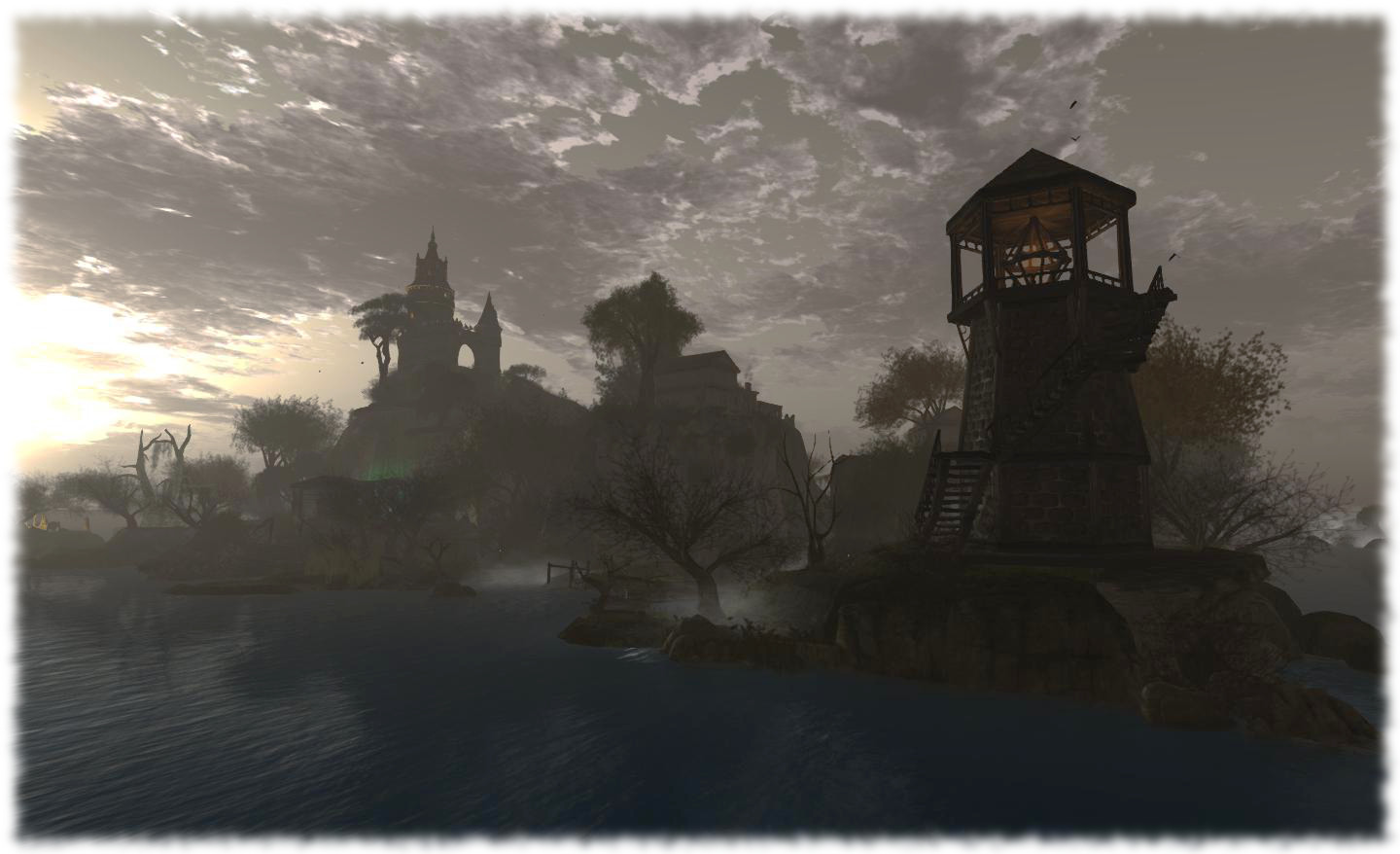
I’m not usually drawn to regions in SL with a vampiric theme to them but the home of the Gehena Vampire Clan is special. Designed by Clan member LouLou Teichmann, who is also Tableau Vivant’s set designer, working with the assistance of Neva Crystall, the region is beautifully constructed and presents an environment well worth visiting – and where visitors are welcomed and left free to explore on their own.
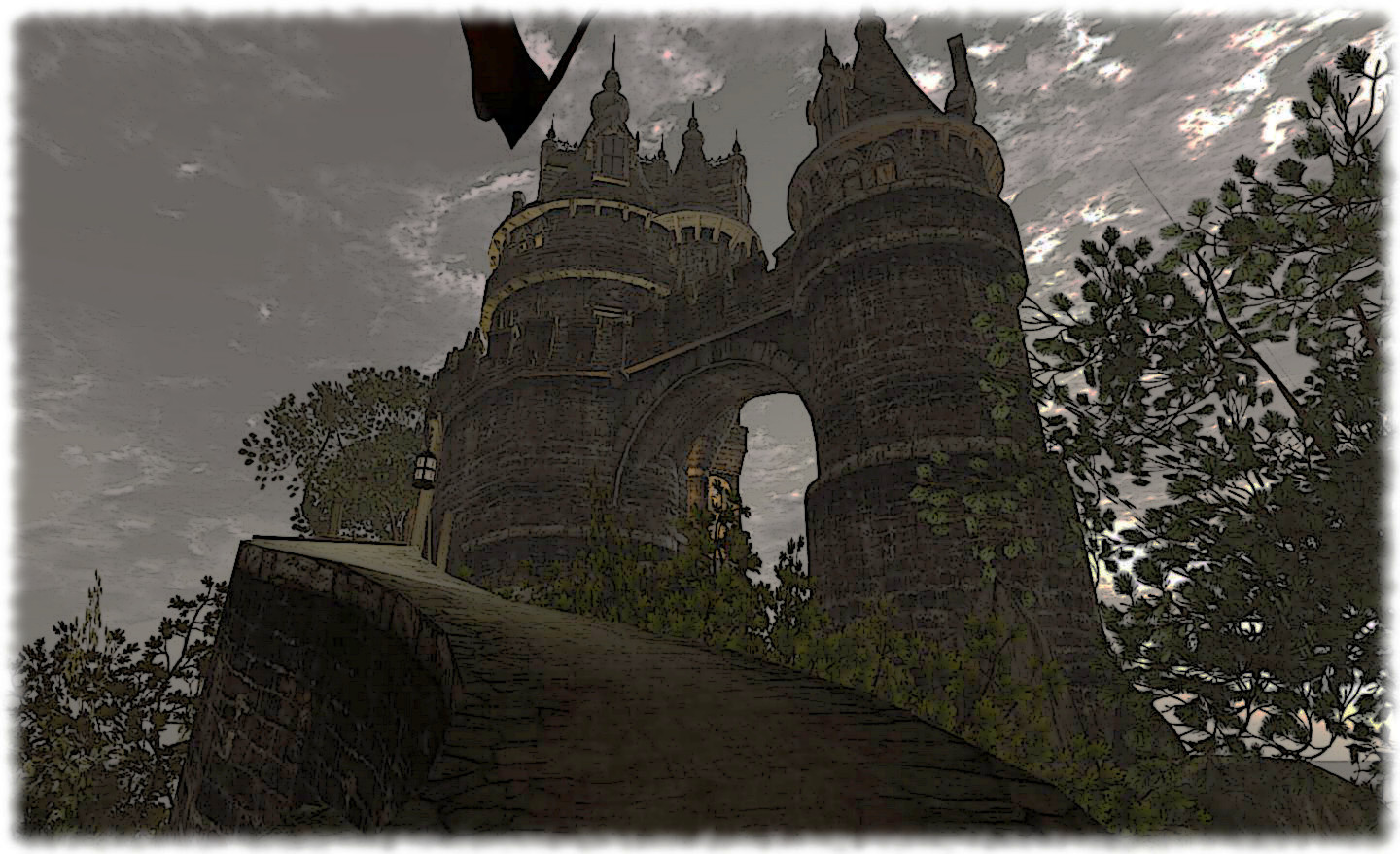
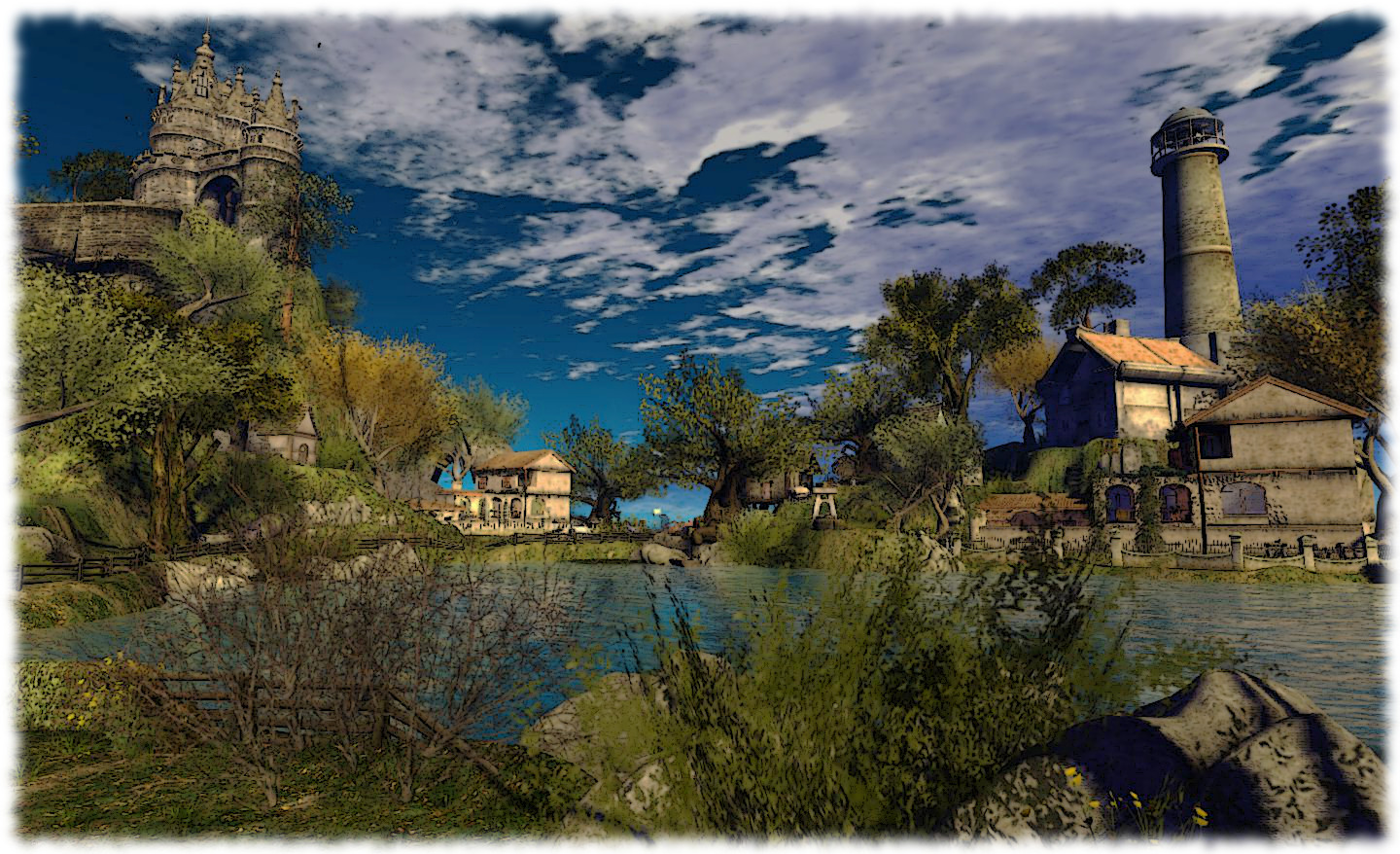
From the castle high on a rocky promontory, reached by a winding stone road, across to the tall, slender lighthouse and the stone-and-wood watchtower, the region is genuinely one of the “must see” places in SL.
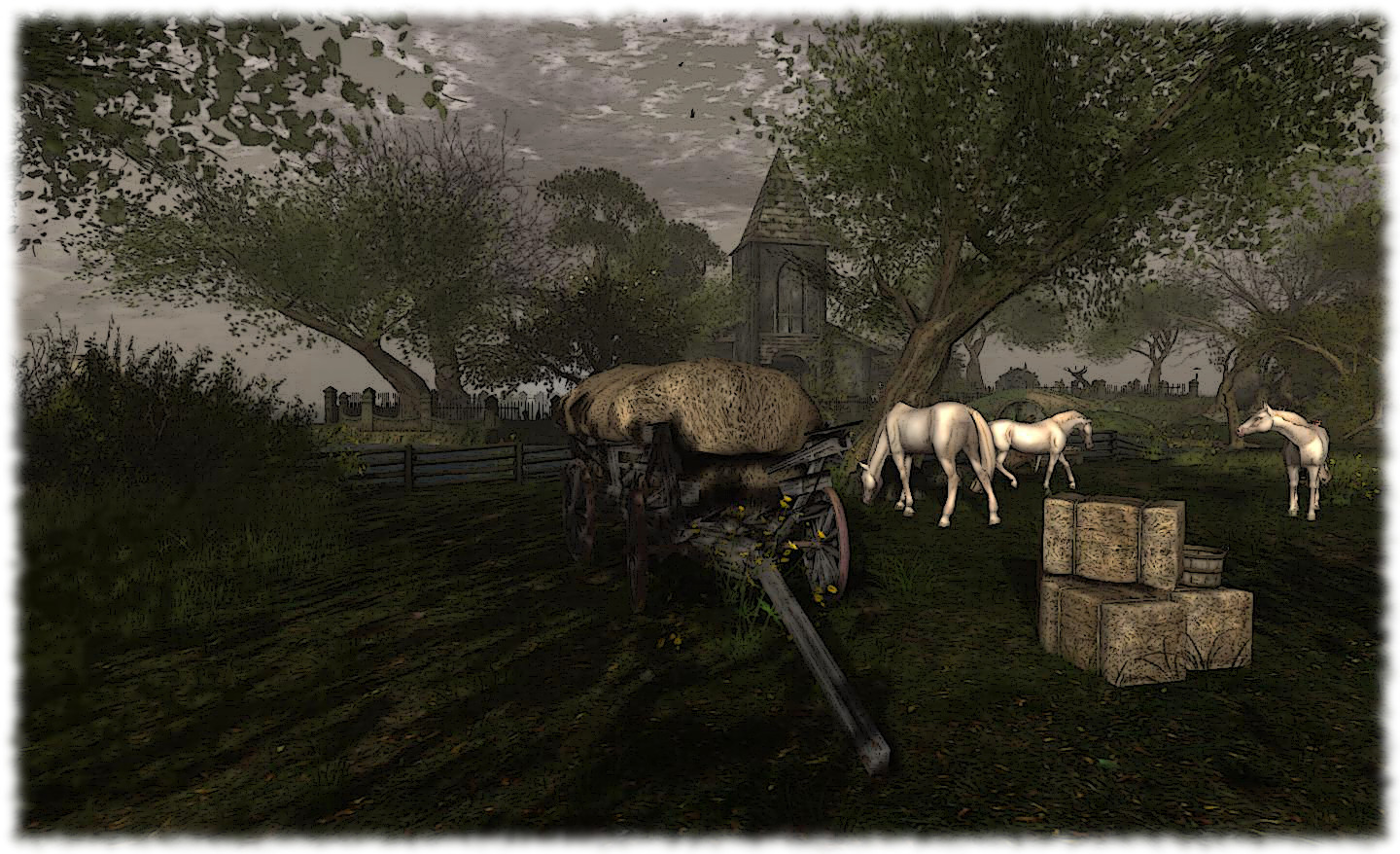
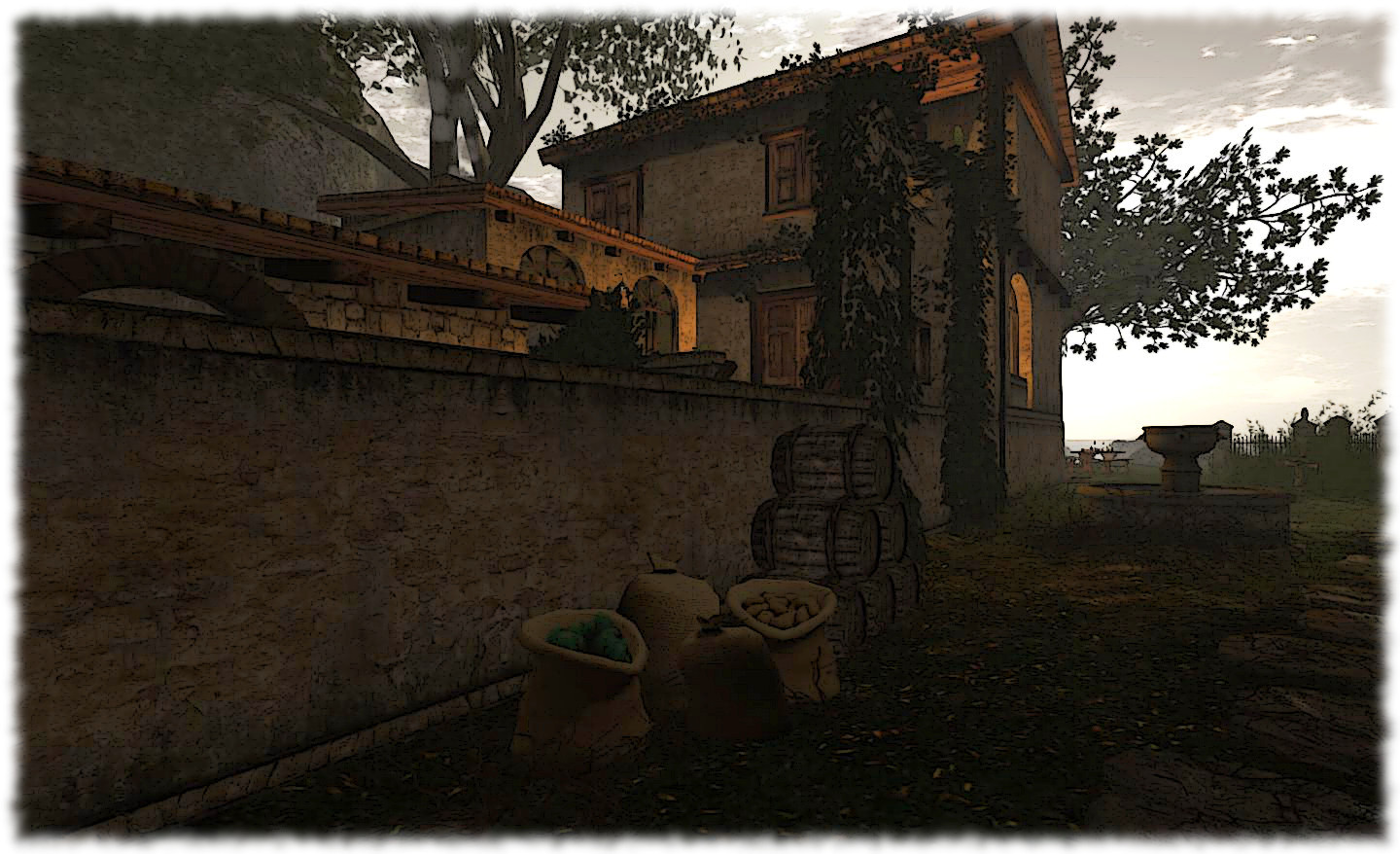
Between these landmarks are a number of farmhouses set amidst a carefully sculpted landscape which mixes fields, trees and water, complete with the traditional “vampirey” elements: an old church and a couple of cemeteries.
The overall design for the region suggests it might be designed to fit the 19th century, the classic era of the vampire tale. However, take a peek behind the castle-bearing promontory and you’ll find a very modern stage area and dance floor.
A lot of vampire-themed regions are focused on role-play. Gehena Vampire Clan, however, is first and foremost a home – as the About Land floater states. I don’t think any of the farmhouses on the ground are used as homes – I get the impression clan members actually live overhead – but just in case they are, please be aware you might be approaching a private home when admiring them.
One of the things that attracted me to this region is that it is hard to escape the feeling that there are tales to be told here. The castle standing high overhead, the fires lit in the hearths as if to ward-off the coming night, the ship standing-to offshore, the church yard and cemeteries; they all encourage the imagination to take flight and weave stories about this mysterious realm and the people who live here. In fact I was very tempted to write this piece in the form of a short vignette.
Pictorially, there are stories to be told here as well. It really is one of the most photogenic regions I’ve visited. There is scarcely an angle or a camera position which doesn’t offer itself up as an opportunity for the framing of a good snap.
I opted to keep to a windlight setting which (to me) matched the theme of the region, using the Bristol setting with a few minor tweaks to try to evoke the latter part of the day, and to provide a what I hope is a slightly brooding air in keeping with the theme of the region. However, it’s worthwhile experimenting with settings, as the region really does lend itself to a variety of lighting conditions, as I hope the last of the pictures on this page shows :).
If you’ve not dropped-in on the region before, I would suggest you add it to your list of places to visit; the clan are very visitor-friendly and do not intrude unless the region guidelines are being broken. You’ll certainly find it worth your while to take time out to visit, whether or not you’re into vampires and bats. It really is that good. Oh, and make sure you have sound on should you visit.
The 2013 Relay for Life weekend in Second Life is upon us, and with over $300,000 USD already raised this year, it look like the weekend is going to be a scorcher.
The theme for the weekend is 100 Years of Hope, in recognition of the American Cancer Society’s 100th anniversary.
As with previous years, the weekend will be focused on the 34-region Relay Track, which will be divided into Past, Present and Future themes and lined with team camps and exhibits. In addition, there will be five activity regions providing live music, DJs, an art show, snail railing, the Raffle for Relay, a flea market and the silent auction, with the Welcome Area and the American Cancer Society region rounding-out the total at 41 regions.
11:00: Victory Lap – Walk the track and meet the Relay Committee
12:30: RAFFLE Draw
13:00: SILENT AUCTION Closes
14:00 PM Enjoy walking the track and visiting the builds
Survivor/Caregiver Walk
Take your place at the side of the track and cheer on / applaud all those who have heard the words, “You have cancer”, as they walk the track in this opening lap together with those who devote their time and energies to caring and supporting for their loved ones and their friends in they fight cancer.
The Luminaria
As you walk the track you’ll notice luminaria (candles) line the sides. These are your opportunities to pay tribute to a lost loved one, or to thank a person who inspires and encourages you. Donating lindens to a luminaria gives you the chance to mention a special someone in hover text over the bag and will light and change color based on the linden amount paid to it, as noted below. Feel free to type in any amount you wish to donate.
L$50 – L$999 – Green
L$1000 – L$2499 – Orange
L$2500 – L$4999 – Blue
L$5000 – L$7499 – Yellow
L$7500 – L$9999 – Pink
L$10000 or more – Purple + fireworks
The Luminaria Ceremony
At 21:00 SLT on Saturday July 13th, the Luminaria Ceremony will talk place. The track regions will all be set to midnight and thousands of luminaria will be lit, each one representing a survivor or someone who has passed away from cancer. People are invited to walk the track in silence for one hour as dedications are read over the broadcasting stream.
Where to Start
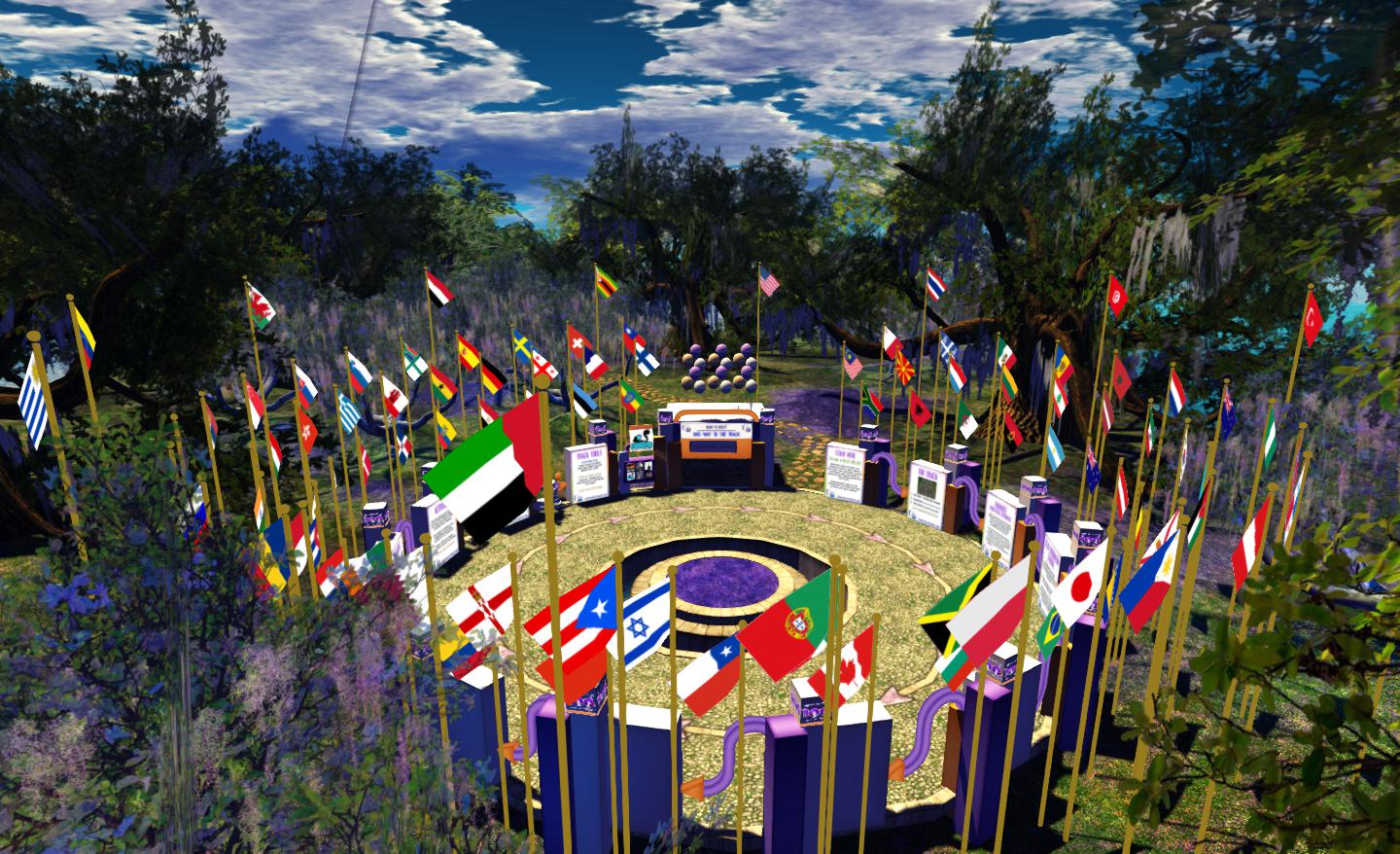
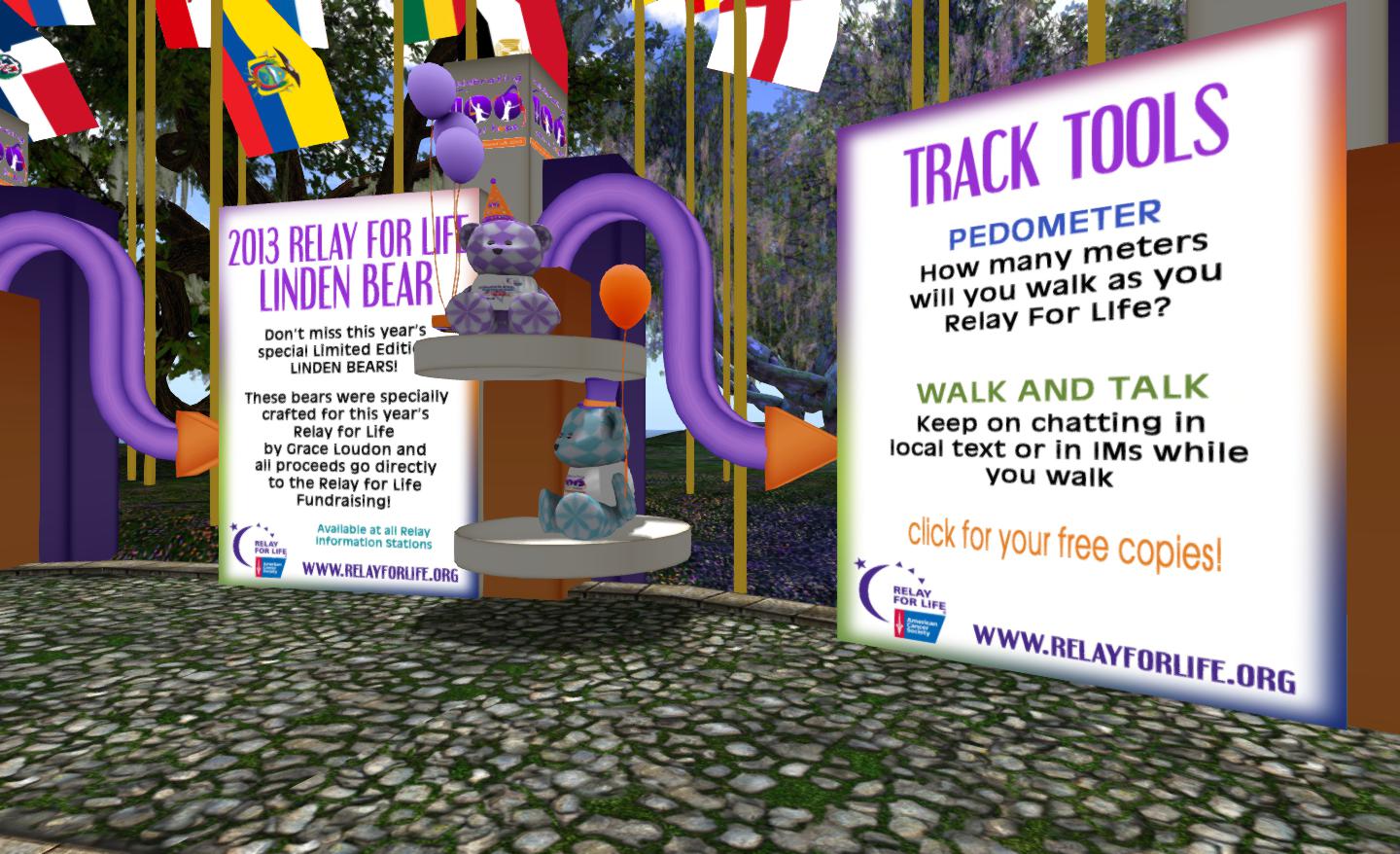
The best place to start is the Welcome Area, particularly if you’ve not participated in the RFL of SL weekend. Here you can pick-up your track tools, which will record the distance you walk around the track and allow you to chat with friends and those around you and walk at the same time. You can also obtain a reference guide to the luminaria donation colours and detailed of the themed laps for the weekend. Greeters will also be on-hand to answer any questions you may have. Once you’re ready to go, use the teleport to get to the track regions.
Update, September 15th, 2024: the viewer release process defined below has been replaced:
Linden Lab now maintains a single Develop branch for the viewer, into which updates all pass for internal viewer builds, and from which Release Candidate viewers are peeled and made available.
This is tied to a “featurettes” approach to new features and capabilities, whereby these may be added to the viewer and deployed within Release Candidates, but place behind debug settings / remain “turned off” until such time as all dependencies on their use (e.g. back-end support) are in place / LL are confident they are ready to be made fully available.
Update July 23rd, 2013: As release candidate viewers are now available for download on the Alternate Viewers wiki page, I’ve added some notes on manually installing and running multiple release candidates to this article.
The new viewer release process announced by the Lab in May 2013 has officially been implemented.
Officially called the Viewer Integration and Release Process, It is designed to improve how the Lab can put new viewers before users and progress them through to a release status while avoiding bottlenecks such as those witnessed in late 2012, when an issue with the Viewer Beta channel effectively stopped any new viewer releases for around a two-month period.
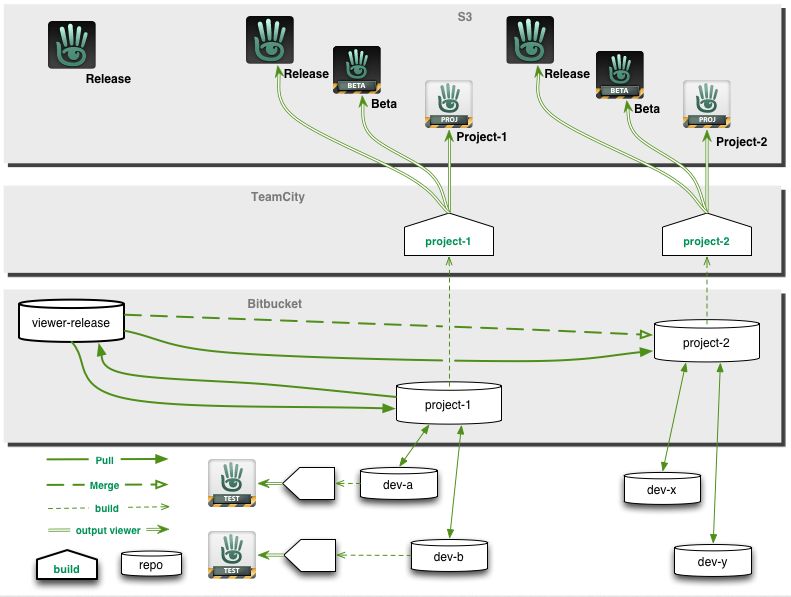
With the new system, early versions of viewers will still be made available through “dedicated” project and beta viewers, all of which will be available for download via the Official Alternate Viewers Page. However, the major change to the process is the use of “release candidates”.
When a viewer is ready for final testing, a release candidate will be readied. Rather than residing in their own dedicated viewer channel, these release candidates will be updates in the regular release channel, residing in a named “cohort” within the channel.
This means two things. Firstly, release candidates are available for download alongside one another and the default release viewer. Who might receive a given release candidate is a random selection based on a viewer setting (see below) and a pre-determined quota of downloads for the candidate (once the quota has been reached for a given candidate, the system will no longer select it for download).
Secondly, when a specific release candidate is deemed ready for release (based on bug reports filed, issues reported and fixed, stats gathered, etc.), there is no longer any need to rebuild it as a “release” viewer, as it is already in the release channel. It is simply moved from its named cohort to become the default release version on the SL viewer download page. Any remaining release candidates are then rebuilt using the new default release code, and continue with testing until one is deemed ready to become the next release.
From a user perspective, release candidates are largely indistinguishable from one another and the default release viewer (other than their version number and the features they contain), and the chances are that some users will be unaware that they have been selected by the system to run a release candidate; they will simply see it as receiving an automatic / mandatory viewer update, and install it.
“Willing to Update” and Release Candidate Downloads
As mentioned above, users who receive a release candidate viewer are selected at random, based on a defined quota of downloads for a given release candidate. However, whether or not a user might be selected to receive a release candidate viewer depends on whether or not they have left the “willing to update” option enabled in their current viewer.
Located in Preferences > Setup, “willing to update to release candidates” (to give the option its full name) is enabled by default. But just because it is, does not automatically mean someone will be selected to test a release candidate viewer. This is because the download quota defined for any given release candidate will always be relatively small when compared to the SL user base as whole.
However, if you don’t wish to run any release candidate viewers at all, you can disable this option, and only receive viewer updates when the default release viewer is updated.
Another point to remember with release candidates is that users won’t be moved between release candidates as a result of updates. So if you leave the “willing to update” option enabled and you happen to be selected for testing “release candidate A”, you won’t suddenly start receiving updates for “release candidate B”; you’ll stay with the updates for “release candidate A” until such time as it becomes the default release viewer. Only then might you be selected to receive another release candidate download at some point in the future.
Download Page and Alternate Viewers Page updates
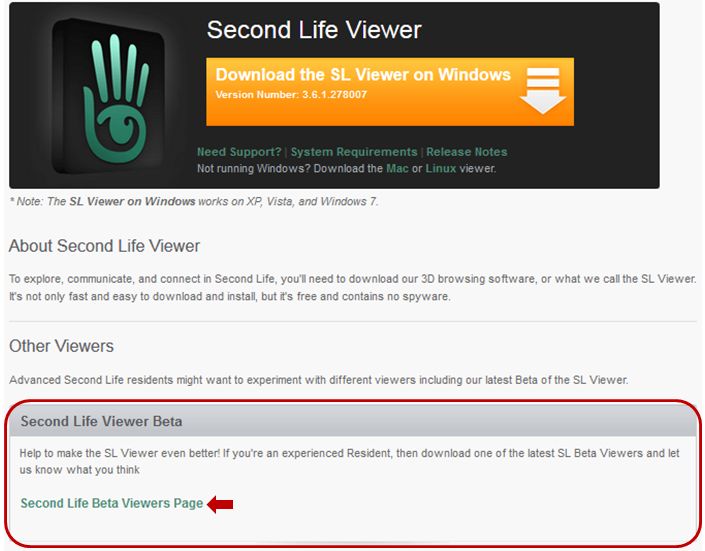
As a result of the move to the new release process, the SL viewer download page has been updated, and there is no longer any link to download the “Beta Viewer”. Instead, there is a link which takes you to the Official Alternative Viewer wiki page, which instead lists all available beta and project viewers.
An important aspect of viewer bug reporting has been to give details of the viewer you’re running, including the version number. This information is requested in the “Environment” section of the bug report form. Given that the new viewer release process means there can be a number of release candidates in use at any given time, as well as various beta and project viewers, it is even more important that this information is given when raising a bug report.
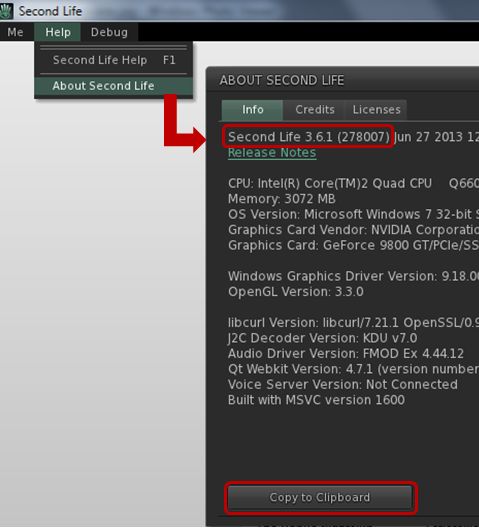
Displaying details of the viewer you are using, including its version number
Viewer information can be found in the About Second Life floater (Help > About Second Life), if you’re not already familiar with it. Further, the information on this floater can be copied directly to your clipboard ready to be pasted in a bug report to save you having to manually enter it.
Notes on Manually Installing Release Candidates
Viewer release candidates are now listed on the Alternative Viewers wiki page, and can be downloaded and installed, if so desired. If you do opt to do so, please note that release candidates are contained in “cohorts” within the viewer release channel, and are designed to overwrite any release candidate viewer you have installed. Therefore, if you wish to manually install multiple release candidate viewers side-by-side and with the de facto release viewer, you much ensure, in accordance with your operating system, that:
Any shortcuts / start menu links (e.g. Windows) you have for the viewer are renamed before you install any release candidates
Each release candidate is installed into a unique folder
Any shortcuts / start menu links (e.g. Windows) which are created as a part of the installation process are given unique names before installing the next release candidate
Notes:
If you provide unique destinations for each release candidate installation thorugh the installer package (e.g. Windows), make sure the installer is listing the correct destination folder when manually downloading and installing a subsequent release / update
The Windows auto-updater will automatically install into the last folder defined in the viewer installer (so if you have manually installed “Release Candidate A” and then “Release Candidate B” into separate folders, then get an update for “Release Candidate A” via the auto-updater, it will install into the folder for “Release Candidate B”)
Disabling the auto-updater in Preferences may not stop this from happening.
Instead, go to viewer install folder/app_settings, then edit settings.xml, and find the entry UpdaterServiceURL and change https://update.secondlife.com to https://secondlife.com/no-thanks (or similar) and save. You may need Admin privileges to do this.
Changes to this Blog
I maintain a list of viewers recognised as being used with Second Life (predominantly, but not exclusively, based on the Third-party Viewer Directory), which is updated as a when I become aware of new viewer releases being made. The section of this page which deals with the SL viewer has been updated to reflect the new viewer release process, and now includes all SL viewers currently listed in the SL viewer download page and the Official Alternate Viewer wiki page (with the exception of the Amazon channel viewer, which is the version of the viewer offered through Amazon.com).
A fix for the navmesh bug whereby pathfinding rebakes are continuously triggered if a region has more than one parcel and has no parcel edges above water, then it thinks it needs to rebake (BUG-2975) – see part 2 of my week 26 report.
Week 29 Deployments
While the final arrangements for the week 29 deployments (week commencing Monday July 15th) have yet to be finalised, Maestro Linden indicated at the Server Beta meeting on Thursday July 11th that there is likely to be one new server maintenance package going to an RC channel during that week, This is likely to have:
Further fixes for various crash modes
An additional update for pathfinding characters with CHARACTER_STAY_WITHIN_PARCEL=TRUE, which should enable such characters to re-enter their assigned parcel should they accidentally exit it (as a result of being pushed out, for example), rather than getting stuck
Fixes for issues such as:
BUG-2931 ‘run_time_permissions no longer triggers in attachments after requesting 0 permissions’
BUG-969 ‘teleporting breaks collision detection state for volumedetect objects’
Obviously, I’ll have more on the deployments for the week when details have been published by the Lab.
Server-Side Baking / Appearance Deployment
The enabling of SSB/A on LeTigre on Wednesday July 10th proceeded smoothly, and there have been few problems noted. Most testing the capability are reporting it functions smoothly and are seeing improved avatar skin / clothing layer rendering with few periods of extended avatar blurring.
It’s not entirely clear how SSA/B will proceed from here; it appears as if the Lab plans to keep to the cautious approach previously indicated by Nyx Linden rather than rushing forward to enable the capability right across the grid. As such, Log Linden indicated at the Server Beta meeting on Thursday July 11th that either BlueSteel or possibly – given it has a slightly larger number of regions than BlueSteel – Magnum will have SSB/A enabled next.
Have you updated to a viewer supporting SSB/A?
Log Linden came in for a number of additional questions on the new baking / appearance service during the Server Beta meeting on Thursday July 11th. Although I’ve covered the topics asked about in previous reports, I’ll note them here for ease-of-reference:
The baking / appearance service is entirely separate from the simulator servers, operating on its own dedicated servers. This means that when the service caches your outfit, it is effectively cached “grid wide” and not the simulator you happen to be on when you update your outfit
When two avatars are wearing exactly the same outfit, they both use the same copy of the outfit cached on the baking / appearance service. The Lab is aware this will only happen on rare occasions, and will most likely only happen in the case of library avatars
How long an outfit remains cached on the baking / appearance service depends on how popular it is. So if it is an outfit you are frequently changing into, it is liable to remain cached for longer than an outfit you wear, change out of and then leave it unworn for several days or more
Outfits which are removed from the baking / appearance cache are not deleted from inventory or anything – it just means that the baking / appearance service no longer has the data for the outfit, and so must wait until the outfit is uploaded from the viewer once more (although this shouldn’t visibly slow down the baking process)
Rebaking functions differently on SSB/A enabled regions: rather than uploading your appearance from your viewer to the server for distribution to the users around you, using the rebake (CTRL-ALT-R or menu option) causes the viewer to request a fresh download of your cached appearance
Should the server cached version of your appearance somehow become corrupted, you must add a clothing item in order to force a fresh update of your appearance from your Current Outfit Folder to the baking / appearance service
When you enter an SSB/A-enabled region for the first time, your own avatar will initially render grey before your skin and clothing layers re-render correctly. This is expected behaviour and due to you switching-over to the new baking / appearance service.
Anomalies
There have been some reports of odd anomalies in LeTigre regions (where SSB/A is enabled). These include:
A report that if you wear a 50% gray textured skin, you appear invisible to SSA viewers
Rather than appearing as a cloud in SSB/A-enabled viewers, avatars on non-SSB/A viewer entering LeTigre regions will actually render, but any outfit changes they make won’t render to those using SSB/A-enabled viewers unless they teleport to a non-SSB/A enabled region to change, and then return to LeTigre (something which will obviously not be possible once SSB/A is grid-wide).
Notecard Issue
One problem which has been confirmed with LeTigre regions is BUG-3203 (Error when adding contents to a notecard and saving). If you create a notecard on a LeTigre region and embed another item within it (another notecard, an LM, a texture), the notecard will not save, but will generate the following error: Unable to upload (asset ID number) due to the following reason: The server is experiencing unexpected difficulties. Please try again later.
General Feedback
Overall, feedback appears to be positive, going on comments in the forum deployment thread and made at the Server Beta UG meeting. Some people have reported performance dips while on LeTigre regions and attributed them to SSB/A, although this may be a placebo effect. There have also been so reports of viewer crashes when trying to walk between a non-Le Tigre region and a LeTigre region.
Most people who have carried out comparative testing between LeTigre regions and regions on other channels are reporting that avatar rendering on Le Tigre is significantly faster, with avatar skins and clothing appearing fully rendered in around 15 seconds in regions with a reasonable number of other avatars, and none of the general fuzziness or “double rebakes” which can be witnessed on the “old” baking process. Some are also reporting that they are seeing some improvements on non-SSB/A regions when using an SSB/A-enabled viewer, although this again may be something of a placebo effect.
My own rather quick-fire tests with the SL viewer 3.6.1.278007, Firestorm 4.4.2 and Exodus 13.7.9.1 beta revealed no discernible issues. The majority of avatars tended to render together with visiting regions with a reasonable number on them. I didn’t notice any clouds around me in the more crowded locations I dropped into and where I did experience performance drops, although I put those down to the fact the locations (a club and a hub) were busy with 15-20 avatars in each and had a lot going on rather than being anything intrinsic to SSB/A, nor did I witness anyone remaining grey for an inordinate amount of time.







 Inara Pey: Living in a Modemworld