SL projects update week 26 (2): server, pathfinding bug, viewer updates

Server Deployments – Week 26

As always, please refer to the week’s forum deployment thread for news, updates and feedback.

Second Life Server (Main) Channel

On Tuesday 25th June, the SLS Main channel received the server maintenance package deployed to the three RC channel in week 25. This fixes a number of crash modes, addresses an issue with neighbouring region visibility, and adds the new pathfinding property CHARACTER_STAY_WITHIN_PARCEL to llCreateCharacter() and llUpdateCharacter() – see my week 19 report for details – and the object return functions I reported on in week 23.

While not intended to fix issues of diagonally adjacent regions not being visible to one another (SVC-8130), there are reports that at least some of the regions which have suffered from this issue for a considerable time can be seen from one another once more – although Maestro Linden isn’t entirely convinced the underlying cause of the problem has been corrected.

Release Candidate (RC) Channels

On Wednesday 26th June, all three RC channels (Magnum, BlueSteel and LeTigre) received a new server maintenance package, comprising:

  • A fix for ‘llApplyImpulse now works only in the root prim’ (SVC-8227)
  • Crash mode fixes
  • New LSL function: string llXorBase64(string str1, string str2)
    • Returns a string that is a Base64 XOR of Base64-formatted input strings, str1 and str2.
    • Fixes a ‘bad’ behaviour when the 2nd string contains nulls (“A” in base64) – SCR-35
    • Aside from those cases, this function behaves identically to llXorBase64StringsCorrect()
    •  added to avoid changing the behaviour of existing scripts which may rely on llXorBase64StringsCorrect()’s current output
  • Added max_materials_per_transaction flag to /simulator/features cap
    • This number returns the maximum number of materials that can be sent to the “RenderMaterials” capability in a single request.

MAX_MATERIALS_PER_TRANSACTION

Speaking at the Server Beta meeting on Thursday 27th June, Maestro Linden described the max_materials_per_transaction flag thus:

It limits how many materials the viewer can request details for or set (POST, PUT methods) in a single message. By default, the limit is 50. The reason for the limit is that we don’t want the simulator to hang if a malicious viewer requests the details of 2 billion materials at once.

So, the capability for materials is called RenderMaterials [and] it has 3 HTTP access methods:

  • GET: get the full list of details of all materials in the region
  • POST: get the materials details for a list of material_ids (the server will only parse the first max_materials_per_transaction in the post data)
  • PUT: set the materials properties of up to max_materials_per_transaction object faces

GET is used when you first connect to a region and want to get the materials of everything [in the region, not just within draw distance]; POST is used if, for example, a new object is rezzed with a new materials type, and the viewer needs to resolve what the normal map is, etc; and PUT is used for object editing.

[So] if the viewer needs to edit 80 faces at once, for example, it will know that the server limit is 50, and POST in 2 messages (one for the first 50, the other for the other 30).  [The] ‘max_materials_per_transaction’ flag in the features cap will be a way for the viewer to know if the server limit changes from 50 per message. I’m not aware of any plans to change that limit in the near future, though.

Deployments for Week 27

There will be no server-side deployments in Week 27 (commencing Monday July 1st), as US Independence Day is on Thursday July 4th. The next scheduled deployments will be in week 28, commencing Monday July 8th.

Pathfinding Bug

Elijah Linden has discovered a bug within the pathfinding code, wherein certain regions have continuous navmesh rebaking, which causes some annoying UI effects, hurts simulator performance somewhat and causes memory spikes. Regions can be affected even if pathfinding is turned off.

Voidpointer Linden assumes human form (stock)

The bug arose as a result of the recent CHARACTER_STAY_WITHIN_PARCEL property added to the pathfinding capabilities. Commenting on the bug at the Server Beta meeting on Thursday 27th June, Voidpointer Linden, who implemented the new CHARACTER_STAY_WITHIN_PARCEL property, said:

As part of the STAY_WITHIN_PARCEL changes, I needed to change the way the navmesh is constructed. This involved making sure that every region did a rebake once. Unfortunately, the criteria that I used to test whether a region needed rebaking had a flaw – it can’t see parcel edges underwater [possibly because the navmesh doesn’t include areas below sea level]. So if a region has more than 1 parcel and has no parcel edges above water, then it thinks it needs to rebake. So it does.

And does so repeatedly, as Elijah Linden reported in BUG-2975 (Regions continue to requests rebake after rebakes have been performed).

There is a fix for the issue, but it currently requires testing, and may not appear for a while. In the meantime, there is one assured workaround: if your region is suffering from the issue and has a parcel which is completely submerged, subdivide / raise one part of a boundary for that parcel (and which is not also a region boundary) above water so it can be found by the navmesh rebake process.

This bug is unlikely to be resolved before week 28 due to there being no deployments scheduled for week 27, as mentioned above.

SL Viewer

The SL release viewer updated to version 3.6.1.278007 on June 27th, containing the fixes from the 3.6.1.277611 beta release. This contains some updates related to the viewer being available via Amazon, and fixes for occlusion culling being less effective than it should be, legacy Shiny being too strong in ALM with materials,light function sampling is incorrect in advanced lighting model and a viewer compilation error.

The beta viewer updated to 3.6.1.277824 on June 26th, with the release notes listing the same updates as 3.6.1.277611 and 3.6.1.278007 – so these appear to be work-in-progress fixes.
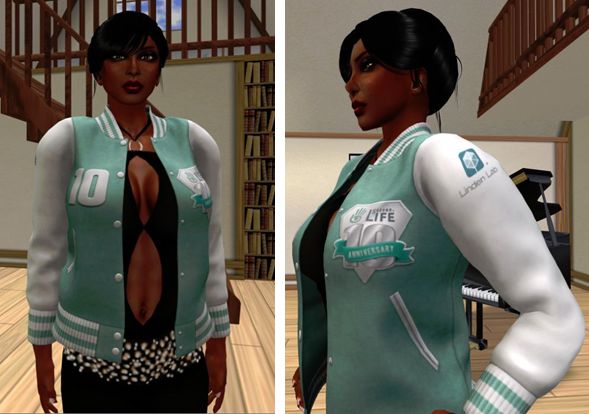
Missed one of LL’s SL10B gifts? You can still grab them in-world

As a part of the SL10B celebrations, the Lab offered a line of limited offer gifts to residents through in-world vending machines: varsity jackets, teddy bears, furnished homes, etc. These were offered on a time limited as well as a limited number basis.

However – if you missed any of them, you can in fact still claim them from any of the vendors scattered around the SL10BCC regions (and possibly elsewhere, if there are any). Simply find a vendor and click on its right side to scroll through all of the available gifts. Any you haven’t already got will be automatically offered to you, which you can accept or reject.

The SL10B varisty-style jacket available in-world
The SL10B varsity style jacket available in-world in both male and female styles, and with or without t-shrits

The list of gifts comprises (as far as I can tell – the order from the vendors is random:

  • SL10B Women’s Varsity jacket
  • SL10B Women’s Varsity jacket with t-shirt
  • SL10B Men’s Varsity jacket
  • SL10B Men’s Varsity jacket with t-shirt
  • SL10B Jumbo Cupcake
  • SL10B bear avatar (also available on the SL Marketplace)
  • SL10B Teddy Male
  • SL10B Teddy Boy
  • SL10B Teddy Girl
  • SL10B Teddy Female
  • SL10B Teddy Baby
  • SL10B Hold Teddy Male
  • SL10B Hold Teddy Girl
  • SL10B Hold Teddy Boy
  • SL10B Hold Teddy Female
  • SL10B Teddy with Bottle
  • SL10B rare fireworks (also available on the SL Marketplace)
  • SL10B Furnished House

All offers end at 23:59 LST on the 30th June (although the SL10BCC regions close before then). Vendors themselves can be found at places like SL10B Pizzazz and SL10B Enchant, and may well be available elsewhere on the grid – I confess, I’ve not looked.

In addition, the SL10B t-shirts in both mesh and clothing layer forms, the mesh baseball cap and SL10B party pack remain available on the SL Marketplace for those who missed them.

Firestorm 4.4.1: It’s time to update

firestorm-logoUpdate July 2nd: version 4.4.2 has been released by the Firestorm team, and Firestorm 4.4.1 has been blocked from accessing Second Life. If you have previously installed Firestorm 4.4.1, you can install 4.4.2 without needing a clean install. If you are updating from Firestorm 4.4.0 or earlier, a clean install is strongly recommended. The downloads can be found on the Firstorm website.

Firestorm 4.4.1(.34164) arrived as a release on Thursday June 27th. This is another major update to SL’s most widely used TPV, and one which all Firestorm users should update to sooner rather than later.

The reason for this latter comment is one which should be familiar to anyone who regularly reads this blog – Server-side Baking / Appearance (SSB/A) is a-coming.

Subject to final confirmation, the Lab plans to start deployment of the server-end of the capability on July 9th, and while it might take a while to encompass the entire grid, it will mean that anyone using a pre-4.4.0 version of Firestorm is going to start seeing increasing numbers of grey avatars around them as they travel the grid and (quite likely) finding themselves being told they are a cloud when seen by others.

Updating sooner rather than later will also greatly assist those volunteers who give up copious amounts of time to help with the in-world Firestorm Support groups. Right now, the Firestorm team estimate more than 77,000 users are still running versions of Firestorm older than 4.4.0, and thus have no SSB/A capabilities. It’s going to be impossible to supply all of these users with support and advice if they all leave updating their viewer until the 9th July or later – so please, if you are reading this review and you are using a version of Firestorm older than 4.4.0, consider updating now.

Doing so means that should you need to contact the Firestorm support team directly, because you are encountering problems and cannot find help through the Firestorm wiki or the troubleshooting index, you’ll be far more likely to receive a timely response to your request for assistance.

Even those who have updated to 4.4.0 should make the move to 4.4.1, as it includes the very latest updates and fixes for the SSB/A code from LL. Outside of SSB/A, release 4.4.1.34164 offers a number of important fixes for 4.4.0, and so it’s again important for 4.4.0 users to step up to 4.4.1 to gain these benefits.

As always, there is a lot to cover in a Firestorm release, so I’m not going to plough through everything here – the official change log provides a breakdown of all updates and fixes. Instead, this review focuses on what I regard as the key updates / changes. As always, credits for the various updates and contributions to Firestorm which are mentioned here can be found in the release change log – again, please check them there.

What is NOT in this Release

I’m actually going to start with what is not in the 4.4.1 release. It does not include the following major updates from the Lab:

  • The Communications Hub User Interface
  • Materials Processing

The reasons for this are simple. For one thing, the Firestorm team have been largely focused on fixing issues and problems with Firestorm and on getting the viewer ready for the SSB/A release. This  left them with little time to get changes resulting from the CHUI release by LL integrated into the viewer, although considerable work has been carried out in refactoring the code.

Similarly, there is no Materials Processing capability included with this release. This is in part because the Lab themselves have only recently moved the materials code to a release status (and it still has a number of very visible bugs associated with it), but mostly because changes made to the viewer as a result of the introduction of CHUI affect files which are also changed by the materials project. It is therefore important that the Firestorm team implement the changes in the same order – changes as a result of CHUI first, then the materials changes.

So those wanting to use materials in Firestorm are, unfortunately, going to have to wait a while longer.

New Features and Improvements from the Lab

Note these also include work by the Firestorm team arising from LL-development viewer updates.

  • “Missing prims fix” – MAINT-2647 / BUG-2116 / FIRE-8950 – this should hopefully resolve the majority of issues around prims / linksets failing to render in the viewer until an action such as right-clicking on them or toggling atmospheric shaders off / on is taken
  • Merge up to 3.4.5 codebase plus cherry picked fixes plus server-side appearance support improvements
  • Major under the hood refactoring in preparation for the CHUI merge
  • Added RegionHandshakeReply flags for Server-side Appearance – a fix for the SUN-74 issue.

Snapshots Fixes

Firestorm 4.1.1 includes an interim fix for the issue of black rectangles appearing in snapshots taken at very high resolutions. Note that this fix is not the recently released additional fixes arising from MAINT-628 made by Linden Lab. These fixes will be included in an upcoming release of Firestorm, and so the current fix should be considered interim.

Communications Updates

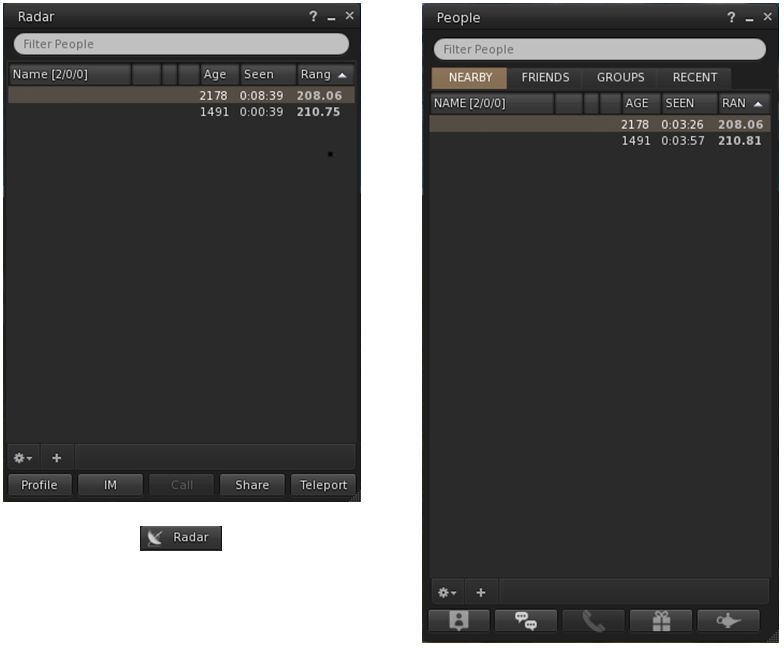
Radar can now be accessed via its own button / menu option / floater for those who prefer not to access it via the People floater. The new button can be selected from the Toolbar Buttons floater, which will open the new Radar floater. Additionally, Radar can be accessed via World > Radar from the menus.

The new Radar floater (left) and optional Toolbar button, compared to Radar as it appears in the Nearby tab of the People floater

The Radar retains all functions found when displaying it in the Nearby People floater, including the ability to display the mini-map within it.

The Payment icons on the Radar / Nearby People floaters have also been updated: $ indicates the user has Payment Information on File; $$ indicates Payment Information Used.

For those who use the Friends list (Comm > Friends or CTRL-SHIFT-F), highlighting a person’s name in the list and then tapping ENTER will start an IM conversation with that person (no need to click the IM button).

For those who use Growl, dialogue messages and inventory received from object messages are now displayed with Growl. In addition, all Growl preferences check boxes will only be enabled if Growl is installed on the user’s system.

Navigation Updates

Beacon distances are now shown for the
Map beacon ranges now show the distance from the avatar, not the camera

Firestorm 4.4.1 removes the 2-second delay when using the click-to-teleport functions or teleport chat shortcuts (gtp, etc.) or the Teleport To function in Radar.

A new option allows region grid coordinates to be displayed on the World Map (Preferences > Move & View > Firestorm > Show grid coordinates on the world map), which OpenSim users might perhaps find more beneficial than most SL users.

Also, map beacon ranges now show the distance from the avatar, not the camera.

Continue reading “Firestorm 4.4.1: It’s time to update”

RFL of SL 2013 – $300,000 already raised & the Weekend still to come

2013_RFL_LogoGem Sunkiller brings word that this year’s RFL of SL season has already raised $300,000, and the Relay Weekend has yet to arrive.

This year’s Weekend will be held on Saturday 13th and Sunday 14th July on the theme of 100 Years of Hope, in recognition of the American Cancer Society’s 100th anniversary.

As with previous years, the weekend will be focused on the 34-region Relay Track, which will be divided into Past, Present and Future themes and lined with team camps and exhibits. In addition, there will be five activity regions providing live music, DJs, art show, snail railing, the Raffle for Relay, flea market and silent auction.

The weekend will commence at 10:00 SLT on Saturday 14th July with the Opening Ceremony and the 2013 Fundraiser Club Banner Awards. This will be followed by the start of the track walks, starting with the Honour Walk, a celebration lap featuring 100 cancer survivors and caregivers, and which will be followed by the Team Spirit lap.

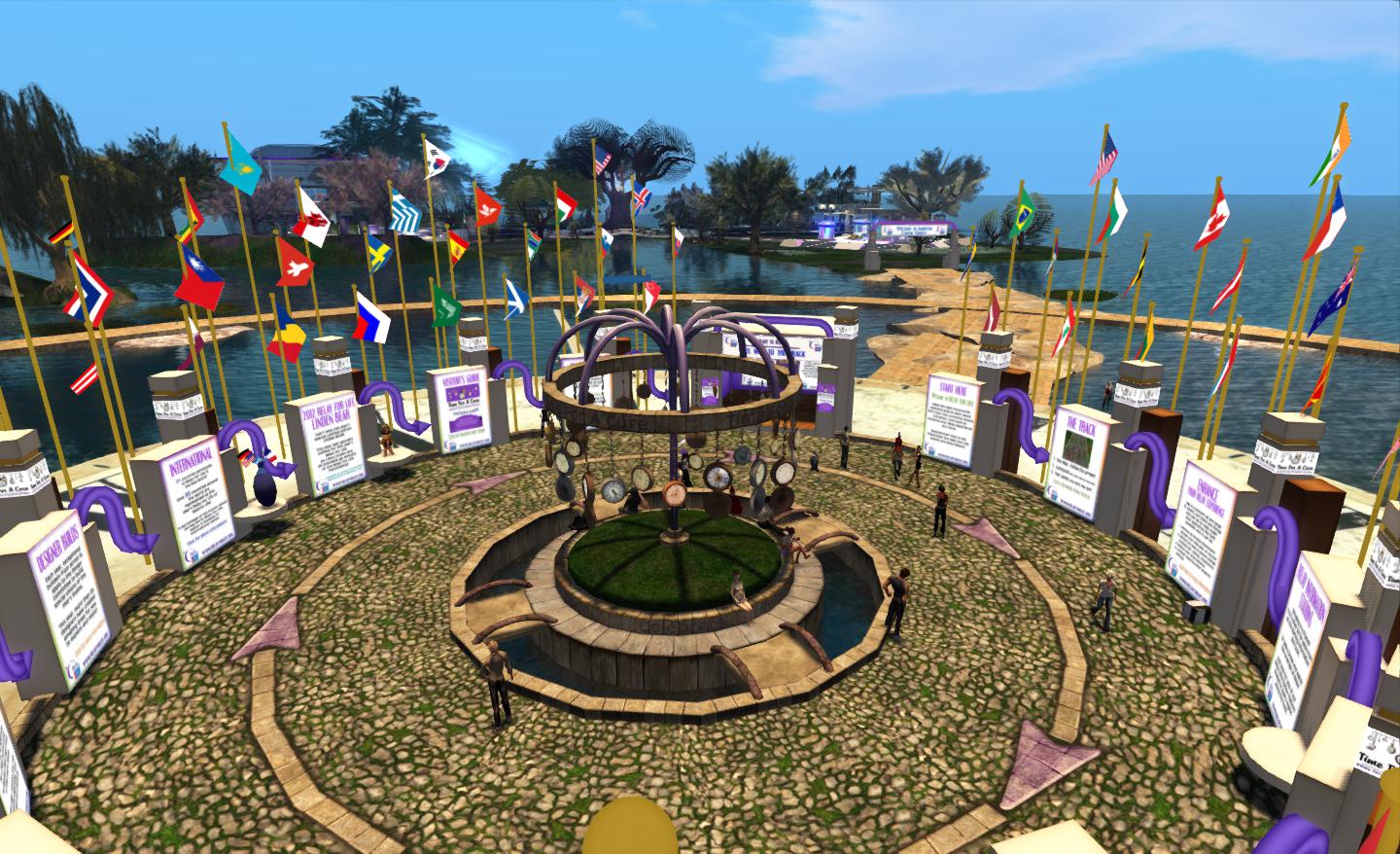
The RFL of SL Welcome Centre

At 21:00 SLT, the Luminaria Ceremony will talk place, which will see the track regions all turned to midnight and thousands of luminaria (candles) will be lit, each one representing a survivor or someone who has passed away from cancer, and people will walk the track in silence for one hour as dedications are read over the broadcasting stream.

On Sunday 15th July, the Fight Back ceremony will take place at 06:00 SLT, with people coming together to make a personal pledge to help fight cancer. It might be by pledging to have a regular breast exam, to follow a healthy diet, or to stop smoking. The event closing ceremony will start at 10:00 SLT, which will be followed by a final victory lap.

A look along the track from RFL SL 2012

Gem’s update includes a message from Jeff Montegut (Stingray9798 Raymaker), the American Cancer Society’s staff partner to RFL of SL which reads:

Thanks to the tremendous support of our volunteers, teams, committee members, and corporate partners, we have raised an astonishing amount of money and are getting so close to an all-time total of 2 million dollars raised in Second Life.  This important contribution is money that funds the mission of the American Cancer Society – research, education, and prevention.  I’m looking forward to personally thanking everyone at this years event!

More updates will be given as more details of this year’s schedule are published.

About Relay for Life

Relay For Life is the signature fundraiser of the American Cancer Society. Relay For Life of Second Life (RFL of SL) is an annual activity that takes place in Second Life in July each year. Volunteers form or join teams to have fun while fundraising and raising awareness from mid-March through mid-July. In July teams build campsites and walk a track, just like in a real world Relay. Relay For Life is about coming together with a group of people you don’t know to effect change in the lives of people you may never know.

Related Links

The secrets of the turtle

Yes, it’s back to Flea and Toady’s A’stra stage build for yet another post. What can I say? I love the place, there is so much to discover.

I had a good look around the stage regions (SL10B Impressive and SL10B Spellbound) before the SL10BCC regions opened on the 16th, and found a fair few things, some of which were featured in the video I put together about the build – although I didn’t include everything, as that would have spoiled the fun of discovery during the celebrations :).

"Did I turn left when I should've gone right?"  - Lost Noob
“Did I turn left when I should’ve gone right?” – Lost Noob

Anyway, now that the main event is over, and as Toady passed me a list of things to find so I could see what I’d missed, I’m curious as to how many of the lovely little touches Toady and Flea included in the build you’ve managed to find.

If you’ve not actually explored the two regions of the stage before, and wish to do so before they vanish, you might want to either use this article as something of a guide (although I’m not giving everything away!), or run away if you want the thrill of discovery to yourself, because I am including some SLurls…

Of course, there are the easy ones – the Grand Stairs, the Walk with its statues which range from a cube to homo AFK, passing such creatures as a fish, dinosaur and Homo knuckledraggerensis and more along the way.

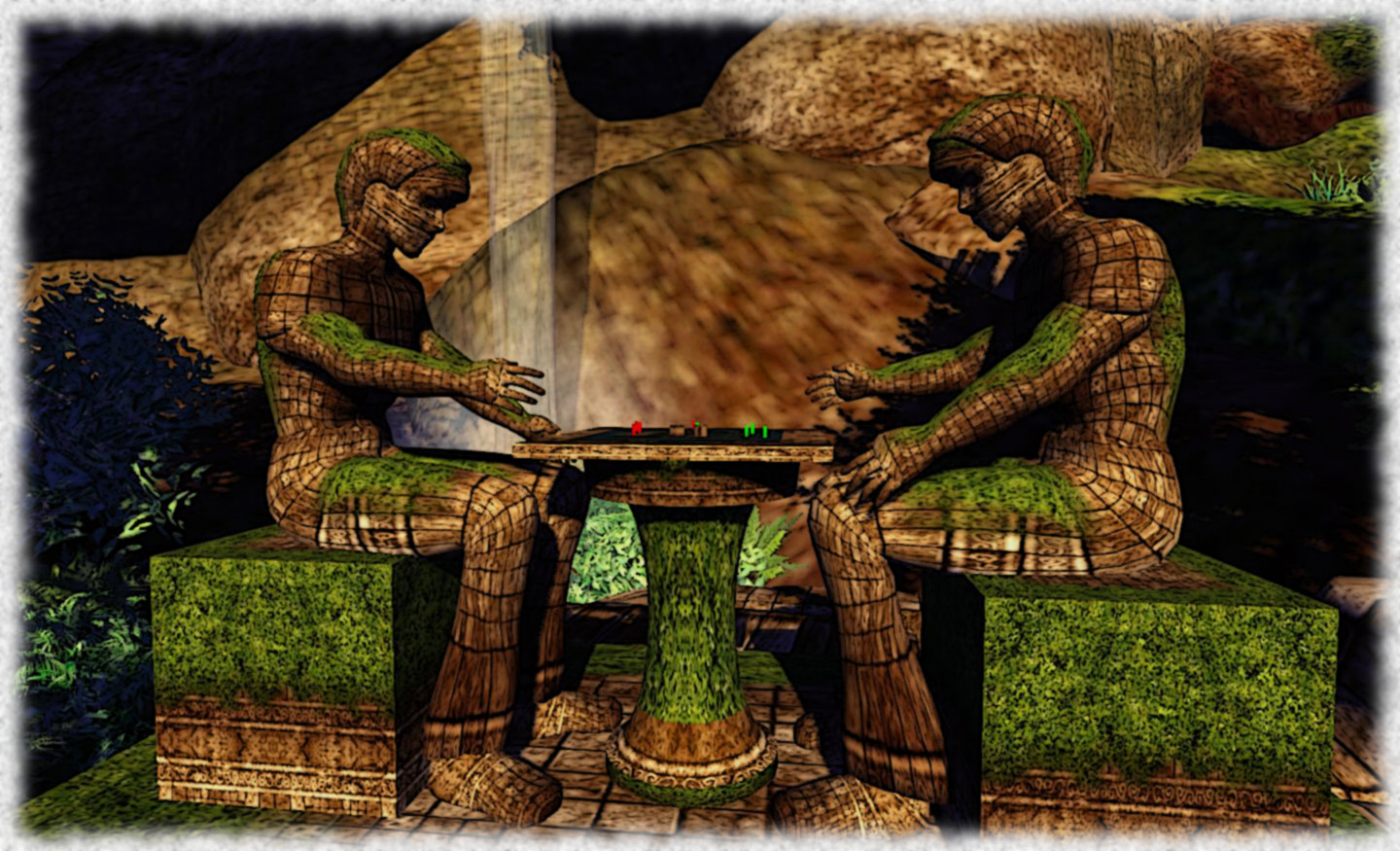
A couple of Bored Gaming Noobs

Just about every must have seen the Painter Noob, which is perhaps my favourite among the Noob sculptures for personal reasons. But I wonder how may have seen the Noob.F.O? It’s not that far away, although a swimming costume is recommended. Thinker Noob and Noob Crash are featured in my video, but have you managed to locate Lost Noob? Find him and you might also find the Noobtyr close by.

Most people have likely found the Toad Buddha and the geysers, but have you made your way to the Builder Temple nearly? No? Well if you go in search of it, make sure you keep an eye out for the crystal caves and the secrets they hide (and yes, the lack of SLurls here is deliberate – I did say I wasn’t going to give the location of everything away!).

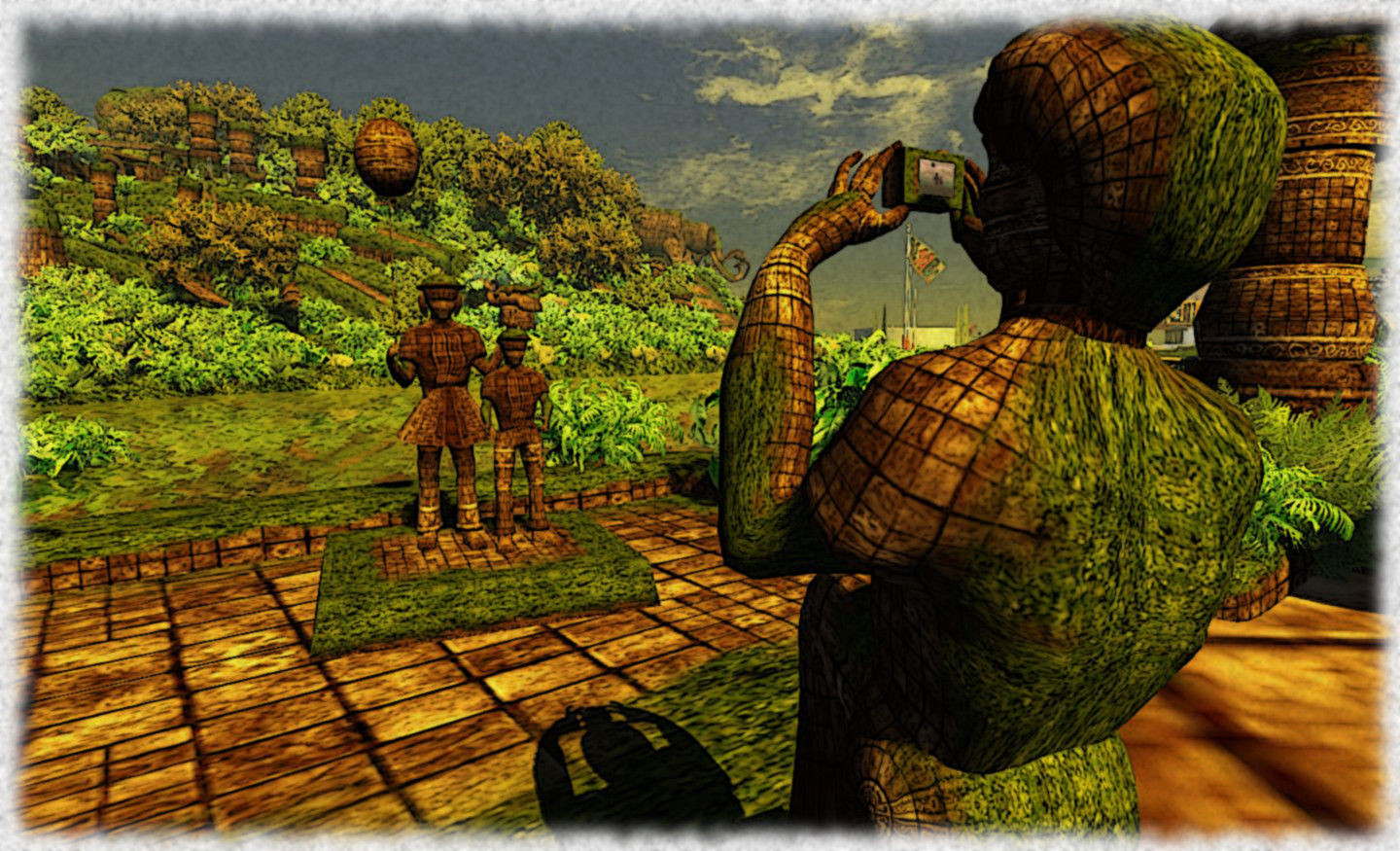
A family Kodak moment. Go stand with the kids and look out over the water to the turtle. You might find something trying to get in on the picture
A family Kodak moment. Go stand with the kids and look out over the water to the turtle. You might find something trying to get in on the picture – make sure you have three friends with you if you want to see … her … again

Continue reading “The secrets of the turtle”

Goodbye, Misty Mole, though I never knew you at all…

I don’t know Misty Mole (aka Caliandris Pendragon), but I can say I know her work, and have enjoed exploring some of it, and blogging about it here.

As a member of the Linden Department of Public Works from 2008, Misty had worked on a range of high-profile projects, including Nautilus, the Linden Realms game, Linden Homes, Cape Ekim (and the oft-forgotten Professor Linden) and Pyri Peaks. I’ve had great fun exploring the latter two, and admit I enjoyed Linden Realms when it first appeared, and still sometimes drop back there simply because I’m feeling a tad silly, while my Linden Home has been more than comfortable for me. I’ve also spent time sailing on (and diving under) the Sea of Fables. Misty had a hand (or hands) in all of these, and a whole lot more.

Sadly, Misty Mole is no more. She has left the ranks of the Moles in what appears to be less-than-happy circumstances. As a farewell, she has produced a video highlighting her work – and her skill as a composer and musician (she’s often provide music for the Lab to use within LDPW builds). It’s a celebration of her work – and rightly so. It’s also a fitting reminder of the amount of work carried out by the unsung heroes of the Moles.

It’s also something which has me itching to don my hiking boots and go out and explore other Moley places around SL.

Thanks, Misty for all your work – and thanks to the Moles as well.

Related Links

With thanks to Indigo Mertel for circulating the video via Google+