The good new is… Automated Notification of Sales (ANS) rolled out yesterday for Direct Delivery. ANS allows information on sales to be forwarded to an external URL, allowing merchants to not only track sales, but to perform a range of different analyses on their sales and customers, in order to provide things like more focused support, identify product trends and so on.
Originally, it had been hoped that ANS would form part-and-parcel of the overall Direct Delivery roll-out, and many merchants were disappointed that this was not the case, with ANS being delayed for reasons unknown.
Yesterday’s announcement that ANS is now available came with a highly-informative user-written wiki article on how to make use of ANS. This is extremely well-presented and spells-out exactly how ANS data can be received and used.
However, it’s not all good news, sadly, as Darrius Gothly reports in the forum thread making the announcement:
Sadly the ANS for Direct Delivery has a Severe bug and IS NOT SAFE TO USE YET!! The ANS Transaction being sent via the Marketplace service is duplicating the Item ID# (the numeric part of the Product’s listing page) into the Location field. The Location Field is supposed to have the Order Line Item ID number instead, showing which line item in an Order correlates to the ANS Transaction. As long as that field contains the wrong data, you CANNOT track an ANS transaction back to the specific line item in an Order.
Darrius has raised a JIRA on the matter, and merchants who use ANS / have an interest in using ANS are urged to log-in and WATCH the JIRA.
Immersive, virtual environments come in many forms – and those developing them are seeking some novel approaches to developing such spaces that can be interactive on both an individual and a social footing.
Last year, I explored The Blu, which took this idea into the oceans of the world, allowing people to explore water, collect fish, interact with one another and create content with which to populate the various oceans.
Yesterday, I was pointed to another immersive environment which is still in what might be called a “beta” (or at least, start-up) phase, one which takes a far grander setting in which to immerse users: the cosmos around us.
SunAeon is an amazing educational / immersive project being run by a small team based in Slovakia, who have already cut their teeth producing a number of 3D interactive services including Sun / Moon Scope (which shows the current position of the sun and Moon (with the current phase of the latter) from your location, at either the current time or any given time of day) and Astrology Scope (which is an interactive guide to astrology).
The team’s latest project is the Solar System, a fabulous interactive model of the Solar System that is still under development, and which builds on much of the experience the team gained in building Solar System Scope, itself a unique and immersive study of the solar system and the stars around us.
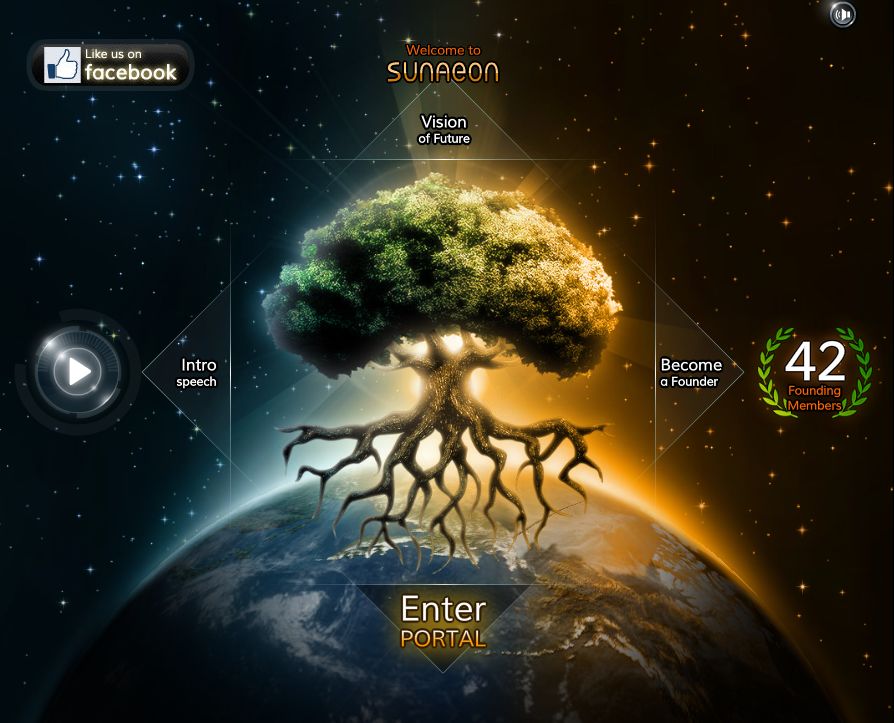
The SunAeon portal
Solar System is the first step in a new SunAeon portal site that will present various elements of astronomy and space exploration aimed at the astronomy / space enthusiast, the armchair hobbyist and at education. As well as providing a unique means of learning about our solar system and the cosmos as a whole, the overall aim of the portal is to eventually include a rich diversity of content, including multi-player games and a range of social engagement options. No special software is required and nothing needs to be downloaded or installed. Everything runs directly on your browser, making accessing the portal a simple matter of clicking on the URL.
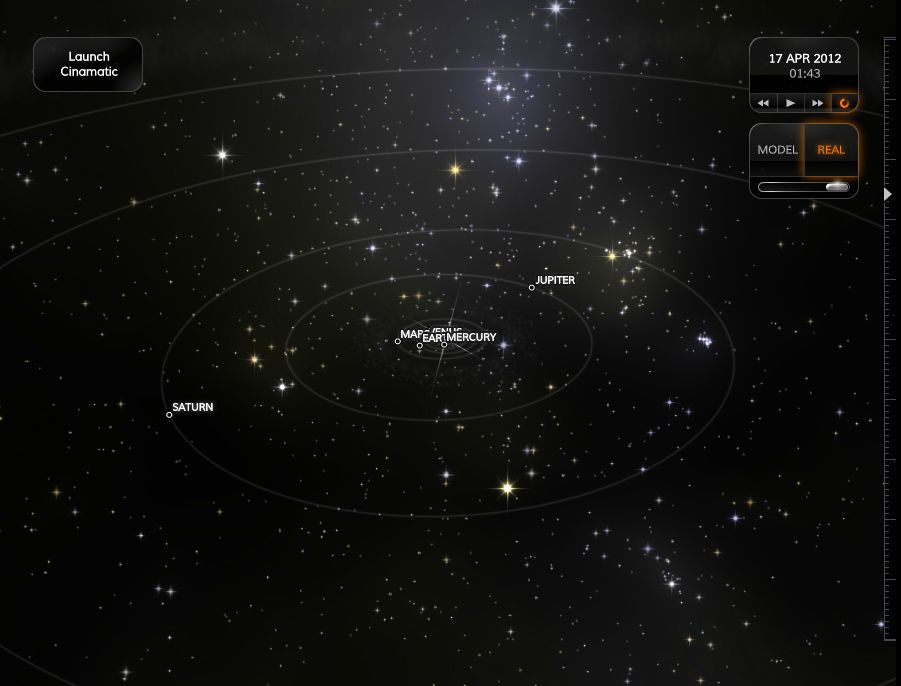
Solar System, as its name suggests, is a beautifully rendered 3D model of the solar system that provides users with an immersive means to discover and explore the worlds around us. The solar system itself is presented in two views: “model” and “real”, the key difference between the two being that of relative scale (see below). There is also a “cinematic” mode that takes you on a tour of the “model” view of the Solar system, the camera sweeping from planet to planet.
SunAeon “model” view (click to enlarge)SunAeon’s “real” view of the solar system (click to enlarge)
In either view, you can use the mouse to scroll around the solar system and view it from different angles. You can also zoom in/out using the vertical slider on the right of the display. To zoom in on a planet, hover the mouse pointer over it so it is outlined (easier in “model” view) and double-click.
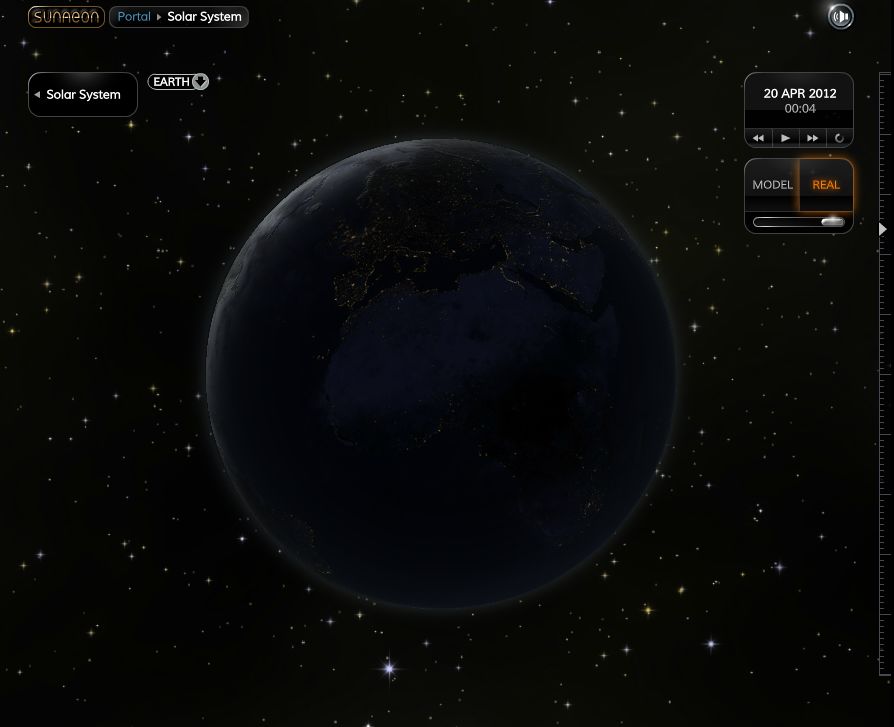
Once zoomed-in on a planet, you can either orbit around it using the mouse, viewing it from the “day” or “night” sides or even across the terminator – or you can use a set of media controls to observe the planet as it rotates about its axis. Relative rotations are in “real time” comparative to one another, meaning that there is a marked difference between the observable rotation of say, Jupiter (which completes one rotation every 10 hours), and Venus (which completes one rotation every 243 days). Buttons on the media control panel allow you to speed-up planetary rotation if you wish.
Earth by day … (click to enlarge)…and by night (click to enlarge)
The media controls are also available from the main Solar System page, where you can view all the planets currently modelled and set them rotating about their axes and travelling in their orbits around the sun. In the model view, and seen from overhead, this offers a very visual means of demonstrating “close approaches” between planets.
At the moment, Earth is the most animated of the planets: as you orbit it / allow it to rotate, you can see cloud swirling and moving through the atmosphere on the day side, and the myriad lights of population centres across the night side of the globe. Other planets are currently more static in nature, although the team are working to change this with a module called Planetary Explorer, which will present the planets more dynamically.
The first phase of this tool was rolled out as this article was in preparation: alongside each planet is a clickable drop-down window that displays basic data on the planet. Over time, the capabilities of the Explorer will be enhances, as SunAeon team member Mito Sadlon explained to me, “You’ll be able to use it to observe the surface and atmosphere of each planet. We’ll have a more extended version of the Explorer available in the coming weeks.”
Phase one of the Planetary Explorer – launched while this article was being prepared
Also missing, as the keen-eyed will observe, are key elements of the solar system – such as Pluto and our own Moon. The team are working on adding these, and also the two captured Moons of Mars: Deimos and Phobos and the four Galilean moons of Jupiter: Callisto, Ganymede, Europa and Io.
Kitely, the on-demand grid powered by the Amazon cloud continues to develop a-pace. Today, Oren Hurvitz, co-founder of Kitely has announced a significant update, which includes the roll-out of OpenSim 0.7.3.1.
As well as the OpenSim upgrade, the update includes some significant updates in functionality:
Mono upgraded to version 2.10.8.1
More OSSL functions have been enabled so that now most functions with a threat level of Low are now supported by default, while functions with a higher threat rating being available to World Managers, including osTeleportAgent (allowing “walk-through” teleports) and osKickAvatar, which have been on the request list from World Managers. The post notes that some of the more dangerous functions remain disabled for everyone
OSSL sun position bug fix, so that visitors to a world will now see it as the World Manager / owner intended
Linden Lab have issued a call to help with SL9B celebrations, which reads in part:
Second Life’s 9th Birthday is coming up in June! This year it’s all about you — the denizens of the grid, the sultans of Second Life and connoisseurs of creativity— and we want to highlight the many unique and innovative ways the community has made Second Life their own.
This year we will focus the spotlight on community events. No one throws a better event or party than the Second Life community! If you’re having an event to celebrate Second Life turning nine, we want to know about it!
On the surface, this sounds great – until one realises that what is in fact being announced here is effectively the end of an era.
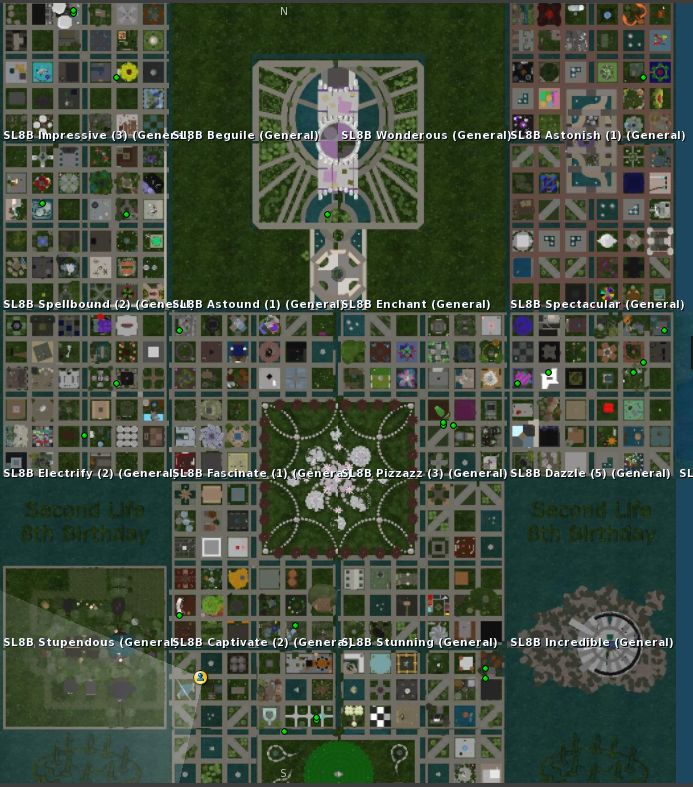
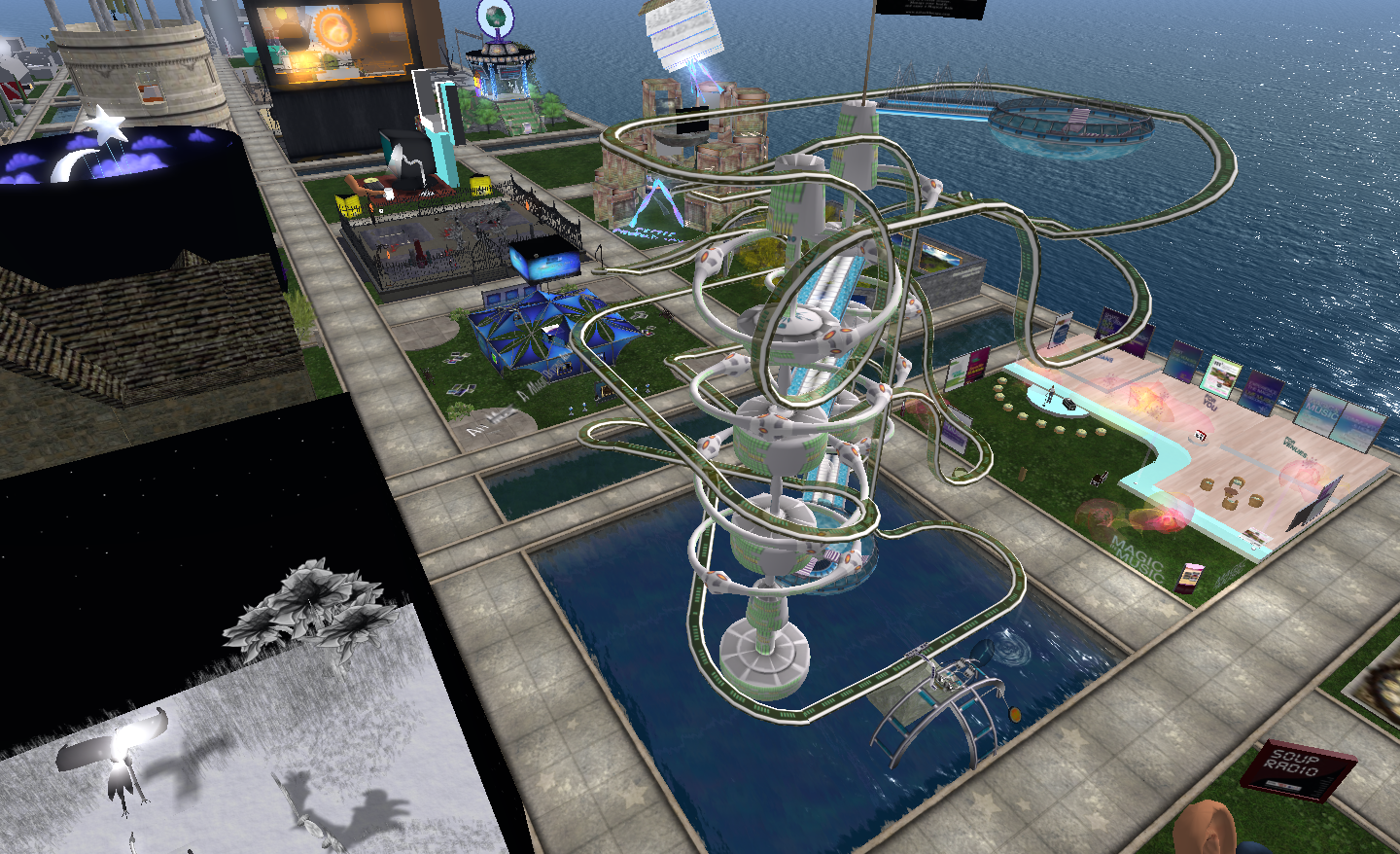
In previous years, Second life’s birthday has been marked through a coming-together of the community as a whole on a set of regions supplied by Linden Lab, to create a glorious theme park of builds and ideas created around a central theme, and in and around which parties and celebrations can be held. While not always free from controversy and acrimony, this approach provided a focal point for events and activities marking SL’s birthday, and helped to bring together residents from across the grid.
SL8B sims – not this year
Well, not any more.
Hidden within this announcement is the fact that this year there will be no large-scale provisioning of regions by LL; no central place to explore (lag and all) and see builds great and small and enjoy the thrill of celebration and discovery.
And this is a shame.
The SL8B events have traditionally been a marvellous way for the many talents and groups across SL to showcase their work, their talent and their vision. It’s hard to see how such an infinite diversity of ideas and vision can be replicated through a process of complete de-centralisation; one cannot imagine sim / estate owners / groups developing large-scale builds specifically for SL9B, especially with so broad a theme as has been offered.
NY HealthScape roller coaster, SL8B – just one of the amazing and informative builds
I’ll personally miss the great gatherings like SL8B and its predecessors. I’ll miss the ability to wander through sim after sim of incredible builds, meeting talented content creators and designers and learning about the unique work of groups such as NY HealthScape.
Why LL have chosen to go this route is hard to fathom. Certainly, as mentioned above, previous SLB events haven’t been entirely free from controversy or headaches – but such upsets have rarely intruded into people’s overall enjoyment of the events themselves, and it is fair to say that where drama has occurred, it’s been somewhat confined to those involved, going largely unnoticed among those from across the grid who have attended events within the SLB sims and spent time exploring the exhibits.
As it stands, this announcement in some way reads less like a call for celebration and more like a renouncement of involvement in a key event in SL’s annual calendar.
And at the risk of repeating myself, that’s a shame.
This is a weekly summary of changes to all SL Viewers / clients of which I’m aware and which are in popular use across the grid / listed in the TPVD. Detailed links to said Viewers / clients can be found in my Viewer Round-up Page. The links supplied in this summary are either to change logs or to reviews within this blog.
Updates for week ending: 15 April, 2012
The SL Development Viewer rolled to 3.3.2.253914, prior to .253960 being pushed out as this summary was being prepared
Dolphin rolled over to , 3.3.3.23731, code-named “Issos”, which includes a new Preferences setting to determine how multiple menus from an scripted object are handled; a new RESET button on the Build floater to reset pivot offset points back to the centre of the object; fixes for how music fade is handled in teleports and mouse cursor appearance changes and for ensuring the avatar offset reset button in the status panel is correctly hidden in Mouselook
Zen Viewer rolled to version 3.3.2.7, which includes Boost (compile tool) updates
Cool VL Viewer rolled out 1.26.4.8 . Among the changes made is a backport of the V3.3 Runway Project code to improve avatar rezzing speeds
The Android Lumiya text client released version1.3.1, which I look at today, adding support for transactions and interaction with in-world objects
The Lumiya text client for Android, which I reviewed last month continues to be enhanced with new features. Version 1.3.1, released on the 15th April. These introduce the ability to interact (to some degree) with in-world objects and the ability to carry out payment transactions (i.e. pay other avatars or objects such as rental boxes). These are two potentially useful additions for those who are on the go, and need to access SL to pay tier, etc., but don’t have access to the computer.
Making Direct Payments to Others
You can now pay people directly on Lumiya quickly and directly. From the main screen, tap your phone’s menu button, then tap CONTACTS, select the person you wish to pay from your list of contacts (tap to highlight), then tap you phone’s menu button again and tap PAY to display the payment screen, as shown in the sequence below (some steps abbreviated for clarity, as they say).
Letting my test alt pay me (steps shortened for clarity)
Using Touch
The Touch option within Lumiya is a potentially useful addition to the client and works with menu-driven objects that respond to a left mouse click. When starting Lumiya now, there is a new button displayed at the top of the main screen – OBJECTS. Tapping this opens a list of objects available to you. Be default, this is “limited” to in-world “descriptive” objects, although you can opt to extend it to include your own attachments and “non-descriptive” objects (so prims simply called “object” will be listed for example).
Tapping on the name of an object will open-up a further dialogue box that provides general information on the item – description, creator, etc., and which includes a TOUCH button (below).
Interacting with objects
It’s here that things might get a little confusing. One might expect tapping TOUCH to open the objects dialogue box – but it doesn’t appear to. Instead, an easily missed prompt is displayed at the top of the screen informing you that you have a NEW MESSAGE IN CHAT.
To use the object’s menu, you now need to use your phone’s return key to get back to the Lumiya main screen to see the dialogue box and menu (right).
This is slightly cumbersome but given the way SL works and Lumiya is configured with (obviously) limited screen space, it’s understandable.
However, there are one or two other issues with the approach as implemented. The application polls the entire sim you’re on for touchable objects. This means that you can end up with a very long list of items which cannot be sorted. Also, this list appears to include any sub-components of an object that themselves contain a script. The not only lengthens the list of objects (increasing scroll time), it also risks annoying mis-clicks when trying to access an item.
Both of these issues are negated by the fact there is a search option at the top of the list, allowing you to focus results down to a handful of items – or even the item you want to touch, if you know it’s in-world name.
Paying an object (click to enlarge)
Paying an object is as straightforward as paying a person – once the object is selected from the list, click the TOUCH button from its information page, and a payment page is automatically opened (right).
Currently, the system is restricted to activating your own attachments; I’ve no idea as to whether it will be extended to include attachment on others, which some might find useful.
Channel Recognition and Timestamps
Lumiya 1.3.1also adds channel commands to its capabilities (so “/102 command” will be recognised, for example), and also adds timestamps to chat. The latter can be turned off by unchecking TIMESTAMP IN CHAT in the Settings options (phone’s menu button->SETTINGS).
Opinion
The addition of interaction capabilities to Lumiya definitely makes it more of an attractive offering, the listing issue notwithstanding. Those on the go who have an Android phone are likely to find having a payment option handy, while the ability to at least interact with objects helps improve the overall feeling of engagement with SL when one is unable to use a graphical Viewer.







 Inara Pey: Living in a Modemworld