Firestorm Maintenance Release 3.3.0

firestorm-logoTuesday February 7th saw the resumption of The Phoenix Hour broadcasts via Metamix TV. Given the sim was full and the stream hit a capacity limit, I’m guessing the show was somewhat eagerly awaited. As I couldn’t get either into the sim or onto the stream, feedback on the show will have to wait until it is available on the Metamix channel and I’ve had a chance to watch it.

In the meantime, and coinciding with the show, a Maintenance Release of Firestorm was made – 3.3.0.24880. Here’s a quick overview of the elements that caught my attention.

Points of Note

  • There is an impressive list of additions, changes and fixes for the release, as well as a number of known issues. You are advised to read-up on the latter prior to installing
  • It is recommended that you do a completely clean install of the release
  • This release does not include the V3.2 FUI from LL – that’s coming down the road (see below) so far as I can tell, the parametric deformer also isn’t a part of the release.

Particle Editor and Other Highlights

While I’m not going to launch into a full review – I’m saving that for when the FUI version of Firestorm arrives – this release includes a number of cool bits worth mentioning. Most notably among them is Zi Ree’s client-side particle editor, which has been the cause of some angst having been released ahead of Firestorm (for which it was specifically being developed) within the Zen Viewer.

There is a comprehensive guide to using the particle editor on the Firestorm wiki, so I’m not going to delve massively deeply into it here. All I will say is, full kudos to Zi for making it so ridiculously easy, even I can understand it and play with particles…
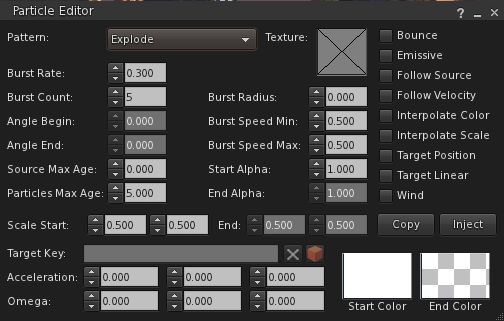
New particle editor

Another nifty addition from Zi that builders are likely to find handy is the BUILD->DUPLICATE option (CTRL-D). This allows builders to immediately duplicate any prim or linkset they’ve created – hand on repetitive builds.

Inventory gains the ability to search by creator, UUID, description and ALL and filter options to display Links, hide Links or hide everything else but Links to the inventory gear menu.

Estate owners / managers also get some useful updates with this release by way of Ansariel Hiller:

  • ALT-R will now open the Region / Estate floater
  • The TOP OBJECTS floater (from the DEBUG tab of the Region / Estate floater) now includes a button allowing Estate owners / managers to teleport to offending objects

Camera smoothing is also now in the Move / View tab of Preferences, as is the ability to adjust the transition time for shifting focus, while the camera View Angle is updated to allow the entry of numerical values – all options machinimatographers should find useful. The transition time option is something I first encountered in Niran’s Viewer, and really like, especially when exploring SL and appreciating the sights I find – so it’s good to see it in Firestorm.  I also particularly like the options to disable some of the more annoying notifications thrown out by the Viewer during routine operations.

There are even a couple of new skin options: Firestorm High Contrast and also Vintage  – the latter of which harks back to V1 in terms of button colours and presentation.

And all this just scratches the surface of a lot of effort by many within the team to add features and enhance the Viewer’s overall capabilities – kudos to all.

Performance

Given this is a maintenance release, I wasn’t expecting to see the kind of dramatic improvements I’ve been fortunate to experience with other Viewers, Shining Fixes notwithstanding – and that’s pretty much the case. Overall, through nigh-on three hours of playing with the Viewer and leaping around the place, banging prims together and generally poking my nose in and seeing what happens, performance has been pretty much on a par with the 3.2.2 release, with the occasional boost in fps when shadows are enabled. Shadows themselves also seem to render more crisply with this release, although that could simply be a trick of my eyes.

Crash-wise, outside of the issues listed by the team, I did initially have some problems running with shadows active in that clicking the PEOPLE button with deferred & shadows active initially caused me to crash several times. As the problem later went away, I’m assuming it may have been either issues within my PC, or possible issues with the sim I was on at the time.

Overall, this is a worthwhile update to Firestorm – although a read-through of the known issues is well advised.

You can get your copy via the Firestorm wiki.

And for those awaiting the arrival of the V3.2 FUI in Firestorm, here’s a teaser from the team:


Viewer release summary 2012: week 5

Updates for week ending: 5 Feb, 2012

This is intended to be a weekly round-up of current public SL viewers (of which I’m aware). Links to my most recent reviews of said viewers will be included, but may not reflect the current release. As few Viewers are static, and releases are made according to individual development cycles, further versions of any given Viewer may well be released between these updates, and as such the information here may become out-of-date as the week progresses. Please check with the relevant download pages.

Text clients I am able to run and review may be included in the future, depending upon how useful this page proves to be.

SL Official Viewers

Available for: Windows, Linux and Mac

V3.2-based TPVs

V1-based TPVs

  • Cool VL version 1.26.2.15 (stable) / 1.26.3.3 (experimental)
  • Imprudence version 1.3.2 (stable) / 1.4.0 (beta 2)
    • Released: 1.3.2 – May 18th, 2011; 1.4.0 – September 25th, 2011 (download page)
    • Available for: Windows, Linux, Mac
  • Phoenix Version 1.6.0.1600
  • Singularity version 1.6.0.3

Related Links

Kokua to move ahead

kokua-logoThe development of the Kokua and Imprudence Viewers has been somewhat stalled for several months for a wide range of reasons, all of which are understandable given the voluntary nature of Viewer development in general.

At the end of January 2012, the Kokua / Imprudence team held an open meeting at which the future of both viewers was discussed, and following this, a blog update was put out summarising the conclusions reached, and which reads in part:

We’re going to continue to develop Third Party viewers with a focus on cross supporting Second Life and OpenSim/Aurora. However we’re going to focus on Kokua in the future, the ultimate fate of Imprudence is still undecided though as we may push for a final 1.4 release but nothing that takes up too much of our time. Kokua will use Second Life v3.2 as a base, we feel the LL code for v3.2 has matured greatly beyond v2 and v3 and we’ll of course make our own modifications to it to make it more “purple” in flavor. It is also our intent to finalize the name change from Imprudence to Kokua, Imprudence and Kokua are separate viewers and the project has historically been called the Imprudence project. The intent was to switch from Imprudence to Kokua as the next generation client was released but it has been dragged out for quite a while now and caused confusion, so we’re going to finish the change over to Kokua.

This is excellent news for the SL TPV / OpenSim worlds, as Imprudence has long had an outstanding reputation for usability and has been popular across the wider metaverse (may of us who bounce between SL and other grids find it to be our Viewer of choice when outside of SL). That the expertise that has made Imprudence so popular and so capable a Viewer is now being brought to bear on the V3.2 FUI and capabilities is good news and means that both OS and SL stand to gain given wider choice in Viewer options.

Of course, many will lament what amounts to the eventual passing of Imprudence – but again, all Viewer development is only voluntary, and teams / devs must move in the direction that they feel is most appropriate for them in terms of building and maintaining a viable Viewer and it would be unfair to chastise the Kokua  / Imprudence team for their decision.

Work will, for the forseeable future, focus on Windows (32-bit) and Linux 32-bit & 64-bit), although it is hoped both Windows and Mac 64-bit options will be available “down the road” – with the further caveat that Mac development is dependent upon the team gaining a Mac developer. Sounds reasons are given for not focusing on a Windows 64-bit version from the off, although the 32-bit version will have SSE optimisation.

Alongside the core work on the Viewer, the Kokua / Imprudence blog & forums are liable to see an overhaul in the near future as well.

As well as the blog post on the subject, you can also read the full transcript of the meeting, if you were unable to attend.

The towering architecture of Kölner Dom

Update August 4th: the region containing the cathedral is no longer available.

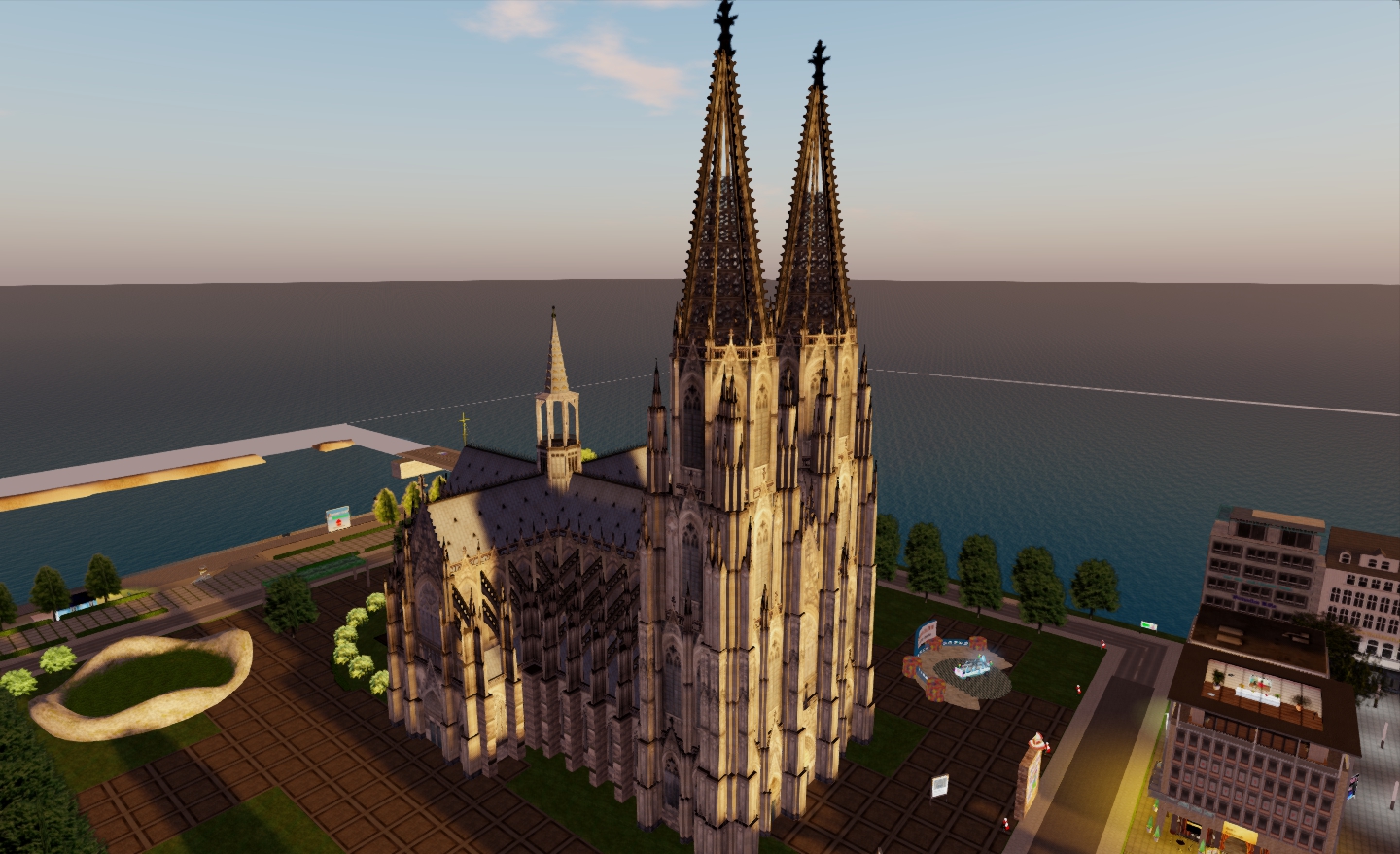
Working on Fallingwater put me in mind of some of the truly great builds in Second Life. One of the most famous is perhaps that of Cologne Cathedral / Kölner Dom. Taking up the majority of Koelner Dom (with the arrivals point on neighbouring Virtuelles Kolen), the cathedral is a powerful tour-de-force of what can be achieved in SL with patience, prims and high-quality texturing.

The build is the work of Seminal 3D, and has long been regarded as an example of what can be achieved architecturally within SL. The initial version of the cathedral opened in Second Life in 2007, and had the full support of the Cologne Cathedral Administration team from real life, and drew on the expertise of the Cathedral’s architect, Barbara Schock-Werner.

“Version 2.0” of the build has been underway since approximately late 2007, and I’m actually uncertain as to the overall status of things: there are still “under construction” signs to be found inside the build itself, together with notices outside relating to the renovations, but I’ve been unable to find any more recent news on the project than items dated mid-2011.

Nevertheless, the Cathedral is well worth a visit, particularly if you’re into photography in SL and / or are using a Viewer such as Niran’s or Exodus, which really bring the beauty of the build to the fore when using their enhanced graphics capabilities.

The magnificence of 13,000 well-ordered prims
A beautiful use of textures captures many features of  the original
…which continues inside the build…
…and up to the ornate flying buttresses, seen here from one of the towers

There is sadly little in the way of internal details in the cathedral at present: the nave and transept columns are all present, as are most of the magnificent stained-glass windows, but of alter, seating, etc, there is nothing. It would be nice to see the inclusion of something like the Nave Organ, a 1998 addition to the original, perched high over the nave itself – but with the build apparently pushing the parcel limits, one can understand why such are not currently to be found.

The nave, looking east

Even so, for those that appreciate building and architecture in SL, as well as those who enjoy capturing the sights of SL in photos, Kölner Dom is worth your time for a visit.

From the air

Related Links

Return to Fallingwater 2: Progress

Note: this is a personal project only. The finished model is not intended for sale or profit in any way.

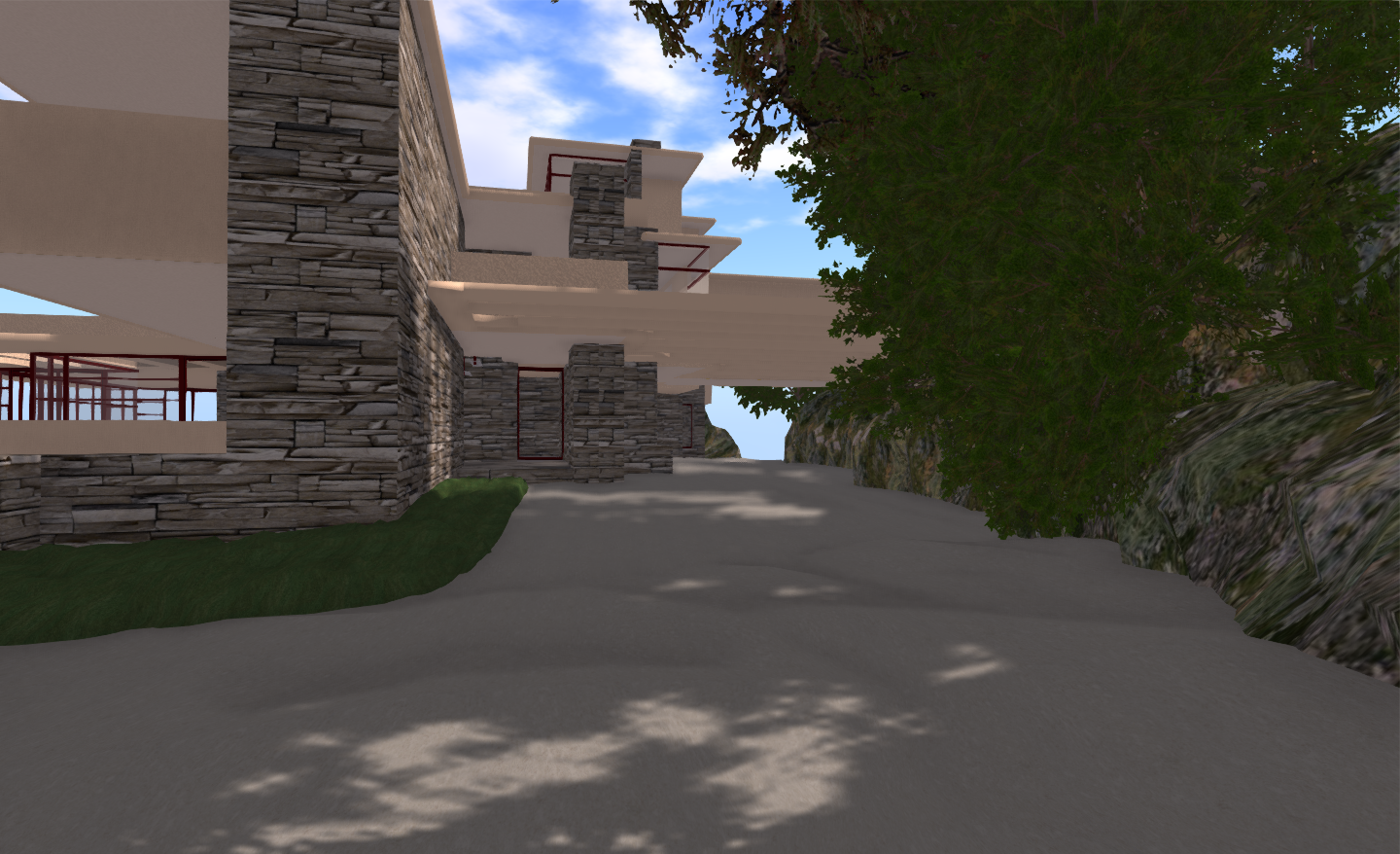
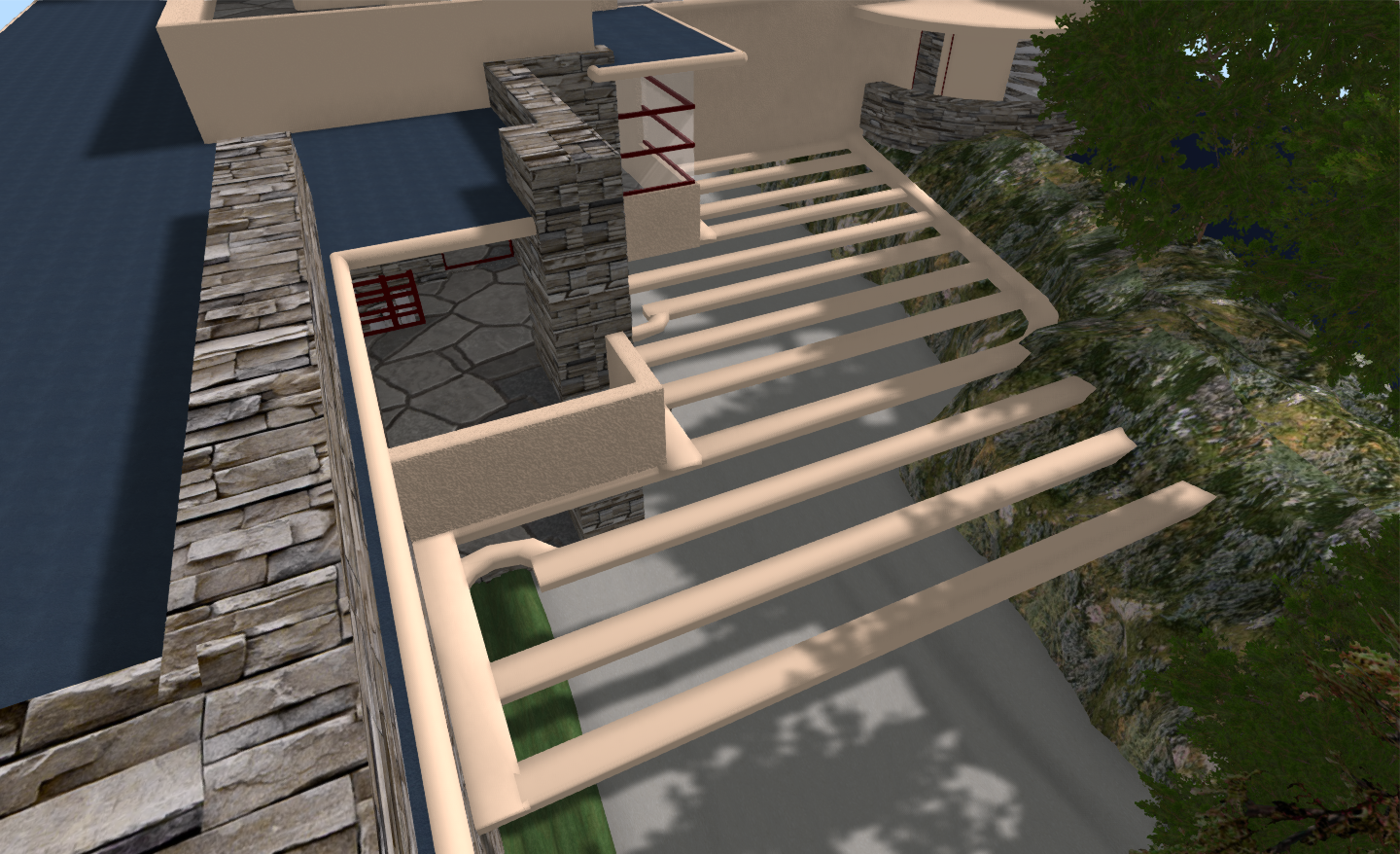
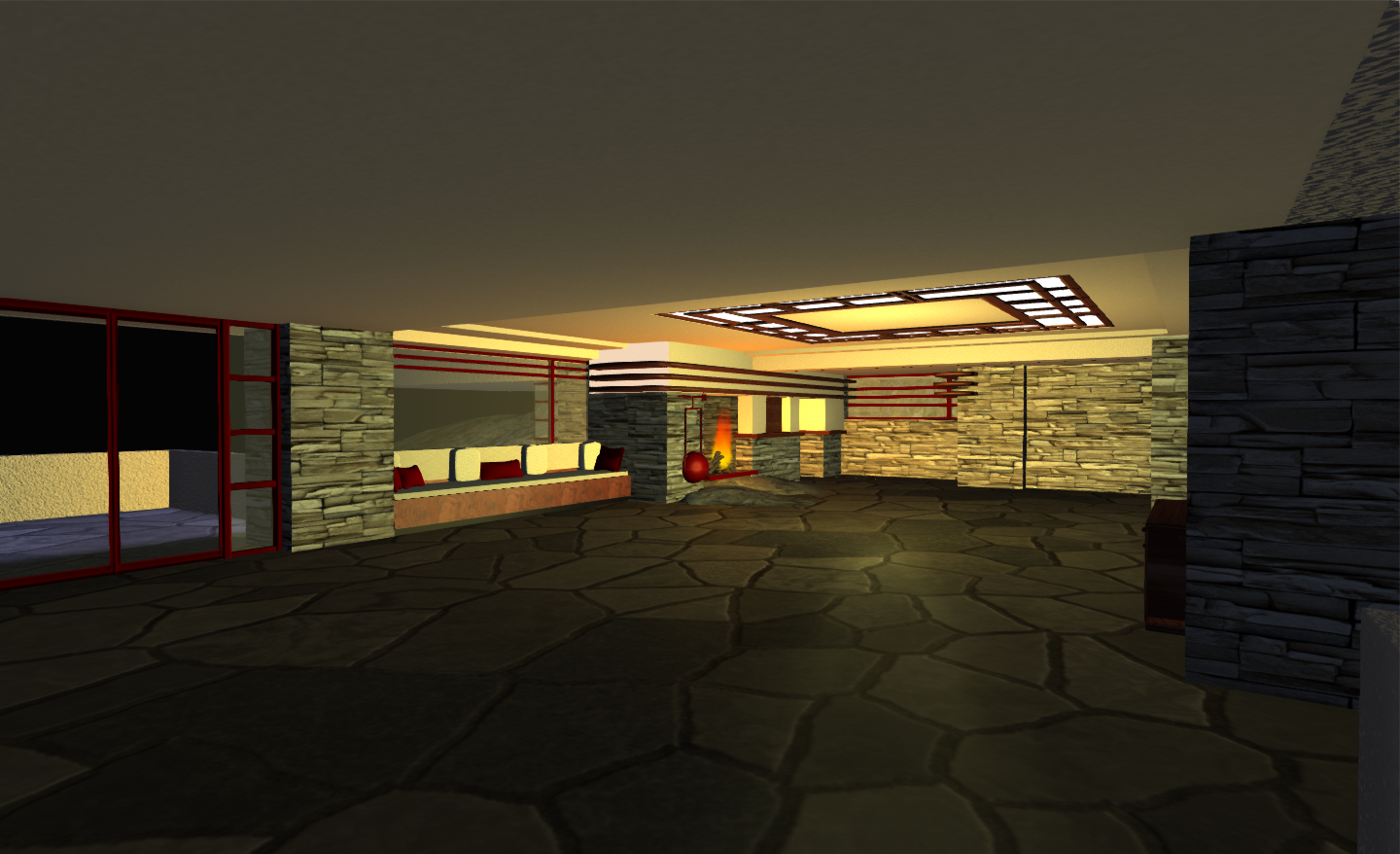
Some more snaps of the ongoing Fallingwater rebuild project, with some temporary landscaping added to the build platform for effect.

View from the bridge on approaching the house
The driveway at the back of the house
Carport trellis, rear of house, and stairs to guest house (top right)
View across the Great Room towards the fireplace – day
Same view – night
Fireplace and the real thing (insert: credit gobaldesignstudies.blogspot.com)
West terrace
Looking into the main bedroom from the south terrace
Master bedroom (*not* modelled on the original!)
At night from the bridge

And if you’re wondering why no pictures from the more famous side of the house….it seemed a bit OTT to build waterfalls on the build platform for the sake of photos…so I haven’t (yet!).

Still to be done: a few more internal bits – units around the dinning area, perhaps, plus at some point I’m determined to tackle the guest house as well. The bridge over the rear drive is already in, as is the start of the path going up to the guest house…

ETA…

Prim count to date:

  • Complete build (excluding “landscaping”): 424 prims
  • Main house structure: 272 (which can be reduced to a Land Impact of 136 using convex hull)
  • Remaining prims: scripted and sculpt elelments (doors, functioning windows, fountain water, sculpted window frames, scripted furniture, fires, lighting)

Related Links

Daz offer free 3D software suites

Update February 6th: Vivienne Daguerre has an excellent article on using these programmes to create / edit content suitable for use in SL (and OpenSim, no doubt!).

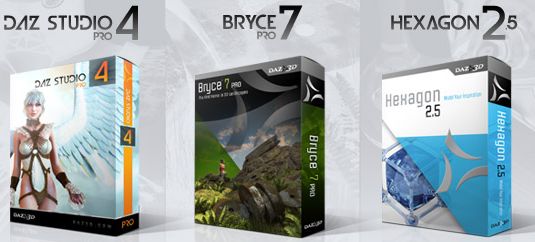
Slightly off-topic for me – but those of you working in 3D or getting into it might like to know – assuming you don’t already – that Daz are giving away FREE versions of the following:

  • Daz Studio 4.0 Pro
  • Bryce 7.0 Pro
  • Hexagon 2.5

Together with a range of plug-ins and additional items. The three packages are offered full and unimpeded in terms of functionality, but on a limited-time offer basis. Versions for both the PC and Mac are on offer. Serial numbers are supplied via e-mail post-download / available via your account page. All told the three applications represent a saving of over $800 on the US retail prices.

To find out more, visit the Daz website. You’ll need to register for an account (no need to supply credit card details), and downloads are held on your Profile page for the specified offer period.

Daz software – free offer (daz3d.com)

My thanks to CS for pointing this out to me.