Lumiya client: availability (updated May 3rd)

Update, May 3rd: it appears Lumiya may have been caught by recent changes to changing Google Play policies and Google’s updated developer terms (which apparently require the agreement of all app developers).

The changes to the Google Play policies actually caused some companies  – such as HTC – to temporarily remove their apps from Google Play until they could issue updates in compliance with the new policies, with HTC commenting:

In order to comply with the latest Google Play policy, we have temporarily removed a number of HTC applications from the Google Play Store. Applications will be republished over the coming weeks as we deploy new updates.

Sources have suggested that, subject to compliance with the the new policies, smaller developers have either removed their apps or may have had their apps suspended by Google Play pending their formal agreement to the new policies.

I’ve not heard back from Alina on the subject, but Lumiya Support Manager, Kaleaon, indicated that the above may well be reason for Lumiya’s (hopefully temporary) disappearance from Google Play, saying:

I know Alina’s been busy, so she may not yet have had the time to provide her approval.

I’ll provide further updates should I obtain more news.

====

I was going to hold-off blogging on this until I’d heard back from Alina Lyvette, but as there is already some discussion on the matter, as well as some blog posts, I thought I’d add some notes.

Lumiya is currently unavailable from the Google Play website.

However, and at the time of writing (these may change over time):

  • The viewer is still available via SlideMe, which is listed on the Lumiya website as the “official” alternative means of obtaining the client – see http://slideme.org/application/lumiya.
  • Similarly, the Lumiya plug-ins, the cloud storage option and the voice option are still available via Google Play.
  • At the time of writing, the client still works on suitable Android devices, and log-ins work just fine.

It is not at all clear why Lumiya has vanished from Google Play at this point in time. It might be a problem at Google Play’s end, or it might be something else.

I have been attempting to contact Alina (the client’s creator) on the matter (her time in-world appears limited nowadays, so hoping e-mail works), and have also pinged the support folk as well.

I’ll update this piece when / if I get any feedback from Alina and / or Kaleaon about the matter.

Additional Links

Aptoide link removed as a result of questions concerning lack of payment option.

Finding rez zones in Bellisseria – Yasmin’s free HUD

Out and about in Bellisseria on my Piaggio SG33E Roadrunner scooter (reviewed here), thanks to the rez zones and Yasmin’s HUD

On April 24th, I blogged about the arrival of the Coral Waters airstrip off the west coast of Bellisseria, the Linden Homes continent (see Bellisseria gains a coastal airstrip in Second Life), which was also marked by the arrival of official rezzing zones both on land and around the coast of the continent.

Yasmin’s Bellisseria rez zone HUD

However, with reference to the offical rez points, being aware they are around is one thing, trying to find the nearest to you can be another – a list of regions is great, if you happen to know where each region is in the overall map. Of course, if you bookmark the list (or maintain your own list of rez point URLs on a web page), you can always use your browser to find one and hop to it.  However, Having them available on a HUD would make things so much easier.

Well, that’s exactly what friend and fellow aviator  / sailor Yasmin (YouAintSeenMe) has done: created a map HUD of clickable rez points across Bellisseria, including those at the Coral Waters airstrip.

Displayed on the Centre HUD attach point by default (obviously, it can be repositioned), the HUD displays a map of Bellisseria with all of the current rez zones (as of April 29th, 2019) displayed as blue dots on it. Clicking on any of the dots will open the World map focused on the coordinates of the rez zone, allowing you to easily teleport to it.

Its simple but effective, I’m looking forward to having to update it with new map 🙂 . Wear as a HUD, or can be rezzed in-world for use on a signpost (or whatever).

– Yasmin, discussing her Bellisseria rez zone HUD

Available free of charge through Yasmin’s Marketplace store, I can vouch for the HUD, which is now a part of my inventory – although I have made one small change.

In order to be legible, the HUD does take up a fair amount of screen real estate – which isn’t a problem, if you’re using it as a quick on / off reference (as intended by Yasmin). But, me being awkward, decided having it always available while wandering Bellisseria would be easier.

So, as the HUD is modify, it was simple enough to add a scripted root tab prim to it, then drop in a script. When the tab is clicked, the HUD now slides “on” and “off” my screen from the right side. It’s not a vital requirement, but it makes for a quick way to pull out the map (when attached) whilst exploring Bellisseria should I need a rez point 🙂 .

While the HUD can be easily attached / detached when needed, I opted to mod it to have it slide on / off-screen from the right when needed

The map is simple and elegant. Whether worn as a HUD or placed on your land as a signpost for people to use, it is a definite boon to those who like exploring new locations – or who may lose a vehicle whilst motoring / sailing / flying around the new continent – so a big thank you to Yasmin for producing it.

Marketplace Link

Vallys and Moki at DiXmiX in Second Life

DiXmiX Gallery: Moki Yuitza

Recently opened at DiXmiX Gallery, curated by Dixmix Source, are two new exhibitions by Vallys Baxter and Moki Yuitza, which are contrasting in both style and content.

With La Rumeur de Paris (Rumour of Paris), Vallys presents around 15 images in series – although what the underlying theme might be is hard to judge. All avatar studies, most are presented as avatar studies on a white background, although some are conversely set against a dark backdrop, and one – in difference to the rest  – is a landscape image.

DiXmiX Gallery: Vallys Baxter

Are these simply memories of past events? Are they designed to imbue a feeling? are they representative of a memory or idea? Or are they images that simply exist in and of themselves, sans wider thematic narrative wither within themselves or as a collection? You, as the observer are left to decide this.

When viewing some of the more intimate images, I did find my thoughts drifting towards Bernardo Bertolucci’s 1972 erotic drama Last Tango In Paris. Why this should be, baffles me, if I’m honest. Perhaps it simply the fact I’m not operating at 100% at this point in time and my brain is tending to wander hither and thither. There is certainly little in the individual images to suggest a link between them and the film, so perhaps its just a subconscious linking of naked male and female bodies with the use of Paris in the exhibition’s title, spurred by the (intentional?) anonymity of the figures in those images that sent my thoughts in that direction.

DiXmiX Gallery: Vallys Baxter

None of which should be taken as any kind of critique of Vallys’ work; her artistry is clear from the outset, and she is a gifted purveyor of emotions through her avatar studies; so much so that one might say that it is the emotional reaction to these images that is more important than any wider context of theme or ideas.

Meanwhile, down in The Womb, the basement exhibition space of the gallery, Moki Yuitza presents The Net, which is perhaps best described as a living piece of art: a gridwork of lines and shapes, some of which are zooming to and fro, a single 3D sculpture at its heart.

DiXmiX Gallery: Moki Yuitza

Complicated, carrying (perhaps) echoes of The Matrix or maybe Tron, Moki’s piece really should be seen rather than described, so I’ll leave it to you to drop in and see it for yourself.

SLurl Details

Sansar: R32 Movement update

Desktop mode throw indicator (shown in 1st person view here). One of the R32 additions to Sansar. Credit: Linden Lab

On Tuesday, April 30th, Linden Lab updated the Sansar Movement release. An official summary of the update is available, and please refer to that document for details of bug fixes. Highlights of the release key features reviewed here are:

  • Avatar customisation, movement and gameplay updates.
  • Client Store updates.
  • Scripting updates.
  • Edit mode improvements.

Initial Notes

As with the majority of Sansar deployments, this update requires the automatic download and installation of a client update, particularly as it involves changes affecting the Sansar avatar system.

Avatar Updates

Uniform Scaling

Until this release, all avatars in Sansar have been of the same male / female height. With R32, users can now individually scale their avatars from 0.5 to 1.25 the scale of the default avatar size.

The scaling option will scale both avatar and current outfit and accessories. As it is part of the overall avatar customisation process, scaling can be applied to both existing looks  – or now looks can be created and scaled for specific purposes, if preferred (so you could have a small and tall avatar in the same outfit for visiting different experiences, just by changing your look, rather than adjusting the scale of the one avatar).

To change an avatar’s scale:

  • Click the Create button and then Style My Avatar to go to Look Book.
  • From the Look Book panel, select the avatar you’d like to re-scale (if you have more than one).
  • Click customise (lower right corner of our Home Space  / Look Book display,
  • Click the avatar icon (arrowed below) in the Avatar style panel to display the avatar customisation options.
  • Click the slider button at the top of the panel (arrowed below, right).
  • Use the Scale slider to uniformly re-scale your current avatar.
  • Save the look.
Sansar avatar uniform scaling, accessed through the Look Book and Avatar customisation panel (right), and the two extremes of height compared with the default female avatar height (note the sofa behind the avatars for reference).

Points of note with avatar scaling:

  • Scaling will work on custom avatars.
  • Scaling does not affect the avatar locomotion graph, so small avatars will appear to move faster than their taller cousins. Similarly, very tall avatars will seem to move more lugubriously than their smaller cousins.
  • In VR mode, the world view is scaled accordingly to avatar height.
  • Scaling can cause some clothing glitches to become more apparent.

Avatar Crouching

Avatars can now crouch and move. In Desktop mode, make sure the mouse isn’t in the Chat panel and tap C to crouch  /  stand up, and move as usual. In VR move, users must physical adopt a crouched pose.

Avatar crouching. Credit: Linden Lab

Points of note with crouching:

  • The avatar’s motion will be correspondingly slower when crouched – just as we tend to move slower when crouched in the physical world.
  • The collider / bounding box for the avatar will also automatically adjust to match the avatar’s height as well, making it possible for tunnels, etc., to be made through which avatars must move when crouched.
  • The collider / bounding box in VR will collapse in accordance to how low the user crouched.

Desktop Movement Updates

Two new options have been adding to the Settings panel (More Options > Settings, then scroll down).

  • Keyboard Turn: if set to On, your avatar turns left and right when pressing A or D ( / Left or Right arrow) respectively. If set to Off, your avatar sidesteps to the left or right (without turning) instead.
  • Face Forward: if set to On, your avatar attempts to face the direction your camera is looking while you are moving. If set to Off, your avatar faces the direction your are moving.

Remember to click the Save button to preserve your preferred settings.

The new Desktop avatar movement Settings options (left – see notes above) and the new Desktop mode throw indicators (right – see below)

Avatar Gameplay Updates

With R32, Desktop mode now also has a new desktop throw indicator. To use it:

  • Pick up an object (left-click on the object).
  • Click and hold the left mouse button. A dotted line arc will appear showing the flight of the object when the mouse button is released.
  • A blue circle at the end of the dotted line arc will show the likely destination of the object when thrown – use the mouse wheel to adjust this back and forth.
  • When ready, release the left mouse button as usual to throw.

Note that depending on your Desktop movement settings, you might be able to adjust the left/right aspect of your throw by moving to the left or right (this can be easier in 1st person (F3) mode).

Additional Avatar Options

  • New simple skeleton: a simplified avatar skeleton reference file (70 bones, and refered to as a “low resolution” skeleton in the reference documents) to make it easier to hook up animations. See Avatar reference files in the Sansar knowledge base.
  • Mixamo animation support: use the simplified skeleton on Mixamo and take advantage of their library of animations. See Using the animation skeleton to create custom animations in the Sansar knowledge base.

Continue reading “Sansar: R32 Movement update”

2019 SL User Groups 18/1: Simulator User Group

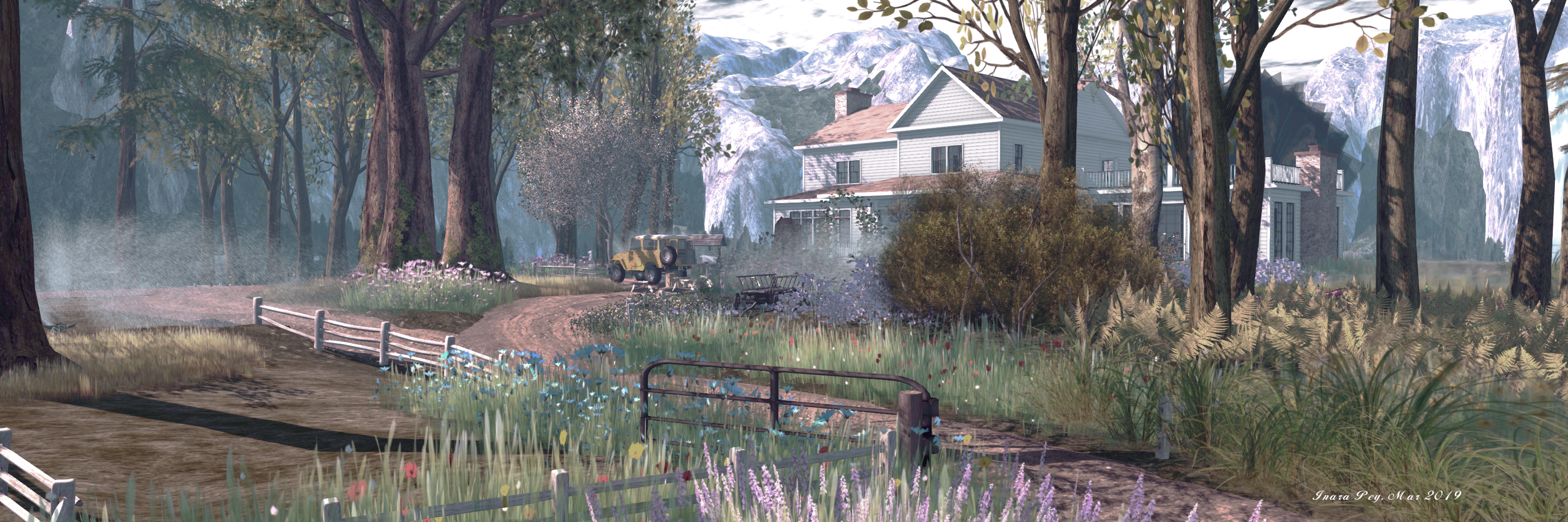
Toshi Farms; Inara Pey, March 2019, on FlickrToshi Farmsblog post

Server Deployments

As always, please refer to the server deployment thread for the latest news.

  • There was no deployment of the SLS (Main) channel on Tuesday, April 20th, leaving all regions on that channel on server update 19#19.04.22.526534 comprising performance improvements (possible fixes for teleport / region crossing issues) and additional internal logging.
  • On Wednesday, May 1st, all three main RC channels should be updated to server maintenance package 19#19.04.25.526669, primarily intended to correct the simulator-side EEP regressions that resulted of the roll-back of Thursday, April 18th. This update also includes a number of other internal fixes.

SL Viewer

There have been no viewer updates at the time of writing this update, leaving the viewer pipelines as follows:

  • Current Release version 6.2.0.526190, formerly the Estate Access Management RC viewer, dated April 12, promoted April 17 NEW. – see my EAM overview for more information
  • Release channel cohorts:
  • Project viewers:
  • Linux Spur viewer, version 5.0.9.329906, dated November 17, 2017 and promoted to release status 29 November – offered pending a Linux version of the Alex Ivy viewer code.
  • Obsolete platform viewer, version 3.7.28.300847, May 8, 2015 – provided for users on Windows XP and OS X versions below 10.7. This viewer will remain available for as long as reasonable, but will not be updated with new features or bug fixes.

My.secondlife.com

My second Life has been down since the weekend of April 27/28th, 2019. This has affected all access to the site, the upload of snapshots and in-world web-based profiles.

Linden Lab is aware of the issue, and working to resolve the outage.

Teleport Disconnects

The teleport disconnect issue is now being seen as a race condition,with Simon Linden commenting:

The TP issue looks like a race condition … we “fixed” 3 other bugs and made that worse.

To which Oz Linden added:

And we’ve already put in place a bunch of improvements to our RC monitors to help prevent a similar recurrence (with more coming soon) … Doubtless Murphy will find new ways to avoid our monitors from time to time, but one tries.

The Lab now feel they have investigated the issue and gathered sufficient data around it to be able to perform a post-mortem on the situation to (hopefully) reduce the likelihood of such an occurrence in the future.

Script Processing Issues

This was raised at the April 26th TPVD meeting as well. There have been numerous reports of script run time issues, with some reporting that problems only started occurring following the roll-back on April 18th, 2019. BUG-226851 outlines some of the problems.

As per the TPVD meeting, the Lab are not aware of anything that may have changed to impact script run time (particularly on Full regions); but the problem has been somewhat exacerbated by the issue being bounced between the JIRA and support (note how the above report has been closed, referencing the matter back to support).

Magical mages, kaleidoscopes and cave girls

Seanchai Library

It’s time to highlight another week of storytelling in Voice by the staff and volunteers at the Seanchai Library. As always, all times SLT, and events are held at the Library’s home at Holly Kai Park, unless otherwise indicated.

Monday, April 29th 19:00: Paper Mage

Gyro Muggins reads Leah R. Cutter’s 2003 début novel.

Set in the Tang Dynasty of the Middle Kingdom (about the time of Charlemagne in Europe), the novel tells us of the adventures of Xiao Yen, a young woman training to become a paper mage, a sorcerer with the power to endow folded creations with the semblance of life.

Because her gifts are in demand for the protection they can offer, Xiao Yen must leave behind her beloved family and their village home and embark on a dangerous mission when she is hired to protect a caravan. Yet even as she departs, she has no idea that this looming adventure will shape the very woman she is to become.

The story follows two timelines, alternating chapters between the caravan journey, where one of her fellow travellers is a goddess who charges her with a dangerous quest, and the story of her childhood training, when she lay caught between her aunt’s plans and her mother’s plans to have her married off.

Tuesday, April 30th 19:00: TBA

Check the Seanchai Library website for updates.

Wednesday, May 1st 19:00: Kaleidoscope

When a brilliant young violinist dies in a horrific accident, Madame Karitska has only to hold the victim’s instrument in her hands to perceive the shocking truth. But when an insecure wife asks whether her husband will abandon her to join a sinister cult, Madame Karitska–as wise as she is lovely–chooses not to reveal all that she foresees. And when an attaché case is suddenly dropped into her lap by a man fleeing a crowded subway, she knows it’s time to consult her good friend Detective-Lieutenant Pruden.

A nine-year-old accused of murder, a man dying a slow death by witchcraft– for the hunted and the haunted, Madame Karitska’s shabby downtown apartment becomes a haven, where brilliant patterns of violence, greed, passion, and strange obsessions mix and disintegrate with stunning, kaleidoscopic beauty.

With Caledonia Skytower.

Thursday, May 2nd

19:00: Edgar Rice Burroughs’ Cave Girl

Waldo Emerson Smith-Jones was not overly courageous. He had been reared among surroundings of culture plus and ultra-intellectuality in the exclusive Back Bay home of his ancestors. He had been taught to look with contempt upon all that savored of muscular superiority, such things were gross, brutal, primitive. It had been a giant intellect only that he had craved, he and a fond mother, and their wishes had been fulfilled. At twenty-one Waldo was an animated encyclopedia, and about as muscular as a real one.

And so we are introduced to Mr. Smith-Jones, the unlikely hero of this novel, set within Burrough’s Lost World series. Swept overboard during a during a South Seas voyage intended to ease his ill-health, Waldo finds himself carried ashore on a primitive jungle island, where all his book learning can’t help him survive, particularly in the face of the terrifying ape-like throwbacks to mankind’s early evolutionary history who live on the island, and from whom he continually flees.

And then he encounters – rescues, even, albeit mistakenly – Nadara, the titular cave girl. Regarding him a hero, she teaches him the arts of survival and her primitive language, taking him back to her tribe – who turn out to be Paleolithic cave people. If he is to stay among them, Waldo must prove his worth by fighting the strongest. He opts to flee instead.

However, as he spend more time in the jungle, gaining in strength thanks to Nadara’s teachings, he finds himself unable to put her out of his mind. So much so that when a ship finds the island, he refuses passage aboard her. Instead, more sure of himself than at any point in his life, he sets out to find the cave girl who believes he saved her.

With Shandon Loring. (Also in Kitely grid.kitely.com:8002:SEANCHAI).

21:00: Seanchai Late Night

Contemporary Sci-Fi Fantasy with Finn Zeddmore.