As always, please refer to the server deployment thread for updates or changes.
There was no deployment to the Main (SLS) channel On Tuesday, September 27th.
On Wednesday September 28th, all three RC channels should receive the same new server maintenance package, which includes a fix for BUG-40565, introduced as a result of the deployment of the week #38 server maintenance package.
SL Viewer
Unless something untoward has happened with the latest RC version, it is anticipated the VLC Media Plug-in viewer will be promoted to de facto release status this week. A new maintenance RC is also anticipated. In the meantime, the current batch of official viewers remains unchanged from week #38:
Current Release version: 4.0.8.319463 (dated September 9), promoted September 15 – formerly the Visual Outfit Browser RC viewer
Project Bento (avatar skeleton extensions), version 5.0.0.319893, dated September 22nd
VLC Media Plugin Viewer RC, version 4.1.1.319856, dated September 20th – replaces QuickTime in the Windows viewer with a media plug-in based on LibVLC
Obsolete platform viewer version 3.7.28.300847, dated May 8, 2015 – provided for users on Windows XP and OS X versions below 10.7.
Experience Scripted Sits
As per my blog post of September 23rd, Rider Linden is working on a new scripted sit capability for Experiences. The new LSL functions form Project Espeon (after the Pokémon character), and Rider has produced a proposal document on the new functionality, which can be read in PDF format. The capability can also be tested on ADITI (the beta grid) in the following regions: Leafeon or Umbreon or Sylveon, with test content is available on Leafeon. If anyone testing them has suggestions or feedback, please raise a JIRA against Project Espeon.
Updates for the week ending Sunday, September 25th
This summary is published every Monday, and is a list of SL viewer / client releases (official and TPV) made during the previous week. When reading it, please note:
It is based on my Current Viewer Releases Page, a list of all Second Life viewers and clients that are in popular use (and of which I am aware), and which are recognised as adhering to the TPV Policy. This page includes comprehensive links to download pages, blog notes, release notes, etc., as well as links to any / all reviews of specific viewers / clients made within this blog
By its nature, this summary presented here will always be in arrears, please refer to the Current Viewer Release Page for more up-to-date information.
Project Bento (avatar skeleton extensions) RC version 5.0.0.319893 released on September 14 (download and release notes)
VLC Media Plugin Viewer RC updated to version 4.1.1.319856 on September 20 – replaces the QuickTime media plugin for the Windows version of the viewer with one based on LibVLC (download and release notes)
Cool VL viewer Stable branch updated to version 1.26.18.25 and the Experimental branch updated to version 1.26.19.27, both on September 24th (release notes)
The majority of the notes in this update are taken from the TPV Developer meeting held on Friday, September 23rd. The video of that meeting is embedded at the end of this update, and references to it are indicated through the use of time stamps in the paragraphs below. My thanks as always to North for recording and providing it.
This is not intended to be a transcript of the entire meeting, which featured discussions of some situations specific to individual region rather than SL as a whole. However, key discussion points have hopefully been highlighted.
Server Deployment
There was no update on the Main (SLS) channel on Tuesday, September 20th. On Wednesday, September 21st, all three RC channels should receive the same new server maintenance package, containing further “minor internal changes”.
SL Viewer
VLC and Project Bento RC Viewer Updates
On Tuesday, September 20th The VLC media plug-in viewer updated to version 4.1.1.319856, while the Project Bento RC viewer updated to version 5.0.0.319893 on Thursday, September 22nd. In both cases, the updates were primarily intended to bring the viewers to parity with the de facto release viewer code base.
It is hopes the VLC media plug-in viewer will be promoted to the de facto release status in week #39 (week commencing Monday, September 26th).
64-bit Versions
Clarifications was given at the TPV meeting that the 64-bit version of the official viewer will be Windows, Mac and Linux, with the 32-bit version of windows continuing, Mac and Linux moving purely to 64-bit. Active development of the 64-bit viewer is expected to resume in week #39, with the intention of getting the viewer out and available sooner rather than later.
Autobuild, Public Sources and Viewer Building
Part of the 64-bit viewer work involves viewer build infrastructure changes. These include updates to how public sources should be built and to the viewer Autobuild process. In particular, these updates allow the viewer library files to all be built using the same compiler switches regardless of build system. The wiki documentation for viewer builds will be updated to reflect these changes, and there may be a presentation on things at the next TPV Developer meeting. There is a separate file for controlling the compiler switches, so if TPVs and self-compilers wish to build their viewer with different compiler settings, they can swap this file with their own.
Viewer Blocking
As per the Lab’s recent blog post, all official viewer versions older than 4.0.5 have been blocked from accessing Second Life. Users on such viewers will be required to update their viewer to a more recent version. This has been done to encourage users to keep up with the numerous changes and improvements being made to the viewer.
That same blog post indicated that the Lab are discontinuing support for Windows Vista and for Mac OSX versions below 10.9. The Lab is doings its best to maintain back compatibility wherever it can, but where the underlying technology loses support, etc., then it is not possible for the Lab to continue maintaining support either (the more recent versions of CEF, for example, do not work on Windows Vista).
Crash Rates
The recent changes to the viewer code are said to be significantly reducing the crash rate for the official viewer, and it is hoped this will continue with further improvements to the code and through the coming availability of 64-bit versions of the viewer.
Maintenance RC
The next Maintenance RC viewer could be appearing in the early part of week #39.
Avatar and Object Rendering Investigations
[12:12] Vir Linden is starting to work on a new project (concurrent with Bento) involving digging into avatar and object rendering, and land impact. The work is due to an accumulation of issues raised concerning rendering costs by users, and the investigations at this point are focused on what might be improved and what cannot be (due to issues like backwards compatibility) .
This will involve taking “a bunch” of representative / problem cases, and try to take a set of carefully defined measurements of what the real impact is during rendering on a wide range of systems. It is hoped this will allow the Lab to adjust the formulas used to make a reasonable generalisation in the rendering cost of things, and whether or not objects are being reasonably accounted for in those calculations. At this point in time, it is not a given that anything will chance – simply because it has been a long while since the Lab took a similar “deep dive” into rendering, but there is a “good possibility” changes will result from the investigations.
Avatar Rendering Calculations
[14:54] Avatar rendering calculations were expanded upon by Oz in terms of what happens now, and what the intent was behind things.
The viewer, providing it is using LL’s code unchanged, sends to the simulator a report on what it believes is the rendering cost of all the avatars it can “see” in a region. The simulator then averages the reports from the various viewers, with heuristics to remove excessive values at either end of the scale, back to everyone in the region.
Right now, the viewer decides how to render each avatar it its view purely on its own per-avatar calculation, using the full dataset for each avatar. However, by using the average value calculated by the simulator, it should be possible for the viewer to start making decisions on whether or not to render avatars in a field of view based on that average (compared with its own Max Complexity setting), without having to wait for the full data on each avatar to be received. The viewer-side code to allow this has yet to be written and implemented, but may form a future project.
[18:34] The other aspect of avatar complexity calculations is that the viewer sends to the simulator a single bit of information for each avatar it can “see”, on whether or not the avatar is rendered as a Jelly Doll. The Simulator then counts how many viewers are reporting on each avatar, and how many of those are rendering that avatar as a Jelly Doll. This information fed back to that avatar roughly once a minute to generate the pop-up notification we see in the top right corner of the viewer window.
Due to the nature of the system, the updates can be delayed, or include out-of-date information. For example: data on avatars who have left a region isn’t immediately discarded by the viewer, but is held for a certain amount of time. Similarly, when changing outfits, you get an immediate update on your complexity (as it is a local calculation), but the number of those who are not rendering you fully is delayed by around 90 seconds while your updated appearance is sent to other viewers and they respond to the simulator with their information on whether they are rendering you fully or as a Jelly Doll, and the simulator feeds that information back to you.
Complexity Variances
[25:15] As noted in my Avatar Complexity updates, the complexity value assigned to an avatar can differ by up to 2K in value between those looking at the avatar. There are a number of reasons for this, including differences in the rendering capabilities of the systems viewing an avatar, and level of detail seen / distance. While it is not a high priority, the Lab is considering tuning how complexity is calculated (such as removing the LOD / distance factors from the calculations).
There are two significant bug reports for issues with the current viewer-side avatar complexity calculations:
BUG-37642 – an avatars complexity value can double or triple following a teleport or relog without changing its outfit. This appears to be triggered by certain outfits / attachments.
BUG-37631 – wearing a rigged mesh with any amount of transparency applied to it results in a 4 times higher complexity value. This appears to be due to x4 multiplier used in the Mesh/Rendering Weight calculation for an alpha being applied to the entire avatar complexity calculation, rather than just the vertices using the transparency.
BUG-37692 – llRezObject() and llRezAtRoot()
[39:30] BUG-37692 has been raised at a number of recent UG meetings, and is seen to be causing a wide range of issues, notably for weapon systems used in combat environments. The Lab does not currently have a response for the issue, which will be looked at during the next triage period, on Monday, September 26th.
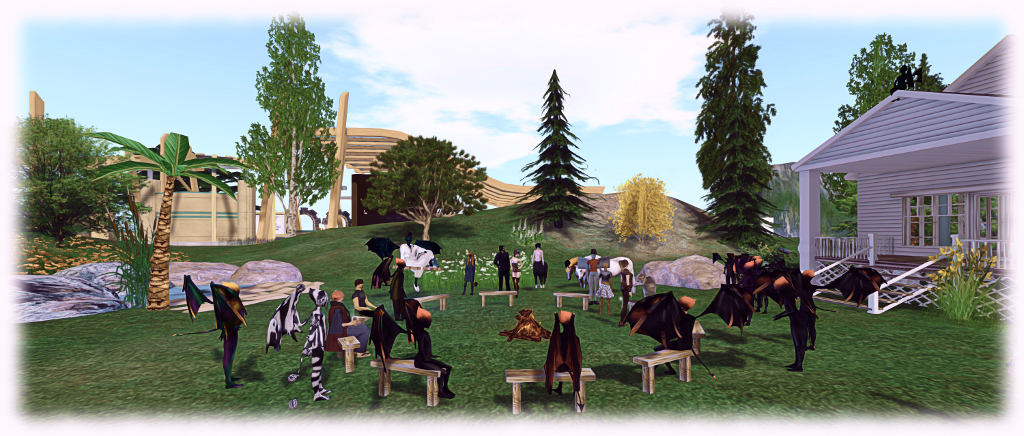
The following notes and audio were taken from the weekly Bento User Group meeting, held on Thursday, September 22nd at 13:00 SLT at the the Hippotropolis Campfire Circle. and chaired by Vir Linden. For details on the meeting agenda, please refer to the Bento User Group wiki page.
Note that this update is not intended to offer a full transcript of the meeting, nor does it present the discussion points in chronological order. Rather, it represents the core points of discussion, grouped together by subject matter were relevant / possible, whilst maintaining the overall context of the meeting.
RC Viewer
The Project Bento RC viewer updated to version 5.0.0.319893 on Thursday, September 22nd, 2016. This update contained no functional changes to Bento, but merged it with the current release viewer code (e.g. the addition of the visual Outfit Browser code).
The Lab’s focus on the viewer at the moment is seeing how more widespread testing goes (in general use terms, rather than Bento-specific, although this is still of interest), whether issues or regressions arise in the viewer as a whole and watching the crash rate. The latter has been high, but it is hoped the merge with the current release viewer will reduce these. If not, it may be that there are some Bento-specific issues still requiring deeper investigation.
A further preview demonstration of the Catwa mesh head rigged for Bento
Sliders and Bones / Joints
Avatar Sliders Wiki Page
Matrice Laville has put together documentation on which bones in the avatar skeleton are affected by the various appearance sliders when editing your shape. This can be found on the Avatar Sliders wiki page. The tables list the affected bones per slider, and how they are affected (translate / scale / both). The eyebrow slider is also included, although this is actually a part of the hair wearable.
The was a general discussion on sliders and joint positions, which I’ve attempted to break down by topic point for ease of reference.
Locking Scale with Sliders – Proof of Concept Viewer
At the start of September, Vir produced a proof of concept viewer adding the ability to override the scale as well as position for joints in uploaded mesh models. A joint with both position and scale overrides would be effectively “slider-proof” – no sliders that affect the joint would have any effect on the model. This might be useful for those wishing to produce (non-human?) avatars where it might be preferable to have certain parts of the body locked from slider-driven changes to prevent distortions / conflicts arising, without necessarily locking in the entire mesh against slider changes (e.g. the face could be “frozen” to prevent distortion, but body height or tail length, etc).
There’s been little feedback on the option to date,so anyone who is interested in the option or has views on how it works / should work, to try this version of the viewer and provide their feedback through the forum ASAP, otherwise the option won’t be included in the Bento RC.
Sliders and Custom Joint Positions
At one time it had been possible to use sliders with custom joint positions. This is not longer the case, due to inconsistencies in how avatars would appear to themselves and one another (and changes would revert following a re-log). As the option wasn’t an intended feature for Bento, and given it can lead to inconsistencies (some of which can be fixed using Reset Skeleton, although this doesn’t work in all cases), the decision has been made not to allow sliders to operate on custom joints.
Locking Sliders / “Partial Shapes”
The above discussions flowed into questions on whether it might be possible to just lock individual sliders at upload, rather than disabling their impact on a joint basis. This is viewed as not being possible, as it would require a more extensive overhaul of the avatar system and permission system.
Paralleling this idea was a question on “partial shapes” for Bento heads, raised by Elizabeth Jarvinen (polysail). The idea here is that many shape creators sell their shape as No Modify, but if such a shape is used with a Bento head, it defeats the idea that the Bento head can be modified via slider.
Again, there is no real means to achieve this without an extensive overhaul of the avatar system. There are also the points that if people are buying No modify shapes as they are unsure of using the sliders, they are unlikely to want to fiddle with the sliders with a Bento head, and those wishing to modify their body will likely use their own shape anyway, removing the problem of No Modify shapes (although re-creating a No Mod shape by approximation or XML export / import – via Develop > Avatar > Character tests > Appearance to xml – might be a hassle, with the latter requiring a suitable TPV for re-import). A further side to this is that a number of shape creators are already supplying body shapes intended for use with the various mesh bodies already on sale, as which are supplied Modify, which could be used with Bento heads.
Gestures and Outfits
As I noted last week, gestures – such as for speech – can be stored as a part of an avatar’s outfit in the Outfits folder, allowing them to be automatically activated / de-activated. However, this has to be done by copying a link to the gesture into the required folder, as the Save Outfit function currently ignores gestures. Replacing outfits should then trigger gesture activation of those being added, and de-activate those gestures associated with the outfit being removed.
This is not an optimal solution, but changes to have gestures made a part of the Save Outfit function are outside the scope of Bento, and Medhue Simoni has indicated he’ll raise a feature request on the idea for future consideration.
Other Items
Avastar Version Numbers
Those using the development versions of Avastar 2.0 may have noticed a recent change in version numbering. This is because people were getting confused between the technical release number and the public incremental “Alpha” version numbering.
Experience scripted force sits – a new project from the Lab (image courtesy of Linden Lab)
Update: thanks to the efforts of one or more juveniles defacing the orginial, the proposal – originally referred to as a Google document in this article – has been converted to PDF format, and this article has been updated to reflect that fact, and how those with a genuine interest in the proposed capabilities can forward ideas and suggestions to the Lab.
Since the introduction of Experience Keys into Second Life to allow more convenient granting of permissions for the system to act on an avatar’s behaviour when engaged on a specific activity – such as a game or a tour – a commonly requested item has been the ability to for scripted forced sits to be made a part of the Experience process.
On Thursday, September 22nd, during the Server Beta user group meeting, Rider Linden announced he is working on just this capability – and that test regions are available on Aditi for Experience creators to test the capability as it stands.
The new LSL functions for Experience-enabled scripted forced sits form Project Espeon (after the Pokémon character). Rider has produced a proposal document on the new functionality, which can be read in PDF format, which he introduces as follows:
With the advent of Experiences Keys we would like to be able to allow scripts being run as part of an experience to force an avatar to sit in a particular location. This feature will be useful in an adventure game scenario where an avatar is forced to sit in a trap so that it may sync its animations with the avatar, or in an amphitheatre or classroom situation where a presenter wishes for all the other participants to remain seated.
We will add at least one new LSL script function that will force an avatar to sit on a particular prim and make adjustments to the existing llUnSit() function to perform the counter action.
Within the document, Rider outlines the current APIs and functions related to sitting (llLinkSitTarget(); llSitTarget(); llSetSitText(); llAvatarOnLinkSitTarget(); llAvatarOnSitTarget() and llUnSit() ) which by affected by the new capability, before proposing a new series of APIs and behaviour changes to make Experience scripted sitting possible. At the time of writing this article, these new capabilities comprise:
llSitOnLink( ) – Function: integer llSitOnLink( keyagent_id, integerlink ); – mimic the behaviour of the rightclick “Sit Here” menu item. The avatar specified by agent_id is forced to sit on the sit target of the prim indicated by the link parameter. If the specified link is already occupied the simulator will search down the chain of prims in the linkset looking for an available sit target, as per the diagram at the top of this article.
PRIM_ALLOW_UNSIT – to be added to llSetPrimitiveParams( ) – When set on a prim that is running a script as part of an experience an avatar that is seated on the sit target and has agreed to participate in the experience will be unable to stand, select another prim to sit on or teleport to another location in the same region (inter-regional teleports will act as normal).
PRIM_SCRIPTED_SITS_ONLY – to be added to llSetPrimitiveParams( ) – Agents may only be seated on this prim using llSitOnLink(). Attempts to do a manual sit will fail. This flag applies even outside of an experience enabled region.
PRIM_SIT_TARGET – to be added to llSetPrimitiveParams( ) – The sit target if any defined for this prim. If the active value is 0 the sit target is deactivated, if it is nonzero the prims sit target is set to the indicated offset and rotation. As with llLinkSitTarget(), these values relative to the prim, however unlike llLinkSitTarget() an offset of <0.0, 0.0, 0.0> may be explicitly set.
Note that the above is in summary only, please refer to the Google document for the complete specifics.
Test regions have been set-up on ADITI, the beta grid, and those interested in testing the capabilities should join the Second Life Beta group on Aditi for access. The test regions are: Leafeon or Umbreon or Sylveon, with test content is available on Leafeon. If you wish to have your own Experience added to the regions for testing, contact Rider via IM. Similarly, if you have any suggestions or ideas for improving the proposal document or the functions, should raise a JIRA.
There was no update on the Main (SLS) channel on Tuesday, September 20th. On Wednesday, September 21st, all three RC channels should receive the same new server maintenance package, containing further “minor internal changes”.
SL Server
As noted in my article at the time, on Thursday, September 15th, the Lab promoted the Visual Outfits Browser viewer to de facto release status.
Also as similarly reported here in a separate article, the Bento viewer reached release candidate status on Wednesday, September 14th. This leaves the current list of official viewers as follows:
Current Release version: 4.0.8.319463, dated September 9th, promoted September 15th – formerly the Visual Outfit Browser RC viewer
Project Bento (avatar skeleton extensions) RC version 5.0.0.319688 released on September 14th
VLC Media Plugin Viewer RC, version 4.1.1.319583, dated September 13th – replaces the QuickTime media plugin in the Windows viewer with one based on LibVLC
Project viewers:
None.
Obsolete platform viewer, version 3.7.28.300847, dated May 8, 2015 – provided for users on Windows XP and OS X versions below 10.7.