Claustrophobia at Nitroglobus in Second Life

Nitroglobus Roof Gallery: Mareena Farrasco – Claustrophobia

Mareea Farrasco is a Second Life photographer whose work covers a broad range, from avatar studies to landscapes – the latter oft processed to resemble paintings – and the literal to the metaphorical, producing images that can contain within them a rich narrative or which offer the confluence of shape and form to present a simple statement or comment.

Many of these elements are presented to us through her exhibition at Nitroglobus Roof Gallery, curated by Dido Haas, with the exception of examples of her landscape work – for reasons that will become clear. Entitled Claustrophobia, the exhibition takes as its theme the SARS-CoV-2 pandemic, but from an angle that perhaps has not gained the attention it deserves.

When asked to define “claustrophobia”, most people are liable to go with its more well-known meaning: an abnormal dread of being in closed or narrow spaces. However, the word has another meaning, one not so often considered and that is a feeling of discomfort or discontent caused by being in a limiting or restrictive situation or environment, and it is this second definition that Mareea focuses upon.

Nitroglobus Roof Gallery: Mareena Farrasco – Claustrophobia

We live, these days, in a confined, pandemic universe of our own, and we are all more or less “claustrophobic”, even without suffering from this disorder in our normal, healthy lives. This exhibition is my metaphoric way to express those feelings, trying to rationalise them, in order to make them endurable.

Mareea Farrasco, introducing Claustrophobia

Now to confess, on first seeing the 14 images presented for the exhibition, I fell into the trap of looking at them through the lens of that more popular definition of “claustrophobia”, and while there are one or two that contain elements that most certainly do convey a sense of physically restricted space and / or a sensation of the walls closing in (notably Claustrophobia (6) and Claustrophobia (7)), I initially felt the exhibit, focused as it is on studies of an individual avatar, could just as easily be called “solitude”, without any need to reference the pandemic.

Nitroglobus Roof Gallery: Mareena Farrasco – Claustrophobia

It was only when I broadened my consideration to that second definition foe “claustrophobia” that I was struck by the manner in which Mareea has perfectly encompassed it through each of the pieces offered in this exhibit, and seamlessly linked them to offer expressions of how we have been forced into am artificial sense of “claustrophobic distancing” because of the pandemic. It doesn’t matter if we’re home alone or with family, we have been forced to artificially limit our environment and interactions to an extent that expressions of solitude are all we actually have left; circumstance demanding that as constrained as we are, we turn our thoughts inwards.

Seen it this light, all of the pieces here are subtle and evocative explorations of thoughts and feelings that reflect our desire – our longing – for more normal times. At the same time, there is perhaps a deeper aspect to be considered. Whilst physical distancing from friends, colleagues, neighbours and all might well be a requirement for all of us, many of us do at least have family with who we can at least find some release from that sense of isolation – but what of those who live alone? For them, the routine of isolation has potentially been amplified by the pandemic; through Mareea’s images, we perhaps catch a glimpse of all they face.

Nitroglobus Roof Gallery: Mareena Farrasco – Claustrophobia

Another outstanding exhibition at Nitroglobus that should not be missed.

SLurl Details

Keely’s Swan is Second Life

Swan, July 2020 – click any image for full size

I’m totally up to my ears in a variety of things at the moment, which has had something of an impact on my ability to blog with the usual frequency. Hopefully, I’ll be all caught up over the next couple of days, but I didn’t want to mission the opportunity to write a few words about Swan, the Homestead region held by Keely Mistwood as her personal space, but which she has opened to the public to visit.

The landscaping for the region is by Tab Tatham, whose design work is always worth seeing as she has an considered eye for creating natural environments – as can instantly be seen with Swan.

Swan, July 2020

The region is largely given over to a mountainous off-sim surround that joins with the island to present a low-lying tongue of land extending out into the waters of a bay, several other peaked islands rising from the waters to suggest a coastal archipelago, while the the trees of the lowlands suggest this is somewhere in the northern latitudes.

Rocky in nature and split by a stream that issues from one of the landscape’s rocky faces, the landscape is rich in fir and oak and climbs back to a high table close to the mountain backdrop, a finger of rock connecting the two, a screen of trees helping to curtain the join between region landscape and surround.

Swan, July 2020

This high bluff has prevented the sea complete separating the headland from the mountain, and thus turning it into an island. To one side is a channel that has eaten its way between headland and mountains; on the other is a sheltered arc of beach reached by wooden steps that descend from the flat top of the rock and watched over by a wooden deck.

The top of the plateau is largely given over to Keely’s house, which like the rest of the region, is open to the public. It has a delightfully bohemian feel to it, the indoor spaces open and breezy, seamlessly with the decks around it, and a cool looking rocky pool alongside in place of a more traditional swimming pool.

Swan, July 2020

Packed with detail, the house looks down on a further curved bay, this one with shingle rather than sand, this one arcing to another, lower table of rock, home to a more traditional swimming pool. It can be reached via the wooden steps leading up to the house from the landing point or via one of two zip lines.

The second zip line descends to the north-east and the tip of the headline, where an old cabin, now converted into a hidden summer house – although be warned that the trip down the line will take you through the local fir trees, so you could end up getting a few slaps from the boughs!

Swan, July 2020

Between the cabin / summer house and the landing point, the land is again rich in detail beneath the canopy of trees. Here might be found an open-air theatre, old terraces, open walks, decks and more, all making for a richly photogenic setting – although you’ll need you own pose HUD for avatar photography, as Keely hasn’t opened rezzing the region to avoid littering.

Superbly made, packed with opportunities to wander and / or relax (including the little island off-shore, although you’ll have to fly to it), Swan is a perfect destination for the SL traveller. I’m not sure if Keely intends to keep it open to visitors or if it may be a limited time opportunity to make a visit;  so if you’re interested, hopping over sooner rather than later might be the way to avoid disappointment.

Swan, July 2020

SLurl Details

  • Swan (rated: Moderate)

Gen Con in Second Life: let the games begin!

The Indiana Convention Centre reproduced in Second Life as a part of the VRazeTheBar Gen Con Experience

Thursday, July 30th saw the opening of the VRazeTheBar Gen Con Experience presented by VRazeTheBar, a four-day in-world event packed with activities being run as a part of Gen Con Online 2020 – and there is still time for Second Life gamers interested in table-top, computer, role-play and other games to sign-up and join in.

I’ve previously covered Gen Con and the VRazeTheBar Gen Con Experience in these pages, starting with Coming to Second Life: Gen Con “the best four days in gaming”, but in brief:

  • Gen Con is the largest tabletop-game convention in North America, by both attendance and number of events. In 2019, almost 70,000 people attended the event, held annually in Indianapolis, Indiana.
  • Due to the SARS-CoV-2 pandemic, Gen Con has moved its activities on-line for 2020 across a range of platforms.
  • So that attendees can enjoy some of the same atmosphere of gathering together, attending social events, participating in games, etc., solution provider VRazeTheBar, with the support of Linden Lab, has created a 4-region, multi-level event environment within Second Life: the VRazeTheBar Gen Con Experience.
Discover the history of Gen Con in the Gen Con Museum within VRazeTheBar Gen Con Experience
Gen Con is a very special experience, that’s what keeps people coming back. It was important for us to recreate, as much as possible, the magic that happens when 70,000 gamers take over down-town Indianapolis every year. So, we have built some of their favourite haunts, including Union Station, around the Convention Centre as a starting point that Gen Con veterans will immediately recognize. From there we take off and have created completely new virtual worlds where the imagination can soar.

– VRazeTheBar Cofounder and Creative Director Alesia Clardy (AlesiaPM in Second Life)

A table-top game within the Science Fiction gaming zone of VRazeTheBar Gen Con Experience
In VRazeTheBar’s virtual Gen Con experience, users will find many of the details that fans love: food trucks and the traditional Saturday night dance as well as a free official Gen Con virtual t-shirt. But more than anything else, it’s really about the games. The game masters have embraced the virtual platform to make some awesomely rich, detailed environments for interactive game play.

VRazeTheBar Gen Con Experience Press Release

The event kicked-off at 09:00 SLT on Thursday, July 30th, and will run through until Sunday, August 2nd – the same dates as Gen Con Online 2020, allowing Gen Con regulars to attend events both in-world and those Gen Con is hosting on other on-line platforms. The opening event featured Patch Linden, Linden Lab’s Vice President of Product Operations as a special guest to not Linden Lab’s assistance in making the event possible.

The activities planned for Gen Con in Second Life as are as varied as those found at the convention in the physical world, and to help attendees feel more at home, part of the event space features a recreation of down-town Indianapolis, where the Indiana Convention Centre, the focal point for Gen Con in the physical world, has been recreated, together with the Union Station, used for social gathering – as it will be in-world, and locations such as Georgia Street, with its lines of food wagons and street restaurants frequented by attendees.

Patch Linden And RCArchitect (VRazeTheBar’s Ron Clifton) at the opening event

The four levels for the event are:

  • Ground level: presentation area and historical.
  • 500m: modern / present day down-town Indianapolis.
  • 1000m: apocalyptic level – the ruins of down-town Indianapolis for Zombie hunting.
  • 1500m: game play environments.
We are hosting a large variety of table-top games and we also are offering periods where people can roam around on their own or with friends, to explore on foot, horseback, or flying. We even have virtual dragon rides. In addition, we will also have some live presentations and panel discussions with industry gaming experts.

– VRazeTheBar Cofounder and Creative Director Alesia Clardy (AlesiaPM in Second Life)

A full list of in-world activities can be found on the event website. In addition, for those registered for Gen Can who cannot get in-world, events at the VRazeTheBar Gen Con Experience will be live streamed courtesy of event partner isiLive.

As I’ve previously noted in covering VRazeTheBar Gen Con Experience (see Gen Con: sneaking a peek in Second Life) gaming activities will taken place across a 4-region group of settings located at 1,500m above ground level and feature a mix of table-top, role-play and other gaming activities.

If you’d like to join Gen Con in Second Life – and there is still room in a number of the events – registration is free. You’ll need to do so via the official Gen Con website. As I noted in my Sneak Peek article, access to the game areas will be controlled to prevent them becoming overloaded, but otherwise attendees are free to wander, sign-up for activities and even organise their own on-the-fly games.

Gen Con Online is very much an experiment for Gen Con – as shifting to on-line mediums is proving to be for a lot of events around the world. However, for VRazeTheBar Gen Con Experience it is something more: a proof of concept that virtual world spaces can be used as a part of a physical world event’s activities. As a proof-of-concept, there have been a couple of minor hiccups – sadly, Gen Con exhibitors have been unable to join the in-world event this year, but otherwise everything is ready to receive attendees.

It was important for us to have a stable reliable on-line platform to create this virtual Gen Con experience. This year is basically a small-scale proof-of-concept experience, but the Linden Lab infrastructure we have chosen will allow us to scale up quickly as demand unfolds.

– VRazeTheBar Cofounder and Solution Architect, Ron Clifton

Georgia Street and the Convention Centre in-world

To find out more about about VRazeTheBar Gen Con Experience and Gen Con Online, please follow the links below. And when you get in-world, don’t forget to accept the event experience and receive / obtain the teleport HUD for direct access to the various in-world regions (there are also bicycle, horse and dragon ride rezzers available on the different levels (bikes on down town level, horses on the gaming level, dragons awaiting discovery!). You can also find out more by visiting the links below – including the in-world public Welcome Centre for the event.

Related Links and SLurl Information

Painting the Summer in Second Life

Hoot Suite Gallery: Mareea Farrasco

Now open at the Hoot Suite Gallery, the boutique gallery in Bellisseria curated by Owl Dragonash, is an exhibition that reminds us that while getting out and about to enjoy the beauty of summer may not be easy because of a certain pandemic, better times will return for all of us to have the freedom to visit our favourite corner of a beach or wander through grassy meadows.

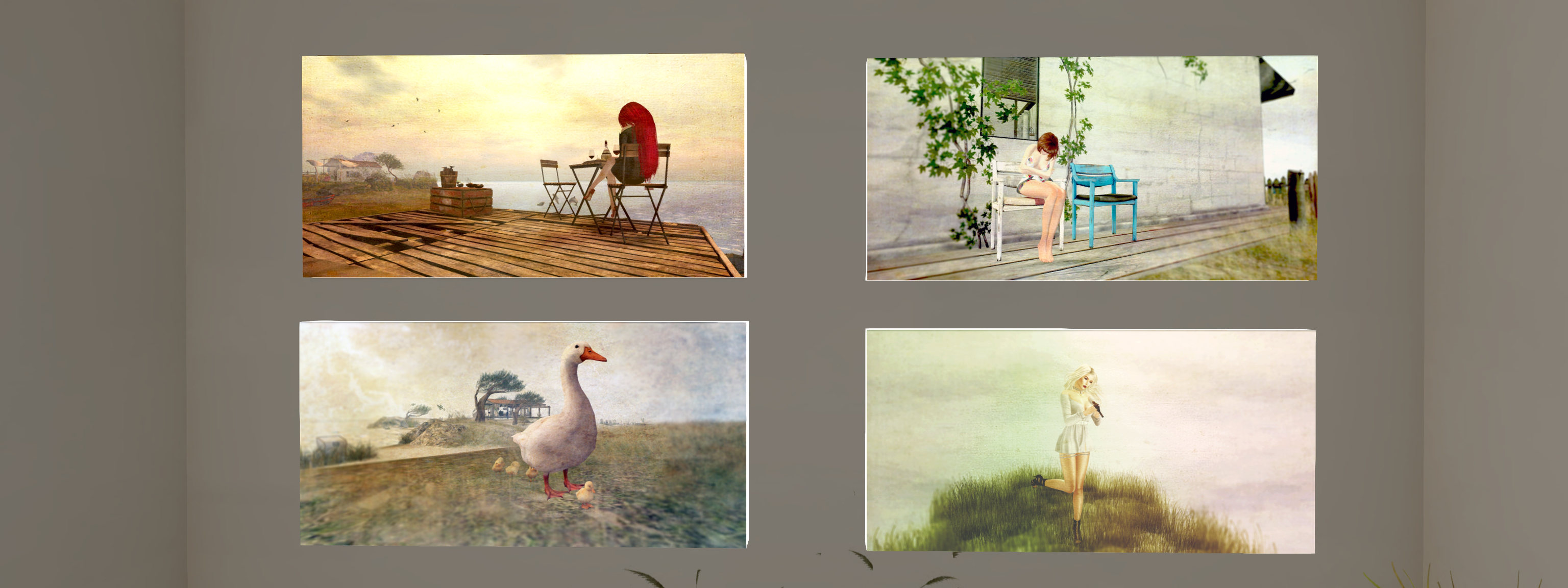
Painting the Summer is a charming exhibition of gently post-processed images by Mareea Farrasco that carries us away to that summer beach and those summer grasslands, and to coastal walks and more. views out over rolling surf to sail boats lying off the coast and geese waddling over course grass. Often framing her avatar in relaxed poses.

Hoot Suite Gallery: Mareea Farrasco

These are elegant images in their presentation and in the lightness of touch with post-processing tools, while Owl’s Hoot Suite offers the perfect cosy venue for their presentation. The exhibition will run through until August 23rd, 2020.

SLurl Details

Firestorm 6.4.5 Beta: EEP and Camera Presets

On Tuesday, July 28th, 2020, Firestorm released a beta version of their viewer – 6.4.5.60799 – that provides support for the Lab’s Environment Enhancement Project (EEP), and which includes a number of other Lab-specific updates to the viewer, such as the Camera Presets capability.

There are a number of points of note to make about this viewer, which may influence people’s choice on whether or not to try / adopt it:

Table of Contents

  • While it contains the EEP updates, the following should be kept in mind:
    • There are a number of known issues with EEP, several of which currently have fixes contained within the Lab’s Love Me Render RC viewer (version 6.4.5.544028, dated June 30th, at the time of writing), and which is being prepared to be promoted to de facto release, possibly in the next 2-3 weeks.
    • There is a known performance hit related to EEP, for which an interim (and unsatisfactory) fix can be to disable Linden Water rendering (CTRL-ALT-SHIFT-7), even if Linden Water is occluding in your view. The underpinning causes of this issue are still being investigated.
  • Given its beta nature, this version of the viewer has not passed Firestorm’s QA cycle, nor are there formal release notes, although general notes on this version can be found here.

Because of the above, the following is not a full overview of the release; I will provide one once this version of the viewer reaches a formal release status. Instead, this article is designed to provide a general overview of the core visible changes in Firestorm 6.4.5: those of the EEP integration and particularly how it has been integrated with Firestorm’s Phototools floater, and those of the Camera Presets, which differ slightly to their implementation in the official viewer.

Installation

As this is a beta release:

  • There is no need to do a clean install.
  • By default, it will be installed into a different folder to the release version of Firestorm you have installed.
  • If you encounter issues with Firestorm 6.4.5, it is important you preserve your log files before starting any session using the release version of the viewer, and make sure you zip and attach them to any Jira you file.

Linden Lab Derived Updates Overview

Firestorm 6.4.5 incorporates updates from the following Linden Lab viewer releases:

  • Second Life Release Viewer version 6.4.4.543157, the Chrome Embedded Framework (CEF) Update 2020 – provides better support for media playback options win the viewer, including the ability to live stream into Second Life.
  • Second Life Release Viewer version 6.4.3.542964, the FMOD Studio viewer, dated May 29th, 2020 – updates the viewer audio playback support to use FMOD Studio.
  • Second Life Release Viewer version 6.4.2.541639, the Camera Presets viewer, dated May 11th, 2020 – see Camera Presets, below, for more.
  • Second Life Release Viewer version 6.4.1.540593, the Zirbenz Maintanence viewer, dated April 27th, 2020.
  • Second Life Release Viewer version 6.4.0.540188, the Environment Enhancement Project (EEP) viewer, dated April 17th, 2020 – see below for more.

Camera Presets

Camera Presets provides the ability for users to create one more more custom camera presets to define where and how the viewer camera is placed relative to your avatar, More than one set of presets can be created and saved, so that you can, for example have a camera position for general exploring, another suitable for combat games, another for building, etc., all of which can easily be accessed and used at any time via the Camera Presets drop-down.

Firestorm’s Camera Presets Options – note that depending on the viewer skin you are using, the Camera floater (middle left, above) many have a slightly different layout to that shown

For a general introduction to Camera Presets, please refer to: Tutorial: Viewer Camera Presets. However, when doing so, please note that:

  • The Firestorm Camera Floater is laid out differently to the official viewer, being more compact, as show in the image below.
  • If you wish to manually set a camera position using the camera controls (orbit / tilt and slide left/right / up/down), you must open the Camera Position floater via the Position… button,  and then save adjustments from that floater, as adjustments cannot be saved directly from the Camera floater, as is the case with the official viewer.

Environment Enhancement Project (EEP)

There’s unlikely to be many people who have not heard of the environment Enhancement Project (EEP). But in short:

  • Replaces the use of Windlight .XML files to control the water and sky environments seen in Second Life.
  • Environment settings are saved within environment assets that you can keep in your inventory and / or share with others.
  • Environments can be applied to a region or to a parcel (subject to region permissions) and / or to your avatar (thus allowing those travelling in vehicles to maintain a consistent environment across multiple region crossings).
  • Allows up to four different, independently controlled sky layers.
  • Allows the Sun, Moon and Cloud textures to be replaced with custom textures uploaded to the viewer.
  • Provides an extended day cycle of up to 168 hours, thus allowing a 7-day, 24-hour day / night cycle to be defined, for example.
  • Provides a Personal Lighting floater that allows you to make viewer-side adjustments to the local environment for the purposes of photography.
  • Provides new LSL functions to allow scripts to interact with parcel environments and that can be used with experiences.

EEP Resources

EEP is a large and complex overhaul of environment settings for Second Life, and there are numerous resources available for it. As the Firestorm implementation is more-or-less as per the official viewer, I offer the following links to resources:

EEP and Phototools

One of the popular elements within Firestorm is the Phototools floater. The Windlight (WL) tab, opened by default when accessing Phototools, has been revised for EEP, as shown in the image below.

The pre-EEP Phototools WL tab (l) and the EEP version (r). (1) The Drop-downs now select Day, Sky and Water settings from the Library → Environments folder; (2) Personal Settings button – opens the Personal Settings floater, allowing you to adjust the environment as seen in your viewer. This button essential replaces the Edit Sky Preset and Edit Water Preset buttons in the “old” Phototools WL tab; (3) cancels any changes made through the Personal Settings floater; (4) Pause Clouds – does what it says on the label; (5) Shared Environment – causes the viewer to use the local parcel / region environment.

Additional EEP Notes

  • There are around 200+ EEP environment settings to be found in the Library → Environments folder. These have been provided to Linden Lab by Whirly Fizzle of the Firestorm team.
  • As noted in the image above, these can be accessed via the WL tab in Phototools and via the drop-downs in Quick Prefs.
  • If you want to edit these any of the environment settings in the Environments folder, you must first copy them to a folder in your inventory (e.g. your Settings folder, or a sub-folder within it).
  • As per my tutorial, you can import the windlight settings you have on your local drive and convert them to EEP settings – see Importing Windlight Settings as EEP Assets.

For OpenSim

For OpenSim users, there are 3 key points:

  • The viewer incorporates Windlight ↔ EEP interoperability, allowing EEP viewer users to visit legacy Windlight regions.
  • The viewer supports the new OpenSim 0.9.2 with EEP, code-named “Ugly Sky.”
  • There is now a fast-entry grid feature on the login screen; simply enter a URI to add a new grid.

In addition, the last Firestorm OpenSim Release had a bug that caused crashes when rezzing items. This bug was responsible for 70% of all reported FS OpenSim crashes on the 6.3.9 version, and it has been fixed.

General Observations

Given Firestorm 6.4.5.60799 is a beta release and not a fully polished formal release, it may not be suitable for all users at this point in time – and this should be kept in mind when considering it. Should you decide to do so, again please remember:

  • Firestorm 6.4.5 can be installed alongside any current release of Firestorm, so you can swap between them.
  • Firestorm 6.4.5 has not been fully QA’d, so if you do encounter reproducible issues, please ensure you raise a bug report on the Firestorm JIRA.
  • With respect to EEP in particular:
    • Please take time to read the known issues in the beta release notes and, for EEP, those on the EEP viewer release notes from Linden Lab).
    • There are a number of EEP fixes forthcoming in the Love Me Render viewer (e.g:  fixes for EEP specularity issue – BUG-228781 and BUG-228581, and for BUG-225784 “BUG-225446 regression – HUDs are again affected by environment setting”). It may also include additional fixes.
    • Linden Lab is still working on issues such as BUG-229079 “[EEP] Density multiplier does not allow full range of settings to be saved/loaded” and BUG-229031 “[EEP] Water has a large performance hit on EEP”.
  • There are known performance (FPS) issues with EEP / this version of Firestorm.
  • This version of Firestorm will likely go through a number of iterations prior to reaching formal release status.

Related Links

2020 Simulator User Group week #31 summary & the Blake Sea Cloud challenge

Auld Lang Syne, June 2020 – blog post

The following notes were taken during the Simulator User Group meeting of Tuesday, July 28th, 2020.

Simulator Deployments

Please refer to the server deployment thread for news and updates:

  • There was no deployment to the core SLS channel regions on Tuesday, July 28th, leaving the majority of the grid running on server maintenance update 544832, designed to resolve issues with some internal service updates, chat range improvements and capability improvements.
  • On Wednesday, July 29th, there should be a deployment to two of the RC channels (LeTigre and BlueSteel), primarily related to internal changes related to the cloud uplift.

SL Viewer

  • After being rolled back to RC status, the Tools Update viewer version 6.4.5.544639 was removed from the available viewer list on Monday, July 27th.
  • The Mesh uploader was promoted to RC status with the release of version 6.4.5.544027 on Monday, July 27th.

The remaining official viewer pipelines remain as follows:

  • Current release viewer version 6.4.4.543157, dated June 11th, promoted June 23rd, formerly the CEF RC viewer – ROLL BACK.
  • Release channel cohorts:
    • Arrack Maintenance RC viewer, version 6.4.5.544465, July 6th.
    • Love Me Render RC viewer, version 6.4.5.544028, June 30th.
  • Project viewers:
    • Custom Key Mappings project viewer, version 6.4.5.544079, June 30th.
    • Copy / Paste viewer, version 6.3.5.533365, December 9th, 2019.
    • Project Muscadine (Animesh follow-on) project viewer, version 6.4.0.532999, November 22nd, 2019.
    • Legacy Profiles viewer, version 6.3.2.530836, September 17th, 2019. Covers the re-integration of Viewer Profiles.
    • 360 Snapshot project viewer, version 6.2.4.529111, July 16th, 2019.

Blake Sea Cloud Challenge (Aditi)

As I was the first to report on July 21st, the Blake Sea regions have been cloned to the Aditi, the beta grid, and are running on AWS servers in the cloud (see: Blake Sea in the cloud on ADITI). At that time, region crossings for the regions were  – to say the least – unstable.

Since then, those regions (some 46 in total) have been further updated (Monday, July 27th), and to help with gathering data on cloud-based region crossings, Simon Linden has defined the Blake Sea Challenge:

We just did some updates this morning (Monday July 27th) that fixes a bunch of the region connectivity issues.    I just did a tour and didn’t hit any invisible walls.
Along those lines, I made a quick “Blake Sea Challenge”   Go to secondlife://Aditi/secondlife/Morris/200/207/34  on the BETA aditi grid, and click on the red egg-shaped thing to try it out.   It will give you the “Blake Sea Challenge”  … wear it and touch, and it’ll get you going.   Follow the instructions to sail / fly / motor around 46 regions without doubling back and see if you make it.   Have fun and keep letting us know how it goes!

– Simon Linden, Simulator User Group

Blake Sea is now on Aditi and running in the cloud for those wishing to test vehicle region crossings. If interested, try taking Simon’s challenge (above)

In Brief

  • There are renewed reports of delays to scripted object rezzing across many regions. see: BUG-228939 “on_rez action delayed for 2 to 3 seconds in many regions”.