
Back in June 2026, I wrote a piece on the Mobile Learning Centre, a Linden Lab created experience geared towards incoming users accessing Second Life via the Second Life Mobile app (and those existing users who are new to SL Mobile) gain familiarly with using the app and finding out more about Second life as a whole.
As there is also a broadly similar experience for new users coming into Second Life using the Desktop, I thought it only fair that I revise / replace the original piece with one covering both. Hence this new article.
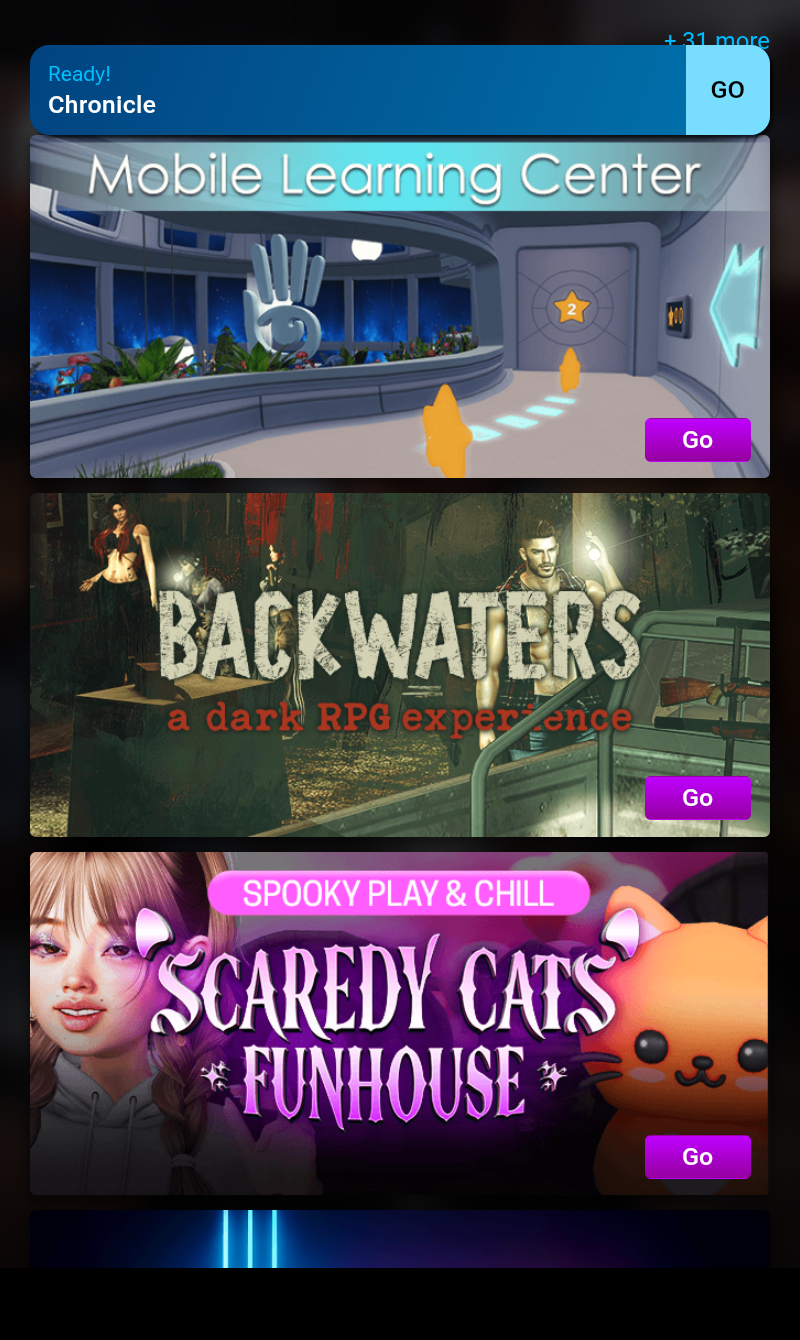
Like most tutorial experiences current and past, the Learning Centres take a familiar route of guiding users through a series of lessons.
However, and unlike many past tutorials of this nature, these avoid trying to cover everything some might regard as “essential”, these Learning Centres focus on the absolute basics in getting started: moving, jumping, chatting, sitting, standing, teleporting. This allows them to be useful without being overwhelming because of the volume of information a new user is being asked to digest in a single pass.
As a brief overview, both experiences:
- Present the same lessons, information and challenges in the same environment, in a manner consistent with whether the user is using the Desktop viewer or SL Mobile.
- Take the form of a space station, with learn-by-doing lessons progressing through a number of rooms to which the user gains access by “collecting” (walk through) large stars, whilst including a “side quest” in which the user “helps” the captain of the space station.
- Have teleport portals and boards to places like the Welcome Hub and other new user experiences to help the user increase their engagement with the platform and learn more.
- Control additional options and challenges, offering opportunities for entertainment whilst learning.
The stars to be “collected” are colour-coded to the the rooms to which they are required in order to gain access, and form a core part of the lessons being provided in each of the learning rooms. The number of stars required to access a room is presented on the door to that room.
The arrival point for both experiences comprises informational boards on most of the above – collecting stars, the side quest, etc. Together with the first elements of the tutorial signage.
These tutorial graphics are simple, direct and easy to follow. They’ve been specifically designed to communicate necessary information without relying heavily on text, thus avoiding complications of translation, localisation, etc. They are also obviously application focused: users at the SL Mobile Learning Centre will see graphics specific to the Mobile app, and those at the Desktop Learning Centre will see graphics specific to the Desktop viewer.

This does mean that in places, the Desktop Learning Centre does have more such graphics than the Mobile Learning Centre, but this is to be expected because of things like the different modes of control available in the Desktop viewer. This can be seen at the arrival point of the Desktop Learning Centre, which includes graphics on text chat range and camera manipulation (the former included not only because it is essential to understanding text chat but also because it was found new users often ask a question of a mentor within places like the Welcome Hub – and then walk out of range before a reply could be provided).
From the arrival point, and after walking through two yellow stars, users can progress down a ramp to collect the stars needed to access the next tutorial room – this one focused on avatar navigation using an elevated walkway. This is followed by a room focused on jumping / flying (placing users in an aquarium!), prior to a visit to the ship’s bridge to earn the thanks of station’s Captain.

At the lower end of each experience, there is a large, galleried social space. This contains places to sit (with graphics on how to do so) and the option to collect red stars to open a floor accessway to the tar Run challenge, located underneath the area and accessible once five red stars have been collected. However, this is where the similarities between the respective areas in the two experiences end.
Within the Mobile Learning Centre, this area includes the teleport portal to the Welcome Hub, a teleport board to other experiences and instructions on how to access the Destination Guide and teleport to locations. There is also a side room with a picture gallery of locations in Second Life, together with windows looking out over what appears to be a black hole.

By contrast, the same area within the Learning Centre makes no reference to the Destination Guide, and as the Welcome Hub teleporter is located at the arrival point (together with a portal to the Adult Hub), it is also absent. However, it does provide access to a much larger social area.
Called the Moonview Zone, it comprises group of beanbags set around low tables which are all set around a central bar. A huge viewscreen / window to one side looks out over an alien world. Facing this are two further teleport board and instructions on setting a home position and creating landmarks (but, again oddly, nothing about accessing the Destination Guide). Also within the Moonview are the entrances to two challenges: an obstacle course to further refine walking / jumping abilities and the Ring Challenge to test flying skills. Rewards may be given on the completion of either.

The Desktop Learning Centre also offer a “mid-level” area which includes links to the Second Life social media outlets; a landmark giver for various community gateways offering free items to new users; and two boards of the single-player Merge game (Darkmoon Edition), and a Group joiner for the SL Friends For Life Group.
Whilst a similar area is present in the SL Mobile Learning Centre, it is currently empty, perhaps because of the current level of SL Mobile’s capabilities.

It’s likely that some might feel the Learning Centres don’t cover enough essentials – what about IMs? what about text chat in the Mobile app? What about inventory access? And so on. However, offset against this is the need to keep things as useful as possible in order to get users started without overwhelming them.
Take IMs as an example: do you just cover person-to-person IMs? Then what about Group IMs? If you are covering Group IMs, then surely at least the concept of groups needs explaining (even allowing for the joiner mentioned above). And what about conference calls? And so things spiral – and the same is true for things like inventory on the Desktop.
In this, it is also worth noting that these Learning Centres don’t reside in a vacuum or are a one-stop, “That’s all folks!” form of learning. There is at least the Welcome Hub for further guidance – although I do have a small caveat here, which I’ll come to. Further, these Learning Centres have been developed using feedback gathered from users, and they have been involved in A/B testing with other new user on-boarding tutorials, and both have consistently scored well with incoming users.

My one caveat mentioned above is that currently, the Welcome Hub is geared solely towards the Desktop viewer. Even with mentors present to at least explain the existence of the Desktop viewer, it struck me that this could be confusing to incoming users on SL Mobile. Perhaps a dedicated landing area for those teleporting from the Mobile Learning Centre might help alleviate this? It could even include a teleport back to the Learning Centre for those who may have accessed the portal there prematurely / in error.
Other than this, I found both experiences pleasant and easy to follow. There is potentially space to add further information / tutorial infographics if the need arises (e.g. to reflect SL Mobile’s increasing capabilities, if required). The graphics are mostly language-free, as noted, and of a size and form where they should be easy to follow regardless of nationality or eyesight; the lessons suitable for what they are trying to achieve and the Desktop viewer challenges off of the Moonview Zone reasonably engaging.

If you do opt to pay a visit to either, you can follow the SLurl to the Desktop learning Centre as given below (it’s also in the Destination Guide), but for the Mobile Learning Centre, please do so via the App itself – you’ll find the Learning Centre listed in the Experiences.


