More Culprit fun in Second Life

Culprit’s Sphynxie and Flying Machine

Culprit owners Eku Zhong and Yure4u Sosa have released a couple more fun items I thought would be worth a write-up: the Culprit Sphynxie and the Culprit Flying Machine. Both are decidedly quirky (hence my interest!) and both are liable to be attractive purchases for some.

Sphynxie is a full animated Animesh companion that attaches to your avatar (just ADD it), and which uses an avatar skeleton that can be animated far more fluidly than other forms of pet. It takes the form of a sphynx cat – the famous coatless (but not without fur; its hairs are just exceptionally short and fine) cat produced as a result of selective breeding, and builds on the work done with the Culprit Mousie (see: Culprit Mousie: a little silliness in Second Life).

Mousie was a prototype – our Animesh début revamped for an older creation I did ages ago. He started out with less features (but he’s been updated). Sphynxie is entirely news, and come with more animations.

-Eku Zhong describing the Culprit Sphynxie

Either someone on the left of this photo has been on the catnip, or just got startled…!

At L$599, Sphynxie is also slightly more expensive than Mousie, with the price difference explained by Sphynxie being more capable.

Supplied in a package containing the cat, a HUD and an instructions note card, Sphynxie is offered in a number of individual hair finishes and as No Modify / No Transfer. Using it is a simple matter of attaching the control HUD and – providing you have no other Animesh items already attached (or no more than one if you are Premium!); you can then ADD the cat to your avatar.

Left to itself, Sphynxie will stand beside you on his hind legs (like Mousie, Sphynxie is anthropomorphic in nature) and entertain himself, moving from pose to pose, looking around, breathing deeply and tail moving quite naturally. A right-click Edit allows you to reposition him – move him a little further away if your AO stands causes you to step on him for example, or to move him to your preferred side, etc. When you walk, he’ll trot along beside you. And, of course, being an attachment, he’ll teleport with you.

However, it’s when you click the HUD that Sphynxie comes into his own. This contains three options: New Name (opens a dialogue box in which you can give your Sphynxie a personal name); Channel (to change the channel over which your HUD communicates with your Sphynxie to avoid clashing with others) and Gestures.

This last one provides access to an extensive range of animations that will play on Sphynxie when selected – so you can have him greet people, respond to a conversation (sometimes a little snarkily – something ideally suited to his somewhat upper class English tone of voice!) sing, dance, perform a few ninja fighting moves – and a whole lot more, a small selection of which are shown in the video below.

Complexity-wise, Sphynxie has a slightly higher cost than Mousie – around 7K on top of your avatar complexity  – but this is by no means excessive. If rezzed in-world he is slightly more resource efficient than Mousie – his LI is 27 and he has a physics impact of 0.5 and server cost of 0.8; however, he will only play his default animations if rezzed like this, and will not be responsive to the HUD. Plus, if you are a Premium member and have Mousie, you can opt to wear them both (as Premium members can have up to 2 Animesh items attached to their avatar) and they will not interfere with each other.

For those who enjoy attachable pets, the Culprit Sphynxie is – like Mousie before him – a fun addition to have, and his animations are likely to keep people smiling.

Culprit Flying Machine – out over the water

Currently on a short-term offer of L$100 as part of the Culprit Fly Buy Friday promotions (just join the store group) is the new Culprit Flying Machine. Designed entirely for fun, it is perhaps one of the most unusual vehicles I’ve used in Second Life – one that in some respects defies description; is it a boat? Is it a plane? Is it – well, I’ll leave it to the pictures to speak for it!

Like many of Culprit’s vehicles, the Flying Machine is supplied with two versions in the box: a “solo” unit you can fly yourself, and a rezzer unit. The latter takes the form of a black base unit that auto-rezzes an initial flying machine (no Mod, as it is a rezzer version) over it, and that will rez a further machine as the previous one is used, with the owner able to set the total number of boats that can be rezzed at any one time (up to a maximum of 12). These machines will also de-rez when the driver stands up, so they leave no clutter.

The Culprit Flying Machine

Seating a maximum of two people, the machine will turn on its engine when the owner (or first person in the case of the rezzer version) sits in it, and the rear “pusher” propeller will start turning. Movement is then achieved using the standard Arrow / WASD keys (depending on your preference and viewer set-up) – Up / W for forward, Down / S for slowing / reverse; Left / A and Right / D for turning.

Any forward  / reverse motion will start the “oars” flapping, making them more like wings, – and like a bee, you’ll improbably hover above the ground and progress in your chosen direction as if being rowed along and pushed by the propeller. Should you reach Linden water, the machine will handle that as well, dipping the rudder slung beneath it as if to help steer. Stop forward / reverse motion, and the “oars” will come to a stop and  the machine will glide to a halt.

And there’s more. Touch the machine and you’ll get the “standard” Culprit vehicle menu. In this you’ll find the Flight option. Click this to check it, and you can actually fly the machine at more than just the default hover height – use Page Up / E to put the nose up and climb, and Page Down / C to put the nose down and descend. Be warned however; if you wish to maintain altitude you must stay in motion. If you stop, the “oars” will stop and – naturally, as you’re deprived of their lift – you’ll start to sink towards the ground until you reach the machine’s default hover height – and if you’re over Linden Water, you will sink!

Culprit Flying Machine – flying over Isla Pey

The menu also allows you to turn the engine off, sound the horn, adjust your seating position (which is not saved in the rezzer version), but I’m not entirely sure if the throttle / gear options work (shift up / shift down).

For the purists, the handling may not feel entirely aircraft-like, but remember this is a fun vehicle. What’s more, with its looks and animations, it would also be at home in steampunk environments as well as being used simply for fun. In all, six colour variants are available and can be purchased – as with Sphynxie from the Culprit main store.

2019 SL User Groups 34/2: Content Creation summary

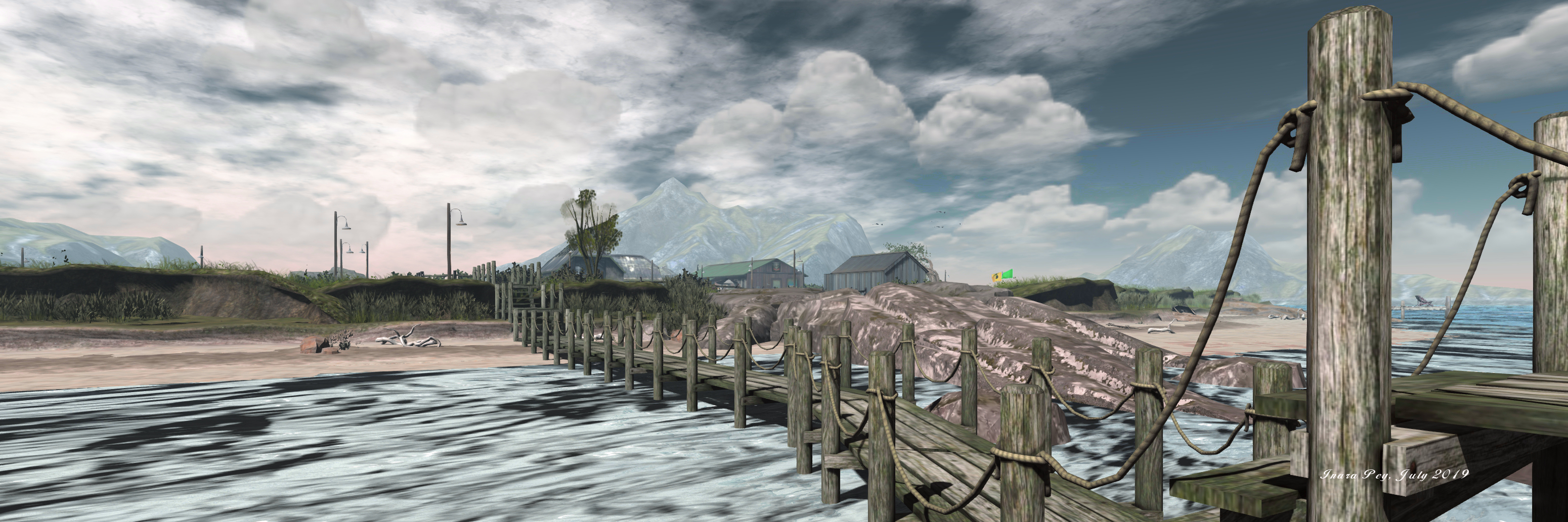
Scarlett Isle; Inara Pey, July 2019, on FlickrScarlett Isle, blog post

The following notes are taken from the Content Creation User Group (CCUG) meeting, held on Thursday, August 22nd 2019 at 13:00 SLT. These meetings are chaired by Vir Linden, and agenda notes, meeting SLurl, etc, are usually available on the Content Creation User Group wiki page.

Bakes on Mesh

Project Summary

Extending the current avatar baking service to allow wearable textures (skins, tattoos, clothing) to be applied directly to mesh bodies as well as system avatars. This involves viewer and server-side changes, including updating the Bake Service to support 1024×1024 textures, but does not include normal or specular map support, as these are not part of the existing Bake Service, nor are they recognised as system wearables. Adding materials support may be considered in the future.

Resources

Current Status

  • An internal meeting at the Lab held immediately prior to the CCUG suggests Bakes on Mesh could be promoted to release status early in week #35 (week commencing Monday, August 26th, 2019).
  • It was therefore requested than anyone intending to test BoM to do so over the weekend and file any issues they find via Jira bug reports ASAP.
  • There are some known issues that will be listed when the project is promoted to release status, and which will be noted in the Bakes on Mesh knowledge base article when BoM is promoted to release status.
  • The major element in understanding how BoM works is understanding how the additional channels supplied for Bakes on Mesh work. These are:
    • LEFT_ARM_TATTOO – baked to left arm.
    • LEFT_LEG_TATTOO – baked to left leg.
    • AUX1_TATTOO – baked to aux1.
    • AUX2_TATTOO – baked to aux2.
    • AUX3_TATTOO – baked to aux3.
  • Unlike the existing channels (head, upper, lower, etc)., these do not have an underlying skin texture associated with them, and so do not have a wearable corresponding to the alpha wearable that can be used with the existing channels to “hide” them.
    • This may be changed in a future update, but for now, it is how Bakes on Mesh will be shipped with the new channels.

Environment Enhancement Project

Project Summary

A set of environmental enhancements (e.g. the sky, sun, moon, clouds, and water settings) to be set region or parcel level, with support for up to 7 days per cycle and sky environments set by altitude. It uses a new set of inventory assets (Sky, Water, Day), and includes the ability to use custom Sun, Moon and cloud textures. The assets can be stored in inventory and traded through the Marketplace / exchanged with others, and can additionally be used in experiences.

Due to performance issues, the initial implementation of EEP will now likely not include certain atmospherics such as crepuscular rays (“God rays”).

Resources

Current Status

  • Work continues on rendering bug fixes.
  • There are also some permissions bugs that need to be resolved as well.
  • Overall, it is hoped that these can be resolved and the viewer updated soon, with a view to moving EEP on to release status in the near future.

Animesh Follow-On – Project Muscadine

  • DRTSIM-421 on Aditi (region Bakes on Mesh) has the server-side code to support the new visual parameters LSL code.
  • The project viewer is now available – viewer version 6.4.0.530100, dated Monday, August 19th. This supports the new LSL code as per DRTSIM-421, above.
  • Vir has other commitments coming up (ARCTan?), so progress on updates to this work may be slow for the next several weeks.
  • A potential update is to revise the current throttle (limiting Animesh character to updating twice every 10 seconds). This was put in place to prevent people using the system as an alternative means of animation (and potentially thrashing performance); however, it is considered too slow for testing purposes.

Bakes on Mesh for Animesh

Still being requested, but also still seen as a significant piece of work, as it would require changes not just with how Animesh items are managed but to the entire Bake Service in support of the capability. As such, this is not currently something the Lab is putting on the road map.

Animesh Attachments

Having attach point for Animesh characters and items is seen by come as a higher priority than extending Bakes on Mesh to Animesh. It is also something the Lab could implement somewhat more easily (for some value of “easily” to be determined) than BoM on Animesh. A call was made for possible use-cases included particle support, ability to simple attach clothing items rather than having to rig them (which would conversely limit movement of the item as it wouldn’t necessarily conform to the Animesh body movements), objects such as weapons (for NPCs), etc.

Sansar Product Meetings week #34: Nexus release overview

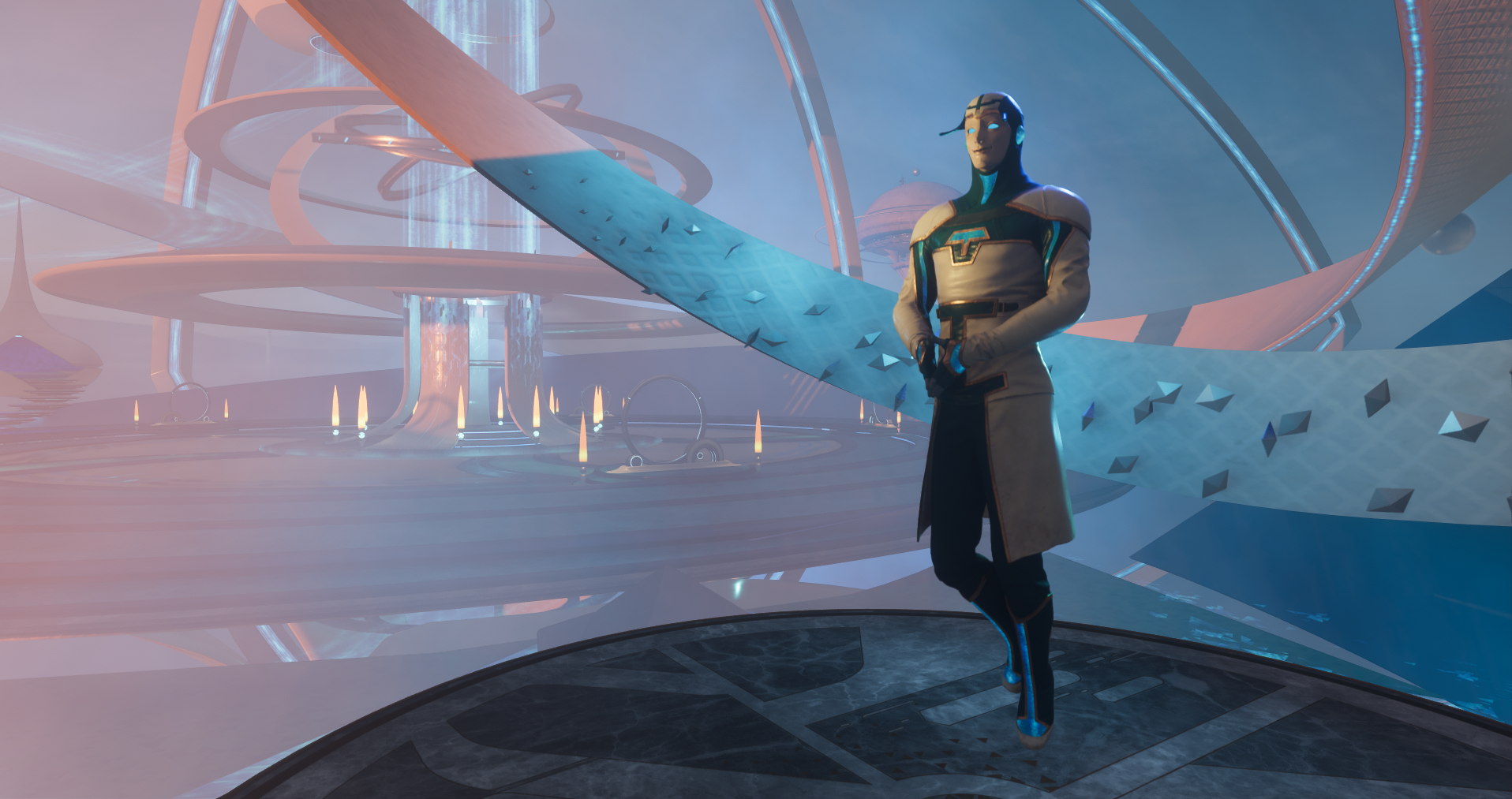
Get ready to enter the Sansar Nexus (image courtesy of Linden Lab)

The following notes were taken from my audio recording of the August 22nd (week #34) Sansar Product Meeting, which focus on the upcoming Nexus Release (Release R36). Additional questions on store updates, etc., are not included in the notes below – please refer to the official video.

The Nexus Release – Key Points

The Nexus Release will see the deployment of some major new aspects of Sansar: Avatar 2.0 (discussed in previous Product meetings, with a recap below); the Nexus, the Codex and the first deployment of the experience points (XP) system.

This release should be deployed during week #35 (commencing Monday, August 26th, 2019), unless any last minute issues cause it to slip (there is reportedly “a lot of bug stompin'”  going on).

The Nexus

  • A new concept for Sansar intended to present it as more of a “multiverse” of experiences  – or “worlds” as appears to be the new preferred term (a-la The Oasis and Ready Player One) – rather than a platform of (largely) individual settings.
  • All users will be automatically delivered to the Nexus on logging-in to Sansar (existing users will not be delivered to their Home Space, although this will still be accessible via the Look Book.
    • As such, the Nexus will also somewhat replace the current Social Hub as an initial destination for people (by using the TP portal from their Home Space).
    • However, the Social Hub will continue to exist, but as an additional location for joining quests, etc., rather than being a “core” hub.
  • As a part of the quest element, the Nexus introduces the concept of a new Sansar “back-story” incorporating quests.
    • The first of these quests involve an NPC called Agent Primus, who also plays a role in the new New User Tutorial (see below).
    • Additional quests will be added over time to this basic structure.
    • In time it is hoped that creators will be able to hook into this back-story and offer their own quests off of it / related to it.
  • The initial release is focused more on the idea of quests and game-play in Sansar – future updates will further introduce the Social, Creator and Explorer Guilds.

The Prime Portal

The Prime Portal is at the heart of the Nexus.

  • It is a new means of discovering worlds within Sansar.
  • It is both an in-world object and a UI element (the latter is triggered by the former).
    • It will effectively “absorb” the client-based  Atlas.
    • It will not in any way supersede the web-based Atlas, which will remain as a means of viewing worlds  / events whilst not logged-in to Sansar. However, future planned updates will see the web-based Atlas undergo some changes.
  • The Prime Portal will be supported by a number of “categorised” permanent portals.
    • There will be an events specific portal, for example.
    • Another will (initially) point to all the popular worlds (e.g. by visitor numbers) that users have created. This will gradually be expanded.
    • Other portals may be added to direct users to worlds developed by Sansar’s content partners (e.g. Monstercat, Roddenberry Entertainment, etc).
    • The Sansar team is keen to develop further such permanent portals in collaboration with experience / world creators.
  • The Prime portal will be searchable, in much the same way as the Atlas currently is.

New User Tutorial Element

  •  A key part of the Nexus is a new New User Tutorial, which must also be completed by existing users when they log-in for the first time after the Nexus Release has been deployed.
  • Within the tutorial, Agent Primus will teach users the basics of Sansar – movement, controls teleporting, etc.
  • In particular, the tutorial will allow new users to obtain their Codex, another key part of the release.

The Codex

  • A new menu tool intended to make re-visiting Sansar experiences easier (described as a “device” you carry with you and that triggers a new UI element).
  • Each new world you visit is automatically added to your Codex
    • For well-travelled Sansarians will be seeded with the worlds they’ve visited over the last 2-3 months.
  • It is designed to work alongside all the other means of discovering Sansar experiences – using experience-to-experience portals, via the use of URLs, etc., – these will automatically be added to people’s Codex if not already listed.
  • Users will have a personal Codex they can curate themselves.
    • Worlds will be listed in the order of most recently visited first.
    • Those a user does not wish to return to can be deleted.
    • All of the worlds created by a user will be also listed and accessible through their Codex.
    • There is potential for the Codex to be linked to the rewards system, so users can obtain rewards based on their use of their Codex.
  • In addition, users will be able to view the Codex listings of their friends and of experience creators, and use the links in them to visit places in Sansar.
  • Codex listings can be searched in a similar manner to the current Atlas.
  • In addition, the Codex interacts with things like the Prime Portal and other portals to “activate” them on approach.
  • It is seen as a means for users to directly tailor Sansar to suit their own preferences / needs / wants – people can curate the experiences recorded, share them, etc., and move freely around Sansar as they chose / dependent of what they want to do based on past experience, as well as using the Prime Portal to discover new worlds and activities.

Events and the Nexus / Codex

  • As noted above, there may be a permanent portal in the Nexus that is dedicated to events.
  • In addition, ALL events will be visible to, and accessible from, a user’s Codex, regardless of whether or not they have visited the experience being used to host the event.
  • Live / in progress events will be given priority (appearing first) as they are obviously time-limited.

XP System

R36 will see the initial deployment of the Sansar experience points (XP) system.

  • This is intended to track users’ progress throughout Sansar. Within this initial deployment, users will be able to earn XP by completing quests  offered in the Nexus (up to a maximum level of 8).
  • In the future, additional ways to earn XP will be offered, together with the means for creators to offer XP as a reward for their own quests.
  • The existing quests available at the Social Hub will be included in the XP system, and those who have already completed them will be automatically granted the associated XP.

The Thinking behind These Changes

Why Introduce the Nexus  / Prime Portal?

The Nexus and Prime Portal are seen as a preferential means of introducing users to Sansar over the current Atlas because:

  • They are rooted “in” the platform, rather than being a somewhat nebulous element of the client UI. Both for a physical place and object people can visit and form an association with.
  • The Nexus gives incoming users a sense of purpose by presenting them with things to do, to obtain, etc., through the quests whilst additionally helping them to see the much large potential of Sansar with its many worlds that are awaiting visits, exploration, etc.
  • It provides a more natural social space.
  • It thus offers something of a “wrapper” around Sansar that hopefully makes it easier to comprehend by those coming into the platform, encouraging them to both engage and return.

Making Sansar More Social / Directed

  • Sansar is a social platform, so a more interactive hub like the Nexus is seen as a means of better opening the opportunity for social interactions to occur.
  • Similarly, the Codex is seen as a means of both encouraging social interaction and for directed play, by allowing users to share the worlds they’ve visited with one another, to visit them together, etc., more easily than is the case with a more impersonal Atlas
    • For example, a friend who gives you the URL to  world is more likely to be attuned to what you like / provide more informative background info on that world that might be the case if you just randomly scroll through the Atlas to find it.

Are These Updates Intended To Turn Sansar in a Games Platform?

  • Not directly – as noted, concepts such as the Social, Creator and Explorer guilds will be introduced for those with specific interests in those areas.
  • That said, these features do include an over-arching questing system, XP system, which are associated with games, but are provided here to offer creators and users with the capabilities to create and participate in a wide range of interactive activities – games, guided tours, learning experiences, etc.
  • The idea remains to provide people with the tools and the freedom (subject to Linden Lab’s and Sansar’s Terms of Service!) to create anything they like and which is of interest to them, their friends or a much wider audience of users.

Avatar 2.0 – Reminder

Pre-release Creator Programme now in progress.

  • Designed to allow creators who create avatars, avatar wearables, accessories, etc to have their content tested by the Lab ahead of the avatar support being added to the client.
    • The Lab may only initially be reviewing around 2-4 items per creator. Additional items submitted will only be reviewed once all creators making submissions have been seen.
    • Creators are obviously free to test their items in their own 3D editor of choice, if preferred, and wait until the launch of Avatar 2.0 to make any necessary adjustments.
  • The programme will be discontinued one or two days prior to the Nexus release being deployed – so time is now short for creators wishing to make use of it and who have not as yet submitted items for testing.

Official Documentation

Avatar 2.0 and Marvelous Designer™ Clothing

  • A set of tools for Marvelous Designer™ will be released with Avatar 2.0.
  • These will allow creators and users to scale, translate and rotate their MD clothing assets to better fit avatar (so a user can take a human jacket and scale it to fit an orc avatar using the Avatar 2.0 skeleton, for example).

Too Early? Too Confusing?

Concerns remain that Avatar 2.0 is being released too early and could confuse users. For example, it will allow head / facial deformation (to a much greater extent than previously possible), but will not allow body deformation.

While the latter isn’t possible with Avatar 1.0, the fact that additional deformation abilities are being added to the face / head but not the body is being seen by creators as potentially confusing / frustrating users who might otherwise anticipate a more flexible system.

Special Office Hours: Fees / Commission Rates

There will be a special Office Hours meeting in week #35 (commencing Monday, August 26th, 2019) specifically to discuss Sansar fees, Store commission charges, etc. This will also be accompanied by a blog post on the subject, and those interested should keep an eye on the Events section of the web Atlas for details.

A guitar in Second Life you can really dig …

Playing the Piaggio shovel guitar

Ape Piaggio is responsible for some of my favourite vehicle designs in SL (see A Little Bee that’s a real honey in Second Life and Of impulse purchases and power boats) and some rather fun stuff as well (see: Doing a “Little Nellie” and A Second Life Roadrunner). She’s now turned her attention to musical instruments – something that’s also bound to get my attention – and in a most unusual way: a shovel (or if you prefer, spade) guitar. And I have to say, it’s really good.

Now, a shovel guitar may sound a completely made-up thing, but actually, it is very much a real DIY thing available in the physical world (just do a check on eBay to see for yourself, or check the video at the ed of this review).

The idea comes from a video I saw on Internet, and since I liked the idea, I made it in SL, I hope you will enjoy it as much as I do! The sales of this guitar will help me to get the real life version of the instrument, so thank you for supporting me 🙂

– Ape Piaggio on her shovel guitar

Delivered in a plain cardboard style box, the guitar has one of Ape’s signature unpacking animations – touch the box and it will open and the guitar will float up out of it to stand upright in front of you, before displaying asking you accept the guitar. Confirming this will place the guitar, its instructions and a gesture (which can be used to toggle the guitar’s menu via the gesture command “/sgmenu” or by tapping SHIFT-F1). And that’s just the start.

The Piaggio shovel guitar detailing: the blade (left and right) and grip with tuning mechanisms (centre) – click for full size

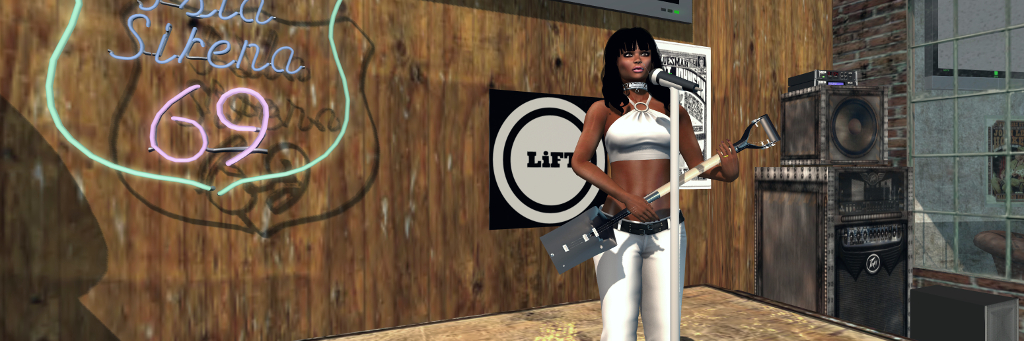
The guitar itself is beautifully detailed: the blade and collar are finished in that “brand new” spade matte black finish that use materials to give them that “brand spanking new” look. The blade itself forms the body for the guitar, complete with bridge and (being an electric guitar), pick-ups, control knobs and output jack socket. The handle and grip form – obviously enough – the neck and headstock for the guitar, the latter with tuning mechanisms for the three strings. When you wear / add the guitar the first time, it will be slung over your shoulder.

Playing can be triggered in three ways: by clicking on the shovel, or if you have the supplied gesture active, by either typing “/sgmenu” (no quotes around it) in local chat, or pressing SHIFT-F1. All three of these will open the guitar’s comprehensive menu – just click Draw / Sheath to move the guitar “play” position (or back to its “carry” position), and you’ll start playing.

A single song is supplied (individual parts of which can be looped, if required), but users can add their own. A guide to how to do this can be found in the supplied instructions note car. While one song might sound limiting, what is supplied is a wealth of animations – playing styles from a range of basic strumming options all the way through to some very fanciful options (flying anyone?) going by way of foot-stomping to spinning to head-banging and and even a hint of The Shadows! These reside with a number of static and sitting animations that offer users a lot of choices – and they can add their own if they wish; again instructions for doing so can be found in the supplied note card.

The playing animations are available from the menu > Animations > Stands, and have a couple of different options when using them.

  • If the guitar is UNmuted (via the main menu), selecting any of the guitar playing animations will automatically start that animation and leave you in the Stands menu.
  • If the guitar is MUTED (via the main menu), selecting any of the guitar playing animations will cause a further pop-up menu to display – select Play Now to start the animation.

The latter option allows live performers who use a guitar as their accompaniment to make use of the shovel guitar during their gigs if they wish, to add a little novelty to things. They can play the guitar muted in-world and, if they want, swap the playing animations to better suit the style of song they are singing, rather than always playing the same animation throughout a set, simply by toggling back and forth between the Stands menu and and the playing sub-menu.

Another handy option is Force Anim. This allows you to use the guitar while seated – say on a chair or stool, or when riding in a vehicle or even while riding your wearable Bento horse (a good reason for the guitar *not* being Bento, given non-Premium users can only wear one Bento attachment at a time), so you can mosey across the range, pausing when you like to sing to yer hoss! Admittedly, depending on the animations on the object you’re sitting on, Force Anim may work first time or may take a little bit of fiddling with to kick-in correctly – but it does generally work; I tried it on a number of chairs, stools and other bits around our home, as well as my Teegle and Water Horse horses.

The Force Anim option can be used to allow you to play the guitar when seated on objects (such as the stool on the left), or when riding in a vehicle – or even when astride your Bento horse (right)!

Two options I also found interesting are the sync and the sets options. The former offers a means to sync your guitar animations with those of a friend with the guitar so you’re playing together. Sets enable you to create a set of songs to be played sequentially – and you can create up to nine sets to the guitar.

All of this makes for a very versatile, as well as exceptionally novel, SL musical instrument – and I’ve not covered all of the menu options, with include options to help adjust the guitar’s position, reset it to its default state, etc. At L$450, the price isn’t excessive, and for those who fancy it, it is available on Ape’s SL Marketplace store and at her in-world store.

And, for those who still have doubts about how good a shovel guitar can sound with just three strings, check the video below!

With Thanks to Jodi for letting me use LiFT for the banner image to this article and recording the video clips.

Kimeu’s Hot Summer in Second Life

Diotima Art Gallery – Kimeu Korg

Currently on display at Diotima Art Gallery curated by Redi (Red Bikcin), is Hot Summer, an exhibition of art by Kimeu Korg. As the title suggests, it features images – fifteen in total – depicting summertime scenes; or which are for the most part summertime scenes!

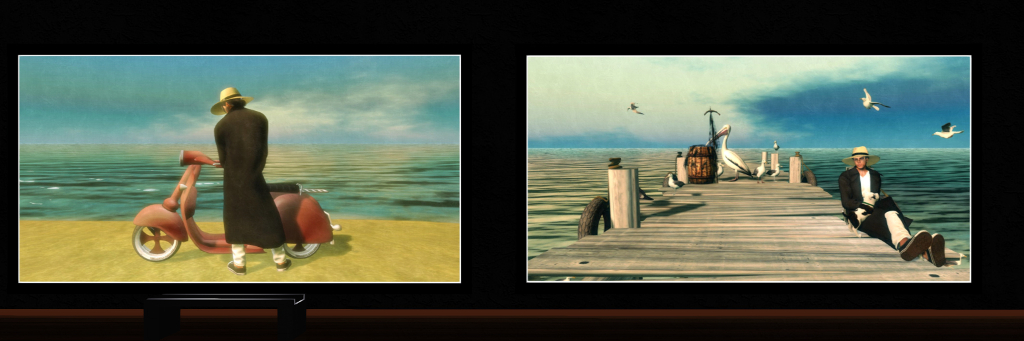
I admit to being something of a fan of Kimeu’s art, as he has a wonderful sense of whimsy and also an eye for creating thought-provoking images that can draw upon the abstract and / or the absurd or comical to pull the observer into them. Some of this talent is on display within the pieces presented here, although most are perhaps more “traditional” in nature – albeit with various motifs that also make Kimeu’s work so attractive.

Diotima Art Gallery – Kimeu Korg

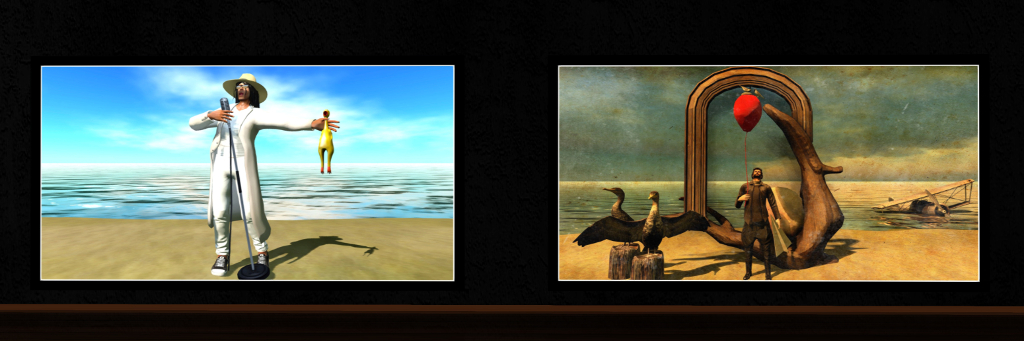
The more comical can be seen in the likes of (13), located on the the right of the entry hall of the gallery. It features Kimeu standing on a beach in white, singing lustfully, a microphone in one hand and a rubber chicken held outstretched in the other, it’s beak agape as if singing in accompaniment.  Set against a calm sea and sandy foreground – two of the aforementioned motifs that can be found as a theme to many of the pieces here – it cannot fail to raise a smile.

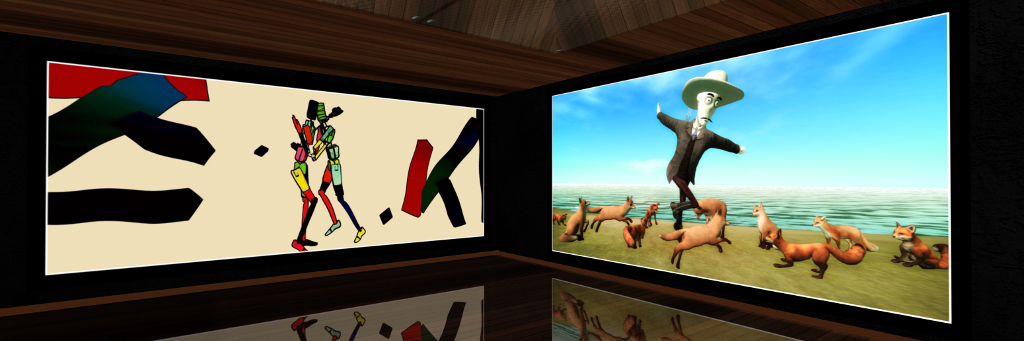
Whimsy is evident front-and centre in some of these pieces – notably in the likes of (8), found in the far corner (relative to the entrance) of the L-shaped gallery, but also far more gently, such as with (4), which at a first casual glance might appear to be an ordinary image of a man standing on that sandy shoreline and looking out over sunny waters to where Orca-like fins rise above the waves, a dog and puppy – until you take a second look, and realise the “dog” and “puppy” are in fact a seal and her pup.

Diotima Art Gallery – Kimeu Korg

Finished as paintings – both oil and watercolour in looks – and also as coloured drawings, Kimeu’s pictures always have a life of their own that is unique within Second Life, something that also increases the appeal of seeing them exhibited, and this collection is no exception. It will remain open through to the end of Thursday, September 5th, and a visit is strongly recommended.

SLurl Details

2019 SL User Groups week #34/1: Simulator User Group

Hallig Norddeich, Nibbevegen 1; Inara Pey, July 2019, on FlickrHallig Norddeich, Nibbevegen 1, July 2019 – blog post

Server Deployments

Note: at the time of writing, the server deployment release notes had yet to be published. This article will be updated when they are available.

  • On Tuesday, August 20th, the SLS (Main) channel  was updated with server maintenance package 19#19.08.06.529800, containing internal fixes, and previously deployment to the RC channels in week #33
  • There was a change to the RC deployments in week#33.
    • Server maintenance update containing improvements for script performance and that had been due to be deployed to the BlueSteel and LeTigre channels, was found to have an 11th hour bug that prevented deployment.
    • Instead, BlueSteel and LeTigre received the same deployment as had been planned for Magnum –
    • server maintenance package 19#19.08.06.529800, containing internal fixes.
  • As a result, on Wednesday, August 21st, the RC channels should be updated with at least one server maintenance update, 19#19.08.07.529856, containing the script run improvements. However, at the time of writing, and pending the publication of the release notes, it is not clear if this update will be going to all of the RC channels or just a selection.
    • Should this deployment also go sideways for the script improvements updates, those interested can test performance on the Aditi DRTSIM-406 channel at the Jigglypuff region.

SL Viewer

The EEP RC viewer updated to version 6.4.0.530150 on Monday, August 19th, 2019.

The rest of the official viewer pipelines remain as follows at the time of writing:

  • Release channel cohorts (please see my notes on manually installing RC viewer versions if you wish to install any release candidate(s) yourself):
  • Project viewers:
    • 360 Snapshot project viewer, version 6.2.4.529111, July 16th.
    • Legacy Profiles viewer, version 6.2.3.527749, June 5. Covers the re-integration of Viewer Profiles.
  • Linux Spur viewer, version 5.0.9.329906, promoted to release status 29th November 2017 – offered pending a Linux version of the Alex Ivy viewer code.
  • Obsolete platform viewer, version 3.7.28.300847, May 8th, 2015 – provided for users on Windows XP and OS X versions below 10.7.

In Brief

  • Despite the lack of deployment of the script improvement code in week #33, some have reported that overall script performance on some regions appears to have improved. The Lab has picked-up on these reports, but has no explanation as to what may have happened to improve things.
  • At the CCUG group meeting on August 15th, it was stated that a Linden at a recent Web User Group (WUG) had hinted the SL wiki was to be gradually deprecated in favour of the knowledge base. However, at the SUG meeting, Oz Linden indicated that this isn’t necessarily the case:

If I proposed killing the wiki, there a Lindens who would show up with pitchforks…rest assured that it is well defended. One of our background-priority projects that is getting some attention is updating the wiki software, actually … no predictions when that might happen, but Someday™.

  • A major impact felt by regions is that of avatars teleporting into / out of a region. Some work was done to improve things a while ago, particularly around avatars leaving a region, but the Lab is aware of the issues of avatars coming into a region causing it to slow down / freeze – and this is now described as “moving up” in the Lab’s hit list of issues to tackle.
  • There was further discussion around the idea of limiting script use to the parcel level in order to prevent individual parcels taking up all of the script resources for a region. However, as noted in my week #33 summary, this is perhaps much easier said that done.