Sansar launches on Steam

Sansar on Steam. Courtesy of Linden Lab

As anticipated following last week’s community feedback hour / product meeting, Sanar has officially launched on Steam – although at the time of writing, there has been no official press release on the Lab’s corporate site.

Instead, the announcement came via a Sansar blog post, and a tweet via the official Sansar Twitter account.

As of today, December 5th, we are officially live on Steam!

We wanted to give a huge thank you to our current community who have been so supportive, and to extend a warm “Welcome” to all our new community members joining us from Steam!

You can find us on Steam as an Early Access Game, where we’re free to download. Even better, you’ll get to enjoy all the benefits of Steam as a social platform for gamers including full access to our Steam Community Hub!

– From the Sansar blog post announcing the launch

As the blog post notes, Sansar is being made available on Steam’s early access programme – a move the Lab hopes will help Steam users’ expectations regarding the platform and the fact it is still in development.

The Sansar page on Steam Early Access

The Sansar page on Steam includes a promotional video and a series of images from Sansar. In addition, and to underline the platform’s status, there is also a Q&A element, which addresses a number of questions, including:

Why Early Access?

“Sansar is a place where you can hang out with friends, play games, explore new worlds, and share incredible creations, but we can’t do that without you! Being in Early Access is important to us to make sure we’re hearing directly from the community on what you’d like to see and do in Sansar. Come join us!”

Approximately how long will this game be in Early Access?

“We plan on staying in Early Access until Sansar is the very best it can be. We’re constantly making improvements, and we’re eager for your feedback.”

How is the full version planned to differ from the Early Access version?

“We want Sansar to be the place where people can connect with communities and celebrate what they love through immersive virtual experiences, interactive events, customizable avatars, and easy creation. That’s why we plan to develop even more features around socialization, interactivity, personalization, and creation – elements that enrich the social experiences our platform enables. Plans will change based on your feedback, and we’re always listening and learning.”

What is the current state of the Early Access version?

“Right now, Sansar lets you host and attend virtual events, play games, explore user-created experiences, and buy and sell merchandise in the Sansar Store. Meet friends for a watch party and tailgate. Buy clothing and accessories for your avatars, or objects for the virtual experiences you build.”

The sansar.com log-in page now allows web log-ins using Steam account credentials (l). Sansar and Steam integration allows logging-in to Sansar using a user’s Steam credentials (r)

The launch blog post also has some important words for existing Sansar users (or those who have already created a Sansar account). these include:

  • Existing users can still access Sansar directly from their downloaded version of the client, and use all the capabilities with it, including creating new accounts; they do not have to use Steam to log-in.
  • However:
    • Existing Sansar users with a Steam account can add Sansar to their Steam account and launch it from there it they wish
    • Or if they are logged into Steam and opt  to launch Sansar via Steam, they will be prompted to log-in to Sansar with the account of their choice (Sansar, Steam or Twitch).
  • There will be no direct merging of Sansar and Steam accounts (“at this time”).
  • User with an existing Sansar account can continue purchasing Sansar Dollars using the payment information they have on file with Linden Lab.
    • However, users signing-up for Sansar via Steam must use their Steam Wallet to purchase Sansar Dollars.

The Sansar website gives full details on how to integrate Steam and Sansar accounts to get the most out of both. Once integrated, it is possible to access the Sansar Community on Steam directly through the Sansar client:

Accessing the Sansar community on Steam through the Sansar client (Shift-Tab) – requires Sansar / Steam integration for existing Sansar users / download of the Sansar client via Steam for Steam users

It will be interesting to see how this all goes for the Lab. Several years ago, there was an attempt to add Second Life to Steam, which didn’t go so well. However, the Lab believe they have learned some important lessons as a result of that process,  and the Sansar presentation through Steam does appear to be somewhat more integrated.
2018 SL UG updates 49/1: Simulator User Group

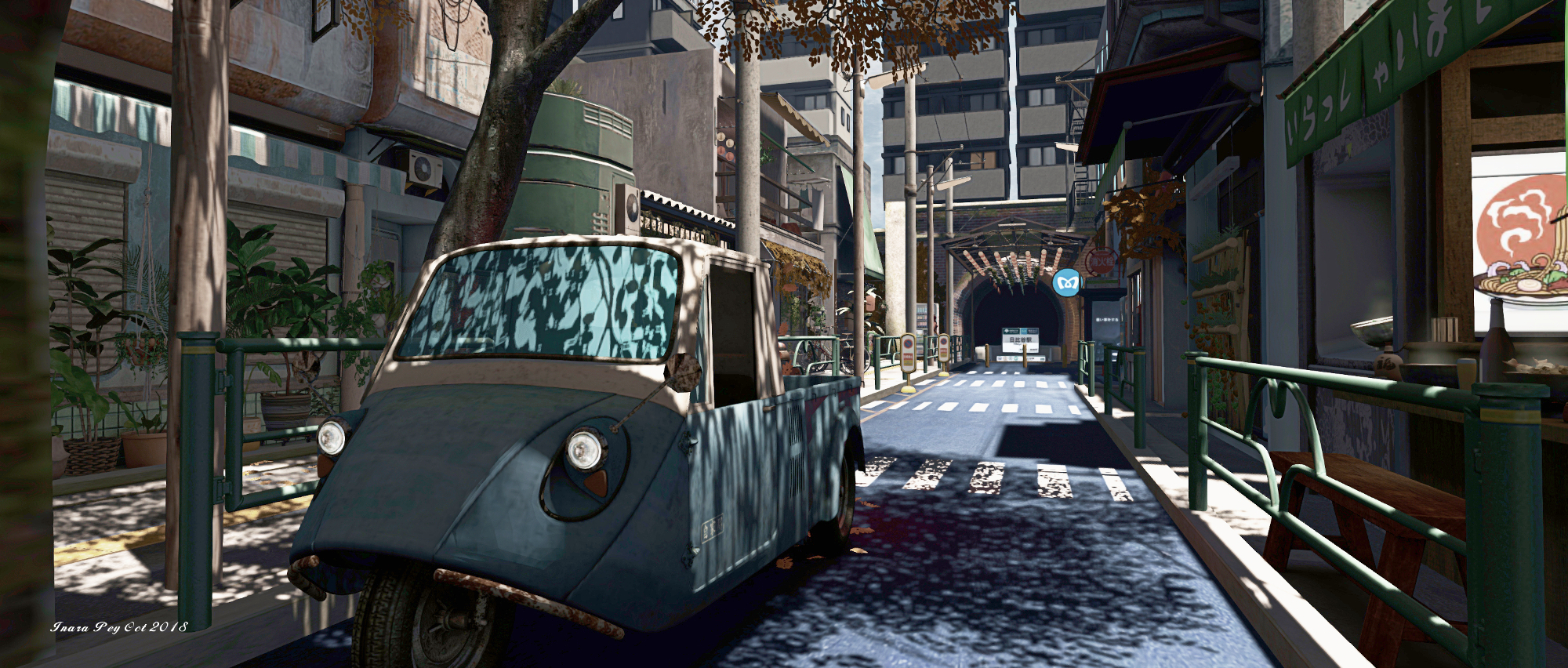
Tokyo Street Subway Entrance; Inara Pey, October 2018, on FlickrTokyo Street Subway Entranceblog post

Server Deployments

As always, please refer to the server deployment thread for updates.

  • There was no SLS (Main) channel deployment on Tuesday, December 4th, leaving that channel on server release 18#18.11.09.521593, previously deployed to the RC channels and comprising internal fixes. However, in keeping with the 14-day restart roll, all SLS regions should have been restarted.
  • The main RC channels should all be receiving an update, comprising further internal fixes (see below for more), however the release number was not available at the time of writing.
  • It’s not clear if the Snack RC (EEP) will be updated.

Mesh Logging

Part of the RC update includes the removal of a lot of mesh-related logging that had been required during testing, but has been surplus to requirements. However, as the code was never removed, it resulted in a lot of unnecessary logging as mesh became more popular.

SL Viewer

There have been no updates to the official viewers at the start of the week, leaving the current pipelines as follows:

  • Current Release version 6.0.0.520636, dated October 18, promoted November 14. Formerly the Animesh RC viewer – NEW.
  • Release channel cohorts (please see my notes on manually installing RC viewer versions if you wish to install any release candidate(s) yourself):
    • Love Me Render RC viewer, version 6.0.1.521759, November 20.
    • Spotykach Maintenance RC viewer, version 6.0.1.521757, November 15.
    • Estate Access Management (EAM) RC viewer, version 5.2.0.520057, September 28.
    • BugSplat RC viewer, version 5.1.9.519462, September 10. This viewer is functionally identical to the current release viewer, but uses BugSplat for crash reporting, rather than the Lab’s own Breakpad based crash reporting tools.
  • Project viewers:
  • Linux Spur viewer, version 5.0.9.329906, dated November 17, 2017 and promoted to release status 29 November – offered pending a Linux version of the Alex Ivy viewer code.
  • Obsolete platform viewer, version 3.7.28.300847, May 8, 2015 – provided for users on Windows XP and OS X versions below 10.7.

Hover Height Issue

Ever since server release 18#18.10.25.521081 was deployed at the end of October / beginning of November 2018, people have been reporting hover height issue for full mesh avatars of less than “normal” height. Essentially, the issue can leave such avatars floating 0.2 to 0.3 metres off the ground if non-height related changes are made after hover height has been set. See BUG-225893 “Hover height on assets has changed somehow” for more.

Linden Lab is aware of the problem, but a fix has yet to make it to a simulator update.

Region Crossings

There is new viewer-side code coming for region crossings. It is intended to limit how far the viewer predicts motion when crossing into another region, with the hope that it should reduce some of the visual rubber-banding. The viewer commit is available, but it has yet to reach a project or RC viewer. It is believed there are a couple of potential issues with the code as provided that could see vehicles slipping sideways along a region crossing if they approach it at an angle. These concerns have been passed back to those working on the code.

Aditi Voice Issues

This has been a problem for some time – unfortunately, there’s no fix in sight as yet.


Our Digital Selves: film festival nominee

via Monarch Film Festival

The Monarch Film Festival is an annual event held in Pacific Grove, California. It is intended to not only showcase the latest in International blockbuster achievements, but to also be a place where local filmmakers of any age can show their artistic vision on the big screen.

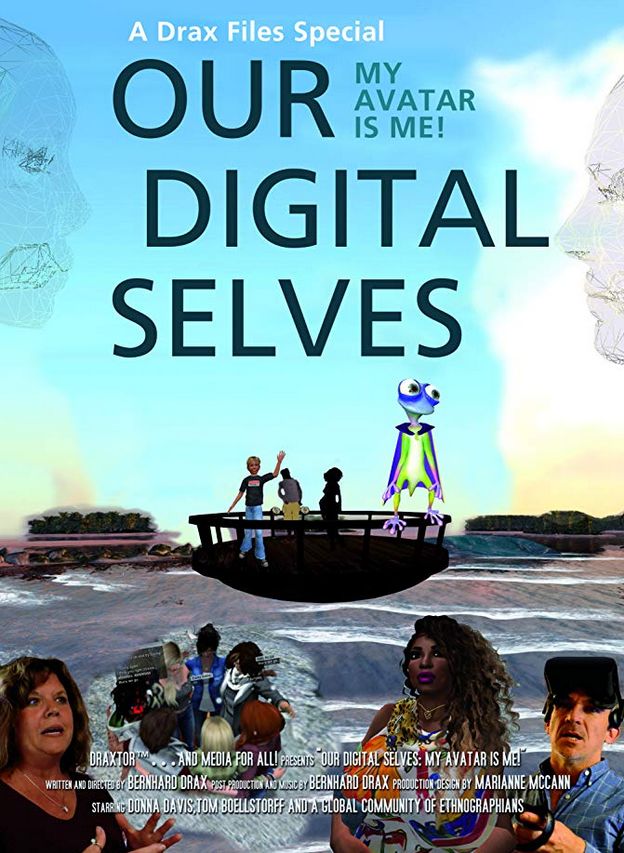
Among this year’s entrants in the Festival is Our Digital Selves: My Avatar is me, the documentary by Brenard “Draxtor Despres” Drax, the film focus on the work of Tom Boellstorff and Donna Z Davis (respectively Tom Bukowski and Tredi Felisimo in Second Life), who for three years were engaged in  studying the experiences of people with disabilities – visible and invisible – who are using immersive virtual spaces to represent themselves, possibly free of the shadow of any disability, engage with others and do things they may not be able to do in the physical world.

Released in May 2018, the film tells the story of 13 global citizens and their avatars as they transcend their various disabilities through artistic expression and making a home for themselves in the VR Metaverse – Second Life, Sansar and High Fidelity. You can read more about the film and Donna and Tom’s work in my articles: Our Digital Selves: living within a virtualised world (2018) and Exploring disability, new cultures and self in a virtual realm (2016).

As a part of this year’s Monarch Film Festival, Our Digital Selves is in the running for Best Documentary. As such, the film will be shown on Friday, December 7th, 2018: 5:35 PM, Pacific Time, And those wishing to attend in person can purchase tickets view the link at the start of this paragraph. For those who cannot see the film at the festival, it can be seen via Draxtor’s You Tube channel, and I’ve embedded it below as a reminder – if you’ve not see it before, now it your chance to catch up with a truly remarkable documentary.

The other nominees for Best Documentary at the festival are:

  • Moksha, by Jennifer Killian, a film that follows three Nepali women who have dedicated themselves to spreading the joy that mountain biking can give to women across the Himalayas.
  • Up to Snuff by  Mark Maxey, following the life of American musician and composer W.G. Snuffy Walden.
  • Who Killed Lt. Van Dorn? by Zachary Stauffer, recording the efforts of Nicole Van Dorn to discover what actually happened in the helicopter accident that killed her husband, Lt. Wes Van Dorn.
  • Rodents  of Unusual Size by Quinn Costello, Chris Metzler, and Jeff Springer, tracing the work of fisherman Thomas Gonzales as he faces the threat of hordes of monstrous 20 pound swamp rats that are eating up the coastal wetlands that protects Thomas and his town of Delacroix Island from hurricanes.

Congratulations to Drax and all involved in Our Digital Lives, and wishing them all the best for the film festival.

Related Links

With thanks to Eliot for the heads-up.

The CLSA Stampe SV4 in Second Life

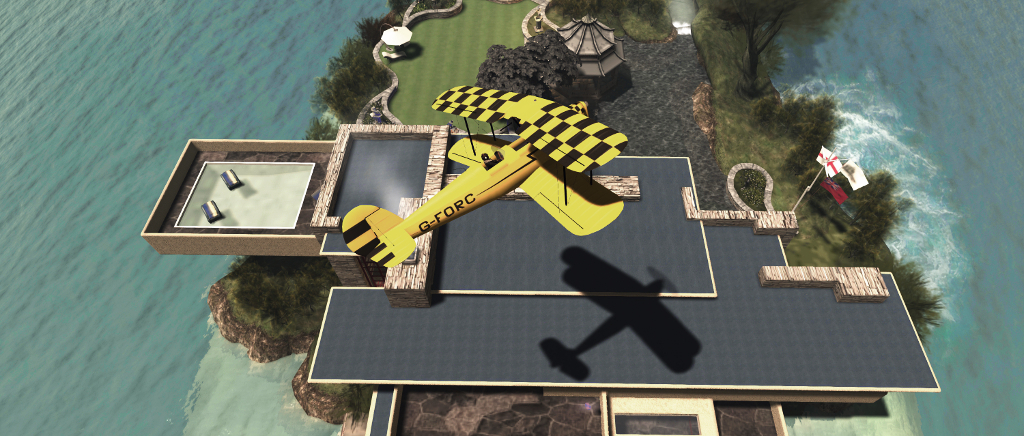
The CLSA Stampe SV.4: making a low pass over the island home

Over the course of just over a year, I’ve written a couple of pieces about the aircraft available under the CLS Aviation, brand, owned by CaithLynnSayes. These have included the P92 and P2010 (read here for more) and the CLSA Fairey Gannet (read here for more), and both articles came after my initial introduction to CLS a aircraft via the freebie Firestorm Ryan Navion, also supplied by Caith (read here for more). My responses to these aircraft have been mixed – but given they are provided (albeit as unsupported items) at just L$10 per ‘plane, they cannot be faulted as means to get started with flying in SL.

Hence why I was drawn back to try another aircraft in the CLSA range: the Stampe SV.4. Originally a Belgian-made 2-seat tandem trainer that was first flew in 1933, it didn’t come into its own until after the Second World War, when it served as both a basic trainer for the Belgian Air Force (1947-1975) and was built under license in France and Algeria, becoming a popular civilian light aircraft / trainer in the process.

The CLSA Stampe SV.4 is a fun plane to fly

It’s not clear which variant of the Stampe the CLSA model is based on, but its natty performance envelope allows it to potentially be any version you like, and from my perspective it is one of the most fun aircraft I’ve flown in Second Life.

As is usual with CLSA aircraft, the model is a very accurate reproduction of its physical world namesake, including the more rounded vertical tail and rudder and lack of the distinctive “hump” of a fuel tank in the centre of the upper wing to help differentiate it from the British de Havilland DH82 Tiger Moth (which I’ve had the pleasure of flying in, and taking the controls of in the physical world!).

The ‘plane is delivered in the distinctive large crate of CLSA, which drops to the ground with an audible “whomp!” when rezzed. As well as containing the aircraft, the package also provides the default CLSA aircraft HUD, (not vital for flying the ‘plane), a radio headset / microphone combination, a Quick Start manual (a detailed manual can be obtained from the Help option in the aircraft’s menu – touch the aircraft to display this, or say “help” in chat when seated in the Stampe), and “templates” for painting. It would have been nice to have the headset supplied Copy / Transfer, to allow for sharing with any passenger carried in the forward cockpit, but never mind.

“Switches on! … Clear! … Contact!” – readying for take-off in the CLSA Stampe SV.4

Of the CLSA ‘planes I’ve flown, the Stampe is definitely the most fun. The basic controls are as one would expect: PAGE keys for throttle; Left and Right keys for banking; Down / Up for pitching the nose up or down. Additional controls – parking, brake, camera options, engine, etc., can be accessed via chat commands and / or via the  HUD.

The low speed of this aircraft means that it really is good for STOL activities: leave the brake on and run up the throttle before releasing, and you’ll be off the ground in a very short run. Conversely, keep your approach speed to around 30 km/h (19 mph or 8 metre per second) and you can drop the Stampe into almost any suitable area on the ground (including places you might not get out of again!). This STOL capability could make the Stampe ideal for GTFO! activities as a light courier, but as the GTFO! vehicle database is unavailable at the time of writing, I was unable to ascertain if it had been added or not.

That same low speed makes aerobatics a joy – I was stall-turning and looping to my heart’s content – and these can be further added to through optional elements such as the Luna Fatale Animated Wing Walker. It also means you can instruct passengers in the forward cockpit at a more leisurely pace than might be the case with other aircraft  – just use the “cmd” command in chat to pass control forward or take it back.

Pulling a loop over the island home in the CLSA Stampe SV.4

When it comes to aerobatics and flying, the Stampe includes a set of options to adjust its flight handling: pitch and roll rates, rate of climb, and throttle. these can be adjusted in  real-time when flying, and also output to chat for recording onto note cards which can be added to the ‘plane’s inventory. This means that if the Stampe is permanently rezzed as a shared plane within a group, pilots can load their personal flight preferences, thus allowing more experiences flyers to use more aggressive settings, while those with less experience can opt to use their own or say with the plane’s default characteristics.

A big plus (for me at least) is that unlike the Ryan, P92 and P2010, the Stampe *won’t* regard Linden water as land and happily taxi around on it or land on / take off from the surface.  Were I to critique the plane at all, it would be that banking – although far better than the Ryan, P92 and P2010 – can still be flat at times in the default handling mode (so use of the custom handling options might be called for).

I also feel the supplied exterior painting template leaves much to be desired. Some of the component parts are poorly rendered and indistinct, requiring a certain degree of skill when setting a personal colour scheme. A scripted painting mechanism is provided, which includes two custom finish slots, together with 6 supplied finishes. However, as the ‘plane is supplied with Modify permissions, it is possible to manually apply paint schemes, so multiple personal finishes can be used, if wanted.

Three of a kind: three of the supplied finishes for the CLSA Stampe SV.4

Overall, give this ‘plane costs just L$10, it’s a nice add to any collection and is, as noted a lot of fun to fly, and which tends to handle region crossings pretty well (allowing for speed and how you might tweak the speed settings).

Additional Links

Firestorm’s Pets for New Residents 2018

Do you have a wearable / follow pet that you no longer use, and that is Transferable? Why not donate it to the Firestorm team for gifting to a new SL user this Christmas?

You may remember that in August, the Firestorm team ran a fun-raiser, asking people to donate their unwanted gacha items?

Well for the end of 2018, they are again asked for the donation of items – but this time with a very different aim in mind, as they explain in the following  Firestorm wiki article:

With Christmas around the corner we think of ways to spread the cheer and give gifts to those who are dear to us. This Christmas, how about extending that love to the ones brand new to Second Life, to let them see what a wondrous place they have entered with loving and generous people.

Every year we are presented with amazing new pets from talented creators and they seem to get better and better with each new creation. And although they are just virtual companions, these pets have the ability to make the times we are here without human contact seem less lonely. They transcend the realm of mere fashion accessories to a loving addition to this our Second Lives.

When the new loves come along, our past companions are packed away in a folder, maybe to come out another day. So why not make that day today and why not pass them on to be loved by another.

Many entering Second Life are shy and overwhelmed with learning the basics. Having a virtual friend and companion to share those first tentative steps with could make a world of difference. Just think your well-loved pet going on to give the warmth of friendship to another, touching their second lives and bringing joy to their hearts.

So for December 2018 make it a true month of giving and pass on your Ex-Loved pets so that they too get a chance at a Second Life.

Kindly contact Kio Feila and entrust her with your Ex-Loved Pets and know that they will be warming the hearts of someone new this Christmas.

Christmas is, as they say, the time for giving. So, if you do have a pet or pets now forever kennelled, caged or locked in a folder in your inventory, and which do have suitable permissions for passing them on to others,  why not follow the article’s suggestion and donate them so that they might get to have a second life with a new owner? Just drop a line to Kio via the link above!

Dickens, waffles and Hanukkah tales

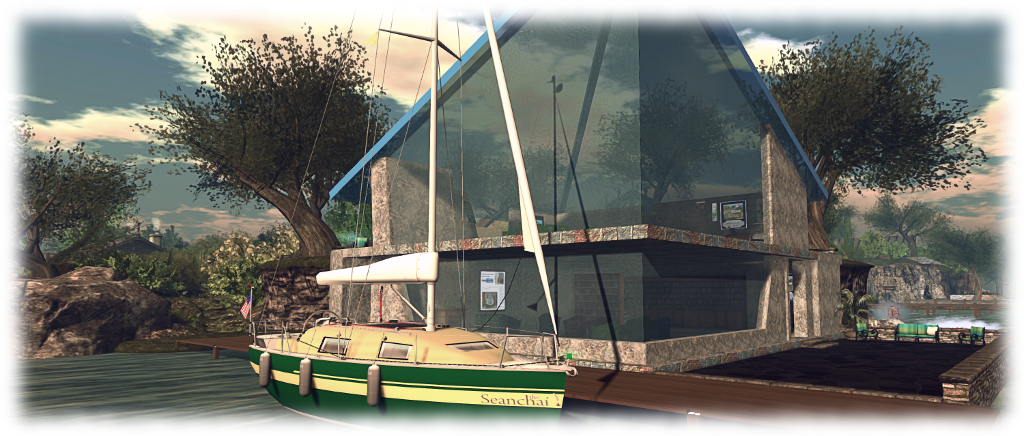
Seanchai Library

It’s time to highlight another week of storytelling in Voice by the staff and volunteers at the Seanchai Library. As always, all times SLT, and events are held at the Library’s home at Holly Kai Park, unless otherwise indicated.

Tuesday, December 4th

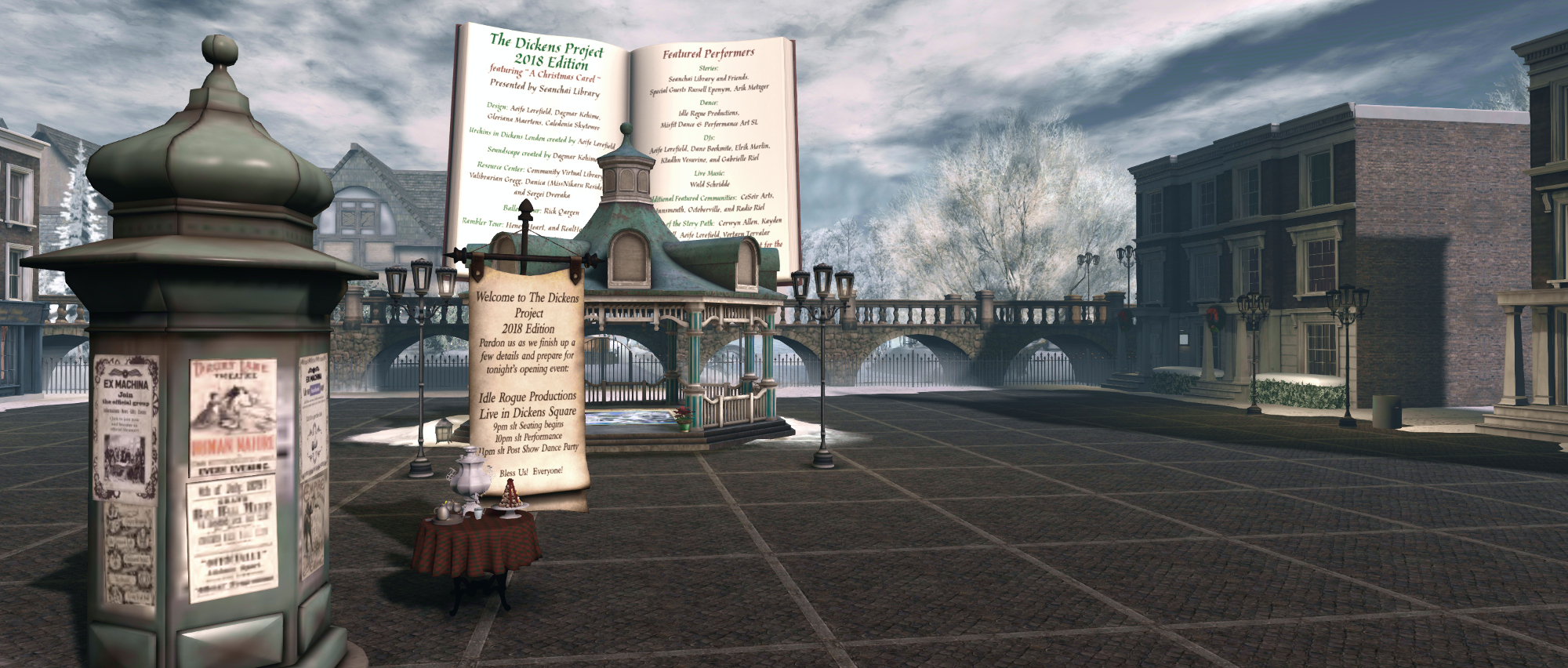
12:00 Noon: The Dickens Project

Music, poems, and stories with Rusell Eponyn in Dickens Square.

The Dickens Project

18:00: The Dickens Project

VCARA Reads The Christmas Tree at the Resource Centre.

19:00: Everything on a Waffle

In the small Canadian town of Coal Harbour, in a quaint restaurant called The Girl on the Red Swing, everything comes on a waffle–lasagna, fish, you name it. Even waffles!

Eleven-year-old Primrose Squarp loves this homey place.She a young girl who could use a little extra attention; her parents were lost at sea and believed to be dead, and while her Uncle Jack tries his best to care for her, doesn’t have a lot of free time, and the guardian he hires to look out for Primose is so old, child welfare isn’t foremost on her mind. Similarly, the school councillor is far more interested in listing her own concerns and telling her own tales to actually listen. All-in-all Nobody knows what exactly to think of young Primrose, and Primrose doesn’t quite know what to make of her small community, either.

So Kate Bowzer, the owner of The Girl on the Red Swing takes Primrose under her wing. She teaches  her how to cook, doesn’t patronise or chastise her, even when she puts her guinea pig too close to the oven and it catches fire. And so Primrose, in her own perceptive way, develops wisdom beyond her years and a belief system we could all do well to adopt – including the idea that hope is not crazy.

Join Faerie Maven-Pralou as she reads Polly Horvath’s 2002 Newbery Honor winner.

Wednesday, December 5th 19:00: Hanukkah Tales

Eight tales by Nobel laureate Isaac Bashevis Singer–one for each night of the Hanukkah celebration–tell of a world in which miracles abound, love triumphs, and faith prevails. With Caledonia Skytower.

Thursday, December 6th

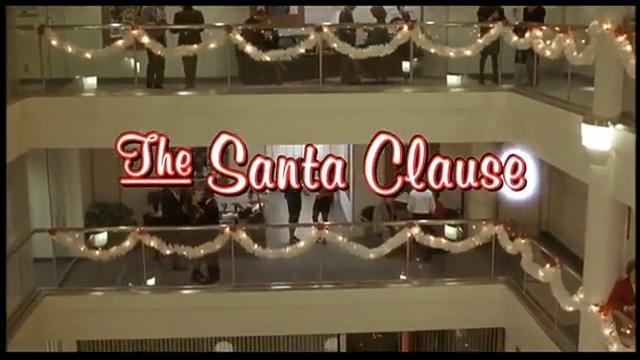
Shandon Loring one more hitches a ride on a sleigh drawn by a team of rangifer tarandus to bring us the first part of The Santa Clause, a “novelisation” of the Leo Benvenuti / Steve Rudnick screenplay from the 1994 film starring Tim Allen.

Also presented in Kitely (hop://grid.kitely.com:8002/Seanchai/144/129/29).

Saturday, December 8th 12:00 noon: The Dickens Project

Idle Rogue Productions – pre-show seating at noon, music and dancing after the performance from 14:00.


Please check with the Seanchai Library’s blog for updates and for additions or changes to the week’s schedule.