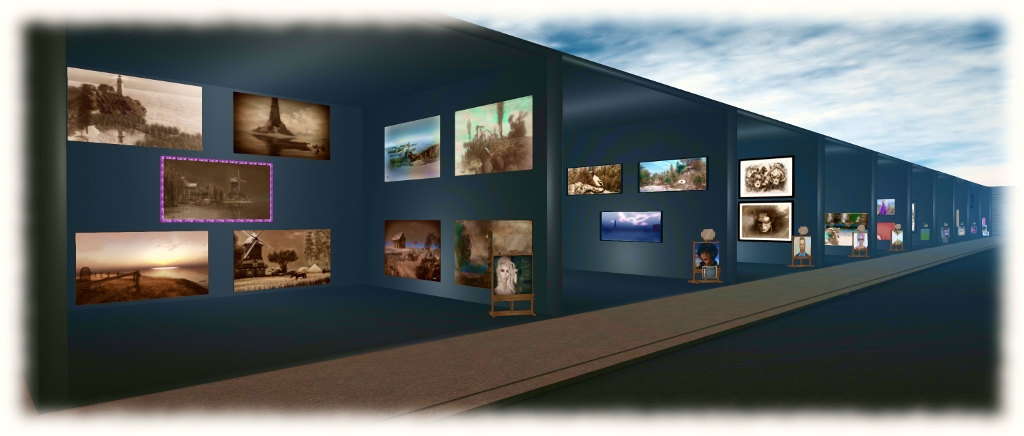
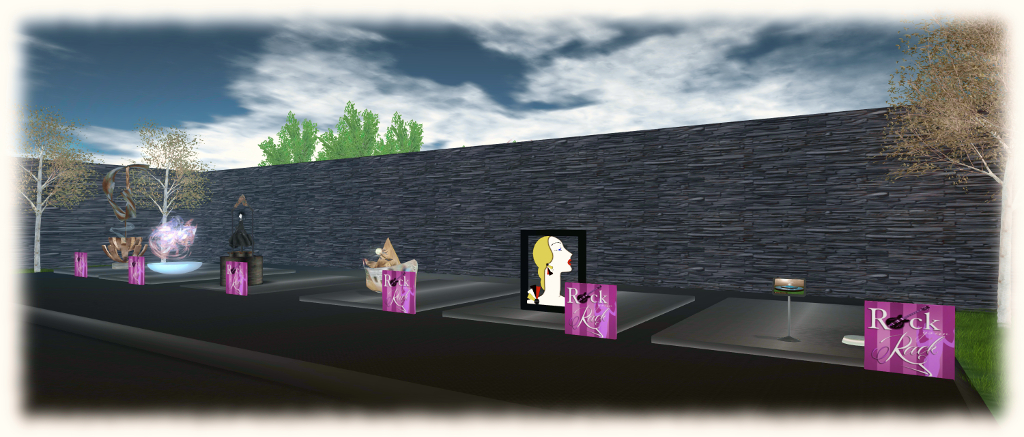
The 2016 Rock Your Rack Art Show and Auction in support of Rock Your Rack opened on Saturday, October 1st, 2016, and will run through until Saturday, October 15th, alongside the Rock Your Rack 2016 events.
Rock Your Rack is the annual fund-raiser started in October of 2012 by Jamee Sandalwood and the team at Models Giving Back for the National Breast Cancer Foundation ((NBCF). Founded in 1991, NBCF’s mission is to help women in the United States by providing help and inspiring hope to those affected by breast cancer through early detection, education and support services. NBCF is also joining hands with organisations around the globe to provide breast cancer education.
Curated and coordinated by Kultivate Magazine on behalf of Rock Your Rack, the art show features 23 2D and 3D artists, all of whom are offering one or more items in their art displays with 100% of proceeds going to Rock Your Rack.
While the Art Show opened along with the rest of the Rock Your Rack events, there will be a formal Art Show opening on Monday, October 3rd from 16:00 SLT, with further events to mark the closing on the show on Saturday, October 15th. Two special raffles are also being held, featuring special bundles of work from Bryn Oh and Cica Ghost respectively. The main schedule of events comprises:
Saturday, October 1st: Rock Your Rack Art Show and Auction opens, and Bryn Oh & Cica Ghost 3D art bundle raffle tickets go on sale
Saturday, October 1st through to Wednesday October 12th: Art Auction bids open
Monday, October 3rd: formal Art show Opening with live performer Talleysin
Thursday, October 13th: Art auction winners announced and Bryn Oh & Cica Ghost 3D art bundle raffle winners announced
Friday, October 14th: The Pink Art Ball featuring DJ John 16:00-17:00 SLT and live performer Sam Quenda 17:00-18:00
Saturday, October 15th: Rock Your Rack and the art show ends.
During the event, visitors can also tour the wider Rock Your Rack activities taking place in the region and support fun-raising.
There was no deployment to the Main (SLS) channel On Tuesday, September 27th.
On Wednesday September 28th, all three RC channels should receive the same new server maintenance package, which includes a fix for BUG-40565, introduced as a result of the deployment of the week #38 server maintenance package.
SL Viewer
The VLC Media plug-in viewer didn’t make the jump to release status as had been anticipated, but should remain the next in line for promotion.
A new Maintenance RC viewer did arrive, however. Version 4.0.9.320038, released on Wednesday, September 28th, focuses on assorted crash fixes and stability fixes, with over 70 updates and fixes included. This has the current official SL viewer list looking as follows:
Current Release version: 4.0.8.319463 (dated September 9), promoted September 15 – formerly the Visual Outfit Browser RC viewer
Maintenance RC viewer, version 4.0.9.320038, dated September 28th – 70+ fixes and updates
Project Bento (avatar skeleton extensions), version 5.0.0.319893, dated September 22nd
VLC Media Plug-in Viewer RC, version 4.1.1.319856, dated September 20th – replaces QuickTime in the Windows viewer with a media plug-in based on LibVLC
Obsolete platform viewer version 3.7.28.300847, dated May 8, 2015 – provided for users on Windows XP and OS X versions below 10.7.
Render Cost Investigations
This was first raised at the TPV Developer meeting on Friday, September 23rd, and again at the Bento User Group Meeting on Thursday, September 29th (although it is not Bento specific.
Vir Linden is leading an investigation into rendering cost and land impact of items (worn and in-world). This is as a result of JIRAs filed on the LI cost of various items not being correctly assessed, etc. It is not clear if any changes will result of the investigations, particularly where legacy content is concerned, but equally, it might be that some adjustments can be made to the rendering cost formulae. In particular, the Lab is interesting in learning about problematic content and JIRAs filed on LI / rendering calculation issues (such as BUG-37631). Speaking at the Bento meeting on the subject, Vir had this to say:
The Domineaux Effect Leafy Hollow Cottage, as seen for our revised garden
I recently mentioned that after spending a good few months on-and-off sorting out the island home and getting it just so, I’d started fiddling with it again.
It’s not that either of us was really dissatisfied with anything; it was simply the case that a hunt for a building which might form the basis for making a new house along the lines of Scotney Castle, started a hunt in-world and through the Marketplace, which uncovered a delightful cottage by Domineaux Prospero. It wasn’t precisely what we were looking for, but it – and Propsero’s popular Cottage Dock were enough to get me wanting to tinker and play again; and truth be told, the cottage really is a lovely unit.
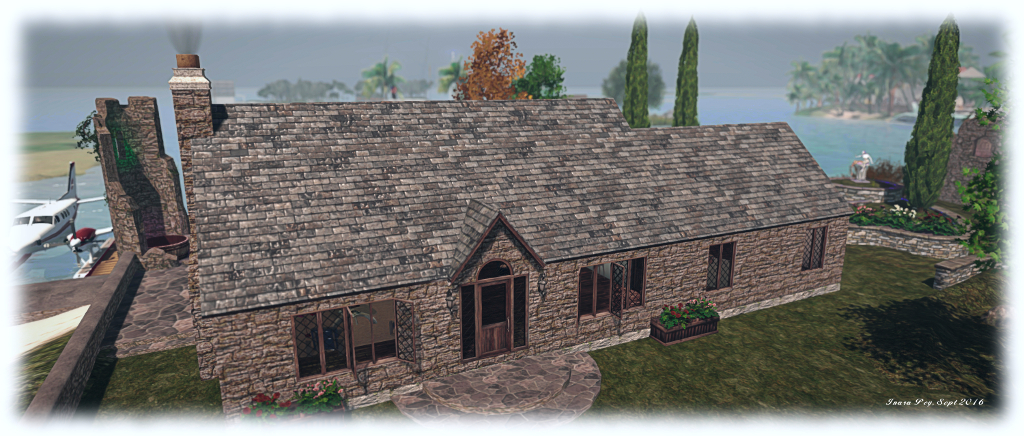
The Leafy Hollow Cottage, to give it its full title, is a 94-LI single-piece, materials-enabled mesh build (+ extras) – no rezzer required. It’s perhaps the first dwelling to appeal to me since getting into Alex Bader’s house designs two years ago – which is saying something; it generally takes a team of wild horses and a stout harness to drag me from Alex’s work! With a 27 x 12m footprint, this is a two room build, the larger one offering the full 12m width, the second being slightly narrower, and suited to use as a bedroom.
Core features are a working fire (with the nice touch of smoke rising from the chimney when the fire is lit), lockable front / back doors, opening / lockable windows, working exterior / interior lights (the latter provided by boards of candles suspended from the roof, complete with colour options), and control options accessible from the light switches. The main room offers room enough for a comfortable lounge and something like a kitchenette for those so inclined, but for me the main attraction of the house is the ceiling. This has beautiful exposed beams with arched bracing, giving the interior of the cottage a classic look and a feeling of age which perfectly contrasts with the plaster-like finish of the interior walls.
The cottage has a beautiful interior, ripe for furnishing and with plenty of wall space for pictures, all set off by the gorgeous ceiling detail
Being Modify, the cottage is open to a range of opportunities. For example, I’ve swapped-out the exterior wall maps for a set which match other elements on our island and re-tinted the roof tiles. LI can be reduced, if required, by removing the external uPVC style guttering. The extras included comprise planter boxes, semi-circular steps for the front / back doors, rain barrels, and plants for the planters.
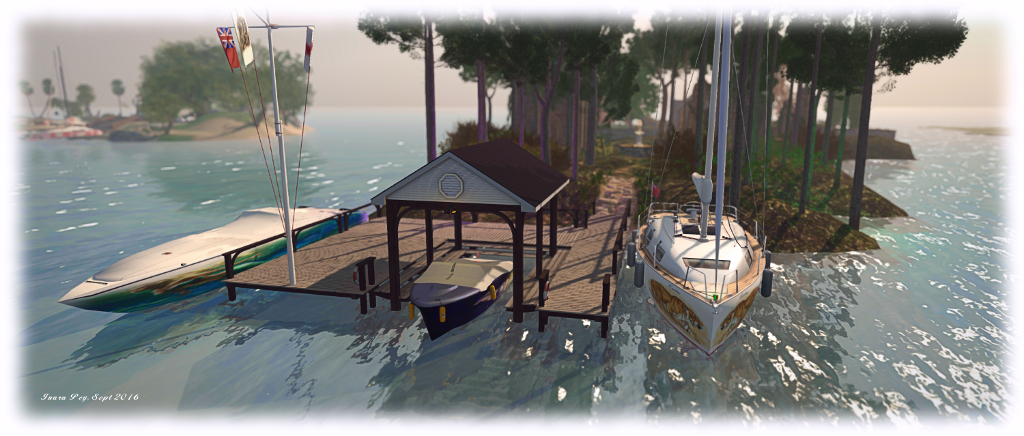
The Domineaux Effect Cottage Dock is the first prefab dock facility I’ve really liked (as opposed to using pier building sets). At 54 LI, it provides room for up to three boats, one of which can be under the roof. An additional floor section allows the covered area to be used as a party deck, if preferred. Various accessories – chairs, a beer cooler, dock extensions and two versions of a little boat – are provided, and the dock itself is provided in two finishes: weathered or “new”. Being Modify it is also open to some degree of personal tweaking.
The Domineaux Effect Cottage Dock provides moorings for up to three boats – if you don’t mind jumping over the dock’s handrails to get to one of them! Note the flag pole is not a part of the dock
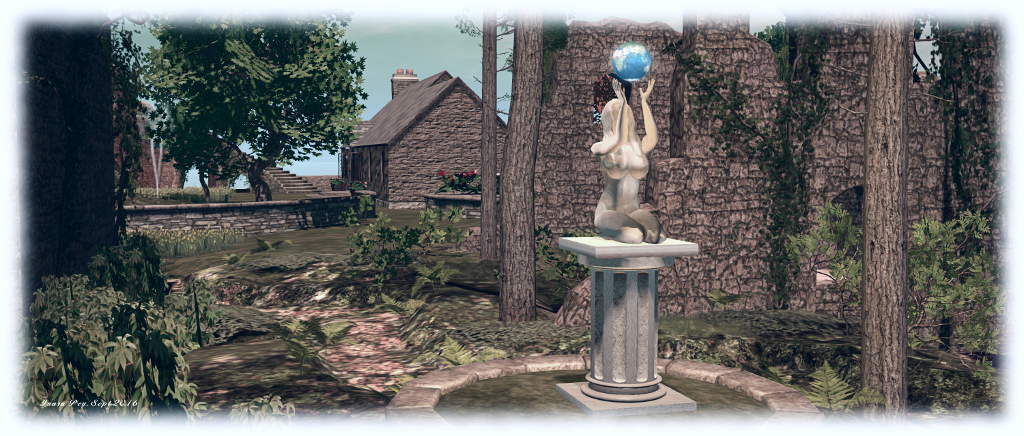
So what of the rest of the island? I won’t bore you with reams of details. Suffice it to say we took the opportunity to make things look a little more natural. The southern end of the island is perfectly suited to the Cottage dock, and so behind this, I put Alex Bader’s landscaping kits to work, using his Scots Pine, Rocky Trail and Enchanted Wood (minus the trees, which I swapped for his Scots Pines) to offer a more natural feel to the island as things gently slope upwards trough a wooded area in which sit some of the old ruins.
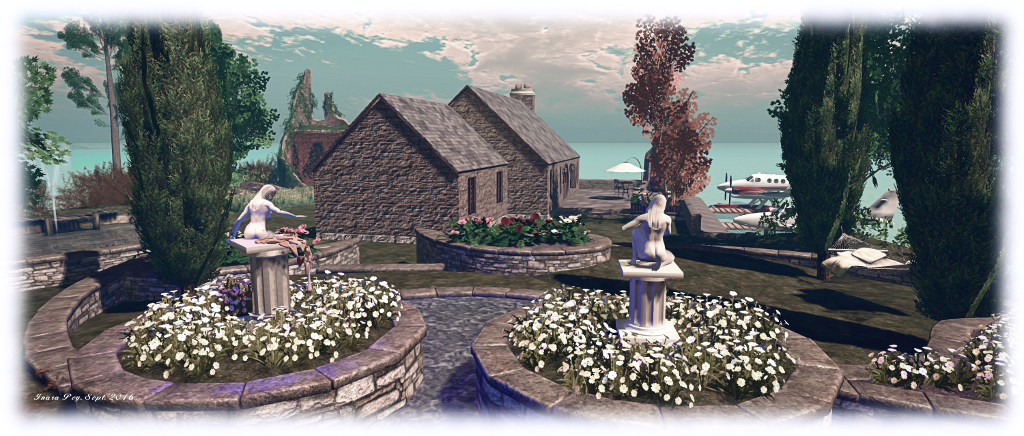
Kris Lehmann’s Botanical forest Ruins Tower – which really started the whole “house among the ruins” thing for me – now sits at the north end of the island, giving arched access to a new, broad ribbon of beach looking out over totally open water. We’ve also retained the little “formal” garden, built using Alex Bader’s Tiered Garden Wall Set – fast becoming a feature in many public regions, which offers a natural break between the more “natural” end of the island and the house with its lawns and terrace.
Some of the castle ruins are retained, but relocated. Sculptures by CioTToLiNa Xue and Silas Merlin remain features across the island
For those looking for a small, comfortable house offering a fair degree of flexibility with the internal space without running to multiple rooms, the Domineaux Effect Leafy Hollow Cottage could be just the ticket. The Cottage Dock is similarly a great addition to land which features water, whether or not you have boats to dock. My only quibbles with them are really, really minor: the Cottage Dock could perhaps benefit from a gap in the handrails on the left side for boarding craft moored there, while the default texture and materials maps on the exterior of the cottage can require flipping in order to make the mortar between the stones look recessed, rather than raised – but this is easily done. Certainly and obviously, neither of these factors prevented an investment in both cottage and dock.
To see the Leafy Hollow Cottage and the Cottage Dock in-world, hop over to The Domineaux Effect at Musing Meadows. I doubt you’ll be disappointed.
The following notes and audio were taken from the weekly Bento User Group meeting, held on Thursday, September 29th at 13:00 SLT at the the Hippotropolis Campfire Circle. and chaired by Vir Linden. For details on the meeting agenda, please refer to the Bento User Group wiki page.
Note that this update is not intended to offer a full transcript of the meeting, nor does it present the discussion points in chronological order. Rather, it represents the core points of discussion, grouped together by subject matter were relevant / possible, whilst maintaining the overall context of the meeting.
RC Viewer and Scale Locking
The next release of the Bento RC viewer should be appearing soon. When it does, it will have a couple of updates:
Slider Scale Locking
At the last meeting, Vir requested feedback on the proposed ability to effectively make joints in a mesh “slider proof” by overriding the scale as well as position in uploaded mesh models, as seen in the proof of concept viewer put out at the start of September.
The option has now received positive feedback, and will included in the next RC update. It will comprise a check box which, if checked will lock joints against scale changes, and thus the sliders affecting the joint will no longer influence it. Leaving the box unchecked for the joint will allow scale changes.
Performance optimisations
There has been one noticeable “hot spot” of viewer performance degradation as a result of all the new Bento joints. This has been sufficient for the Lab to make some changes which should help improve FPS for users when in a region with a lot of rigged mesh.
Going to Release
The question on when Bento will reach a release status tends to come up at every meeting, and the answer remains the same. Bento’s promotion to release status is dependent on a number of factors, including:
The viewer’s crash rate compared with the current release viewer and other RC viewer in the release channel
Whether exposure to a wider audience of users uncovers non-bento bugs or regressions which require additional fixing
Relative priorities between Bento and other projects.
However, there have been few Bento-specific bugs raised against the RC viewer, and while it still requires time as an RC as changes are still being made, Vir’s hope is that it will be weeks rather than months until the viewer is promoted to release status (bugs and other priorities allowing, as noted.
Joint Position Locking
A joint’s position can be locked from slider influence by setting a custom position for it. However, the slider’s influence isn’t completely disabled, as a change to scale can still have influence. For example, if the scale of a parent join is changed, it can influence where a child joint appears, even if the child has a custom position set (hence one reason for the scale locking. However, there has been a suggestion that joint position locking may not be working smoothly, so Vir is interested in hearing about situations where this might be the case.
The question was asked in joints could be locked from within Second Life – that is, after upload. the short answer to this is no, as it would require a significant amount of reworking which falls well outside of the scope for Bento.
My company of wolves: wearing the “Morgan” avatar, my Alt attends the Bento meeting, under the protection of two Bento wolves (designed by Medhue Simoni) – that’s Whirly on the left, and Medhue on the right) – see the addendum below for more info on the wolves.
Animation Priorities And Formats
As all SL animators know, the platform supports two animation types: .BVH and .ANIM. The differences between them, in essence, is that .BVH is a format which pre-dates Second Life. During the upload process, an attempt is made to process the .BVH file to make it more efficient. The .ANIM format is more of an internal format for Second Life, and bypasses all the processing common to .BVH files; all the settings are already baked in, including the priority.
Generally speaking, the priority in which animations play is based on their priority; those animations with a high priority than other will take precedence in playback. If to animations with the same priority are called, it can be indeterminate as to which may play first. There have been some proposals to make this more deterministic, but it is a non-Bento effort, if it is being actively pursued.
However, if using the .ANIM format in Blender, it is possible to set the animation priority on a per joint basis, prior to exporting for upload to Second Life – although it is not clear if the Second Life .ANIM format supports a per-joint field for prioritising animations. Also, all of the options available in the .BVH uploader for Second Life are available for .ANIM files from within Blender / Avastar, and can be set from there prior to export.
Maya also has a native .ANIM format, but it is important to note that this is not the same format as the Second Life .ANIM file, and it is not compatible with Second Life.
Other Items
Mixing and Matching Bento Parts
One of the aims with Bento is to allow users to mix and match Bento parts. So, for example, if you have a Bento elephant, you might in theory be able to get a set of Bento wings and add them to become a flying elephant. To achieve this, a Bento mesh no longer has to define positions for all the joints in the skeleton – only those it actually uses need to be defined.
However, this still means customers must be aware of the joints being used by different mesh models to avoid potential conflicts. Again, if the elephant mentioned above uses the wing bones to animate its ears, that’s going to conflict with the use of wings using the same bones – and yes, I’m avoiding Dumbo and his ear-flapping flying for the purposes of this example! 🙂 ).
One way to avoid this might be for creator to document the joints they’re using in their mesh models when selling them (e.g. in the Marketplace listings, on their vendor boards, etc). But quite how this might work in practice remains to be seen – and will largely rely on the community to consider matters.
MayaStar Update
Cathy Foil has reached a point of getting all the sliders working with the all of the bones, although some are not yet working properly. She hopes that MayaStar will be updating a in the next couple of weeks. She also reminded people that Aura Linden is, in her own time and unpaid, writing an exporter for MayaStar for .ANIM files. This will be provided as an open-source project.
Bento Follow-up?
After the main meeting had finished, Cathy Foil indicated that she and Matrice had discussed a possible follow-up for Bento with Vir, which he was positive about. This would be to add a further appearance slider which would allow an avatar to be correctly / proportionally scaled larger or smaller.
This would apparently be a relatively simple addition, although work would also have to be put into correctly scaling walks, runs and flying to avoid things like Mach 5 tinies roaring across a region because the scale of their steps remains unchanged (the upper and lower limits of avatar size would also need to be defined). Given the potential benefits of such a slider – more efficient land use as avatars could be more easily scaled down to make use of smaller spaces, etc. -, it could also be a useful task for one of the few remaining slider slots which are available.
The discussion included the idea of using animations or even a file (/script) to define avatar scale, with Cathy indicating that animation scaling was ruled out early in the project on the grounds of cost, and that Vir was unsure of a way to easily allow file-based avatar scaling.
Next Meeting
Due to the Lab’s monthly internal meeting, which conflicts with the Bento meeting, the next Bento User Group meeting will be on Thursday, October 13th.
Addendum
Those interested in the Bento mega-wolves by Medhue can now obtain them through the Marketplace, and read about them on Medhue’s blog. You will require a Bento-enabled viewer to render them correctly. With thanks to Whirly for the pointer.
The latest in the Lab’s social meet-ups in-world with residents is currently in the planning stages. Given the time of year, the Lab have decided to mix the Halloween season into things and hold a “travelling meet-up”. They’re also putting together the Halloween Shop ‘Til You Drop event, as a blog post from Xiola explains.
Following the success of the 2015 Creepy Crawl, the Lab are looking to do the same in 2016: spend time in-world hopping from venue to venue, spending time with residents at each, dancing chatting and generally having a good time. The event will take place on Monday, October 31st, and the full details for those just wishing to hop along and join the fun will be announced in due course.
However, for those who wish to offer their venue / place as a possible stop along the way, there are some simple instructions to follow, as Xiola states in the blog post:
Hop over to this form and fill it out before October 20th – we’ll start selecting the venues after that!
Keep an eye out for an email and/or notecard after the 20th to let you know if your venue was selected.
So, if you fancy hosting a little Linden Halloween fun, make sure you get your venue in the DG (if it isn’t already) and fill-out the application form – do keep in mind that preferred venues should be
Shop ‘Til You Drop is a Halloween-themed shopping event taking place between Friday, October 21st and Monday, October 31st 2016.
If you’re a Merchant who specializes in costumes and other Halloween-themed items and would like to participate, the Lab invites you to fill-out and submit the Halloween Shopping Event form – keep in mind the event will be open to a General-rated audience. Selected Merchants will be offered a booth to display and sell some of their items at a special discounted price to shoppers. Given the time frame, Merchants are advised to submit the form sooner rather than later, and to keep in mind that not everyone may be successful in applying.
Again, for those wishing to attending the event, further details will be forthcoming from the Lab nearer the date.
Scheduled to take place between Wednesday, March 29th and Saturday April 1st, 2017 inclusive, VWBPE is a global grass-roots community event focusing on education in immersive virtual environments which attracts 2200-3500 educational professionals from around the world each year.
In the context of the conference, a “virtual world” is an on-line community through which users can interact with one another and use and create ideas irrespective of time and space. As such, typical examples include Second Life, OpenSimulator, Unity, World of Warcraft, Eve Online, and so on, as well as Facebook, LinkedIn, Twitter, Pinterest or any virtual environments characterised by an open social presence and in which the direction of the platform’s evolution is manifest in the community.
2017 is a special year for VWBPE, marking its tenth anniversary. With this in mind, the overarching them for the four days is that of Legacy. A call for proposals has been issued to those wishing to participate in the event as speakers and presenters. It invites educators and those involved in the education sector to reflect on work and their accomplishments within the context of the conference, and consider submitting a proposal and sharing their work with the wider education community.
As with 2016, the event is interested in papers carrying the ideal of Looking Forward and Looking Back:
Looking Forward – do you have a new project, research, service, or tool that you wish to share, something you have never before presented at VWBPE or elsewhere? Submit a proposal to start building the legacy for the future
Looking Back – do you wish to do a retrospective view of a past VWBPE session, where you share lessons, new research or updates, to your original presented work? Submit a retro proposal to help look back at the legacy you helped to create, and how it has impacted current practice.
Those wishing to submit a proposal should visit the VWBPE 2017 Call For Proposals page, read the guidelines and submit a proposal under the relevant category – Academic, Communities of Practice, Creative, Immersive Experiences. All proposals must be submitted by Sunday, November 27th, 2016.
VWBPE 2017 will include a new event: the Virtual Science Fair which invites educators from all disciplines and levels are invited to participate in the Virtual Worlds Best Practices in Education Science Fair. If you are interested in including an immersive project as part of your curriculum, consider showcasing it with VWBPE. You can find out more by visiting the Virtual Science Fair page at the VWBPE website.






 Inara Pey: Living in a Modemworld