Lumiya 3.1: go faster stripes and taking snapshots

lumiya-logoLumiya, the go-to Second Life / Open Sim client for Android by Alina Lyvette has received a further set of updates and bug fixes with the rapid-fire release of version 3.1 and version 3.1.1.

Both updates appeared on Tuesday, September 27th, version 3.1.1 offering several bug-fixes following the initial 3.1 release, while the latter offers fixes, tweaks, improvements and new features.

The major improvement is actually under-the-hood, with the adoption OpenGL ES 3.0 support within Lumiya. For those running the app on a modern smartphone or tablet, this should see much improved rendering of meshes in the 3D world view, including mesh bodies and avatar attachments, and improvements in frame rates. It should also provide much better rendering of translucent mesh clothing, getting much closer to how it should actually look.

Alongside of this comes a number of UI / functional changes and additions, including:

  • The ability to edit parts of your Profile & add notes to other profiles
  • The ability to take and share snapshots
  • Setting your home location
  • Mesh body HUDs should now work as expected
  • Kemono avatars should now render correctly
  • Play sound stream moved to the Action menu (top right of screen) when in the Contacts / chat windows
  • Screen corruption in 3D view on certain Adreno 305 and 320 GPUs (e.g. Sony Xperia T3)
  • A fix for a crash when saving notecard data.

Some of these updates are looked at in more detail below.

Lumiya 3.1 should allow mesh body users to use their HUD systems - use pinch-zoom to enlarge the HUD if required
Lumiya 3.1 should allow mesh body users to use their HUD systems – use pinch-zoom to enlarge the HUD if required

Profile Editing

The Profile editing options comprise: changing your Profile picture, editing your About details and creating / editing personal / private notes on either your own profile or the profile of another avatar (personal / profile notes only).

You can change your Profile picture, edit your About description and / or add personal notes in Lumiya

To do this with your own Profile, go to the menu (top left icon) then My Avatar > My Profile. This will open your profile. Tap Change Picture to open your inventory to select a new picture. To update your About description or personal notes, scroll down to the relevant part of your Profile and tap the Edit option. This will take you to an Edit screen, and open your device’s on-screen keyboard for editing.

Tapping the Edit options with About and personal notes will open an edit window and display your device's on-screen keyboard
Tapping the Edit options with About and personal notes will open an edit window and display your device’s on-screen keyboard

Add Notes to another Profile

To add personal notes to the Profile of another avatar, locate the avatar in your Contacts or through the Nearby option. Tap the avatar name, then tap their Profile icon (top right of the window). Their profile will open, and you can scroll down to Personal Notes and tap Edit.

Take and Share Snapshots

Lumiya 3.1 presents users with the ability to create and share snapshots from the 3D view. To take a snapshot, go to the 3D view and position your camera as required. Tap the Action menu (top right of the window) and then tap Share Screenshot…

This will take a picture of your in-world view, and then display your available options for sharing the image. Note that this might include options to save the snapshot to your device which are not supported at this time. You can, however, upload to Google+, Google Photos, etc., or send via e-mail, etc.

You can now take and share snapshots using Lumiya

Setting Your Home Location

When you wish to set home to the location you are in, open the Action Menu and tap Location Details. A Set Home option should be displayed on the right side of the location title bar.

Setting your Home Location from the Locations Details window

Feedback

I’ve not had the opportunity to play in-depth with the updates with this release, so this is very much a rapid-fire overview based on the time I’ve had available with Lumiya 3.1. During my 90 minutes (ish) for fiddling, I encountered no problems and happily edited my profile, updated some notes on another profile, and e-mailed a number of snapshots via Gmail. Testing my Maitreya HUD went well, with pinch-zoom I could enlarge it sufficiently to tap the tabs on it, mask / show parts of my body, etc. Understandably, rendering of the HUD was a little fuzzy and made reading labels a little difficult, but anyone with a reasonable degree of familiarity with their HUD shouldn’t find this a major issue.

Alina indicates that further updates are on the way, and what we have here sees Lumiya take a further step to becoming the indispensable option for Android users needing on-the-go access to Second Life and OpenSim (data charges allowing if not on wifi!).

Related Links

OSCC 2016: call for proposals and volunteers

Image courtesy of the OpenSimulator Community Conference

The 2016 OpenSimulator Community Conference (OSCC) will take place on Saturday 10th and Sunday 11th December 2016.

An annual conference that focuses on the developer and user community creating the OpenSimulator software.  Organised as a joint production by Core Developers of OpenSimulator and AvaCon, Inc., and sponsored by the University of California, Irvine, Institute for Virtual Environments and Computer Games, the conference features a day of presentations, panels, keynote sessions, and social events across diverse sectors of the OpenSimulator user base.

Call for Proposals

The Conference for 2016 will feature a series of dynamic short presentations and panels that spotlight the best of the OpenSimulator platform and community, and a Call for Proposals has been issued to individuals or groups who are shaping the Metaverse.

The focus for the 2016 event is the visions for the future and the evolution of the platform, with 20-minute sessions available for speakers, while community-sponsored tours, content give-aways and Hypergrid explorations take attendees to far away places. The organisers encourage presentations that span current innovations and activities, performance artistry, educational simulations, innovative business cases or  have a publication or track record of real world use.

Image courtesy of the OpenSimulator Community Conference

Those wishing to participate directly in the conference as speakers can do so via the following tracks:

  • Creative
  • Education
  • Technical
  • Experiential
  • Other

All proposals should be submitted using the conference Proposal Submission form, and any questions direct to the conference organisers.

The key dates for proposals are:

  • October 9th, 2016 11:59 PST: Deadline for proposals
  • October 23rd, 2016:  acceptance details e-mails will be dispatched by the conference organisers to accepted speakers
  • October 30th, 2016: accepted speakers must register for the conference in order to be included in the conference schedule and the programme
  • November 19th, 2016: presenter Orientation & Training sessions to prepare speakers for the conference and to set-up Presenter Booths. Any custom content, props, and audio-visuals must be submitted to be included in the conference programme.
  • December 10th – 11th, 2016: 2016 OpenSimulator Community Conference
  • December 11th, 2016 – OSCC Hypergrid tour and other community events.
Image courtesy of the OpenSimulator Community Conference

Community Social Events

A key part of OSCC is the social events held in the run-up to, and around the dates of, the conference itself. Those interested in running / hosting a social event should complete the Community Events Sign-up page.  There will also be limited available space on the OSCC conference grid for those who would like to host an OSCC meet-up or an after conference event on Sunday, December 11th. Please contact the conference organisers. with any questions.

Volunteers

The conference needs volunteers to help in a range of activities:

  • Greeters / audience assistances
  • Moderators
  • Builders
  • Scripters
  • Social Media / Communications
  • Streaming and Technical Support

Those interested in volunteering can do so via the Volunteer Sign-up form,  Depending upon interests, volunteers can select more than one role if they wish.

About the Conference

The OpenSimulator Community Conference is an annual conference that focuses on the developer and user community creating the OpenSimulator software. The conference is a joint production by Core Developers of OpenSimulator and AvaCon, Inc., a 501(c)(3) non-profit organization dedicated to promoting the growth, enhancement, and development of the metaverse, virtual worlds, augmented reality, and 3D immersive and virtual spaces.  The conference features a day of presentations, panels, keynote sessions, and social events across diverse sectors of the OpenSimulator user base.

For EVRE in Second Life

EVRE
EVRE

“This sim was initially named EVER.” Tahiti Rae says of her latest full region installation, EVRE, now open through until the end of 2016. “While fervently researching a long and well-documented genealogy of my family … I thought how fun it would be to study the women who had married into the family. I learned that one of them had a second husband … When I researched him, I was astonished to discover that the “old tyme” spelling of his name was “Evre”. Hence, the R and the E were immediately swapped. Apparently, the correct trail was followed and at the right time. It’s connected.”

And thus we are introduced to her haunting, complex and highly photogenic study of consciousness, connectedness and time, as expressed in the installation’s sub-title: Are we Everywhere … At all Times? In this, the reversal of the R and the E in the region’s name could be seen as allowing it to serve a second purpose, as when separated to the two pairs of letters give us “ev” and “re” – a shorthand, almost for “everywhere”.

EVRE
EVRE

I’ve long been an admirer of Tahiti’s work. She is one of the more thought-provoking, consistently engaging and visually aware immersive artists in Second Life. The installations she creates draw from many sources and influences; they are always stunning to the eye and a source of considered contemplation for the mind. In this, EVRE is no exception. In keeping with Tahiti’s request, I’m not going to dwell too much on describing the installation – as she notes, this is a place to be discovered.

The core of the installation is a tour through twelve worlds, each accessed through a “memory clock” – a large fob watch hanging from its chain. Each world represents a different time and place, accessed by touching the “memory clock” and then using the map to teleport. The order in which the worlds are accessed is perhaps of less importance than ensuring all twelve are visited before making the jump to ALL TIME (via the large clock in the region), and thence to a final world, TIMELESS. However, for those seeking to explore the worlds in some semblance of an order, look for the signs with red lettering at the landing point. This will provide you with a note card list of all the “memory clock” SLurls.

EVRE
EVRE

In following the clocks, we effectively become dimensional travellers, visiting different point is time, witnessing events – becoming a part of events. I use “dimensional” rather than “time” deliberately, because of that question posed in the installations sub-title: Are we Everywhere … At all Times? If we are, then our journey here is not so much through time, as between the barriers separating the different periods in time represented here.

In doing so, we also encounter some anachronisms; some of these are more obvious than others, but none are accidental. In this, EVRE put me in mind of the philosophical question T.S Eliot throws to his reader in the opening of Burnt Norton, one of his Four Quartets, and a log-standing favourite of mine:

Time present and time past
Are both perhaps present in time future,
And time future contained in time past.
If all time is eternally present
All time is unredeemable.

EVRE
EVRE

Tahiti’s installation may offer a different slant to Eliot’s pondering, but they both raise the same underpinning question, and point us towards a contemplation of both all time (the eternity which surrounds us) and, with EVRE at least, a consideration of timeless – her final world. A place which encourages us to ponder the purpose of time, which is, to use the often ms-attributed phrase,  to “keep everything from happening all at once”.

Of the worlds themselves, as presented by Tahiti, and in keeping with her wish not to offer too many spoilers, I will say that time should be taken in visiting them; there are some exceptionally beautiful discoveries to be made, and nuances which might be easily missed on a hurried visit.

As noted, EVRE will remain open until the end of the year, and it will be the venue for a number of events, as outlined in the first world, Psi.

SLurl Details

  • EVRE (LEA 27, rated: Moderate)

2016 SL project updates 39 (1): server, viewer

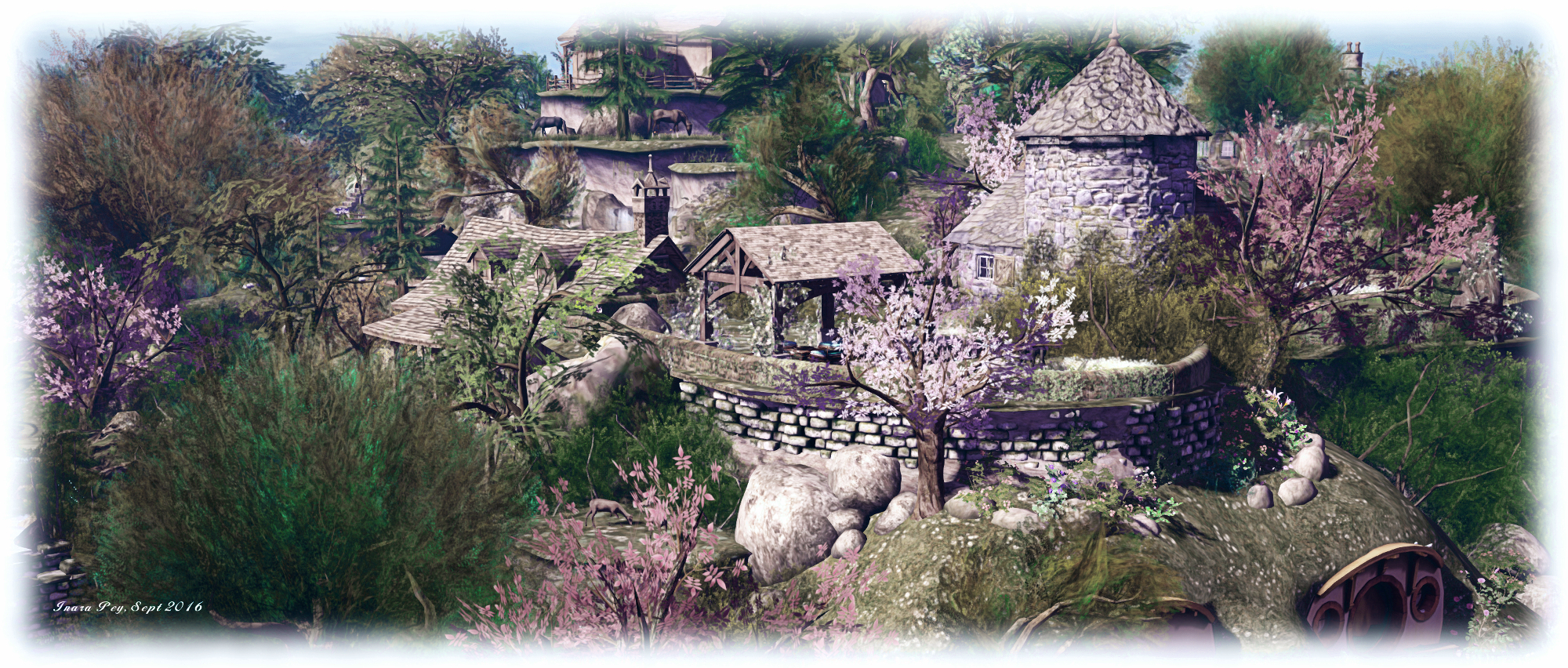
The Shire; Inara Pey, September 2016, on Flickr The Shireblog post

It’s once again a light start to the week.

Server Deployment

As always, please refer to the server deployment thread for updates or changes.

  • There was no deployment to the Main (SLS) channel On Tuesday, September 27th.
  • On Wednesday September 28th, all three RC channels should receive the same new server maintenance package, which includes a fix for BUG-40565, introduced as a result of the deployment of the week #38 server maintenance package.

SL Viewer

Unless something untoward has happened with the latest RC version, it is anticipated the VLC Media Plug-in viewer will be promoted to de facto release status this week. A new maintenance RC is also anticipated. In the meantime, the current batch of official viewers remains unchanged from week #38:

  • Current Release version: 4.0.8.319463 (dated September 9), promoted September 15 – formerly the Visual Outfit Browser RC viewer
  • Release channel cohorts (please see my notes on manually installing RC viewer versions if you wish to install any release candidate(s) yourself):
    • Project Bento (avatar skeleton extensions), version 5.0.0.319893, dated September 22nd
    • VLC Media Plugin Viewer RC, version 4.1.1.319856, dated September 20th – replaces QuickTime in the Windows viewer with a media plug-in based on LibVLC
  • Obsolete platform viewer version 3.7.28.300847, dated May 8, 2015 – provided for users on Windows XP and OS X versions below 10.7.

Experience Scripted Sits

As per my blog post of September 23rd, Rider Linden is working on a new scripted sit capability for Experiences. The new LSL functions form Project Espeon (after the Pokémon character), and Rider has produced a proposal document on the new functionality, which can be read  in PDF format. The capability can also be tested on ADITI (the beta grid) in the following regions:  Leafeon or Umbreon or Sylveon, with test content is available on Leafeon. If anyone testing them has suggestions or feedback, please raise a JIRA against Project Espeon.

A slight pause in Second Life

Island building ... again ...
Island building … again …

I’ve been a little quiet blogging-wise these last couple of days because I’m at it again: re-building the island home. It’s Caitlyn’s fault (or at least that’s my excuse … until she says otherwise 🙂 ); she showed me some photos of Scotney Castle, which sent us on a hunt for something that could be converted into a similar-looking place.

Nothing we found really appealed, but in mooching around The Domineaux Effect  by Domineaux Prospero, I came across a cosy little two room cottage. And of course, Domineaux also makes a great boat dock (imaged above, now at the southern end of the island). And, well, once discovered things have to be purchased, don’t they?

Anyway, the work is almost done in getting things ship-shape, so normal service will be resumed very shortly! 🙂 .

The Red Gallery; supporting diabetes research in Second Life

The Red Gallery
The Red Gallery

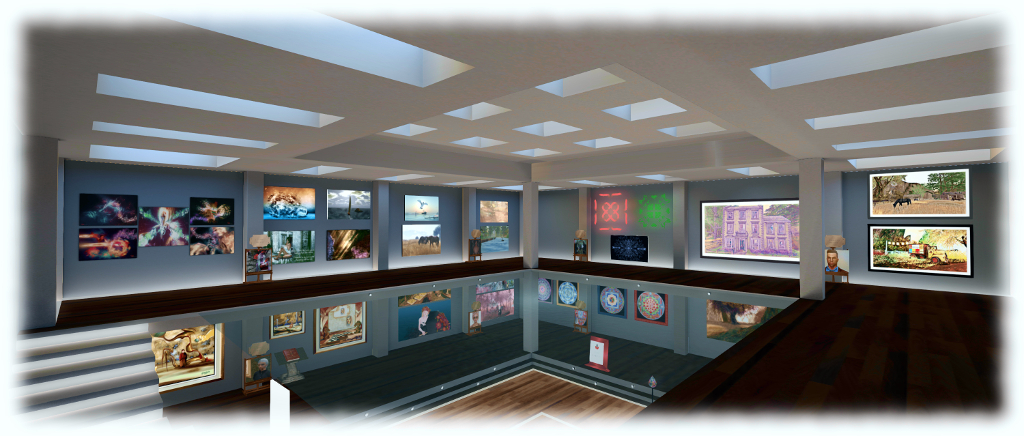
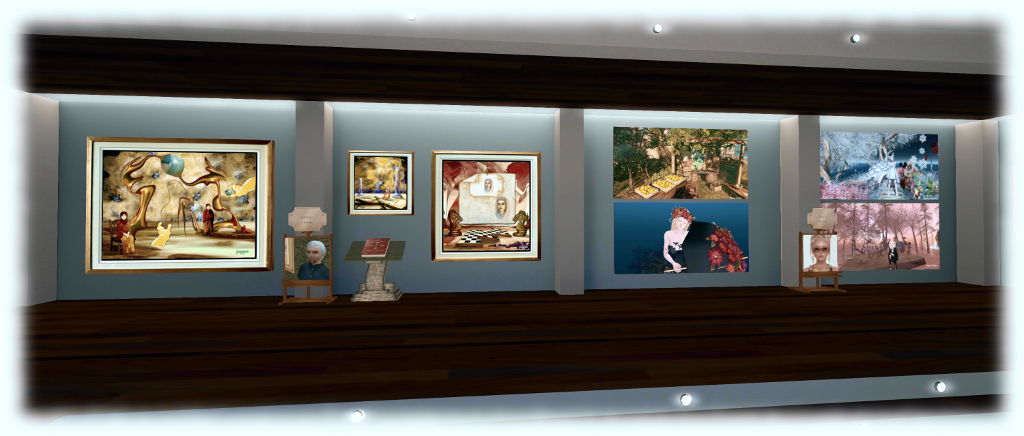
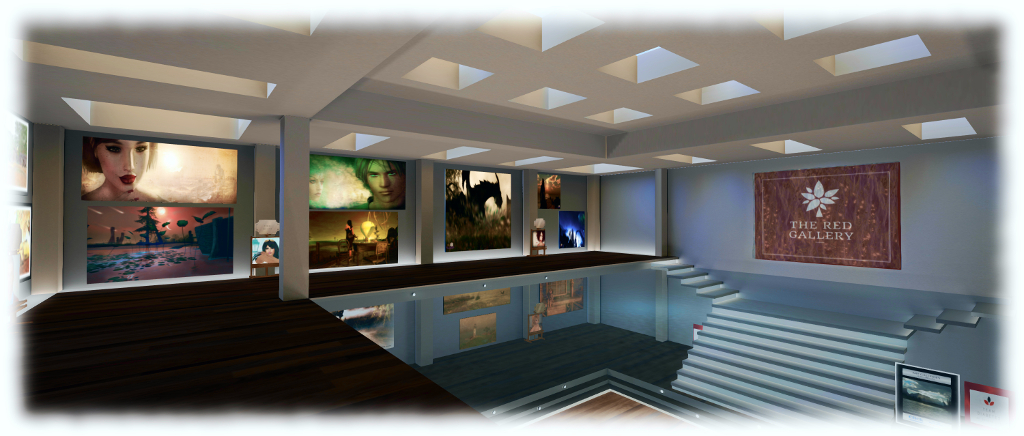
Saturday, September 24th saw the opening of The Red Gallery, operated by Team Diabetes of Second Life, the official Second Life team for the American Diabetes Association (ADA).

The Red Gallery has been established to support Team Diabetes of SL in their work raising funds for ADA. Each exhibition will feature a number of artists displaying their art, with proceeds of sales split between the artist and Team Diabetes of SL. Each exhibition will likely be for a period of two months.

The Red Gallery
The Red Gallery

For the inaugural exhibition, the featured artists are Aradia Aridian, John Brianna, Sheba Blitz, Eucalyptus Carroll, Ilyra Chardin, Layachi Inchen, Methisa Kira, Ramsa Luv, Doasilike Resident, Kodymeyers Resident, Timaaj Resident and Tisephone Resident. Between them they present a rich mix of art, ranger from modern “traditional” in-world landscapes and avatar studies, through to more abstract pieces and art generated in the physical world and imported in to Second Life; all of which makes for an engaging and eye-catching exhibition.

For those who prefer to donate directly, Team Diabetes of Second Life donation kiosks are available on the lower level of the gallery.

The Red Gallery
The Red Gallery

About the American Diabetes Association

 Established in 1940, the American Diabetes Association is working to both prevent and cure diabetes in all it forms, and to help improve the lives of all those affected by diabetes. It does this by providing objective and credible information and resources about diabetes to communities, and funding research into ways and means of both managing and curing the illness. In addition, the Association gives voice to those denied their rights as a consequence of being affected by diabetes.

About Team Diabetes of Second life

Team Diabetes of Second Life is an official and authorised fund-raiser for the American Diabetes Association in Second Life. Established with the aim of raising funds in support of diabetes treatment and to raise awareness of the disease in SL, Team Diabetes of Second Life was founded by Jessi2009 Warrhol and John Brianna (Johannes1977 Resident), and is served by an advisory board comprising Eleseren Brianna, Veruca Tammas, Sandie Loxingly, Rob Fenwitch, Earth Nirvana and Dawnbeam Dreamscape, with Saiyge Lotus serving as a special advisor.

SLurl and Additional Links