Avatar Complexity and graphics presets update

Avatar Complexity (aka Jelly Babies) is now available in the Quick Graphics project viewer

Update: See BUG-9962 for issues relating to avatars becoming stick as Jelly Babies when using Avatar complexity.

On Friday, August 21st, the Lab issued their Project Quick Graphics project viewer. Version 3.8.4.304433 brings with it the much-anticipated Avatar Complexity and graphics presets capabilities, both of which are intended to assist in improving viewer performance for those on lower-specification computers.

I provided an overview of the viewer while it was still in an early version, so this is offered as a further update.

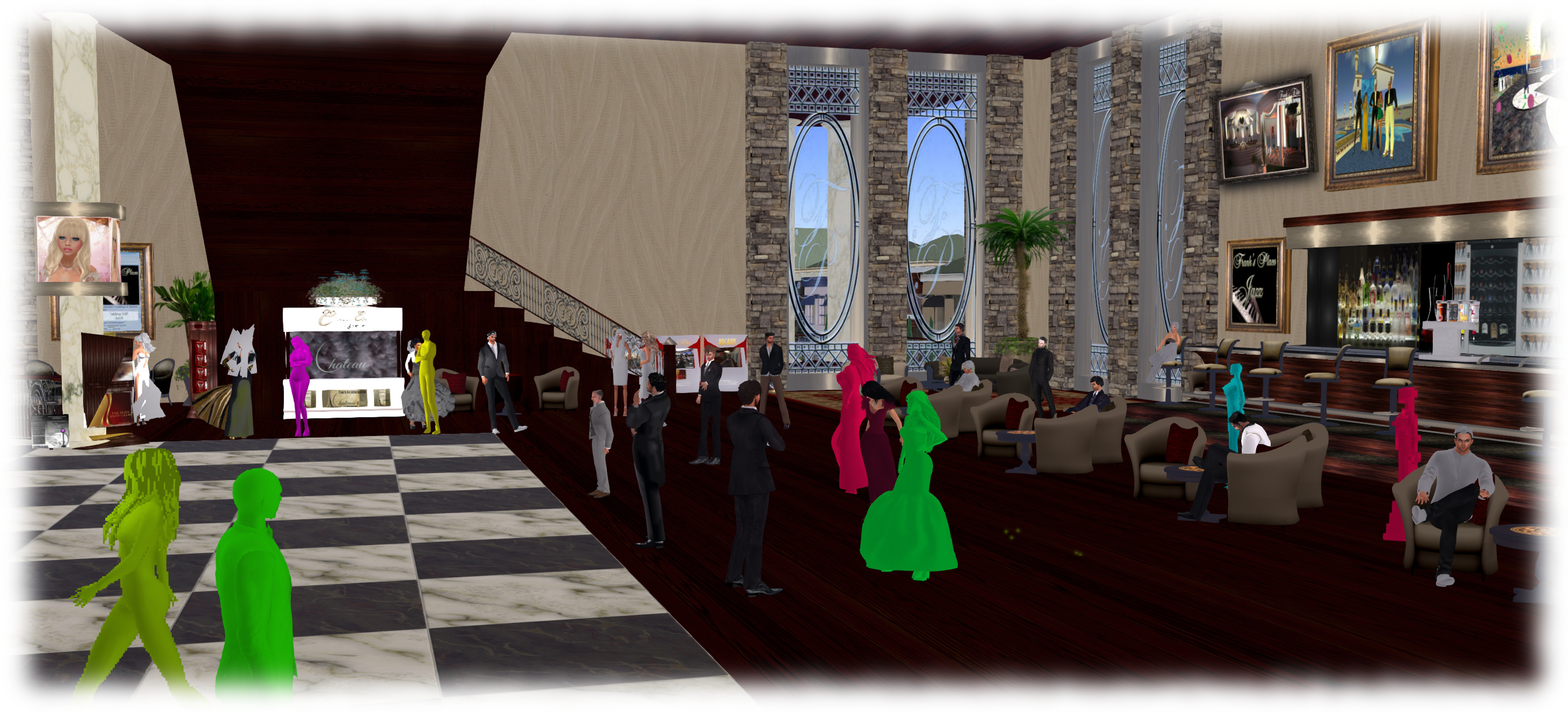
Avatar Complexity  introduces a new slider to the viewer which can be used to set a level above which avatars requiring a lot of processing will appear as a solid colour (including their attachments), giving them the nickname ” Jelly Babies” after the sweet (candy) of the same name.

As avatars can often be the single biggest impact on the viewer in terms of rendering, particularly in crowded places, using this slider is intended to greatly reduce the load placed on a system compared to having to render them in detail, allowing users to adjust the setting according to circumstance – the setting can be increased, rendering more avatars as solid colours in crowded regions, and turned down for quieter spaces. At the same time, there’s also the ability to set how individual avatars are rendered on-the-fly during the current log-in session.

The Avatar Complexity slider in Preferences > Graphics > Advanced Graphics Preferences (l) and the new format of information displayed when Advanced > Performance Tools > Show Avatar Complexity Information is enabled (r)

The Avatar Complexity slider can be found on the Advanced Graphics floater (Preferences > Graphics > Advanced Settings…), The values run from 19,999 to 300,000, above which it switches to No Limit, meaning all avatars in your field of view will fully render, with the default based on the rendering performance of your system. As noted in my last piece on this, the values used by this slider are based on those previously used to determine Avatar Draw Weight / Avatar Render Cost.

It is possible to see the render complexity of all avatars in your field of view (including your own) by enabling Advanced > Performance Tools > Show Avatar Complexity. This displays a series of figures above avatar heads which is updated in real-time. The one likely to be of interest to most users is at the top: the actual render complexity value. This should remain fairly constant, allowing for how people might change their appearance by adding / removing items and changing their appearance.

The viewer also generates information messages in the upper right corner related to Avatar Complexity. One is displayed each time you change your own avatar’s appearance and impact your own rendering complexity. The second acts as an indicator for when you’re over the limit of “too many” of the avatars around you, and are being rendered as a Jelly Baby.

The viewer displays notifications when you (l) make a change to your own avatar which impacts its render render complexity; (b) if your avatar is largely rendered as a Jelly Baby by others
The viewer displays notifications when you (l) make a change to your own avatar which impacts its render complexity; (b) if your avatar is largely rendered as a Jelly Baby by others

A further element of Avatar Complexity is the ability to selectively alter how individual avatars are rendered on-the-fly. This is achieved via the right-click Avatar context menu, which includes three new options:

The right-click avatar context menu has options to allow you to define how you want specific avatars to render during the current session
  • Render normally – the avatar will render as defined by the Avatar Complexity setting. If the avatar’s complexity is lower than the setting in the viewer, it will render correctly; if it is higher, it will render as a Jelly Baby
  • Always Render Fully – does exactly what it says – the avatar will always be fully rendered, regardless of it exceeding your set complexity limit
  • Do Not Render – renders the avatar as a Jelly Baby (or even not at all save for name tag if already very easy to render) regardless of your Avatar Complexity setting. Note that this setting does not persist across log-ins (so if you re-log, those avatars you’ve used it against will render normally), and it will not block the ability to read their local chat or receive their IMs, etc.

There are a couple of final points worth mentioning with Avatar Complexity. The first is that it is not a replacement for Avatar Imposters, but can be used alongside it. The second is that with this project viewer release, the colours of Jelly Babied avatars has been muted when compared to test versions of the viewer, making them a lot easier on the eye (the image at the top of this article shows the former, more vivid colours).

Graphics Presets (see STORM-2082) allows users to create, save and use their own graphics presets, each designed to meet a specific requirement, and which can be quickly switched between with the overall aim of helping with viewer performance.

For example, one preset may have all the performance hitting items (shadows, projectors, etc.) turned on / up for times when the overall quality and depth of detail in a scene is important for taking photos, another may have them dialled-down for crowded places, and a third might have them adjusted further for “indoor” use (so draw distance is greatly reduced, sky and terrain details are set to low, water reflections turned off, etc.).
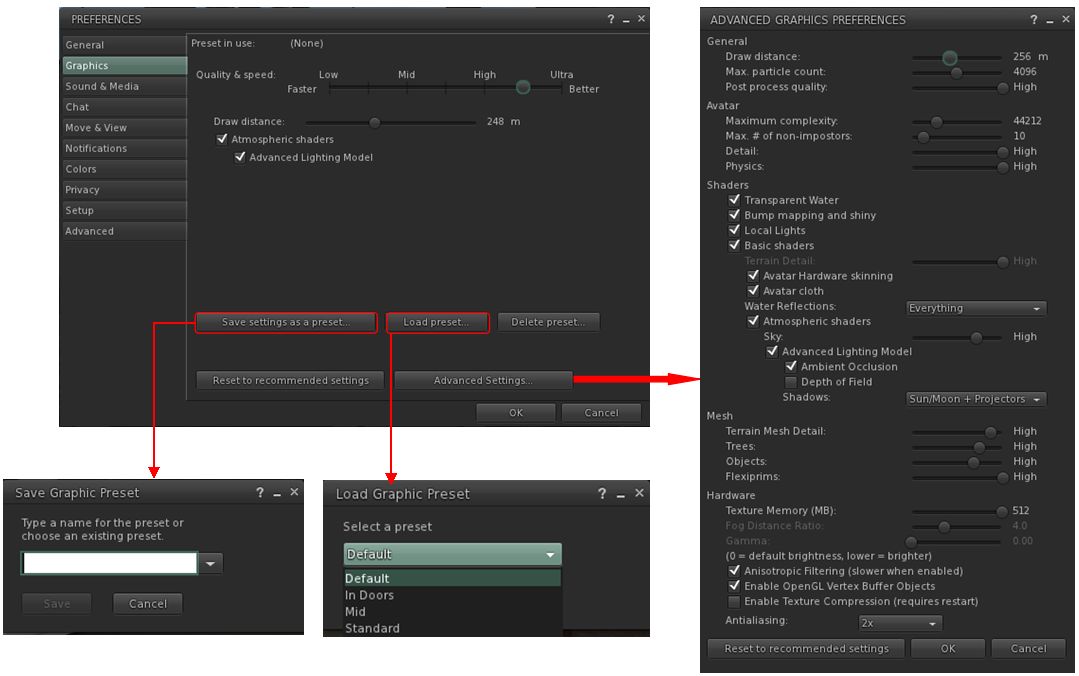
The viewer includes the means to create and save sets of graphics presets which can be quickly loaded according to need / circumstance to help maintain a viewer's performance
The viewer includes the means to create and save sets of graphics presets which can be quickly loaded according to need / circumstance to help maintain a viewer’s performance

Once a preset has been set-up, using the revised Advanced Graphics Preference panel, it can be uniquely saved, and then applied at will using the either via Preferences > Graphics > Load Preset, or more directly by the Graphic Presets icon located in the top right of the viewer.
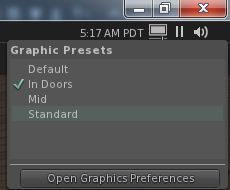
The new Graphics Presets icon profiles a quick menus of applying previously saved graphics presets and accessing Graphics PreferencesWhen the mouse is hovered over this icon (shown right), a list of all saved presets is displayed, a tick appearing alongside the one currently being used. Clicking on any other preset will immediately apply it.

In addition, this panel also has a button which will open the viewer’s graphics settings in Preferences.

As noted in my previous article on these updates, the Advanced Graphics Preferences panel has been seen as less-than-optimal due to its size; the Lab have acknowledged the feedback, but have not made any significant changes to the layout as yet with this project viewer release. Whether they do or not may depend on feedback they receive directly from users, and what they feel can be done to improve clear deficiencies.

The ability to create and save graphics presets is a welcome addition to the viewer – these are not the same as backing-up and restoring viewer settings as seen in other viewers, but do provide a fast and efficient way to adjust graphics settings according to situation, if needs be.

Avatar Complexity is liable to be an interesting addition to the viewer. While there is a risk of seeing a return of ADW / ARC drama, it also provides the means for people to accurately judge the impact their avatar might be having on others – and their own, given their avatar must be rendered by their own computer as well – SL experience. It also potentially offers content creators to better understand how the use of mesh and textures can impact other people’s SL experience, allowing them to further improve their products.

Those wishing to try the viewer for themselves can find it here. Keep in mind, that is it s project viewer, prone to possible bugs and to further changes from the Lab, and issues should be reported via the JIRA.
Impressions: a personal view of Second Life

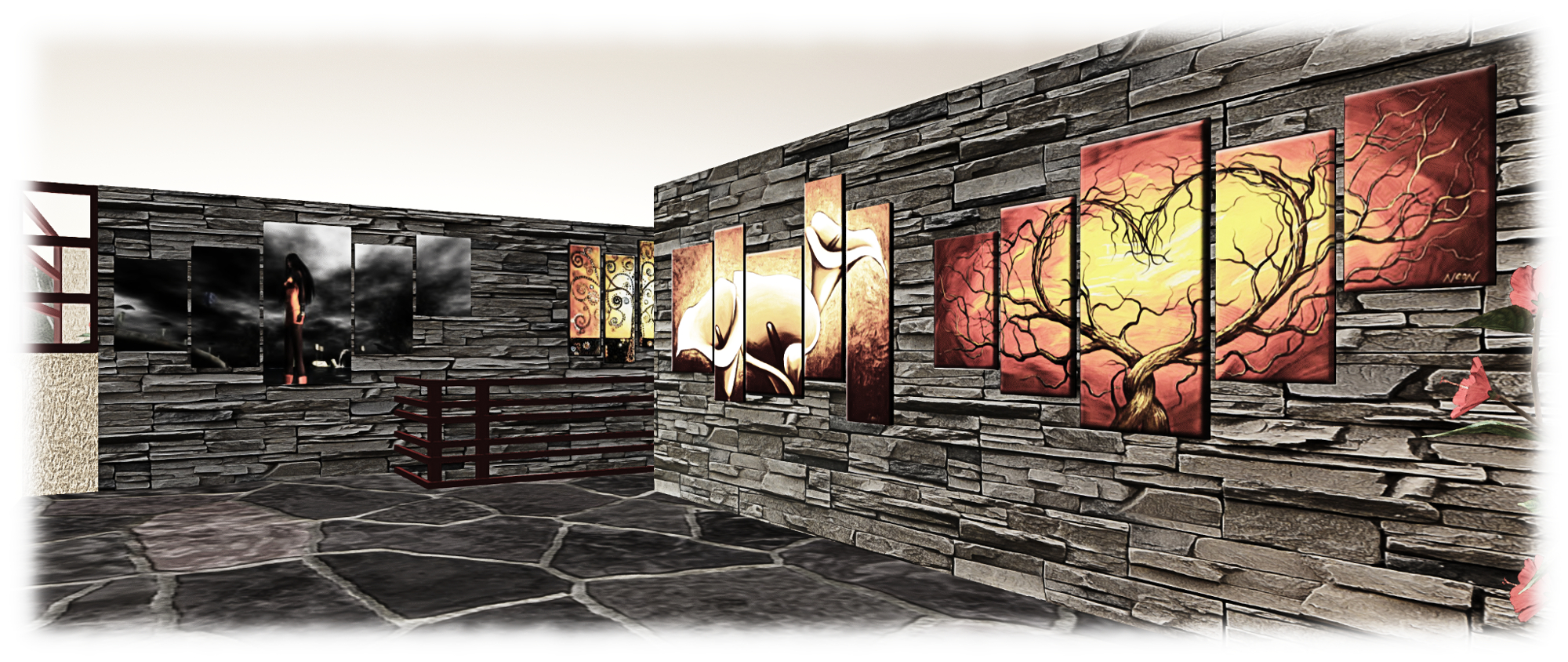
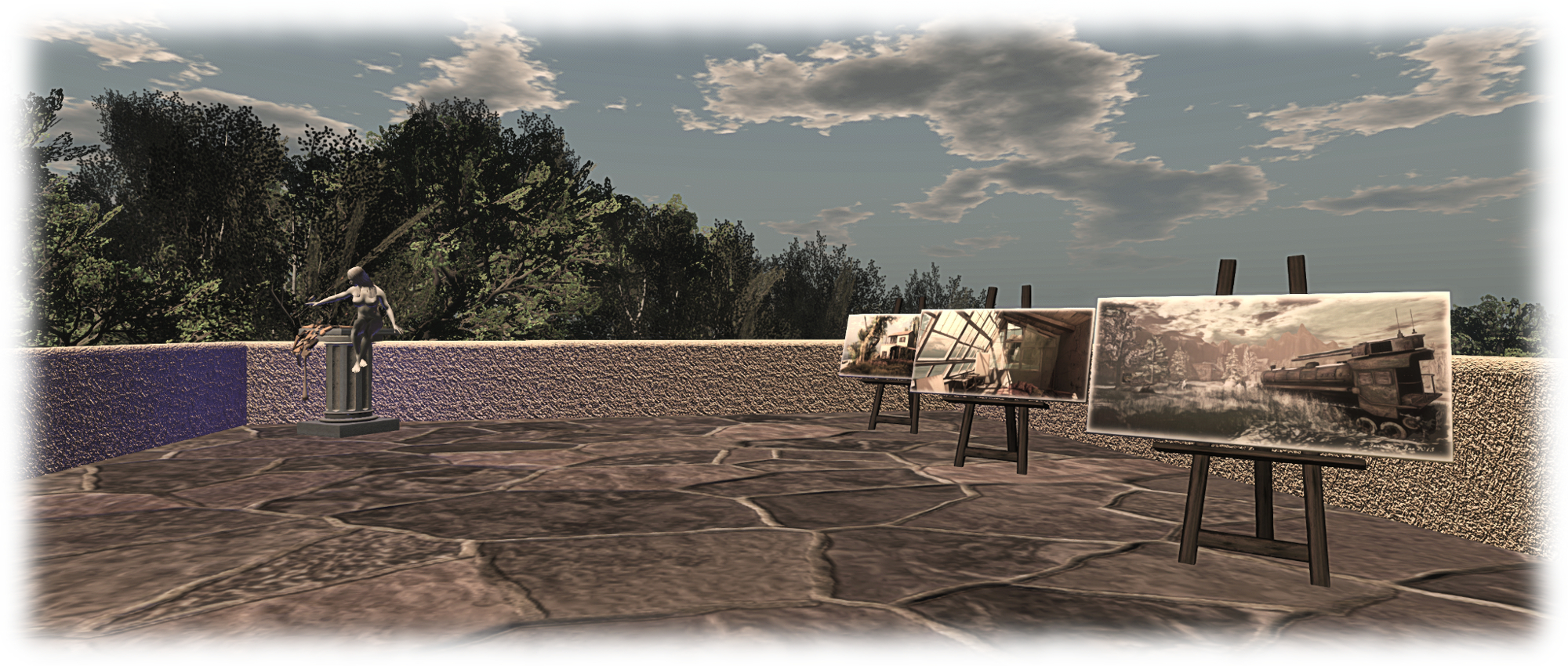
Impressions; Inara Pey, August 2015, on FlickrImpressions, LEA 6 – (Flickr) – click any image for full size

When Secret Rage approached me in mid-July and asked me to consider producing a full region installation in which to display my images from around Second Life, my first reaction was to refuse. Not out of stuffiness or false modesty, but because I genuinely don’t regard myself as an SL photographer, and am far from convinced the images I produce for blogging purposes are of interest as an exhibit.

However, Secret is a very persistent (and persuasive!) person; so I’m now pleased – and more than a little nervous – to say that my first ever art-focused installation in Second Life is now open, and I’m calling it Impressions. It can be found at LEA 6.

Impressions; Inara Pey, August 2015, on FlickrImpressions, LEA 6 – (Flickr)

So what is this all about? Well, three things, all summed up in the word “Impressions”.

  • The first is a display of my more recent images and videos of places I’ve visited around Second Life – the impressions they’ve given me, if you will.
  • The second is the 2D and (particularly) 3D work of a talented Italian student, CioTToLiNa Xue – work that made quiet an impression on me when I happened across it.
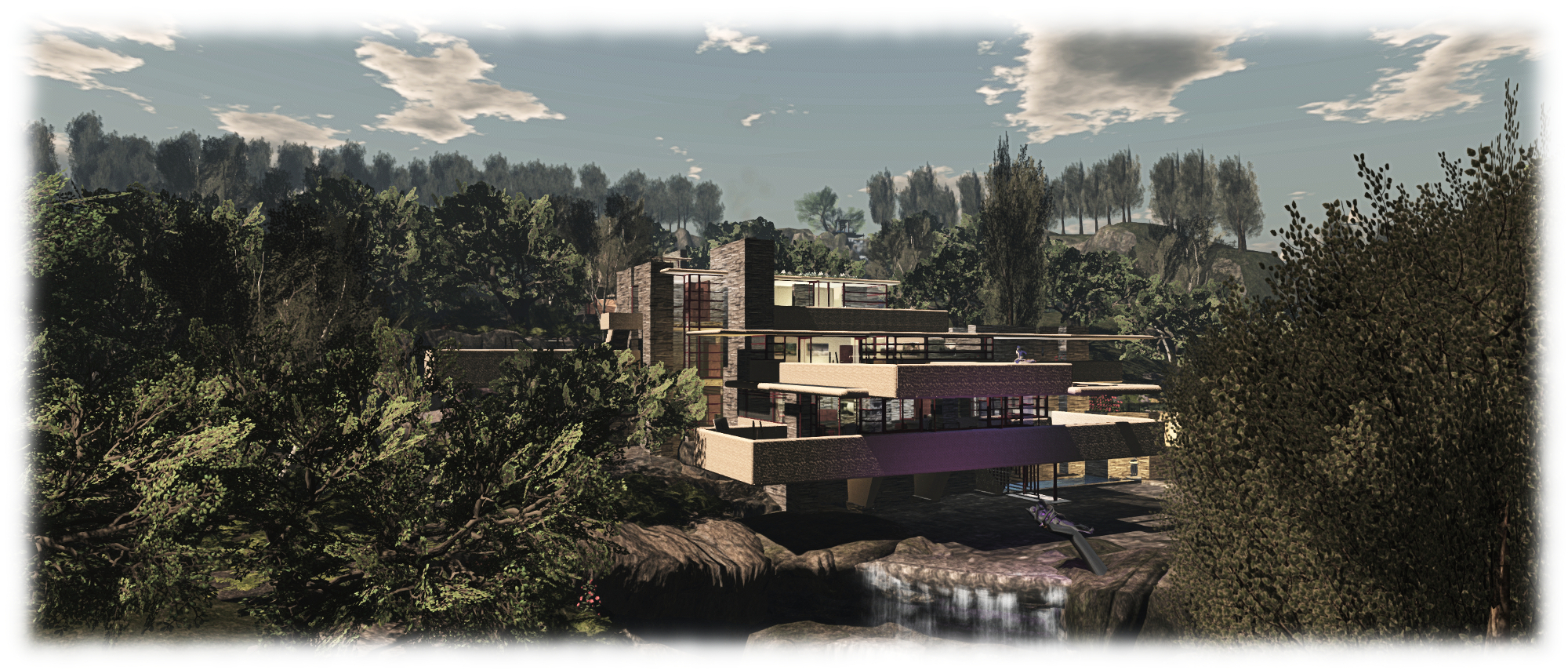
  • The third is the setting itself, an interpretation of and iconic American house of the 20th century, which has long made an impression upon me.

Impressions; Inara Pey, August 2015, on FlickrImpressions, LEA 6 August 2015 (Flickr)

I’m particularly pleased about the second of these bullet points. CioTToLiNa is an extremely modest woman who only started teaching herself 2D and 3D design six months ago, and I think what she is already producing speaks volumes about her developing talent. I came across her sculptures by chance whilst visiting Art on Roofs in July, and was really delighted when she agreed to display her work as a part of Impressions: they add a further depth to the house, the original of which features a range of sculptures and art pieces scattered around the buildings.

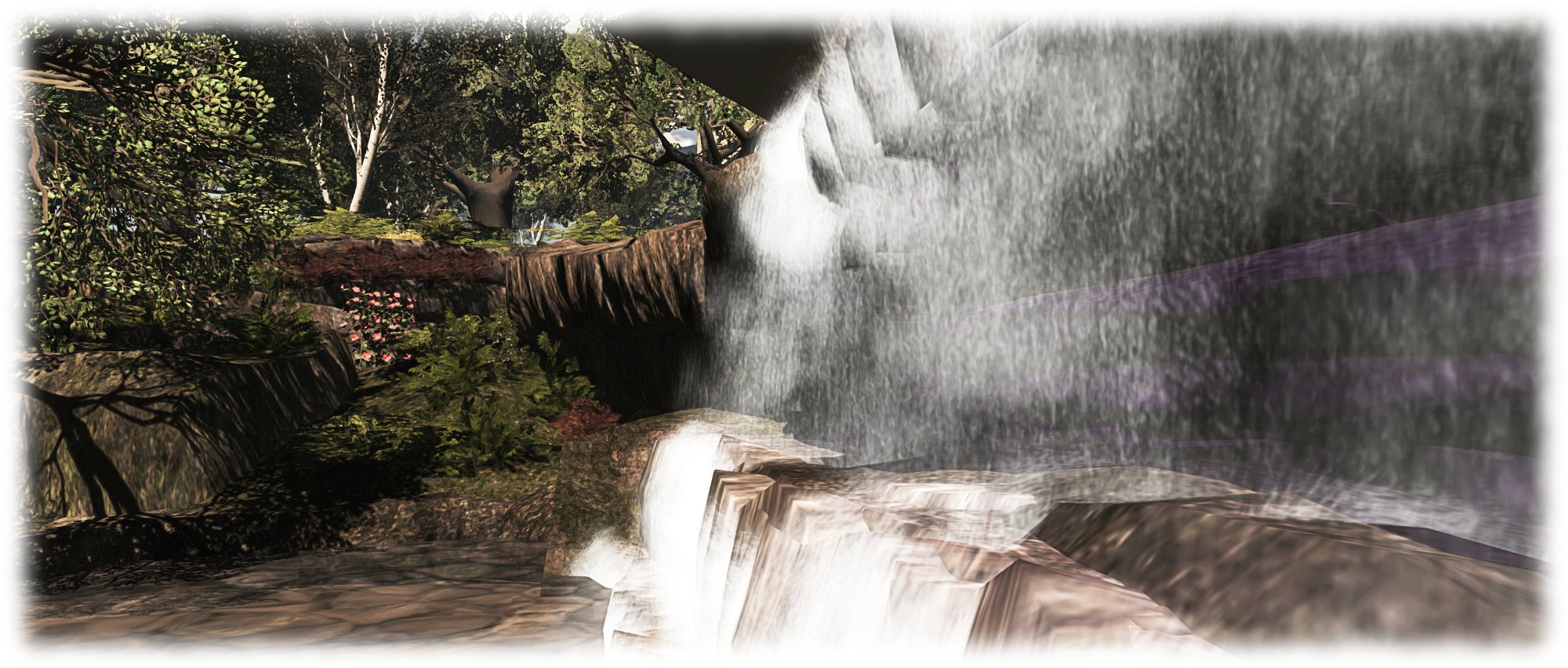
The house is a personal interpretation of a place I have yet to visit in the physical world, but have grown to love. I have attempted to be reasonably accurate in my interpretation ot the house and river over which it sits, but the rest of the region is purely made from my imagination, and offers places to sit in the sun or under moon, listing to the music, have a picnic, laze in a hammock, and so on.

Information givers at the landing point and in the great room of the house provide information on the art and images on display. So, I hope you’ll visit and enjoy! Impressions will be open through until the end of September – you’ll probably find me pottering around tweaking things here and there!

Impressions; Inara Pey, August 2015, on FlickrImpressions, LEA 6 August 2015 (Flickr)

There is no preferred windlight for the region – the sounds and lighting are designed to change with the SL day. However, if you wish to use a windlight yourself, I recommend the following for daytime lighting:

  • [NB]-MistyDay-5pm – set the Sun to around 11:00am-3:00 pm.
  • [TOR] MIDDAY – Baskaholic.

In closing, I would like to extend sincere and warm thanks to the following people, without their support, this installation would never have seen the light of day: Secret Rage, CioTToLiNa Xue, Jodi Serenity, Whirly Fizzle, Frankx LeFarve, and John.

With a very special and deep thank you to Cube Republic, whose generosity and support has been truly inspiring.

SLurl Details


Help MadPea and LLK build a school in Kenya

madpea-logoKess Crystal recently dropped me a line about MadPea’s 2015 Celebrity auction – with the news also now appearing on the MadPea blog; my apologies to Kess for my tardiness in getting this article out.

On September 27th 2015, the MadPea team will be running an auction in support of Feed A Smile / Live and Learn in Kenya – and right now they’re asking for support from folk across SL to make it happen, buy donating their time, interest and talents.

The focus of the auction comes by way of Feed A Smile. You may recognise the name from things like The Drax Files World Makers episode #16. At its heart, Feed A Smile, organised and run by Brique Topaz (Brique Zeiner in the physical world) provides nutritious warm lunches for over 400 children every day, paid for entirely from donations to the project. Over a third of the money directed at the programme comes from donations received within Second Life.

Help build a school in Kenya "Education is the most powerful weapon we can use to change the world" - Nelson Mandela
Help build a school in Kenya “Education is the most powerful weapon we can use to change the world” – Nelson Mandela

Feed A Smile is a part of a larger organisation run by Brique, Live and Learn Kenya (LLK). Right now, LLK is engaged in an ambitious project, and that’s where MadPea – and all who are willing to help – come in, as Kess explains via the note and the blog post:

They are currently in the process of building a school in Nakuru. The first classroom and staff office were opened in January but there is a long way to go with each classroom costing around 19,000 USD to complete. More information about the programme and the credentials can be round on the Live and Learn in Kenya Website.

Maybe you’re a photographer that could offer a portrait or a one-to-one tutorial of your work? A prolific blogger who could share your knowledge with another resident? A store owner or creator willing to give a demonstration or create a unique product. Maybe you’re a DJ or Live musician willing to give an hour show to a winning bidder. The options are endless and you get to choose what you give.

The first phase of the school opened in January, and LLK were there to celebrate with the first young students
The first element of the school opened in January, and LLK were there to celebrate with the first young students

The first elements of the school opened in January 2015, and work is continuing  – and there is a lot still to do. The aim of the auction is to raise L$1.2 million (approx. US $4800 / £3057 / 4229) to help further the project.

The auction will actually be preceded over Friday 25th and Saturday 26th September 2015 with a live music and entertainment event being scheduled to run through to the start of the auction on Sunday, September 27th, and which will take place at a specially built area at !Exodus! Rock Club.

I’ll have more news on the actual event schedule and venue nearer the dates. In the meantime,  if you would like to help with this auction by donating your time and abilities so people can bid for them, head on over to the LLK website and read more about the project, and then complete MadPea’s auction joining form over on Google Docs.

The plans for the completed LLK Nakuru school (click for full size)

This is an opportunity to make a real difference in the real world, as Kess and MadPea note:

We’ve seen recently with The Lexi Project just how phenomenal the generosity of SL’rs can be and how we can make RL changes to people’s lives when we work together. Please nudge your favourite SL Residents to join us by asking them to complete the joining form!

If you are a musician  / DJ and are interested in helping support the live entertainments associated with the event, please Kess directly at kess-at-madpeagames.com to register your interest.

Photographs and site plans courtesy of Live and Learn Kenya

Cica’s beautiful Strings and stories in Second Life

Stings - Cica Ghost
Strings – Cica Ghost

You may notice that my coverage of the arts in Second Life often circles back to the work of Cica Ghost.  The reason for this is simple: there is always something beautifully attractive about her work that draws me to it like a magnet.

Open now at Luna Isle, Strings is perhaps the most marvellous installation she has yet produced in a very long line of outstanding works created within Second Life; it’s a magnificent example of why I am so attracted to her art. And believe me when I say, this is not one you’re going to want to simply read about; – it is an absolute must see.

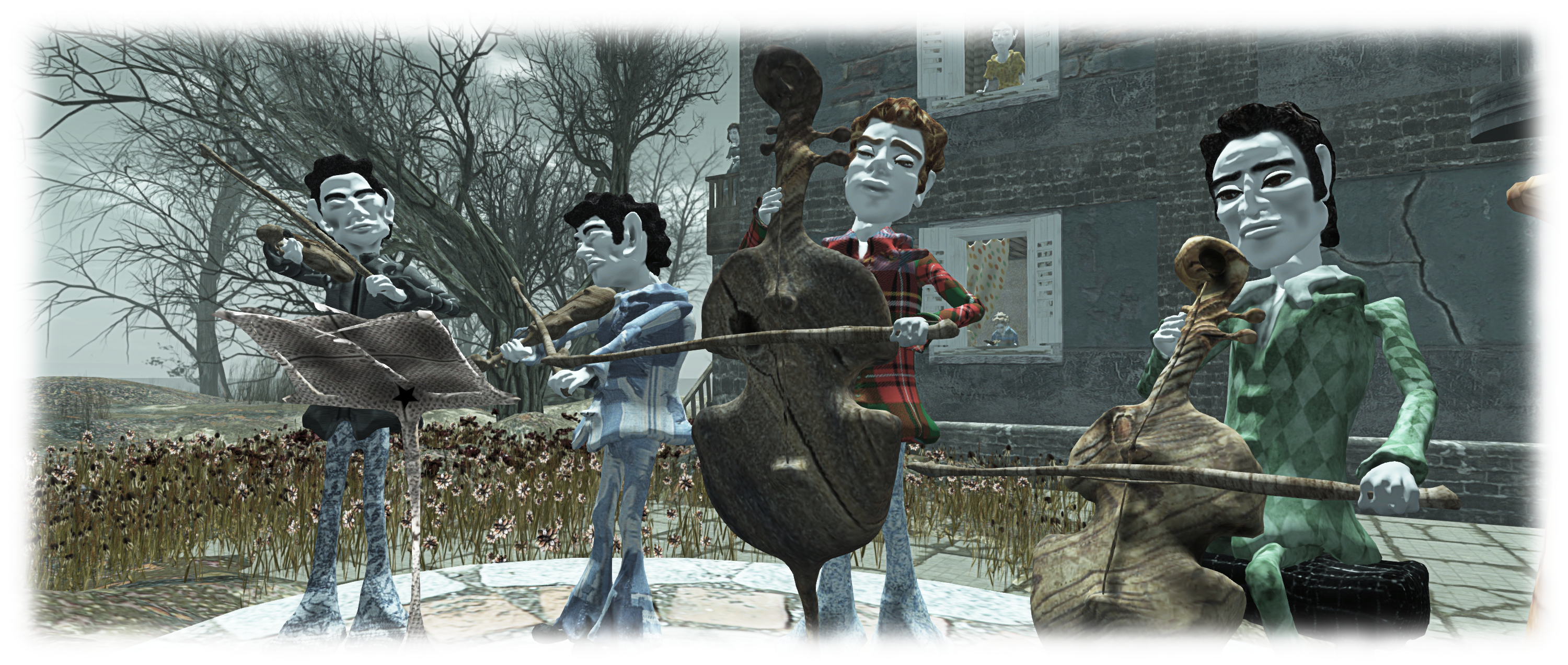
The initial tableau appears simple enough. On what might be the edge of a town, overlooking open country, or perhaps in the courtyard of an old villa now converted into little houses and apartments, a string quartet with piano accompaniment plays as others look on and listen with what seems to be varying degrees of interest – or even attempt to ignore.

Strings
Strings, Cica Ghost

Or is it really that simple? Look closer; this isn’t a single tableau; this is a collage of stories brought together in a single quilt of moments caught in time, framed by the music from the little quintet. As you look at the people gathered in the courtyard, on the balconies or sitting in their rooms, you can gain  glimpses into their lives.

I use the plural there not just because there are multiple watchers / listeners. but because the glimpses you catch of any individual or group of lives will change depending on where and how you observe them. Thus, each scene within the overall story is itself made up of multiple threads – strings, if you will – which combine in different ways to tell more than one story.

Strings
Strings, Cica Ghost

Take, for example, the woman on the middle balcony; is she actually listening to the musicians, or is she a harried mother seeking a moment’s respite and relative calm from the constant demands of a young daughter as the latter guzzles a glass of milk. Or is the little girl taking advantage of her mother’s distraction to help herself, and if so, what is it that is so occupying he mum’s mind? The music or something else?

The answer may lie on the balcony to the woman’s left, part of the same apartment and occupied by a lone man. Watch him closely; he also is not really listening to those below. Together his actions and the apparent air of pensiveness around her tell a story of their own.

Strings
Strings, Cica Ghost

Meanwhile, in the neighbouring apartment, a man sits over a chess board, the game frozen, his companion absent. Is she perhaps the motherly figure looking out of the window of the next room, or the daughter-like figure standing out on the stairway, both now looking out over the musicians.

But if the music was the cause for either of them to leave the game, why did they not simply go out onto the balcony of the room itself? why go elsewhere just to watch and listen? Could the young woman who has placed a distance between herself and the houses, standing alone, a forlorn expression on her face be the cause of their vigil? Or again, has she a story of her own to tell, and there’s yet another story to be found within the chess-playing family?

Strings
Strings, Cica Ghost

And thus it is with almost everyone we encounter here; what may at first seem a simple act – a glance, a hand upon another or a face at a window or even a book open on a person’s lap may seem to suggest one thing – but is that really the entire story? There are many threads – or perhaps I might say strings – here, which can be woven into many patterns by the eye and mind; thus we become more than visitors: we become passive participants in all we see; and quite wonderfully so.

Which shouldn’t be taken to mean the scene isn’t remarkable in and of itself without seeking deeper meanings. Strings is a wonderful piece of art whether taken as a whole, or studied at length. The characters inhabiting this little corner of the world all have their own personalities, whatever story you chose to tell, and they are beautifully designed – as is the region as a whole, filled as it is with Cica’s familiar touches and motifs. And if you fancy a dance, do be sure to touch one of the many stone cellos scattered around.

Finally, there is the audio stream, beautifully crafted by Cica to perfectly compliment and complete the central scene with the musicians, showing them to be a really talented group! I mean where else will you get to hear a string quartet offer a repertoire with everything from Queen’s Another One Bites The Dust and Bohemian Rhapsody through the likes of the Rolling Stones, Ziggy Stardust / David Bowie, Level 42, film soundtracks and The Phantom of the Opera, plus more, to arrive at O Come, Emmanuel?

These guys are wonderfully creative in their music – and Strings is a wonderfully created and creative playground for the eye and the imagination. Don’t miss it.

Strings
Strings, Cica Ghost

SLurl Details

Lab extends Concierge Live Chat to all Premium members

secondlifeMonday, August 17th saw the Lab slip out notice of the latest Premium membership sign-up discount under the headline Get 50% Off Premium Membership – Now with Even Better Support.

Previously appearing on a roughly quarterly basis, these offers / drives seem to have switched to bimonthly events since April 2015, which aligns them nicely with Halloween  and Christmas for the purposes of gift-giving.

Of particular interest to Premium members is the “even better support” mentioned in the headline, which the post expands thus:

Starting today, Premium Members can now receive support by live chatting directly with the Linden Lab Concierge Support team. This is the same team of Lindens that Estate owners speak to when they need help, and now all Premium Members have access to this level of support.

For those not already a Premium member, the discount period runs through until 08:00 SLT on Monday the 24th of August 2015.

Note that the discount is only available when signing-up to the monthly billing plan, and is only applicable to the first month’s payment, reducing it to US $5.00 (+VAT, if applicable). Payments thereafter revert to the usual US $9.95 (+ VAT, if applicable).

This marks the second time the discount has been applied to the monthly billing plan, the first having been in April 2015, with the June discount offer switching back to the “traditional” quarterly plan.  Whether this  means we’ll be seeing the offer alternate between monthly and quarterly plans with future discount offers, or whether the Lab is simply gauging which generates the greater interest, remains to be seen.

Second Life project updates 34/1: server and viewer updates

Baby's Ear; Inara Pey, July 2015, on FlickrBaby’s Ear, July 2015 (Flickr) – blog post

Server Deployments

As usual, updates and feedback may be available through the forum deployment thread.

There was no main channel roll on Tuesday, August 18th. The LeTigre and Magnum release candidate channel will also remain as they are for week #34.

The BlueSteel release channel received a new server maintenance package on Wednesday, August 19th, which includes internal improvements for inventory performance.

Commenting on the changes rolling to BlueSteel, at the simulator User Group meeting on Tuesday, August 18th, Simon Linden said:

If you notice anything on the Bluesteel RC channel after the roll, please file a jira on it with all the info you can about time and place and what happened … these changes aren’t about per[mission]s, I believe, but items and folders getting mixed up … Someone dug deep into the inventory system and identified some problems and tried to fix them.

The mention of permissions in his description of the update was the result of a question on whether the update would correct “perms bypassing”,  which he addressed directly:

I know there’s been some talk about permission issues but from what we can tell, there are no _new_ permission problems. The best advice I can give is that you have to be extra careful about changing permissions in inventory (or in an object inventory) and then transferring it before it gets rezzed. And what I mean by “be extra careful” is, “don’t do that.” 

There is a possible conflict if you change permissions while in inventory, and then pass it (without rezzing) to someone else.  In that case, the “next owner” permissions can conflict with what you tried to set, so the result may not be what you expect. That’s been around forever and is often the reason people end up making copyable objects that they want “no-copy”.

 SL Viewer Updates

On Tuesday, August 18th, the Lab promoted the summer Maintenance RC viewer, version 3.8.3.304115 as the de facto release viewer. This viewer includes over 50 maintenance fixes and update – please refer to the release notes for details.

The anticipated arrival of the Avatar Complexity / Graphics Presets project viewer in week #33 failed to occur, so perhaps it will arrive later in week #34.