Oberon Omura, who helps me keep abreast of things that are happening in the SL art world, sent me a little missive about Lemonodo Oh’s new installation at LEA24, which opened on Thursday, January 28th.
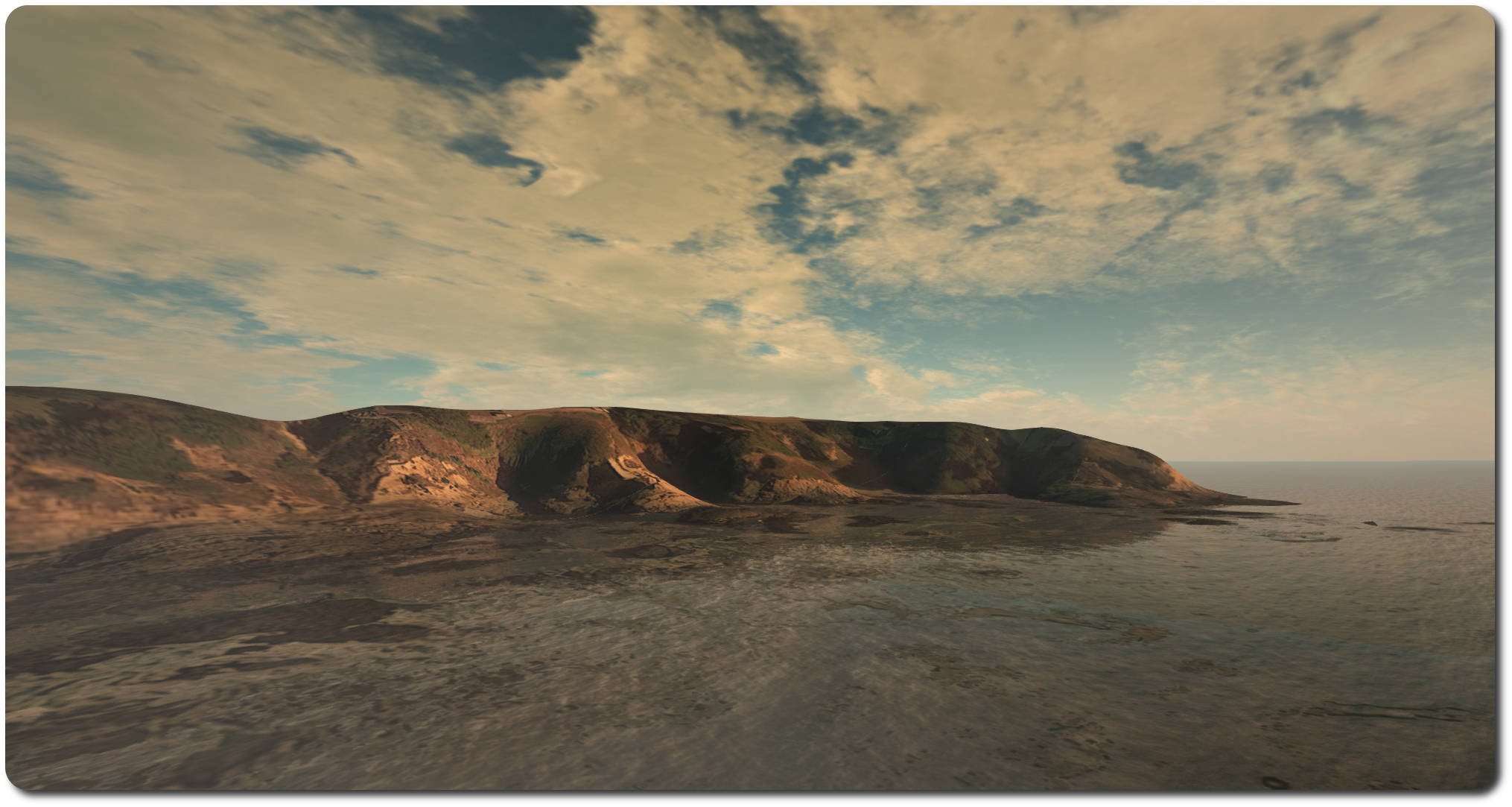
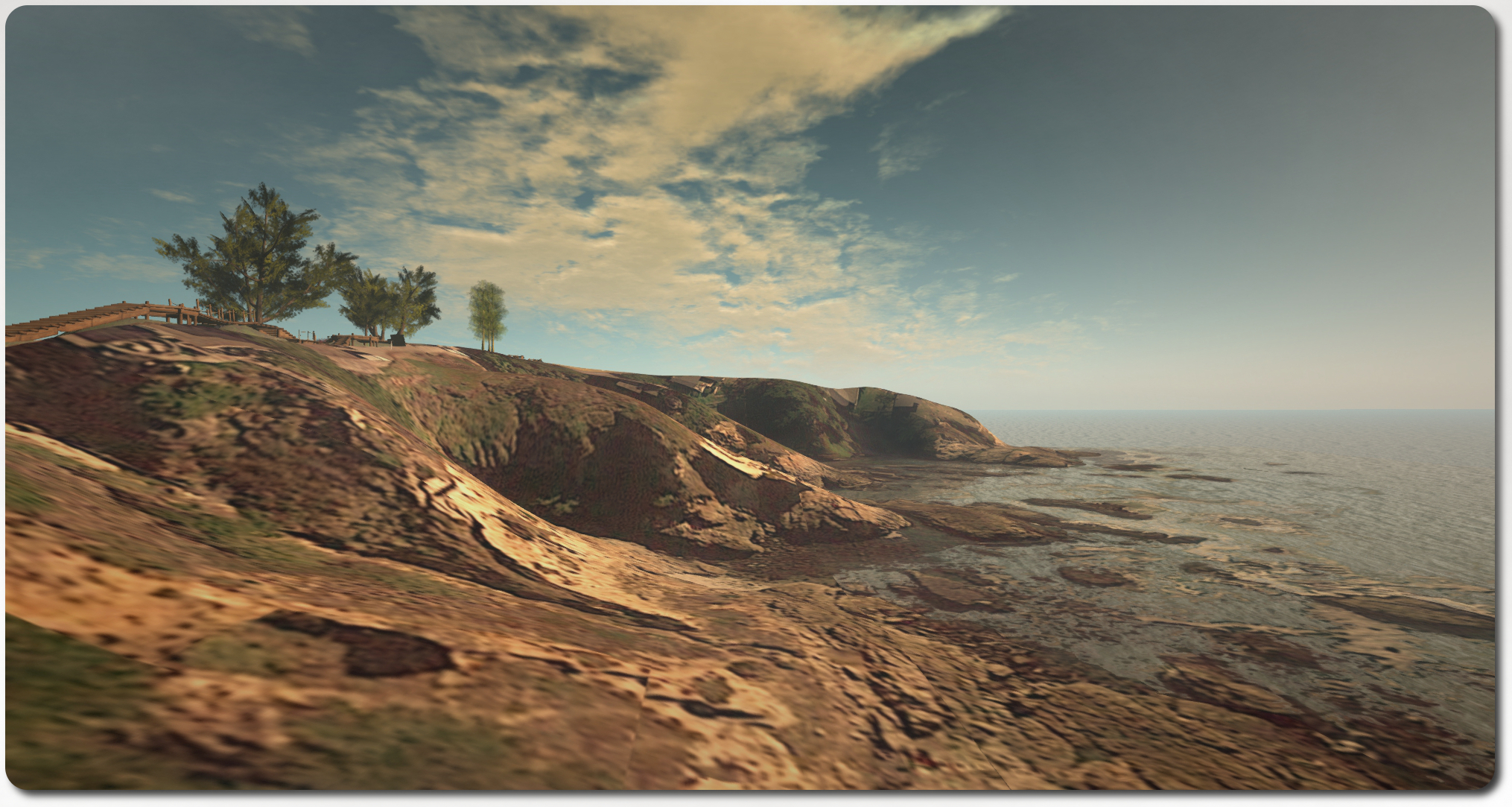
Borderlines is described by the artist as being inspired by the walks across SL organised by Vanessa Baylock, which caused him to come up with “defining a three-dimensional study area of a coastal region in maps and translating it to 64 sq m meshes and flat prims as appropriate.”
The result is what I’d define as an interpretation of a stretch of coastline, rather than a representation of that coastline. While the images used on the mesh and prim elements may well have been drawn from images available on Google Maps (and from, I believe, California), when put together as a whole and viewed panoramically under the right lighting, they could easily be part of the coastline from almost anywhere in the world; for my part, and while twiddling around with windlights, I was very much reminded of parts of both the Devonshire / Cornish coastline in the south-west of England and also of the Yorkshire coast.
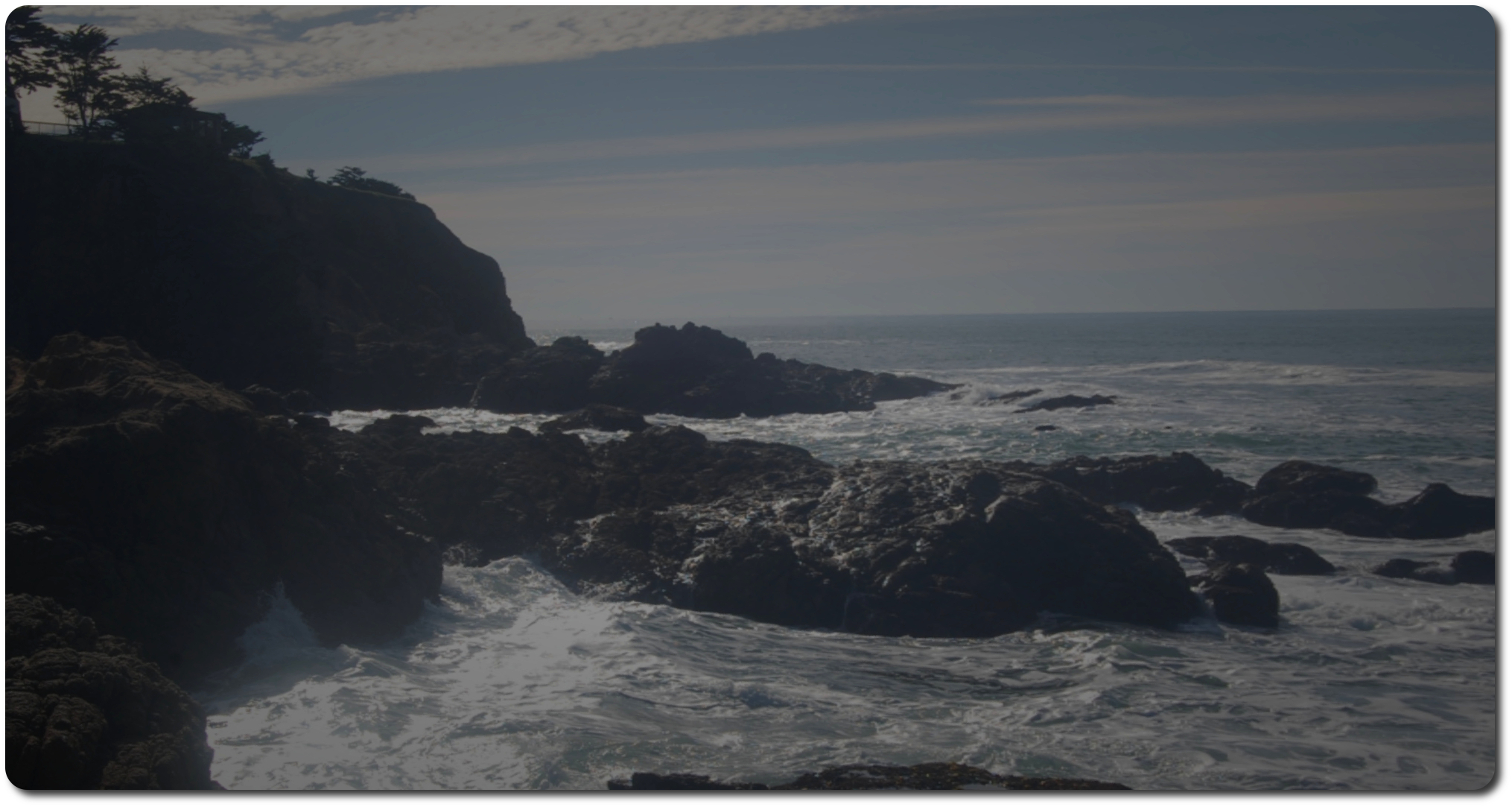
Scattered across the low-lying areas of the installation are a number of dramatic photographs which, if not of the same areas of coastline as represented in the model, bear a strong resemblance to them in places. These are cleverly hidden from view until approached, when they slow fade into view, and add a striking new depth to the piece.
Lemonodo notes that while the project hasn’t worked out entirely as conceptualised, it nevertheless involves a number of borderlines – hence the title. Some of these may be obvious, others not so, Lemonodo doesn’t enter into specifics, so it is up to observer to hypothesize. Several did suggest themselves to me, including the use of the region boundary between this installation and that of the Medici University on LEA23 (which involves Vanessa Baylock whose grid-wide walks initially inspired this piece, remember).
I confess to being more intrigued by matters of perception and contrast, particularly when looking at the coastline from various distances and camera positions, and the manner in which it presents itself to the viewer and the (perhaps untended) questions on perception and depth raised by the inclusion of Lemonodo’s quite beautiful photographs (of which I’d frankly like to see more) against the background of the somewhat “flat” appearance of the Google Maps images when see up close and as they form the backdrop to the photos.
However you look at Borderlines, be it as art or an experiment in modelling or perception, Borderlines offers an intriguing addition to the current selection of Artist In Residence builds at the LEA.
Firestorm is renowned not only for being Second Life’s most popular viewer, but also for the degree of end-user support provided by the viewer team. With multiple language support groups, in-world classes, a wiki, an in-world support regions, and so on, Firestorm offer users a broad range of support options.
On Tuesday, January 27th, Firestorm added to all of this with a new feature on their You Tube channel, entitled “Tool Tip Tuesday”. In launching the feature, Firestorm Project Manager Jessica lyon describes it thus:
Firestorm has so many features and functions most folks don’t even know about that we decided to do a series of short videos showcasing a hidden or lesser-known feature once a week.
The first of the new videos is just over six minutes in length and provides tips on getting more out of the camera, and short cuts which may help make using the camera easier. The tips include:
Use of the SHIFT and the CTRL/CMD keys with the mouse scroll wheel (if you have one!) to assist in camera movement / placement
Keyboard options to help with camera placement (e.g. CTRL-0, etc.)
Use of the main camera floaters (default and Phototools)
Saving and loading a sorted camera position (which may not be quite what you think it is!).
So why not take a look at the first video in the series and keep a note of Tip Tool Tuesday? Even if you don’t use Firestorm, you may be surprised by what you find.
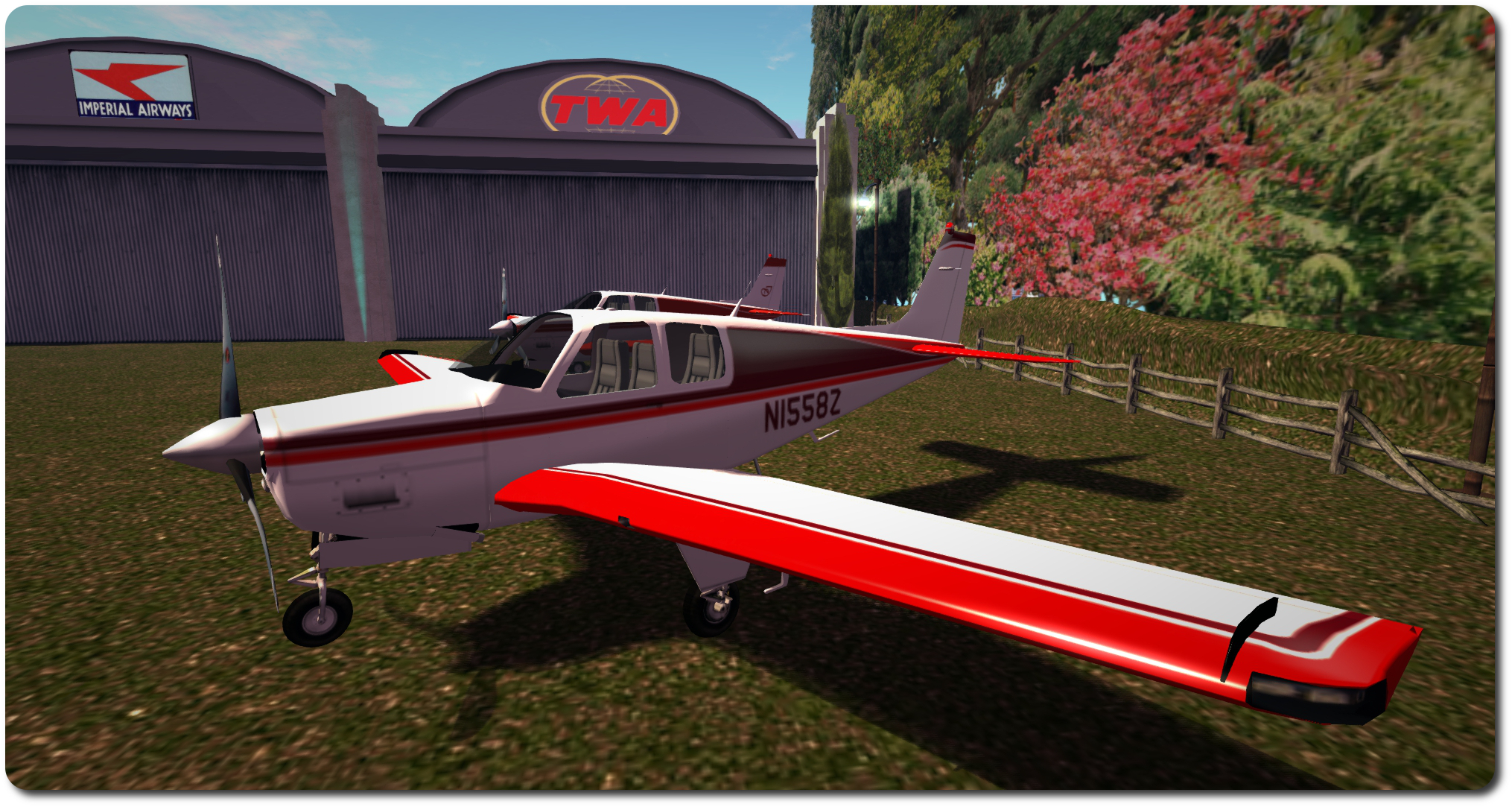
My customisation of a Vetron paint scheme for the DSA C33 Debonair, with the original Vetron colours (centre) and the original DSA paint scheme (furthest from camera)
Update, Thursday, January 29th: following the publication of this review, VetronUK started work updating the ribbing on the elevator textures in her Debonair kits. With some 74 kits to update, this might take a while, but if you do have one of them, you may well be receiving an update soon. Commenting on the update, VetronUK said, “I fly these paints myself and they are some of my favourite works, so if there is something not perfect about them I do get that nagging feeling to fix them :D.” All I can say is – kudos to her for move so swiftly on what is a pretty small thing I only noticed as I fixate on things like that!
Fellow aviator Terag Eshtan, knowing how I like to sort-of customise my boats and aircraft, pointed me towards VetronUK’s Vetron brand of painting kits, and particularly the fat pack of 60+ colour schemes / variations offered for L$1,195 for the DSA C33 Debonair which I recently acquired. As well as the fat pack, Vetron also supply individual colour schemes foe the C33 at L$195 each. The paint kits are provided full perm (subject to an EULA), with the allowance for them to be modified.
While 60+ paint options is a tad excessive for me, I was intrigued to note that Vetron paint kits can include materials options as well. Not only that, but in looking through the catalogue, I found a Red / white colour scheme that I rather liked, so I decided to give it a go. and I’m rather glad I did.
Vetron paint kits utilise materials, which add to the finish, as seen in the way sunlight is reflected in the ‘plane’s wing, above (Vetron default scheme shown)
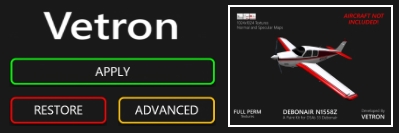
Each kit is supplied with a set of textures corresponding to the aircraft with which the kit is to be used (both with and without aircraft registrations in the case of C33 kits), a control script to be dropped into the ‘plane itself, and a HUD for applying the supplied paint kit / additional options (which may vary from aircraft to aircraft).
If you want to get an idea about how a specific colour scheme might look close-up prior to purchase, try visiting the Vetron store in-world, where you can rez demo models of DSA aircraft with the various paint schemes applied.
The HUD makes applying a Vetron paint scheme and options a joy
Using one of the kits is simplicity itself – instructions are given on the Marketplace listing for each kit, in a note card included with the kits and via a very clear PDF instruction manual. However, in summary:
Rez your ‘plane and drop the Vetron script into its contents
Wear the Vetron HUD
Click the Apply button on the HUD
Use the Advanced button to select any additional options which may be available, such as adding materials (normal and specular maps) to the ‘plane’s finish.
And that’s it; simples. The HUD even includes a Restore button, which will roll changes back to the original supplied default colour scheme for the aircraft.
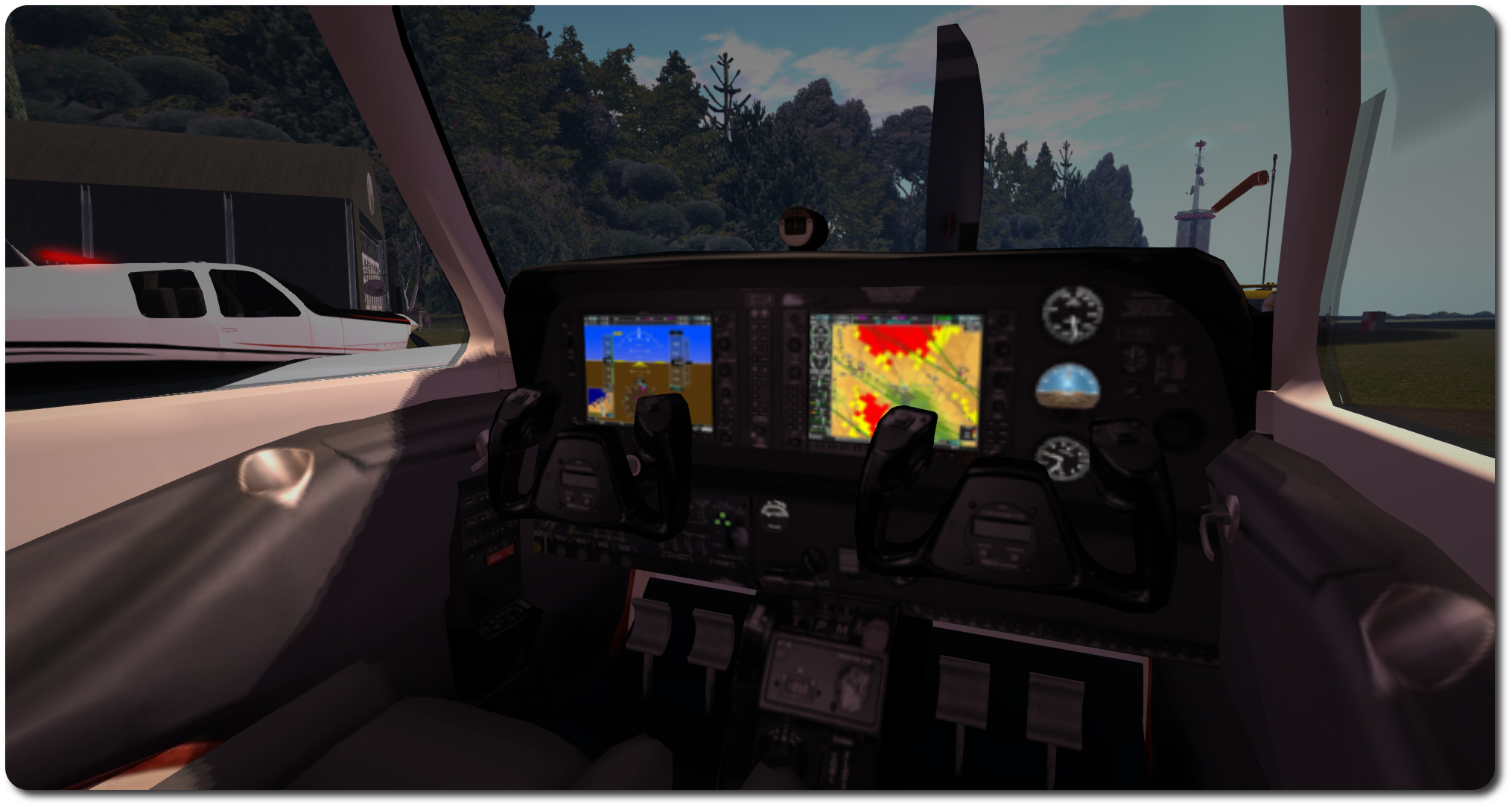
The C33 pack included new interior textures, added via the Materials option on the HUD
Customising the textures is achieve by saving the 1024×1024 files locally and then editing to them make your changes. Testing can be carried out by using the Local Textures option within the viewer, and applying your revised textures to the appropriate faces of the aircraft.
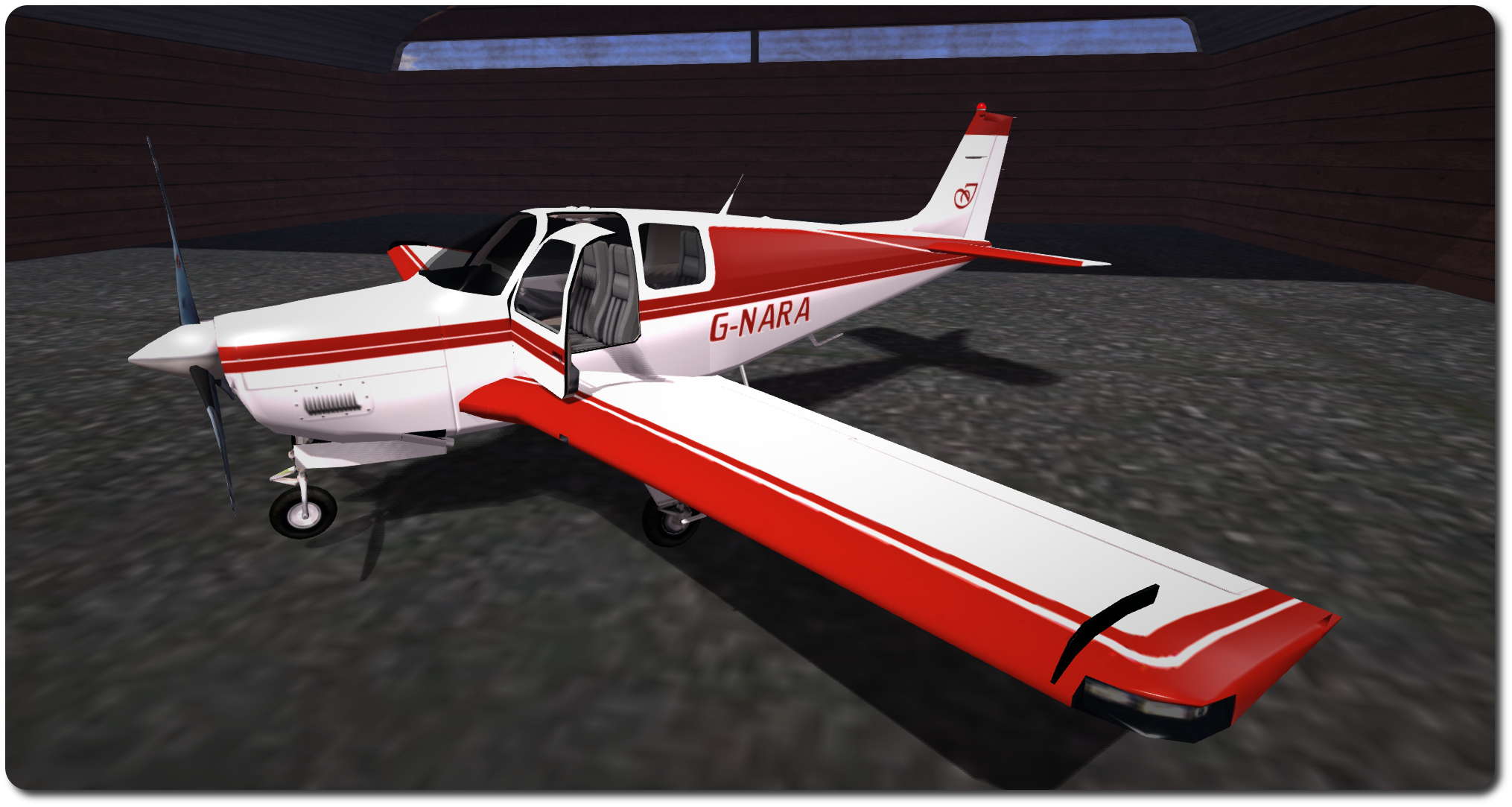
As the kit I purchased gave me a good baseline for how I wanted my C33 to appear, the work I did was pretty basic: altering the rest tints to a single colour, altering the tail and tailplane colour schemes, adding my usual registration & monogram.
The C33 kit does suffer the same issue as the original textures supplied by DSA, in that the ribbing lines on the tailplane’s elevators are significantly out-of-alignment when comparing the upper surface texture with the lower, but tbh, unless someone is looking really closely, this is unlikely to be noticed. Unfortunately for me, it’s also one of those things that, once noticed, can start nagging to be fixed. Fortunately, I wanted a two-tone tail with white elevators, so fixing this wasn’t a major problem, as I had to re-colour things anyway [Addendum: as noted at the top of this piece, VetronUK has / is correcting this.]
My C33 “G-NARA”, created using the Vetron paint pack for N1558Z as a baseline
Once you’re satisfied with your custom textures, upload them as per usual, and if you’re working with a MOD plane like those in the DSA range, again apply them directly from inventory to the required faces of the plane – you don’t need to use the Vetron HUD. However, you can still use the HUD to apply things like materials or glossiness to the plane if you want.
For those who would like a truly unique design, or who have a specific deign in mind that they’re not confident in producing themselves, VetronUK will consider custom work. Information and pricing guidelines are available via note card from her in-world store.
As well as the C33, Vetron produce individual packs (and fat packs) for other DSA aircraft (prices vary) and also kits for other makes of aircraft as well – making a visit to the in-world store worth the effort if you have various makes of ‘plane sitting in your inventory.
All told, the Vetron paint kits are extremely easy to use, and the use of materials really add a nice added finish to an aeroplane, the normal maps somewhat enhancing surface detailing and the specular maps giving a very natural level of light reflection on metallic / glass surfaces. Certainly, I have no hesitation in recommending the kits – in fact, I’m now eyeing-up one of red / white kits for DSA’s C90 GTX King Air! I may even let you know how I get on :).
On Tuesday, January 27th, the Main (SLS) channel received the server maintenance package previously deployed to Magnum and LeTigre, and which introduced the following changes:
A fix for BUG-8223 “Pictures Fail to Upload and send when Using Email Option from RC Regions”
a fix for BUG-8002 [Experience Tools] Allowed & Blocked experiences are lost with parcel subdivision.
Crash mode fixes
Code clean-up around avatar region crossings.
On Wednesday, January 27th, the RC channels should all receive a new server maintenance package comprising:
A fix for BUG-8247 “[Experience Tools] Issue with llRequestExperiencePermissions() triggering experience_permissions_denied() and XP_ERROR_NOT_PERMITTED_LAND after prior 5 minute no response period.”
Internal improvements for experience tools key-value functions.#
BlueSteel will also retain the Avatar Hover Height (AHH) server code with this release
SL Viewer
A new Maintenance RC viewer arrived in the viewer release channel on Tuesday, January 27th. Version 3.7.25.298030 brings with it over 30 fixes and updates to the viewer, ranging from language improvements through build issue fixes to feature requests. Using-facing updates include:
Uniquely identifying URLs for Second Life or Linden Lab domains
Interest list fixes for:
Preventing some prims / items in linksets from being deselected as a result of camera movement
Preventing Intan solo dance animations from ceasing to animate as a result of camera movement
A fix for voice / speak button failing to enable after activating voice on a parcel if it was disabled on entering said parcel
A fix for pixel width and height of the preview is not matched to value of Width or Height text-box in the “Snapshot to inventory” tab
A fix for prim size reverting to default size when scaled down and shift copied
A fix for an avatar’s sitting position becomes corrupted if ALT-SHIFT-S keyboard short cut is used while editing appearance
Feature request: CTRL-ALT-SHIFT-T shows up as notice toasts.
One of the changes in the new maintenance viewer allows SL / Lab URLs to be automatically indicated within the viewer – note the icon compared to an URL for an external link
While it is all over Twitter, it’s probably worth pointing out that as well as hiring for their new platform, the Lab is also still hiring people specifically to work on Second Life.
I’m going slightly off my usual beaten track with this travelogue in order to try to cover two interlinked regions through a single post.
Marathon Caye and Whispering Winds are two regions operated by Shaylin Yordstorm / Mrs (Taylee) Aldrin and Cranston Yordstorm / Cuthbert Aldrin which, while physically separated on the grid, are unified into a singular whole by the magic of teleporting. So much so that it really doesn’t matter which one you opt to visit first in your explorations; you’ll likely end up moving back and forth between the two as you visit the various attractions and features.
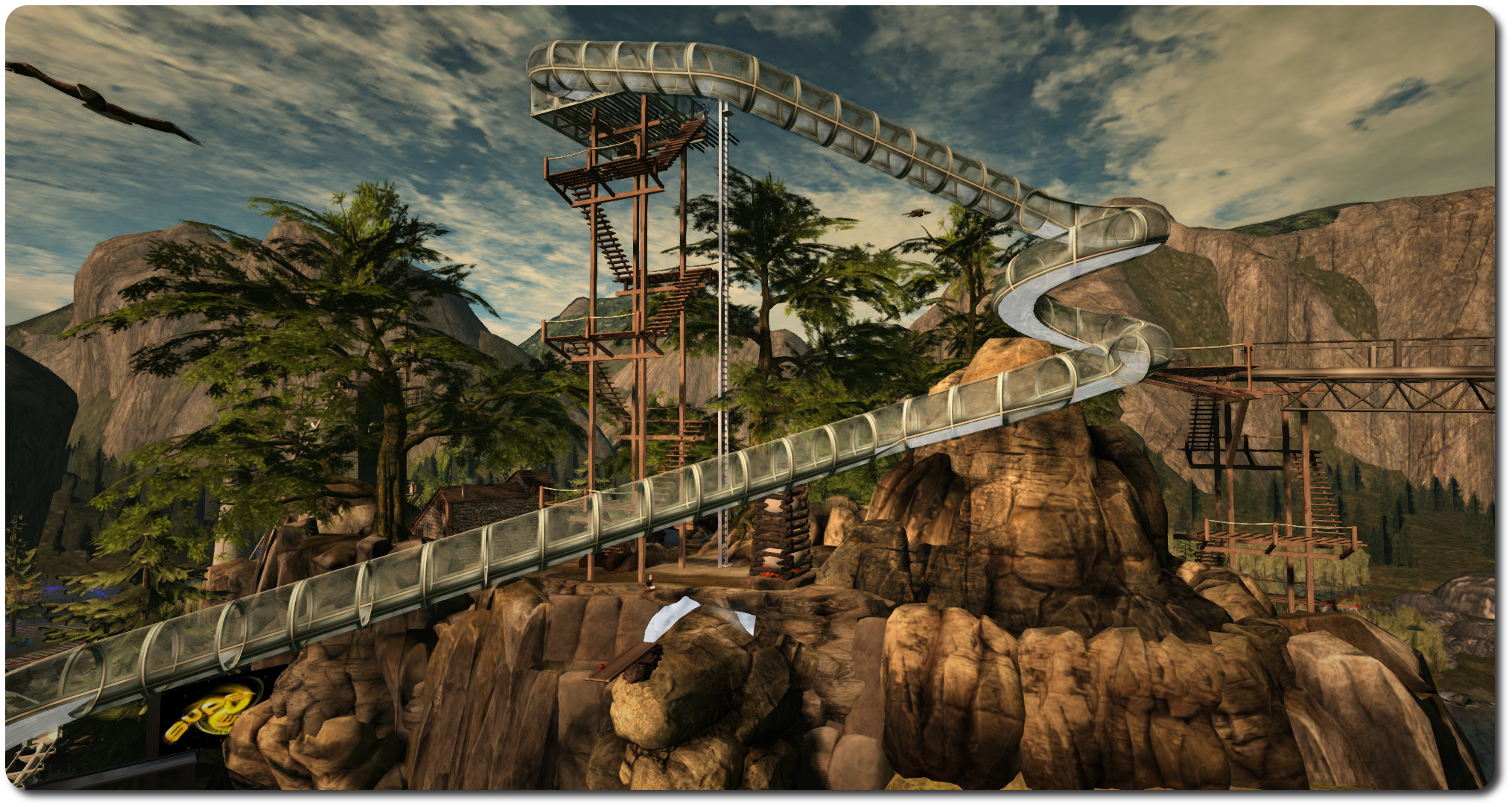
If I were to define both regions at all, it would be as a rural entertainment / amusement park venue, located in a woodland setting. Both offer a range of rides – log flumes, roller coasters, slides, bungee jumps (a first for me in SL!), – as well as opportunities for paddling around on the water and to meet Dwarfins.
With a total of six music venues across both regions (The Pavilion, The Rock House and The Ranch on whispering Winds, and Club CTO, the Amphitheatre and The Arboretum on Marathon Caye), keeping track of all that might be going on across the two regions is probably best achieved by checking the various Facebook pages Kaylin / Taylee and Cranston / Cuthbert have created, or through joining one of the relevant groups for the regions. Invites to the latter can be received on your arrival, while links to the former are available throughout both regions. In addition, there are Flickr groups for both regions for those who want to share the pictures they take (again, grab the links when visiting both regions).
For couples out for a quiet time together, there are various secluded spots to be found and various quieter rides to be enjoyed – such as the hot air balloon, a trip out on the water on a pedalo or rowing boat, floating soap bubbles, horse rides, and so on. Keep an eye out, as well for teleport links to the beach, the log cabin and so forth.
The landscape in both locations occupies a mixes of elevations, and if I’m honest, some of the building seem a little precariously perched in places. However, this is SL, a place where we can change the laws of physics if we like – or at least get them to look the other way – so who says everything must always be entirely natural-looking. Certainly the higher plateaus offer plenty of opportunities for a little exercise.
The various rides offer an additional level of fun to the regions, and having tired them all, I can say they work pretty well, and the water slide, roller coaster and log flume are quite effective in Mouselook, while the bungee jump certainly adds a new perspective on Second Life when viewed that way!
Given both regions are so full of things to do and see, keeping draw distance turned down might be in order for you, should you visit and depending on your system’s capabilities; I did note my own frame rates constantly dipping into the low teens during my explorations.
If you’re looking for a venue offering a range of live music events and activities to enjoy either on your own or in the company of friends, and which offers plenty of opportunities for retreat on the ground and in the air, a visit to Marathon Caye / Whispering Winds might well be the ticket.
Oculus VR came, in a manner of speaking, a full circle with this Year’s Sundance Film Festival, which is currently taking place in Park City, Utah, and ends on February 1st, 2015.
In 2012, journalist Nonny de la Peña showed (what was then) her latest journey in what she calls “immersive journalism”, Hunger in Los Angeles. The film utilised a head-mounted display unit developed by a 19-year-old student. So convinced was that student of the potential for VR, he started putting together ideas for a commercial, low-cost headset. A kickstarter campaign followed and … yes, you’ve guessed it, I’m talking about Palmer Luckey.
This year, Oculus VR are back at Sundance, in the form of their new in-house film studio, Story Studio, which is showcasing the first of five animated short films the company plans to make under the Story Studio banner over the course of the next year.
Located in San Francisco, Story Studio numbers around dozen film industry veterans from the likes of Pixar and Industrial Light & Magic under the leadership of Saschka Unseld, formally of Pixar. The company started to come together around a year ago, although as Josh Constine notes over at Techcrunch, the idea for the studio was already on the Oculus VR roadmap from the earliest days. Indeed, the very potential for VR in films as indicated by Oculus VR in their plans, many have been one of the added attractions for Zuckerberg in acquiring the company.
Certainly, Oculus VR’s CEO, Brendan Iribe is in no doubt that Facebook has been crucial in accelerating the film plans, noting to Constine, “this is another example where as a smaller, independent start-up it would have been hard to spin up an effort like this.”
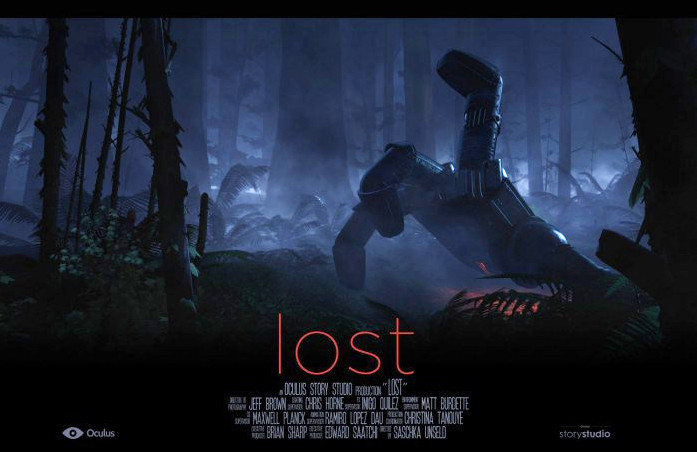
Lost, showcased at the 2015 Sundance Film Festival, is the first in a series of films from Oculus VR’s new in-house film studio: Story Studio (image: Oculus VR / Story Studio)
Lost, the title of Story Studio’s short, runs at between 4 and 10 minutes, the length being determined by the level of engagement in the film and what the decide to explore within it. As such, it is said to be a powerful demonstration of the added depth that VR can bring to a film. It is being shown in the Festival’s New Frontier programme, which this years see no fewer than 11 of the 14 submissions attempt to utilise VR.
Not all of them succeed, as Casey Newton and Bryan Bishop, writing inThe Verge note. Some mange to do exactly the reverse, and demonstrate the inherent weaknesses in VR if not used correctly, and the need to learn entirely new approach to filming, interaction and editing in order to properly create and maintain the desired level of immersion needed to make the use VR worthwhile.
It is because VR as a medium is so difficult a concept to grasp and successfully integrate into film-making that drove Oculus VR to create and develop Story Studio, as Iribe notes in a conversation with The Road to VR’s Ben Lang.
“When we started to show people [the Oculus Rift] in Hollywood, their question was ‘how do we get started?’… We said ‘you pick up these gaming tools like Unity or Unreal and you start making something’ but that’s not natural for [cinema creatives],” Iribe said. “Right now the focus is to support and inspire the community—share with them everything we’re doing, opening it all up. Over the next two months, we’re hoping to educate the community on how we did this and how we got started. We still have a ways to go before people are making longer film experiences.”
Unseld picks-up on this line while talking to Techcrunch’s Constine alongside of Iribe.
“Everyone who starts a project in VR encounters the same things in the beginning,” he states. “They try to figure out ‘How do I make these things I know from film work in VR? How do I do a cut in VR?’ The resounding answer is that porting film concepts straight to VR just doesn’t work.”
Thus, Story Studio will be a studio in both senses of the word. Not only will it be a engine for producing a series of short animated stories over the courses of the next year, it will also be something of a “open-source” VR cinematography “school” presenting and sharing insights into the use of VR in films, offering examples of how the technology works or doesn’t work within the framework of a film, and so on.
This is actually a clever move, as it allows Story Studio to both offer a roadmap on how other studios might involve themselves in VR and present them with the kind of finished product which can be seen to work, both technically and with audiences, thus giving them something they can understand, replicate and even enhance as the technology matures.
Of course, all this will also be helped by actually having the technology – the headset itself – actually available to use by more than a few thousand people world-wide. And even here Story Studio may offer a small clue as to when the consumer version of the Oculus Rift might appear.
According to Reuters, via Fortune On-line, Lost is the first of five animated shorts Story Studio plan to produce over the next year. Furthermore, The Guardiansuggests that all five will be released “in the run-up” to the release of the commercial version of the headset – which Iribe refers to as “Oculus Rift CV1”, while Iribe himself, when talking to Ben Lang, says all five films will be available for the CV1 product.So perhaps one way of counting down the time to the release of the commercial headset is to count off the Story Studio films as they appear…







 Inara Pey: Living in a Modemworld