Pictures in the Mind’s Eye

I’ve been waiting to visit Nino Vichon’s When the Mind’s Eye Listens since it opened, doubly so after seeing Ziki Questi’s piece on the installation. However, I held off for a number of reasons, one of them being that with my decision to get a new PC, I wanted to try my hand at some basic in-world machinima, and Nino’s piece offered itself as the ideal subject.

When the Mind's Eye Listens
When the Mind’s Eye Listens

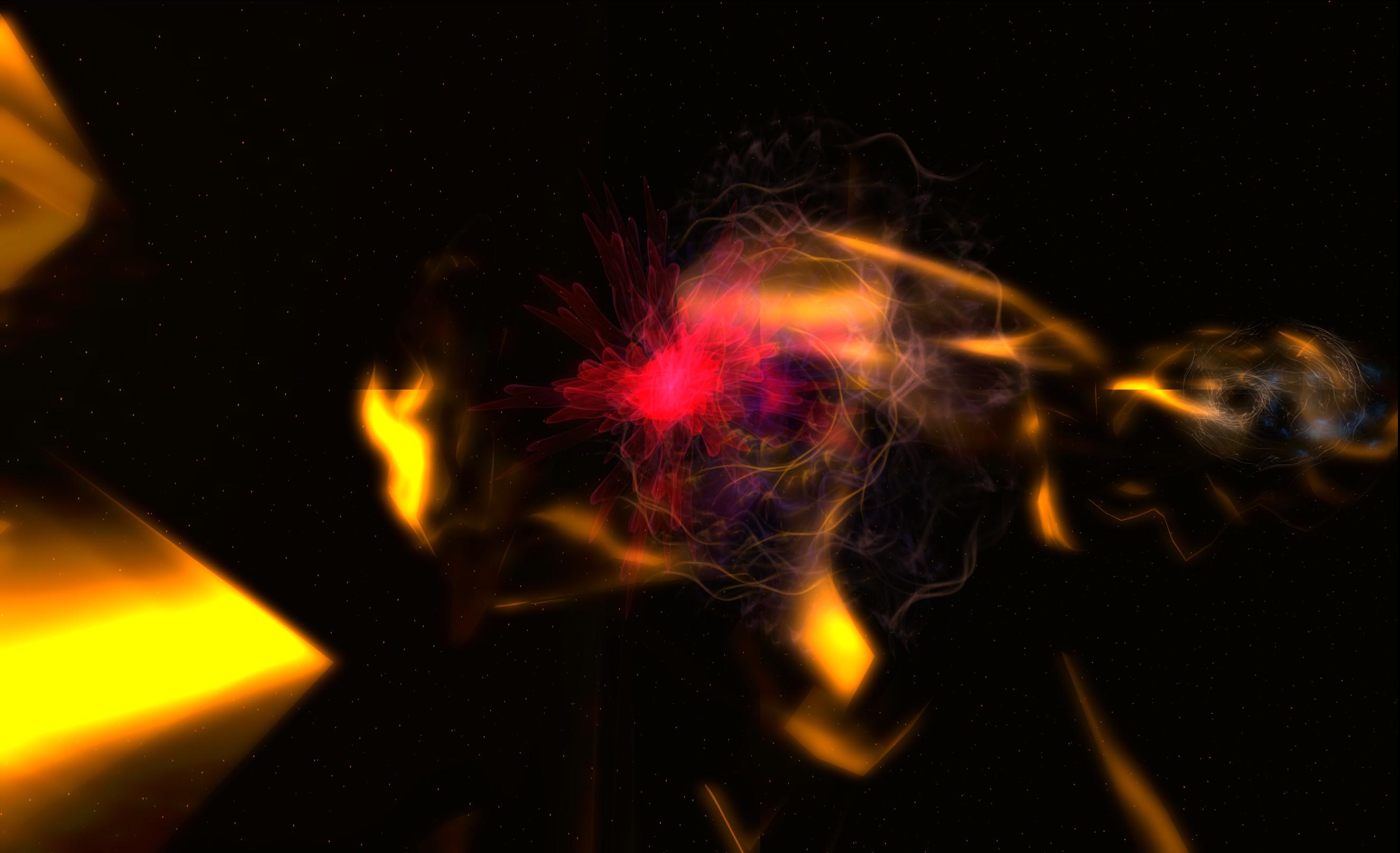
The piece itself, part of the Linden Endowment for the Arts Full Sim Arts series, represents a journey through the neural pathways of the mind, as they hold your dreams, memories and fantasies, often intertwining with one another or intersecting one another and creating new pathways, combining them with other stimuli, all of which my feed back into the creative drive.

It’s a fascinating piece, largely driven through particle generators, built across a number of individual levels which present an immersive piece which is ideal for experiencing in the first person via Mouselook. Simply use the magic carpet present at each level’s teleport point to ride the neural paths and let your eyes  – and ears, as there is an aural element to the piece – take-in the marvels of a quite creative and beautiful journey.
When the Mind's Eye Listens
When the Mind’s Eye Listens

Each level is entirely self-contained with its own carpet ride, and if you like you can try Nino’s suggested experiment and ride the carpet with your eyes closed and just listen to the sounds around you (best done with headphones).

If you want to enjoy the visual element of the installation, take a few minutes to adjust your viewer to get the best experience: set your time to midnight, push your particle effects up (if like me, you tend to tone them down during “normal” SL use), and if you have a viewer which allows you to do so easily, push up your rendered glow and luminance a few stops each.

When the Mind's Eye Listens
When the Mind’s Eye Listens

I’ve long enjoyed particle-based art in SL – as many know, I’m a paid-up member of the Tyrehl Byk fan club 🙂 – and Nino’s 3D work presented here is another excellent demonstration as to what can be achieved with the constructive use of particles in SL. With new particle capabilities already available server-side and just waiting the viewer-side controls, I’m looking forward to seeing what artists like Nino and Tyrehl come up with in the future.

Another thing which has long fascinated me in SL is machinima and video-making. While I have posted a few videos in my time to YouTube, all of them have relied upon still images and creative editing on my part to produce what amounts to slide shows with music, rather than true videos. This is because the old PC never really had the horse-power to handle SL and video capture. That’s changed with the new machine, and while I’m not going to be rushing off and filming everything at every turn, I did want to see what it would be like to capture and edit some “real” in-world video.

While it may seem a little cheeky on my part, Nino’s piece has been the ideal candidate for me, as I’m somewhat limited with things like camera movement as I only have a trackball (no Space Navigator or anything super-neat), and am currently reliant on the free version of FRAPS until I work out what it is I actually want to do by way of filming in SL. Nino’s use of magic carpet rides around the installation therefore freed me from the worry of camera movement while recording. I’m the first to admit I’ve got a lot to learn where video making is concerned, but, here’s my initial attempt.

If you haven’t already seen Nino Vichon’s When the Mind’s Eye Listens, I urge you to do so; it’s an amazing piece. Fare moreso than my video might suggest.

Related Links

SL projects update week 29 (2): server, viewer general news

Server Deployments week 29

As always, please refer to the week’s forum deployment thread for news, updates and feedback.

On Tuesday July 16th, the SLS Main channel received the server maintenance package previously deployed to Magnum in week 28.

On Wednesday July 17th, the three main Release Candidate channels received the following updates: individual updates:

  • Magnum became the RC with the server-side baking / appearance project enabled (SSB/A is disabled on LeTigre). This move was made to expose SSB/A to a larger number of regions and a larger number of users as a result
  • BlueSteel received a further package of under-the-hood changes related to the experience tools
  • LeTigre received a new server maintenance project, which included fixes for several issues, including a further updated for pathfinding characters using CHARACTER_STAY_WITHIN_PARCEL getting stuck if they somehow exited their home parcel. It also added “RenderMaterialsCapability” to the /simulator/features cap, which indicates the access rate allowed when accessing the “RenderMaterials” capability, and Increased the “RenderMaterials” capability access rate to 4 requests per second (up from 1).

SL Viewer Updates

Release Candidate Viewers & the Release Process

The first of the viewer Release Candidates became public on Thursday July 19th. This is a maintenance update (3.6.2.278602) with a number of individual fixes from LL’s viewer maintenance team.

While the actual order of release is not clear, it appears that the next Release Candidates which will be added to the viewer release channel will be:

  • Viewer Breakpad changes
  • The Vivox updates
  • A Snowstorm (code contributions) build.

Which of these RCs is promoted to be the defacto release viewer will be depend upon a number of factors, including how well each performs as a release candidate (in terms of performance, crash rate, etc.).

Because Release Candidates are “cohorts” within the viewer release channel, you cannot download them as a distinct viewer installer package via the Official Alternate Viewers wiki page. However, release candidates can be tracked (and the source code obtained by those interested in self-compiling viewers) from the Official Viewer Source Repository page.

To give some idea as to why the new process has been introduced, Simon Linden indicated there is around four months of viewer work currently backed-up and awaiting release. This may mean that initially, there might be a higher bumber of RC viewer cohorts in the release channel than will be the case once the backlog starts to clear.

For a complete breakdown on how the new release process works, please refer to my explanation of the process.

I’ll be endeavouring to keep pace with official viewer updates, including cohorts, through my Viewer Round-up Page.

Settings.xml

The plan to use a single settings.xml file for all installed versions of the SL viewer is currently dependent upon a snowstorm code contribution which is currently in the pipeline. Once this has been implemented within the viewer code, it should help eliminate problems of users on the SL viewer reporting their settings have been “eaten” / overwritten should they move between different versions of the official viewer (i.e. swapping between the release viewer and a project viewer and back again).

Group Ban List

Baker Linden continues to work on the group ban list project (see JIRA VWR-29337). The last time he was available for an update at the Simulator User Group on Tuesday July 10th, he indicated that he was working on the back-end code, which required a lot of refactoring and which he was hoping to get finished by the end of week 28 prior to moving to the viewer-side code.

Speaking on his behalf at the Server Beta meeting on Thursday July 18th, Simon indicated that Baker may have achieved his goal, and is now working on the viewer side of things and the UI.

Experience Tools

Again, no major news here. The server-side updates (which presumably include the long-awaited permissions system updates) continue to reach RC channels, but there is no news on the viewer-side updates which are expected to be appearing in a project viewer at some point in the (hopefully) near future.

Related Links

An Untroubled time in Second Life

To celebrate the fact I’m getting settled with the new PC (and have finally caught-up on all the Windows 7 updates – I think) and again have a little more time to get in-world and peek around after some RL matters demanded my attention, I decided to pay a visit to The Untroubled Sound – possibly one of the most photographed locations in SL, and deservedly so.

TUS-1_001
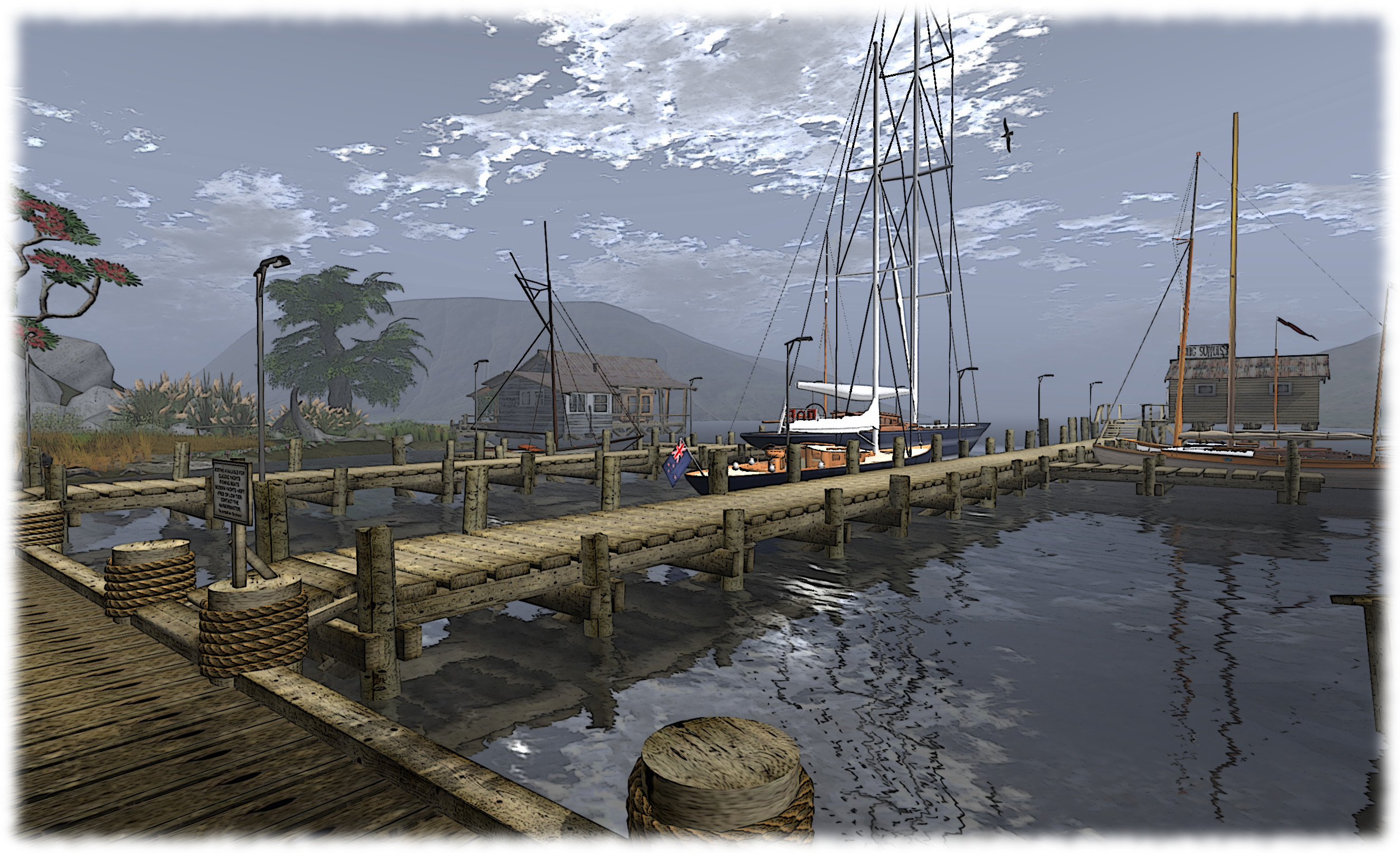
The Untroubled Sound

Modelled after the Marlborough Sounds on the South Island of New Zealand, I feel some affinity with The Untroubled Sound as somewhere deep inside me, courtesy of Dad’s side of the family, there is a little bit of New Zealand heritage.

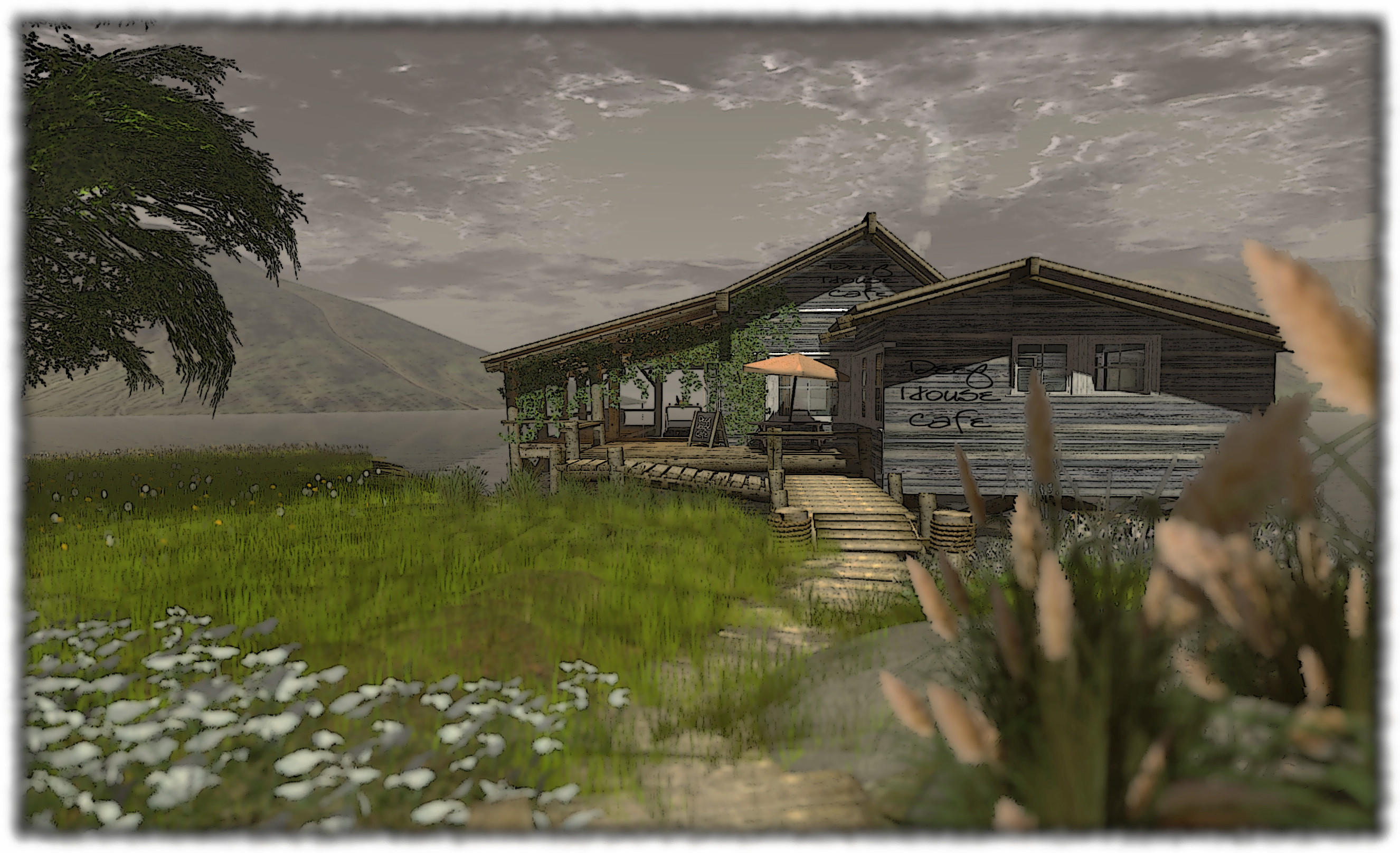
The region has been designed and developed by Theartfullone Skytower (Arty for short) and is home to a number of his ventures, including Artful Designs, TAO audio and The Deep House Cafe.  The main part of the region is devoted to a small marina-type environment, with wooden quays for sail boats, a boatyard and the Cafe itself, with the buildings doubling-up as very subtle stores for Arty’s various businesses.

TUS-11_001
The Untroubled Sound

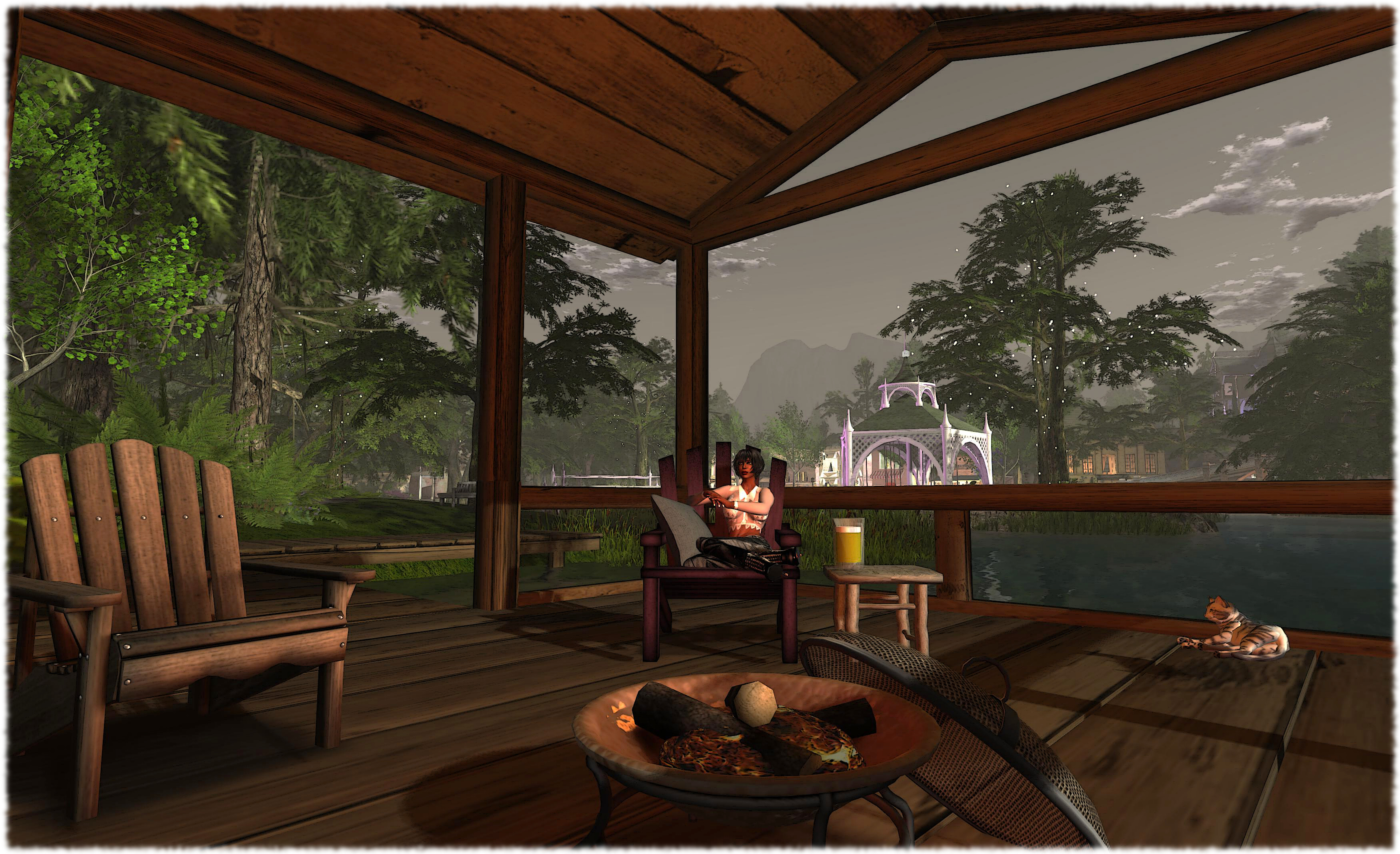
A sim surround helps develop the illusion that one is deep within the sea-drowned valleys of the Marlborough Sounds, and it is easy to imagine oneself boarding one of the sailboats or yachts moored here and heading out into the valleys and into bluewater for a day’s sailing before returning to the marina  once more and spending a little time chilling at the Deep House Cafe or perhaps strolling around the island to the campsite or simply to admire the flora here.

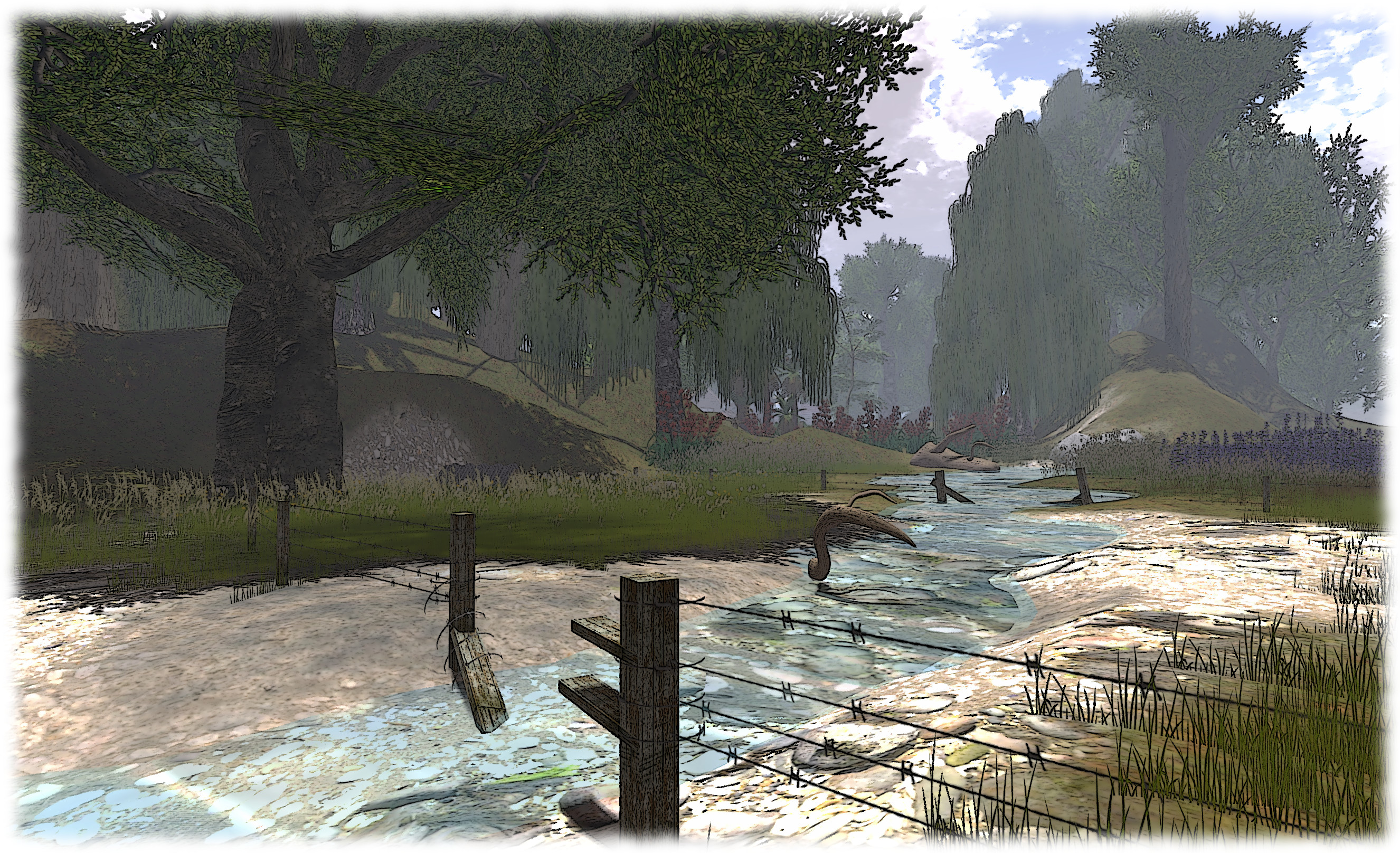
One of the great charms of The Untroubled Sound is the degree of love and passion for his native South Island Arty has poured into the place, which includes embarking on a project to re-plant the region using trees and plants native to the region in RL – many (if not all) of which have been created by Arty himself. This work is apparently – in another nice touch on Arty’s part – being undertaken by Te Papa Atawbai – the New Zealand Department of Conservation!

TUS-14_001
The Untroubled Sound

Follow the paths around the region and you’ll find information boards on the local flora which both help to give more context to the region and deepen the immersive experience, as it feels is if you are on a conservancy trail through an area of the Sounds.

This is another region which, although already stunning in its design and look, to me looks to be an ideal showcase for the use of materials. The buildings are all of wooden construction with what appear to be corrugated steel roofs, while the quays are all wood plank and wood piers and brick walls with heavy chain decoration and stone pathways  – all of which (allowing for the more complex prims and possible LI inflation) would likely look pretty amazing with materials added.

TUS-19_001
The Untroubled Sound

I’ve already mentioned that my SL has been given something of a new lease of life thanks to the new PC – I’m still twiddling with settings to determine what I’m most comfortable with – but I’m also using a pre-release of Firestorm, which offers a new set of windlights which are also somewhat O.O and which I’ve been experimenting with, as well as adding a few more to my personal preferences, all of which I hope will help me further with developing a look and style to my pictures. Not sure this actually means improving anything in my snap-taking, but it is new shiny for me to play with :).

In the meantime, if you’ve not visited The Untroubled Sound and want to enjoy a little slice of New Zealand paradise – I warmly recommend that you hop on over there and have a look for yourself, and leave you with a brief slide show with images in a decent resolution (for a change!).

Related Links

(view slideshow full-screen)

SL projects update week 29 (1): server, viewer, SSB/A

Server Deployments – Week 29

As always, please refer to the week’s forum deployment thread for news, updates and feedback.

Second Life Server (SLS Main) Channel

On Tuesday 16th July, the SLS Main channel received the server maintenance package previously deployed to Magnum in week 28, intended to fix a couple of pathfinding issues:

A slight issue at the start of the rolling restart process on Tuesday 16th July meant that some regions on the main channel experienced to restarts, with the second updating to the correct release.

Release Candidate Channels

On Wednesday July 17th, the three main Release Candidate channels should each receive individual updates, as follows:

  • Magnum will become the RC with the server-side baking / appearance project enabled
  • BlueSteel should receive a further package of under-the-hood changes related to the experience tools
  • LeTigre should receive a new server maintenance project, which includes the following fixes and new features:
    • Fixes:
      • BUG-969 “teleporting breaks collision detection state for volumedetect objects”
      • BUG-2931 “run_time_permissions no longer triggers in attachments after requesting 0 permissions”
      • A further fix for the issue of pathfinding characters using CHARACTER_STAY_WITHIN_PARCEL getting stuck if they somehow exited their home parcel
    • New Features:
      • Added “RenderMaterialsCapability” to /simulator/features cap, which indicates the access rate allowed when accessing the “RenderMaterials” capability
      • Increased the “RenderMaterials” capability access rate to 4 requests per second (up from 1)

Viewer Updates and Release Process

As I reported at the time (see New viewer release process implemented), the new viewer release process went live in week 28. I’ve provided a complete breakdown of the process and what it means in general, for those who wish to know more.

This has seen a number of beta and project viewers appear on the revised Official Alternate Viewer wiki page, with updated viewers including:

  • On July 15th the Second Life Beta channel saw a new release  – version 3.6.2.278491 (release notes)
  • CHUI updates continue to appear first in the CHUI project viewer, which released version 3.6.2.278372 on July 9th
  • The project Cocoa viewer for the Mac also updated on July 15th, to version 3.6.1.278025.

SSB/A Update

In a late change to the deployment schedule, Magnum will the RC channel to have SSB/A enabled following the rolling restarts on Wednesday July 17th.

This will include a fix for BUG-3203, the “notecard bug” I reported on in week 28 (with thanks to Whirly Fizzle), wherein  if you create a notecard in an SSB/A region (i.e. a region on the LeTigre RC at the moment) and attempt to embed anything in it (e.g. LMs, textures, other notecards), the notecard will fail to save with the message: Unable to upload (asset ID number) due to the following reason: The server is experiencing unexpected difficulties. Please try again later.

Continue reading “SL projects update week 29 (1): server, viewer, SSB/A”

New beginnings in Second Life

I’ve made mention a few times that my PC has not been in the best of health. I’ve had a range of issues with SL and other applications which have been steadily increasing over the last couple of months and which finally pushed me into taking the plunge and getting a new machine after finding a rather spiffy-looking UK on-line supplier.

Even so, I confess I dithered over actually buying a machine – so much so that between first finding the box I wanted and actually placing an order, the price went up (a whole £12.00! Eeep!). Part of the dithering was because I really didn’t want to get a new computer purely for SL (which was having the greatest number of issues with the old machine); part of it was also because if I was going to get one, I wanted to make sure I got the right balance of performance / price / degree of “future-proofing” (if such a thing exists in computing) without spending silly money. This latter point also involved me in going out and doing a fair bit of reading to make sure my choices were reasonably well-informed.

WizardHat Studios (Rati dAlliez, complete with sim surround), captured using my new PC.

Given the budget I’d set, and the fact I really don’t play games on the computer (Patterns and backgammon is about as far as it goes for me), I wasn’t looking to go all bleeding-edge ultra-high spec. In the end I opted for a what I think is a really nice set-up – particularly when compared to my old beast (A Q6600 2.4 GHz CPU locked to a 4 GB (max) motherboard with 3GB installed, Windows 7 32-bit, and a 1 GB Ge9800 GT).

Obligatory shot of new PC Glowly fans!
Obligatory shot of new PC. Glowly fans!

The new machine is built around an i5 3570K on an Asus P8Z77-V LX motherboard (which was recommended to me), and with a 2GB GTX660 GPU (the new spec is in the column on the right). I wasn’t actually sure what kind of performance boost this might give to my SL experience, and the pessimist in me kept saying, “not a lot”. If I’m honest, I was half-expecting it to perhaps double frame rates in ALM + shadows on compared to the old machine (so getting into the high 20s / low 30s at ground level).

Was I ever wrong on that.

While my tests have so far been limited to a handful of regions split between mainland and private islands, I’m still bowled over. My average fps with ALM + shadows and 2-3 other avatars in the same region hass been somewhere between 60-70. Disable shadows, but keep ALM on, and fps tends to jump to between 110-120 fps. I’ll be interested to see how it performs at the Simulator User Group meeting…

What’s more I can take snaps at a resolution of 3500 pixels across without issue (and possibly higher – I have yet to check, not that I need to go massively high). Compared with the fact that the old machine had reached a point where it wouldn’t keep ALM on with the snapshot floater open when saving to disk (reducing me to screen caps), I’ve had a fair few jaw-drops in the last few hours!

Resting a while at Calas Galadhon, after almost going snap-happy ...
Resting a while at Calas Galadhon, after almost going snap-happy …

I’m not entirely sure what this means for my in-world times, but just being able to walk around SL and know I once again have all the viewer’s bells and whistles available, and to be able to turn them on and not immediately see textures being discarded due to lack-of-memory, or have ALM getting thumped by the snapshot floater or end up crashing after the 4th or 5th snapshot when I can actually use the floater & have shadows available… Well, it’s a revelation.

Suffice it to say I think my SL hiking boots are going to get a lot more use!

Viewer release summary 2013: week 28

This summary is published every Monday and is a list of SL viewer / client releases (official and TPV) made during the previous week. When reading it, please note:

  • It is based on my Viewer Round-up Page, a list of  all Second Life viewers and clients that are in popular use (and of which I am aware) and which are recognised as adhering to the TPV Policy
  • By its nature, this summary will always be in arrears
  • The Viewer Round-up Page is updated as soon as I’m aware of any releases / changes to viewers & clients, and should be referred to for more up-to-date information
  • The Viewer Round-up Page also includes comprehensive links to download pages, blog notes, release notes, etc., as well as links to any / all reviews of specific viewers / clients made within this blog.

Updates for the week ending: July 14th, 2013

Official LL Viewers

LL Viewer Resources

Third-party Viewers

Additional TPV Resources

Depreciated / Discontinued Viewers

  • SL Development viewer – depreciated as of version 3.5.2.274629 April 24, 2013
  • Zen Viewer – discontinued by developer and no longer available, January 27th, 2013
  • Phoenix viewer – development and support ended on December 31st, 2012

Related Links