SL projects update week 26 (1): server, viewer, materials

Server Deployments – Week 26

As always, please refer to the week’s forum deployment thread for news, updates and feedback.

Second Life Server (Main) Channel

On Tuesday 25th June, the SLS Main channel received the server maintenance package deployed to the three RC channel in week 25. This fixes a number of crash modes, addresses an issue with neighbouring region visibility, and adds new LSL capabilities:

  • The new pathfinding property CHARACTER_STAY_WITHIN_PARCEL, which can be used with llCreateCharacter() and llUpdateCharacter(), and is intended to help with keeping characters within parcel boundaries – see my week 19 report for details
  • The new object return functions I reported on in week 23, namely llReturnObjectsByOwner and llReturnObjectsByID, are intended to provide an automated means of returning objects to their owners – see my full update on these functions for details.

This package also includes the following:

  • An update to llReturnObjectsByID() to prevent it from returning other objects which are owned by the parcel owner or estate owner/manager
  • A fix for an issue in which LSL HTTP-in scripts would sometimes see the incorrect URL (BUG-2833)
  • A fix for Bug 2850 (Cannot rez objects in Bluesteel and LeTigre parcels which disallow object entry) – which caused this deployment to be replaced by the Magnum RC package in week 24.

The neighbouring region visibility issue referred to in the package is for SVC-8019, which is related to issues with regions failing to communicate with their neighbours for up to an hour are a restart, causing communications issues (e.g. LSL chat) across region borders. It is not intended to address the issue of diagonally adjacent regions not being visible to one another (SVC-8130).

Release Candidate (RC) Channels

On Wednesday 26th June, all three RC channels (Magnum, BlueSteel and LeTigre) should receive a new server maintenance package, comprising:

  • A fix for ‘llApplyImpulse now works only in the root prim’ (SVC-8227)
  • Crash mode fixes
  • New LSL function: string llXorBase64(string str1, string str2)
    • Returns a string that is a Base64 XOR of Base64-formatted input strings, str1 and str2.
    • Addresses the cases from SCR-35 “llXorBase64StringsCorrect returns wrong result when the 2nd string contains nulls”
    • Aside from those cases, this function behaves identically to llXorBase64StringsCorrect()
  • Added max_materials_per_transaction to /simulator/features cap
    • This number returns the maximum number of materials that can be sent to the “RenderMaterials” capability in a single request.

SL Viewer

General

With the release process yet to switch-over to the new system, the following viewer updates were made in week 25:

  • The SL beta viewer saw an additional release – 3.6.1.277611 on June 21st. This primarily included some fixes for the version of the viewer which is offered via Amazon for download, and rendering fixes
  • The Snowstorm Contributions Test Build viewer was updated to the 3.6.1 code base (version 3.6.1277577, June 20th, for details of the current contributions in the viewer, follow the link). This would appear to be the first step in merging-up a series of third-party viewer contributions which are liable to see a project / beta viewer release after the new viewer release process comes into use.

Viewer Release Process

Commenting on progress with the upcoming new viewer release process at the Open-source Dev meeting on Monday 24th June, Oz Linden said, “We’re in the final verification stages. Might even get it turned on this week.”

As a side note, and In preparation for the new process, I’ve revamped my Viewer round-up page to (hopefully) better reflect the fact that we should be seeing a broader spread of viewers being put out by LL. This is a work-in-progress, and the page may evolve further as the new viewer release mechanism comes into force. Similarly, the weekly summaries produced from this page are also being revised ready for the new release process.

Materials Viewer

Despite issue with the materials viewer, there are a number of content creators already working on products which leverage the new capabilities. At the Open-source Dev meeting on Monday 24th June, Whirly Fizzle pointed people towards the work of Chip Midnight, who has been working on a mesh avatar using materials properties.
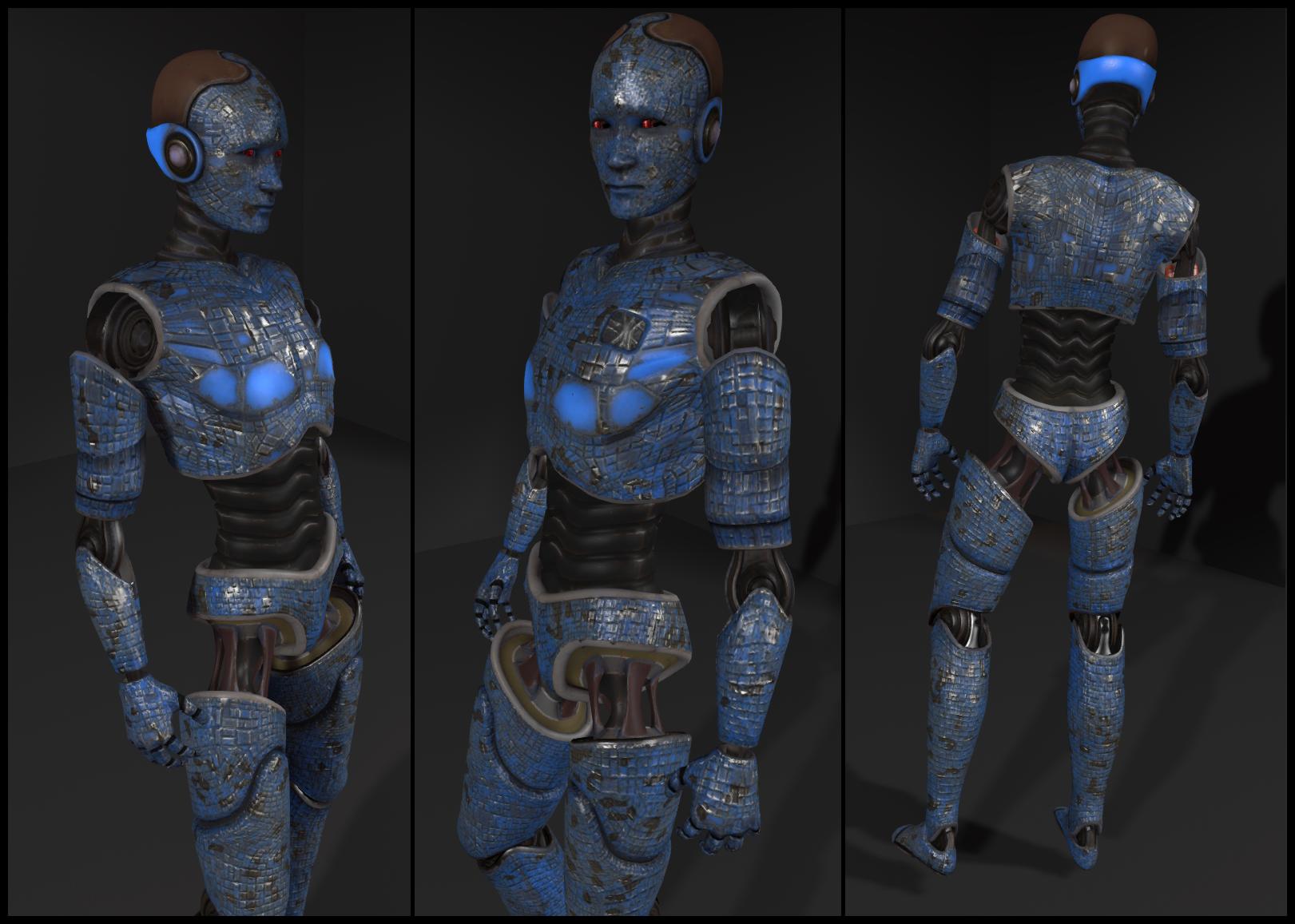
Chip Midnight's mesh avatar model (click to enlarge)
Chip Midnight’s mesh avatar model (click to enlarge)

Whilry also supplied a link to  a thread on the SL Universe forums where Chip discusses the avatar. For those interested, it’s worth following the discussion for the next couple of pages – particularly Drongle McMahon’s reply to Chip on the subject of specular and gloss maps.

Continue reading “SL projects update week 26 (1): server, viewer, materials”
Marketplace completes “move” to SL payment system & offers new payment options

Following-on from the announcement made in week 25 that the SL Marketplace payment system would be “moving” to the Second Life payment system, a further brief Commerce forum post has been issued confirming the move has now been completed.

The forum post indicates that users will be able to pay for goods with Linden Dollars (as has always been the case), or select a new payment method. and includes links to the following resources:

What Has Changed

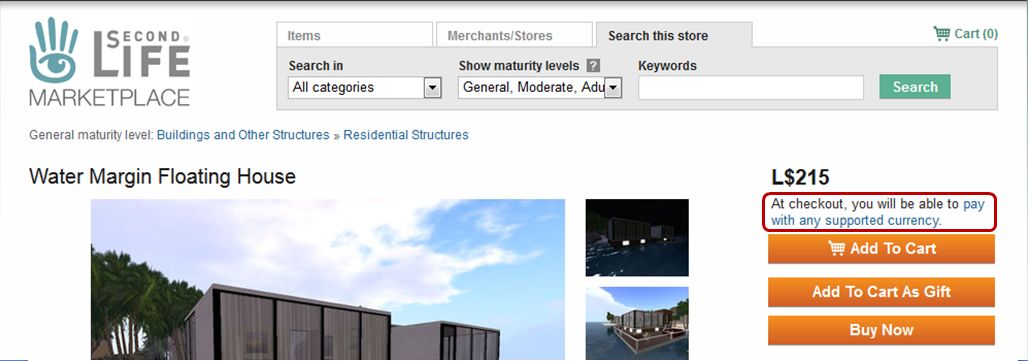
SL Marketplace: no more USD prices for goods on item pages, but a new notice about payment methods and currencies.

There are some changes to the SL Marketplace as a result of this update:

  • When viewing items in the Marketplace, only the LS price is displayed by default. There is no longer any USD price
  • All items now include a note that “At checkout, you will be able to pay with any supported currency“, directly under the L$ price. The link will display the Accepted currencies and payment methods section of the Billing page in the Knowledge Base, which lists the credit / debit / charge cars recognised by Linden Lab and the currencies in which payments can be accepted using them.

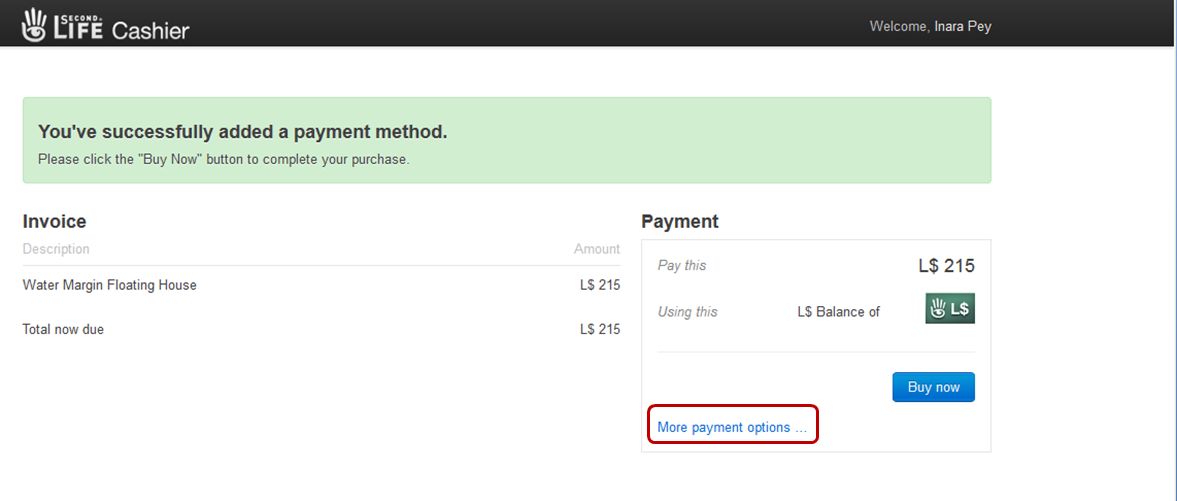
The other major change can be seen when clicking on the Checkout button from your shopping cart. This takes you to the Second Life Cashier Page, which lists the items you are purchasing, unit price for each and the total payable.

The revised SL Cashier payments page for the SL Marketplace

To the right of this is the amount payable and your current payment method, and a link allowing you to add more payment options.

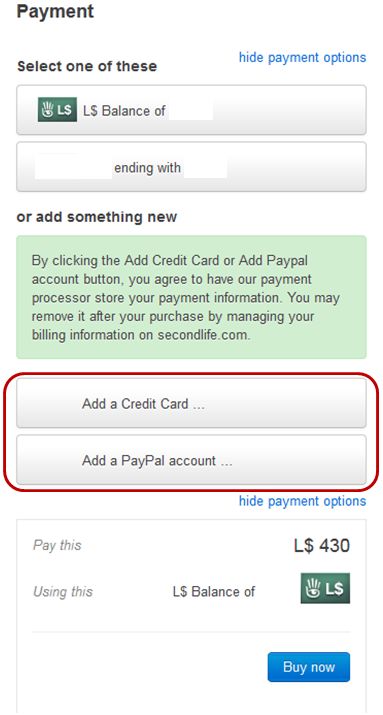
The expanded payment section showing all recorded payment methods and button to add further methods to your account
The expanded Payment section showing all recorded payment methods and button to add further methods to your account

Clicking on this link expands the Payment section  to display:

  • Your current payment options
  • Buttons for adding additional payment methods (credit card, etc., or PayPal).

If you wish you use an existing alternate payment method, simply click on the required button in the upper section of the expanded screen.

To add an additional payment method, click on the required method (note the green-background text above the payment option buttons) and follow the on-screen instructions.

When you are ready to complete the transaction, click the Buy Now button.

Note: I’m not sure if, after selecting and using an alternative payment option, this becomes your default option for all future payments (and thus  appearing the “Using this” section of the Payment box of the Cashier Page. This is because I use L$ for all my Marketplace purchases, and have no wish to use an alternate payment method I have registered with the Lab.

Related Links

With thanks to CS Pfeffer for the nudge about the forum update.

LEA open next round of AIR land grants

LEA_square_logo_60On June 16th the Linden Endowment for the Arts announced applications for the next round of land grants is now open in the Artists in Residence (AIR) programme. For artists not familiar with the LEA or the land grant process, the following is taken from the formal announcement:

The LEA Land Grant program seeks to promote and nurture the arts in Second Life, through a five-month land grant to recipients. Recipients can be individuals or groups interested in creating or curating art, or proposing cultural projects which would require/utilise a full-sim build and can be completed within the allotted time frame. The LEA is able to offer land grants through the generosity of Linden Lab.

Twenty regions, donated by Linden Lab and managed by the LEA, are generally offered under the land grant programme, and successful applicants will be granted the use of one full region for a period of five months. The region may then be used on an individual or group basis for such diverse activities as:

  • Full sim exhibitions and / or immersive installations
  • Curated projects, especially those which have a connection to physical exhibitions and events (augmented reality)
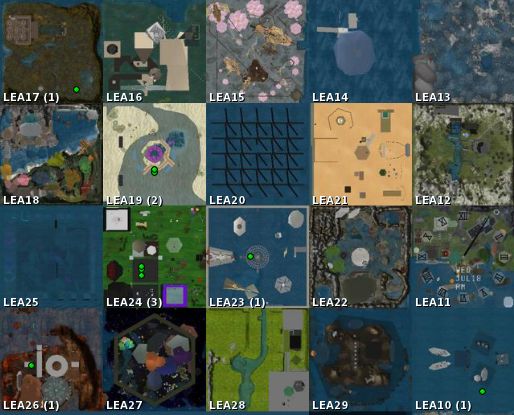
Land grant regions: LEA10 through LEA29

The announcement goes on to state:

Criteria

We feel one of the strengths of the LEA committee is that we come from different backgrounds – artists, architects, curators, historians, etc. – all of whom have different ideas on what makes virtual art great. We share a passion for this project, emboldened by differing viewpoints. What this means for the LEA Land Grant applicants is that there is no one ‘right’ project. Some committee members like immersive builds, others enjoy highly technical and scripted work, still others look for projects embracing collaborative, curatorial, or education projects. Some might wish to select those who have a history of successful exhibits in SL, while others are passionate about providing experiences to new and emerging artists. This is great news for applicants, as it means that ANYONE has a chance at getting sim, provided you show us you have an idea for a great project (even if it isn’t completely thought through, and we realise that this will most likely change in your working process).

APPLICATION TIMELINE

(Dates subject to change by LEA in the event of unforeseen circumstances.)

  • Applications open – June 16, 2013
  • Application deadline – July 16, 2013
  • Final Decision Committee Deadline – July 24, 2013
  • Notification period, and selection of alternates if need be – July 31, 2013
  • Sim handover and public announcement – August 1, 2013

HOW TO APPLY?

Complete the form at the end of the LEA blog entry, taking care to provide as much information about the proposal as possible and include relevant SLurls and web links to your work (if possible) in order to help the LEA committee make an informed decision.

Finding some Zen on the mainland

So, the SL10B Community Celebration has come and gone. The regions will remain open until the 29th June, but in terms of the festivities, the music and the dancing, it’s all over and done with.

Doubtless, we’re all coming away from the event with mixed emotions and a lot of varied memories. For my part, I have very mixed feelings about the event – or at least, the exhibition part of the event and what I got to see of it. PC issues and other annoyances during the week meant I actually missed getting a decent look at three regions.

This being the case, I’m going to let matters percolate for a while before I blog any form out retrospective or commentary on things. Not only do I want to get around the bits I failed to reach last week, I also want to revisit a number of places I did get to take a look at (not the least of which is – no surprises here – the A’stra stage area!).

Kusanagi
Kusanagi

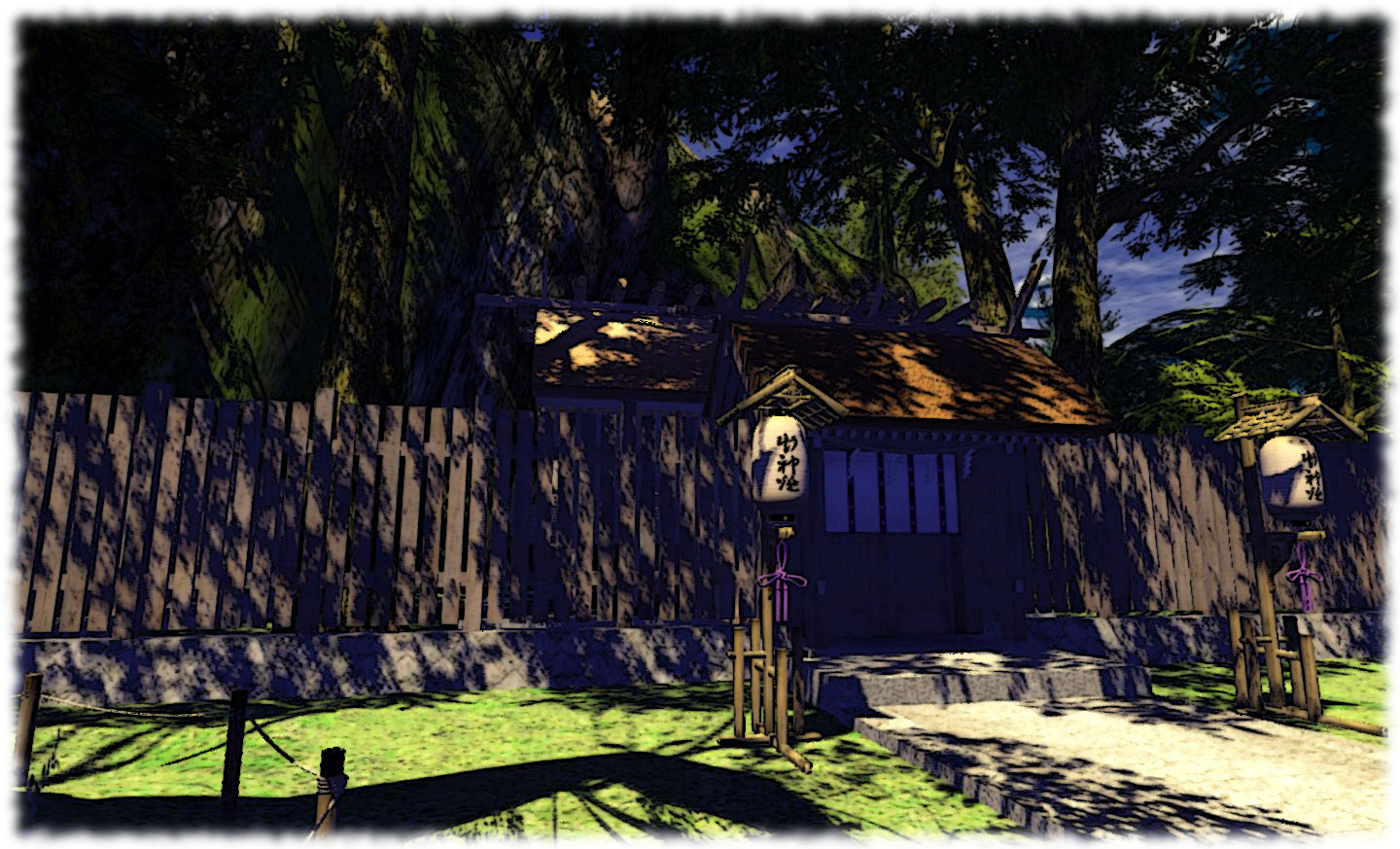
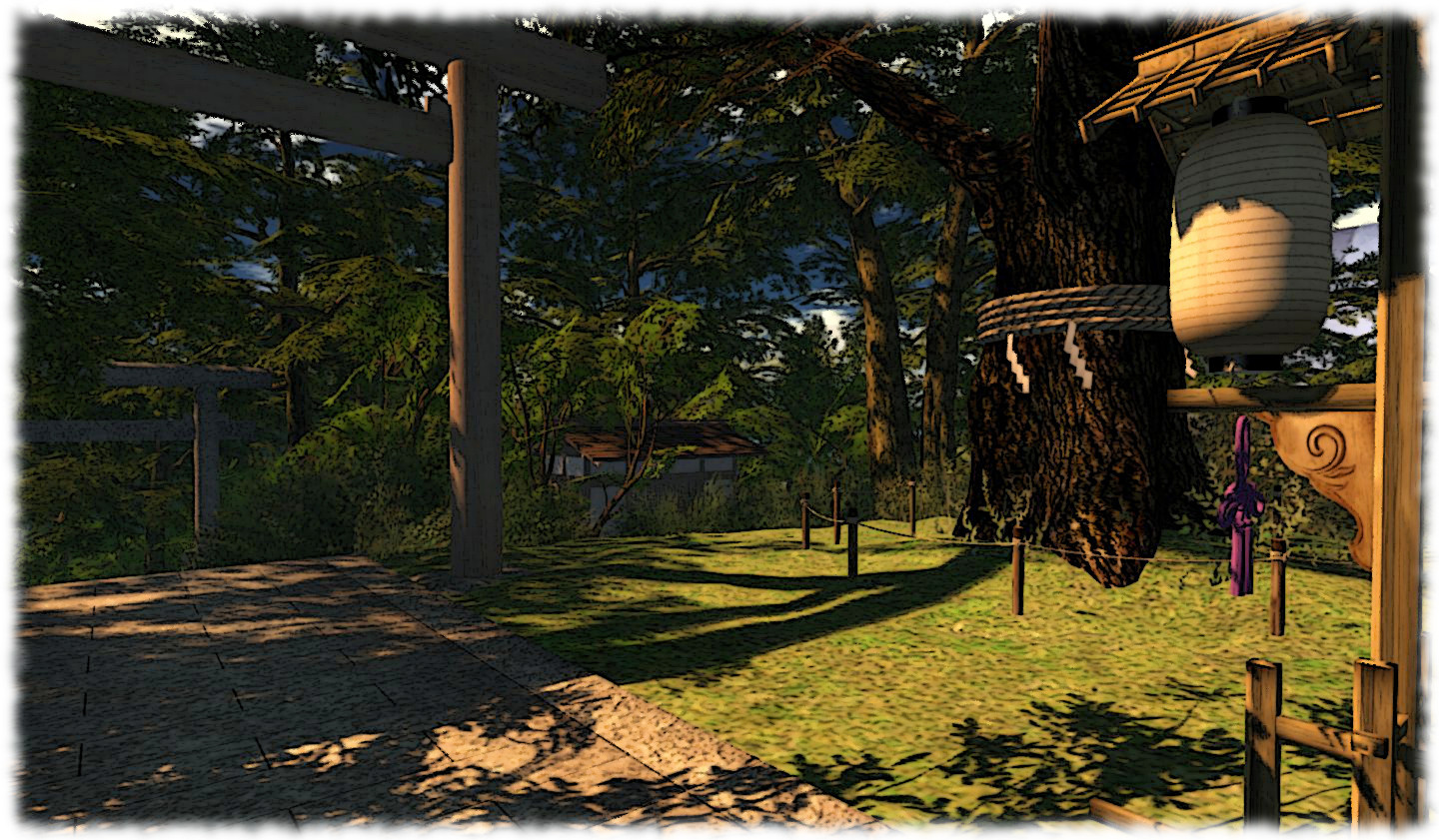
It’s the need to reflect and to think which drew me to Kusanagi.  Located on the mainland, it is the home of the  FTL main store and of the Kusanagi Jinja Shrine, both the work of Framboise Werribee.

The store is located high up in the sky, while the ground level features the shrine and a number of other buildings, including a 5-storey pagoda, all set-up amidst a wooded environment  and garden through which paths wind and a slow-moving river flows.

Kusanagi
Kusanagi

There is a notecard giver for the place – although you might not immediately find it (check the sign near the steps leading up to the shrine) – which provides a lovely description and explanation of the build:

The original Kusanagi Jinja was established as a small shrine in our store garden near the West Coast Road in Kusanagi, in 2007. After several years we built a more larger shrine and moved it to the present location. Kusanagi Jinja is dedicated to the deities of creation in Second Life. The kami enshrined are Philip Rosedale-Linden, Purimunushi (the master of prim) and Tekusuchiyahime the goddess of texture). Tradition says ancient people prayed to them for great skill, prosperous business, better luck and warding off evil.

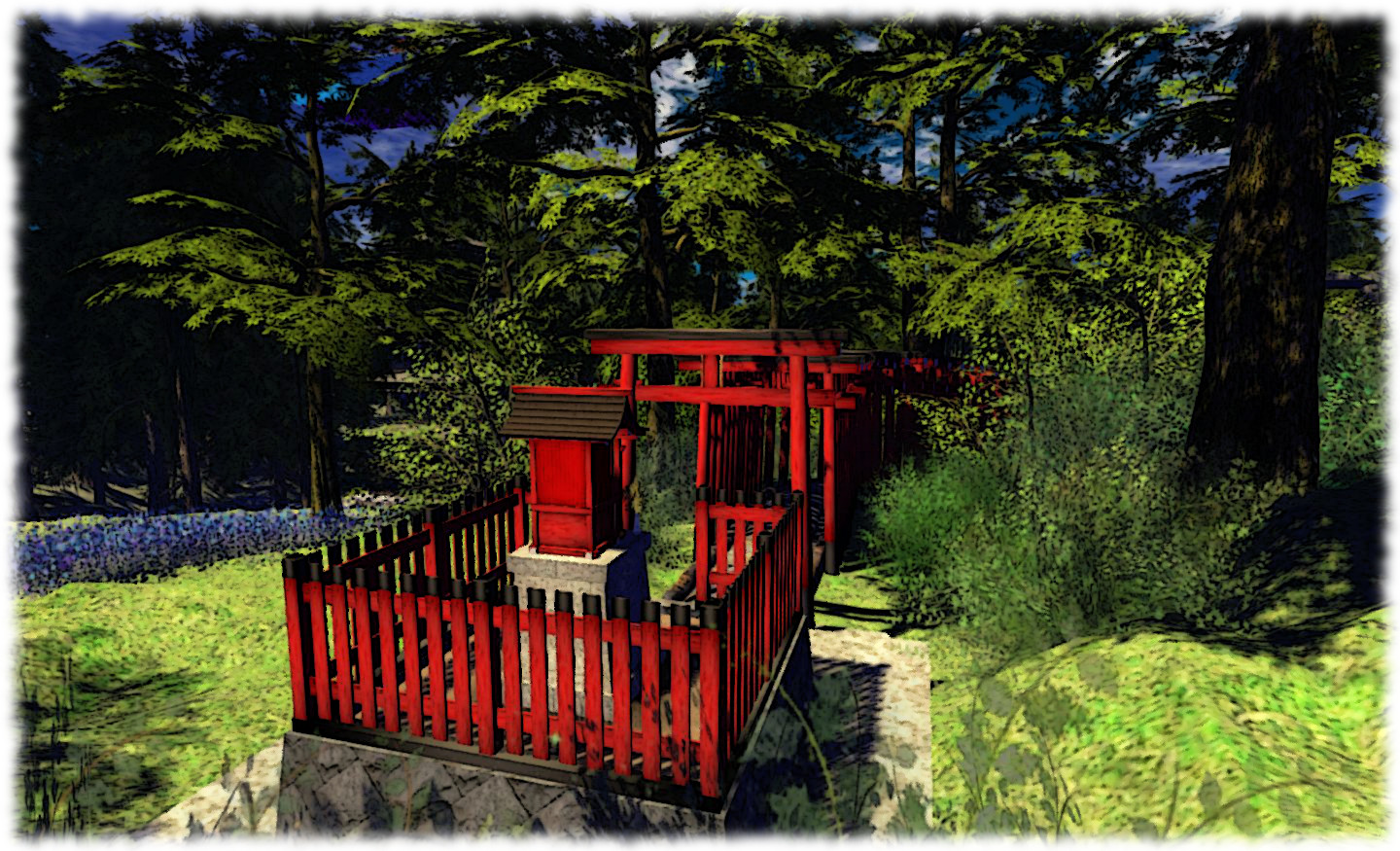
The honden, main hall, is built in the style of Shinmei-zukuri. A default cube created by Philip Linden is kept as a sacred object inside the honden, and a sacred waterfall is hidden behind the honden. The honden is not open to the public, but if you’d like to worship in front of the honden, you are free to open the gates of the shinmon and enter to the area surrounded by a fence.

The red torii path leads to the small auxiliary shrine Smap Jinja which enshrines the five genius men as the tutelary kami of our clan.

Kusanagi
Kusanagi

The buildings here may not be new; as the card states, some of them date from around 2007, and so may appear a little dated in comparison to builds elsewhere  (although the paths are all mesh). But to dwell on points like this is to risk missing the simple charm of this place, which has a certain Zen feel to it.

The garden offers a walk around the pagoda and the lily covered lake beside it, and over the stream flowing from it (via a charming little bridge).

Kusanagi
Kusanagi

Follow the stone path up the hill and you’ll eventually come to the steps leading up to the shrine, with a small shop-like building off to one side offering a teleport up to the FTL store (an LM to the store is also included in the notecard, if you get that from the main sign).

This is a simple, charming build with no pretensions at being anything more than what you see as you explore. Despite being a mainland environment, Kusanagi offers more than enough trees to effectively screen most of the surrounding builds (providing you don’t have your draw distance ridiculously high). If you use a TPV, those which aren’t screened (there are a few low-level skyboxes and one very noticeable “sky” prim running along the edge of one of the nearby regions) can be easily taken care of with a suitable derendering option.

Kusanagi
Kusanagi

There is perhaps a tendency among many to avoid the mainland unless absolutely necessary because so much of it can be hard on the eyes for those used to private island living. This is a shame because in doing so, people can easily miss out on places like Kusanagi and the Beguiled Art Gallery and Studio, both of which are more than worth a visit, albeit for very different reasons.

I like Kusanagi because it is so restful, almost an oasis of peace in what can otherwise be the hustle of mainland living. It is a place which welcomes visitors and where one can recharge one’s avatarian batteries.

And after a week of bumping, jiving, jumping and wandering at SL10BCC, who can say fairer than that?

Related Links

Viewer release summary 2013: week 25

This summary is published every Monday and is a list of SL viewer / client releases (official and TPV) made during the previous week. When reading it, please note:

  • It is based on my Viewer Round-up Page, a list of  all Second Life viewers and clients that are in popular use (and of which I am aware) and which are recognised as adhering to the TPV Policy
  • By its nature, this summary will always be in arrears
  • The Viewer Round-up Page is updated as soon as I’m aware of any releases / changes to viewers & clients, and should be referred to for more up-to-date information
  • The Viewer Round-up Page also includes comprehensive links to download pages, blog notes, release notes, etc., as well as links to any / all reviews of specific viewers / clients made within this blog.

Updates for the week ending: June 23rd, 2013

SL Viewer

SL Viewer Resources

Third-party Viewers

Additional TPV Resources

Depreciated / Discontinued Viewers

  • SL Development viewer – depreciated as of version 3.5.2.274629 April 24, 2013
  • Zen Viewer – discontinued by developer and no longer available, January 27th, 2013
  • Phoenix viewer – development and support ended on December 31st, 2012

Related Links

One billion pixels, two remarkable images

CuriosityThe news coming out of NASA about the Mars Science Laboratory has slowed somewhat following the period of solar conjunction which formed a natural break in operations during April.

As I’ve mentioned before, there is nothing surprising in this – the news operates in cycles, and NASA is only too aware that trying to keep Curiosity as a headline item isn’t going to stick. Better than to keep the mission going at both ends of the divide – Earth and Mars – as report to the media when there is significant news to report.

And it is fair to say that mission personnel have a lot of data to analyse. Not only are there the results of the recent sample gathering from the “Cumberland” rock to comb through, there is still a wealth of data covering the rover’s first ten months on Mars which is growing daily as a part of its automatic monitoring of its environment as well as all the data gathered during the flight from Earth to Mars which has already renewed concerns about the long-term health of humans attempting a mission to Mars, as I reported last time around.

In the meantime, Curiosity’s extraordinary ability to capture images and video of the surface of Mars has come in for attention.

The primary reason for this the release of the “billion pixel image” of the “Rocknest” region of Gale Crater, where Curiosity spent some time in 2012 after departing its landing site at Bradbury Landing, and was the location where the rover’s scoop was first tested and samples of Martian soil were first analysed by the rover.

Actually comprising some 1.3 billion pixels, the image brings together over 900 images primarily captured by the rover’s Mastcam telephoto lens (some 850 in all), although some wide-angle shots from the second Mastcam lens (21) are also included, as are 25 frames captured by the mast-mounted black-and-white Navcams. Together, the images form a full-circle view of Gale Crater as seen from “Rocknest”, providing a unique insight into the environment.

Curiosity's remote sensing mast, seen fully deployed prior to launch in 2011
The top of Curiosity’s mast, highlighting the colour Mastcam lenses and the black-and-white Navcam lenses

The finished product has been made available on a NASA website in two formats, both of which allow you to study the surface of Mars, panning and zooming freely, or using a selection of pre-selected images to quick zoom in on features of interest. The two versions of the mosaic can be found as follows:

Of the two, the cylindrical view is potentially the more engrossing, offering a greater number of images for zooming-in on surface features as well as a an easier means of panning and zooming freehand.

Continue reading “One billion pixels, two remarkable images”