In June 2012, I reviewed MetaHarpers’ The Inspiring Orientation, an installation intended to be part gallery, part orientation course, with various interactive elements intended to teach new users the basics of getting around in Second Life – walking, flying, chatting, using the camera, sitting, etc.

Opened to the public on February 5th, The Inspiring Orientation, Stage 2 now takes the concept a step further by providing additional interactive lessons covering such diverse subjects as in-world shopping, instant messaging, inventory management, profile creation, in-world combat and games, and exploration. At the same time, it revamps the original installation, and incorporates features such as media-on-a-prim. So what is it like?
On arrival, the installation appears familiar – the welcome area is the same as its first iteration, and the familiar tablet-like guides are still there. However, on stepping inside, it is clear things have been changed. Basic movement – walking and jumping – is quickly dealt with before moving onto the basics of camera control, which used to come somewhat later in the piece, and which is dealt with in a more compact manner. The rest of the initial elements of the piece remain largely unchanged until one arrives at the teleport portals, which in the original more-or-less marked the end of the process. While people can still teleport away at this point, a sign points the way to the new additions waiting to be explored.
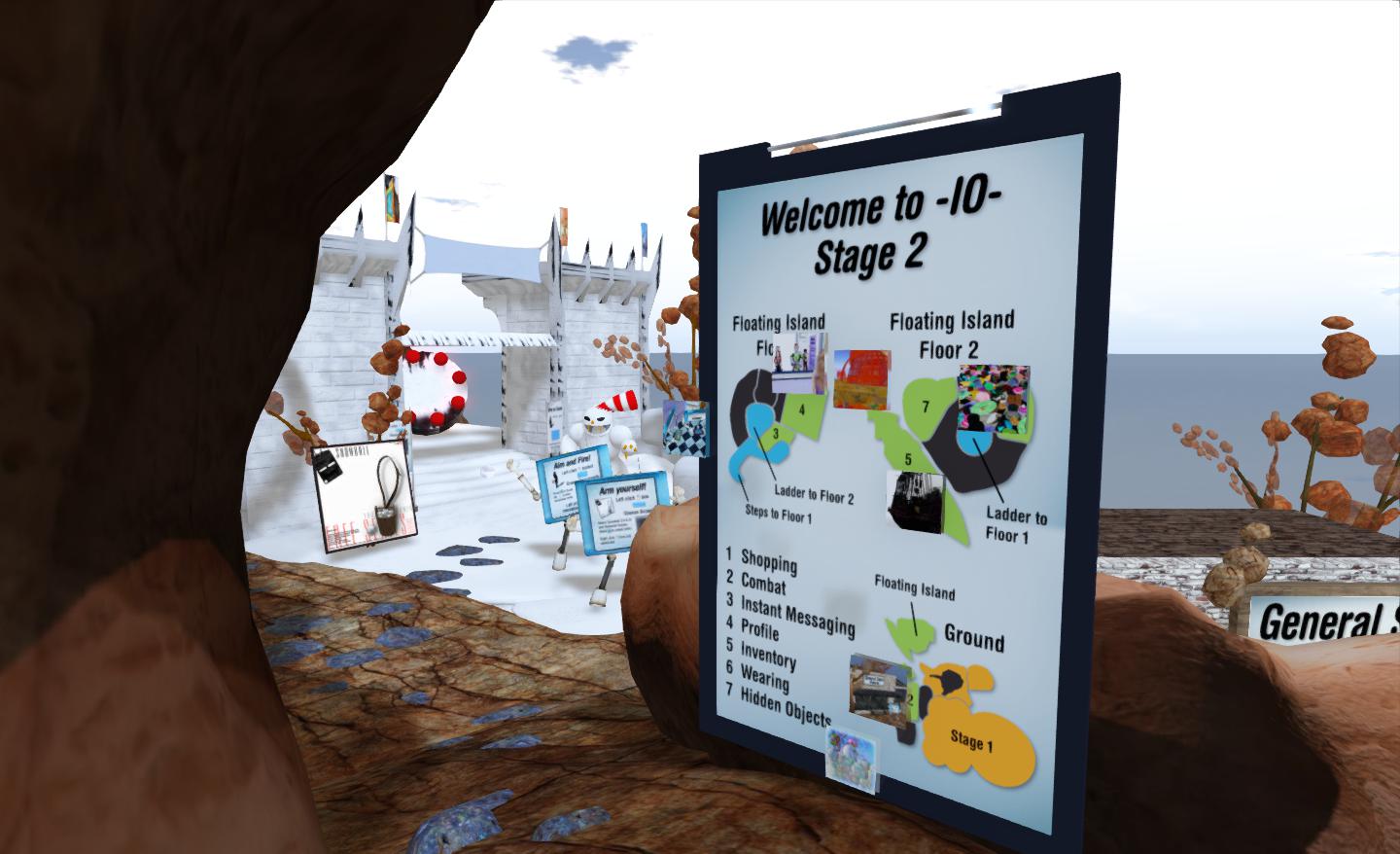
Here people can learn about shopping, instant messaging, profiles, inventory (including attachments, clothing layers, etc), dealing with “hidden objects” and combat, all in discrete units linked by footpaths, chair lifts and ladders.
There are several routes around this part of the installation, which can lead to a degree of repetition in instructions (accessing inventory, for example). However, this is no bad thing in that it allows for easy re-caps on lessons and pointers.

The inclusion of combat options might at first glance seem a little odd, but it actually does make sense given that, while “Second Life is not a game”, many people actually do join SL in anticipation of engaging in roleplay (which can include combat elements) and engaging in combat-related activities (the dreaded zombie hunting beloved of the official SL promo videos, etc). Ergo, getting people started on how weapons, HUDs, mouselook, etc., all work within the realms of combat isn’t necessarily a bad thing.
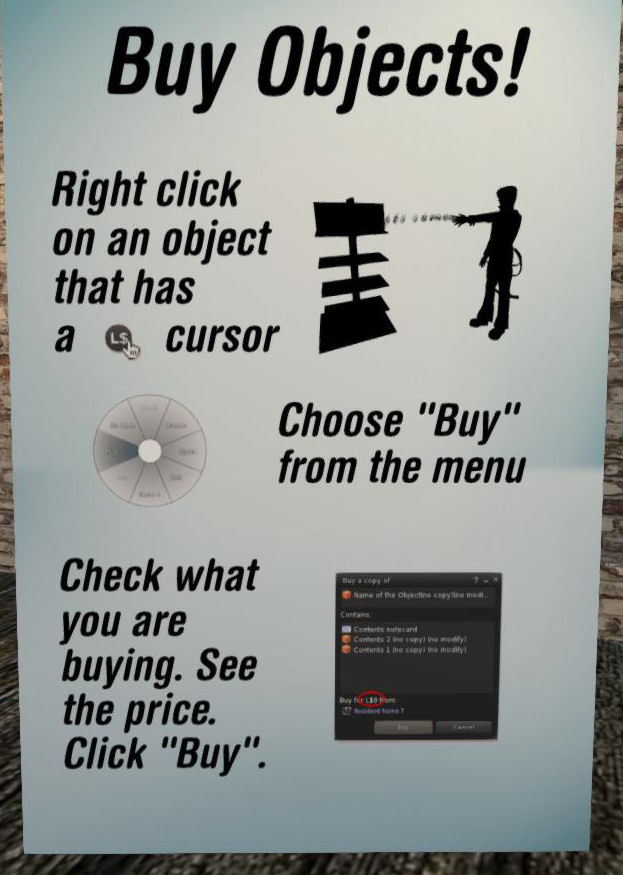
The use of media-on-a-prim in the portal area, is both new and subtle. Drawing on the Destination Guide to provide a click-through list of destinations and descriptions related to the selected portal, it does much to present users with far more choice on where they go next, and on seeing where they are likely to meet other users.
That said, there are a few niggles with the update. Given this is an exhibition intended to demonstrate a new user orientation, the almost exclusive use of screen shots of a popular TPV is surprising. Yes, it may weel be the most popular viewer in use in SL, but given this is a new user experience, and presumably something the creators would hope users would encounter early-on in their explorations of Second Life, I can’t help but feel that there should perhaps be more emphasis on the official viewer – particularly as this is the viewer the majority of new users will initially be using when they log-into SL.
It could also be argued that other essentials are missed or given scant explanation as well – such as the Marketplace, the use of the world map, search and the concept of teleports (although teleports is touched upon throughout the exhibit, if not fully explained). However, the piece is a work-in-progress (the team behind it plan to move it to a location of its own at the conclusion of its time at the LEA), so these are matters which may still be addressed.
One thing that does still disappoint me with the update, though, is that it still fails to reference the viewer’s own means of providing help to users. The How To guide still goes unmentioned, as does the Help options in the menu. The How To guide is certainly worth a reference, given it forms an easy aide-mémoire to some of the lessons given during the orientation tour.
Some might argue that The Inspiring Orientation fails to offer any significant advantages over a more straightforward approach to user orientation such as that provided by the Phoenix Firestorm Support Region. In some respects, I’m inclined to agree; the latter has the beauty of keeping to a KISS approach which make progress perhaps seemingly less time-intensive. However, The Inspiring Orientation perhaps offers greater visual and aural stimulation, and thus may better hold a new user’s attention than a more traditional “walk-and-read” approach.
Whether it is viewed as a prototype / alternative approach to engaging new users and unlocking some of the mysteries of the viewer or whether it is seen purely in terms of an art installation which encompasses learning experiences, The Inspiring Orientation remains an interesting insight into how an engaging and interactive user experience might be built. As such, it has always made for an interesting visit, and the Stage 2 updates provide plenty of additional food for thought, particularly for those interested in the new user experience ethos.
Related Links
- MetaHarper’s blog on the installation
- SLurl to the exhibit (Rated:General)



 Inara Pey: Living in a Modemworld