Avatars and humans, together in the same space

Rowan Derryth, writing on the LEA blog, brings word of a fascinating SL / RL exhibit which is taking place through until November 25th in both Second Life and real life, and which allows avatars from the one interact with humans from the other, and vice versa.

EXTRACT / INSERT is a collaborative effort involving Second Life and the The Herbert Art Gallery and Museum in Coventry, England. Rowan describes the collaboration thus:

We avatars often struggle to explain our existence to those that dwell only in the physical world. But now, a new exhibit at LEA 24 helps us do what we aliens do best: INVADE!
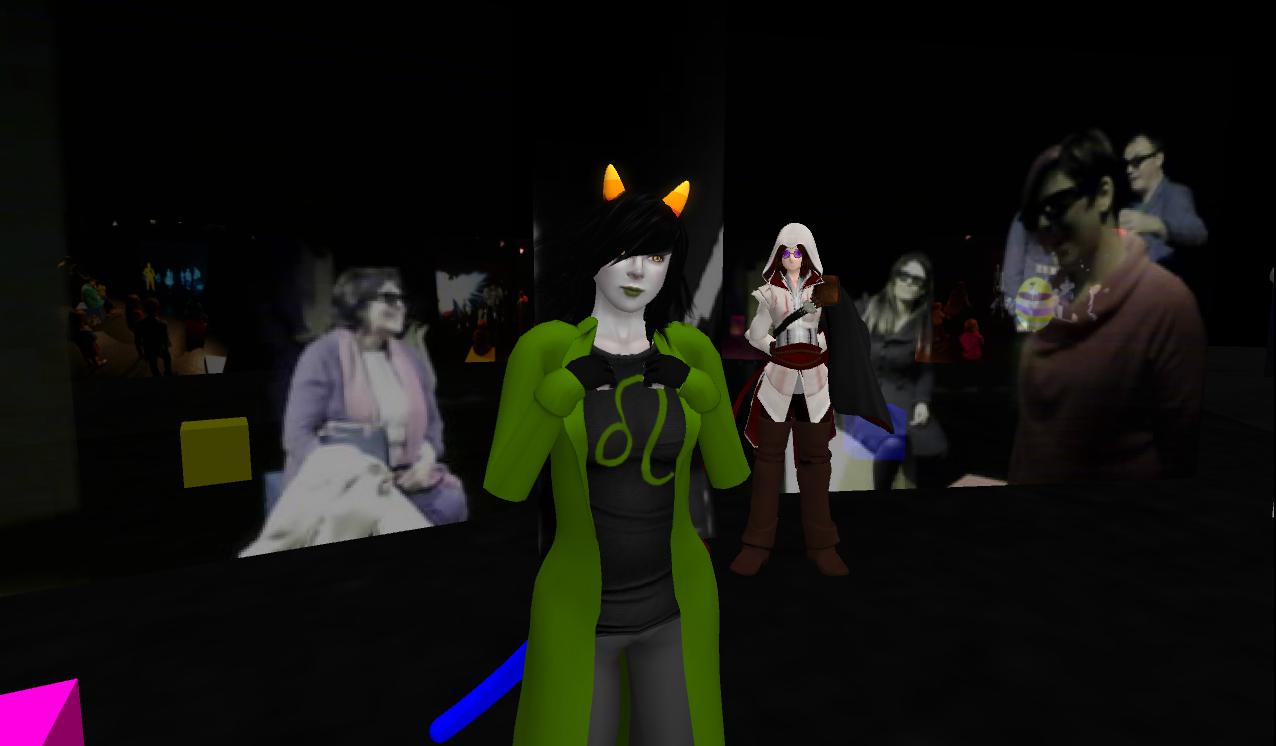
EXTRACT / INSERT

EXTRACT/INSERT is a unique installation in both Second Life and at the Herbert Art Gallery in Coventry, UK. It is a collaborative effort between internationally renowned performance artist Stelarc, lecturer and actor Joff Chafer and artist and technologist Ian Upton. With support in SL from the LEA, and in RL from the Arts Council of England, they have been able to create an environment where avatars can co-mingle with real people visiting the Herbert!

The Exhibit has already involved volunteers from across Second Life spending time at a special installation at LEA 24 where they have been able to meet and talk to visitors entering the exhibit’s “other half” at the Herbert Art Gallery in the UK. Avatars are represented in 3D in the real world exhibition space, and appear to be floating among the visitors there.

EXTRACT / INSERT

The organisers are currently looking for volunteers to participate in the exhibit this coming week. The work involves being on-hand at the LEA 24 installation, where you can meet and interact with visitors to the Herbert Art Gallery’s installation in Coventry UK – so it does mean working to UK times as the gallery is open between 02:00 and 08:00 SLT (10:00 and 16:00 UK) Monday through Saturday and 04:00 to 08:00 SLT (12:00 midday to 16:00 UK) Sundays.

If you would like to volunteer and chat with Herbert visitors, you need to:

  • Be using an SL viewer capable of displaying shared media
  • Use Voice to interact with visitors at the Herbert Art Gallery – text chat and avatars names are not visible to visitors there
  • Have a suitable avatar appearance to meet the requirements of a “General”-rated audience which includes children

Creativity is welcome with avatars – there is no need to restrict yourself to a conventional human form, so long as your avatar isn’t too large (as it will be appearing life-sized at the art gallery) and dress and behaviour are in keeping with the General rating.

If you are interested in volunteering, please contact Ian Pahute or Joff Fassnacht in-world in order for you to be added to the exhibit’s access list.

If you are in the UK, and wish to visit the real life half of the exhibit, you can find details on how to get to the Herbert Art Gallery and Museum on their website – booking for the exhibit is not required, and visitors are invited to “drop in” for a tour with the Gallery’s guides.

The Herbert Art Gallery’s side of the exhibit will remain open until November 25th, 2012.

UK-based performance artist Stelarc was present at the Herbert his last week, where he logged into SL from the gallery and gave a performance entitled “Involuntary and Improvised Arm”.

Related Links

 Images courtesy Rowan Derryth / Linden Endowment for the Arts

SL project news week 45/2: server news, viewer updates Steaming ahead, and surprises

Week 45 Deployments

The deployments schedule for this week (Tuesday 6th and Wednesday 7th November) went ahead as planned, namely:

  • Tuesday 6th: the Main Channel received get the code currently running on BlueSteel and LeTigre – release notes
  • Wedneday 7th:
    • Magnum received get fixes and updates to the code currently running there (including the Group Services code) – release notes
    • LeTigre and BlueSteel should get the next bug fix server in the pipeline, which includes the code currently on Magnum, and more – release notes (BS) and release notes (LT)

The main channel deployment now means that all regions are running on the same version of Havok with the exception of Magnum regions, which should be getting the update in week 46 (see below).

LeTigre and BlueSteel both have an additional “feature”: Linksets which have bounding boxes larger than 64m (in any dimension) are prevented from being rezzed if rezzing would cause the object to collide with an avatar excluding the object owner (BUG-166).

In addition, both LeTigre and BlueSteel include the following oft-requested bug fixes:

  • Script Time in the Statistics Bar now correctly shows 0ms when scripts are disabled in the sim (BUG-311)
  • Script error messages now include information about the object’s root prim, when certain operations fail due to the object’s pathfinding setting (PATHBUG-198).

A crash bug was also found in the Magnum code, and this has received attention, with the fix due to go out next week.

Week 46 Deployments

Things are gradually slowing down in preparation for the Thanksgiving code release freeze which will see a suspension of code deployments during the Thanksgiving week later in November. As it stands, the following roll-outs are planned for week 46 (week commencing Monday 12th November):

  • Main channel: should receive the code currently running on Magnum (including Baker Linden’s Group Services code – see later in this article)
  • Magnum: should receive the code currently running on BlueSteel and LeTigre, which will mean the entire main grid is now running the same version of Havok
  • BlueSteel, LeTigre and Magnum should also get the same additional updates (details yet to be specified).

Beta Viewer Update – Steaming Ahead with Project Code Merges

As indicated in Part 1 of this report, the crash issues impacting the beta viewer code have been resolved, and LL have been engaged in merging-up code into the beta and paving the way for the first of the 3.4.2 beta releases. These were always intended to have the code from some of the major SL projects which impacted the viewer, including Baker Linden’s Group Services code and Monty Linden’s HTTP texture fetch code.

The first 3.4.2 beta viewer was release on Thursday 8th November (3.4.2.266708), which includes a range of updates from the Lab as well as a number of contributed updates and improvements (see the release notes), although precisely which of the LL project elements are in the release isn’t obvious from the release notes themselves – the removal of JIRA numbers from the release note entries makes identifying updates, features and fixes that much harder, even though the JIRA items themselves are still open for public viewing.

One element that is clearly in the latest beta viewer release is the code for the steam link-up, as evidenced by the arrival of the new splash screen which I first reported on back in August 2012 – complete with a promotional piece for the Lab’s Pattern’s game.

Continue reading “SL project news week 45/2: server news, viewer updates Steaming ahead, and surprises”

The Garden: an immersive, absorbing and creative puzzle to delight the eye and engage the brain

I’m going to kick this off by saying up front that Grace McDunnough is someone I admire greatly for a number of reasons: I love her music in SL (although I don’t get to as many of her performances as I should), her writing is thought-provoking and has often been a leaping-off point for many of my own meandering pontificating on SL; and I’m flattered she considers me a friend through SL.

I mention all this because Grace has been one of the minds behind the focus of this review – The Garden. As such, some might feel I’m being overly effusive in this article simply because Grace and I are friends. Not so. The Garden is an incredibly immersive experience, both as a puzzle game and as a place to visit, and any enthusiasm this article exudes towards simply reflects that fact.

Essentially, the idea behind The Garden is that of a clue-based puzzle which incorporates a mixture of exploring, gathering and logic. The aim is to seek the seven Guardians and / or to find their artefacts and, by doing so, gather clues which enable the player to identify which sin each Guardian committed, and the penance they suffered as a result. Then, having correctly identified the sin committed and penance paid be each Guardian, the player can offer forgiveness to one of the Guardians.

The Garden, and the vision behind it, is the brainchild of Salome Strangelove. She developed the concept of the puzzle and also defined and landscaped the sim. In developing the concept, she has been joined by Trav Rexen, who has developed the scripts used throughout The Garden, and  Grace McDunnough, who has provided motivation and sponsorship, and who is working with Salome on other elements yet to be introduced into The Garden.

The Puzzle

Teleporting to The Garden delivers you to the arrival point. Here you can opt to participate in the puzzle or immerse yourself in other aspects of The Garden.

To take part in the puzzle, you will need to make use of the Patron’s HUD. This comes in two forms: a free version will be delivered to you on your arrival (use the redelivery terminal if it fails to reach your inventory, and a purchasable version. The free version of the HUD is feature-limited, but which allows a player to complete one round of the puzzle. The purchasable version of the HUD costs L$299, which allows an unlimited number of rounds of the puzzle. The purchase price of the HUD goes directly into the upkeep of the region.

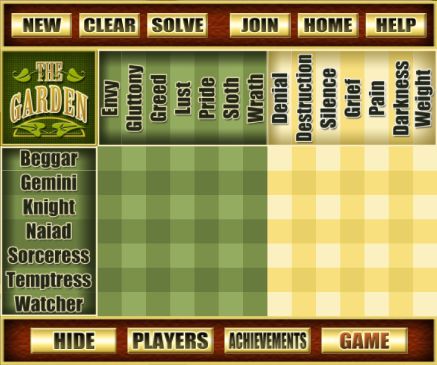
The Patron’s HUD, showing the progress tracking grid

The full version of the Patron’s HUD is a multi-faceted tool which allows a player to:

  • Start a new game – either on their own or with one or more friends
  • Mark their progress in solving the puzzle
  • Save progress between game sessions – the HUD will retain progress made if removed or if the player leaves The Garden before solving all the clues
  • Review their achievements
  • See information on other players.

While exploring, the HUD can be reduced to a single button (labelled SHOW), providing players with an uninterrupted in-world view, and then expanded again when updating the puzzle grid with clues received.

Another nice touch with the HUD is that once purchased, a player need never return to the arrivals area when revisiting The Garden. Instead, they can attach the HUD wherever they are in-world, click the HOME button and be instantly teleported to a part of the game area called Forgiveness. This does not play a role in the puzzle-solving itself, but acts as a “home” location for players, allowing them to remain immersed in the game through successive visits to The Garden.

Once a player has attached their chosen HUD, they follow the cobble path to the threshold. This includes an outline of the game’s objectives and both pictures of the Guardians and copies of their artefacts, a handy overview for those who do not request a help card from their HUD. Crossing the shimmering blue threshold moves a player from the non-immersive arrivals area and into the immersive element of The Garden.

Continue reading “The Garden: an immersive, absorbing and creative puzzle to delight the eye and engage the brain”

Creatorverse: one week on, going strong?

Update, February 19th, 2014: Creatorverse was discontinued by Linden Lab on February 19th, 2014. Links to the Creatorverse website have therefore been removed from this article.

They say a week is a long time in politics. While the same cannot be said of business in any way, shape size or form, Creatorverse has now been out on the market for a week, and so I thought it worthwhile to take a look at reaction so far.

And it all seems very positive.

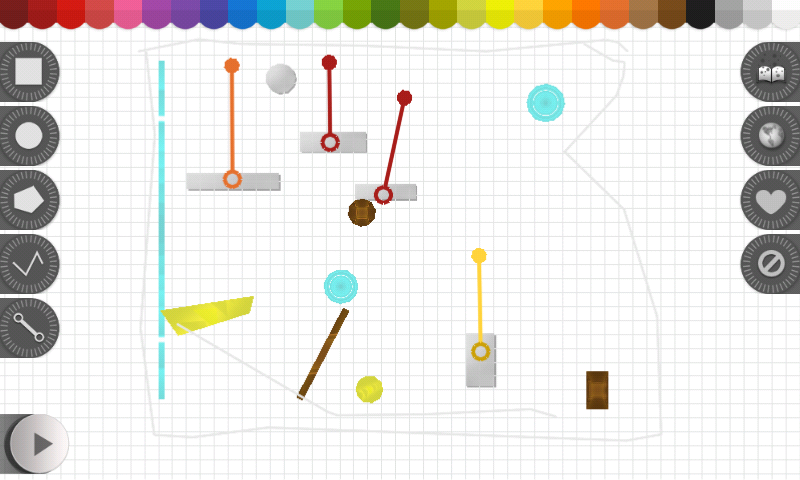
Screenshot_2012-11-20-16-31-53
Creatorverse

Creatorverse is One Of the Coolest Things You Can Do With an iPad was the opinion of Kotaku.com on the day Creatorverse was launched. “With its simple bare-bones interface, Creatorverse requires a little fumbling about to get one’s bearings. So far I’ve managed to build a simple machine that keeps a ball spinning endlessly, achieving mastery over virtual perpetual motion,” the article goes on. “Thankfully I don’t have to rely on my own creations to amuse me. The game allows players to share their creations with the Creatorverse community, allowing others to download and tweak their designs to their hearts’ content. It’s an incredibly cool little toy …”

148apps.com were impressed with the app’s ease-of-use, “The interface is what stands out the most. It’s clean and crisp and the white canvas just invites users to start creating. Shape and line tools may be selected on the left. Once an object is placed, users can then drag the points to make different shapes or drag a color down from the top to fill it.”

They go on, “The simple drag and drop controls allow users to make animations with ease. While Creatorverse‘s unique sandbox style may mean it’s more fun for kids (or kids at heart), it’s the creative possibility that makes it so engaging. Whether uses wish to make a simple pinball-style game or a short animation, it’s a neat concept that lets users explore their artistic side.”

Continue reading “Creatorverse: one week on, going strong?”

Self portraits and when losing 40 minutes a day can mean the world

Curiosity is coming to the end of its time at Rocknest, the sandy area in Gale Crater where it has been sifting and examining soil samples and carrying out other experiments over the course of the last few weeks. Glenelg still remains the intended target for the rover, prior to it starting an exploration to the near-central mound in the crater NASA refer to as “Mount Sharp”.

Since my last update on 31st October, Curiosity has been using the Sample Analysis at Mars (SAM) instrument suite to examine the atmosphere in Gale Crate in greater detail. SAM is a remarkably flexible and complex set of instruments, able to analyse air and soil samples a number of ways.

Earlier in the mission, SAM was used to obtain an initial sampling of Martian air “inhaled” at Bradbury Landing. This was subjected to initial analysis by the instrument’s mass spectrometer. Over the last few days, Curiosity has used SAM to further sample the Martian Air, subjecting it to more detailed analysis using a Turnable Laser Spectrometer (TLS).

The TLS shoots laser beams into a measurement chamber which can be filled with Mars air. By measuring the absorption of light at specific wavelengths, the tool can measure concentrations of methane, carbon dioxide and water vapor in the Martian atmosphere and different isotopes of those gases.

This picture shows a lab demonstration of the measurement chamber inside the Tunable Laser Spectrometer, an instrument that is part of the Sample Analysis at Mars investigation on NASA’s Curiosity rover. This demonstration uses visible lasers – rather than the infrared ones on the actual spectrometer – to show how the lasers bounce between the mirrors in the measurement chamber. (Click to enlarge)

Methane is of particular interest to scientists as, while it can be produced by either biological or non-biological processes, it is regarded as a simple precursor chemical for life. SAM represents the most sensitive tool yet deployed on or around Mars which might be capable of detecting methane in the atmosphere. However, the task isn’t easy, as it is probable that if the gas does exist at all within the Martian air, it is liable to do so only in very light traces. Certainly, none wer found in the initial sample analysed by Curiosity’s TLS, as SAM TLS lead Chris Webster of NASA’s Jet Propulsion Laboratory (JPL) confirmed in a press conference I dialled-in to last week.

“Methane is clearly not an abundant gas at the Gale Crater site, if it is there at all. At this point in the mission we’re just excited to be searching for it,” he said. “While we determine upper limits on low values, atmospheric variability in the Martian atmosphere could yet hold surprises for us.”

Please use the page numbers below to continue reading this article

SL project news 45/1: viewer updates

Official Viewer

Beta Viewer

The most recent Beta release (3.4.1.266511), released on November 2nd, showed promising signs over the weekend of having broken the back of the memory leak / crash rates problem affecting that branch of the viewer code.

Large Group loading / editing fix in viewers very soon now

Currently, the beta is being merged up to a number of code releases which have been pending in viewer-development, including the viewer-side code for handling large group editing (Group Services project). Commenting on this at the Simulator User Group meeting on Tuesday November 6th, Baker Linden said: “I’ve learned that my group changes have been pulled into the viewer-beta repo, so once 3.4.2 gets promoted, the beta viewer should be able to load large groups.”

An updated version of the beta viewer should be available on Thursday november 8th, which will not only include LL’s own code, but will include a number of open-source contributions to the viewer, including:

  • New media volume controls
  • Ability to block any worn lights (facelights, etc.), on blocked avatars
  • Animation fix for hands (the end of “starfish hands”)
  • Ability to copy SLurls from landmarks in inventory (i.e. “Copy SLurl” will be a context menu option when right-clicking on a landmark in inventory – STORM-1898)

However, Oz has warned that with the upcoming holiday (notably Thanksgiving in the US, the catch-up process may be a little slow as LL work to clear the overall backlog. However, right now, things are looking very good for the viewer as a whole.

Release Viewer

As a result of the progress made with the beta release, the updates in the most recent Beta Viewer (3.4.1.266511, above) were merged into a Release version of the viewer, 3.4.1,266581, and this was rolled out on November 6th. The release notes list the following “resolved issues”:

  • Unable to change parcel restrictions for scripts-disabled parcel in a damage-enabled region
  • Low FPS on high-end AMD/Asus systems
  • Objects by multiple creators show creator as “(unknown)” in inventory
  • Frame stall in updating geometry when region crossing
  • Non standard sea level not correctly rendered around private islands
  • Crash when clicking “back” button after editing appearance
  • Crash on startup for Linux viewers
  • Tcmalloc re-enabled
  • Particle engine rendering issue
  • Memory corruption on Linux in the case of an ll_aligned_realloc_16() call with a smaller new memory size
  • Crash on Exit in 3.4.0(264194) Beta on Win7
  • Disabled realloc
  • Memory leakage fix.

Development Viewer

Similarly, the Development viewer rolled to version 3.4.1.266625 on November 6th, presumably with the same fixes as in the current beta release version.

CHUI

The Lab released an update to the Communications Hub User Interface viewer on the 29th October. The precise changes between it and the original 23rd October release are unclear without examining the update (which I have yet to do), as there is currently no supporting documentation.

The fully expanded Conversations floater in the CHUI project viewer

During the OpenDev meeting on Monday November 5th, CHUI was discussed in general terms and functionality, with some perceived shortfalls being highlighted (such as the removal of the teleport invitation button from individual IM windows). While the right-click context menus within CHUI have been made more consistent with the rest of the viewer (which is a good move), the loss of such convenience buttons is liable to count against CHUI with some users.

There is still no information as to when LL will issue their promised survey on the viewer. As previously reported, feedback from users testing it has been good via the forum thread, and Oz indicated that there has been feedback within Ll on the project as well.

Mesh Uploader Project Viewer

JIRA SH-3055 records a  problem with the official viewer’s mesh uploader which has been affecting people over the course of the year.

On Monday November 5th, Runitai Linden issued an update to the JIRA item, indicating a fix for this problem is available in a project viewer (3.4.2.266471) which is now available for Windows, Linux and Mac OS. Bear in mind that – as Runitai states in his JIRA comment, the viewer is a pre-beat project version, and may include other bugs and problems; don’t try using it as your primary viewer.

However, if you have been experienced mesh upload issues, you may want to give the viewer a try.

You can get it here (all three flavours).