Pathfinding: playing inside buildings

Over the last couple of days, I’ve been experimenting with setting pathfinding characters roaming within buildings. What follows is not intended to be definitive, but more a case of what I’ve found so far. Until there is more up-to-date documentation from LL on setting-up pathfinding, this was very much thumb-in-the-air stuff, and as ever, YMMV. I’m still fiddling with things, and may add a further article later.

Characters with Impact

For the test, I used a basic pathfinding script to animate a cube (which I called “Charlie”). It was simple and was enough for the basic task. One thing to bear in mind with pathfinding characters is that they’ll have a land impact of 15. This is related to the character’s physics weight, and will not change as a result of adding / removing prims (a 1-prim character will still have a land impact of 15 as will a 30-prim character), although other factors (such as streaming cost) may raise the LI.

People may find the idea of a 15 LI character “harsh” (esp. if the prim count is lower). For my part, I don’t think it is that bad; it still allows for a fair few NPCs in a role-play region without significantly impacting prim counts.

Setting Attributes

Setting-up a building in which pathfinding characters can roam requires setting the correct pathfinding attributes. During my tests, I wasn’t trying for anything sophisticated like setting-up paths; rather, I wanted to see how a simple character (like a pet or animal) would roam and interact with its surroundings.

Pathfinding attributes, as outlined in my pathfinding overview, are set via the Linkset floater. There are a few points that need to be noted prior to doing this:

  • Only one attribute can be set for a linkset, so if your structure includes walls and floors within the same linkset, you cannot set one attribute for the floor, another for the walls, and so on
  • It is possible to set pathfinding attributes against NO MOD builds, as pathfinding attributes are not the same as object permissions. However, there are caveats to this – such as whether or not the build includes things like scripted doors (see the following bullet point)
  • Attributes which affect navmesh calculations (e.g. Walkable, Static Obstacle, Exclusion Volume, Material Volume), should not be set against linksets with scripted moving objects (such as doors). Doing so will prevent the scripts in the objects working as intended
    • If you have a structure which includes things like doors, these must be unlinked first and their attribute left as moveable obstacle
    • Obviously, in the case of NO MOD builds, this potentially limits your choices as to how you enable pathfinding within a building and in ensuring pathfinding is suitably optimised.
Pathfinding attributes for buildings require setting with care to avoid possible “breakages”

To set an object’s pathfinding attribute:

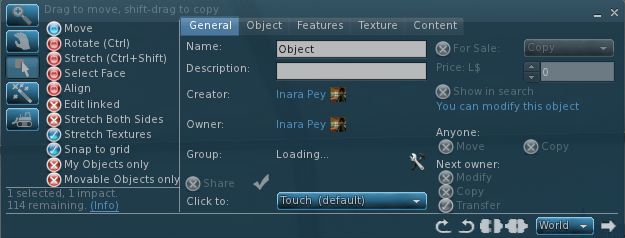
  • Right-click on the linkset for the object  and select Show in Linksets
  • Select the required attribute from the drop-down list
  • Apply the attribute to the linkset
  • Use the Rebake Region button which will appear at the bottom of your screen to update the region navmesh.
Setting an object’s pathfinding attributes

Walkable Areas

Broadly speaking, the following options are available when creating walkable areas in a building:

  • Set the entire structure to Walkable. This works reasonably well, however:
    • For modifiable builds, all scripted moveable elements must be configured as linksets separate to the main structure, as noted above
    • This option should not be used for NO MOD buildings with scripted moveable elements integral to the structure
  • If the building’s floor areas are already an independent linkset, set that linkset to Walkable
  • If the building is modifiable, unlink the floor areas and then re-link them as an individual linkset which can be set to Walkable
  • Create your own floor “overlays” from prims, position them over the existing floors and then set their attribute to Walkable (useful in NO MOD builds which include scripted moving elements).

Which of these options you use is down to the building you have and personal choice. I found that setting an entire building to Walkable (after taking care of the door linksets) worked perfectly well for the most part.

Placing a Walkable floor into a build. Left: the floor prim and house; right: as seen in navmesh view with house selected (wireframe) and the floor in green to indicate it is walkable. Note the floor equates to one room of the house

Note you can set the Walkable attribute for the floor prims prior to positioning them, but you’ll have to run a region rebake once you’ve done so. You can “hide” the floor prims by making them transparent.

I should also note that in terms of furnishings, I left anything set with the Movable Phantom attribute alone, and anything set to Movable Obstacle to Static Obstacle (this did not “break” any scripts for sitting, etc.).

Optimising

To give better control over characters roaming inside a building you might wish to set additional attributes against individual elements in a building. For example, in setting an entire building to Walkable and with Charlie moving at the default character speed, I found he would periodically “pass through” a wall or window and continue roaming around outside. I stopped this by setting the walls of the building to Static Obstacle. As well as potentially helping with character behaviour, setting additional attributes for linksets and objects helps optimise pathfinding for the entire region in which it is being used.

Use the page numbers below left to continue reading

Second Life’s Steam-powered approach to new users

Linden Lab has issued a blog post announcing that Second Life will be expanding to steam “in the next month or so”. The announcement reads in full:

As some sharp-eyed developers have speculated, we’re going to make Second Life available on Steam in the next month or so. 

Many of us have friends who are avid Steam gamers, but if you’re not familiar, Steam is a very popular online game platform that offers a wide range of titles (and will soon also offer other software as well). 

What does this news mean for Second Life? You’ll still be able to access Second Life just as you can today; there won’t be any change to that. But, the more than 40 million people who use Steam will also be able to get Second Life as easily as they can get games like Portal. 

We’ll make an announcement on the blog when Second Life is actually available on Steam, but in the meantime, if you have friends who are Steam gamers, let ‘em know it’s coming!

Steam is a digital distribution platform developed by Valve Corporation. It is used to distribute games and related media online, from small independent developers to larger software houses. The primary service allows users to download games and other software stored in Steam’s virtual software library (some 1500 titles as of August 2012) to their local computers. In addition, Steam offers a range of other services, include the ability to purchase games in your local currency, some DRM protection for titles, and a comprehensive communications platform service that allows for direct contact between users, the ability for users to join in multi-player games, etc.

It is estimated that Steam has some 54 million users world-wide as of August 2012, with an average concurrency rate of some 5 million users.

Given the volume of users enjoyed by Steam, and the fact that many SL users are also engaged in games and may well use Steam already, this move is clearly aimed towards increasing SL’s visibility and increasing the potential influx of new – and retained – users. As such, it is no coincidence that this announcement comes almost hand-in-glove with the blog post about materials processing coming to SL.

With pathfinding now “released” on the main grid, the promise of much improved materials processing on the way which should, among other things, lead to a much more “realistic” looking in-world experience, and the roll-out of advanced experience tools, the move to make SL accessible to “hard-core” gaming community using Steam could be seen to be indicative of Linden Lab’s desire to have Second Life perceived more as a “games enabling platform” than perhaps as a “virtual world”.

We’re promised a follow-up blog piece when the service is launched, possibly some time in September. It will be interesting to see how the platform is promoted and what the potential response is from the world at large.

Linden Lab announces normal and specular maps coming to SL

Today, Linden Lab has announced a major new open source initiative to improve graphics rendering performance within the viewer. The announcement reads in full:

One of the challenges that virtual world creators face is the trade-off between rich visual detail and geometric complexity. Ideally, by adding more and smaller faces to an object, a designer can model different surface textures and create realistic variations in the interplay of light and shadow. However, adding faces also quickly increases the size of the model and its rendering cost. Normal and Specular Maps are ways to address this by allowing for the appearance of a complex surface without actually modelling fine scale geometry. 

A Normal Map is an image where the color codes indicate how the renderer should reflect light from each pixel on a surface by modifying the direction that the pixel “faces” (imagine that each pixel could be turned on tiny pivots). This means that pixels on a simple surface can be rendered so that they appear to have much more detail than the actual geometry and at much lower rendering cost. Light and shadow are rendered as though the surface had depth and physical texture, simulating roughness, bumps, and even edges and additional faces.

Similarly, a Specular Map allows each pixel to have its own degree of reflectivity, so that some parts of a single face reflect sharply, while adjacent pixels can be dull.

The open source developers of the Exodus Viewer are contributing Viewer support for Normal and Specular Maps, as well as some additional controls for how light reflects from faces. Linden Lab is developing the server side support so that this powerful tool will be available in Second Life.

Design and development are under way. Watch this blog and the Snowstorm Viewers page for information on when test Viewers with these new capabilities become available.

For additional information, or to learn more about how you can participate in the open source program, please contact Oz@lindenlab.com.

A video has also been released, demonstrating the capabilities.

With thanks to Pete Linden for the heads-up

The skills divide: investigating a better build floater

As I reported a while back, the Content Creation Improvement Informal User Group has started looking into the matter of the Build floater.

Like many things in the viewer, the Build floater has to cover many tasks, some of them quite basic (moving a lounge chair across a room) through to very complex building and texturing activities required by content creators. Over the years, this has led to the Build floater becoming considerably more cramped and complex as options, capabilities and tools have been added to it.

Even redesigns of the UI – as with Viewer 2.x and Viewer 3.x have brought with them issues of their own. Some of these are code-related, some of them are very much impact the usability of the floater, e.g. localisation problems wherein languages other than English don’t readily fit the floater size and layout, etc.

Some TPVs have sought to tackle the issue over the years, but efforts have tended to revolve around working with the constraints defined by the current Build floater, rather than looking what needs to be done in order to make the use of tools traditionally grouped together as “build tools” more task-oriented.

Firestorm and Phoenix, for example, have retained the old V1 capability of being able to show a minimal toolbar (remember the MORE and LESS options on the old, old Build floater?) which can be used to perform basic object movement and rotation tasks without having a plethora of additional information thrown at the novice user.

The V1-inspired “minimal Build floater” as exemplified by Firestorm

Niran’s Viewer has also sought to address how information within the Build floater is presented: offering it in a left-to-read format which is potentially more readable for many people as it is easier to visually scan.

However, such approaches suffer their own drawbacks. Niran’s Viewer may present the information in a more logical left-to-right flow, but this is really a cosmetic change rather than a fundamental shift in emphasis in how the tools are presented in terms of user needs as opposed to content creator needs. Similarly, the Firestorm / Phoenix approach retains the minimal information approach from Viewer 1.x, but again, even this potentially contains too much information for, say, someone merely wishing to pull out a sofa and position it in their lounge or who wants to adjust the location of a bracelet attachment on their wrist.

Niran’s Viewer: attempting to make the Build floater a little more logic

The CCIIUG is therefore looking not so much to redesign the Build floater itself, but what needs to be done to present options and tools more logically, such as through one or more floaters that could eventually replace the Build floater as we know it. As such, the Group has been discussing requirements in terms of use rather than function:

  • What tools does the lay user, with no interest in content creation, need to be able to see and access in order to complete the simplest of tasks such as the aforementioned positioning of an in-world object or to resize an object (in-world or attached) to suit their needs?
  • How can these be presented in a user-friendly manner that doesn’t swamp the “consumer user” with information superfluous to their needs
  • Where does the cut-off come between “basic” tools (as described above) and the more advanced tools generally the preserve of the content creator?
  • How should the more advanced tools be presented?

These are actually tough questions to answer as they cover very specialist areas, code design, UI design, etc., as well as a need to clearly understand what “consumer” or “novice” users actually require (itself a tough question for anyone who has been engaged in Second Life for any reasonable length of time, as views naturally become more subjective as time passes). However, the work is potentially pertinent for a number of reasons:

  • The Build floater is seeing more and more being pushed into it as functionality within Second Life continues to be enhanced with new tools and features – mesh saw the additional link and pop-up panel; pathfinding has seen the addition of new information panels, etc.
  • It is thought that there may well be a further change pushed into the Build floater as a result of “something new” (no specifics available) coming down the line
  • Even if any new approach coming out of the CCIIUG isn’t adopted by LL, as it amounts to UI improvements, as so long as it does not impact how the in-world experience is shared between viewers, it does not fall foul of the TPV Policy, and so TPVs will be free to adopt whatever improvements may arise from discussions if they so wish.

A working party within the CCIIUG is being formed to look more closely at the matter, and with a view to putting together mock-ups of ideas as to what a new Build tool UI might look like. As such, input is being welcomed from both TPV developers and from users in general on the matter, with the aim of eventually presenting ideas to Linden Lab at some point in the near future.

If you’d like to be a part of the working party, you can join by attending the weekly CCIIUG meetings, held every Tuesday at 15:00 SLT at the Hippotropolis Auditorium. Information on the Build tools discussions to date, please see the links below.

Related Links

Curiosity: plans for the week and getting a Mastcam-eye view

Curiosity should be resuming the characterisation phase tests following the upgrading of the on-board computer systems to the R10 flight package. Following the upgrade, NASA hosted a teleconference in which it was indicated the software transition proceeded smoothly and successfully.

This week will see the REMS system commence  continuous operations, so mission scientists are hoping to get the first complete 24+ hour Sol cycle of weather data returned later in the week. The mission planners are also looking to run another series of high-resolution images of “Mount Sharp”, right up to the peak of the mound, now that the rover’s orientation relative to the ground and the Sun are understood.

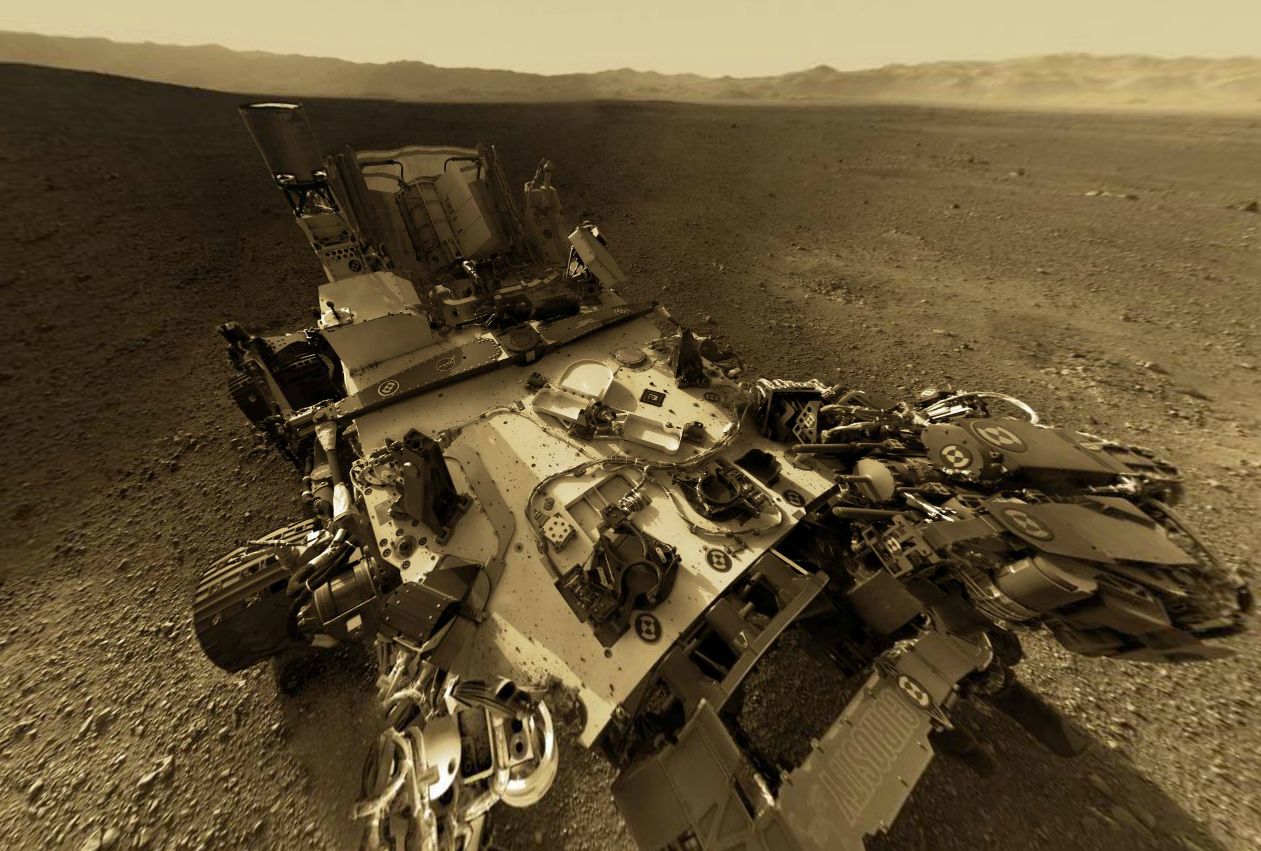
Curiosity – an initial self-portrait via 360

With the successful software transitioning, the characterisation phase for the rover now enters stage 1b characterisation (the first week having been 1a characterisation). This will see more of the rover’s science systems enter operation, and preparations made for Curiosity’s first drive. This will be preceded on Sol 13 by a static test of the rover’s steering actuators. The initial drive – probably no more than a few metres and turning the rover in an arc – is currently scheduled for Sol 15.

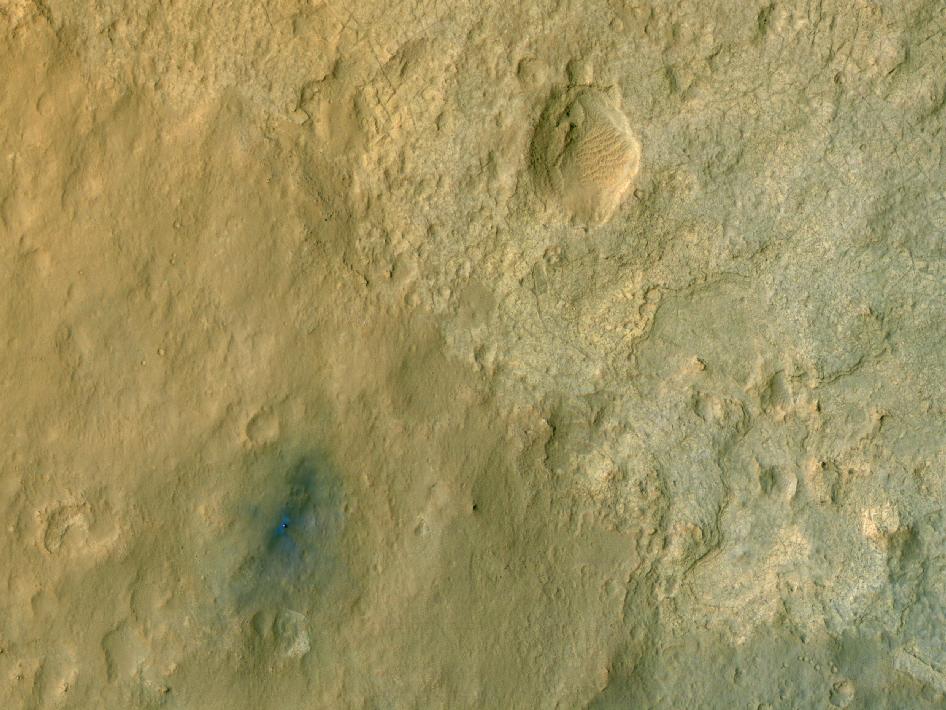
Curiosity on Mars: captured by MRO’s HiRISE. The discolouration around the rover is the result of soil disturbances from the descent stage engines. The blue hue is due to over-emphasis in the colour processing and is not thought to indicate anything unusual in the properties of the rocks

It is estimated that the 1b characterisation phase will last a couple of weeks, and should result in everything aboard the rover being declared as commissioned and ready for operations with the exception of the robot arm and hand. These will be tested during a third characterisation phase (called “characterisation 2”), which is still around a month away. In the period between the end of characterisation 1b and characterisation 2, the rover will be commencing an initial set of science operations using its other instruments.

As it stands, mission staff are already building up a plan for the rover’s traverse from the landing zone to the slopes of “Mount Sharp”. The mound is only around 8 kilometres (5 miles) from the rover, but the route will not be direct, and there are a number of mesas the rover must navigate around – and which may themselves have points of interest to be investigated, although the aim is to get the rover into the ravines cutting into the slopes of the mound, rather than in diversions elsewhere.

A close-up of Curiosity’s “hand” (centre right), with the blast patterns from the descent stage motors just beyond. The paddle-shaped high-gain antenna is to the left

Mission Trivia: Does Curiosity Dream of Electric Sheep?

To conserve power, Curiosity has what is called a “sleep state” in which the main computers are hibernating and systems are largely running in a minimal state. During this time, monitoring the rover’s status and condition is the responsibility of a small monitoring system independent of the rover’s computers. JPL engineers refer to the data returned from this unit (the MRU) as Curiosity’s “dream state”.

See Gale crate for Yourself

Want to see Gale Crater exactly as Curiosity sees it as the Mastcam is rotated through 360-degrees? Want the ability to zoom in and out of images and have a look at the rover itself?

Photographer Andrew Bodrov has taken images captured by Curiosity’s  Mastcam last week and put them into a superb 360-degree interactive panorama, allowing you to see Gale Crater, the surface of Mars and the rover itself in marvellous detail (the images of the rover used here are captured from the view).

The back of the rover. On the left: the UHF antenna; on the right, the low-gain antenna (LGA). In the middle: the rover’s RTG power source

To take a look for yourself, visit the 360cities.net website (unfortunately, WordPress.com blew a raspberry at attempts to embed the view here).

MSL coverage in this blog

With thanks to MartinRJ Fayray for info on the 360cities interactive display.

BURN2: Dates, theme, parcels

Details have been released for this year’s main BURN2 celebrations in Second Life.

The theme for this year is, in keeping with the real-world Burning Man event, Fertility, and it will take place from October 20th through 28th, 2012.

Parcels and Prices

Once again BURN2 will be held across six regions, centred on Burning Man – Deep Hole. A total of 61 parcels are being offered for sale, with a further 34 to be given away. Pricing for the parcels on sale are:

  • 1024sm camps (with 234 prims) are L$3,500
  • 2048sm camps (with 468 prims) are L$7,000
  • 4096sm camps (with 936 prims) are L$14,000

There will be a lottery for seventeen 512m camp plots, with tickets costing L$10. Entries are restricted to one per person, and these parcels can not be transferred nor sold.

Parcels are currently available in Burning Man – Deep Hole.


A video by Missy Restless showing the 2011 BURN2 temple build

Juried Arts and Camps

Eight parcels (three 2048sm and five 1024sm)  will be given away specifically for juried art exhibits. Additionally, five 1024m juried theme camps are being offered.

To apply one of these parcels, please visit the BURN2 submission page for the guidelines / submission requirements and application form.

Events

BURN2 will offer a range of events both during the week of festivities and in the run-up to it. The week will feature the work of four invited artists (details to be released at a later date). Events during the week will include the Skin Burn, and ahead of the week, activities such as a porta potty building workshop, which will be held on the 19th August at 17:00 SLT!

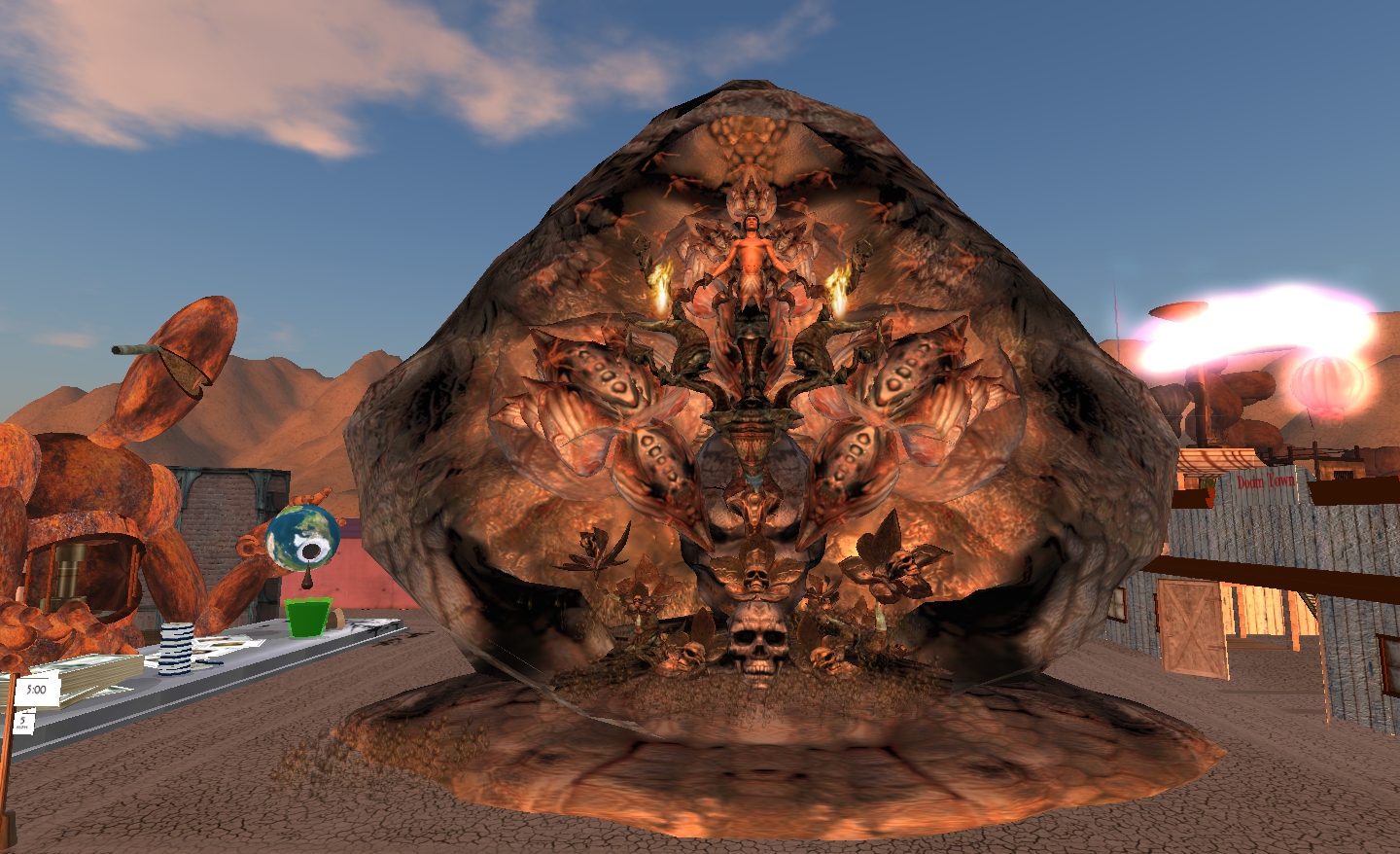
Claudia222 Jewell’s “Rites of Passage” from BURN2, 2011

Volunteers

Those wishing to volunteer to help during the event as a greeter, guide, translator, etc., please visit the BURN2 volunteer sign-up page.

DJs and live performers who might be interested in having a set at the event should contact Buttermilk Panacek.

What is BURN2?

From the Burn2 website:

BURN2 is an extension of the Burning Man festival and community into the world of Second Life. It is an officially sanctioned Burning Man regional event, and the only virtual world event out of more than 100 real world Regional groups and the only regional event allowed to burn the man.

The BURN2 Team operates events year around, culminating in an annual major festival of community, art and fire in the fall – a virtual echo of Burning Man itself.


Burning the Man 2011, a video by Debbie Trilling

Related Links

Information taken from the BURN2 Town Hall meeting notecard, with thanks to Marianne McCann.