Important Note: due to the service outage on Thursday 26th April, Fantasy Faire has been extended by one day.
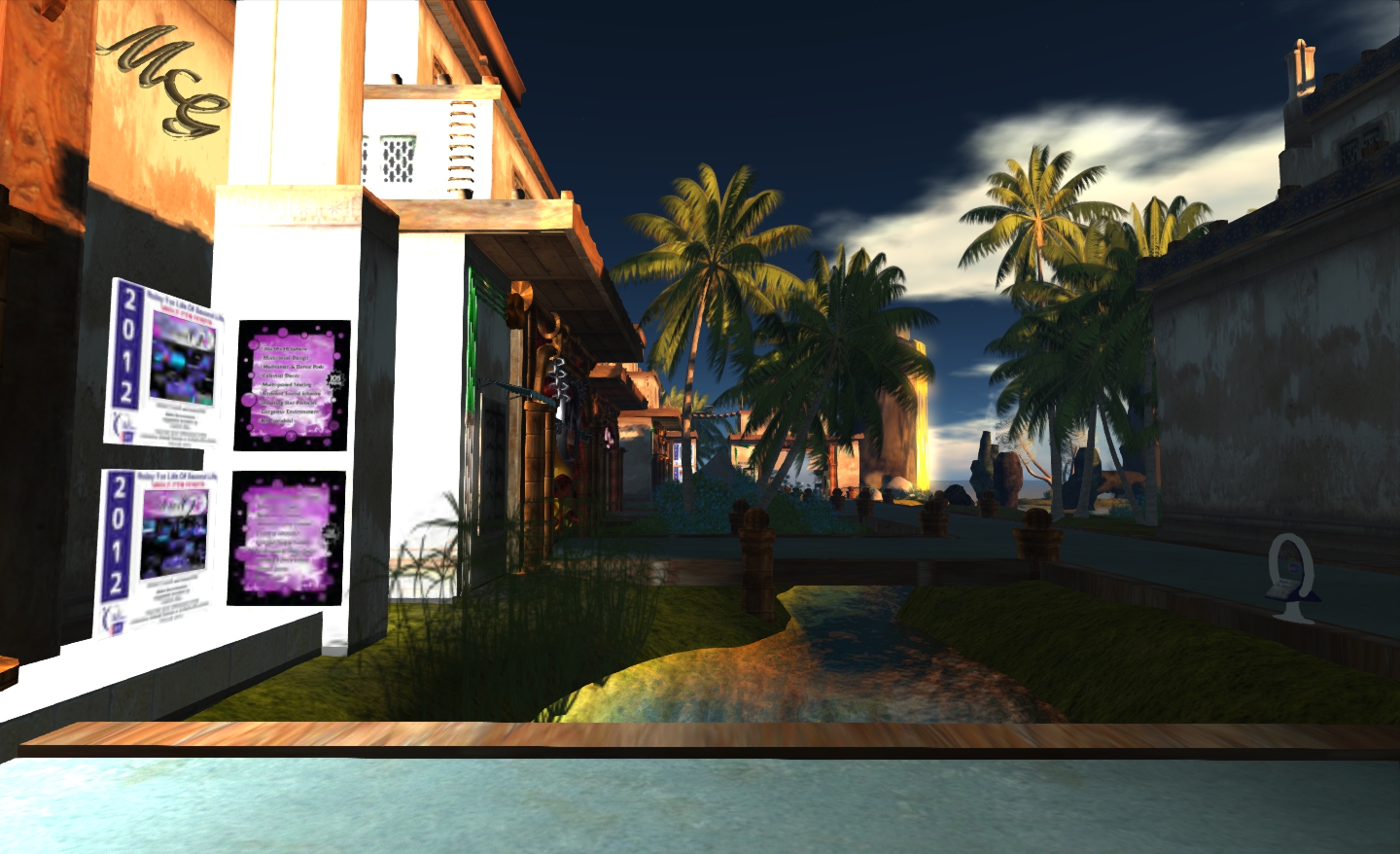
Devil’s Locket is a build by Lauren Thibaud that is a little hard to describe. It brings together a mix of influences in the form of an tropical-like environment, complete with volcanoes, a lagoon-like body of water and whitewashed stone buildings.
Sponsored by Maxwell Graf and Rustica, the sim features a wide range of stores in its oddly exotic setting, where some things are not always obvious to the eye – particularly in the “lagoon”, where a strange metal structure rising from the waters gives a hint that there is more to be found…
You can read an interview with Lauren Thibaud and one with Max Graf about their respective involvements with Fantasy Faire on the Faire’s website.
Devil’s LocketThe imposing facade of the Rustica storeMaxwell’s Magnificent Mesh MansionLooking towards the volcanoesMechanical elephant – the teleport pointStreet view
The rumour mills (serious and highly humorous – the latter particularly on Twitter) churned mightily yesterday, Thursday April 26th, after SL log-ins were blocked. Users attempting to log-in to SL were treated to something of a dire message, rarely seen in recent years, prompting me to tweet at the time:
The outage certainly brought back memories for many, particularly of the old Black Wednesdays, when the Main grid would be down for anything up to eight hours (the rule of thumb being six) for weekly maintenance.
Yesterday’s outage brought with it memories of the “good old days”
A Grid Status update posted on April 27th later revealed that the cause of the fault to be a core network upgrade going awry, impacting both the Main grid and the SL website at secondlife.com. The Grid Status update also warns of further maintenance work that will take place on Monday April 30th as a result of the issue. The update reads in full:
[UPDATED] Scheduled Maintenance Monday, April 30, 2012
[UPDATED 2:30pm PDT, 27 April 2012] On April 26, 2012, the Second Life engineering team was performing an upgrade to the core network. The upgrade triggered a bug that led to downtime and instability throughout the day. The maintenance described in this post is scheduled for Monday, April 30 at 6am PT in order to correct the bug and may result in additional service interruption. We apologize for the service disruption and appreciate everyone’s patience.
[POSTED 1:00pm PDT, 27 April 2012] We will be performing scheduled maintenance Monday April 30, 2012 beginning at 6:00am until approximately 9:00am. Please save all builds and refrain from rezzing no copy objects or making inworld L$ transactions. Some residents may experience delays logging inworld. Please follow this blog for any updated information.
Earlier this month I took a quick look at the Preview Release of Niran’s Viewer 1.33, focusing on the UI work NiranV Dean has been carrying out within the release – part of an ongoing project to provide a more efficient Viewer front-end. Today sees the launch for the final version of 1.33, and in NiranV’s own words, this is a “major, major release” for a wide range of reasons. As promised in my last report on the Viewer, I’ve taken time to have a nice, long play with the Windows version.
TPVD Listing
First and foremost, after a long and incredible development curve, Niran’s Viewer has been accepted for listing in the Third-party Viewer Directory and should appear there in the next week or so – congratulations to Niran on all the work that has gone into the Viewer, and to Tarnix for the development of the Linux version.
Two Versions
The 1.33 release comes in two flavours: without and with the Mesh Parametric Deformer. The reason for this is simple, the code doesn’t set well with the Viewer – which might be, as NiranV acknowledges, due to issues with the Deformer working on his development hardware, but which could also be related to conflicts between the code and the Viewer’s rendering pipe. However, as NiranV notes in his blog: “You should be able to experience the Deformer mostly normal if you activate Deferred, Shadows and Ambient Occlusion, meaning that the separate release is only for those who can run [in this mode] and [who] want to test it to give Qarl Feedback.”
Installation
The Windows installer package weighs-in at 40Mb, and now creates a desktop shortcut icon (yay! no more hunting through Explorer and shunting bits around). Installation itself is, as always, fast and smooth, with the change log displayed in the opening window for those who are curious but who haven’t actually delved into Niran’s blog to read the information there.
On start-up, and for the first time with Niran’s Viewer, I did encounter a virus threat warning from AVG. This is something that is not uncommon among Viewers, with a number of TPVs (and the odd release of the Official Viewer) throwing up warnings on occasion. It certainly be taken to mean the Viewer is up to mischief. LL themselves provide some guidance on avoiding false threats. As the alert was related to the slplugin.exe file (a common cause of false virus alerts), I felt confident in marking the alert as a false flag and continuing.
The UI
As mentioned above, the User Interface is very much one of the focal points of NiranV’s work on the Viewer, and I took a look at some of the upcoming features in my overview of the initial Preview release. As such this is the logical place to start with this look.
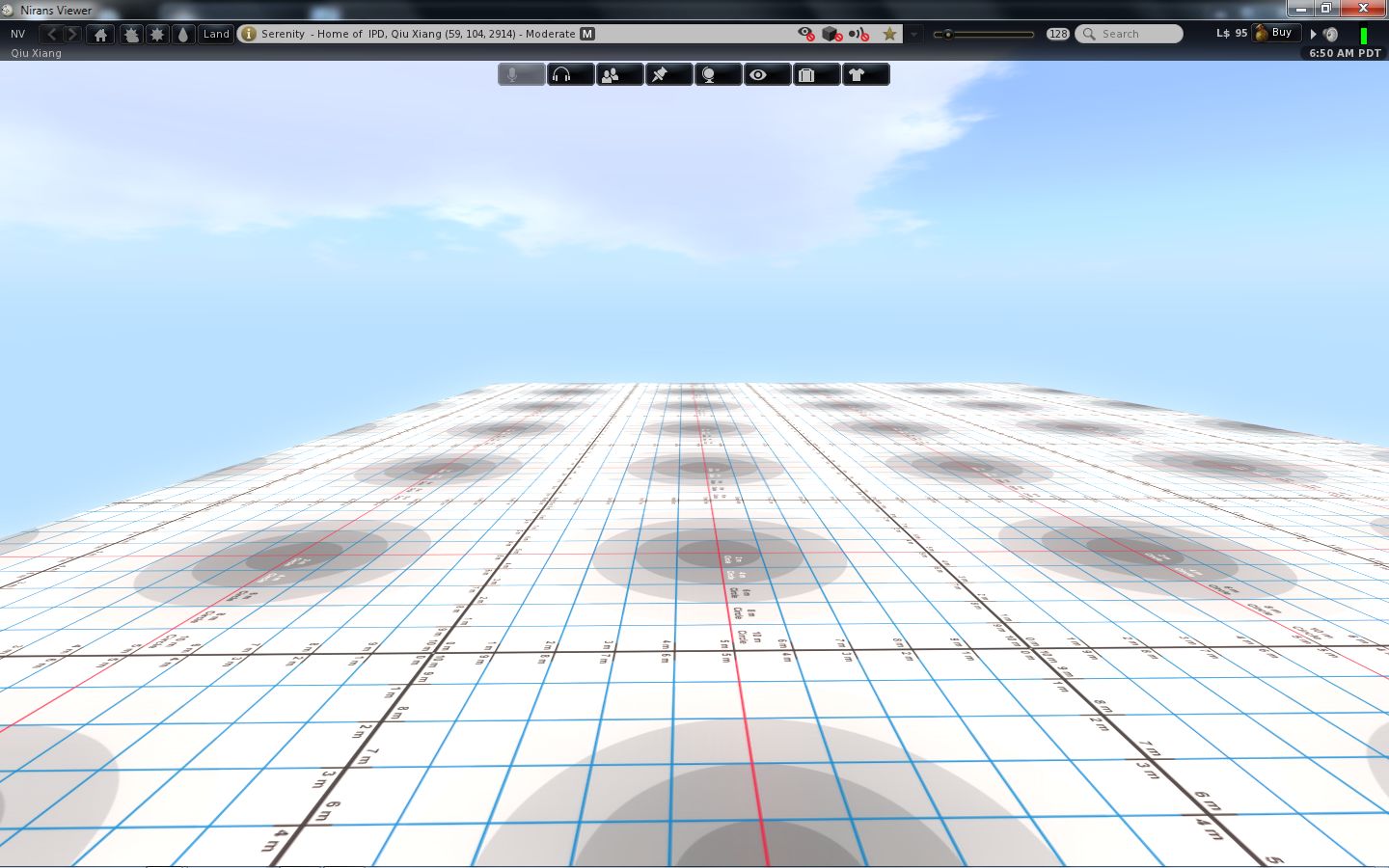
The first noticeable thing with this release is the on logging-in the UI is extremely clean and minimal. with both bars and buttons only appearing at the top of the window, rather than the top and left, as with earlier versions.
UI: functionally minimalist
The buttons displayed by default are Speak, Voice, People, Picks, Places, View, Inventory and Appearance, which represent an interesting mix and which, in a nod to Kirsten’s Viewer, are initially displayed in “S19” format. There’s still no option to left/right align buttons either at the top or the bottom of the window (or to the top/bottom of the window if you place buttons on either side of your world view), so I’ll keep pestering NiranV on this :).
If I’m totally honest, the top button bar is something I’m personally not overly keen on: when active, it actually blocks the uppermost section of the screen from use, so you can’t “dock” (or more correctly in the case of the 3.2 FUI align) floaters with the top bars: there will always be a gap. But this is just a personal niggle on my part.
A nice touch with Niran’s Viewer, for those who don’t use the top of the window for anything at all, is the ability to hide the Navigation Bar, etc., at the top of the screen completely when not in use (the mini-Location bar is automatically displayed in its place) by setting Preferences->User Interface Options->UI Customisation->HIDE TOPBAR AUTOMATICALLY. Introduced a couple of releases ago, this is still something I like rather a lot, given I don’t use the top button bar.
In terms of the button options, Niran’s Viewer presents pretty much the standard set of buttons that come with the Official Viewer, so there is not the massive range of buttons that are displayed by other TPVs – which itself isn’t really a problem. One Button that does make its debut with this release is the SCRIPT button, which opens the Script Information floater.
Colours
When it comes to colours, Niran’s Viewer presents the most customisable UI of any Viewer, something I’ve again covered in the past. With this release, NiranV adds a new tweak to the use of colour: to denote options in both menus and Preferences tabs which may result in Viewer issues and / or crashes, or which should be used with caution on the part of users unfamiliar with them. Those options where caution is advised are coloured orange with this release, with the more experimental / specialised options coloured red (see right). NiranV indicates that these colours may change with a future release, but the idea is certainly a good one in terms of being a visual indicator (although there is a risk colouring an option will encourage people to “click and see”).
In a slightly tongue-in-cheek move, NiranV has coloured the option to Exit the Viewer red because after all, as he says, it does close down the Viewer and logs you out of Second Life!
Fix it!
A new addition to UI floaters comes in the form a pin icon in the top right corner of most (not all) floaters. Called “Fix it!”, this locks a given panel in the position in which it is currently displayed on-screen. Once active, the floater cannot be accidentally dragged elsewhere on the screen. For those involved in activities such as photography, machinima and combat, I imagine this could prove a useful option. The option is also likely to appeal to those who like to have certain core panels (such as inventory) function in a similar manner to when the Sidebar was available (i.e. always appearing on the right of the screen), as they can “lock-in” the floaters to do so – although in the latter case, it should be noted that the functionality currently isn’t persistent between re-logs, although this should be fixed in a future update.
Frame Rates
All Viewers include the option to include a “lag meter” in the top right corner of the menu bar, which shows the Viewer’s performance in terms of a colour-coded graphics bar. NiranV has improved this by allowing you to toggle between the bar and a numeric frame rate display.
Again, this is only a subjective measure of performance, but for those puzzled as to whether the traditional bar is indicative of good or bad performance, the numeric display should help clarify matters.
Super Smooth
The bet way to describe using the Niran’s Viewer UI is smooth. That you’re in something very different to other Viewers is evident the first time you move your camera view – everything pans and slides very smoothly, almost as if you’re on a cushion of air, with motion gliding to a gentle halt. Of course, you can achieve the same in other Viewers by altering your camera movement options, but NiranV has done it for you, making the entire experience a lot .. well … smoother.
This approach can be seen elsewhere in the Viewer, particularly the way options and sub-panels in floaters slide gracefully in or out of view. Take a look at one of Niran’s excellent videos for a practical demonstration:
Preferences
Preferences are the clearest instance of significant changes to the UI. NiranV has done a considerable amount of work in this area to try to rationalise both the way in which Preferences presents options to us, and how we interact with it. A lot of this I covered last time around, but NiranV has continued to refine and improve.
Preferences: overhauls and rationalised
The first noticeable thing on the redesign – at least for those who used the Preview 1 release of 1.33, is that the Preferences panel now auto-sizes itself correctly according to your screen resolution; there are no more scroll options to the left / right of the panel as described in my look at the initial Preview release.
Those coming to Niran’s Viewer for the first time are liable to find the Preferences panel something of a “?!” moment when first opening it; who wouldn’t after the basic layout of the panel having remained pretty much unchanged (other than for custom tabs) almost since the dawn of time? However, I have to say that, with a couple of very minor reservations, NiranV has produced an alternative Preferences panel that makes a heck of a lot of sense and encourages fast, easy use.
At the top are five major category tabs, most of which are pretty self-explanatory. Each of these has up to three sub-tabs (displayed at the bottom of the floater) which help rationalise and order functions and options. Additionally, some tabs may have context-specific options that are only display when certain options are enabled (such as with advanced rendering in the Display and Audio tab, or many have additional toggle buttons on the right to shift between sub-groups of options.
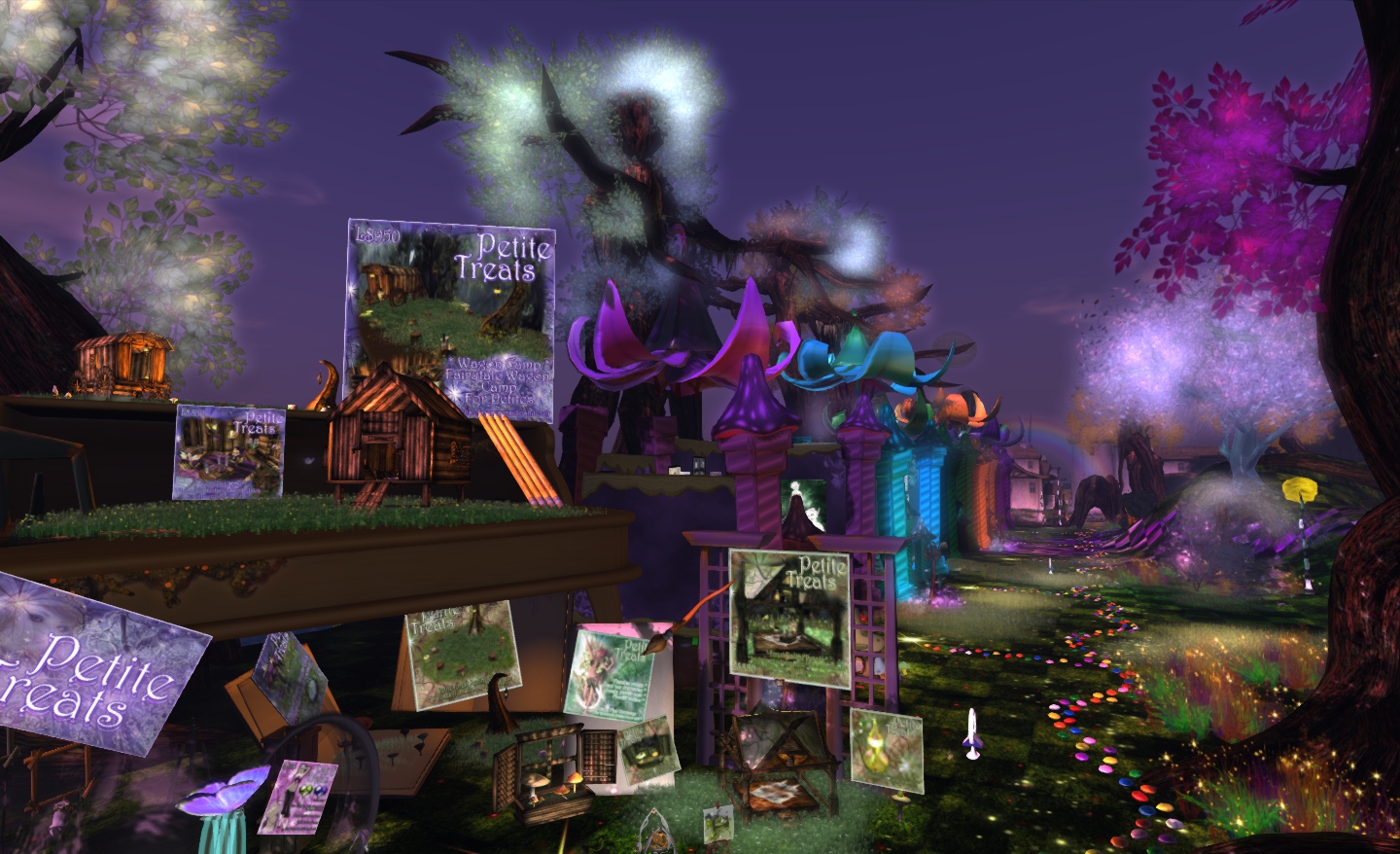
Jungle Bungle is a strange name for a land that appears to have popped out of a mix of fairytale worlds. Here you will find a wonderful world of colour presided over by human-like trees and throughout which are carvings of exotic creatures that might have escaped from forgotten tales by the Brothers Grim.
The sim is the work of Mayah Parx, who is interviewed by Dagmar Haiku on the Fantasy Faire website, and who is also the sim’s sponsor and owner of the Epic Toy Factory. The sim is very much one that deserves to be photographed using the default Windlight settings it provides – which is largely what I’ve done here, even at the risk of spoiling some of your pleasure when you visit.
As you wander the Smartie-like (candy-like) trails through the sim, you’ll be led past a marvellous group of shops reflecting the fae nature of the region and will also come across the aforementioned wood carvings and other little wonders and treasures. One thing you’re sure to be unable to miss, as it rises from near the middle of the sim, is the great entwined bulk of a beanstalk as it climbs into the sky, dwarfing the little floating islands beside it. Walk around it and witness the fate of the giant, head-first in a roiling lake of … chocolate….
Jungle Bungle is, like most fairy stories, both whimsical and dark. While the colours are vibrant, and the stores open to all, the lowering sky and the creatures carved in wood lend a more sinister feel to the place. But then, fairy tales are both the stuff of dreams and of nightmares…
Jungle BungleFollow the candy trail past stores of goodiesA house in the skyMore tree folk……and strange creatures…A small reminder
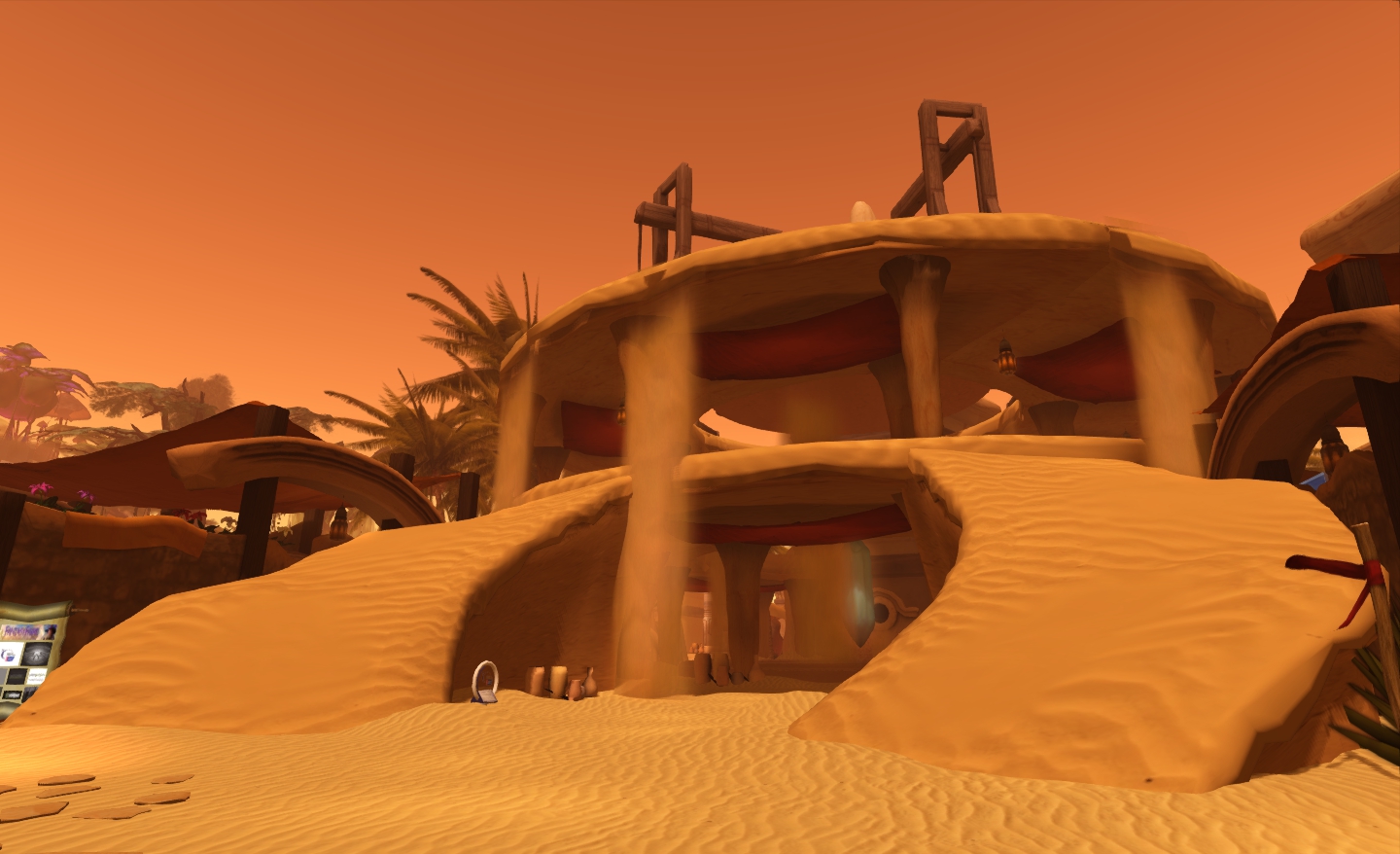
From the alien rain forest of Nu Orne to the dry desert heat of Shifting Sands – such are the travels of an intrepid SL blogger… Shifting sands is a build by Kayle Matzerath that presents us with a world of flowing water – and flowing sand huddled under a ruddy-orange sky.
Sponsored, somewhat appropriately, by Solarium, Shifting Sands furthers the desert theme by having merchants lay-out their wares under tented also raised around a strange partially built structure where sand really does flow like water, before whirling into some subterranean vortex above which hovers a mysterious, possibly alien, green crystal…
The sense of other worldliness is furthered by the great scalloped rock rising from one corner from the region, and from which yet more sand flows, dropping in long falls to the ground, while facing it from across the sands sits a golden sphere, supported in a wooden device, and within which strange powers appear to be stirring…
Wander Shifting sands and you will discover the delights of Pyewicket’s Myths, the masks and unique gifts of Illusion, the skins and shapes of ND/MD Skins & Shapes, find wings and things at Elvenbreath – and much more besides.
You can read an interview with Kayle in which he talks about the build on the Fantasy Faire website.
The Shifting Sands …Where sand falls from above…The Solarium storeTented storesStrange buildings
One of the events held at Fantasy Faire is the Silent Auction, which sees a wide range of exclusive items auctioned quietly to bidders. This year is no exception and bidding is open to all.
Fairelanda Junction: the teleport roundel with the auction wall beyond
This year creators have donated over 70 unique items including one-off avatar skins, gowns, accessories, landscape enhancements, avatars, flora, and much more – up to and including the entire range of Refined Wild creations.
The auction wall
To participate in the auction, you’ll have to hop over to Fairelands Junction (be warned, the Fairelands Junction Saga is also in progress, making the sim very popular). Instructions on how to bid are there – be aware that it is a silent auction, so you’ll need to keep track of those items you’re bidding on!
Some of the items in the auction
The Fantasy Faire website is providing a full on-line listing of all items in the auction, so you can also take a look at items there (the items are being added daily, so again, you should keep checking back).
The Nu Orne lighthouse by Elicio Ember: a feature of the Nu Orne build and part of the Silent Auction













 Inara Pey: Living in a Modemworld