SL Project updates 16 26: Server, viewer TPVD Meeting

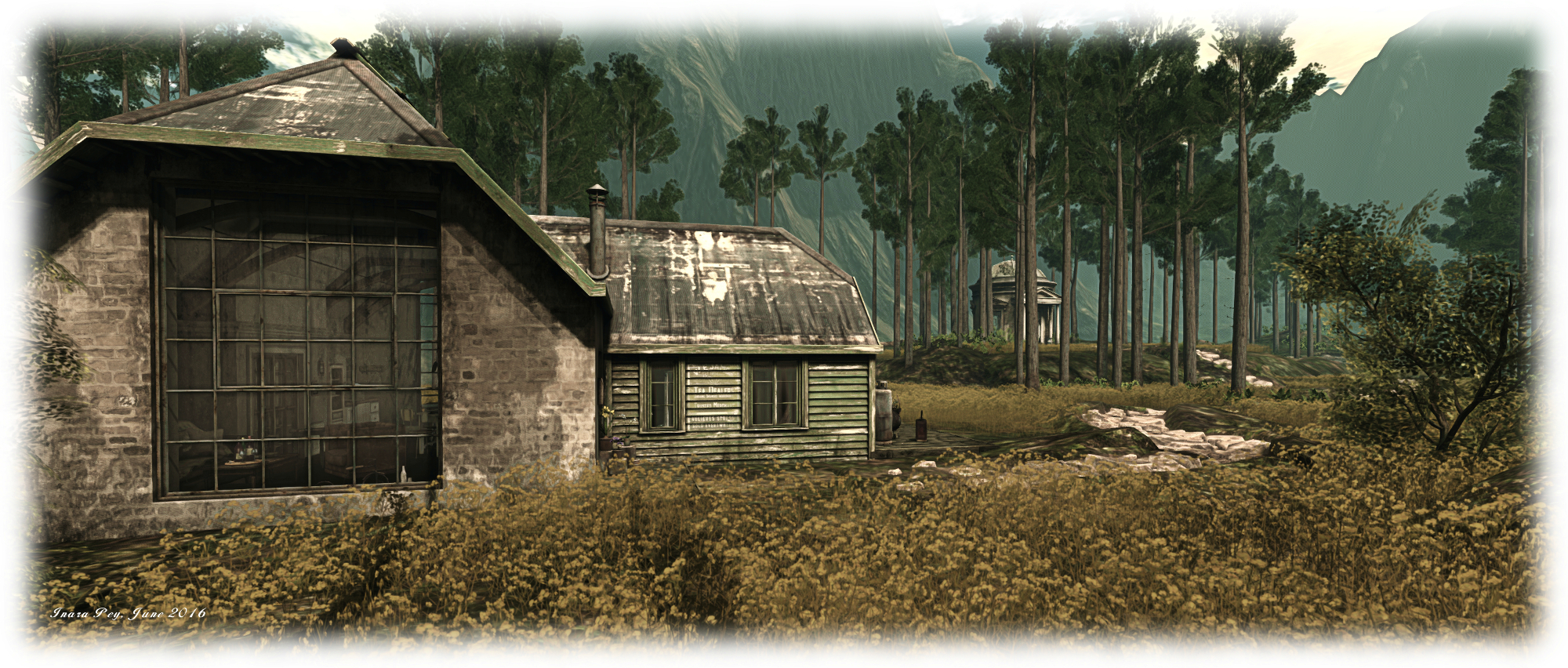
It All Starts With A Smile; Inara Pey, June 2016, on Flickr It All Starts With A Smileblog post

Some of the notes in this update are taken from the TPV Developer meeting held on Friday, July 1st. The video of that meeting is embedded at the end of this update, and references to it are indicated through the use of time stamps in the paragraphs below (note that there were some extended pauses in the meeting where there was no discussion, hence some of the time gaps evident between time stamps, where given). My thanks as always to North for recording and providing it.

Server Deployments – Recap

  • On Tuesday, June 28th, the Main (SLS) channel received the same server maintenance package previously deployed to the RC channels, comprising  minor internal changes and Tool Tip/Constant text fixes.
  • On Wednesday, June 29th, all three RC channels received the same new server maintenance package, comprising the following fixes:
    • BUG-11836  Increase max animation size – animation files up to  250Kb can now be uploaded
    • BUG-6035 (non-public) LSL email registration (for receiving email from outside the region) can break without automatic recovery.

Deployments for Week #27

There will only be one deployment in week #27 (commencing Monday, July 4th), this will be to the Main (SLS) channel, promoting the current RC channel package, which due to Monday being a holiday in the United States, will take place on Wednesday, July 6th, rather than Tuesday, July, 5th.

SL Viewer

The Bento project viewer updated to version 5.0.0.317134, on Thursday June 30th. This update includes small tweaks to the avatar skeleton file, but no structural changes, and provides fixes for:

  • SL-426 missing string for left pec, right pec attachments
  • SL-398 issues with system eyelashes
  • MAINT-6380 vertical flicker with some mesh avatars.

Visual Outfits Browser Project Viewer

[03:22] The Visual Outfits Browser (VOB) project viewer updated to version 4.0.6.316422 on July 1st. This could be the last iteration of the viewer as a project release prior to it being promoted to a release candidate status, which might be as early as week #27, pending the outcome of fixes for a couple of issues.

Oculus Rift Project Viewer

[04:19] A new Windows build for the Oculus Rift project viewer, version 4.1.0.317313 was released on July 1st (reported as being with the Labs QA team during the TPV Developer meeting) – see my update article for more.

It is expected that over the fullness of time, this viewer will progress through project and RC releases and be merged into the main viewer. The Lab currently has no plans to maintain it as a separate viewer channel.

Note that this viewer is still specific to the Oculus Rift. Support for the HTC Vive in Second Life is something the Lab “would like to be able to do”, but this viewer does not expressly support the Vive as well. If and / or when the Lab might offer Vive support in SL, and how far that support might go (e.g. will it include support for using the Vive’s room sensors with SL) is an open question at this point is time.

Inventory Messaging Viewer Promotion

[00:28] It appears the inventory messaging viewer, version 4.0.6.315555, is “almost certain” to be promoted to de facto release status on Tuesday, July 5th.

This viewer eliminates deprecated and unused UDP inventory messaging mechanisms from the viewer, replacing them with the current AIS mechanisms. The promotion of this viewer to de facto release status marking the start of a countdown towards the removal of the corresponding back-end support for these old UDP operations, which will most likely take place some time in Q4 of 2016 (final dates TBD at this time).

When it happens, it means than any viewers still reliant on the UDP mechanisms for inventory operations – such as the Lab’s Obsolete Platforms viewer (version 3.7.28.300847) will no longer work.

Maintenance RC Viewer

[03:02] The Maintenance RC viewer, version 4.0.6.316883 at the time of writing, is also doing well in its cohort, and is expected to be promoted “not to far” behind the messaging viewer – so most likely around mid-July, unless anything happens, given the Lab generally likes to leave 2 weeks between viewer promotions.

Project VLC Media Plugin Viewer

[36:23] It is hoped this project viewer (currently version 4.0.6.316258, dated June 15th) should move to release candidate status in week #27. Again, this will be for Windows only, replacing the QuickTime media plugin for the Windows viewer with one based on LibVLC. The Mac viewer will be updated to use LibVLC when the 64-bit version is released.

There have been some issues with this viewer recognising .MOV files in comparison with playing files in a web browser or a VLC client (see BUG-20024), It is believed that this is due to be down to the number of different .MOV formats the VLC plug-in in the viewer can recognise (.MOV essentially has multiple flavours) when compared to other means to play these files.

[44:56] In general terms, the Lab plan to make further media handling improvements with the 64-bit versions of the viewer, unless something significant comes up with diverts resources.

There have also been some questions over licensing of media in .MOV format, commenting on this, Oz said:

[39::08] We  believe our viewer is not going to be violating any licensing terms, and you [TPV developers] will have to make your own judgements about what your viewers are and are not allowed to do. I’m afraid Linden Lab cannot be in the position of providing advice on that.

64-Bit

[15:42] Work is continuing on the 64-bit versions of the Windows and Mac viewers., with Oz again re-iterating that when ready, the Lab will provide the Windows viewer in 32-bit and 64-bit flavours and the Mac versions as 64-bit only (as do most TPVs who support 64-bit). Linux will also be provided as 64-bit only, although this isn’t a focus for the first release of the 64-bit versions, unless the Lab receive suitable Linux contributions to help them along.

Continue reading “SL Project updates 16 26: Server, viewer TPVD Meeting”
SL Project Updates 16 25/2: server, viewer, animation files

Hell's Crossing; Inara Pey, June 2016, on Flickr Hell’s Crossingblog post

Server Deployments – Recap

As always, please refer to the server deployment thread for the latest information.

  • There was not deployment to the Main (SLS) channel on Tuesday, June 21st.
  • On Wednesday, June 20th, the three RC channels were updated with the same new server maintenance package, comprising  minor internal changes and Tool Tip/Constant text fixes.

The RC update includes a fix for BUG-18251, and a further fix for the Bento attachment issue documented in BUG-10979, which doesn’t change Bento models or how avatars are rendered by the viewer.

SL Viewer

The Maintenance RC viewer updated on Friday, June 24th to version 4.0.6.316883.

The remaining official viewers were not updated during the week, leaving them as follows:

    • Current Release version: 4.0.5.315117 (dated May 11), May 18 – formerly the Quick Graphics RC viewer
    • Inventory Message RC viewer, version 4.0.6.315555, dated May 23rd – removal of deprecated and unused UDP inventory messaging mechanisms from the viewer
    • Project viewers:
      • Project VLC Media Plugin viewer, version 4.0.6.316258, dated June 15th – replaces the QuickTime media plugin for the Windows viewer with one based on LibVLC
      • Visual Outfit Browser viewer, version 4.0.6.316123, dated June 6th – ability to preview images of outfits in the Appearance floater
      • Project Bento (avatar skeleton extensions), version 5.0.0.316366, dated June 10th – bug fixes
    • Obsolete platform viewer, version 3.7.28.300847 dated May 8, 2015 – provided for users on Windows XP and OS X versions below 10.7.

Larger Animation File Sizes

There has been a long-standing request to increase the file size for animations, a request which has been enhanced by the development within Bento, where there is now a far larger number of bones to be pushed around (see BUG-11836).

While the Lab had been open to this idea, it looked as if any change would be deferred until after the back-end services had been updated to deliver animation assets via the Content Delivery Network (CDN), which at the time of writing is used to deliver meshes and textures to the viewer.

However, the Lab has now decided to bring this change forward, rather than wait for the move to the CDN. As this is a server-side update, it is currently due to be in the Release Candidate channel updates for Wednesday, June 29th (from Caleb Linden, talking at the Server Beta User Group meeting on Thursday, June 23rd). This will see the animation file size limit raised from 120Kb to 250Kb.

One thing to bear in mind however, is that until animations are moved to CDN delivery (where they should enjoy somewhat faster delivery to your viewer on a first-time load), they will be delivered to your viewer via UDP, and the larger file size, as it comes into use, will probably mean a slightly longer delay before animations kick-in while they are being downloaded. Obviously, once caches locally, this should be an issue (unless you clear cache).

Vir Linden discussed this change at the Bento Project meeting, and I’m including the audio extract from that meeting below.

SL Project Updates 16 25/1: server, viewer, utility servers

The Looking Glass; Inara Pey, June 2016, on Flickr The Looking Glassblog post

Server Deployments

As always, please refer to the server deployment thread for the latest information.

  • There was not deployment to the Main (SLS) channel on Tuesday, June 21st.
  • On Wednesday, June 20th, the three RC channels should be updated with the same new server maintenance package, comprising  minor internal changes and Tool Tip/Constant text fixes.

The RC update includes a fix for BUG-18251, and a further fix for the Bento attachment issue documented in BUG-10979, which doesn’t change Bento models or how avatars are rendered by the viewer.

SL Viewer

There have been no updates to the Lab’s viewers so far this week, leaving the list currently as:

  • Current Release version: 4.0.5.315117 (dated May 11), May 18 – formerly the Quick Graphics RC viewer
  • Release channel cohorts:
    • Maintenance RC viewer, 4.0.6.316614 dated June 16th
    • Inventory Message RC viewer, version 4.0.6.315555, dated May 23rd – removal of deprecated and unused UDP inventory messaging mechanisms from the viewer
  • Project viewers:
    • Project VLC Media Plugin viewer, version 4.0.6.316258, dated June 15th – replaces the QuickTime media plugin for the Windows viewer with one based on LibVLC
    • Visual Outfit Browser viewer, version 4.0.6.316123, dated June 6th – ability to preview images of outfits in the Appearance floater
    • Project Bento (avatar skeleton extensions), version 5.0.0.316366, dated June 10th – bug fixes
    • Oculus Rift project viewer, version 3.7.18.295296, dated on October 13, 2014 – Oculus Rift DK2 support
  • Obsolete platform viewer, version 3.7.28.300847 dated May 8, 2015 – provided for users on Windows XP and OS X versions below 10.7.

In terms of the Oculus Rift viewer, speaking at the SL13B Meet the Lindens event on Tuesday, June 21st, Ebbe Altberg indicated that he’s been invited to a demonstration of the updated viewer. This doesn’t necessarily mean the viewer will be  updated in the Oculus project channel immediately, but it might be taken as a sign of the continuing progress with the viewer.

Other Items

Utility Server Maintenance

There will be further maintenance on a cluster of the Lab’s utility servers on Wednesday June 22nd, at 01:00 SLT. During this time:

  • Residents served by the cluster may be logged off of Second Life, and unable to relog until the maintenance is complete
  • Resident groups served by the cluster may be unable to send messages or initiate group chats during the maintenance.

Users are advised to monitor the Lab’s Grid Status Twitter feed at @SLGridStatus. This is reportedly the last phase of current Utility Server Maintenance work, with previous phases occurring on June 17th and June 21st. While it is only speculation on my part, I suspect this work might be in connection with the core database cluster issues experienced on Friday, June 10th.

CTRLALTStudio Withdraws from Third Party Viewer Directory

The Oculus Rift supporting CtrlAltStudio viewer has withdrawn from the Second Life Third-Party Viewer Directory following an announcement by its developer, Strachan OFarrel (aka David Rowe), in which he states that while the viewer remains available for download, it is no longer being maintained.

Many thanks to Dave for his work in developing CtrlAltStudio and for his ongoing work with High Fidelity.

SL project updates 16 24/2: server, viewer, group ban / chat

La Vie; Inara Pey, June 2016, on Flickr La Vieblog post

Server Deployments – Recap

As usual, please refer to the server deployment thread for the latest information.

  • On Tuesday, June 14th, the Main (SLS) channel received the same server maintenance project, as previously deployed to all three RC channels, comprising “minor internal changes”
  • There was no deployment to either the LeTigre or BlueSteel Release Candidate channels
  • After being in doubt (see part 1 of this report), the Magnum RC deployment did take place. This contained the same code as is currently on the RCs, other than some additional diagnostic code executed when some enters a region.

SL Viewer

The Maintenance RC viewer updated on Thursday, June 16th to version 4.0.6.316614, which includes two additional fixes:

  • MAINT-6446 Correct password length handling to match web sites
  • MAINT-6486 Recompile Scripts does not process beyond first object/prim.

The VLC Media plug-in project viewer updated to version 4.0.6.316258 on June 15th, which includes on additional fix:

  • MAINT-6488 [Win LibVLC] After using a drop down list on a web page, it remains stuck on-screen even when URL is changed.

All other viewers remain unchanged:

  • Current Release version: 4.0.5.315117 (dated May 11), May 18 – formerly the Quick Graphics RC viewer
  • Inventory Message RC viewer, version 4.0.6.315555, dated May 23rd – removal of deprecated and unused UDP inventory messaging mechanisms from the viewer
  • Project viewers:
    • Project Bento (avatar skeleton extensions), version 5.0.0.316366, dated June 10th
    • Visual Outfit Browser viewer, version 4.0.6.316123, dated June 6th – ability to preview images of outfits in the Appearance floater
    • Oculus Rift project viewer, version 3.7.18.295296, dated October 13, 2014 – Oculus Rift DK2 support
  • Obsolete platform viewer version 3.7.28.300847 dated May 8, 2015 – provided for users on Windows XP and OS X versions below 10.7.

Group Ban / Chat

A major annoyance among many groups is that when an irritant is banned / ejected from a group whilst already engaged in group chat, they can continue to engage in the chat session until they close the group chat session window / tab – see SVC-32. However, an upcoming change to the group chat services, currently undergoing testing on Aditi, will change this.

While subject to change prior to going live, the updates on Aditi worked so that:

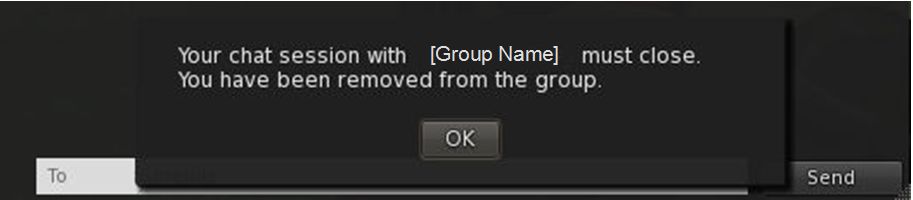
If a person banned or ejected is in the same region as the person banning them, the banned individual sees a dialogue box displayed over their group chat:

Group chat warning following a ban
Group chat warning following a group ban / ejection when in the same region as the person carrying out the banning / ejection

When they click on OK, the dialogue clears and the group chat closes. The group should also be removed from their group list, preventing them from re-joining the chat.

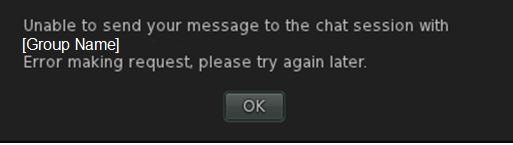
If the person being banned / ejected is in a different region to the person banning / ejecting them, there is no dialogue box displayed over their group chat. Instead, the chat window remains open, but any attempts to post chat messages result in the system message:

group chat-3
Message displayed when attempting to continue to use and open group chat after being banned / ejected from a group, when in a region different to that of the person banning you

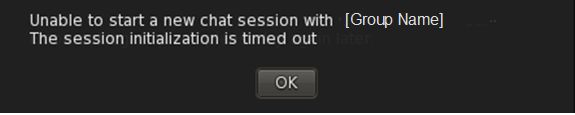
The group will also remain in their group list until such time as they re-log. However, if they close the chat window and attempt to re-join it, they will receive the following message:

group chat-2
Message displayed on attempting to close / reopen the group chat after having been banned / ejected from a group

Currently, it appears as if this update will be included in a main grid Release Candidate update for week #25 (commencing Monday, June 20th).

Bento Fix

A fix for BUG10979 – “Scripted attachments attached to the new enhanced skeleton attachment points show as worn on ‘Invalid Attachment Point’ in the script limits floater” is available for  testing on Aditi on the Fire Ant 1 region, if anyone wishes to try the fix. If all goes according to plan, it should also be on the main grid in a Release Candidate server maintenance package in week #25.

With thanks to Rex Cronon for the SBUG meeting chat tanscript.

SL project updates 16 24/1: server, viewer, weekend issues

Khaled; Inara Pey, June 2016, on Flickr Khaledblog post

Server Deployments

As usual, please refer to the server deployment thread for the latest information.

  • On Tuesday, June 14th, the Main (SLS) channel received the same server maintenance project, as previously deployed to all three RC channels, comprising “minor internal changes”
  • It is likely there will be no planned deployment / restart for either the LeTigre or BlueSteel RCs.

There is a deployment listed for the Magnum RC, which quotes the same version number as last week’s deployment. When I asked Simon whether or not this indicated there would be a deployment, he replied:

I believe they won’t actually roll it. The two versions in RC were almost identical, except for one bit of code that executed when entering a region.   We were comparing them for speed and are promoting the less laggy one. The slow code was kinda nice in that it gave us better diagnostics but wasn’t worth it.

Weekend Issues

On Friday, June 10th the main grid experienced a series of issues which appeared to be very similar to those which occurred at the start of May and were related to the central database node failure. I asked Simon if we would be seeing a further write-up from April Linden or another member of the ops team, prompting him to reply:

I’m not sure if April was going to write up another report. Last Friday’s outage was another main database failure.  I know they’re looking to see if there is any noticeable cause we could address.

Should a post appear, it will most likely be via the Tools and Technology blog, and I’ll of course cover it through these pages.

SL Viewer

Friday May 10th saw two viewer updates:

  • The Maintenance RC viewer updated to version 4.0.6.316312
  • The Bento project viewer updated to version 5.0.0.316366, comprising a small set of bug fixes.

Otherwise, all viewers remain as per my last projects update:

  • Current Release version: 4.0.5.315117, dated May 11th, promoted  May 18th, and formerly the Quick Graphics RC viewer
  • Inventory Message RC viewer, version 4.0.6.315555, dated May 23rd – removal of deprecated and unused UDP inventory messaging mechanisms from the viewer
  • The Visual Outfits Browser (VOB) project viewer, version 4.0.6.316123, dated June 6th. See my overview of the viewer for further details
  • VLC Media Plugin viewer, version 4.0.6.316087, dated June 3rd. Sees the Quicktime for Windows media plugin for the playback of media types such as MP3 MPEG-4 and MOV, replaced by one based on LibVLC (https://wiki.videolan.org/LibVLC/) Mac viewer currently unaffected.
  • Oculus Rift project viewer, version 3.7.18.295296, dated October 13, 2014 – Oculus Rift DK2 support
  • Obsolete Platform viewer, version 3.7.28.300847, dated May 8th, 2015 – provided for users on Windows XP and OS X versions below 10.7.


SL project updates 16 23/2: server, viewer, Avatar Complexity

Snuggles Forest
Snuggles Forestblog post

Server Deployments – Recap

As usual, please refer to the server deployment thread for the latest information.

  • On Tuesday, June 7th, the Main (SLS) channel was updated with the same server maintenance package, comprising the addition of mnemonic names to be used in LSL scripts when attaching to the new attachment points on the Bento skeleton extensions and minor internal changes
  • On Wednesday, June 8th, all three RCs were updated with a new server maintenance package comprising “minor internal changes”.

SL Viewer

There have been no further changes on the viewer front since part 1 of this update, leaving the official viewer channels as follows:

Remaining Viewers

All other viewers currently remain unchanged from week #22:

  • Current Release version: 4.0.5.315117, dated May 11th, promoted  May 18th, and formerly the Quick Graphics RC viewer
  • RC viewers:
    • Maintenance RC viewer, version 4.0.6.315924, dated June 2nd. Includes fixes for the recent release of the Avatar complexity / Graphics Presets viewer release
    • Inventory Message RC viewer, version 4.0.6.315555, dated May 23rd – removal of deprecated and unused UDP inventory messaging mechanisms from the viewer
  • Project viewers:
    • The Visual Outfits Browser (VOB) project viewer, version 4.0.6.316123, dated June 6th. See my overview of the viewer for further details
    • VLC Media Plugin viewer, version 4.0.6.316087, dated June 3rd. Sees the Quicktime for Windows media plugin for the playback of media types such as MP3 MPEG-4 and MOV, replaced by one based on LibVLC (https://wiki.videolan.org/LibVLC/) Mac viewer currently unaffected.
    • Project Bento (avatar skeleton extensions), version 5.0.0.315657, dated May 26th – includes the “reset Skeleton” option and additional slider updates
    • Oculus Rift project viewer, version 3.7.18.295296, dated October 13, 2014 – Oculus Rift DK2 support
  • Obsolete Platform viewer, version 3.7.28.300847, dated May 8th, 2015 – provided for users on Windows XP and OS X versions below 10.7.

Avatar Complexity

There are some issues with Avatar Complexity which have been noted, but have yet to be addressed, One is that a “dirty” install the viewer (i.e. not removing the previous version + its supporting files from a computer will default avatar complexity to No Limit (BUG-18199).

Another (BUG-18195) is that initial default values for Avatar Maximum Avatar Complexity (defined by the graphics benchmarking) are not applying. These should be: Low: 35k; Low-Mid: 100k; Mid: 200k; Mid-High: 250k; High: 300k and High-Ultra / Ultra: 350k. Instead, the bug means that all graphics settings above Low are defaulted to 80k. This also means the Rest button for Avatar Complexity reverts the setting to 80K for all settings, rather than applying the correct default.