VWBPE 2019: Patch and Grumpity Linden

via vwbpe.org

On Thursday, April 4th, 2019, a public Above the Book events was held at the VWBPE 2019 event featuring Grumpity and Patch Linden, who answered questions about the platform and Linden Lab. The following is a summary of the broader points raised during the session, with the full video also embedded at the end.

A general Q&A session from the audience was held
Grumpity Linden

Grumpity Linden – Director of Product for Second Life

Grumpity originally came to Linden Lab while working for The Product Engine, a company providing end-to-end consulting and software development services, and which supports viewer development at the Lab, and she was initially involved in the development and viewer 2 (as designed by 80/20 Studio).

She became a “full-time Linden” in 2014. Her current position involves coordinating the various teams involved in bringing features and updates to Second Life (e.g. Engineering and QA), liaising with legal, financial and compliance to ensure features and capabilities meet any specific requirements in those areas, etc. This work can involve looking at specifics within various elements of the overall SL product, such as UI design and layout, etc.

Patch Linden –  Senior Director of Product Operations at Linden Lab
Patch Linden

Patch originally a Second Life resident, he joined linden Lab in 2007, after being invited to apply to the company as a result of his work as a community leader and mentor from 2004 through until the invitation was extended.

His role also encompasses Sansar, as he manages the respective support teams for both platforms. In this regard, he recently established a support centre in Atlanta, Georgia. For Second Life, his work also involves overseeing the content development teams, the Mainland Land Team, the Linden Department of Public Works – LDPW, aka The Moles, and managing the account support team.

Status Update

  • A lot of focus is on infrastructure work; making SL more performant for those in-world, and on moving Second Life services to the cloud.
    • The latter is especially time-consuming and difficult, as it requires moving services over without disturbing the way things are currently set-up.
    • As has been previously stated in public forums, there are currently no projections on whether this will lead to any reduction in region costs.
    • Currently, this work is taking a lot of resources in terms of staff, time and effort.
    • Overall, it is hoped the move will result in LL being more operationally streamlined and cost-effective, however, this could take time (a few years?) to achieve.
  • Feature work has obviously included:
    • The recent release of Animesh.
    • The continuing work to fully deploy the Environment Enhancement Project (EEP) that will replace the current windlight settings for controlling the appearance of the environment.
    • The continuing work to deploy Bakes On Mesh (BoM), that will allow system layers (skins / clothing) to be directly applied to worn mesh items.
    • The new Estate Access Management (EAM) capabilities (see the Alternate Viewers wiki page for the latest EAM RC viewer).
    • See my Content Creation User Group summaries for information on Animesh, EEP and BoM.
The Estate Access Management update sees significant changes to the region access controls in the viewer
  • The work on a mobile solution (iOS) for accessing Second Life is continuing.
    • This will initially be text-based.
    • Should be able to take advantage of the naked accessibility options available in iOS.
    • Won’t be available for some time yet.
    • iOS was selected because there are already popular Android solutions (notably Lumiya and Mobile Grid Client – there is also MetaChat for iOS).
    • An official Android client will follow, however.
  • Linden Homes are progressing (there will likely be another preview at SL16B).
    • Work is progressing on the new continent; this will be more organic and natural than the old Linden Homes mini-continents, and will be water / air navigable.
  • There has been the re-vamp and re-launch of Linden Realms.

What Audience Does Linden Lab Try to Address with Features?

  • Everyone who uses the platform.
  • The roadmap is designed so the Lab spends time on features for home / land owners, features for content creators, features for new users, features for consumers, features for Premium members, etc.
  • Communities in SL tend to use the platform in a wide variety of ways and continue to surprise LL in how they use the platform. Thus, the Lab try to plan development of SL with as many communities as possible in mind.
  • For the education sector, a lot of work has been put into the RegAPI / Gateway programme to allow educational institutions to bring students directly into their in-world environments, and even brand user accounts specifically to their own institution.
  • Accessibility is always foremost in the Lab’s thoughts.
    • This can in part be addressed by communities themselves in how they take the RegAPI to build their registration process, and gear their gateways.
    • Accessibility options within the viewer are harder to build, due to the nature of the viewer, although some capabilities are presented through third-party viewers  – Radegast being the most obvious (although currently stalled in development).
  • When considering features and updates, backwards compatibility is also foremost in the Lab’s thinking, both because of content available in-world that may be in use, but no longer actively maintained / updated, and because users have become reliant on specific capabilities / content.
    • This isn’t always possible, simply due to the age of SL.

In Brief

  • SL Search: there is a project on the roadmap (yet to be started) to overhaul SL search. It’s too early to discuss specific changes, but Search is complex, and a similar project performed with Marketplace Search took far longer than anticipated, although it yielded positive results.
  • Age Restrictions and Mobile: it is not anticipated that the arrival of an official mobile app for SL will change the current age range access restrictions (just as it hasn’t for the current mobile apps). Any changes in age related access will be a policy change, not the result of any specific technology change.
  • LEA and Art: the LEA is on hiatus and being restructured, and LL are in conversation with the LEA committee and others for the arts community about ideas for moving things forward.
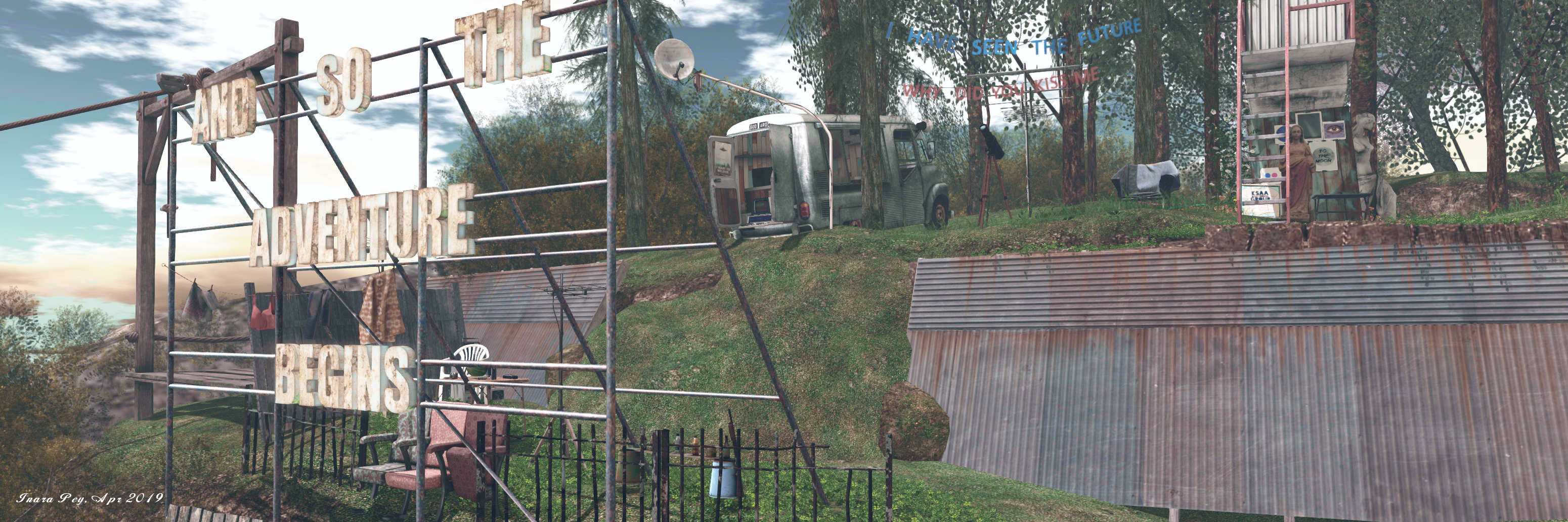
 

KSAA Music Commune in Second Life

KSAA Music Commune; Inara Pey, April 2019, on FlickrKSAA Music Commune – click any image for full size

Located on the Homestead of Imagine Hall, the KSAA Music Commune is a curious region design, developed by a group of Japanese users to – as the name implies – promote their local music.

I say curious, because the overall design is a highly eclectic mix of elements with no discernible theme, but which somehow come together and work in a manner that – whether or not you attend any events there – presents itself as a photogenic environment that might best be described as, “rural shabby”.

KSAA Music Commune; Inara Pey, April 2019, on FlickrKSAA Music Commune

I will start by offering a word of caution: be sure not to step back from the landing point on arrival. It’s tempting to do so, as you land at the foot of a step ladder, but the landing point is actually on the lip of a drop of around 4-5 metres, which can lead to a little confusion as stepping back can have you suddenly dropping / sliding downwards amidst a sea of grey as textures load and render…

The landing point is located on the region’s uplands on its west side. These form a shoe-like oval of grass and tree-topped rock that drops sharply down to the coast on the wets side, and fall in a long, graceful slope eastwards on the other, the grass slope forming a natural pasture / paddock.

KSAA Music Commune; Inara Pey, April 2019, on FlickrKSAA Music Commune

It is possible to walk down this slope from the landing point – but for those who need a faster form of transport, there is a zip line awaiting passengers. This will drop people towards the bottom of the sloping paddock, just before it steps down to a sandy headland marked by a junk yard and aged and deserted big top tent. The junk yard is a haven of mess and oddities, with the wrecks of old cars, the remnants of an auto repair shop, and old furniture mixing it up with children’s toys, bric-a-brac and – indoors – computer hardware belonging to a Steam gaming enthusiast.

The upland area of the island is encircled by a railway track / grass path / dirt track which starts and ends at the sandy headland. Follow it south and west, and the railway tracks will take you over a narrow shelf of grass and rock and across a couple of usual bridges to the western end of the island, directly under the high peak. Here the grass path takes over briefly, offering the way to the dirt road, and a little farm sitting in the lee of the cliffs, shaded by cherry blossom trees.

KSAA Music Commune; Inara Pey, April 2019, on FlickrKSAA Music Commune

Curling around to the north side of the island, the dusty road points visitors to a fork where they can either opt to turn off the road and enjoy the waterside view offered by a shanty bar (pedalo boats available from the rickety pier) and the small beach just past it. If preferred, visitors can continue up a tight, steep slope to arrive at the island’s main music venue, perched under a large water tower and overlooking the beach alongside the shanty bar. This is again an eclectic space, the dance area before the DJ’s “booth” largely taken up by a paddling pool. Beyond this, the road dips back down between dry stone walls to return to the junk yard.

There are various places to sit within the region, and plenty to attract the camera, although it is also true that perhaps a little more attention to detail is required; there are a fair few items floating serenely above the ground or over tables and desks and benches that can have one grumbling and / or grateful for the object derender button.

KSAA Music Commune; Inara Pey, April 2019, on FlickrKSAA Music Commune

I also can’t speak to the frequency of events in the region  – a second dance area can be found at the back of the junk yard – there were no in-world schedule boards apparent during our visit, and Group notices are in Japanese. However, there are Soundcloud links in the Profiles of some of the team responsible for the region, which may give a hint to the types of music played here. There is also a Flickr group for anyone who feels like contributing their photos.

SLurl Details

Holmes, sci-fi, poems and original stories

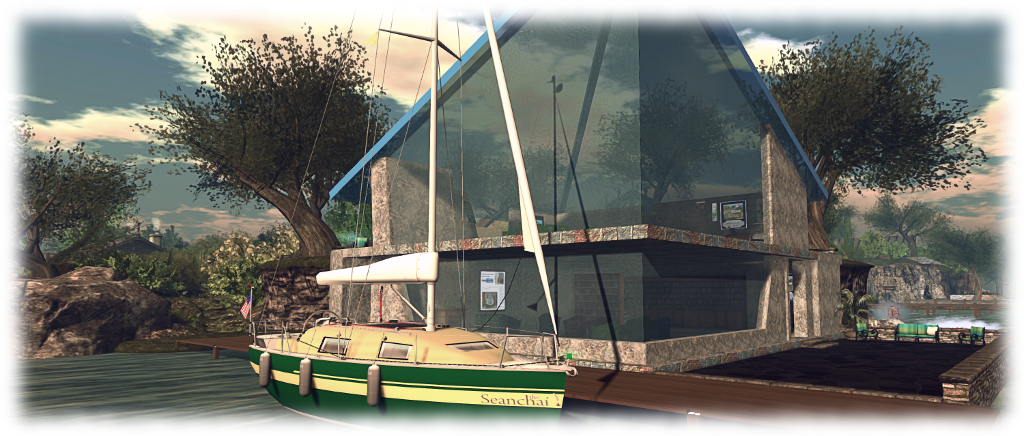
Seanchai Library

It’s time to highlight another week of storytelling in Voice by the staff and volunteers at the Seanchai Library. As always, all times SLT, and events are held at the Library’s home at Holly Kai Park, unless otherwise indicated.

Sunday, April 7th:

13:30 Tea-Time with Sherlock Holmes’ Greatest Hits

As voted for by Seanchai fans, followers and listeners. This week: The Adventure of the Speckled Band, which first appeared in The Strand Magazine in February 1892, and is notable for becoming the basis for a 1910 stage play written and produced by Conan Doyle, and which starred H. A. Saintsbury as Sherlock Holmes and Lyn Harding as Dr. Grimesby Roylott.

Dr. Grimesby Roylott confronts Holmes and Watson at 221B Baker Street (Sidney Paget, 1892)

Helen Stoner lives with her stepfather,  Dr. Grimesby Roylott, last survivor of what was a wealthy but dissolute and violent tempered aristocratic family. Roylott himself is known for his violent temper, and served time in India for the murder of a servant.

Miss Stoner’s visit to Holmes is prompted by Roylott’s demand that she move into a room at his country estate where her twin sister died under mysterious circumstances two years previously, her dying words being, “the band! the speckled band!” Helen is unwilling to occupy the room as there is something decidedly strange about it; thus she seeks Holmes in order to confide her fears in him.

After her departure, Roylott arrives and forces has way into Holmes’ presence, demanding to know what Helen has been saying. Failing to gain any information from Holmes, despite a show of brute physical strength intended to intimidate, Roylott leaves. However, his actions have now firmly established himself at the centre of the Great Detective’s attention…

18:00 Magicland Storytime: Charlie and the Chocolate Factory

Have you heard? Willie Wonka is releasing five golden tickets in candy bars! Charlie Bucket may have a chance to find one as Caledonia Skytower continues Roald Dahl’s classic.

Monday, April 8th 19:00: The World’s Best Science Fiction 1969

Gyro Muggins read from this anthology of science fiction short stories, edited by Donald A. Wollheim, featuring nineteen authors, including such names as Brian Aldiss, Poul Anderson, Samuel R. Delany, Fritz Leiber, Robert Silverberg, and Kurt Vonnegut, Jr.

This week, Hemeac by E.G. Von Wald, the story about a student dealing with life in a university run by defective robots; and Street of Dreams, Feet of Clay by Robert Sheckley. Can an imperfect man find happiness in a perfect city?

Tuesday, April 9th 19:00: Two Houses

Caledonia Skytower shares another of her original tales: a young American couple on their honeymoon find their ties to Irish heritage are far more insistent than just a simple perusal of genealogies. As the past disturbs their future, Mark and Cate must unravel the mystery of two houses that suffered very different fates, but that are somehow connected.

Wednesday, April 10th 19:00: Bring Your Own Poem  Night

bring a favorite poem of yours, or one you like, to be shared fireside in The Glen.

Thursday, April 11th 19:00: Rogue One: A Star Wars Story Part 2

With Shandon Loring. (Also in Kitely grid.kitely.com:8002:SEANCHAI).

Sansar Product Meetings week #14: events + future updates

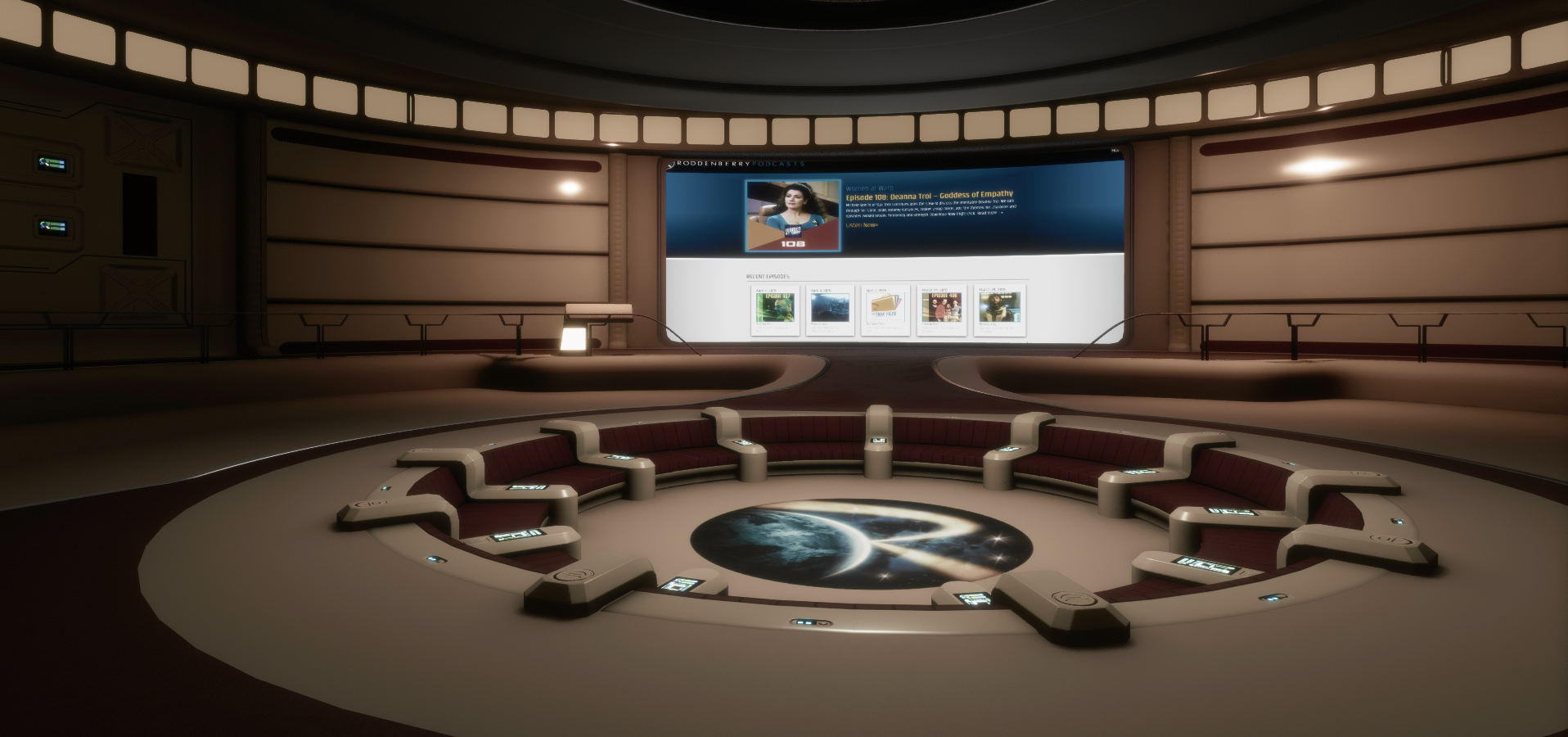
The Roddenberry Theatre: often the location for Product Meet-ups

The following notes were taken from my recording of the Sansar Product Meetings held on Thursday, April 4th. The first meeting, lasting 30 minutes, focused on Sansar Events and the changes made to the events system. The second meeting, lasting an hour, focused on upcoming features. This update focuses on the reasoning behind the events changes, and the confirmed work coming up for the R32 release and beyond.

Sansar Events

The Questing and Jumping Sansar release saw some changes to how events are managed. In short:

  • Events can no longer be joined by finding an experience, it must be done via the event calendar, with the event itself a special copy (not an instance) of the experience.
  • Active events are listed on a new Featured tab – Client Atlas only.
  • Event creators can change the scene tied to an event, customise the scene like any experience, and delete the experience if it’s no longer needed.

As Linden Lab is looking towards much more in the way of events hosting – specifically with “big partners”, these changes have been made to improve the management of events, the Atlas, and to better support the running of ticketed events. Thus, events are now viewed as much more their own type of experience, rather than being an activity tied to an experience and the Atlas.

  • The intent is to make events more a of driver of Sansar use.
  • In particular, it is hoped that ticketed events (with the hint of tiered ticketing, such as “general admission”, “VIP admission”, etc.), will be better supported through the new system.

This has resulted in making events harder to find via the Atlas, as events no longer appear towards the top of the event pages on the basis of the number of people attending. To address this (and other pain points):

  • With the next (R32) release, events will be folded back into the Atlas, rather than only appearing on the Events panel.
  • Some of the Atlas UI will be revised in order to make it more user-friendly to established and new users alike when trying to find things.
  • These revisions should mean that users more clearly see both experiences and events as they browse through the Atlas.
  • The featured section of the Atlas will be changing, so that both experiences and events will be listed.
  • More intelligence will be put behind featured events; e.g. events with an active attendance will be pushed into the featured listing in lieu of any specified as “featured” not having attendees (perhaps because they have not yet opened).
  • It will not be possible to bookmark / like the copy of an experience in which an event is being held; however, it will still be possible add events to your calendar.
    • In time, it might be that recurring events will be automatically retained in a calendar, rather than just the current date / time.
  • Concerns have been voiced that as events now take place in a dedicated copy of an experience, users will no longer be able to bookmark the original experience so they might return to it at a later date.
    • A counterpoint to these concerns is that currently, Sansar has disparate ways to find out what is going on: the Atlas to see what experiences creators are making, the Store to see what goods creators are making, etc., and it might be better to present users with a more holistic view of what creators are doing as a whole (this is kind-of possible via profiles).
    • However: a) such an approach, if taken, has yet to be clearly thought-through to determine how best to implement it; b) it will not compensate creators who wish to use events to encourage visitors to their actual experience.

Future Developments: R32 and Beyond

R32: Full Body Tracking

  • Vive Tracker support has been added to allow full body tracking.
  • The Lab provided a video of an Sansar skeleton moving in time to Landon McDowell’s daughter (wearing the trackers) as she danced (see below).
  • It is hoped that this will add a new dimension to Sansar for VR users (or at least, Vive system users for now), and that it might in the future be used to record custom emotes (gestures in SL parlance).
  • This has involved overcoming a lot of technical challenges, and there is still more work to do to refine the system further.

R32: New Movement Scripting API

  • This will:
    • Allow objects to rotate and turn.
    • Include a set of supporting Simple Scripts.
    • Enable frame-perfect animation; movements can be properly queued to be executed at specific times / in a specific order by the engine of the desired frame.
    • Allow animations to ease-in and ease-out one to the next.
    • Support multiple animation states, with blending between them.
  • This system should work for non-rigid bodies as well.
  • A major part of this is to allow the development and movement of non-player characters (NPCs), allowing simple patrol / follow behaviours, etc.
    • Initially these will be relatively simple: there is no pathfinding, complex interactions, etc.
    • However, it does Include line-of-sight location (e.g. if an NPC is designed to chase an avatar, it will only do so if it can “see” an avatar, so such NPCs could be avoided by keeping things like walls between you and them – see the official video below).
  • LL plan to suse this system to add some simple NPCs to the questing capabilities.
  • Longer-term it is hoped to have NPCs supporting looks, expressions, being able to play recorded voice audio and use Speech Graphics, utilise MD clothing, etc.
  • This should allow dynamic assets to drive animated assets, which in turn should enable things like animated held objects like guns, etc.


R32: General

  • Avatar crouching for desktop will be added as a part of R32. This should reduce the avatar capsule to allow walking through spaces with low ceilings, etc.
  • New throw capability for Desktop mode which should allow more accurate throwing and placement.
    • Throwing will likely include direction and strength indicators for Desktop mode users, allowing them to participate in games with VR users.
    • Placement controls should allow Desktop mode users more accurately place items they have picked up, rather than simply dropping them (e.g. pieces on a chess board can be accurately placed).

Beyond R32

  • Uniform scaling for avatars: scale them up or down proportionally.
    • Scaling of individual body parts (e.g. an arm or the head) will not be possible until the “avatar 2.0” is released.
  • Partial animation import:
    • Allowing a partial / simplified Sansar skeleton (with around 70 bones) to be downloaded and animating directly off of that.
    • Being able to hook this into Mixamo’s animator tools.
  • Feedback on the latest updates for using Marvellous Designer are being gathered and examples put together and will be fed back to MD in the hope of getting issues to work as expected.
  • Work is continuing on the questing system, including opening it to user-generated experiences.
    • Currently, the focus is on getting the system to work for the Lab and ironing out issues and bugs.
    • For the R32 release, the Lab hope to provide more quests beyond those added in the Questing and Jumping release, with the emphasis on showcasing what is possible, rather than building entire games.
  • Performance team continuing to work on a LOD system and performance improvements to get more avatars into an experience.
    • There is also a release with a focus on crash fixes coming soon.
  • Run-time joints: a feature which will hopefully appear later in 2019 that would allow users to parent things to their avatar (e.g. take a hat in and experience and wear it within that experience).

Andrea DeLauren at DiXmiX in Second Life

DiXmiX Gallery: Andrea DeLauren

It’s been only a few days since my last visit to DiXmiX Gallery, curated by Dixmix Source, but I was drawn back to it with the opening on a new exhibition there, this one featuring art by A. DeLauren (AndreaDeLauren).

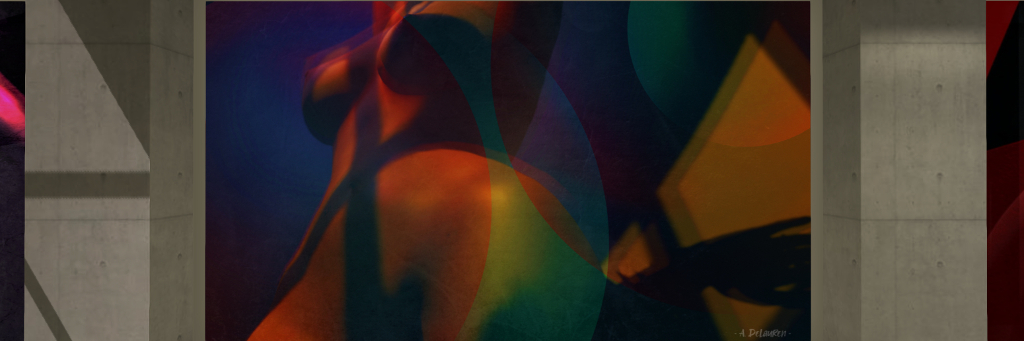
Located in the gallery’s Grey hall, immediately adjacent to the main entrance, Body Lines presents series of 12 avatar studies. I confess to not being overly familiar with Andrea’s work, but these are striking images, rich in colour, boldly presented, and with an abstract tone to them that captivates.

DiXmiX Gallery: Andrea DeLauren

As the title of the exhibition might suggest, the focus is very much on the avatar body, with – I assume – Andrea being her own model. But this is only part of the story; each image uses a mix of geometric lines, colour, tone, blurring / soft focus and overlays to produced a finished picture. This results in each of the pieces being an abstracted piece that holds the attention quite marvellously and evocatively. When coupled with the individual titles for each of them, it is possible to start weaving a narrative to each image – although strictly speaking, no narrative is required; it is sufficient to be drawn into these images through the use of line and colour.

Some of the pieces, visually and by title, have an obvious focus – take Chest as an example, together with Milk and Honey. Others are more broadly evocative. In this, I was particularly drawn to the somewhat psychedelic tones and feel of Windows 70s, while the mix of colour, geometry and natural curve of Hips (also used in the exhibition’s poster advertising) completely captivated me.

DiXmiX Gallery: Andrea DeLauren

The use of geometry within the images is given further depth in pieces like Zebra, and particularly the “joining” of Surrender and Back Lines, where shadow elements are used to extend the lines of the individual pieces beyond their canvas and into the gallery.

A small, but elegant exhibition, Body Lines sits well with Moon Edenbaum’s The Likelihood of n e a r e s s, on display in the gallery’s Black hall (and which I reviewed here).

SLurl Details

The Animesh Water Horse in Second Life

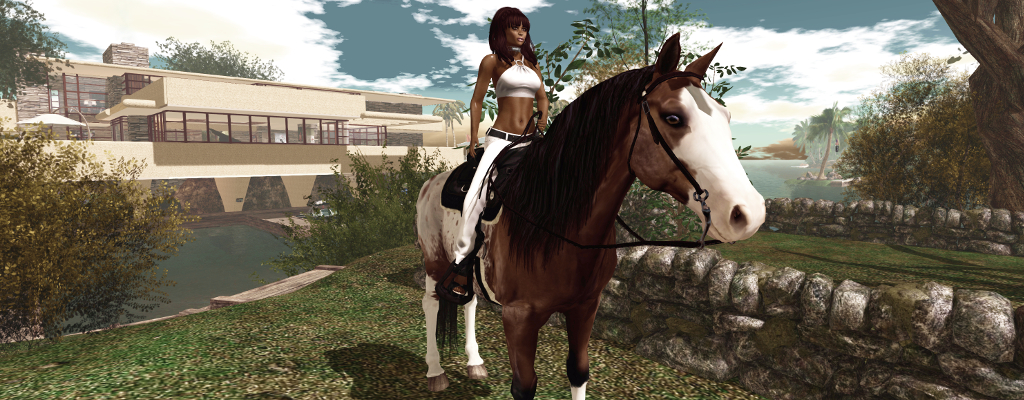
~* Water Horse*~ Animesh horse

On Friday, April 5th, the ~*Water Horse*~ team released their new Animesh rideable horse – something many in their group, myself included, had been eagerly awaiting.

Those who follow my Content Creation User Group updates will know that Animesh allows the avatar skeleton to be applied to any suitable rigged mesh object, allowing the object to be animated. This opens up a whole range of opportunities for content creators and animators to provide things like independently moveable pets / creatures, and animated scenery features.

Comparison between ~*WH*~ Bento and Animesh horses

For the ~*WH*~ Animesh horse, it means the ~*WH*~ team have been able to produce a horse that:

  • Can be ridden by attaching it to an avatar directly from inventory, akin to the manner of a Bento attachment. However, as it uses its own skeleton, it will not clash with any other Bento attachments the avatar might be wearing.
  • Can be rezzed in-world, where it has a range of capabilities (subject to certain land constraints), including the ability for it to be mounted and ridden.

These points make the ~*WH*~ Animesh horse a very flexible new product; one that will continue to be offered alongside the ~*WH*~ Bento horses, but with notable differences, as indicated by the graphic on the right, provided by Tyrian Slade, the ~*WH*~ brand owner.

At the launch, two breeds of the new horse were made available:

  • A warmblood with English riding tack and a 38 Land Impact when rezzed in-world
  • A quarter horse with American riding tack and a land impact of 37.

Given that all Animesh creations have a basic LI of 15, both of these horses are really impressive in their relatively low LI. As a worn attachment they also have a reasonable complexity value, adding roughly 12,000 ARC to an avatar in the case of the quarter horse. Both also have extreme compact script memory usage (231 KB).

The horses are also supplied at two price points:

  • L$4,499 for the “personal version”, which can only be ridden (controlled) by the purchaser (~*WH*~ group members can purchase this for L$4,050).
  • L$12,999 for a “public / friends” version, that can be ridden (controlled) by anyone when it is rezzed in-world.

In both variants, the overall features are the same (so both variants can carry “passengers” for example), and all of the horses are supplied Copy / Modify. This latter point means that you can have multiple horses on your land for use as décor, if required, and you can add accessories (increasing their LI) or remove items (the riding tack can be removed, for example, if a horse is rezzed purely as décor), and they can be re-textured.

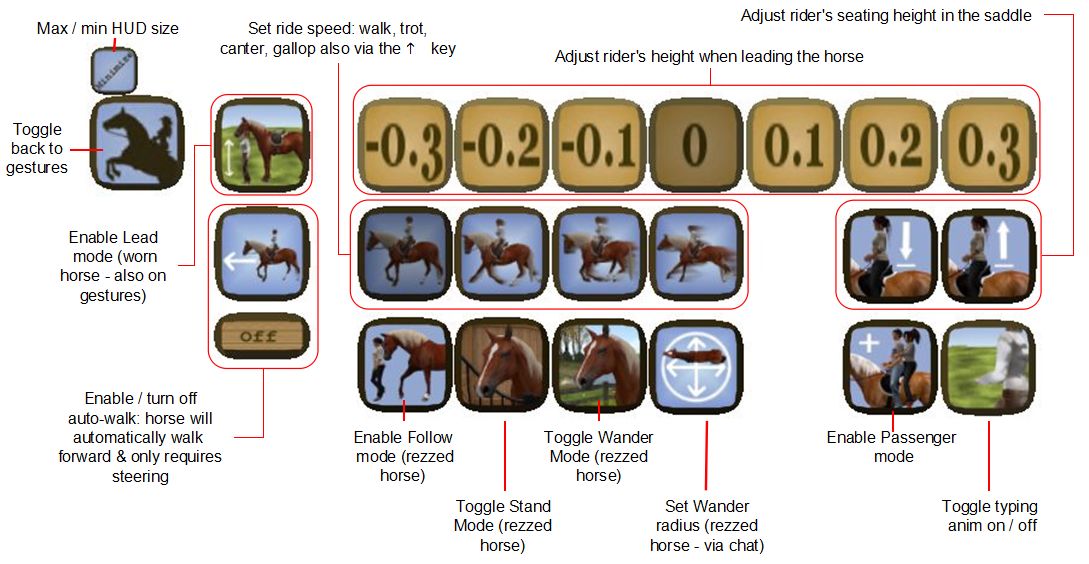
The package for each comprises: four versions of the horse itself (with stirrups, without stirrups, jousting version, version for large avatars); separate wearable stirrups; a riding HUD; a texturing HUD; a visual guide to the HUD buttons; a texture creator kit and some (minimal) documentation (detailed documentation is available on the web).

The Riding HUD

The HUD is a core part of the system, comprising two sets of buttons:

  • A set of gesture buttons for animating the horse when riding. Note that the button to lead the horse via its halter only applies if the horse is directly worn from inventory.
  • A set of buttons accessed via the gear button, combining a number of options for making adjustments to the rider, and for setting different capabilities for the horse when it is rezzed in-world (see below).
~*Water Horse*~ HUD options

Riding the Horse

Before riding the horse, make sure any AO you have (scripted or client) is turned off to avoid any conflicts. Then either:

  • Add it to your avatar from inventory as a worn attachment.
  • Mouseover the horse in-world, and left-click.

Both options will play an animation as your avatar mounts the horse. If the horse has previously been rezzed and set to wandering, the riding tack will render on it prior to the mounting animation being played. In both cases (worn or rezzed) there will be a brief pause as the riding animations are loaded.

Mounting and riding the Animesh horse (when worn or rezzed)

Movement is via the usual WASD / Arrow keys, with W / Up for forward motion. Speed can be increased from walk through trot and canter to gallop with further taps on W / Up; releasing the key will bring the horse to a halt. Tapping S or Down will slow the horse or cause it to walk backwards. Your vertical position in the  saddle can be adjusted via the HUD or via Hover Height. To dismount a worn horse, right-click on it and select Detach. To dismount a rezzed horse, click on the viewer Stand button.

Passenger Riding

Passenger riding only works with the horse rezzed in-world.

  • Mount the horse as rider and open the HUD to the second set of options.
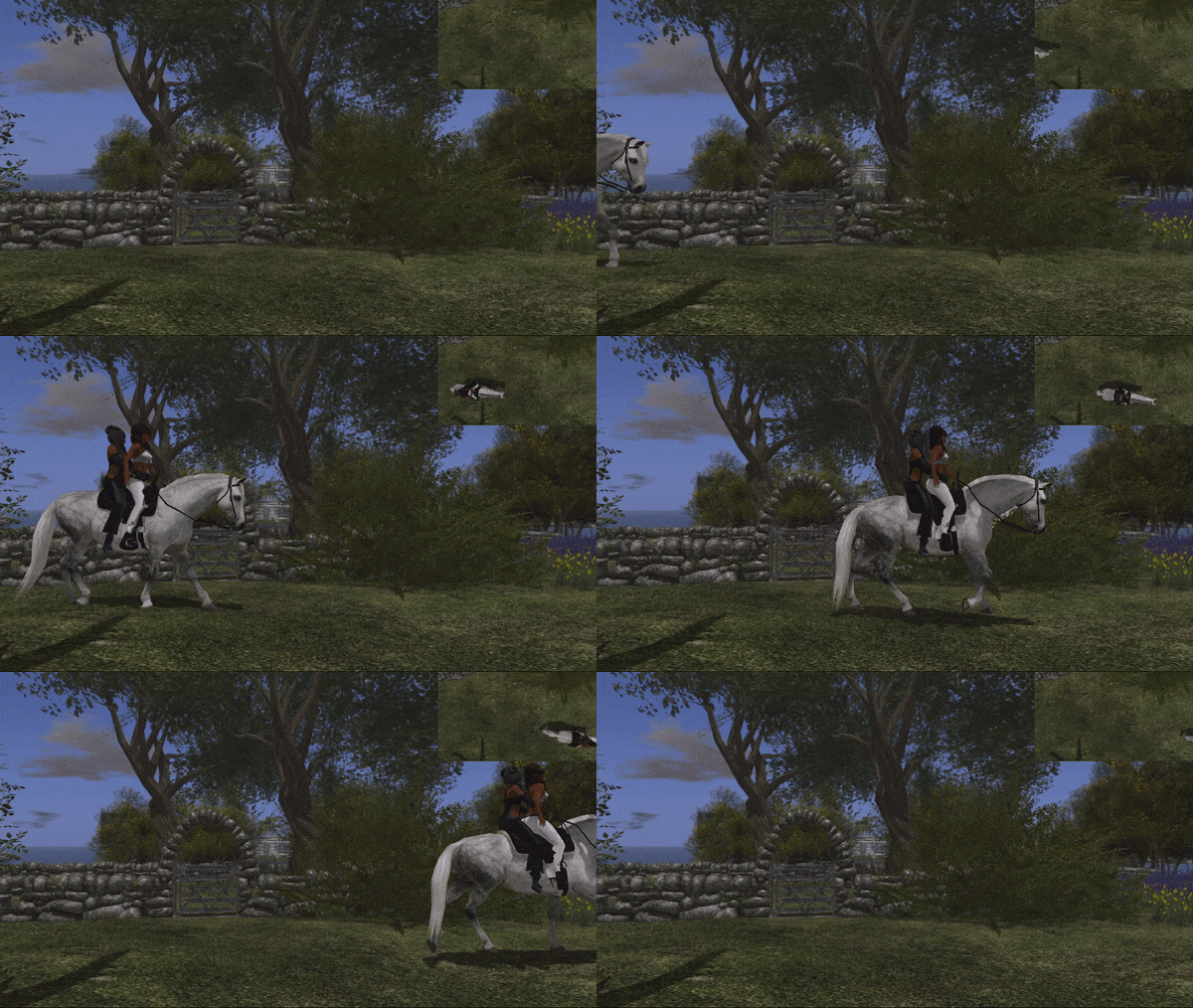
  • Click the Passenger mode button (shown right).
  • Select who you wish to have ride with you via the displayed dialogue box.
  • The nominated person can then mouseover the horse and left-click sit.
Passenger riding with the ~*WH*~ Animesh horse

Camera Position

Many SL users now set their own camera presets (see: SL Camera Offsets in this blog). Due to the way camera control has been implemented in the horses, this can result on some odd camera positions for the rider (which attaching the horse) or for a passenger. Should this happen, try positioning your camera behind you and, once mounted / seated, use CTRL-mouse wheel / the mousewheel to set your camera to a comfortable position above and behind the horse for viewing.

Continue reading “The Animesh Water Horse in Second Life”