SL project updates 16 5/1: Server and viewer

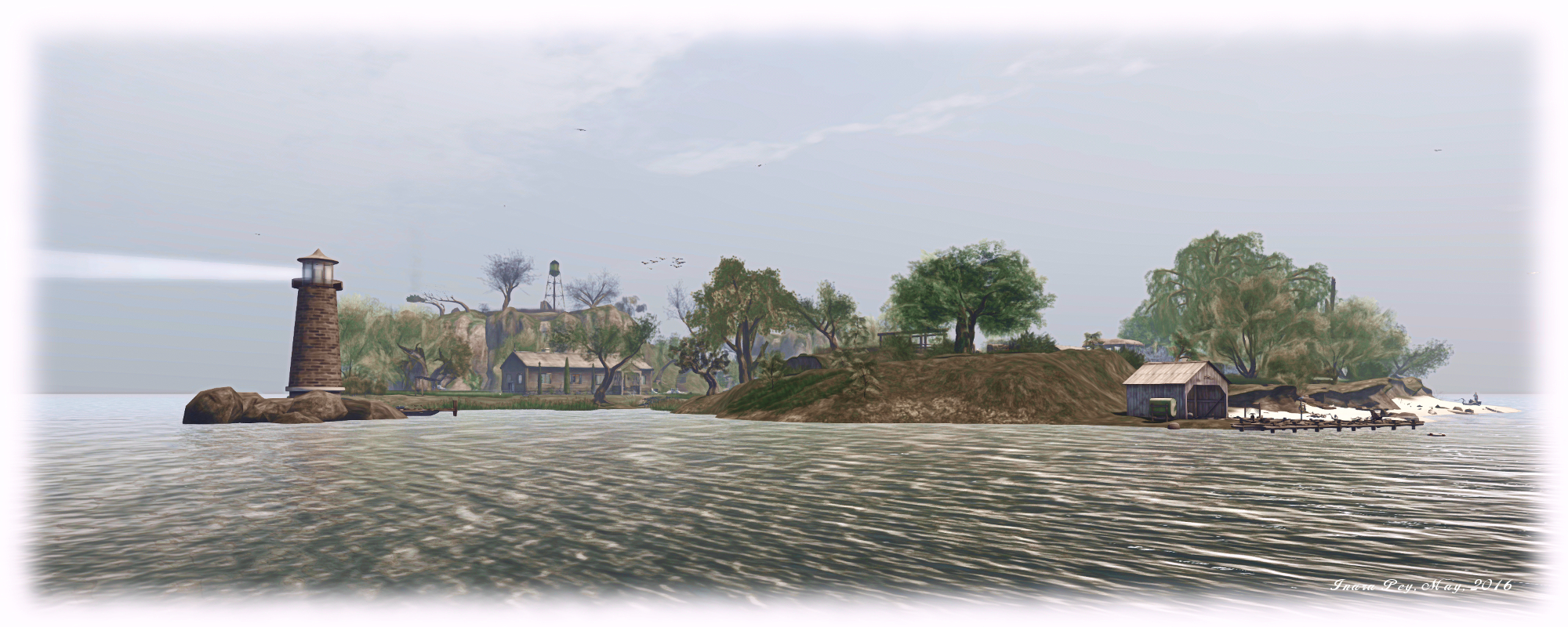
Calas Galadhon; Inara Pey, February 2016, on Flickr Calas Galadhon – the view along the revised coastline from Dimrill Dale towards Glanduinblog post

Server Deployments

As always, check the server deployment thread for the latest updates.

On Tuesday, February 2nd, the Main (SLS) channel received server maintenance package 16.01.21.310177, previously deployed to the three RC channels, comprising Internal simulator fixes and a fix for BUG-1313 “LSL llSetPos in root prim of attachment behaves differently at high altitudes – viewer does not show updates”, which can cause attachments to fail to update correctly at altitudes over approximately 1500 metres.

There are no scheduled deployments to the RC channels for this week, and there are currently no plans for any deployments in week #6 (week commencing Monday, February 8th). Some suspect this is because nest week will see one of the semi-regular meetings those at the Lab directly involved in Second Life have to determine projects and priorities taking place.

Simulator Moves

The Tuesday rolling restart apparently included a number of simulators previously on the RC channels also being redeployed onto the Main (SLS) channel. There has been no word on why this is the case, although it might simply be a re-balancing of simulators between the various channels (Main, Magnum, LeTigre and BlueSteel), or part of a server load balancing operation (the Lab used to undertake periodic re-distribution of simulators by server, but I believe that process is far more automated nowadays).

SL Viewer

The anticipated Maintenance RC viewer arrived in the viewer release channel on Tuesday, February 2nd. Version 4.0.2.310545 includes some 38 updates and fixes for, but not limited to: memory leaks; viewer crashes; UI, permissions and mesh uploader bugs; visual muting issues, autopilot issues and duplicated calling cards (which should hopefully prevent people seeing some / many of the calling cards in their inventory duplicated each time they log-in to Second Life).

Outside of this, the current official viewers remain as:

  • Current Release version: 4.0.1.310054, January 15 – formerly the Maintenance RC viewer download page, release notes
  • Release channel cohorts (please see my notes on manually installing RC viewer versions if you wish to install any release candidate(s) yourself):
    • HTTP updates and Vivox RC viewer, version 4.0.2.310349, dated January 27th
    • Quick Graphics RC viewer, version 4.0.2.310127, dated January 20th
  • Project viewers:
    • Project Bento (avatar skeleton extensions), version 5.0.0.310099, dated January 20th
    • Oculus Rift project viewer, version 3.7.18.295296, dated October 13th, 2015
  • Obsolete platform viewer (Windows XP and OS X versions below 10.7), version 3.7.28.300847 dated May 8th, 2015.

Project Bento Bone Survey

Those involved in work with the Project Bento avatar skeleton extensions are reminded that the  Bento Bone Survey,  while currently open, but is liable to be closed soon. The survey intended to gauge the level of interest in various bone proposals for the Bento skeleton is now available. So if you are an animator or content creator with a vested interest in Project Bento, and if you haven’t already completed the survey, please make sure you do so sooner rather than later. The Lab will be using the results to help with prioritising which additional bones people would like to see added to the Second Life avatar skeleton as a part of the Bento work.

Catznip R10: the cat comes roaring back

catznip logoUpdate: February 8th, 2016:  Catznip 10.1 beta is now available.  Functionally, it is exactly the same as the R10 release except is has a much updated openJPEG, If you are a Catznip user and are experiencing crash issues, this beta may help.

To find out if your issues are openJPEG related, go to  Preferences > Crash Reports. and if you see openJPEG anywhere on that page, you should updated to the R10.1 beta as soon as you can.

Saturday, January 30th saw the long-awaited release of Catznip R10, the first update to the viewer in some 18 months, largely as a result of fate playing a very unfair hand to members of the Catznip team (and it’s good to see you back in-world Kitty, and hoping your recovery swiftly moves beyond the uncomfortable stage) .

Currently, the release is for Windows only, but it see Catznip come right up to date with the current release version of the official viewer, including support for  Chromium Embedded Framework (CEF), for modern media support.

Lab Updates

Obviously, so long a period between releases means that there have been a string of major and minor updates from the Lab, all of which have had to be incorporated into Catznip R10, and which have all be covered to one degree or another in the pages of this blog. With this in mind, and to avoid boring people with a lot of repetition of information already available, I’ve summarised the cor Lab changes found in R10 below, together with links to additional information for those who need it.

Revised Log-in / Splash Screen

The first noticeable change is that Catznip R10 now uses the revised log-in splash screen as deployed by Linden Lab, which places the log-in options at the top of the screen. However, because Catznip is unlikely to be the first viewer new user to SL are likely to encounter, the “first time log-in” option has been disabled.

SL Share 2 and Unified Snapshot Floater

SL Share 2 capabilities, introduced in 2014, allow users to upload snapshots directly to Twitter and Flickr, while the unified snapshot floater provides an initial means of accessing the options to upload snaps to Facebook, Flickr and Twitter from within the snapshot floater, as well as adding a much larger snapshot preview panel.

Group Ban Functionality

Group Bans allow group owners and those roles provided with the ability within a group, to remove troublemakers from that group / prevent them from joining / re-joining the group.

HTTP Pipelining

HTTP pipelining enables the viewer to issue multiple asset fetches on a connection without waiting for responses to earlier requests. This helps to improve things like initial scene loading. In addition, the pipelining code includes improvements to inventory fetching.

Avatar Hover Height

Avatar Hover Height, developed as a direct request of a proposal put to the Lab by members of the Firestorm team, allows “on-the-fly” adjustments to be made to your avatar’s height with the minimum of fuss and without having to use the Edit Appearance Hover slider or use a modifiable shape.

Experience Keys

Also referred to as Experiences, this allows creators to build more seamless and immersive experiences in Second Life without the need to constantly ask users to grant permission to act on their avatar. Instead, permission is requested once when they join (or re-visit) the experience, and then revoked when they leave.

Viewer-Managed Marketplace

The Viewer-Managed Marketplace, or VMM, enables merchants to manage the creation and management of Marketplace product listing through the viewer, bypassing the need to use the Merchant Outbox (and have copies of items stored on the Marketplace inventory servers) or using Magic Boxes.

Group Bans, Viewer-Managed Marketplace and Experiences are all now part of Catznip

In addition, there has been all the maintenance, snowstorm and other releases which have all board improvements and changes to the viewer, and all of which have been incorporated into Catznip R10. These include, but are not limited to: viewer build library updates, interest list improvements, inventory handling updates, GPU benchmarking, attachment fixes, the ability for an avatar to wear up to 60 wearable layers – jackets, shirts, tattoo, alpha, etc. – in any combination, rather than being restricted to a maximum of 5 per specific layer type, and so on.

Notifications Floater Improvements

Caznip offer a means to filter received notifications as well as a drop-down list for displaying notifications by category

A further update made to the official viewer during 2015 was that of the Notifications floater, which appeared in the latter part of 2015.

For those unfamiliar with it, the Notifications floater allows incoming notifications (group, system, invitations and transactions, to be sorted and displayed for easier viewing. The default floater splits all such notifications using a tab system, with a tab for each category.

In implementing the feature, however, Catznip have made a couple of improvements.

The first of these is that rather than presenting received notifications under a series of sub-tabs, Catznip R10 allows the user to select which category of notifications they wish to view (or all of their received notifications) via a drop-down list, removing the need for any scrolling between tabs.

This has allowed the Catznip team to include their second improvement, in the form of a search filter. This allows users to filter notifications based on criteria such as originating group, sender’s name, etc. If, like me, you are someone who receives a lot of group notices, this significantly eases sorting through and finding those to which you might want to pay particular attention.

Continue reading “Catznip R10: the cat comes roaring back”

2016 viewer release summaries: week 4

Updates for the week ending Sunday, January 31st

This summary is published every Monday, and is a list of SL viewer / client releases (official and TPV) made during the previous week. When reading it, please note:

  • It is based on my Current Viewer Releases Page, a list of all Second Life viewers and clients that are in popular use (and of which I am aware), and which are recognised as adhering to the TPV Policy. This page includes comprehensive links to download pages, blog notes, release notes, etc., as well as links to any / all reviews of specific viewers / clients made within this blog
  • By its nature, this summary presented here will always be in arrears, please refer to the Current Viewer Release Page for more up-to-date information.

Official LL Viewers

  • Current Release version: 4.0.1.310054, January 15 – no change download page, release notes
  • Release channel cohorts (See my notes on manually installing RC viewer versions if you wish to install any release candidate(s) yourself):
    • HTTP updates and Vivox RC viewer updated to version 4.0.2.310349 on January 27 – combines the Project Azumarill RC and Vivox Voice RC updates into a single viewer  (download and release notes)
  • Project viewers:
    • No updates.

LL Viewer Resources

Third-party Viewers

V4-style

  • Black Dragon updated to version 2.4.4.8 on January 26th  – release notes
  • Catznip updated to version R10 on January 30th – core updates: major release bringing Catznip back to to par with recent LL viewer releases – release notes

V1-style

  • Cool VL Viewer updated as follows: Stable version to 1.26.16.10 and Experimental branch to 1.26.17.8, both on January 30th (release notes).

Mobile / Other Clients

  • Group Tools updated to version 2.2.36.5 on January 27 – no release notes available.

Additional TPV Resources

Related Links

SL project updates 16 4/2: TPVD meeting

High Water; Inara Pey, January 2016, on Flickr High Water (Flickr) – blog post

The following notes are taken from the TPV Developer (TPVD) meeting held on Friday, January 29th, 2016. At the time of the meeting, Second Life was experience voice issues, and so the meeting was held in text. However, the meeting was still recorded and is available here. The following notes have been taken from the chat log of the meeting.

Server Deployments – Recap

As always, check the server deployment thread for the latest updates.

On Tuesday, January 26th, the Main (SLS) channel received server maintenance package 16.01.16.310114, previously deployed to the three RC channels, comprising a simulator crash fix and feature request OBJECT_REZZER_KEY) for llGetObjectDetails(), which returns the parent_id (object or avatar) of any task in the region. The function only works for those objects rezzed in-world after the code deployment (objects in-world prior to deployment will return NULL_KEY).

On Wednesday, January 27th, the three RC channels all received a new server maintenance package,16.01.21.310177, comprising Internal simulator fixes and a fix for BUG-1313 “LSL llSetPos in root prim of attachment behaves differently at high altitudes – viewer does not show updates”, which can cause attachments to fail to update correctly at altitudes over approximately 1500 metres.

SL Viewer Updates

HTTP / Vivox

The HTTP / Vivox RC updated to version 4.0.2.310349 on Wednesday, January 27th, which sees the addition of MAINT-5977, “Create a MailDrop event pump”  to the list of resolved issues, and the removal of MAINT-6055, “[corehttp] Mac – voice does not stay connected on resume from sleep”.

Quick Graphics

The Quick Graphics RC viewer (currently version 4.0.2.310127, dated January 20th), is getting some fixes to more accurately account for Materials, and possibly some other tweaks to how Avatar Complexity is calculated. The update should be appearing in the release channel soon.

One problem yet to be fixed within this viewer is an issue whereby avatars will still appear as solid colour jelly babies even when the Avatar Complexity slider in the viewer is set to “no limit” (which in theory should render all avatars normally). Commenting on whether or not this will be fixed, Oz noted:

The problem with those cases is that there are 2 more factors that go into making the avatar a coloured impostor, and they’re not obvious enough. We will probably change the thresholds on those, and maybe make the response to them different somehow.

When asked if those who have suitable systems will have the means to disable Avatar Complexity from running in their viewer (i.e. never see jelly babies unless the capability is expressly re-enabled) should the above issue not be resolved, Oz indicated this is a possibility, but is still to be decided.

Maintenance RC

A further Maintenance RC viewer is on the horizon, with what is described as a “nice set of fixes”. This should also be appearing in the release channel in the near future.

Project Viewers

The Project Bento viewer continues to be worked on, and the Lab is trying to move things towards a “final” (for this phase of the work) selection of additional bones – see my separate report on the Bento project for details.

Work is all under way in updating the Oculus Rift project viewer, with an update expected in the near future. The indication is that this will be built to the 1.x SDK. Oz also indicated that the Lab is potentially looking at how many alternative HMDs they might be able to support with the viewer, including “taking a whack” at Google Cardboard support.

64-bit Viewer Builds

As noted in my last TPVD update, the Lab is starting work on 64-bit versions of their Mac and windows viewers. There is no time frame as to when the first project / TC versions might appear, but it does also mean that there will be a 64-bit viewer Havoc library made available to TPVs in due course. However, this may take a while to appear.

Mac Builds

Currently, the Lab is using OS X 10.10.5 and Xcode 7.x for Mac builds, but are working to resolve a cmake file issue in order to build on OS X 10.11.2 or greater. This requires the Lab to re-arrange the order in which the current build tests are run to ensure the required libraries can be located as the integration tests can be successfully run.

Vivox Exploits

There is still concern over Vivox voice exploits being employed by some users. One example of this is a user located on one region being able to listen in on conversations on another region without showing up on active speakers list for that region.

The problem here is that the weaknesses allowing these types of exploits tend to be within the code package supplied by Vivox, and over which LL has no direct control. They therefore require action on Vivox’s part to fix them. This is something Oz pointed out at the TPVD meeting, before going on to note that the Lab will continue to work with Vivox to get things corrected.

Other Items

Older Viewers

There are a number of changes which are being implemented throughout 2016 which will make older versions of viewers increasingly obsolete. These include further inventory improvements and the deprecation of outdated inventory messages which will impact older viewers and, most notably the switch to TLS 1.2, which is already available in the current release of the official viewer (and those TPVs adopting the CEF code base from the Lab).

As I noted (via a comment from Oz) in my last TPVD meeting report for 2015,  this switch-over is being driven out of compliance requirements, rather than for any technical reason. However, what it does mean that once it occurs – mostly likely in the spring – any viewer which does not support TLS 1.2 will be unable to carry out any interactions with the SL Cashier or anything that involves money, as there will be no back-end support.

Third-Party Viewer Releases

  • Catznip updated to release R10.0 for Windows only (at present) on Saturday, January 30th. This release brings Catznip back up to date with more recent code releases from the Lab, and I’ll have a review available shortly. Catznip users should note that R9 will be blocked from mid-February
  • Alchemy will be releasing an update “imminently”
  • Firestorm’s next release continues to look set for around early March.


Project Bento User Group update 3 with audio

Project Bento extends the avatar skeleton, adding a significant set of bones (e.g. 30 for the face, 30 for the hands (both of which can be seen inaction in the image above of an avatar by Matrice Laville), plus bones for wings, tails, additional limbs and ears / antennae

The following notes and audio were taken from the weekly Bento User Group meeting, held on Aditi every Thursday at 13:00 SLT.

For details on each meeting and the location, please refer to the Bento User Group wiki page.

Bone Survey

The  Bento Bone Survey, intended to gauge the level of interest in various bone proposals for the Bento skeleton is now available. The Lab is requesting animators and content creators with a vested interest in Project Bento to rank the bone proposals to help with prioritising which additional bones people would like to see added to the Second Life avatar skeleton as a part of the Bento work.

If you are an animator / content creator with such an interest, and you haven’t already completed the survey, please ensure you do so as soon as possible, as it is likely to be closed on or shortly after Monday, February 1st.

The Lab notes they do not currently know how many additional bones we can reasonably add, or whether some of the associated bugs can be fixed.

Drax Files Filming

The final session of Bento filming for The Drax Files World Makers will take place on Monday,  February 1st at 11:00 SLT at the Bento Island region on Aditi. All those with an avatar developed using the Bento avatar skeleton extensions are invited to attend.

Deformed Avatars

Distortions with Altitude

Cathy Foil has been examining issues with deformations at altitude occurring in avatars using the Bento  skeleton. She first noticed the issue whilst Bento was in closed session and reported details to the Lab. However, efforts at pinning down he precise cause have been hampered up until recently by not being able to gather sufficient data from the skeleton and a lack of detailed comparisons between the effects as seen on various viewers utilising the Bento code.

Cathy has been addressing this using the most recent release of the Bento project viewer, and carrying out further detailed tests at various altitudes to document the severity of the issues more fully (they tend become noticeable at altitudes over 1000 metres). She has now passed her latest findings over to the Lab for their investigations.

Distortions and deformations in avatars using the Bento skeleton were noticed in the closed session Bento development cycle. Since then, Cathy Foil has been digging more deeply into the problems
Distortions and deformations in avatars using the Bento skeleton when at altitude (the greater the altitude, the more noticeable the issues, as seen left-to-right, above) were noticed in the closed session Bento development cycle. Since then, Cathy Foil has been digging more deeply into the problems

“Squished” Avatars”

Cathy has also been investigating the issue of avatars deforming as a result of using a mesh uploaded with different joint positions. This tend to result in avatars looking “squished” or otherwise deformed.

As she uses Maya, part of her investigations point towards possible issues with versions of the plug-ins used by Maya to convert .FBX format mesh files to .Collada .DAE (the format used by SL). Whether or not the plug-ins are the cause isn’t definitive as a cause, but may be a contributing factor. As Vir noted in the meeting, if this is the case, then it is unlikely the Lab can do much about it, but those using Maya affected by the issue may need to check the version of the Collada plug-in they are using, and make sure they have the most recent to see if this clears the problem.

If it is more of an issue with the mesh uploader, however (because the Lab have missed something, for example), then obviously, there is more of a chance of the Lab taking remedial action.

Cathy Foil discusses her investigations into avatar deformations at altitude

Joint Reset Issues

A long-term problem with Bento has been it is easy for joints to get into the wrong state and / or position when animating an avatar using the Bento skeleton extensions. It’s often not clear why this happens when it occurs, which can be somewhat random. Vir has started collecting data on the issue. Nothing definitive has been identified in terms of a cause or causes, but Vir will be continuing to work on the issue.

“First Frame” Animation / Default Avatar Pose Issues

Another issue which has been noted is that of a first frame of an animation begin played three times as the animation is run, and which may be connected to default avatar poses within Second Life. This is a fairly “old” bug, dating back as far as 2007 (see BUG-11194), and which seems to be more prevalent with Bento as a result of bones being used differently (e.g. arm bones being used as forelegs, etc).

Medhue demonstrates the forleg crossing using his wolf avatar. The issue is a lot more extensive than this, with the avatar sometimes looking as if it is standing with forelegs folded in the same way a human folds their arms

Medhue Simoni demonstrated the issue using two of has non-human avatars, an elephant and a wolf, which saw both attempt to cross their front legs (as a human might try to fold their arms) when transitioning between animations.

A lengthy discussion followed on the problem, which might also involve a number of other issues, including poses “baked” into the default avatar skeleton, possible race conditions between the viewer and the server, and issues with animation prioritisation.

It may also be related to how Second Life handles transitions between animations (referred to as animations “easing out” and “easing in” when moving from one to another), which has had other problems reported against it as well – see also BUG-11122, for example.

As indicated in Vir’s comment on BUG-11194, and noted in the discussion, there is some initial concern from the Lab that if the playing in triplicate was an intentional change – and one made well before most developers currently at the Lab having joined the company – or if it requires symmetrical changes on both the viewer and the server, it might result in some content breakage without detailed analysis, although Vir has now started digging into the code to have a look.

Continue reading “Project Bento User Group update 3 with audio”

SL project updates 16 4/1: server updates

Gates of Memories; Inara Pey, January 2016, on Flickr Gates of Memories – blog post

Server Deployments

As always, check the server deployment thread for the latest updates.

On Tuesday, January 26th, the Main (SLS) channel received the server maintenance package, 16.01.16.310114, previously deployed to the three RC channels. This comprises:

  • A simulator crash fix
  • A further feature request: llGetObjectDetails() functionality to get the parent_id of any task in the region (OBJECT_REZZER_KEY).

OBJECT_REZZER_KEY returns the parent_id of any task in the region. If the object came from an object rezzer it returns the ID of the parent object, while If it was rezzed by an avatar, it returns the agent ID of the avatar. The function only works for those objects rezzed in-world after the code deployment (objects in-world prior to deployment will return NULL_KEY).

On Wednesday, January 27th, the three RC channels should all receive a new server maintenance package,16.01.21.310177, comprising:

  • Internal simulator fixes
  • A fix for BUG-1313 “LSL llSetPos in root prim of attachment behaves differently at high altitudes – viewer does not show updates”, which can cause attachments to fail to update correctly at altitudes over approximately 1500 metres.

Deployment Slowdown

“FWIW, we’re likely to slow down on server updates in the next couple of weeks,” Simon Linden informed those attending the Simulator User Group meeting on Tuesday, January 26th. “It’s not part of any evil plan, but I’m doing some internal maintenance work and travelling one week.”

How this plays out remains to be seen, but we should at least have one deployment to the Main (SLS) channel in week #5 (week commencing Monday, February 1st), assuming no issues are found, with the promotion of the this week’s RC deployment to that channel.

SL Viewer

no updates for the start of the week, with the current crop of viewers remaining:

  • Current Release version: 4.0.1.310054, January 15 – formerly the Maintenance RC viewer download page, release notes
  • Release channel cohorts (please see my notes on manually installing RC viewer versions if you wish to install any release candidate(s) yourself):
    • HTTP updates and Vivox RC viewer, version 4.0.2.310097, dated January 19th
    • Quick Graphics RC viewer, version 4.0.2.310127, dated January 20th
  • Project viewers:
    • Project Bento (avatar skeleton extensions), version 5.0.0.310099, dated January 20th
    • Oculus Rift project viewer, version 3.7.18.295296, dated October 13th, 2015
  • Obsolete platform viewer (Windows XP and OSX versions below 10.7), version 3.7.28.300847 dated May 8th, 2015.

Other Items

Greater Local Region Control

A bug which has been getting repeated requests for attention, particularly by those engaged in SL combat activities, is BUG-8974, “Temp rez object are not rezzed in a timely manner”. It’s also one which hasn’t seem to be working its way to the top of the pile of things to be done. During the Simulator User Group Meeting, Simon expanded on one of these reasons this is the case:

“As I remember, it’s tied up with a larger idea: letting region owners pick different settings for the region based on the performance and safety you want.  Part of the problem is due to a throttle which was added for anti-griefing. So if you want temp rezzing faster, you might want that [throttle] looser, while a venue owner would definitely not want that [the throttle looser, due to the risk of griefing]. I can’t make promises but I hope to get to it soon.  It’s still on my list.”