SL project updates 16 20/2: TPV Developer Meeting

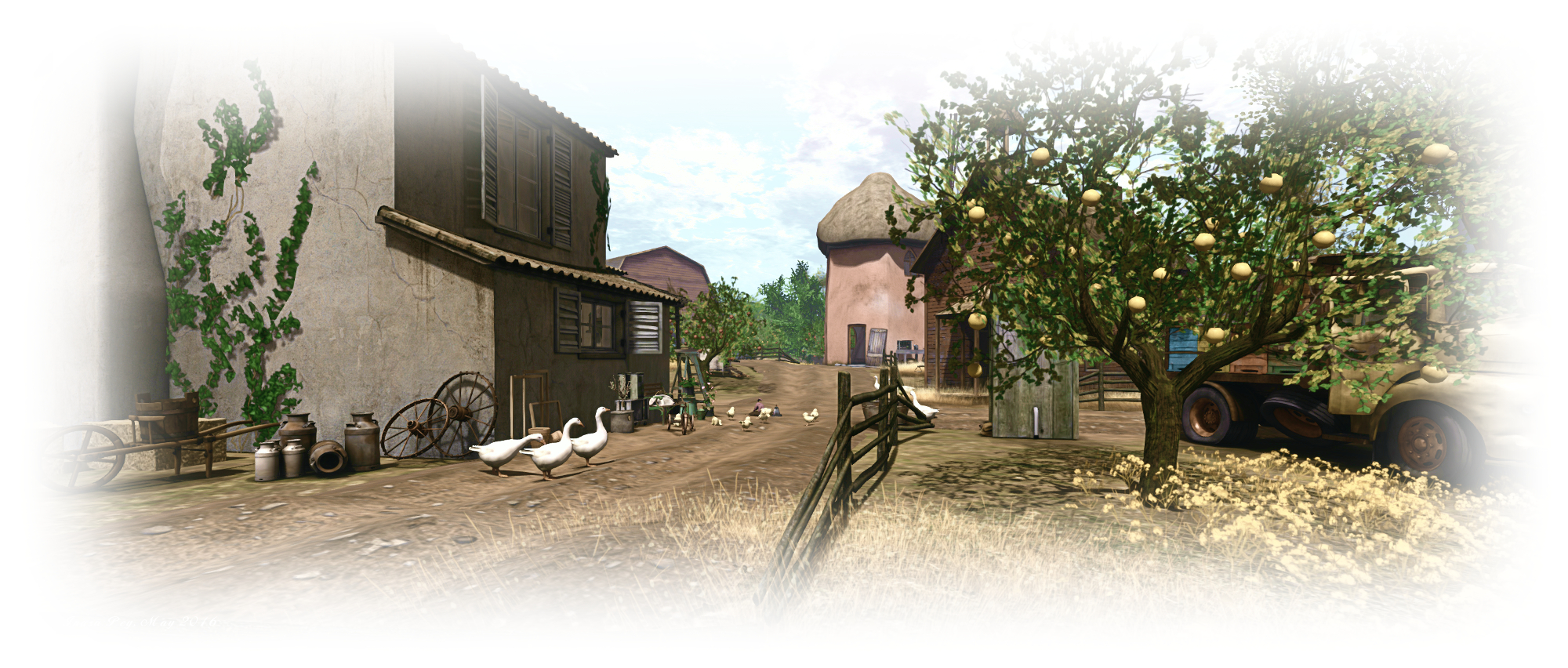
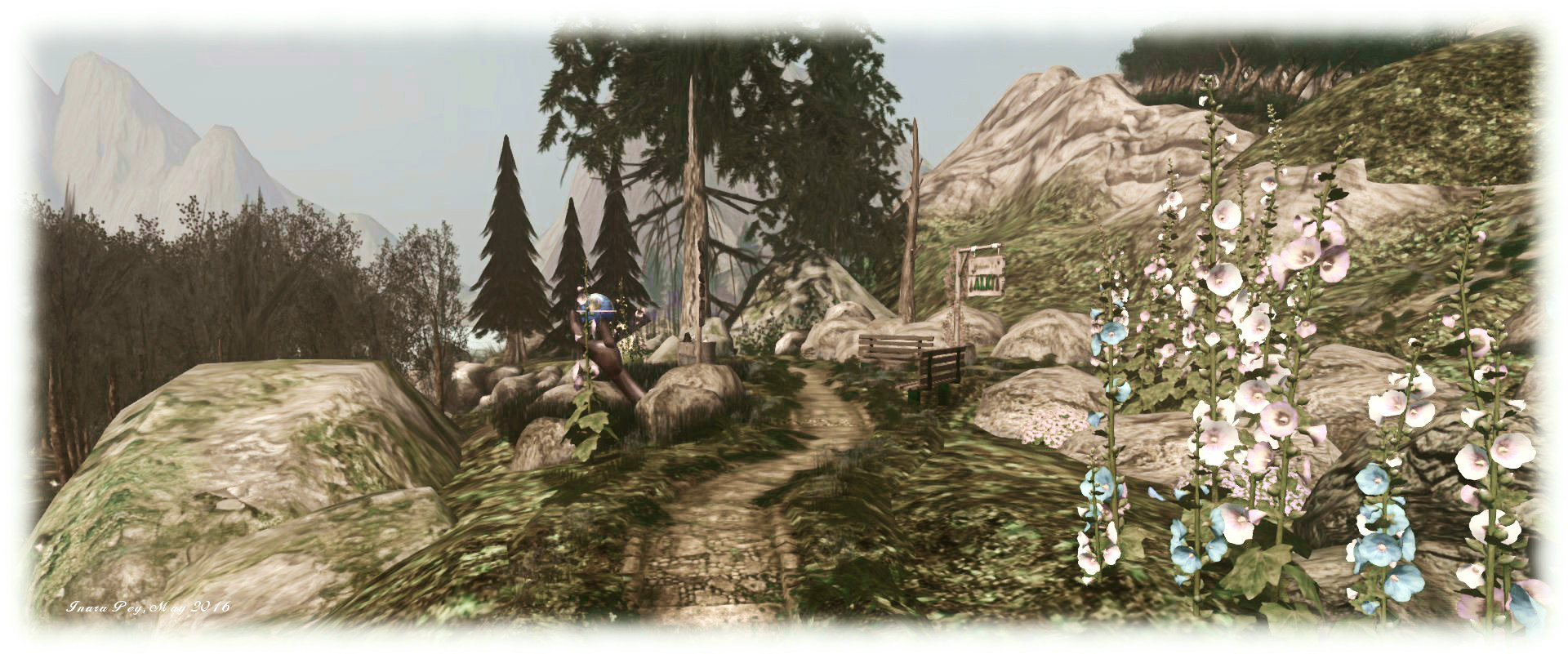
Alki
Alki – blog post

The following notes are taken from the  TPV Developer (TPVD) meeting held on Friday, May 20th, 2016. A video of the meeting is embedded at the end of this report, my thanks as always to North for supplying it, and time stamps in the text relate to this recording.

SL Viewer

The current official viewer status is as follows:

  • Current Release version: 4.0.5.315117 (dated May 11), promoted May 18th – formerly the Quick Graphics viewer with avatar complexity and graphics presets – see Avatar Complexity and Graphics Presets in Second Life for more details
  • Release candidates:
    • Inventory Message RC viewer, version 4.0.5.315019, released on May 16th – removes deprecated and unused UDP inventory messaging mechanisms from the viewer
  • Project viewers:
    • Project Bento (avatar skeleton extensions), version 5.0.0.314884 dated May 5th
    • Oculus Rift project viewer, version 3.7.18.295296, dated October 13th, 2015
  • Obsolete platform viewer, version 3.7.28.300847, dated May 8, 2015 – provided for users on Windows XP and OS X versions below 10.7.

Release Viewer Issues

[02:40]  There are reports that installing the current release viewer on Mac systems will set the Avatar Maximum Complexity setting (Preferences > Graphics) to “No Limit” on both clean and “dirty” viewer installs. JIRAs have been requested if encountered.

There have also been some reports of the viewer crashing following update. The likely best way to overcome this should you experience it, is to perform a clean install of the viewer.

Oculus Rift

[02:08] Testing of the updated viewer is being carried out. There are still “a few” issues to be resolved, and it is hoped that the update will be available (still as a project viewer) in a couple of weeks.

Project Bento

[08:15] The next iteration of the project viewer may be released in the next week, and while I missed the Bento User Group meeting, I believe enabling the back-end support for Bento on Agni is still planned for week #21 (week commencing Monday, May 23rd).

This version of the viewer includes a “reset skeleton” feature which allows you to fix an avatar which may be rendering incorrectly as a result of joint positions getting scrambled when switching between avatar forms.

64-bit Viewer Project

[01:36] It is hoped that work will shortly resume on the 64-bit versions of the viewer after manpower was diverted away onto other projects and needs.

QuickTime Replacement

[01:37] There has been healthy discussion between the Lab and TPV developers about replacing Apple QuickTime in the viewer. As I noted in April Apple deprecated QuickTime for Windows without offering patches for a couple of potentially serious vulnerabilities, leading to the recommendation that Windows users uninstall QuickTime.

[11:43] As a result the Lab is looking to completely replace QuickTime across all flavours of viewers, and feel they now have a strategy for doing so, which is described as coming along “reasonably well”.  However, it is likely that there will be some QuickTime media types that will never be rendered again (e.g. .MOV format).

Other Items

Viewer Stats

[05:52] The Lab isn’t currently collecting stats on what Avatar Maximum Complexity settings people are using, although they may do do. The can currently collect stats on the complexity of avatars and how many are being rendered as Jelly Dolls.

Voice Drop-Outs

[15:00] Issue with Voice dropping out across SL are still being experienced. As I reported in early April, many of the drop-outs are the result of DDoS attacks aimed at the Vivox services, rather than any issues within SL. The Lab is currently working with Vivox to improve the speed of recovery for voice services once Vivox have recovered their systems from these attacks.

Firestorm Release

There are currently a couple of blockers preventing the release of the next version of Firestorm (which has been merged with the Avatar Complexity code and is currently undergoing debugging as a result of that merge). The blockers are related to the recent HTTP updates, made by the Lab. One is a bakefail issue which is known the the Lab and is being worked on; the other is a  crash on the 64-bit version of the viewer which occurs whenever the voice coroutine is launched.
Avatar Complexity and Graphics Presets in Second Life

Avatar Complexity provides users with the adbility to
Avatar Complexity is a means to help people who may suffer from performance issues in crowd areas

On Wednesday, May 18th, Linden Lab promoted the long-awaited Quick Graphics viewer to de facto release status. This viewer includes two important new features:

  • The updated Avatar Complexity settings
  • The ability to create, save and load different groups of graphics settings quickly and easily.

Avatar Complexity

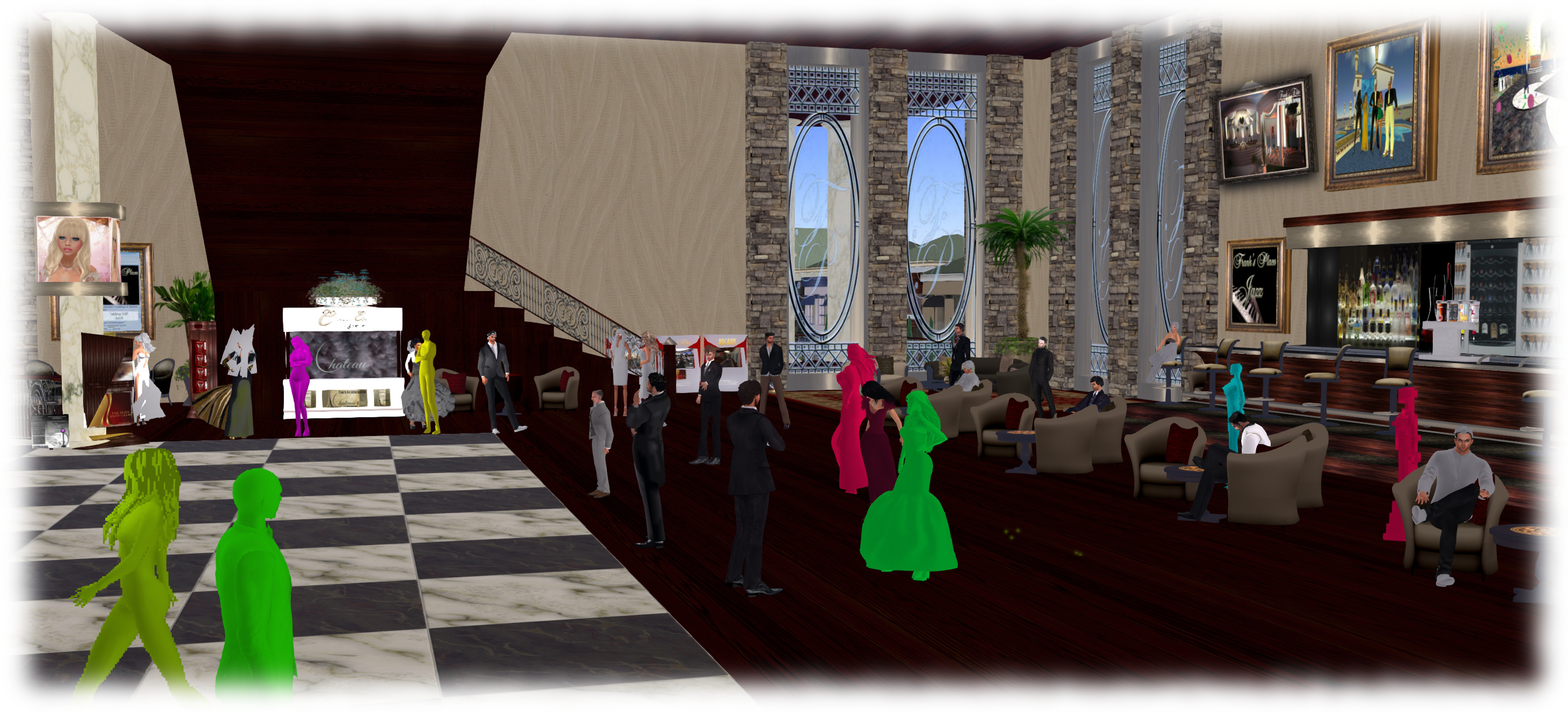
As avatars can often be the single biggest impact on the viewer in terms of rendering, particularly in crowded places, so  Avatar Complexity adds a new slider to the viewer which can be used to set a level above which avatars requiring a lot of processing will appear as a solid colour – the casual term to refer to them being “Jelly Dolls” – greatly reducing the load placed on a system compared to having to render them in detail, so improving performance.

The idea is that you can adjust the setting according to circumstance, so that when in a crowded area with lots of avatars, you can dial down the Avatar Complexity setting, found in Preferences > Graphics (and in the Advanced Settings floater), with the result that more of the avatars around you are rendered as solid colours, reducing the load on your graphics card and system, thus improving performance. Then, in quieter areas, the setting can be dialled back up, allowing more avatars to fully render in your view.

Note: this only applies to other avatars in your world view: your own avatar will always fully render in your view.

The Avatar Maximum Complexity slider sets a threshold on avatar rendering by your viewer. Any avatars in your view exceeding this value will be rendered as a
The Avatar Maximum Complexity slider sets a threshold on avatar rendering by your viewer. Any avatars in your view exceeding this value will be rendered as a “Jelly Doll”, sans attachments

If you have a good system with a high-end graphics car, you can set the value on the slider quite high and thus ensure all avatars render fully for you wherever you are.

Note: You can sett the Avatar Maximum Complexity to “No Limit”. However, this is not entirely recommended. some irritants in Second Life still use worn graphics crashers to overload GPUs and crash the viewer. If you set Avatar Maximum complexity to “No Limit”, then such tools, should you ever encounter an irritant using one, will still be effective; so it’s better to set a reasonable high value, leaving your viewer with a cut-off point which should defeat their efforts in crashing you.

There are a few other points to note with Avatar Complexity:

  • You can opt to always render or to not render avatars around you, regardless of your Avatar Maximum Complexity setting by right-clicking on them and selecting your desired action from the context menu
    You can opt to always render or to not render avatars around you, regardless of your Avatar Maximum Complexity setting by right-clicking on them and selecting your desired action from the context menu

    To help you understand how complex you own avatar is, every time you change your appearance, each time you change the appearance of your avatar, a small notice with your new complexity value will appear in the upper right of your display for a few seconds

  • The complexity value of your avatar is transmitted to each simulator as you travel around Second Life. In return, you’ll get a brief notice in the upper right of your screen telling you approximately how many of those around you are (or are not) rendering you because of your complexity
  • If you have a friend or friend you wish to see fully rendered no matter how low you dial Avatar Maximum Complexity (while out at a club, for example, where it may be beneficial to set a lower complexity threshold), you can right-click on those individuals and select “Render Fully” from the context menu
  • Similarly, and if you prefer, you can selectivity render avatars in your view as grey imposters, by right-clicking on them and selecting “Do Not Render” from the context menu.

Note: Both “Render Fully” and “Do Not Render” will only apply during your current log-in session; the options are not persistent between re-logs.

To help people understand Avatar Complexity, the Lab has produced the following:

  • A blog post to accompany the promotion of the Quick Graphics viewer to release status
  • An Avatar Complexity Knowledge Base article
  • A video tuTORial, which I’ve embedded below.

https://www.youtube.com/watch?v=PxWrqd0o3dc

Continue reading “Avatar Complexity and Graphics Presets in Second Life” →

SL project updates 16 20/1: server, viewer, Aditi

Regency Buckingham; Inara Pey, May 2016, on FlickrRegency Buckingham – The King’s Gallery – blog post

Server Deployments Week #20

As always, please refer to the server deployment thread for the latest updates.

  • On Tuesday, May 17th, the Main (SLS) channel was updated with a server maintenance package previously deployed to the RC channel, containing minor internal improvements and a crash fix.
  • On Wednesday, May 18th, all three RC channels should be updated with a new server maintenance package, originally held over from week #19, described as also minor internal improvements with no visible functional changes to Second Life.

SL Viewer

A new RC viewer appeared in the release channel on Monday, May 16th. Version 4.0.5.315019 is the anticipated Inventory Message Viewer. This viewer comprises Aura Linden’s work removing from the viewer all of the old UDP inventory messaging paths which have already been replaced by more robust mechanisms (and in some cases already had the server-side support for them removed), but which have until now remained a part of the viewer’s code.

A full list of the messages which have been removed can be found in the release notes for the viewer, and it is noted that any messages in the list which still have back-end support will see that support removed in the near future.

This means the current SL viewers which are available comprise:

  • Current Release version: 4.0.4.314579 (dated April 28th, promoted May 5th) – formerly the Maintenance RC viewer
  • Release candidate viewers:
    • Quick Graphics RC viewer, version 4.0.5.315117, dated May 11th – comprises the graphics pre-sets capability and the new Avatar Complexity settings
    • Inventory Message RC viewer, version 4.0.5.315019, as noted above
  • Project viewers:
    • Project Bento viewer, version 5.0.0.314884 dated May 5th containing several updates related to joint offsets and meshes and slider changes
    • Oculus Rift project viewer, version 3.7.18.295296, dated October 13th, 2014 – Oculus Rift DK2 support
  • Obsolete platform viewer version 3.7.28.300847, dated May 8, 2015 – provided for users on Windows XP and OS X versions below 10.7.

Project Bento

As a reminder, it is anticipated that server-side support for Project Bento will be enabled on the main (Agni) grid some time during week #21, to allow for more extensive testing of the new avatar skeleton capabilities. Those wishing to try the skeleton extensions and new sliders when rigging mess models will need to use the Bento project viewer or a third-party viewer with the Bento code.

Note that if you are running a non-Bento viewer and happen across someone testing the Bento capabilities, any mesh they are wearing rigged to the new Bento bones will appear distorted  / broken in your view.

Aditi Grid

Issues continue with Aditi (the beta grid), notably with apparent inventory content loses and even the potential for inventory corruptions (see BUG-16714 for details of some of the issues being encountered).

These problems take the form of assets appearing in inventory, but generating a “Missing from database” error when attempting to rez / wear / attach. Some reports suggest the issue is restricted to items added to Aditi inventories following the most recent syncing operations between Agni and Aditi.  Normal corrective actions, such as clearing cache, do not correct matters.

The Lab staff looking after the beta grid have been appraised of the situation, and summed-up their response in a single phrase (and I’m apparently quoting): “bleargh!” – an understandable reaction, given the upsets Aditi caused in week #19. They are however, digging into the problem.

2016 viewer release summaries: week 19

Updates for the week ending Sunday, May 15th

This summary is published every Monday, and is a list of SL viewer / client releases (official and TPV) made during the previous week. When reading it, please note:

  • It is based on my Current Viewer Releases Page, a list of all Second Life viewers and clients that are in popular use (and of which I am aware), and which are recognised as adhering to the TPV Policy. This page includes comprehensive links to download pages, blog notes, release notes, etc., as well as links to any / all reviews of specific viewers / clients made within this blog
  • By its nature, this summary presented here will always be in arrears, please refer to the Current Viewer Release Page for more up-to-date information.

Official LL Viewers

  • Current Release version: 4.0.4.314579 (dated April 28) – no change (download, release notes)
  • Release channel cohorts (See my notes on manually installing RC viewer versions if you wish to install any release candidate(s) yourself):
    • Quick Graphics RC viewer updated to version 4.0.5.315117 on May 11th – comprises the graphics pre-sets capability and the new Avatar Complexity settings (download and release notes).
  • Project viewers:
    • No updates.

LL Viewer Resources

Third-party Viewers

V4-style

  • No updates.

V1-style

  • Cool VL viewer Stable branch updated to version 1.26.18.5 and the Experimental branch updated to version 1.26.19.7, both on May 14th (release notes).

Mobile / Other Clients

  • No updates.

Additional TPV Resources

Related Links

SL project updates 16 19/2: server, viewer, Bento Agni deployment

Rosemoor; Inara Pey, May 2016, on FlickrRosemoor – blog post

Server Deployments Week #19 – Recap

The RC server maintenance package deployment planned for Wednesday, May 11th was postponed as a result of the 3-day Aditi outage delaying testing. The update, which comprises minor internal improvements which present no visible functional changes to Second Life, will now most likely go ahead until week #20 (week commencing Monday, May 16th.

Viewer Updates

The Quick Graphics RC viewer updated to version 4.0.5.315117 on Wednesday, May 11th, brining it to code parity with the current release viewer. Providing no major issues are uncovered, this might be the last RC update for this viewer prior to its promotion as the de facto release viewer.

Project Bento

As noted above, the Project Bento meeting was severely disrupted by continuing Aditi issues, which left people unable to reach the meeting either via direct log-in or via teleport.  As Vir Linden was also unavailable (due to an unrelated matter), Troy Linden steered the meeting, fighting against a slowly deteriorating region condition.

A pile-on test had been planned for immediately after the meeting with the intention of stress testing a region with a large number of animated Bento avatars all with active animations. The test was to have been an internal Lab test, but members of the Bento user group were invited to join-in as well if they wished. Unfortunately, the continuing poor Aditi performance force the test to be postponed.

Agni Test Release Deployment

Allowing for things like stress testing and unforeseen issues, the plan is for a test release of Bento on Agni (the Main grid) to be made during week #21 (week commencing Monday, May 23rd).

The release will be the current server-side support for Bento, plus the project viewer. It has not as yet been decided to make the deployment grid-wide, or restrict it to an RC channel  / dedicated channel.

The deployment is to gain a broader audience testing Bento assets and content and using the viewer. This does mean that if you wish to see or try Bento content, you will have to be using either the Bento project viewer, or a TPV which has the Bento updates.

Continuing voice issues rendered recording the meeting impractical, so hopefully normal reporting will resume  next week.


SL project updates 16 19/1: server, viewer

Playa Flamingo; Inara Pey, May 2016, on Flickr Playa Flamingo – blog post

Server Deployments Week #19

There was no deployment to the Main (SLS) channel on Tuesday, May 10th.

At the time of writing, the planned deployment of a new server maintenance package to the RC channels planned for Wednesday, May 11th, was under question as a result of an outage of Aditi, the Beta grid, throwing out the testing schedule for the updates. Should it go ahead, this deployment is described as “Minor internal improvements. No visible functional changes to Second Life.”

SL Viewer

The Quick Graphics viewer is still awaiting update, which should occur once it has been merged with the current release viewer (formerly the Maintenance RC viewer). This leaves the SL viewer list unchanged from the end of last week:

  • Current Release version: 4.0.4.314579 (dated April 28), promoted May 5th – formerly the Maintenance RC viewer
  • RC viewers:
    • Quick Graphics RC viewer, version 4.0.4.314426, dated April 26th
  • Project Veiwers:
    • Project Bento (avatar skeleton extensions) viewer, version 5.0.0.314884 dated May 5th – this build contains several updates related to joint offsets and meshes and slider changes
    • Oculus Rift project viewer, version 3.7.18.295296, dated October 13th, 2014 – Oculus Rift DK2 support (download and release notes)
  • Obsolete platform viewer, version 3.7.28.300847, dated May 8, 2015 – provided for users on Windows XP and OS X versions below 10.7.