Earlier in May I reported on Dave Rowe’s work integrating the Xbox 360 controller with his CtrlAltStudio viewer, allowing it to be used with the Oculus Rift or Stereoscopic 3D viewing options in that viewer, as well as with the normal display mode.
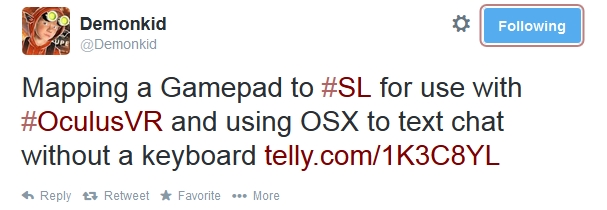
On Saturday May 24th, Loki Eliot tweeted that he’d been working on a similar approach, using the Xbox 360 controller and a dictation feature of OSX Mavericks to provide greater control over his avatar when using the Oculus Rift.
Since tweeting, Loki has produced a blog post on his work, including links to the software he’s used and tutorials to help get things sorted out. his original video was posted to Telly, which WordPress.com doesn’t like, embedding-wise. However, Draxtor has, with Loki’s permission, reposted it to You tube, and so it’s that version I’ve embedded here.
Loki is the first to admit this approach doesn’t solve all of the Oculus related issues when using Second Life – he has a few wry observations as to where things will “suck” (his expression – not mine!). He also gives some musings on how technology might further assist things in the future.
Loki’s work on integrating the Xbox 360 controller for use with SL and the Oculus Rift (image via Loki Eliot)
The use of HMDs brings with it a lot of challenges – some of which, the Lab freely admits in releasing its Oculus Rift project viewer, it has yet to really tackle. Seeing experiments like this is therefore interesting, as they demonstrate potential alternative (and not necessarily hyper-expensive) means of providing control over basic aspects of using SL with a headset which are not reliant on the keyboard and mouse and, in this case at least, also not dependent upon in-world voice (which many people don’t like to use for a wide variety of reasons). I wonder if approaches like this and Dave Rowe’s work with CtrlAltStudio might raise an eyebrow or two of interest at the Lab …?
On the day Linden Lab announced the arrival of the Oculus Rift capable project viewer, news also came that ZeniMax Media has pulled the trigger on a lawsuit against Oculus VR and company founder Palmer Luckey alleging, among other things, the misappropriation of trade secrets by Oculus VR.
The lawsuit, filed in the U.S. District Court for the Northern District of Texas has been widely reported in the on-line tech media, makes some heavy reading. As well as the claim of misappropriation of trade secrets relating to virtual reality technology, the Maryland-based company also alleges infringement of ZeniMax copyrights and trademarks and asserts claims for breach of contract, unjust enrichment, and unfair competition against the defendants.
The move is the latest in a war of words which initially erupted in the form of public correspondence between ZeniMax and Oculus VR – who obviously strenuously deny all claims made by ZeniMax. The latter first informed Engadget of their intentions at the start of May, 2014, and in which they specifically pointed at John Carmack’s involvement in the development of Oculus Rift at a time when he was working for ZeniMax subsidiary id Software, as well as pointing to a non-disclosure agreement (NDA) signed by Palmer Luckey in 2012, relating to the use of ZeniMax technology.
Oculus Rift: ZeniMax lawsuit specifically related to the early development of the headset, alleged use of their technology, possible IP infringements and breach of contract (image courtesy of BGR.com)
Cormack himself took to Twitter in an immediate rebuttal of the ZeniMax allegations, noting that while he recognises that any code he wrote while under ZeniMax’s employment is clearly theirs, at the same time the company never once patented any ideas arising from his work – placing the burden of proof on ZeniMax to demonstrate trade secrets / IP has been misappropriated where no patents exist.
John Carmack, Oculus VR’s CTO used Twitter in an immediate rebuttal of ZeniMax’s claims at the start of the month.
With the claims following on the heel of Facebook acquiring Oculus VR, the latter also commented on the ZeniMax allegations, framing them in terms of the Faceback acquisition, stating:
It’s unfortunate, but when there’s this type of transaction, people come out of the woodwork with ridiculous and absurd claims. We intend to vigorously defend Oculus and its investors to the fullest extent.
Daniel Nye Griffiths, writing for Forbes Online provides a solid examination of the initial claims made by ZeniMax and the response by Oculus VR, which although somewhat superseded by the lawsuit’s filing, help frame the two companies respective positions. In their response to the claims by ZeniMax, and without using the actual words, Oculus VR pretty much demanded ZeniMax to put up or shut up.
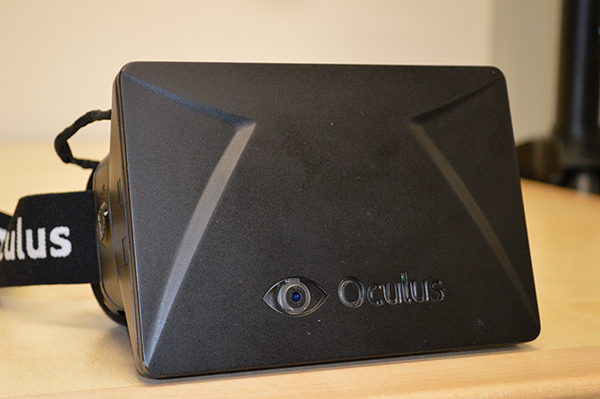
On Wednesday May 21st, Linden Lab publicly released the Oculus Rift project viewer. Version 3.7.8.289834 of the viewer offers initial support for Oculus Rift, and is focused on getting started with the Oculus Headset (which has yet to be commercially released, although there are currently some 75,000 SDK 1 models in the world, and shipping will commence soon on the updated SDK 2 version).
For Windows, Oculus Rift requires Windows Vista or later, and with Mac OS X, version 10.7 or later is required.
The blog post announcing the release reads in part:
The early beta testers of our integration have provided some valuable feedback, identifying bugs as well as providing suggestions for additional features and options that would improve the experience of using the Oculus Rift with Second Life. Today we’re pleased to announce that our Oculus Rift integration is now available as a Project Viewer, the first step toward becoming a part of the default Second Life Viewer.
Like our initial beta release, this Project Viewer is more about making it easy to get started using the Oculus Rift to view Second Life than it is about optimizing the UI for headset users. We’ve made some minor adjustments to the regular Second Life UI in order to present it in head-mounted display (HMD) mode, but the UI headset users will experience with this project Viewer is still essentially the same as you’d see without an Oculus Rift.
A new Toolbar button makes toggling the Oculus Rift on / off easy
Features in the viewer include:
Full Oculus Rift Hardware Support – includes automatic hardware detection and display calibration for quick and easy setup
HMD Mode – activated via Me > Display Select or via CTRL-SHIFT-D / CMD-SHIFT-D or via the HMD Mode toolbar button. This command also allows one to display the stereo rendering output intended for the Oculus Rift on their primary display
HMD configuration via Preferences > Move and View > click the HMD calibration button
Display A new Preferences pop-up provides additional display configuration options
Full UI Support – users can access the entire Second Life UI and HUDs while in Oculus Rift mode, so there are no limitations on what a user can do in-world while using the headset
Avatar Head Motion – Oculus Rift head-tracking data is mapped to the avatar, so users’ avatars look where they do
“Align to Look” [Q] – allows users to quickly start moving the direction they are looking
New First-Person View – allows users to enjoy the immersion previously available with Mouselook mode, but allows the mouse to be used to control the cursor, allowing for interaction with the UI and objects in-world
Action Key – [“X”] It is now possible to activate action items (i.e. Opening Doors) from Mouselook mode. Aim the crosshairs at the item you’d like to activate, and press the “X” key. In First-Person mode, the Action Key [“X”] will have the same functionality as clicking the mouse button in Mouselook mode (i.e. it will “trigger” guns or other held items).
To display the viewer with the best results, Linden Lab recommend that the Oculus Rift is configured as an Extended Desktop in Windows (do not Duplicate Displays), and that Mirroring Mode (Settings > Displays) is enabled on Mac OS X.
There are some known issues with the viewer, as noted in the release notes. These include, but are not limited to:
Alt+Tabbing out of the viewer confuses the Rift – RIFT-22
File Browsers cannot function in HMD mode – RIFT-20
Snapshots disabled while in HMD mode because:
HUD and UI elements always drawn in snapshots –RIFT-30
Save to my Computer adds a blank screen between refreshes when trying to take snapshots – RIFT-31
Toggling HMD mode sets the focus wrong and you have to click in world before doing anything else, on Macs – RIFT-110
There are also known limitations with the Action Key [“X”] – please refer to the release notes for a list of known issues and to JIRA raised under the RIFT project.
To go with the project viewer launch, the Lab has also created a new Oculus category in the Destination Guide, which is intended to list “places that are particularly compelling with the Oculus Rift.”
The blog post includes an introductory video, embedded below. Please note, this video refers to downloading the release version of the SL viewer – this is incorrect. The Oculus Rift capabilities are only available via the Oculus Rift project viewer, which is correctly linked-to in the blog post.
On Monday May 19th, Kitely, the on-demand virtual worlds provider, announced it now supports the Hypergrid, and provides strong content support in doing so.
The ability to teleport between Kitely worlds and other Hypergrid enabled OpenSim grids was actually enabled on Sunday 18th, ahead of the official announcement, and saw a number of Kitely / OpenSim users putting the capability through its paces.
Announcing the move in an extensive blog post, Oren Hurvitz, Kitely co-founder and Vice President of R&D (and who is also an OpenSim core developer), said:
We have an important announcement: Kitely now supports the Hypergrid! Kitely users can visit other grids, and users from other grids can visit Kitely worlds. Kitely is the only OpenSim grid that supports the Hypergrid and also has strong content protections that prevent unauthorized items from leaving the grid.
The blog post itself explains how Kitely users can teleport from Kitely to other grids, how they can – if they wish – enable their Kitely worlds for Hypergrid access, and how other OpenSim users on hypergrid enabled grids can teleport to Kitely worlds.
Kitely users can select whether or not they want their worlds open to Hypergrid connectivity – although those with Metered Worlds need to remember that they will be charged for the time Hypergrid users spend in those worlds if they are opened to Hypergrid access
Considerable length is given to the important matter of content protection and export permissions. This includes information on how items defined as No Export are protected from being physically removed from Kitely worlds either by Kitely users or those visiting from other Hypergrid enabled grids. To ensure content is fully protected, Kitely have also implemented changes to their Export World capability.
Given the in-depth extent of the Kitely announcement, I refer readers to that post for further details.
Overall, a long-waited move by Kitely, and congratulations to the team for achieving this milestone.
With the SVVR Conference and Expo underway in California, now is perhaps a timely opportunity to take a peek at what is being billed as an open-source competitor to the Oculus Rift.
Techcrunch, along with several other technology blogs / websites, covered the news a few days ago that a Chinese start-up, ANTVR Technology, is developing an open-source, cross-platform virtual reality gaming set, called the ANTVR kit.
The kit is said to be compatible with games designed for the Oculus Rift and with most PC and console platforms. It can connect to any device offering direct HDMI output, or via an HDMI adapter if no direct HDMI output is available. Supported systems include computers, games consoles, iOs devices, Android devices, and even Blu-ray players.
The ANTVR kit headset design (image courtesy of ANTVR Technology)
The new headset is currently a part of a Kickstarter campaign, which despite the backlash over the eventual acquisition of Oculus VR by Facebook, has already seen 450 people commit (at the time of writing) almost $170,000 of the $200,000 goal in just seven days, suggesting that if the rate of pledges is maintained, the ANTVR Kit could end-up going that same way as both Oculus VR and Technical Illusion’s castAR, and exceeding its modest target by a good margin.
The headset unit has a 1920 x 1080 high definition, 1.03 megapixel per eye, display with a 4:3 ratio offering a 100-degree diagonal field-of-view. A dual aspherical lens arrangement is apparently included to help eliminate image distortion when projecting standard ratio images. Like the Oculus Rift, it has an internal 9-axis Inertial Measurement Unit (IMU) for head rotation and movement tracking, and it can be worn with prescription lens glasses.
Comparing the ANTVR with Oculus SDK2 (which actually has a 5-inch screen) and Sony’s Morpheus (credit: TechInAsia)
A novel aspect of the headset is the inclusion of a “glance window”, a slide-up port on the front of the unit which can be pushed up to allow the wearer to re-orient themselves in the real world or their keyboard. While still not a real solution for those needing to use the keyboard and can’t re-orient finger positions easily (no tactile indicators on F, J, and numeric pad 5, for example), it at least means the headset itself doesn’t need to be pushed up to the forehead to see things.
Is it a Controller? Is it a Joystick? Is it a Gun? It’s all Three – and more
A further interesting feature of the kit is the inclusion of the multi-function handset controller. When completely assembled, this forms a gun which can be used in first-person shooter games and the like. However, the “barrel” of the gun can be detached, and the “pistol grip” becomes a joystick, suitable for use with flight simulators, etc., or as a Wii-style controller. This further opens-out into a game controller handset.
A further unique aspect of the handset unit is that it also includes a 9-axis IMU, which tracks body movement and actions, allowing the wearer to control a degree of on-screen character movement via both head and body movement, and to simulate a range of actions (crouching, jumping, throwing a grenade…).
The dual 9-axis IMUs translate body movements into on-screen character movements (stills via ANTVR promotional video, YouTube)
An additional WHDI unit can be added to the assembled handset (and is shown in the image above), allowing for a reported low-lag (less than 1ms) fully wireless gaming experience. The WHDI unit is not supplied as standard, but the company states it will offer it for $200.
As with the Oculus Rift, a software development kit (SDK) is to be made available with the ANTVR kit. The open-source nature of the kit means that there is potential for it to be used with a range of systems beyond those for which it initially supports.
“We wanted to make a gaming system that is universal, but it’s very difficult to make your product compatible with every kind of gaming platform,” Qin Zheng, ANTVR Technology’s founder, said in the Techcrunch report. “We’ve worked on making it compatible with Xbox, PC, and PlayStation, but there are many other gaming systems. If there are developers with other gaming systems or just device developers, they can choose to modify the firmware inside our hardware.”
The Kickstarter campaign is being run along very similar lines to the Oculus VR, up to and including an opportunity to visit the ANTVR Technology studios in Beijing for those willing to pay-out $5,000 (plus meeting their own airfares, etc.), which will also include guided tours of China’s capital. For $270-$300, supporters get the ANTVR kit and other goodies, while for $470-$500, supporters get the kit with a WHDI wireless unit as well.Those offering less that $270 get to choose from other reward options. Qin hopes that following the kickstarter campaign, ANTVR Technology will be able to start shipping kits in September 2014.
The following promotional video examines the ANTVR kit, and shows it in use with the additional WHDI wireless adapter.
They are the souls of avatars lost to us, like echos from other dimensions, it is said, though no one knows for sure.
What we do know is A weakness in the structure of metaverse has opened and they now wander.
So opens the description of Glyph Graves’ Ghosts of the Internet, a fascinating installation which continues the artist’s reflections in virtual space. Fascinating, because it exists both in Second Life at LEA21 and in the Inworldz region of Translation – and those in one can see the “ghosts” of those in the other moving around, and can even converse with them.
The landing point at each installation provides instructions on how to get started, together with recommended graphics settings (using Firestorm as the example). There’s also a teleport to deliver you to ground level, which is more-or-less identical in both regions (Sasun Steinbeck provided a tool to help copy items between the two environments), comprising barren rock, partially flooded and surrounded by tall hills.
Within either landscape sit a series of semi-transparent otherworldly forms, with shifting colours within, which might be taken as alien crystal growths or exotic sculptures. Some of these are the “bridge” between Second Life and Inworldz, allowing communications between the two to take place. Others, spread around the borders of the landscape are the Pylons of Binding – move beyond them, and contact with “the other side” is no longer possible. Snails also roam each of these realms, and at least one is large enough to slide run over you if you’re not careful, although they are shy: touch one, and it will retreat into its shell for a few seconds.
But it is the ghosts which are really the focus here. These appear whenever someone on either side is within the boundaries set by the Pylons of Binding (although if there is no-one in the region on the other grid, no ghosts will be visible). In other words, the ghosts that appear represent avatars visiting the installation on the other grid.
Communications between world is initiated by touching a ghost (which will then become somewhat multi-hued) and then typing into open chat (you may have to wait for the “ghost” to respond to your initial touch first). Only one conversation with a ghost can be established at any given time, so if you touch a ghost already in a conversation, it will not respond to you. It is also not recommended that you touch several ghosts at once to initiate multiple conversations, as “bad things will happen” as a result (and it might get very confusing).
Be aware that whatever you say to the other person is also repeated in open chat at their end of the link, not in IM, and so will be heard by anyone else who is near them. Chat from any other avatars around you, however, is not transmitted. To terminate a conversation, or if you do not which to speak to someone on the other side who touches your “ghost” there, simply touch the appropriate ghost to terminate the connection.
If you have accounts on both Inworldz and Second Life, Ghosts of the Internet brings a whole new level of meaning to the expression “talking to oneself”; nevertheless, it is an easy means of experiencing the installation should there otherwise be on-one else on the other side with whom you can converse. Alternatively, if your focus is solely on Second Life, you can enjoy something of the experience by having a friend hop over to Coppelia, and converse with them from the Ghosts of the Internet installation on LEA21.
As well as being a fascinating technical / artistic piece, Ghosts of the Internet carries with it echoes of the past. Remember the heady days of 2008, when a group of brave explorers set-out to move between dimensions, travelling from Second Life to OpenSim, and the promise therein? It is also – possibly – a hint of a potential future, given Ebbe Altberg’s comments on SL and the metaverse.
Both of these give the installation an added philosophical edge in terms of what might have been and what might yet be. I also found that when talking two myself between the two worlds, prompted thoughts of how the metaverse might be used as an expression or reflection of the multiverse, and our own multiple existences therein …