2016: a look back at Second Life and more – part 1

A look back through this blog's 2016 coverage
A look back through this blog’s 2016 coverage

The end of the year is once more approaching, which is often a time of reflection as we look back over the old before pausing to await the arrival of the new. It’s become something of a tradition in these pages for me to look back over the the articles and coverage of the year’s events I’ve managed to write-up, and offer a chance to revisit the ups and downs and the good and the bad the last twelve months have brought us.

To keep things digestible, I’ve broken this year’s review into two parts. This one covers January through June, and July to December can be found here.

January
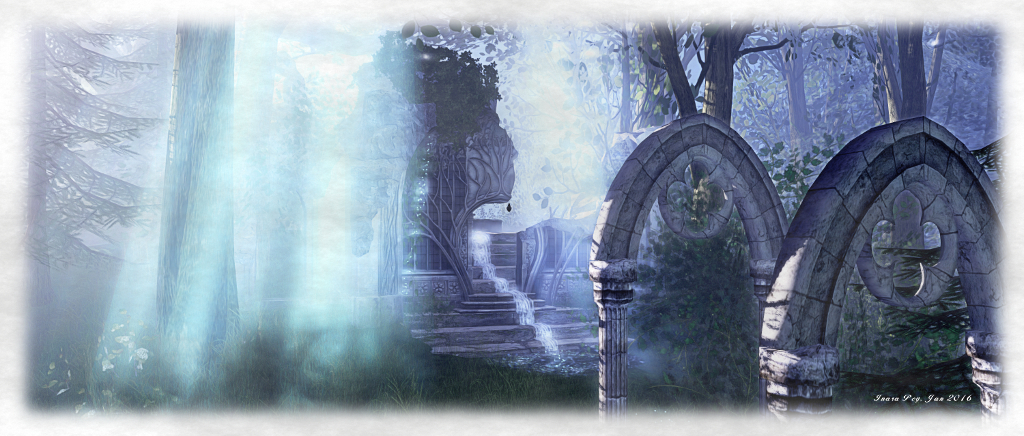
Telrunya - Forest of Dreams; Inara Pey, January 2016, on Flickr Telrunya – Forest of Dreams – one of my first region visits for the 2016 Exploring Second Life series

The year started with a photo contest from Kultivate Magazine and a celebration of the 100th episode of the Drax Files Radio Hour (if you include the re-runs!), which included a chat with Oz and Troy Linden about the (then) still in development Project Bento. When Things Went Wrong with the grid rather badly over a weekend, April Linden gave an excellent a blog post explaining what had happened and why, which as I noted, marked a welcome continuance of communications on matters like this from the Lab.

Second Life’s first press appearance for the year came via an article on published UCI News, the on-line newsletter of the University of California, Irvine, which explored the work of Tom Boellstorff, a professor of anthropology at the university. The article particular examined Tom’s work in SL around Parkinson’s Disease.

In mid-January, VWBPE 2016 put out a call for papers, while I recalled a Starry Night in Second Life. Then, in the latter half of the month, Lab Chat returned with Ebbe Altberg taking questions on the Lab, Second Life and Sansar, and I provided the transcript and audio.

January also saw Caledonia Skytower joined me as a Guest Writer, with the first of her hugely popular series, If you just build it, they might not come, on promoting events in Second Life. The first month of the year also saw the Linden Department of Public Works Moles honoured in Bay City.

Sansar

I offered some thoughts on Wearable’s coverage of Sansar, and the platform also formed a focus of the 2nd Lab Chat event (see the link above).

Other Worlds and AR/VR/MR

Stephen Wolfram became the latest high-profile person to join High Fidelity’s advisory board, while the Oculus Rift VR headset became available for pre-order, with a price which shocked a lot of people, prompting me to ask, At what price VR? Then HTC announced upcoming Vive pre-ordering whilst responding to talk of a split within the company.

Personal

I was delighted to be invited to exhibit at the Art on Roofs Gallery, Second Life (see Through a Blogger’s Eyes in the January Art Reviews, below. I also made the acquaintance of artist Silas Merlin, courtesy of Kayly Iali (see The pastel world of Silas Merlin in Second Life, below), which I’m happy to say grew into a friendship. Timekiller was the fist major event of 2016 I managed to get along to, and emboldened by recent exhibitions I opened a small studio gallery.

January Travels January Art Reviews
A journey through Nightfall Images and sculptures at The Living Room
Let it Snow! Through a Blogger’s Eyes in Second Life
Discovering The Keys in Second Life Windlight Fellows January-February 2016
A dreamer’s forest in Second Life The pastel world of Silas Merlin in Second Life
A medieval meander in Second Life Bananas, trumpets, trailblazers and cacti
Stepping through the Gates of Memories in Second Life Cica’s Beginners in Second Life
Return to an enchanted Cauldron in Second Life Dutch Masters at Holly Kai Garden
High Water in Second Life Seanchai Library’s Crazy Eights in Second Life

February

The cost of experience ownership in Sansar still has yet to be determined, and will be influenced by other factors - and may be pitched on an "experimental" based when initially announced
New images of Sansar made their debut in February 2016

The 2016 events season started to ramp up in February. The 2016 RFL of SL team registrations opened, and the Home and Garden Expo took place later in the month, followed by Paint it Purple at the end of February. One Billion Rising put out a call for volunteers ahead of the February 14th event; BURN2 Burnal Equinox was announced; the Lab, with Isle of Love supported Team Fox and Parkinson’s research with their Valentines event; the ALS Awareness week took place; the VWBPE 2016 schedule was published.

Elsewhere in Second Life, Calas Galadhon re-opened (see the link below), and both Catznip and Achemy viewers updated, the former after a long break. the platform suffered more operational woes, with April Linden once again providing an explanation.  Draxtor Despres gave insight into Project Bento via a World Makers special, and I was able to provide some additional material. Thing got a little tense mid-month with a sudden slew of bannings, many of which were subsequently reversed, although one creator made an urgent plea and the whole situation left me wondering if someone had been a little too eager with the ban hammer.

Cale continued her series on events promotion in Second Life, with parts two and three, and an address by the Dalai Lama to the Mayo Clinic was relayed into Second Life.

Sansar

Further images of Sansar were released, prompting further debate, while comments at the January Lab chat left me pondering on maps and metaphors, to the consternation of some!

Other Worlds

High Fidelity played with 200 avatars in a single location, looked at a commerce project and got into scanning faces. Amazon launched Lumberyard for games developers.

Personal

Caitlyn and I opened Caitinara Bar at Holly Kai Park to help encourage traffic and visitors to the park’s facilities. Anthony Westburn became our headline DJ on Wednesdays, followed by Joy Canadeo on Fridays and (through until late summer) Kess Crystal on Sundays. I also launched into the first phase of 2016’s “lets rebuild the island…again.”

February Travels February Art Reviews
Calas Galadhon re-opens Thea and CioTToLiNa at The Living Room
Experience the Adirondacks in Second Life Terrygold’s Visions in Second Life
Visiting The Village in Second Life Exploring the City in Second Life
Sorrow’s Snow in Second Life Getting some Funky Junk  in Second Life
The Yorkshire Moors in Second Life Within the Shadows of a Dream  in Second Life
Casablanca: a classic movie in Second Life Holly Kai Art at the Park February / March
Free-form role-play in Second Life Wounded Angels in Second Life
 Spellbound by Imesha in Second Life TerpsiCorps ARTWerks; Performance Art in Second Life

Continue reading “2016: a look back at Second Life and more – part 1”
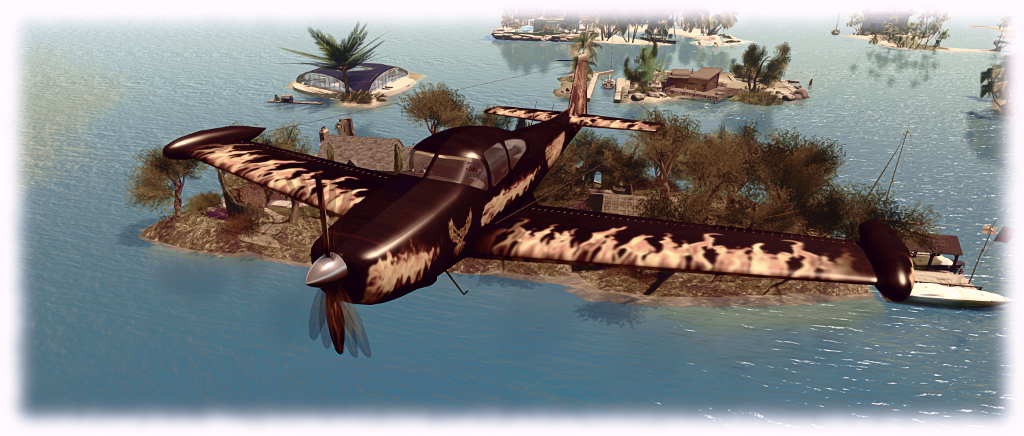
Flying the CLS Ryan Navion (via Firestorm) in Second Life

The Firestorm CLSA Ryan Navion

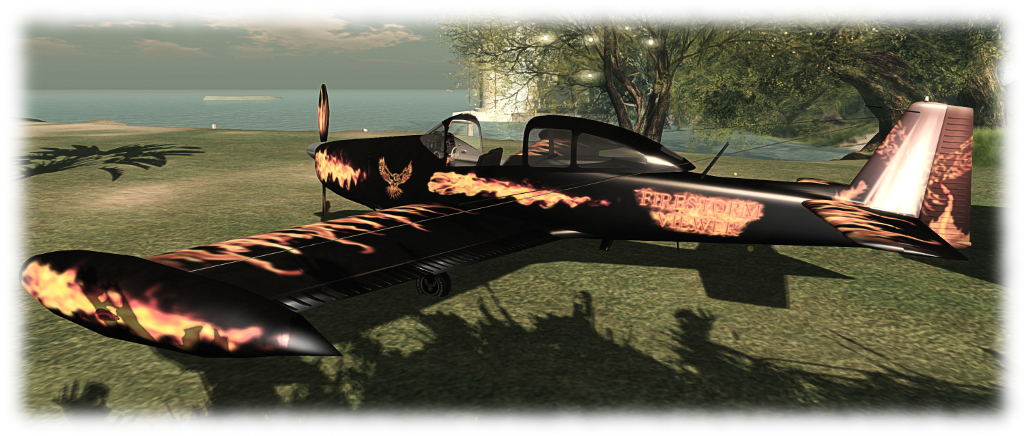
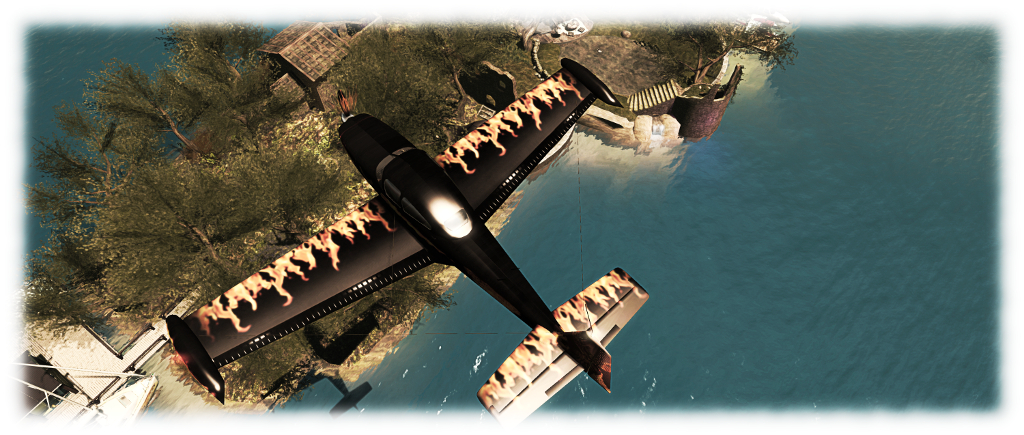
Firestorm recently held their Christmas Party, and as a part of it, they’ offered Firestorm users holiday goodies in the form of a pet leopard and a CLS Aviation Ryan Navion aeroplane in the Firestorm colours.

I’m a bit of a flying fan in Second life (albeit not necessarily looking for full realism, just the fun of getting into the air and pootling around), and as I’d never actually come across CLS Aviation before, I cheekily saw the opportunity snag the gift and see what the plane was all about.

The Firestorm CLSA Ryan Navion

The retail variant of the plane is prices at  L$1,099 at the time of writing, and is supplied Copy / Mod – the accompanying photos showing it can be re-painted (although I have no idea if templates are supplied – so check before buying). The Firestorm version, for obvious reasons, is supplied No Mod, locking-in the Firestorm paintwork, but otherwise it is the same aircraft model.

The Navion is a post-war single-engined light aircraft with a tricycle undercarriage and seating four, many of which are still in use today. Wikipedia informs me that CLSA model is based on one of the later variants of aircraft, which had wing-tip fuel tanks.  The model weighs-in with a Land Impact of 77, a physics weight of 2.2, and a render weight of 49072.

CLSA Navion instruments: legible and reflect aircraft's operation
CLSA Navion instruments: legible and reflect aircraft’s operation

The Firestorm finish is pretty good, with the exterior of the ‘plane looking quite eye-catching. Elements of the finish continue inside the sliding canopy cockpit, where the trim on the seats and instrument panel includes colour nods to Firestorm. The instrument panel is fully readable and the instruments  respond to flight movements, making it perfectly possible to fly and navigate in Mouselook and using keyboard / chat commands.  For those who like HUD-based flying, one is also supplied, offering access to essential controls and instruments and gives access to the plane’s menu, which can also be used when flying.

Usage-wise, touch the canopy to open it and hop in (it opens automatically on shutting down the engine). A headset is supplied for those who like that kind of touch, and the “usual” control options apply (“s” / “start” / “stop” for the engine, WASD / arrow keys for turn / climb / dive; PAGE keys for throttle, etc). Multiple camera pre-sets are offered as well, accessible via chat (“c0” through “c9”, which can also be selected by menu (accessed through the HUD) or cycled through via the HUD.

The Firestorm CLSA Ryan Navion

I found the plane handled reasonably well in the air, although turns felt a little “flat” and lacking roll at times while acrobatics such as looping felt a little on the “tight” side (albeit with nice camera motion). Allowing for the current state of region crossings, the Navion handled things reasonably well, although recovery did at times seem a little sluggish. Camera scripting in particular seemed to try to handle slewing issues on crossings by giving a forward view of the plane then gently panning around to the over-the-tail default. This mostly avoided instances of finding the camera pointing into the side of the plane after a rough crossing, but when these did occur, cycling through the camera pre-sets generally cleared it.

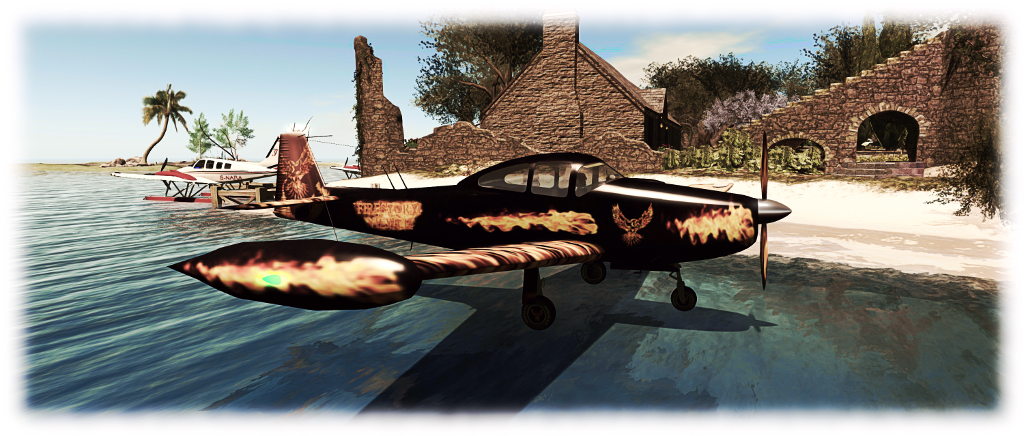
Flying in Mouselook  / via instruments was more than acceptable, although I need to practice my landings in this mode! And on the subject of landings, a novel aspect of this plane is that while it senses Linden Water as water (listen for the splash), it will nevertheless quite happily land on it even though devoid of floats – and will also take off from Linden water as if it were a runway, feeling very much like the Terra Stingray in the process.

The Firestorm CLSA Ryan Navion
The Firestorm CLSA Ryan Navion: works on water! 😉

Overall, not a bad ‘plane, particularly if you’re looking for something to start out with. One small word of warning – should you go ahead and buy this plane (any plane?) from CLSA, or get the Firestorm variant (whilst available), make sure you rez the package in an open space. I rezzed mine in the living room and almost squished myself between it and the wall!

And, also, as this one is in Firestorm colours, are we going to see a Firestorm aerobatics team form? 😀 .

Related Links

Second Life: my ten (and counting!)

Pey time: over the years from then (top left) to now (main)
Pey time: over the years from then (top left) to now (main image) – first published in 2013

Ten years. 120 months. 521 weeks. 3,653 days. It all adds up to a long time. For me, on this day – December 5th, 2016 – it means I’m marking my 10th anniversary since re-entering Second Life (I’ve previously dabbed with it, but had wandered away).

Every year on this date for the past three or four, I’ve look back over my time in SL. Each year that gets harder to do because really, there’s only 12 months of “new” stuff to go over each year – the rest is a re-tread of things already said. But still, ten years is ten years, so pardon me if I ramble for a bit.

Perhaps the most surprising is that I’m actually writing about the fact that it is now ten years since Inara Pey burst forth onto the digital scene as I decided to give “that Second Life thing” another go. Little did I realise just how much a part of me would enter her – and  indeed, how much she would become a part of me. Back then, I re-entered SL With A Purpose, and determined not to be a wanderer looking for a role-play home. That purpose may now be a part of my virtual past, but it was enough to encourage me to stick with SL, meet like minds, make friends, explore and, eventually, to start writing about Second Life. And so the snowball started rolling.

Holly Kai Park: continues to occupy a portion of my time as is still proving to be fun
Holly Kai Park: continues to occupy a portion of my time and is still proving to be fun

Of course, there have been many ups-and-downs through the last decade, both in terms of SL and personally. With the latter, there have been a fair few times when I’ve felt I really should just quietly put everything back into inventory and silently slip away. With the former – well, I’m not going to rehash the good or the bad; we all have our opinions on that! Suffice it to say, Second Life continues to roll (and sometimes creak) forward despite all the proclamations that The Sky Is Falling along the way. My one passing regret is that I couldn’t earn L$250 for every doom-laden prediction which has appeared in comments on these pages over the years 😀 .

But all that aside, I continue to do what I’ve always enjoyed doing: logging-in, meeting friends, exploring, taking pictures, writing, and trying to understand more about what lies behind the curtain of this incredible world in which we invest so much of our time and energy.

Yup, I'm still flying!
Yup, I’m still flying (and boating)!

I’ve no idea what lies ahead for 2017. Again, being honest, there was a time when I’d targeted my tenth anniversary as the point at which Inara would quietly bow out of Second Life; but plans have a habit of changing as time moves forward, so I don’t see that happening any time soon (touches wood!). Frankly, it’s hard to think of a day where I’ll get up without a thought about Second Life, the friends I have here and what the day might bring when I log-in.

Anyway, I’m not going to ramble on. Instead, I’ll finish with a few words of thanks. These go to everyone who has passed on rezday congratulations via blog comments, Twitter and IM, and to all of you who give you time to read and comment on this blog: you are genuinely the one reason I keep writing. Thank you, especially, to Caitlyn, for making the last 15 months so much fun throughout all our adventures and expeditions; and thank you, Linden Lab, for providing us all with this digital playground to share with one another. Long may it continue!

The DSA Aerohawk in Second Life

The DSA Aerohawk
The DSA Aerohawk with floats and my attempt at a custom finish

I think I’ve established the fact I quite like flying in Second Life, and I particularly enjoy DSA aircraft as they are fun to fly, look good, are nicely customisable, paint-wise,, and many have both wheel and float options – the latter being essential when living on an island. It’s been a while since I’ve actually purchased anything in the aeroplane line; truth be told, I hadn’t intended to get anything beyond what is already sitting in my inventory.

Then I saw the DSA had released the Aerohawk, and for the last week it has been nagging at me, finally reaching a point where I had to just give in and buy it. As it is not (at the time of writing, at least) available on the Marketplace, so in-world store visit is required to see it.

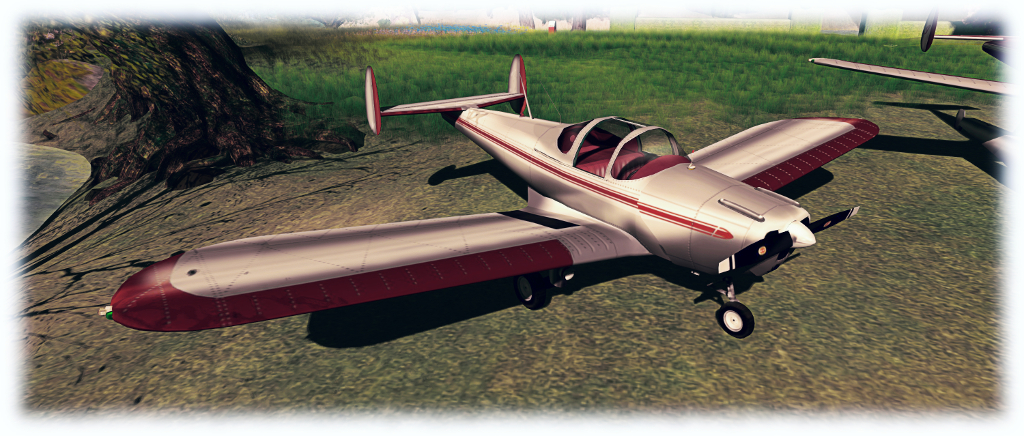
Like most of my aircraft choices, I was drawn to the Aerohawk purely on its looks – in this case, stylishly retro. It was only after talking to my friend Jodi, that I discovered it is modelled after the ERCO Ercoupe, which first flew in 1940 and was designed to be the safest fixed-wing aircraft that aerospace engineering could provide at the time. It is still popular today, and during its time was licensed to manufacturers the world over.

The DSA Aerohawk in its supplied finish

The DSA aircraft faithfully reproduces the look of the original, and is supplied in a silver metal finish with red trim by default. As is the case with all DSA aircraft, the texture files can be downloaded from the DSA website, allowing owners and third parties to produce custom  / alternative paint schemes. In terms of land impact, the aircraft hits 53 LI, which is “heavier” than my DSA G58 Baron (46 LI), but is just over half the Baron’s rendering weight, being something of a simpler design.

I’m not the world’s greatest when it comes to graphics, but in lieu of VetronUK having an Aerohawk kit at present, I took to GIMP and imported the PSD files to produce an initial personalised paint scheme I’m reasonably happy with in about 15-20 minutes. I still need to add materials to give it a decent finish, but it’s enough to keep me happy. Manual application of colour schemes follows the usual route for DSA ‘planes: edit the aircraft, select the face, apply the texture file; repeat as the faces require.

Side-by-side, the floats and wheels are interchangeable via chat commands, as per DSA 'planes offering both
Side-by-side, the floats and wheels are interchangeable via chat commands, as per DSA ‘planes offering both

Handling-wise, the Aerohawk comes with the usual DSA HUD, but it is a little more hands-on (when compared to the likes of Baron and King Air, at least), requiring manual toggling of lights. The engine sound is nicely “veteran”. In the air, I found it to be nicely responsive and  – while it may simply have been a placebo effect or down to conditions being a little different – I encountered no significant issues region crossing issues when only a few days ago, I was finding myself climbing out of Blake Sea and digging my Baron out of Lost and Found sufficiently often enough to have me packing up and going home.

Interior-wise, the Aerohawk is in keeping with its looks: it’s all vinyl and cloth. The instrument panel as reasonably well detailed; DSA aircraft can sometimes suffer from blurred textures of the instruments, but there is little of that here. On the ground and in flight, it handles pretty much like any other DSA ‘plane, making it an ideal easy flier for those who simply want to get out and in the air without getting overly close to trying to fly like “the real thing”.

The Aerohawk at home, alongside Caitlyn's Baron
The Aerohawk at home, alongside Caitlyn’s Baron

A very minor niggle with the plane is the sliding cockpit doors can be a tad tricky: click on one and the other can sometimes go down when “opening” them; I now click the white bar marking their edges rather than clicking from the side to avoid this (not that you need to have them open to get into the ‘plane, of course, hence this being a minor niggle).

If I’m totally honest, I’m hoping that VetronUK (if she is still active in SL) will bring out support kits – painting, float rocking and enhanced lighting. In part because my graphics skills do sucketh the proverbial lemon,  but mostly because her kits really bring aircraft in SL to life. Until then, however, I’ll make do with my own painting efforts, and at least the Aerohawk looks at home alongside Caitlyn’s Baron 🙂 .

Related Links

More home decor in Second Life

The Leafy Hollow Cottage by Domineaux Prospero - our little island home
The Leafy Hollow Cottage by Domineaux Prospero – our little island home

We’ve been having fun at home. Or at least I have. Caitlyn has probably wanted to throttle me half the time …

At the start of October I wrote about the Leafy Hollow Cottage we’d come across entirely by chance. As I noted at the time, for those looking for a reasonably sized cottage with plenty of scope and which has some charming features, it really is just the job.

The garden offers place of space and locations to dsiplay our little collectio of sculptures by Ciottolina Zue (shown) and Silas Merlin
The garden offers place of space and locations to display our little collection of sculptures by Ciottolina Zue (shown) and Silas Merlin

Since then the rest of our little island home have been undergoing a face-lift and a “bit” of re-arranging, largely thanks to Alex Bader (as always!) and Mandingo Quan, with assistance from Cory Edo and Kriss Lehman. In particular, the wooded area now has Mandingo’s Summer Trees rather than Alex’s Scots Pines. The former are more in keeping with the intended theme of the estate, and they give exactly the foliage cover I was seeking for the southern end of the island. They are also low impact and low rendering cost.

However, Alex’s Enchanted Wood is still used to give a nicely uneven ground layer with path winding between the trees and through the ruins, with undergrowth and plants from a number of his packs providing a suitable blanket of flowers and foliage as the path winds up towards the cottage.

The woodland walk and old ruins leading to the cottage

One of the problems we had in changing things around in October is the island ended up being a place of two halves which didn’t really blend: the cottage and its terrace and lawns, and the “wilder” wooded area. Enter Alex’s Ancient Stone Wall building set. It’s made the perfect divider between the more “curated” gardens around the house, and the more overgrown woods. The dry stone design (we think) sits nicely between the modern design of our tiered lawn of the garden and the rougher, more aged stone of the old chapel and ruined keep, which both now sit in the middle of the woods.

Cory Edo is another of my favourite designers; in the past I’ve made use of things like her Rustic Pavilion, as well as still using her indoor and outdoor furniture. One of the things I particularly like about her work – besides the fact it a well made – is that it is nicely modifiable: Cory seems to go that extra mile to allow many of her items to be modified with textures and materials across faces where others might be tempted to use a single face to represent difference surfaces of their models.

Our little ourdoor entertainmnet area, courtesy of Cory Edo and finished with items from Alex Bader (tree) and Mandingo Quan (hanging seat)
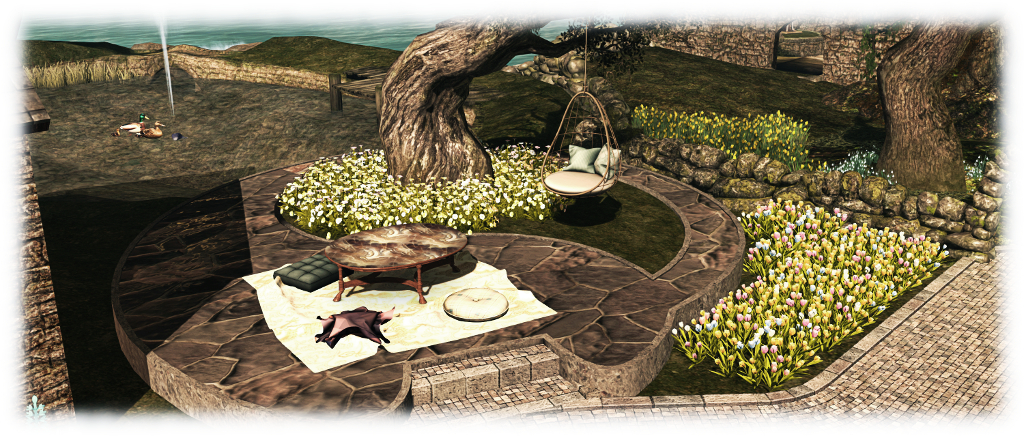
Our little outdoor entertainment area, courtesy of Cory Edo, using her Keliana Pool (modified & with the pools replaced by grass) and her Dorina Outdoor Hangout, finished with items from Alex Bader (tree) and Mandingo Quan (hanging seat) – steps and footpath by Kris Lehmann

For our redesign, we turned to Cory’s Keliana Pool (no marketplace listing) and  Dorina Outdoor Hangout. When put together (with a little bit of modification!). These have made an ideal outdoor area for entertaining friends, rounded-out by a hanging chair from Mandingo suspended from Alex’s Twisted Tree which enjoys widespread popularity among region designers.

Having dug out my copy of Alex Bader’s Willow Pond, it was obvious some wildlife would be needed. For this I turned to TLC, who offer a great range of fish, birds, ducks and so on. The prices are exceptionally reasonable.

The TLC swimming ducks are superb: low impact, a good price, and so easy to set up on any kind of water.

The Mallard family of ducks arrived first. Eoth copyable adults and ducklings, swimming and static (in a nest), I really cannot recommend them highly enough. The swimming versions work on both linden Water and “artificial” prim / mesh water, and set-up is an absolute breeze. You’ll likely  fine the adult duck may need resizing a little – they’re slightly on the large size for “normal” sized avatars, but this is also easily taken care of.

Fish, and possibly a woodpecker are likely to be next in line 🙂 .

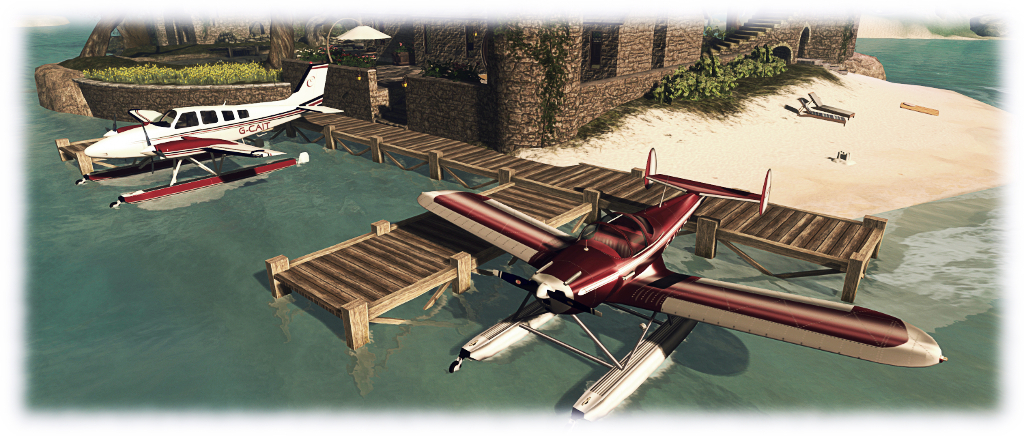
With our new beach to at the north end of the island, moorings for our matched pair of floatplanes,and the boats nicely docked to the south,  we’re once again ready for a spot of quiet living, and I’ve promised Caitlyn that, other than tweaking, the hard hats can be put away again 🙂 .

VR Photosphere: a further Second Life 360 photo HUD

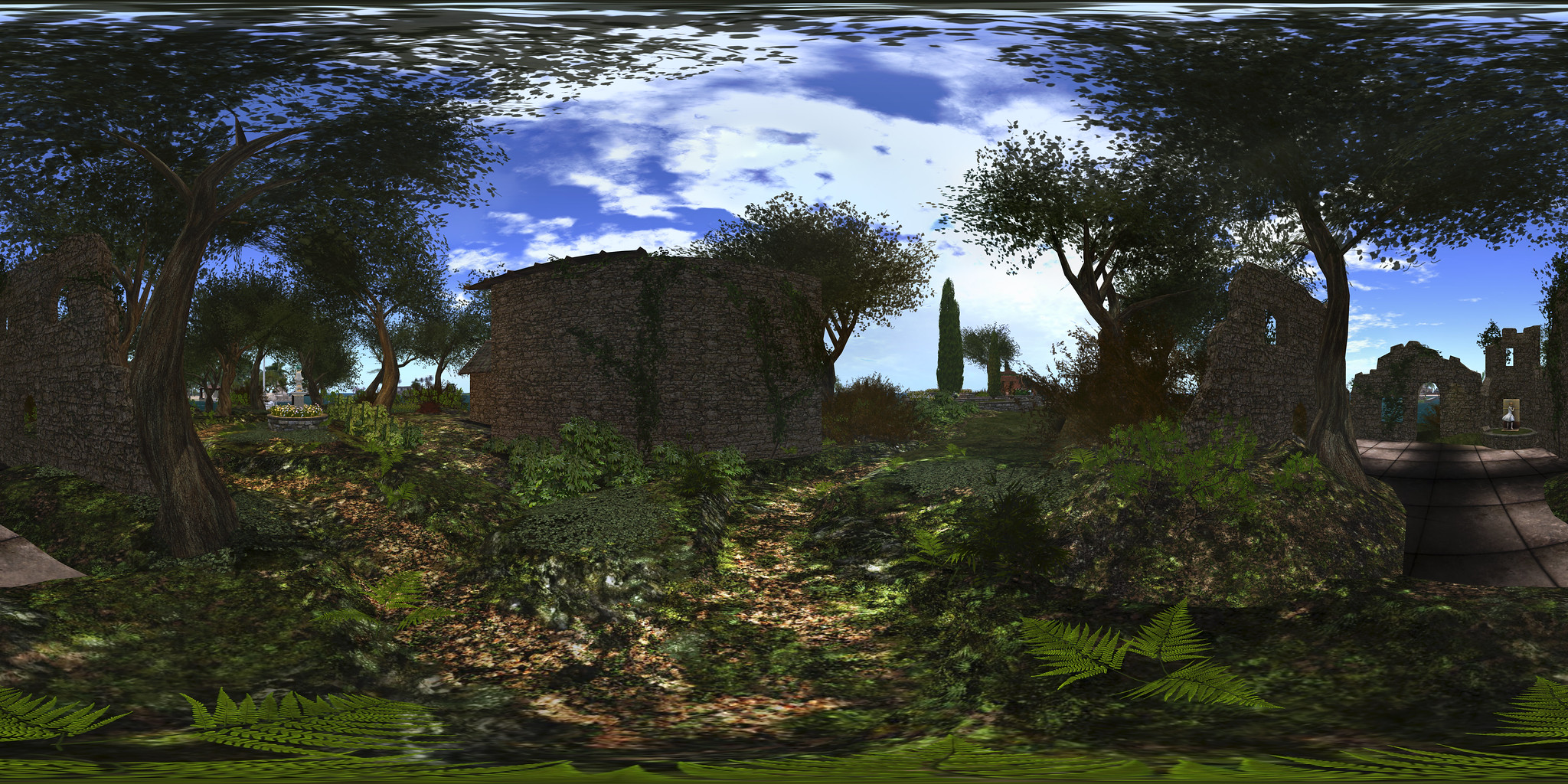
VR Creations 360 Photosphere demonstration; Inara Pey, October 2016,VR Creations 360 Photosphere demonstration  – click image to view in Flickr with 360o scrolling

Following my reviews of the Illiastra Panoramic HUD and the Camera Panoramic system (see links below), I was handed a further HUD system to look at.

The VR Creations 360o Photosphere HUD is a system that does exactly what it says on the packet: produces a set of images (26 in all) suitable for stitching together into a 360o spherical images suitable for uploading to the likes of Facebook, VRchive and Flickr. It falls between the Camera Panoramic and the Illiastra HUD in price, and is quite possibly the easiest of the three to use to take a set of shots.

The system comes in a basic package of the HUD, sufficient notes to get you going, and a link to a video overview.

The HUD

The VR Photosphere HUD comprises ten buttons, as shown below, with the key buttons highlighted.

The VR Creations 360 Photosphere HUD

The HUD cannot be minimised, but can be positioned off to one side or the other of the screen to keep it out-of-the-way.

Of particular note with the HUD is the top set of six buttons, which are related to positioning your camera to capture images. You can effectively position your camera anywhere you like using ALT-zoom or flycamming, and use the Add button to save the camera’s location as the centre of your sphere of photographs.This also allows you to take “seflies” through careful positioning of the camera close to you.

Saved camera positions can then be paged through using the left and right arrow buttons either side of the Release Camera button – so if you return to a location and wish to re-capture a set of images, you can do so easily, while the Delete button will delete the current camera position from the HUD.

Taking Your Shots

This is very much a point-and-shoot HUD system, requiring minimal set-up.  However, prior to taking your shots, there are some things you need to do:

  • Set your preferred windlight and daytime settings.
  • Make sure you freeze the clouds – you’ll be taking up to 26 images which will need to be stitched together, and moving clouds could make that a bit of a bugger to do. Use Menu > World > Environment Editor >Sky Presets > Edit Presets or PhotoTools > Clouds and check the scroll lock check boxes
  • Make sure the viewer’s camera is set to the default view  angle, FOV and focal length.

Once you’ve done this:

  • Position your camera at the centre point for your image capture – remember, you will be capturing 26 images in a sphere around this point, so you should have the camera view set to about a couple of metres off the ground.
  • Click Add on the HUD to set the camera position.
  • Press Esc on your keyboard to set your camera under HUD control.
  • Click on Begin Photosphere. Your camera will move to the nadir (lowest point) of the image set (generally pointing at the ground) ready for you to start capturing frames.
  • Press CTRL-~ (tilde), the snapshot shortcut, on your keyboard. You will be prompted for a location where you wish to save your first image. Select the folder and give a file name for the image.
  • Click the right arrow next to Done on the HUD to advance the camera to the next frame. Press CTRL-~ to save this shot automatically to the same location as the first.
  • Continue on round the photo a frame at a time using the right arrow button at the bottom of the HUD, saving each shot in turn via CTRL-~.
  • When you have captured all 26 frames, the camera will once more be pointing to the nadir point (generally the ground). Click Done to return the camera to the start position.
  • If you are satisfied with your frame captures, click Release Camera on the HUD to free the camera back to default control.

Producing your Image

Once you have taken your shots in-world, you need to “stitch” them together to produce your final image. There are several software tools you can use for this. My preferred choice is the Hugin Panorama Stitcher available through Sourceforge.net, as I’ve found it to be fast and efficient.

With Hugin installed and launched, proceed as follows:

  • In the Assistant tab, click on Load Images… Navigate to where your images are locally saved and select all 26 in the set, then click Open.
Loading and aligning your images in Hugin
  • The Camera and Lens Data dialogue box is displayed. Enter 90 in the HFOV field and click OK. You images will load in the editing panel.
  • Once your images are loaded, use the Align button to arrange them. This may take a few minutes, just keep an eye on the processing window that opens.
  • When Align has completed, click on the Move/Drag tab and click Straighten. If your shots are displayed upside down, enter 180 in the Roll text box and click Apply to flick them the right way up.
Straighten and correct inverted image, if required
Straighten and correct an inverted image (if required)
  • Click on the Crop tab in Hugin and adjust the values to ensure your entire images is selected – set Left and Top to 0; Right and Bottom to 9999 – note the latter two will snap to the maximum size of your image.
  • Click on the Assistant tab once more and click Create Panorama. A dialogue box will open:
    • Set the image format to JPG and set the quality to 100%
    • Click OK to run the output process.
  • You’ll be asked to give a file name for the Hugin .PTO batch process file and the rendered image file. Enter a name for both, confirming each in turn.
  • Image processing will start, and could take several minutes.

Once completed, you’ll have an image ready to upload to Facebook, VRchive, Flickr, etc.

Do be aware that Hugin can be sensitive in handling images, particularly those with poor contrast / brightness, or which feature a lot of water, and this can lead to problems during the alignment process or in production of the finished image.

Continue reading “VR Photosphere: a further Second Life 360 photo HUD”