Lab takes an end-of-year look at Second Life

On Wednesday, December 19th, Linden Lab offered a look back at 2018 and something of a look ahead to 2019. There’s actually been a lot going on, although it is surprising to note that some of the bigger deliveries / anticipated deliveries actually first started to surface in 2017, when I reviewed / previewed them.

I’ll be taking a look through the major changes to Second Life myself in an upcoming blog post, so won’t delve too deeply into things here.

Unsurprisingly, Animesh is featured front-and-centre for the year’s delivery – although it’ll be early 2019 before we really start to see the impact this project has on the grid as a whole; many creators have yet to really embrace it, although there were certainly a lot of creative ideas put forward at the Content Creation User Group meetings.

The Lab’s post also focuses on the changes made to land pricing in SL – arguably the biggest set of changes in 2018. It’s fair to say  that overall, the response to changes both Mainland and Private regions has been positive. In fact, it could be one – and I emphasise one, because there are others – of the reasons people might be spending less: with limited disposal income, people may have diverted some of their Second life spending away from buying things and into premium memberships and  / or land.

For me, the big projects through 2018 and 2019 have been, and remain, the Environmental Enhancement Project (EEP) and the attempt to move Second Life to the cloud. The latter is hard to judge, as it is very much a behind-the-scenes move that has yet to really have an impact on the user-facing side of the platform. however, I fully expect we’ll be hearing more about it in 2019.

EEP, on the other hand, is something I think will help revolutionise the look of Second Life – even if not quite to the extent some may hope. As such, I’m actually more excited about this than Animesh (and have had great fun playing with EEP whilst it has been in beta testing).

In particular, it will finally bring environment control down to the parcel level, as well as allowing different environment settings at different altitudes. These two capabilities have, until EEP, been dependent on purely viewer-side support and limited to the use of the likes of Firestorm. With these capabilities now moving server-side, everyone gets to benefit from them, regardless of the viewer they’re using, and region / parcel holders finally get the opportunity to have users see their regions and locations as they desire (allow for people retaining the ability to override, viewer-side), and without having to request they change their viewer settings manually, or having to worry about whether or not the windlight they are using is generally available.

Again, EEP won’t be appearing fully until 2019, but the Lab’s blog post includes a nice little preview video by Silas Merlin that I’m taking the liberty of reproducing here.

For me, the most interesting part of the Lab’s blog post comes at the end, starting with a chart showing average concurrency over the last two years. It shows levels to be relatively stable.

Of course, there might be a temptation to offer contrasts between this chart and others that report more in the way of averages over shorter periods – such as those found on the Firestorm log-in screen or via infographics such as those shown on Tateru Nino’s stats pages (which appear to be recording again after having problems earlier in the year). However, given there is no actual benchmark for the Lab’s chart, such comparisons would be somewhat off-base; the chart isn’t designed to show averages or daily high-lows. It simply shows a 730-day period in which the peak daily log-ins (I would assume) have remained pretty constant, despite all the claims of falling numbers.
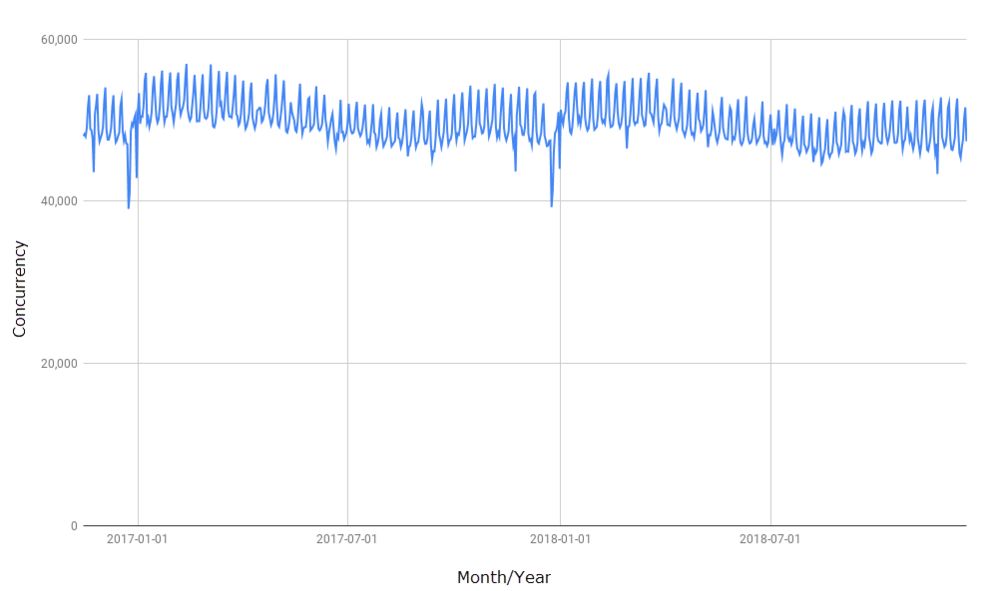
The Lab’s two-year concurrency chart

The flipside of this of course, is that equally, it’s hard to really judge such a broad trend like as this, simply because it is likely taken from one data point, be it peak daily log-ins or something else. For example: if it is tracking just peak log-ins, what were the daily minimums? How long per day were the peak periods? have there been any changes in this over the two years?

A more interesting stat is that for the amount of USD cashed-out. Put at $65 million, this is only $2 million less than that quoted for 2017, and still above the US $60 million for 2016. As such, it stands at odds with claims that the Second Life economy has been in some kind of slump during at least the second half of 2018, suggesting that things have been relatively stable overall. Which is not to say that some merchants haven’t seen a downturn in sales; but these could be the result of people shifting their spending habits more that not spending their money – see my comment re land, above.

The final two listings on the Marketplace and the Destination Guide make for interesting reading, but little more – although the fact that men’s apparel comes in 10th on the Marketplace  while women’s comes in second might be an interesting topic to plumb. Is it simply because there are fewer creators focusing on menswear, or is it a combination of fewer creators and male Second Life users perhaps being less driven by the demands of fashion?

As noted, I’ll have more on the technical and other updates to Second Life in an upcoming article, and for now will leave you to read the Lab’s summation in peace 🙂 .
Zimminyville: a remarkable destination in Second Life

Zimminyville; Inara Pey, December 2018, on Flickr
Zimminyville – click any image for full size

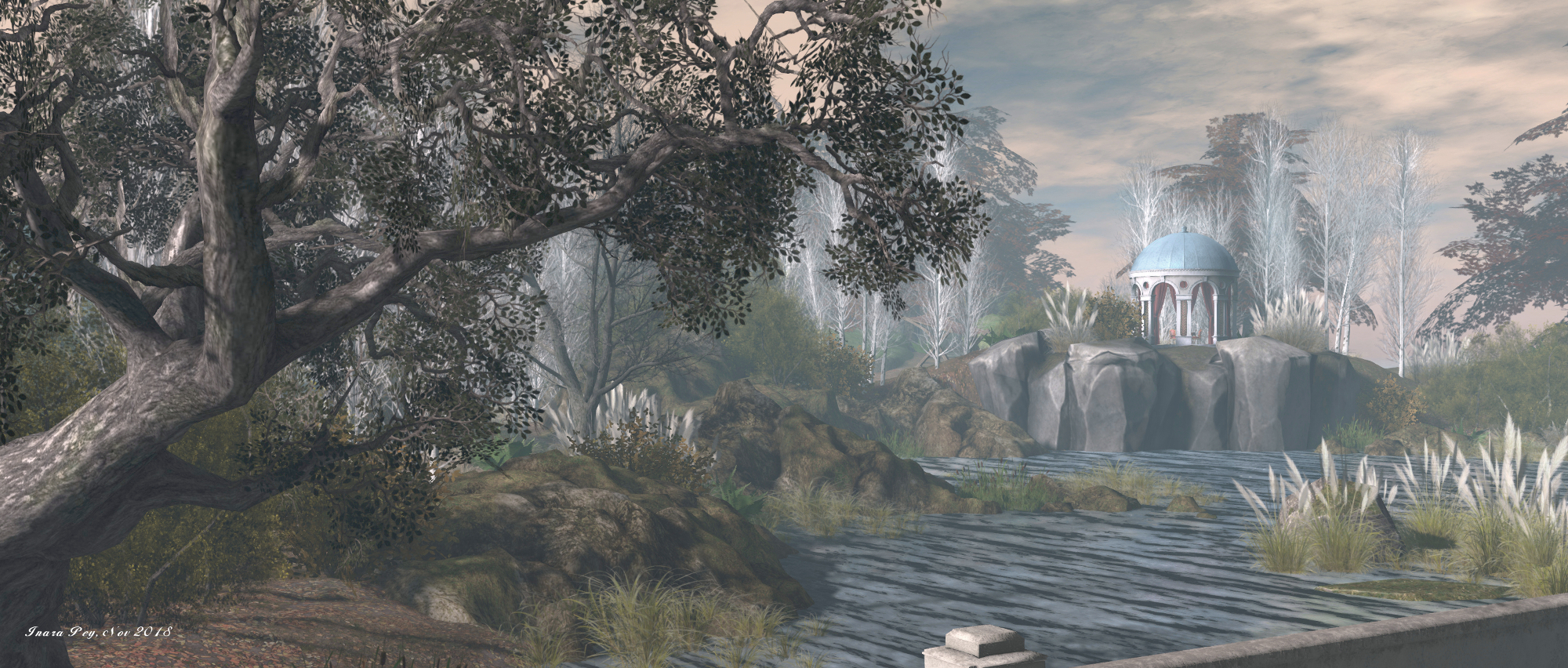
Zimminyville, created and maintained by Curfax Zimminy and Flo Zimminy (SweetFloXO), occupies a full region leveraging the full region land capacity bonus. It is one of the most remarkable regions we’ve yet visited, and is very much a place of two very different halves.

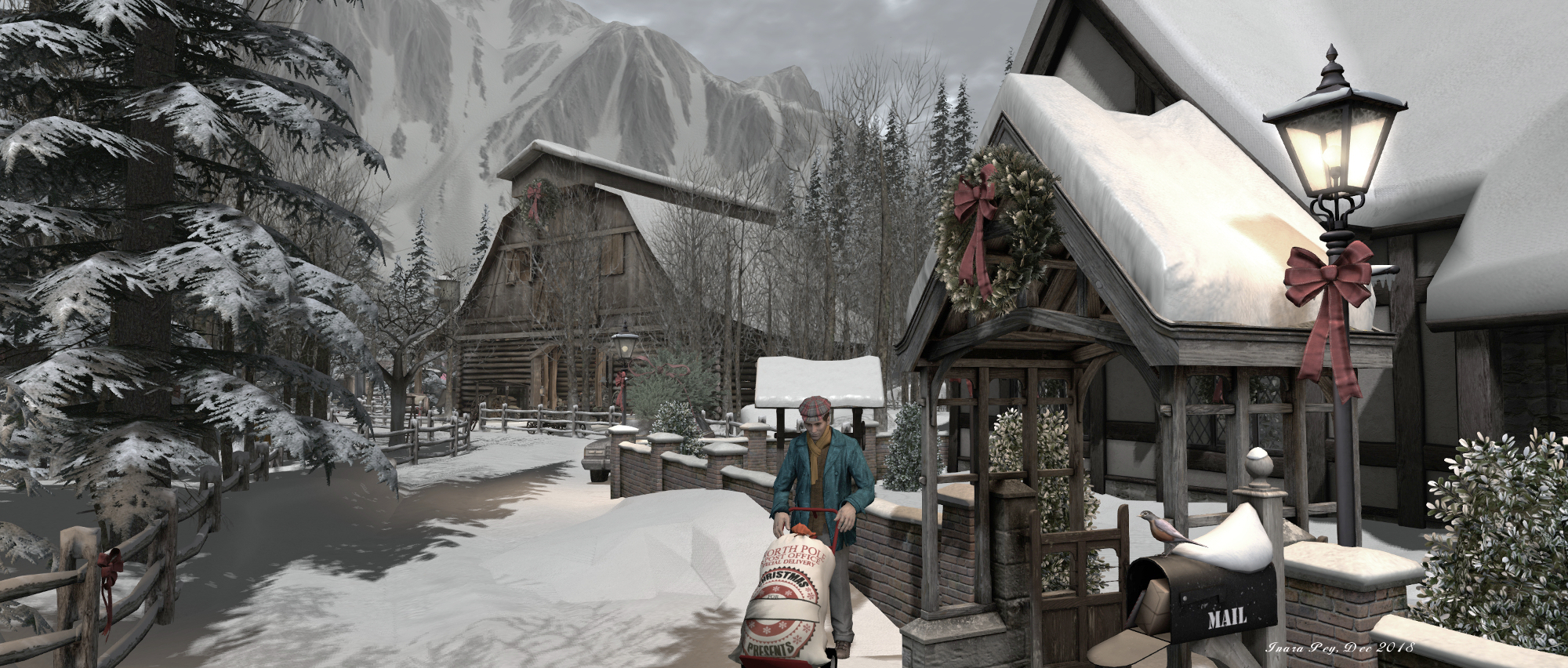
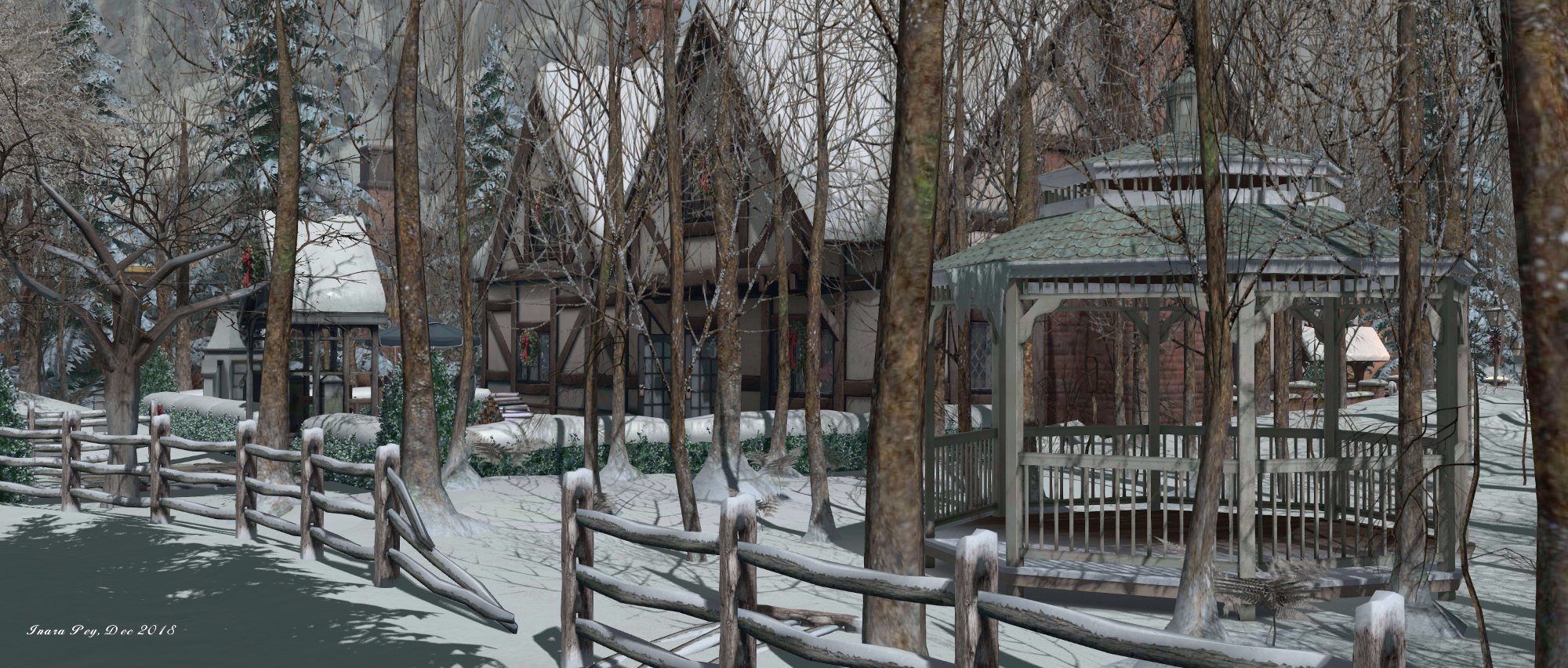
At the ground level is a town which, according to the About Land description, changes with the seasons, lies a small town. Right now it is caught in the midst of winter, snowbound and surrounded by high mountains. The landing point sits towards the centre of town, alongside a large mock-Tudor house that faces a large map showing the town’s layout, although specific points of interest aren’t labelled.

Zimminyville; Inara Pey, December 2018, on Flickr
Zimminyville

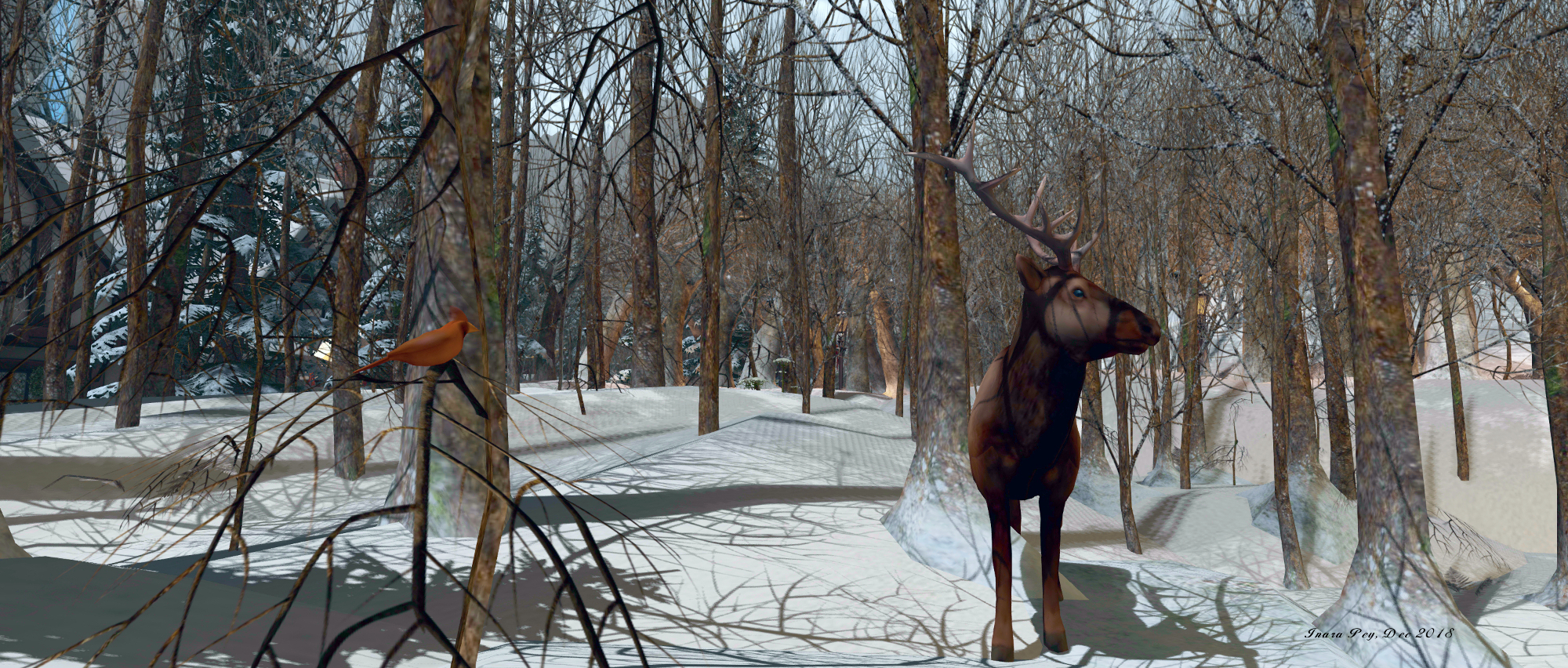
This lack of labelling (beyond the “you are here” pin) actually isn’t a disadvantage; snowy road wind their way through and around the landscape, and following them will lead you on a worthwhile tours of exploration. For the most part, the town has a feeling of being a small, but once industrious place; on the south side can be found large warehouse-like buildings that tower over the rest of the landscape.

However, and while fishing boat, crowded by ice floes, sits alongside a small wharf, it is clear that commerce has moved on for the most part. The brick-built warehouses have been converted for use as residences or bars, while the little harbour has the wreck of a trawler lying within it, preventing the use of a good portion of the wharf.

Zimminyville; Inara Pey, December 2018, on Flickr
Zimminyville

The water and piers continue along the west side of the town, marked by yet another sunken trawler. Again, while the might once have been a place of fishing commerce, the wharf here is now far more of a tourist attraction, a long, pleaant (if bracing, given the weather!), walk along the waterfront, complete with a launch point for balloon rides over the town. A second balloon can be found to the east, but lies separated from the town by a high spine of rock, home to fir trees and an old forest ranger’s station. A tunnel at the foot of this ridge offers a means from trains to reach the local terminus, complete with the bulk of vintage engine de-railed alongside and attesting the the age of the town.

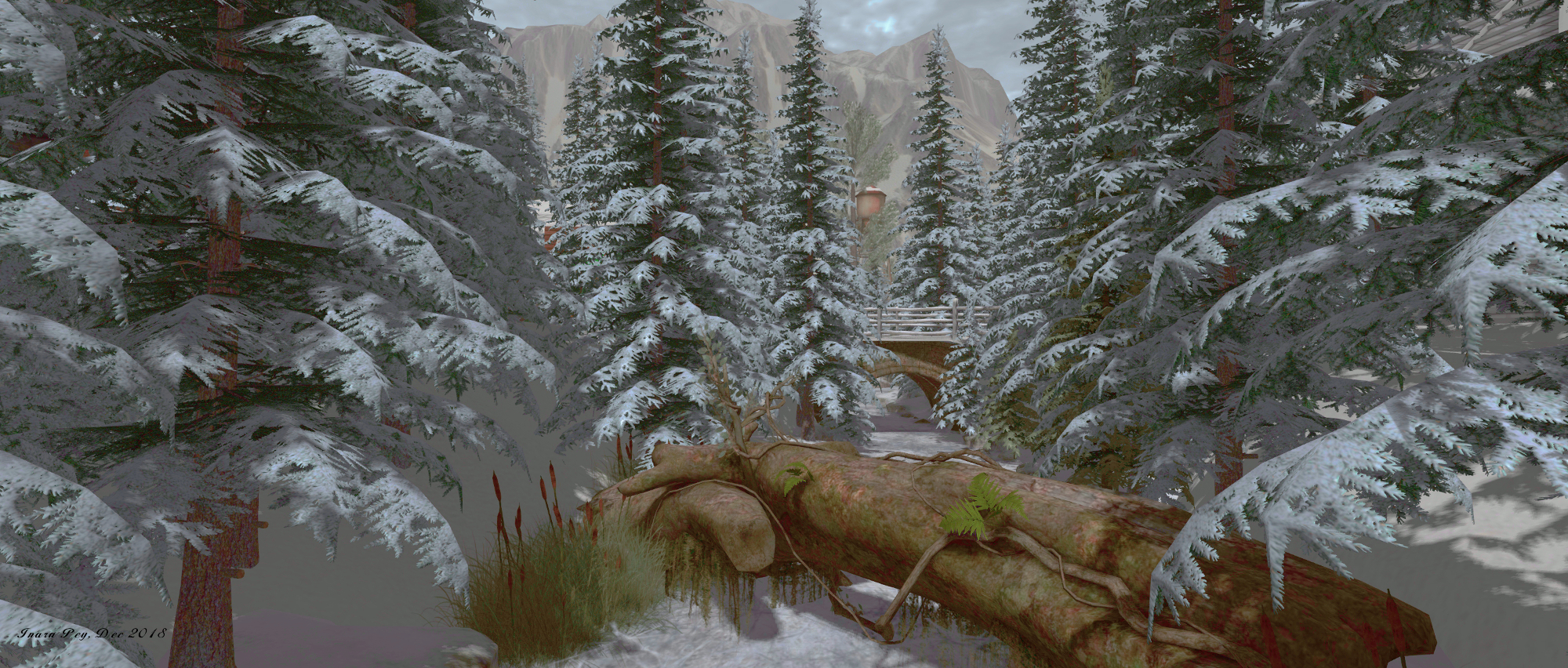
A screen of trees also separates the terminus from the rest of the town, together with a little stretch of wilderness cut by a stream sealed under a layer of ice and – rather surprisingly – the bulk of an old space freighter, also seemingly converted into a home.

Zimminyville; Inara Pey, December 2018, on Flickr
Zimminyville

With its houses, winding roads, buildings old and new, Zimminyville has the look and feel of a remote town somewhere in high latitudes, possibly in North America. There is a wonderfully eclectic look and feel to the setting, from the drive-in theatre and its mixture of vehicles, to the juxtaposition of the converted space freighter with the nearby old windmill.  However, the most interesting oddity in the setting is the presence of a large glass-and-steel pyramid that points a laser-like beam up into the sky.

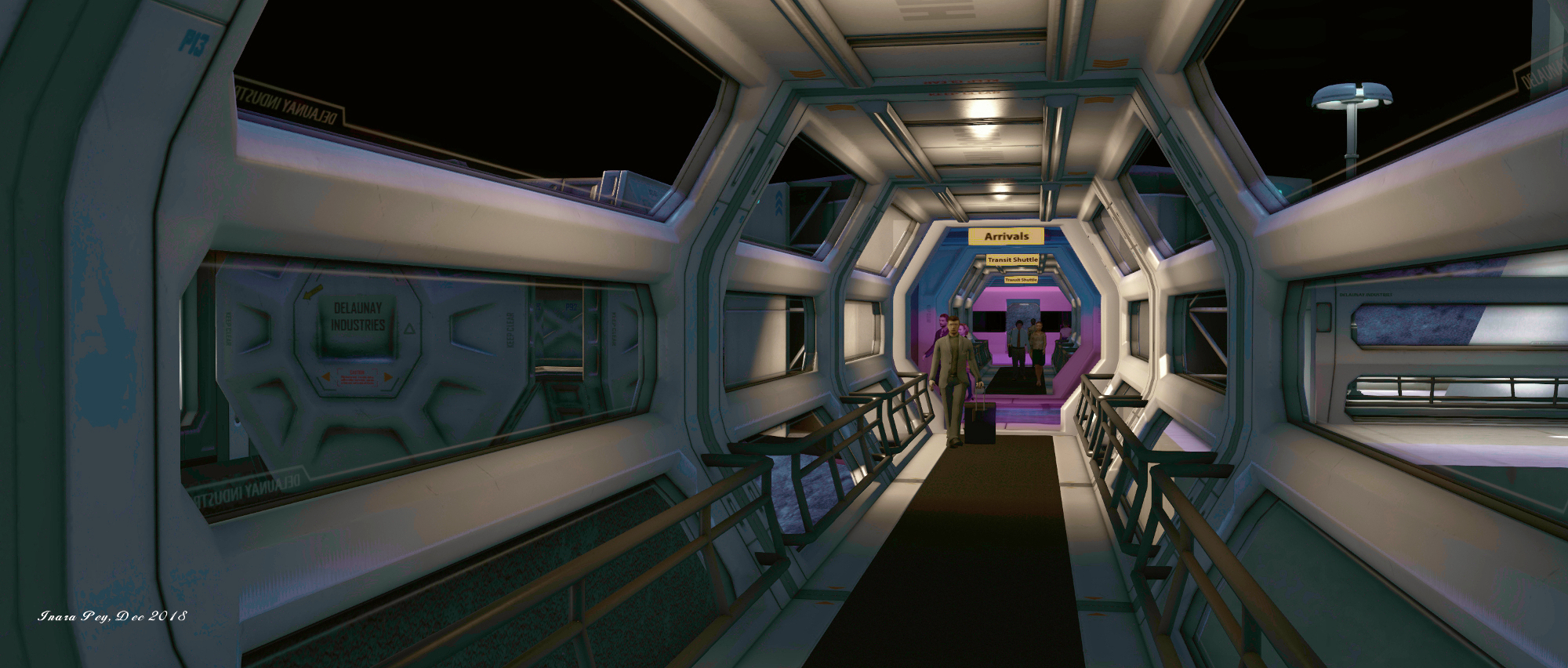
Futuristic in both look and content, this is the gateway to the second half of the region: a large, well-established space port sitting on the surface of the Moon.  Four launchpads are presented inside the pyramid, three of them home to individual pods that can carry one passenger at a time up to the Moon. Which you take is entirely up to you, as all three will arrive at different points within the same station, before “return” after you’ve disembarked.

Zimminyville; Inara Pey, December 2018, on Flickr
Zimminyville

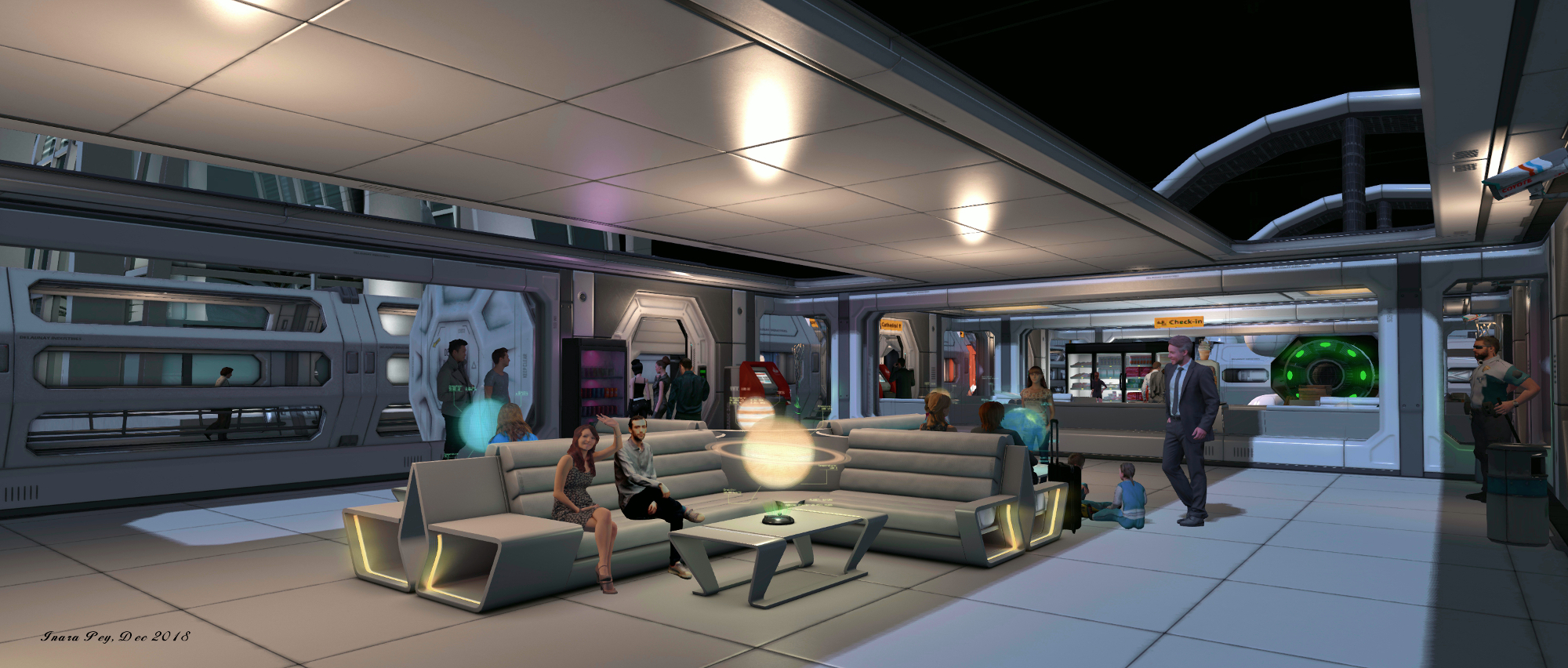
It is to this space port that commerce has clearly moved. In difference to the sleepy setting of the town, the base is a bustling hive of activity. Passengers can be found in the departure lounges doing the things people do before a flight: sitting and waiting, passing the time in conversation, getting food and snacks or anxiously checking-in. Others are to be found hurrying along the enclosed corridors hurrying to / from departure or arrival gates, or waiting for departure aboard their transports, all of them watched over by security guards or flight crew.

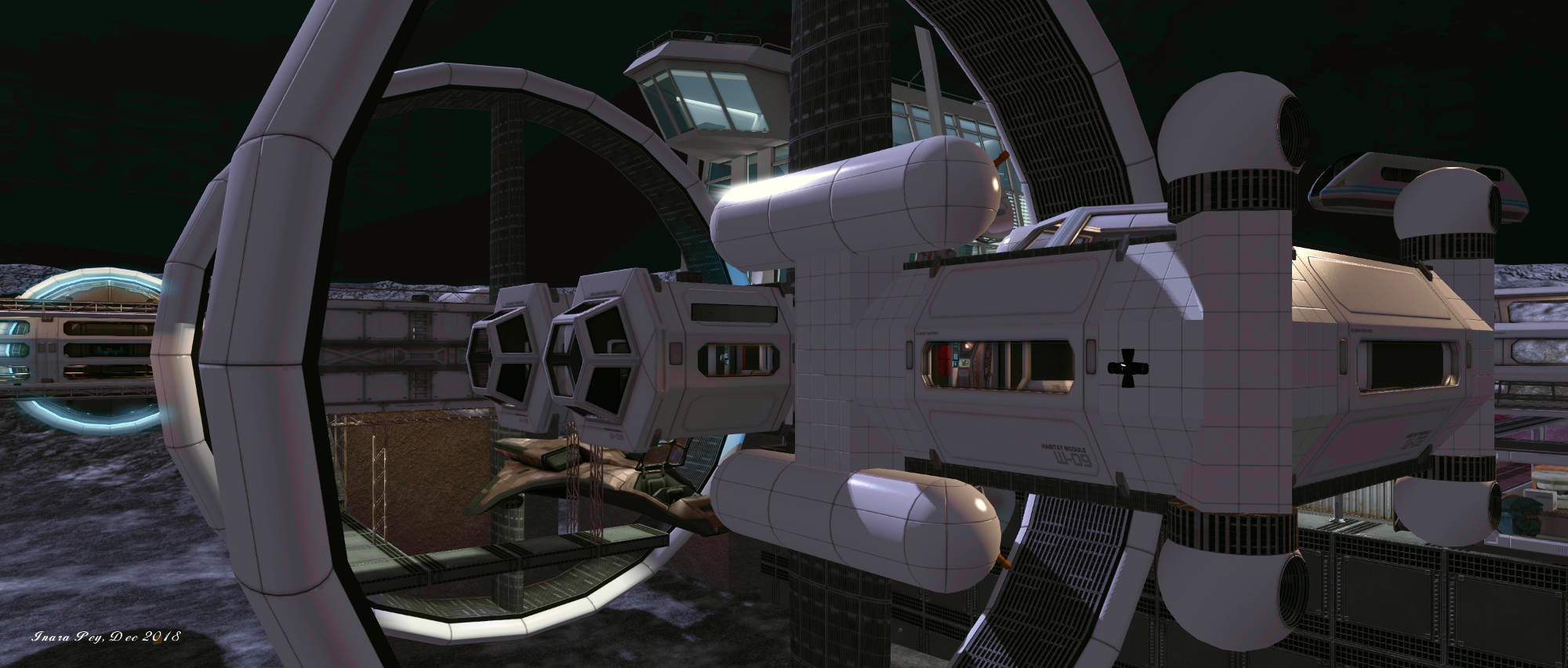
A small, two-seat military vessel is also docked in the lower portion of the station, although military uses for the station do not appear to be otherwise much in evidence. Fed Ex, however, do have a large presence, with freighters sit loaded and awaiting departure, ready to carry all measure of goods – and in one case, passengers – elsewhere.

Zimminyville; Inara Pey, December 2018, on Flickr
Zimminyville

Quite where everyone is going is hard to say, but it would appear the station is very much a gateway to the rest of the solar system. Beyond the passenger hub of the station sits the huge bulk of the Europa Sun, a massive spacer crammed with facilities, including two large hangers. Whether she is still operational or not, is hard to say. She sits on sturdy landing legs, massive engines rotated for lift-off, her flight deck still in place. But the conglomeration of habitation units on her back and research / industrial units under her belly suggests she is perhaps now a permanent part of the base, the hemisphere of her bio dome offering those staying on the base who need it, a reminder of the trees and greenery of  Earth.

Facing Europa Sun from across the base is the impressive bulk of a huge structure. It looks a little incongruous in some ways, particularly given appears to the grass and topiary hedgerows found in was should be the airless near-vacuum of space, and alongside a landing pad marked for helicopters (or perhaps the “H” is for “hopper”, as in “Moon hopper”?). What looks to be some kind of control centre sits under this landing pad, but the bulk of the building forms a huge cathedral setting – albeit one with a further pod landing pad vying with the altar for attention. A closer look at the latter will reveal the building’s function: the opportunity to have a real get-away-from-it-all wedding…

Zimminyville; Inara Pey, December 2018, on Flickr
Zimminyville

A sense of life has been added throughout the station by the inclusion of static characters (I won’t call them NPCs, are they are entirely non-interactive). They are typical of the people you might find in any Earthly airport. All of them bring a certain depth to the setting, as do their compatriots down within the town, even if they are fewer in number.

Zimminyville is, when all is set and done, a quite remarkable location. The town and the lunar base are strikingly different to one another, and each has its own mystery to explore. Time is very much needed to appreciate everything on offer (and to find things like the table games available in both). The attention to detail and the level of care taken in such a complex build is impressive, and there are plenty of opportunities for photography throughout.

Zimminyville; Inara Pey, December 2018, on Flickr
Zimminyville

Given all that is on offer you might find more than one visit is required to capture all there is to be found, but whether you go once ot twice or any number of times, Zimminyville is not a destination to be missed. Once again, our thanks to Shakespeare for the pointer!

SLurl Details


2018 SL UG updates 51/1: Simulator User Group

Magritte; Inara Pey, November 2018, on FlickrMagritteblog post

Server Deployments

As always, please refer to the server deployment thread for updates.

  • On Tuesday, December 18th, the SLS (Main) channel was updated with server maintenance package 18#18.12.05.522294, comprising a voice service adjustment and internal fixes.
  • On Wednesday, December 19th, the three main RC channels should be updated with server maintenance package 8#18.12.03.522210, comprising a further voice service adjustment.
  • Also on Wednesday, December 19th, the Snack channel should be updated with a new EEP simulator update, 18#18.12.14.522551.

SL Viewer

There have been two viewer updates to start the week, bringing two of the viewers up to parity with the current release viewer (formerly the Spotykach Maintenance RC viewer). These are:

  • The Bugsplat RC viewer, which updated to version 6.1.0.522614. This viewer is functionally identical to the current release viewer, but uses BugSplat for crash reporting, rather than the Lab’s own Breakpad based crash reporting tools.
  • Love Me Render RC viewer, which updated to version 6.0.2.522531.

The remaining viewers in the pipeline remain (at the time of writing) unchanged from the end of week #50.

  • Current Release version 6.0.1.522263, dated December 5th, promoted December 13th. Formerly the Spotykach Maintenance RC viewer – NEW.
  • Release channel cohorts:
    • Estate Access Management (EAM) RC viewer, version 5.2.0.520057, September 28th.
  • Project viewers:
    • Linux Spur viewer, version 5.0.9.329906, dated November 17th, 2017 and promoted to release status 29 November – offered pending a Linux version of the Alex Ivy viewer code.
    • Obsolete platform viewer, version 3.7.28.300847, May 8th, 2015 – provided for users on Windows XP and OS X versions below 10.7.

Last Name Changes – Supporting External Databases

A number of creators and others utilise external databases that use their own log-in authentication process bases on their customers’ Second Life names. Concern has therefore been raised as to how they’ll be able track changes to users’ lasts names once the ability for them to be changed has been re-introduced, with requests for LL to offer some kind of RSS feed providing name change updates.

However,Oz indicated this would not likely be the case, noting:

I don’t think that keeping current with a feed would really work, and it could easily be misused. Don’t store names – store IDs (agent UUIDs). IDs will never change [So] just have them enter name, then internally translate to the UUID. The translation will always be correct whether they use a current name or an old one. We will not be providing a feed or any way to look them up in bulk.

– Oz Linden

No Change Window

Due to the Christmas and New Year holiday period, there will be a No Change window in effect from close of business on Friday, December 21st, 2018 through until at least Wednesday, January 2nd, 2019. During this time there will be no planned updates or releases for the SL simulators or the official viewer.

The next Simulator User Group meeting will take place on Tuesday, January 8th, at the usual time of 12:00 noon.

Supporting the IKSDP Kenyan schools project in Second Life

Harambee Xmas Charity Market

Currently running through until January 6th, 2019 is the Harambee Xmas Charity Market, raising funds for the  IKSDP (Italian Kenyan Scout Development Project) Kenyan Schools project, operating in Gwassi region in south-western Kenya, around Lake Victoria.

Harambee is Swahili for “working together”, and can often be used as a cry when people are working in concert together. It has been chosen as the embodiment for the Harambee project Gwass-Kenya in recognition of the way the project is bringing together volunteers from beyond Kenya with local people working on a series of projects to benefit the people of the Gwassi region.

Operated by the IKSDP since 1983, the work is to promote community self-development among the local population through a range of practical self-help projects in an area covering some 200,000 square kilometres and encapsulating around 50,000 people, the majority of whom are Lou, relying on pastoral herding, farming and fishing. Specific work for the project has included water supply and irrigation facilities, medical field trials for disease treatment and medical dispensaries, and on improving education among the young. This latter work has involved the construction and development of a teacher training college and the development of new schools in the region.

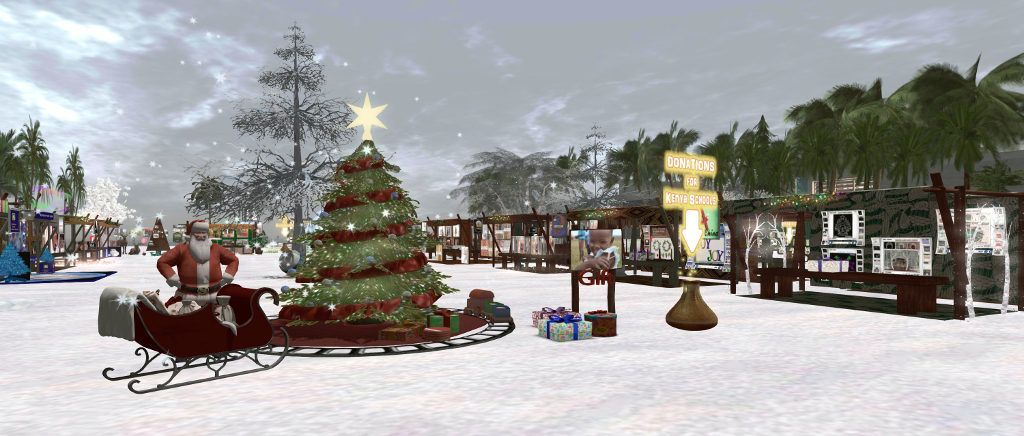
The Harambee Xmas Charity Market in Second Life is aimed towards helping to raise money for the schools project, and features a cross-region venue, offering both the tropical warmth typical of Kenya and the snowy delights usually expected of a Christmas market.

Designers and creators participating in the event include: *AAP* Angel’s Art Pose; *ASIA* FASHION; [in] sanity; {.Gross Princess.} & *Tori-Tastic*; 3D Republic; Anastyle; Cassandra Couture & Gallery’s Happy; Celestial Designs; Dimi’s; EdizioniVolando; Droxene; Face Paint; Fantasy China; …:::: GIULIADESIGN made in italy:::…; Gundam Park; Hair Sale; ‘Harambee Gwassi-Kenay Charity shop’; Kastle Rock Couture and Mirage Treasure Co.; Lamu Fashion Exclusive Italian Style; Manna Benoir; Scarpenia; She_Avi; *Sour Pickles*; Style 4 Woman; Sweet Intoxication; TMT Texture Me True; and Verastyle.

Participating artists comprise: CioTToLiNa Xue; Desy Magic; Maddy (magda.schmidtzau) and Solkide Auer.

As well as the creators and artists, the event features hunts and entertainment (as detailed in the calendar below.

So, even if you are feeling a little shopped-out, why not hop over to the Harambee Xmas Charity Market and help out a good cause.

SLurl and Links

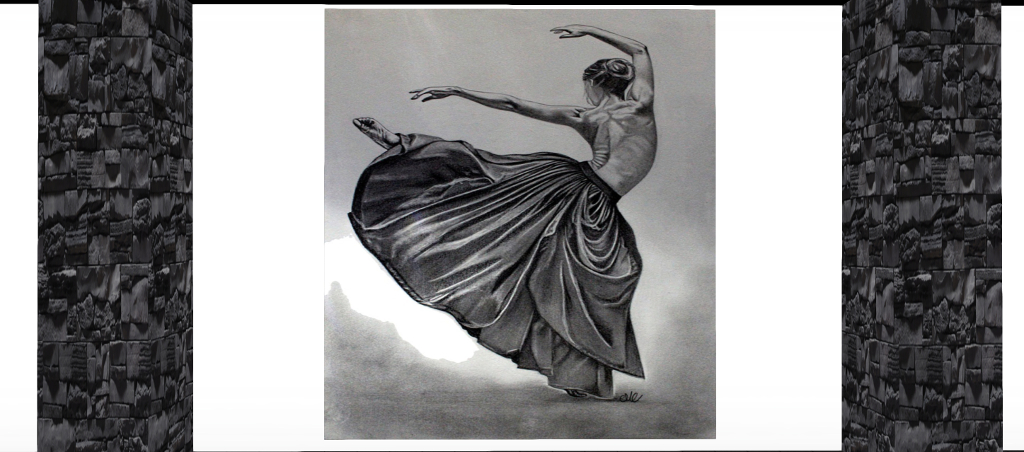
The art of MC Grafite in Second Life

MC Grafite

MC Grafite is a relative newcomer to Second Life, having joined the platform just five months ago. However, at 13:00 SLT, on Tuesday 13th December, she is opening her new gallery featuring her work (and only the second time she has publicly exhibited her art!). I took the opportunity to drop in ahead of the opening, while MC was still setting up to gain something of a sneak peek.

Also known as Marisa Camelo, MC is an artist in the physical world focusing on pencil-based drawings. She notes she spends around nine or ten hours a day drawing, her work covering a range of topics, including portraiture, animals and wildlife, costumes, tattoo designs, cars, and more.  And if I were to try to define her art in a single word or phrase, it would be: striking.

MC Grafite

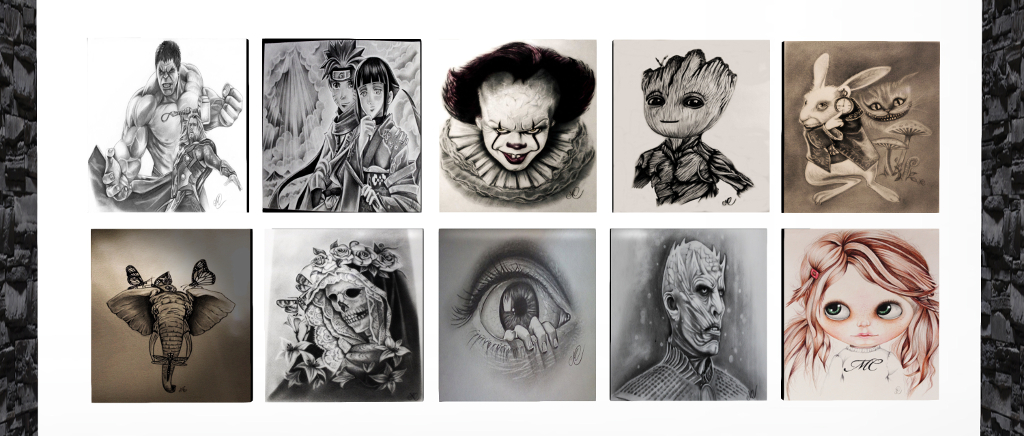
Within a simple, but effective gallery setting of stone pillars and plain white walls, MC presents a broad portfolio of her work, from simple-looking sketches, located outside of the main entrance in an enclosed courtyard, through to a series of exquisite set of white-on-black images of quite exceptional beauty and depth.

Her portraiture is also shown, within pictures of actors, celebrities and film and literature characters mounted on the rear walls of the gallery. I admit that her Baby Groot (Guardians of the Galaxy Volume 2) and her It immediately drew my eyes to them. Both capture the vitality and mischief inherent in the first, and the sheer malevolence of the second quite perfectly. I found Eye, located directly beneath It equally mesmerizing  – although this should not be taken to mean there is anything lacking in the remaining portraits; quite the reverse in fact: each has its own unique attraction.

MC Grafite

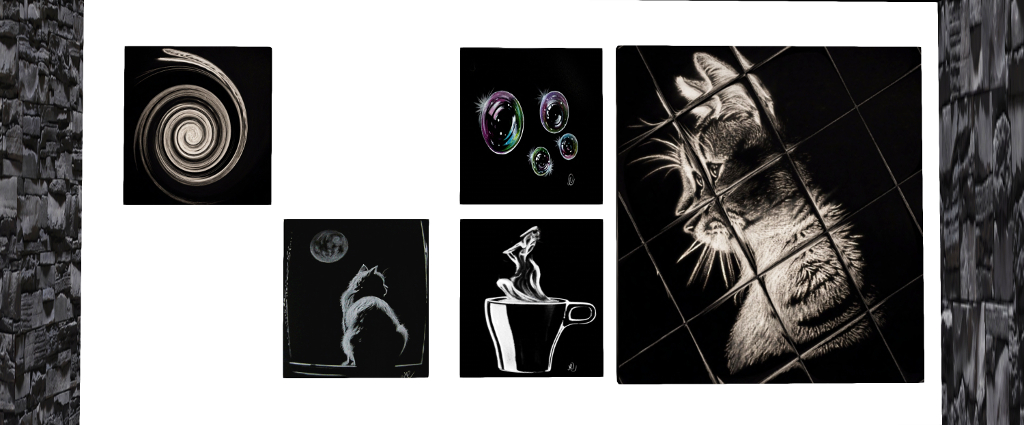
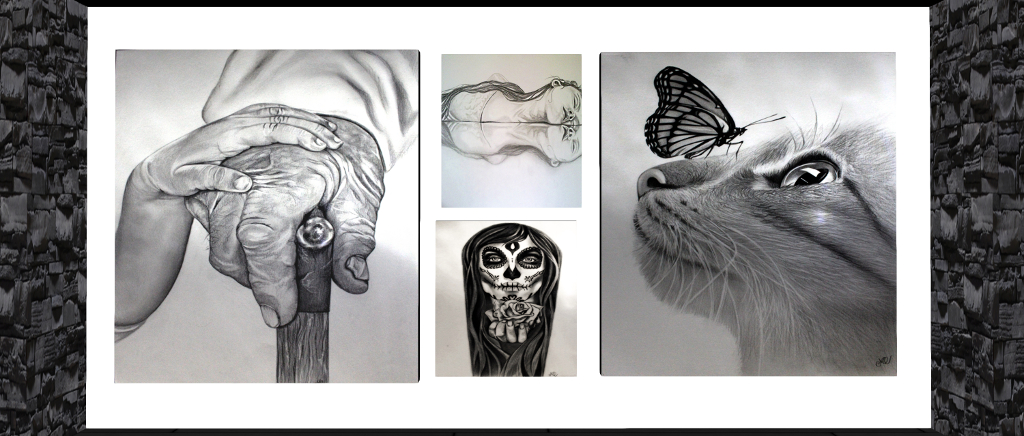
But I must admit to being completely captivated by the etching-like black-on white pieces she presents; there is something about this approach to art that I’ve always found enamouring, and the pieces MC offers are stunning in their presentation and beauty. As a cat lover, Cat Reflex and Cat in the Moonlight simply (both seen in the image at the top of this article) entranced me.

Further pieces are available on the upper mezzanine of the gallery, one or two of which might be considered NSFW. However, as MC was still setting-up on the upper floor when I visited, I only had a quick cam up to it, in order to avoid disturbing her too much.

As well as her own art, MC also offers a commissioned art service. Details of this can be found via the information givers located next to one of the stairways leading up to the Mezzanine level.

MC Grafite

The gallery officially opens at 13:00 SLT on Tuesday, December 18th, 2018, as noted. But whether you can make the opening or not, I do recommend the MC Grafite Gallery as well worth a visit.

SLurl Details

Kokua 6.0.1 updates

The last version of Kokua I looked at in these pages was version 6.0.0, which primarily added Animesh functionality to Kokua.

Since that time, there have been a number of further updates, up to and including 6.0.1.44454 (RLV), and this article is intended to catch up to the current releases. In short, the intervening updates have been:

  • 6.0.0.44291 (RLV), November 29th, 2018: focused on parity with Marine Kelley’s RLV 2.9.24.
  • 6.0.0.44301 (RLV for Windows), December 8th, containing RLV bug fixes and four new RLV information panels.
  • 6.0.1.44374 (RLV) and 6.0.1.44375 (No RLV) for Windows, Mac and Linux, released on December 13th.
  • 6.0.1.44454 (RLV), December 17th, 2018 for Windows, Mac and Linux – essentially a bug fix release for a issue with the 6.0.1.44374 (RLV) release.

In addition, the 6.0.1.44374/44375 updates saw Kokua merged to parity with the (at the time of writing) current SL viewer release, version 6.0.1.522263, formerly the Spotykach Maintenance RC viewer, promoted by the Lab of December 13th, 2018 (release notes here).

It is the the 6.0.1.44375 and 6.0.1.44454 (RLV) updates that I am focusing on in this update, together with an overview of the new RLV panels introduced with 6.0.0.44301.

Menu Restructuring

The major visible change to both 6.0.1.44375 and 44454 is a revised menu structure. Up until now, Kokua has used the legacy (going back as far as v1 viewers) initial menu structure of  File, Edit and View, as opposed to the Me, Communicate and World options found in the official viewer and followed by (for the most part) most other v5/v6 viewers.

To help Kokua users gain familiarity with the new menu structure, the Kokua team have produced a document outlining how and where options have been moved between menus in converting them from the old format of File, Edit and View to the more standard Me, Communicate and World.

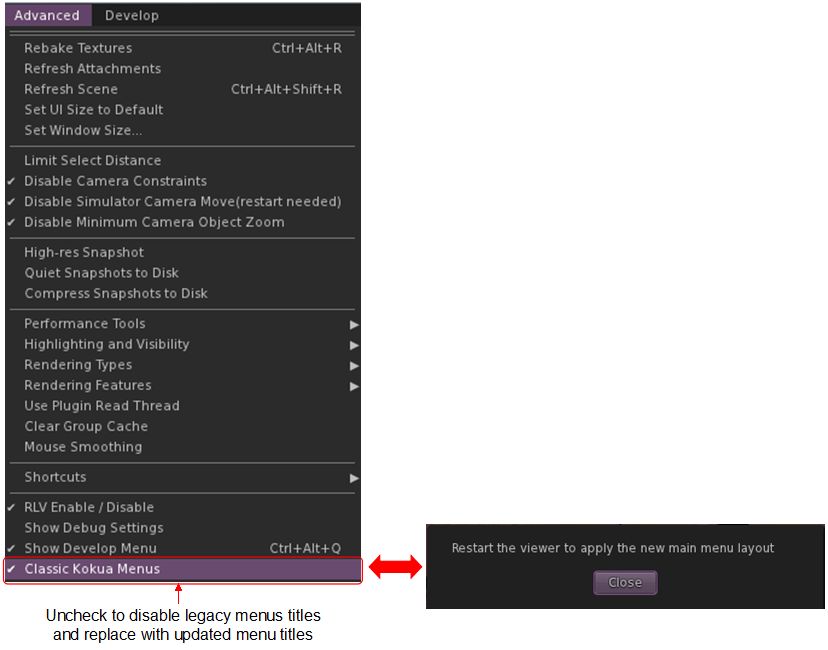
Advanced menu > Classic Kokua Menus allows users to toggle between the “legacy” (File, Edit, View) and “current” (Me, Communicate, World) menu titles. A restart is required for each change to take effect

By default, the new menu structure is OFF, to avoid the risk of confusion for users not expecting the change. For those wishing to to use the new menu system, it can be enabled via Advanced menu > unchecking Classic Kokua Menus. The viewer must be restarted to apply the change. This option can also be used to switch back to using File, Edit, View, if desired (again with a viewer restart required).

RLV Updates

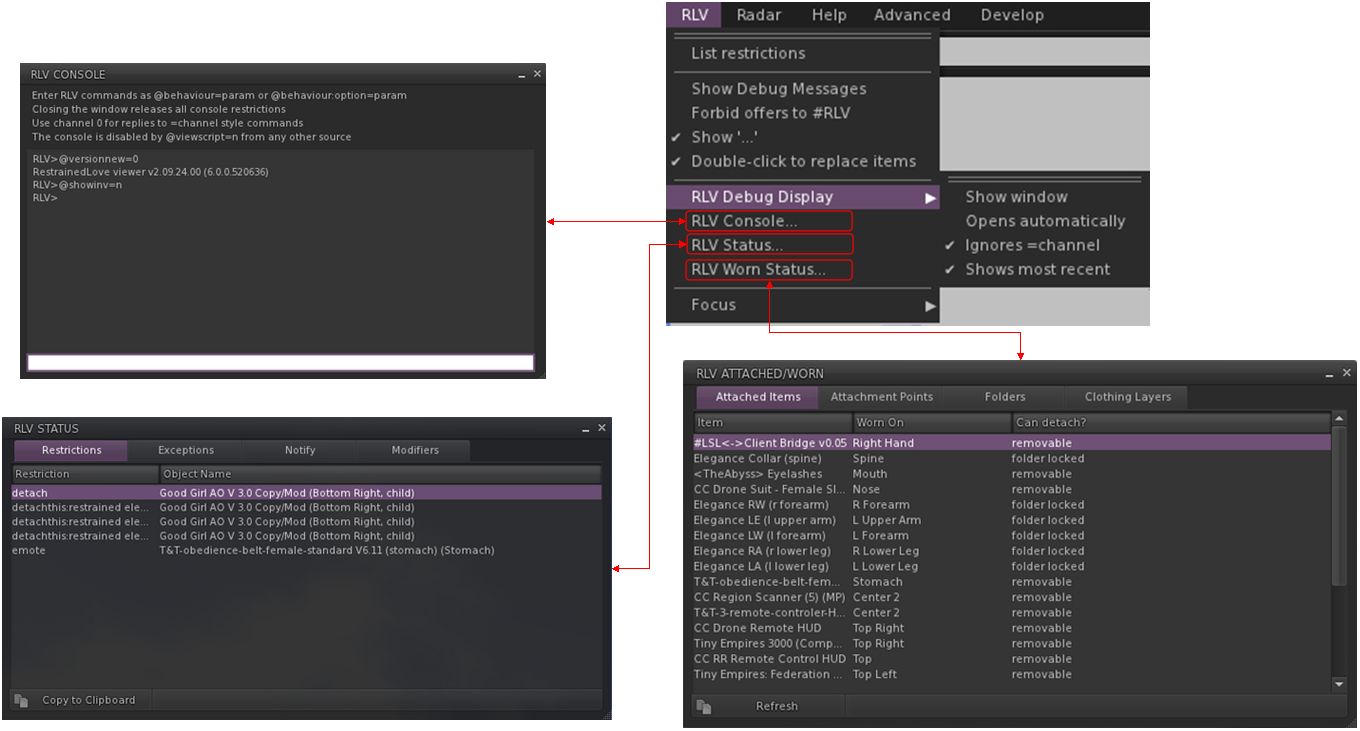
Kokua 6.0.1.44301 implemented a new set of RLV diagnostic panels designed to assist RLV users, as these were initially only available in the Windows version of the viewer, I’m covering them here, as they are now available on all OS flavours of Kokua.

The new panels are a combination of code from the Script Error window found in the standard viewer, and some code from the RLVa implementation within Firestorm. They’ve been designed by Chorazin Allen of the Kokua team, who gives full credit for the base code used, although as he notes, the operation of the panels based on Firestorm’s RLVa implementation have been substantially modified to work with RLV and his own design preferences.

The new panels are all accessed via the RLV menu, which includes a new section for the panels, shown on the top right in the image below.  Chorazin also provides a comprehensive guide to their use, and I refer RLV users to that document for further information.

The new RLV windows – click for full size, and also refer to New RLV Information Windows on the Kokua viewer blog. Console, Status and Attached / Worn panel images via the Kokua website

From 6.0.1.44374 (RLV) to 6.0.1.44454 (RLV)

Version 6.0.1.44374 (RLV) and 6.0.1.44454 (RLV) are functionally identical to one another with the exception of the Out Of Character (OOC) functionality – that is, the use of “((” and “))” in text during role-play to indicate comments / messages that should not be considered part of the on-going role-play exchanges.

In short, a change was implemented in RLV 2.9.24.1 that affected how OOC chat is handled when a user is under certain RLV restrictions. However, the change broke the OOC chat processing logic. While not a problem for the dedicated  RLV third-party viewer, it has caused problems for Kokua users (see OOC chat with (( )) not working with Kokua RLV 6.0.1.44374).

6.0.1.44454 fixes the issue through the provision of two new options in Preferences > Kokua > General:

  • Allow OOC chat using (()) (requires restart): enabled by default, this must be checked in order for OOC chat to work at all. If it is disabled, all OOC will appear as “…” in local chat. So, only disable this option if you do not want to see OOC in local chat at all (as the option notes, you will have to restart Kokua when enabling / disabling this option).
  • Send OOC chat to redirected chat rather than local chat – enabled by default. This has two functions:
    • When enabled and applicable RLV restrictions are in operation, all OOC chat goes to redirected chat handlers and it will not appear in local chat.
    • When disabled, the expected OOC behaviour applies, and OOC chat will appear in local chat in the usual (( and )) parentheses.
    • This option can be set independently to the first, and does not require a viewer restart.

You can find out more about this update in Kokua 6.0.1.44454 – RLV OOC chat handling fixed.

Additional Links