Winter Wonderland snowball fight arena – a final 2016 / 2017 challenge from the Lab
Don’t forget that Friday, March 17th marks the last residents vs. Lab snowball fight for the 2016 / 2017 winter season.
The chance for a final fling (pun intentional) in the snow was announced by Xiola Linden on March 15th, 2017, and the event will take place in the Snowball Arena at the Winter Wonderland.
There are two fight sessions scheduled:
09:00-10:00 SLT
13:00-14:00 SLT
Again, both are on Friday, March 17th, 2017.
The 5-region Winter Wonderland can be reached either through the new portal parks (reviewed here), or via direct teleport to the landing point. Just walk through the village on arrival and follow the path up over the hills. Kiosks at the entrance to the arena are available for obtaining your weapons.
lock’n’load at the weapons kiosks at the entrances to the Snowball Arena
Those who are Premium members can also pick-up the latest Premium gift via the Premium Kiosks, which once again includes a wearable token which allows you to upgrade your snowball weapons. I have no idea if the tokens given out in previous years also work as … I deleted mine!
Field of Dreams / L’intangible – click any image for full size
Update: Field of Dreams / L’intangible have closed. SLurls have therefore been removed from this article.
“I love creating landscapes and dreaming inside,” Iska (sablina) says of herself. Anyone who has visited one of her creations will know that her love of landscaping and her dreaming give rise to some incredible environments in Second Life.
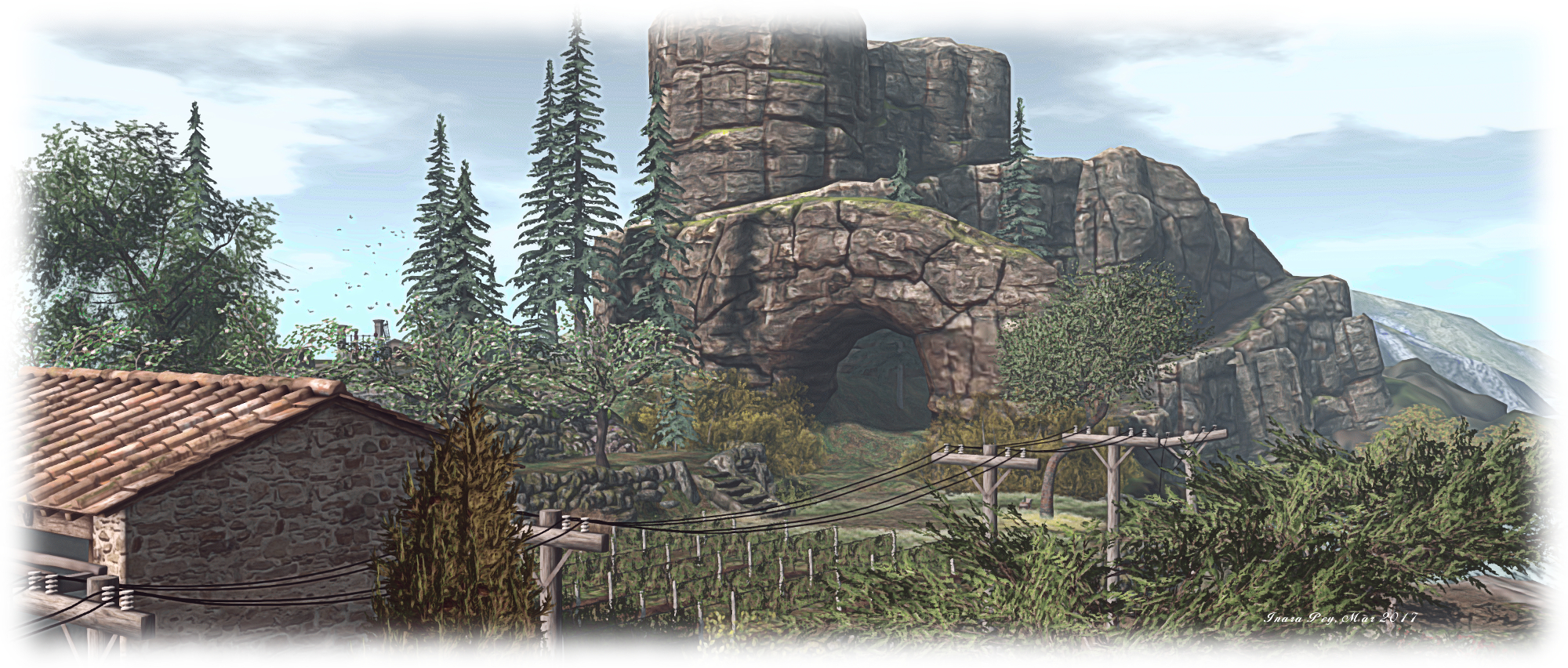
Take Field of Dreams, her homestead region for example, which Caitlyn and I recently visited. It is nothing short of stepping into a dream of yesteryear and visiting a place rooted in years gone by. Not centuries ago, but a time just a few decades ago, the world seemed much smaller, simpler, friendlier; when power and telephony wires were carried overhead by stout wooden poles marching along the sides of roads and tracks, when farming and cultivating the land was a way of life, not an industry.
Field of Dreams / L’intangible
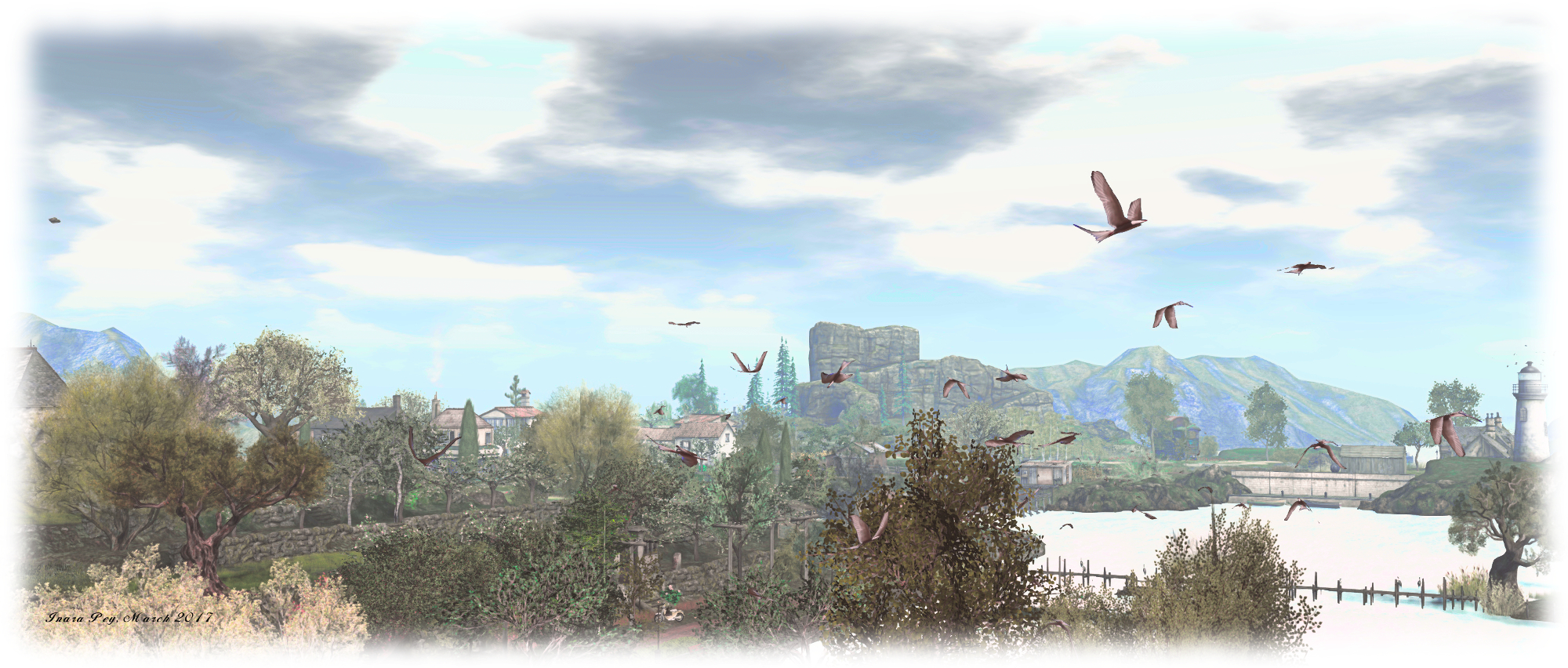
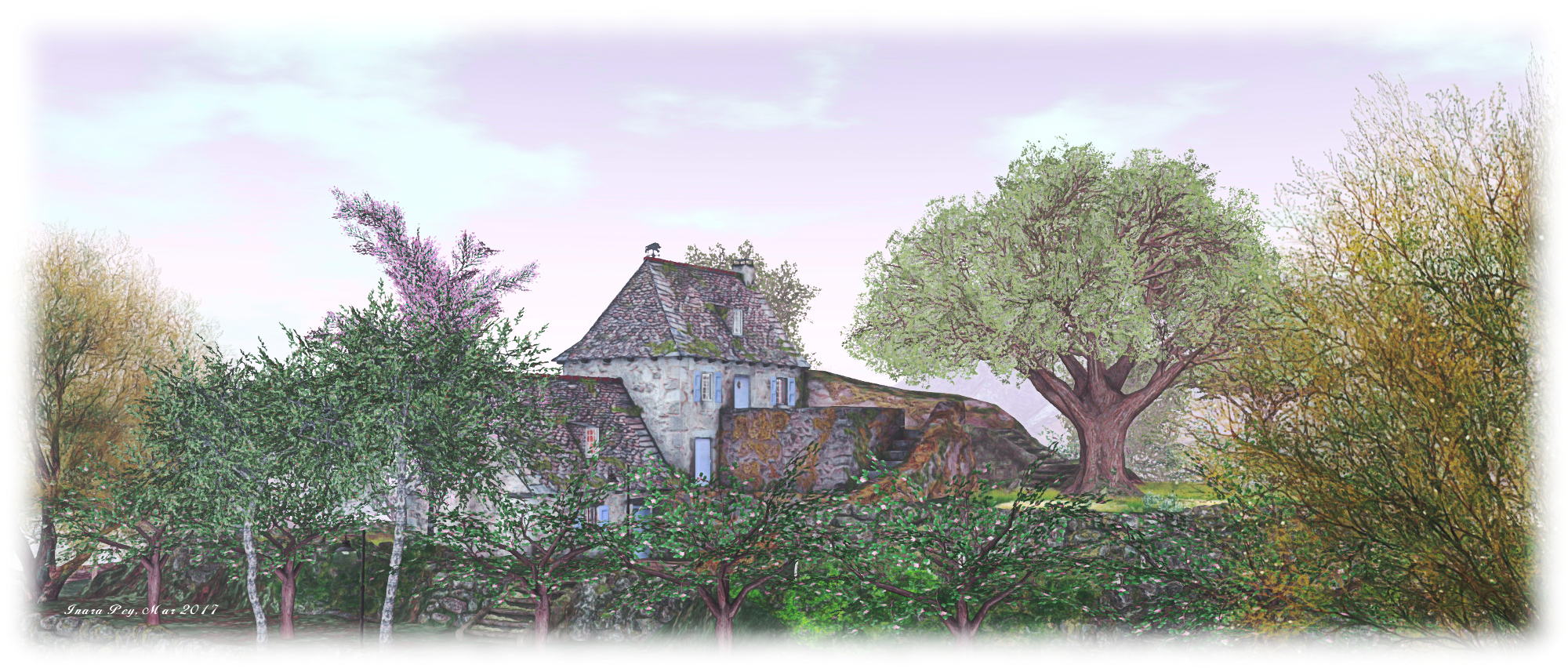
Presenting an eclectic mix of housing styles, Field of Dreams – together with its southern neighbour, L’intangible (held by Sighvatr Crowbone (Worthaboutapig), but also designed by Iska) – presents a marvellously rural environment filled with rustic charm, which could exist almost anywhere in the world. For me, and no doubt aided by the sim surround bordering the two regions, I was put in minds of Scotland, the Mediterranean aspects of the villas sitting in L’intangible notwithstanding.
Both regions should be explored, rather than described, so rather than offer a travelogue style piece, I’ll endeavour to give you a flavour of things. From the landing point on the northern extreme of Field of Dreams, visitors have a choice of dirt tracks to follow, offering routes around and though the land, passing the slopes of hills held back by high stone walls, passing between land and sea, and pointing the way to houses and shops.
Field of Dreams / L’intangible
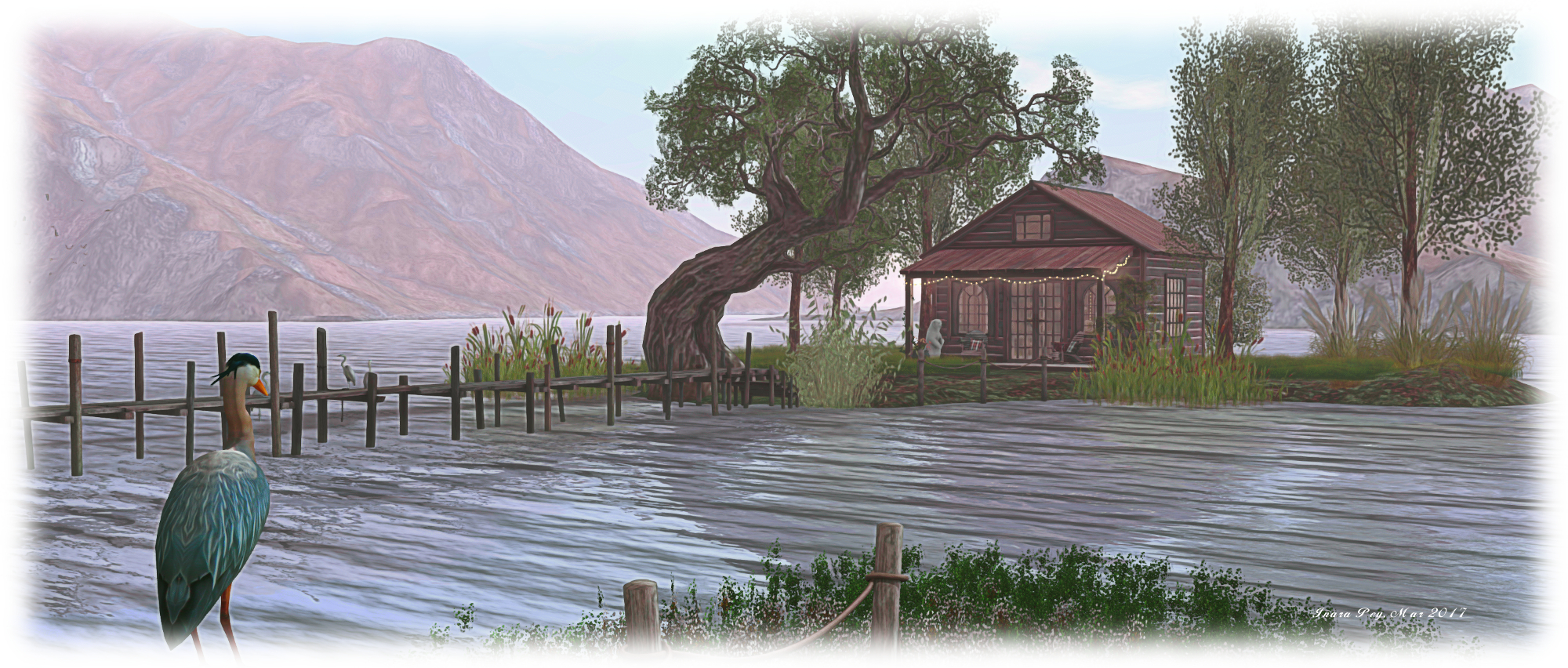
What appears to be a private abode also sits on a headland to the north of the region, otherwise everything appears open to visitors. At one point, steps lead up the side of a hill and past terraced grape vines to an old farm-house, in another, herons patrol the water between the shore and a little summer-house topped island. Further south, a stone-built house sits between a boulangerie and an empty store, windows covered by paper. All three face the river dividing Field of Dreams from L’intangible over a rough cobbled terrace.
Two bridges and a set of stepping-stones span the river. However, we would advise the use of the stepping-stones or taking a short flight over the water to reach L’intangible; both of the bridges appear to be phantom and result in getting dunked if used. Once in L’intangible, the windlight changes to something perhaps a little more Mediterranean in feel, framing the Tuscan styled villas sitting alongside the river, but there is no mistaking the region is paired with Field of Dreams.
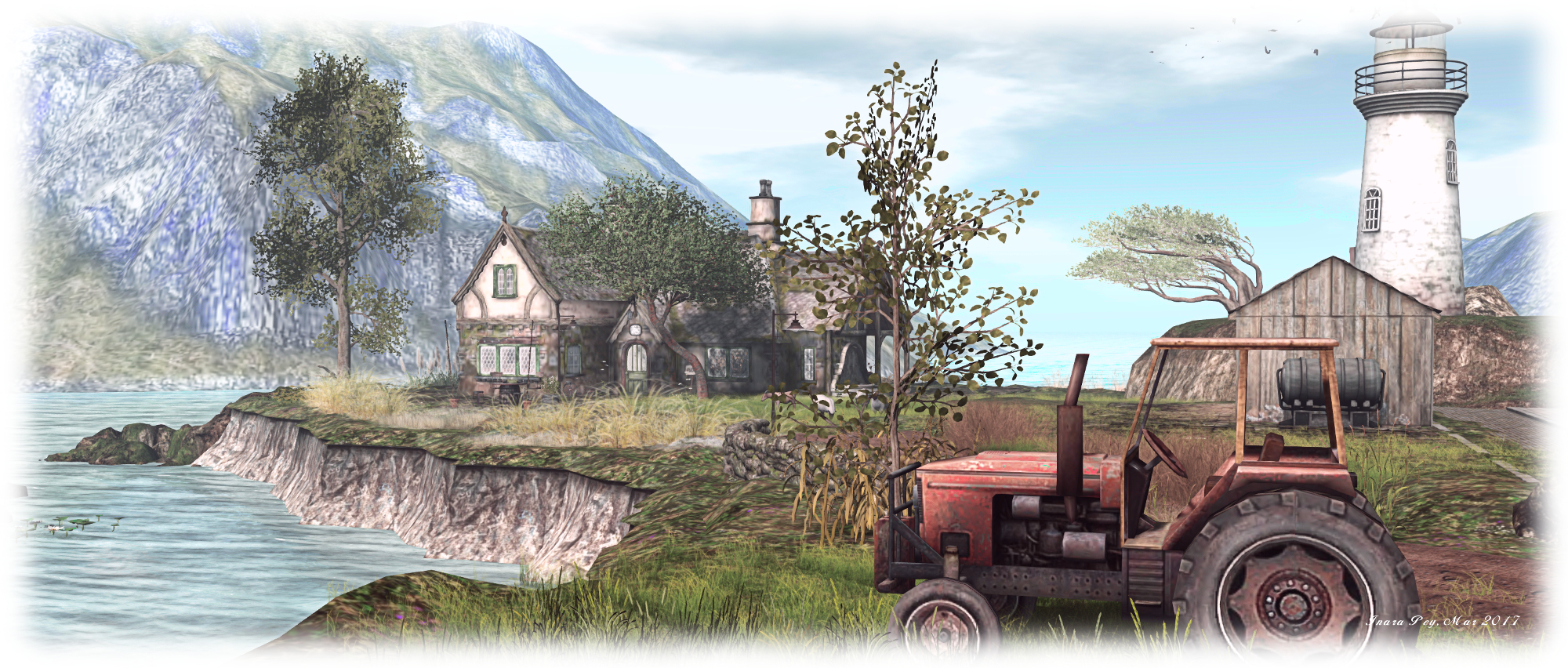
From the front of the villas, a dirt track winds through the farmlands to a decidedly odd little pub sharing one of the three fingers of land forming the western and southern edges of the region with a lighthouse. Sheep and goats gaze outside of the pub, while out on the water a fishing boat chugs its way towards a stone quay sitting below the lighthouse.
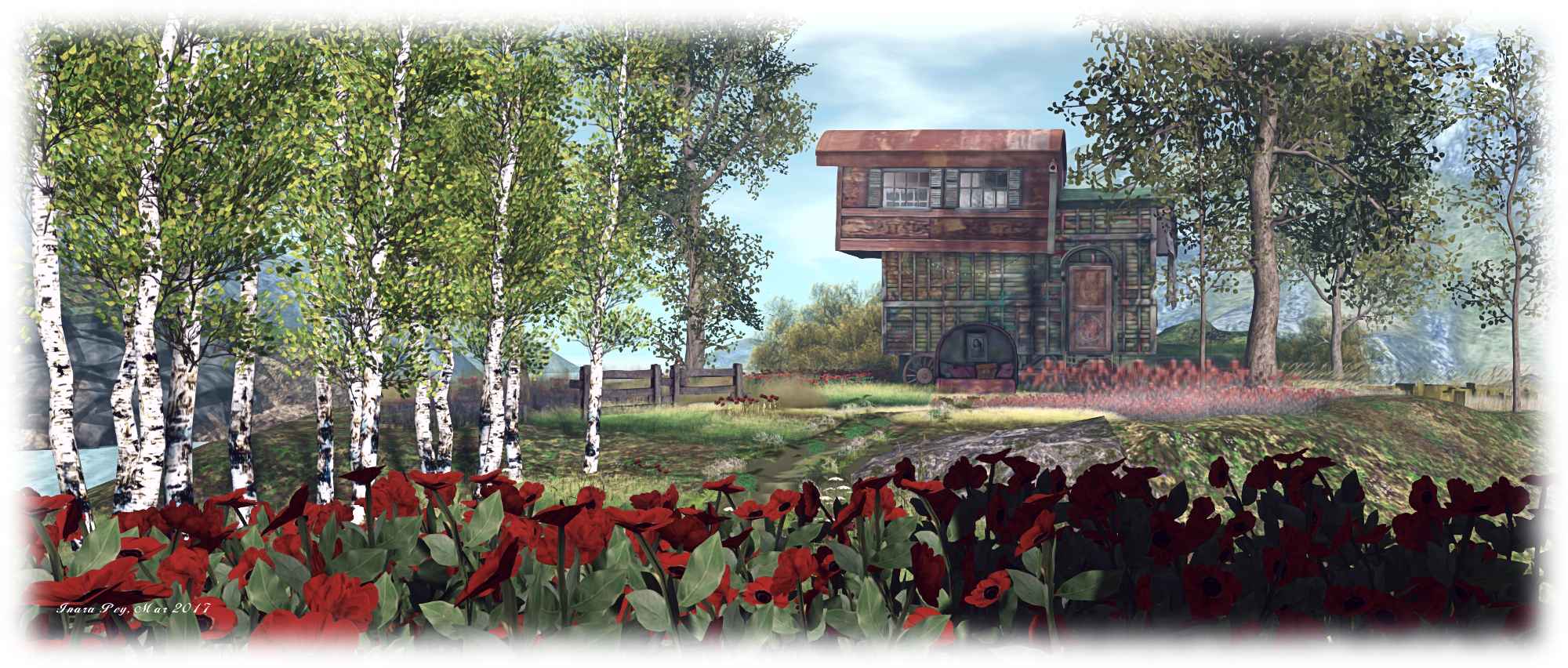
The middle of these three fingers, reach by another dirt track leading away from the villas and between tended fields, is home to an astonishing trailer house which could well be every child’s dreams of the ideal home. Before the track reaches a path leading up to the trailer house, it is intercepted by a set of stone steps cutting through a stone retaining wall. These present a route up to the last of the three fingers of land: a massive rocky plateau, stepping its way into the sky.
Field of Dreams / L’intangible
A Path winds its way around the tallest part of this great upthrust, which rises sharply our of the water on one side, but forms broad grassy steps descending to a beach on the other. Never reaching the summit, the path offers those following it an exercising walk, but the views it offers across both regions more than the effort worthwhile.
Finished with a subtle, natural soundscape, this is a remarkable pairing of two regions to create one of the more unique vistas to be found in Second Life. Field of Dreams and L’inangible have been beautifully intertwined in the landscape they present, giving a very real sense that you are really on an island amidst islands. A must-see destination.
Art is… Rhythm is a collaborative arts installation now open in Second Life. Led by Dunt Gant, it involves Daco Monday, Kicca Igaly, Nessuno Myoo and Paola Mills, with a concert series presented by Ahnue Heartlight.
“Rhythm is a progressive succession in the order of things,” Dunt says. “In this installation, rhythm works as a subtle link between poetry (Daco Monday), dance (Kicca Igaly), and music (Nessuno Myoo), as shown by the three artists as 3D constructions. Paola Mills presents her vision of these three art forms by completing the 3D installation with her 2D photographs. As for myself, I tried to accompany these works with my presentation: a large 3D charcoal drawing, white and black, light and shadows.”
On arrival, visitors are asked to adjust their viewer settings as per a board on one wall of the arrival area. Note this has a slight error, referencing “basic shadows” rather than “basic shaders”. The 512m minimum draw distance also seems excessive, given the installation is enclosed; 260m-270m is really sufficient and less taxing on a system.
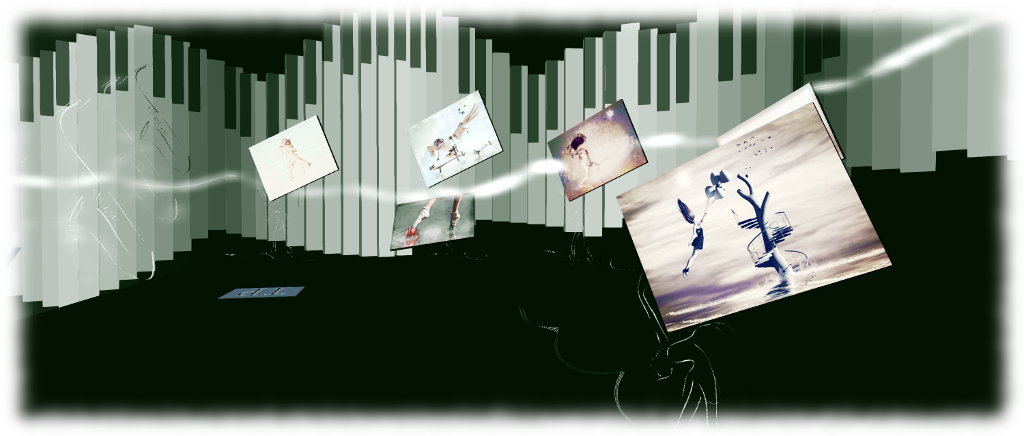
A teleport platform from the landing point carries people down into the installation proper, which I believe will also be the locations of the planned concerts. This is a space in which light and shadow accent monochrome walls and floors, the ivory teeth of a piano keyboard undulating around the walls. The space is actually split into two, the upper level largely covered by transparent prims, offering a view down to the lower, on which sit two of the artist’s pieces: Kicca’s Dance with Me and Nessuno’s Before the Silence. To one side of this level, poala’s photography floats as pages in a book of music, or is held aloft by the outlined figures of dancers.
Two ramps descend from the photo area to the lower floor (also reached via TP), where Daco Monday’s piece rises to pass through the transparent upper level. This level also houses an interactive ballet barre by Kicca. The concert season for the installation will launch on Sunday March 19th, celebrating Before the Silence with Ultraviolet Alter will performing live. Additional events will likely be posted on the installation’s web page.
“I always used memories from my RL life as a source of inspiration for my SL artwork. The collages I do, my travels, the sea, my pictures, my artistic preferences, etc,” Dunt says of the design for the space.
“For the sim rendering, I got inspired by my conté pencil and charcoal drawings on paper. A 2D in which lights and shadows are seeking the volume this medium do not have. I therefore used flat prims as brush strokes. Shadows provide volume to the flat medium, allowing all my artwork to become 3D.”
I found Art Is… Rhythm is a curious installation. Artistically, there is n doubting the creativity and expression presented within it; but emotionally – for me at least, over two visits (and a brief stop-over at the opening) – it didn’t resonate. Perhaps this is because, as a space intended to support visual and aural art, seeing it sans any concert robbed it of its voice. As the installation is open through until the end of June, I may well have to return for a third visit to find out.
Three composite creations by Morgan Sim Designs with me alongside to give a sense of scale with each one. From the left: the Dragon Garden, the Rune Stone Garden and Among the Ruins – Isolde
Whilst visiting Spring Spirit recently (see: A Spring Spirit in Second Life), Caitlyn and I were both taken by a magnificent red dragon seated upon a rock amidst a spray of grass and flowers. Taking a peek at it, via the Edit floater, we were led to the Marketplace store of Morgan Sim Designs (MSD). While the name may be familiar to some, it was a new and virtual treasure trove for us – as it is likely to be for anyone looking to add some special touches to their landscape and / or garden.
Operated by Chandra Pelazzi, Morgan Sim Designs is a Marketplace-only store specialising in composite designs. That is, designs which bring together the full permission works of other creators to design and present a unique finished product.
Buying from the Marketplace without the means to check creations in-world can at times be a hit-and-miss affair: will the item really live up to the photos? Is there perhaps some unseen flaw or issue which might others dissuade a purchase? We’ve all likely had such feelings. From what we’ve seen (and purchased!) so far from Morgan Sim Designs there is absolutely no need to worry. The elements used in MSD creations are all good quality pieces from established creators, with the completed pieces by the MSD demonstrating a keen eye for colour, design and detail.
Take the dragon mentioned above, for example. Called the Dragon Garden, it combines a full perm dragon with plants by Better Gnomes and Cauldrons / Krikket Blackheart, and additional plants and flowers by Decor Depot / Styx Maven and Daffy’s Gadgetmania / Daffy Proto. Offered as Modify / Copy for just L$190, it is a marvellous feature for any garden, weighing in a 22 LI in its default size (as a Modify item it can be resized, which will reduce the LI if downsizing, or increase it if upsizing). We now have one, slightly reduced in size and LI (16), sitting in the “wilder” part of out gardens, keeping an eye on the lower lawns nearby.
Another MSD item now included at home is the Rune Stone Garden. This combines a central full perm version of a rune stone from Otherworld / AnnabelleApocalypse with flowers and plants again by Styx Maven and by Mesh Plants / Reid Parkin (a creator I’ve used in a number of builds), What A Mesh / Dennie Ling, and T-Spot Mesh / Teresa Matfield. At 21 LI in its default size, it is also supplied Copy / Modify, and we now have one sitting on the trail winding through the wooded part of the island, where (if I may say so), it looks superb 🙂 .
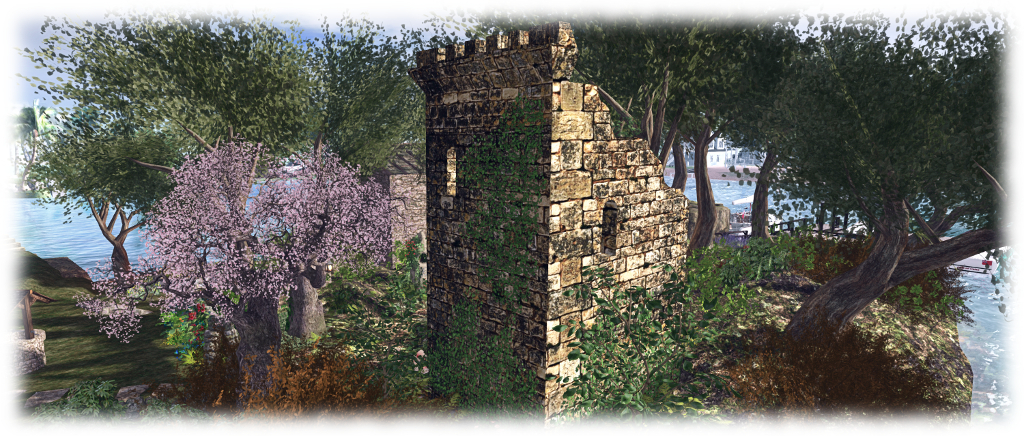
Another composite from MSD which sits well in out overall design is Among the Ruins – Isolde. A much larger piece, featuring the square tower of a castle by S&M Designs / Mikael Blogger, plants and flowers again by Reid Parkin and Teresa Matfield, together with Bad Katz / Katz Republic. It comes with a 40 LI impact in its default size, and includes a statue by DMC Creations / x1XDanteX4x, which stands amidst a spray of flower inside the tower.
Taken complete, these MSD designs and the others in the range, add a great amount of character and depth to a scene. As most are supplied Modify, not only can they be resized to deal with LI concerns, if required, they can be tweaked better suit specific needs. For example, we have an ancient stone wall running across part of the land which has needed something to bring a little more colour to it. Enter one of MSD’s Medieval Wall Ruins Cottage Garden sets. It was a simple matter to pull out the supplied wall section, slip in a section from the existing wall, and job done. Colour where it is needed, and everything nicely integrated. Even had some base rocks I could re-purpose!
If you are looking for little scenes and pieces to add colour or interest to a part of your garden, parcel or region, and you’ve not come across Morgan Sim Designs, then the Marketplace store is well worth a perusal. Everything is very modestly priced; everything mentioned here was just L$190, which is something of an average price for the store. Even as I finish this article, another kit from MSD has slipped into my inventory, and will shortly appear in the garden 🙂 .
There was no deployment to the Main (SLS) channel on Tuesday, March 14th. As there had been a deployment & restart in week #10, the channel was not restarted this week.
On Wednesday, March 15th, the three RC channels should all receive the same new server maintenance package, comprising new internal logging output and changes to increase stability and security.
A major reason for the slow-down in apparent server updates is significant effort is being put into SL’s back-end services, much of which lacks any obvious user visibility. As Simon Linden said at the Simulator User Group meeting on Tuesday, March 14th, “Second Life needs that stuff for the long haul – we’re working on projects to keep SL going for years to come.”
SL Viewer
There is currently no change to the current official viewer list, which comprises:
Current Release version: 5.0.2.324126, dated March 3, promoted March 6 – formerly a Maintenance RC viewer download page, release notes
Release channel cohorts:
None at present.
Project viewers:
Project Alex Ivy (LXIV), 64-bit project viewer, version 5.1.0.501863 for Windows and Mac, released on January 10th
360-degree snapshot viewer, version 4.1.3.321712, dated November 23rd, 2016 – ability to take 360-degree panoramic images – hands-on review
Obsolete platform viewer version 3.7.28.300847 dated May 8th, 2015 – provided for users on Windows XP and OS X versions below 10.7.
It is anticipated that the 64-bit viewer will receive an update this week, which should include:
An open-source wrapper for CEF called Dullahan (link for those who are curious about the etymology of Lab project names) which will replace llCEF, making it easier to render web content through the viewer
The same versions of Dullahan / CEF and libVLC (audio handling) on both the Windows and Mac builds.
The 64-bit Mac build now uses MacOS Sierra, and will be backwards compatible as far as OSx 10.9 (Xcode 8). The 64-bit Windows build still uses Visual Studio 2013, and will support Windows 10, 8 and 7. Vista support is TBC.
Second Life Community Platform
The new Second Life Community Platform officially launched on Tuesday, March 14th. You can read my overview of the platform here.
Second Life Places
Second Life Places allows region and parcel owners to create a web browsable page for their location(s) in-world where they can be shared through blogs, websites, etc. Included with each page are buttons to allow visitors to the page to launch their viewer and teleport directly the specified location.
The programme has been in beta since November 2016, and you can read my overview here. However, it appears that beta will be coming to an end in the near future, and the programme will be open to all who meet the criteria for setting-up their own pages.
On Tuesday, March 14th, the new community platform for Second Life officially launched.
Powered by Invision Power Services, Inc, it had been hoped the platform would go live at the end of February 2017, but some teething problems coupled with the amount of data which needed to be transferred over from the older Lithium-powered slowed things down somewhat.
The new platform brings with it a new page layout, including a dedicated Community home page, and feeds blog posts to users’ dashboards at secondlife.com/ However, there are still some niggles to be sorted. At the time of writing, for example, going to the dashboard and selecting Community > Forums from the top menu can generate an error message. Clicking on blog links, however, will launch the new format blogs successfully.
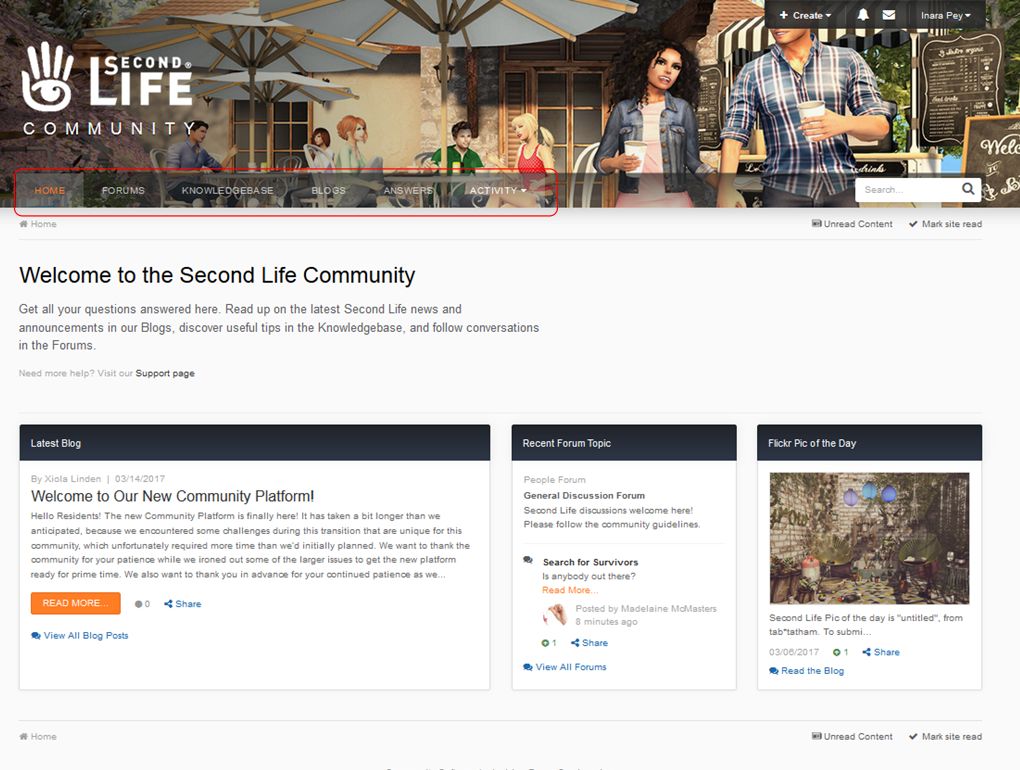
The new home page, and the pages beneath it, offers all the familiar community elements: forums, blogs, knowledge base and answers, each with their own top-level page. The knowledge base was actually the first part of the new platform to open its doors, on Friday, March 10th, but at that time certain functionality – such as search – had been disabled on the platform, as it was impeding testing and performance.
The new Community Platform home page with the menu tabs highlighted
In announcing the launch of the new platform, Xiola Linden notes a few things which should be kept in mind at present when using it:
One of the things that we were unfortunately unable to transfer to the new platform was background images on profile pics. If you were using a background image for your profile, you will need to upload a new profile pic. The good news is that uploading a profile image on the new platform is much simpler and more intuitive than before. Just select your profile from under your name, and you can upload an image from there.
We will continue to make improvements, but wanted to get the community platform out as soon as possible, so that the Knowledge Base was back on-line.
Here is a list of known issues, most of which we expect to fix in the coming days/weeks:
Some posts may have missing images. Where possible, we will be fixing and/or updating these.
Some posts may have been slightly reformatted or have a slightly different layout
Previously used emotes may no longer work.
Some old Community URL redirects may be broken.
Some users have lost their account profile images and will need to reset them.
Second Life headers and footers are currently missing from community pages, and we are working to restore those.
The window title needs to be updated.
Clicking on a Help link from the viewer will load the page in mobile layout; this is not optimal, and we are working to correct that.
I’ve not explored the new platform in total, but here is a quick look at two of the more noticeable features.
Options Area
In the top right corner of each page on the community platform is a set of options, comprising a Create button an Alerts button (warning you of & listing replies to your posts and comments, etc), a Messages button (for accessing direct messages), and your name with a drop-down menu.
The Create button pops-up a means to start a new post a one of the existing forums in the platform via an intermediary Topic item. When you have selected the forum you wish to post to and clicked Continue, you’ll be taken to the Create New Topic page where you can write your post and post it directly to the selected forum.
The options area, located in the top right of the Community Platform pages showing both the Create button, which currently offers a short cut to posting topics to the forums, and the drop-down menu accessed by clicking your name.
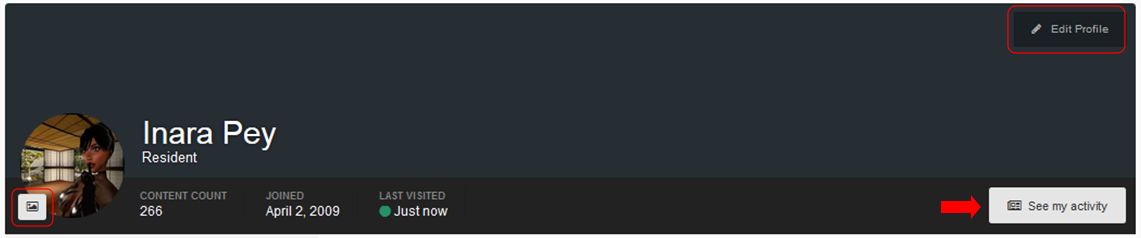
The drop down displayed when clicking your name presents a series of options specific to you. You can, for example, view your Community Platform profile, where you can edit your profile picture or profile information, and you can toggle between seeing your most recent activity in the forums or viewing a complete history of all your activity via the See My Activity / View Profile button. Note this toggle is publicly displayed on your profile, allowing anyone to review your recent and full history of activity on the forums, just as you can when viewing other people’s profiles.
Your profile options: change picture (circled left), edit profile (top right) toggle between most recent activity and all activity (arrowed)
There are two Settings options found within this drop-down menu. The first doesn’t currently appear to do anything; however, the Account Settings option will display your account settings, allowing you to change your forum signature and change the e-mail address / password associated with your account (so use the latter with care!).
The Account Settings option additionally has links to:
Your Community Platform profile (see above)
Your Community Platform notifications options
Your list of Ignored Users.
The Community Platform Notifications Page – when and how you receive platform-related notifications
Finally, this menu has three further options:
The Manage Followed Content option: allows you to access content within the Community Platform by clicking the Follow button in things like blog posts, forum posts, other users (button on their public profile header)
The Ignored User button: allows you to ignore other users, blocking some or all of their content from showing. Users are not notified that you are ignoring them
Logs you out of the Community Platform (but not from secondlife.com).
Activity Menu
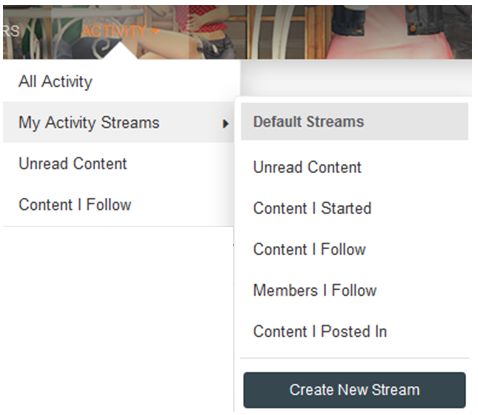
The Community platform Activity options
Another feature is the Activity option, found in the main menu area. this presents a drop-down menu (shown on the right) offering further means by which you can view content on the Community Platform of particular interest to you.
The options here present multiple means by which you can get to the information you wish to view (for example, you can get to Content I Follow via Activity > Content I Follow and Activity > My Activity Streams > Content I Follow).
Several of the pages accessed through the Activity options – such as Unread Content, Content I Follow and Content I Started – include a series of filter options, allowing you to refine the information they display, making them a flexible means of accessing information you are particularly interested in.
The Activity filters available on some of the Activity options pages allow you to refine the information displayed on those pages, making it easy for you to focus down on items, information from those you follow (shown above), etc.
I’ve not dug too deeply into Streams (when and how they are visible, creating a stream, etc. I leave that to you to play with. There are also other abilities to look at, including the marking options, the toggles for switching between condensed and enhanced views, etc. However, most of these should be pretty self-explanatory, and this isn’t intended as an in-depth review.
Initial Thoughts
Keeping in mind I’ve only played with the new capabilities whilst writing this piece and so may have missed some thing, I have to say that overall I like it. When viewed on a PC, the pages are (other than when interrupted by ongoing work!) fast to load and the information cleanly presented. The ability to more tailor how information can be accessed / followed are all to the good, and I like the overall presentation. Viewing the pages on my Nexus HD 2013 revealed the Community Platform to be pretty mobile-friendly.
One aspect that did concern me was the main menu placement (Home, Forums, Knowledge Base, etc). Even this is set against a background banner image, I did find myself wondering if it might cause problems for users with visual impairments; certainly the orange colour for the currently selected menu header can be a little hard to see. Time will tell on this.
In the meantime, again do not that this is early days for the new platform and as Xiola notes, work is still in progress. If you do come across specific bugs or issues which are not listed in Xiola’s official blog post, and which can be clearly demonstrated / reproduced, please file a report through the JIRA system, using the System type Website and the related Community sub-category.









 Inara Pey: Living in a Modemworld