Win a slice of L$5000 in Windlight’s Summer Time contest

Sumer timeIn the summertime when the weather is hot
You can stretch right up and touch the sky
When the weather’s fine
You got Windlight, you got Windlight on your mind
Take a pic, have a try
Go out and see what you can find!*

OK. so that’s not entirely how Mungo Jerry sung their debut single about the carefree days of summer in 1970. But over the decades it has come synonymous with the idea of hot summer days, time on the beach soaking up the rays, rides and walks in the countryside, picnics in parks and gardens, sailing boats against azure skies or swimming in crystal clear waters, and so much more.

From now through until 23:59 on Thursday, June 30th, Windlight Magazine is offering you the chance to capture in a picture what summer time means to you, and perhaps win a cash prize for doing so, with their In the Summer Time Photo contest.

On offer is a prize pool of L$5,000, comprising:

  • A first place prize of L$2,000, 1 double page ad in Windlight Magazine, with your picture printed in Windilght Magazine and on the Windlight website
  • A second place prize of L$1,5000,  with your picture printed in Windilght Magazine and on the Windlight website
  • A third place prize of L$1,000, with your picture printed in Windilght Magazine and on the Windlight website
  • A fourth place prize of L$500.

For the full set of rules, please refer to the competition entry guidelines on the Windlight website, but in brief:

  • The goal is to take photos of summer scenes, think beach, bbq’s, sailing, fishing, you name it – but the image must include a summer time theme
  • Only one entry per user, which must be made to the official Windlight Flickr contest group, no later than 23:59 on Thursday, June 30th. Flickr timestamps will be used to determine times of submission
  • All submissions must be labelled “Summer Time Photo Contest” followed by your SL name (do not use Display Names) and must include SLurl of the location in the description
  • All submissions should be new and original, but can be submitted to other groups
  • Nudity, if tasteful and suited to the scene, is allowed; adult behaviour and acts are not
  • Editing within external software is permitted prior to submission.

All entries will be judged using the following criteria: creativity, originality, technique, interpretation of the theme, adherence to the submission and guideline rules (again, please refer to the link above to confirm the guidelines).

So, should you choose to enter – good luck! And as I’ve quoted Mr. Dorset and Mungo Jerry at the top of this piece, it’s only fair they play this article out.

*With apologies to Ray Dorset!

Visual Outfits Browser and VLC Media project viewers

secondlifeThe Lab has recently released two new project viewers, the VLC Media Plugin viewer,and the Visual Outfits Browser viewer.

As they are both project viewers, they are not in the viewer release channel, and must be manually downloaded and installed via the Lab’s Alternate Viewers wiki page. Also, as they are project viewers, they are subject to change (including change based on feedback), and may be buggy.

The following notes are intended to provide a brief overview of both. Should you decide to download and test either, please do file JIRAs against any reproduceable issues / bugs with them, please do file a JIRA, giving as much information, including the info from Help > About Second Life and any log files which you feel may be relevant.

Visual Outfits Browser

The Visual Outfits Browser (VOB) viewer,  version 4.0.6.316123, appeared on Monday, June 6th. Simply put, it allows you to use the Appearance floater to capture / upload / select images of your outfits and save them against the outfits in a new Outfit Gallery tab within the floater.

Creating outfit thumbnails
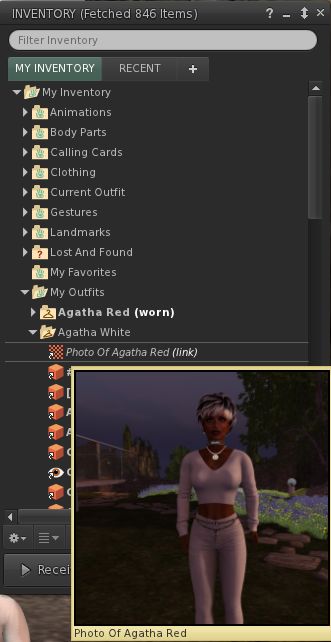
The new Outfit Gallery tab in the Visual Outfit Browser allows you to create photos of any outfits saved to My Outfits as thumbnails. You can then use the Appearance floater to scan your outfits to decide what to wear, and use the context menu to wear the one you want

The new Outfits Gallery tab (right-click your avatar > select My Appearance > Outfits Gallery) should display all of your created outfits as a series of folder icons, each one displaying the name of the outfit beneath it. You can replace these icons with an image of the outfit in one of three ways:

  • You can wear the outfit, then right-click on its associated folder icon and select Take a Snapshot (shown above left). This will open the snapshot floater with save to inventory selected by default, allowing you to photograph yourself wearing the outfit and upload the image to SL, where it automatically replaces the folder icon for the outfit
  • You can use Upload Photo to upload an image of the outfit your previously saved to your hard drive, and have it replace the folder icon
  • You can use Select Photo to select an image previously saved to your inventory, and use that to replace the folder icon for the outfit.

When using the capability there are a number of points to keep in mind:

  • Both the Take a Snapshot and the Upload Photo options will incur the L$10 upload fee, with the images themselves saved in your Textures folder
  • In all three cases, link to the original images are placed in the outfit folder
  • This approach only works for outfits you’ve created using the Appearance floater / the Outfits tab. It doesn’t work for any other folders where you might have outfits – such is the Clothing folder.

VVOB-2Feedback

How useful people find this is open to debate; I actually don’t use the Outfits capability in the viewer as I find it clumsy and inefficient for my needs. However, it would seem that pointing people towards the appearance floater in order to preview outfits, when most of us tend to work from within our inventories, would seem to be somewhat counter-intuitive.

As such, it’s hard to fathom why the Lab didn’t elect to include something akin to Catznip’s texture preview capability within the VOB functionality. This allows a user to open their Inventory and simply hover their mouse over a texture / image to generate a preview of it (as seen on the right).

Offering a similar capability within the VOB viewer would, I’d suggest, offer a far more elegant and flexible means of using the new capability than is currently the case*. Users would have the choice of previewing outfits either via the Outfits Gallery tab in the Appearance floater or from within Inventory.

There are also a number of wardrobe systems available through the Marketplace. While these may require RLV functionality and come at a price, they may still be seen as offering a more flexible approach to managing and previewing outfits. As such, it will be interesting  to see how the VOB capabilities are received by those with very large outfit wardrobes.

VLC Media Plugin Viewer

As Apple recently announced they are no longer supporting QuickTime for Windows and will not be offering security updates for it, going forwards, the Lab is looking to remove all reliance on the QuickTime media plugin, which is used to play back media type likes MP3, MPEG-4 and MOV, from its viewer, and replace it with LibVLC (https://wiki.videolan.org/LibVLC/).

This project viewer – version 4.0.6.316087 at the time of writing – replaces QuickTime with LibVLC support for the Windows version of the viewer only. The OS X viewer is currently unchanged, as Apple are continuing to support QuickTime on that OS. However, the Lab note that they will eventually also move the OS X version of the viewer to use LibVLC as their 64-bit versions of the viewer start to appear, as the QuickTime APIs are Carbon and not available as 64bit.

*I’ve been informed, and hadn’t appreciated, that this approach can be graphics memory intensive – see FIRE-933.

Ebbe Altberg talks Sansar at Augmented World

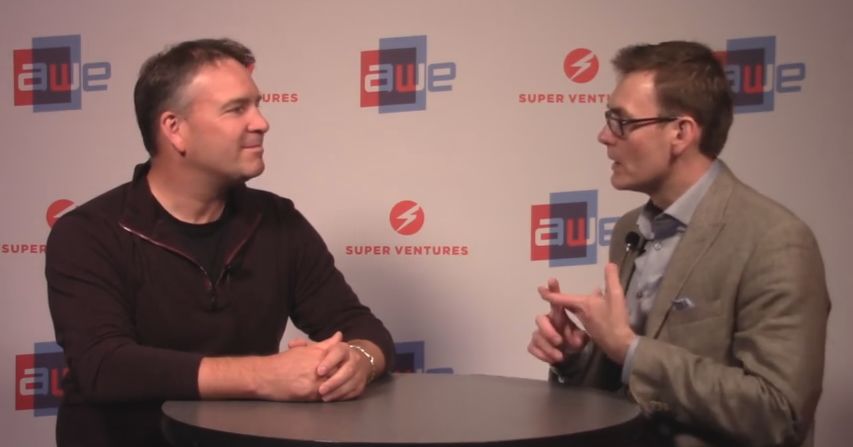
Ebbe Altberg discusses Project Sansar Mark Piszczor of Occipital at AWE, June 2nd

June 1st-2nd saw the 7th annual Augmented World Expo take place in Santa Clara, California. Billed as “the largest event dedicated to AR, VR and Wearable Technology”. Among the 200 speakers appearing at the event was one Ebbe Altberg, who sat down with Mark Piszczor of Occipital to chat about Project Sansar.

The interview, embedded below, doesn’t touch on anything significantly new for those of us who have been following the Sansar news. Time frames remain unchanged since the last Lab Chat event. The creator preview will open its doors to applicants in August; there have been “thousands” of applicants (and I’m still itching to know the ratio of Second life creator / users to non-SL creator / users in that number); public access so start around the end of 2016 / early 2017, etc. That said there were various points of interest for me.

Early on, we get a somewhat familiar discussion on the “social” approach being taken with Sansar, and the drive to (initially at least) address various markets where there is liable to be a real take-up in the use of VR. In this case, education and training are specifically mentioned at relative length.

At the 6;55 mark, while discussing Ready Player One, Ebbe touches on how Sansar is a platform on which many experiences put together by many different organisations, companies, groups and individuals can be hosted, some of which may be interconnected. This again got me wondering as to how much Sansar will be a white label environment for clients to use, and whether it is still planned to let those who wish use their own user authentication processes to control access to their Sansar experiences is still on the cards. This was initially mentioned way back in the 2015 VWBPE Q&A session with Ebbe, but hasn’t been remarked upon since.

Also in terms of interconnecting different experiences, it was interesting to hear the term “teleport amongst” experiences being used (07:12), rather than the more customary reference to experiences being “stitched together”. Whether this is indicative of whether movement between connected Sansar experiences might be somewhat analogous to moving between separate private islands in SL, or whether it was a slip of the tongue isn’t clear – so it will be interesting to see if “teleport” is used elsewhere when discussing Sansar.

From 08:30 onwards, there is a discussion of where Sansar might be in a year’s time. This again is interesting, as Ebbe’s reply suggests that while the Lab may well have a development roadmap for the platform, they are very open to building upon the feedback and lessons gained from their core users (or quite possibly “content partners”), rather than simply ploughing ahead with their own plans. Quite how this works in practice will have to be seen, but having an ear to users’ wants and needs is no bad thing.

All told, an interesting interview and well worth the 10 minutes required to watch it.

2016 viewer release summaries: week 22

Updates for the week ending Sunday, June 5th

This summary is published every Monday, and is a list of SL viewer / client releases (official and TPV) made during the previous week. When reading it, please note:

  • It is based on my Current Viewer Releases Page, a list of all Second Life viewers and clients that are in popular use (and of which I am aware), and which are recognised as adhering to the TPV Policy. This page includes comprehensive links to download pages, blog notes, release notes, etc., as well as links to any / all reviews of specific viewers / clients made within this blog
  • By its nature, this summary presented here will always be in arrears, please refer to the Current Viewer Release Page for more up-to-date information.

Official LL Viewers

  • Current Release version: 4.0.5.315117 (dated May 11), May 18th – no change: formerly the Quick Graphics RC viewer download page, release notes
  • Release channel cohorts (See my notes on manually installing RC viewer versions if you wish to install any release candidate(s) yourself):
    • Maintenance RC viewer updated to version 4.0.6.315924 release on June 2 – fixes and updates and a much better set of release notes (download and release notes)
  • Project viewers:
    • Project VLC Media Plugin Viewer version 4.0.6.316087, released on June 3rd – replaces the QuickTime media plugin for the Windows version of the viewer with one based on LibVLC (download and release notes)

LL Viewer Resources

Third-party Viewers

V4-style

  • Black Dragon updated to version 2.5 Beta on June 2nd, which introduces the Project Bento capabilities to the viewer (release notes)

V1-style

  • Cool VL viewer Stable branch updated to version 1.26.18.8 and the Experimental branch updated to version 1.26.19.10, both on June 4th (release notes).

Mobile / Other Clients

  • No updates.

Additional TPV Resources

Related Links

UTSA re-opens its gallery in Second Life

UTSA ArtSpace
UTSA ArtSpace

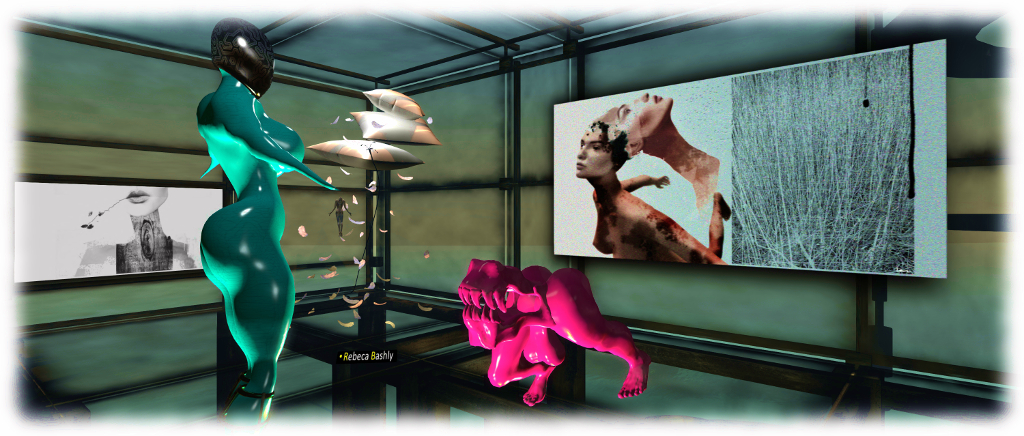
I was alerted to the re-opening of the University of Texas, San Antonio ArtSpace gallery by Bryn Oh.  This marks the first new exhibition within the gallery in a new of years. It marks a reconnection of the university’s virtual presence with Second Life arts, which has been spearheaded by curator Constructivist Solo, with the very able support of Igor Ballyhoo and Rebecca Bashly.

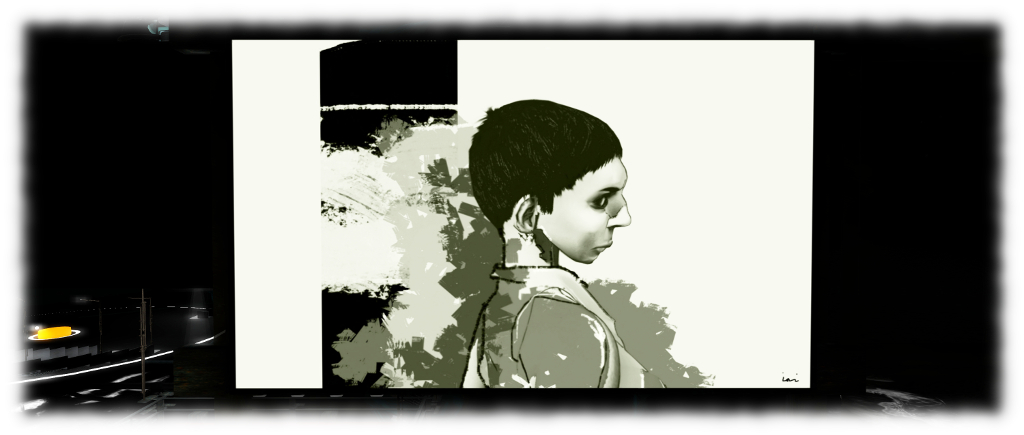
Together with Bryn, Rebecca and Igor are three out of the five artists who will be exhibiting at the facility through until the end of July, the remaining two artists being Eupalinos Ugajin and Ini Inaka. In addition, works by Artée (Artistide Despres), Sasun Steinbeck and Afrika Burton can be found with additional piece by Igor and Rebecca within the broader region.

UTSA ArtSpace - Bryn Oh under preferred lighting (see the notes alongside the exhibit in the ArtSpace
UTSA ArtSpace – Bryn Oh under preferred lighting (see the notes alongside the exhibit in the ArtSpace

The new ArtSpace gallery complex is designed by Igor, towering over the tropical reaches of the region and supplies an appreciable amount of exhibition space. Just outside of it, and dominating the region, is a massive (and still under construction) DNA model, part of a long-term project for the region. Linked to this are a number of platforms bearing further art exhibits and facilities, most of which can be reached via a map-based teleport system.

UTSA ArtSpace - Ini Inaka
UTSA ArtSpace – Ini Inaka

The region is described by Constructivist Solo as a “virtual exploration of interdisciplinary and culturally situated STEM education.” However, with the integration of visual and physical art into the region, it is fair to say it embraces STEAM, a movement to place equal emphasis on the Arts as on the traditional STEM areas of science, technology, engineering and maths, correctly seeing all of the arts as a vital element within education, learning, development and innovation.

SLurl Details

Sunday, June 5th: art and stories in Second Life

Holly Kai Park - Stories at the Park and Art at the Park
Holly Kai Park – Stories at the Park and Art at the Park

Sunday, June 5th will see the second of our Stories at the Park series, featuring the voice talents of the staff and friends of Seanchai Library.

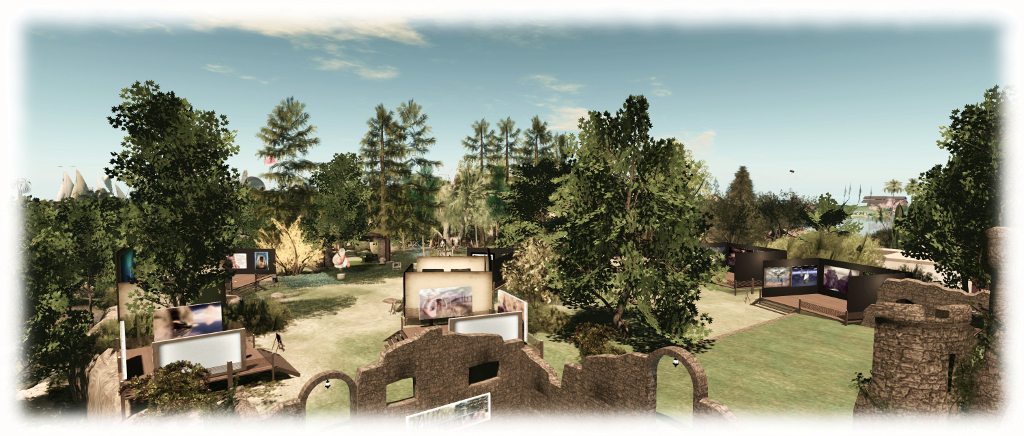
Stories at the Park offer visitors to Holly Kai a unique opportunity to experience art in Second Life, both through both the exhibits by our visiting artists for May – which will remain in place through until Saturday June 11th – and through the beauty of the written and spoken word.

Art at the Park - JudiLynn India (foreground) and Slatan Dryke
Art at the Park – JudiLynn India (foreground) and Slatan Dryke

Each month, members of Seanchai Library and their guests select pieces of art by the artists participating in the current Art in the Park exhibition, and write either a 100-word work of fiction (referred to as a “drabble”) or a 100-word poem about each piece. These stories and poems are then read live at Stories at the Park, either by the author or by a member of Seanchai Library.

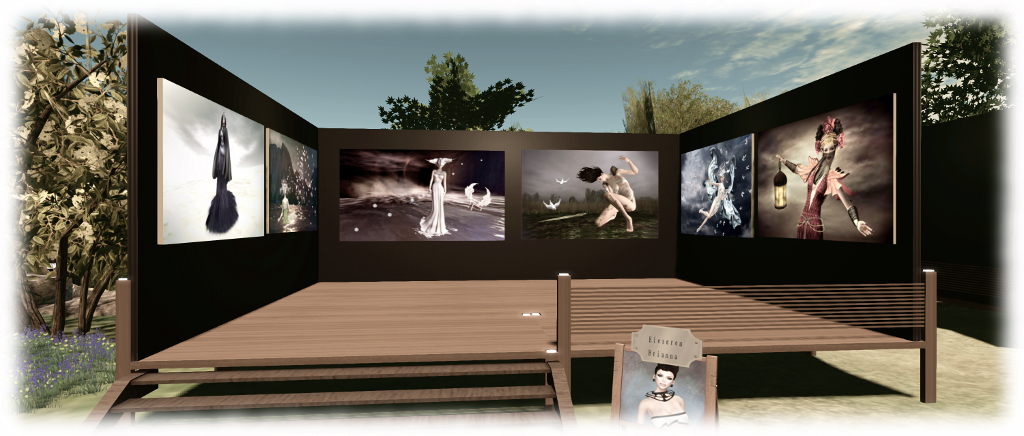
For June, Trolly Trollop, Kayden Oconnell, and Caledonia Skytower will be reading pieces inspired by the art of Ceakay Ballyhoo, Eleseren Brianna, JudiLynn India, Lantana Silverweb, Slatan Dryke and SisterButta.

SisterButta's Wound Angels tells the story of lvinig with breast cancer through words, and through art down the ages
Art at the Park: SisterButta’s Wound Angels tells the story of lvinig with breast cancer through words, and through art down the ages

The event starts at 15:00 SLT at the storytelling gazebo. Visitors are of course welcome to come early and tour the art exhibits before Stories at the Park commences, or to linger afterwards and explore the art hill and the rest of Holly Kai Park – which includes woodland walks, the Holly Kai Garden with studio featuring the art of Silas Merlin and the photography of Inara Pey, and lots of little places to snuggle under the shade of trees, over the sands of a tropical beach, beside a sunlit pond or within an ancient ruined watchtower – you can even grab a kayak and paddle around the Holly Kai River.

Whatever you decide to do, I hope very much you’ll first and foremost join us for Stories at the Park and take the time to explore and appreciate the artistry of six wonderful talents from within and without Second Life, and the amazing storytelling skills of the Seanchai Library team.

Art at the Park - Eleseren Brianna
Art at the Park – Eleseren Brianna

I look forward to seeing you at Holly Kai Park!

SLurl Details

Holly Kai Park is rated Moderate.