Lab Chat #3 in 10-ish minutes

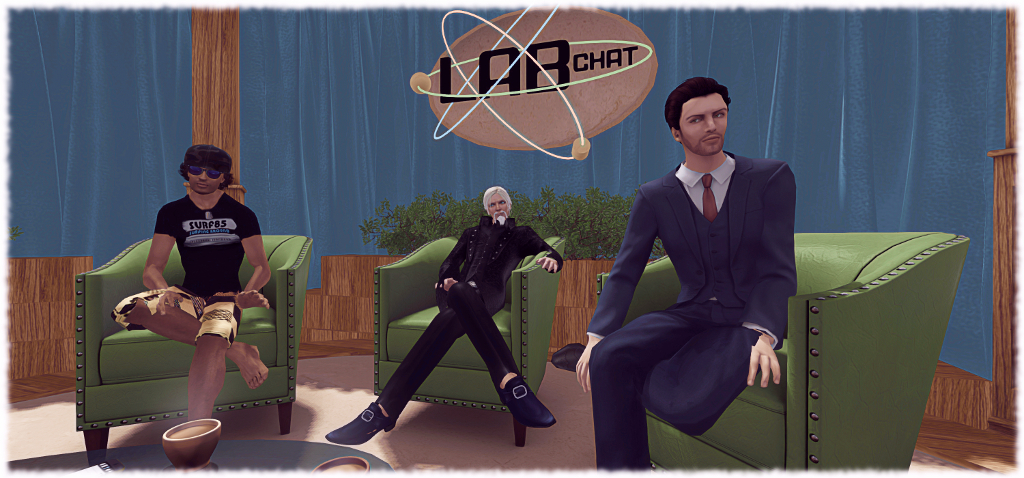
Lab Chat #3: Troy, Oz and Ebbe

Friday, May 6th saw the third in the Lab Chat series take place in-world, featuring guests Oz Linden, the Director of Second Life Engineering, Troy Linden, a Senior Producer of Second Life and of course, Linden Lab CEO, Ebbe Altberg, in his alter-ego of Ebbe Linden.

You can find the full transcript, with audio extracts, as previously published in these pages by following this link.

However, I’ve been asked by a number of people if I could summarise things, rather than them having to read the entire transcript or just having a list of up–front links. I’ve therefore produced this summary, complete with links to the full answers within the transcript. If this approach proves popular with readers, I’ll adopt it as the lead-in to future transcripts.

Work in progress: Aki Shichiroji demonstrates a wearable wyvern utilising Bento bones for animation.

Project Bento

  • How will creators make poses and animations for the new bones (wings, fingers, facial expressions, etc)? Creators will be able to use existing plug-ins (MayaStar, Avastar) to create animation content for Project Bento as is currently the case. Full answer.
  • Will there be any in-world tools for Bento pose and animation creation? At this point, Second Life doesn’t have any in-world animation creation tools, and Bento does not attempt to add them. Instead it leverages existing out-world tools. Full answer.
  • Will Bento have the ability to animate (or pose) separately?  Yes. Second life does already support isolating animations to certain parts, and Bento is no different.  Full answer.
  • Will any of the work on the Bento facial bones be incorporated into the default/system avatar for expressions, etc? The default system avatar has not at this point been re-rigged to use the new Bento bones. However, custom mesh heads, when rigged to the bones, will be able to make use of them. Full answer.
  • Will there be, or are there any plans to introduce animated mesh into Second Life (e.g. animated pets, etc)? No comment on whether or not animated meshes will be supported in the future. However, Bento bones can be used to provide a level of animation of creatures, objects, attached to an avatar (e.g. bats flying around your head). Full answer.
  • Will any attempts be made to have the new bones be scriptable for the use in user-created animation rigs like Anypose?  There are no plans to add scripting capabilities that are specific to Bento at this time. Full answer.
  • Can some Bento UG meetings be held at an “Asia friendly” time? It will be looked into. Full answer.

Second Life

The new Experience Keys based Social Islands
The new Experience Keys based Social Islands – see below
  • Can we have tools inside inventory to help manage it?  The Lab is focused on improving inventory operation robustness, and will have a new viewer offering this soon. Better inventory management interfaces and tools are a terrific idea, and something TPVs could even contribute. Full answer.
  • Will we see similar edutainment-type experiences as the new social islands, but aimed at more advanced users? Yes, very probably in time. Full answer.
  • Why doesn’t Second Life have gift cards which can be purchased in stores like other games? Probably more interesting to think of ways to sort-of refer a friend, maybe, with an associated gift card to get them into the world. But something to examine. Full answer.
  • Any plans to provide more robust photography tools similar to Firestorm’s Phototools? Will existing tools be updated? Lab prefers not to comment on things until close to release; photography floater updates an excellent opportunity for TPV / open-source contributions. Full answer.
  • Can sound files be increased in length beyond the 10 second limit? Yes, and animation file sizes can be increased. By how much isn’t clear, and the work will be dependent on moving the assets to CDN delivery first. Full answer.
  • Will we be able to texture more than 8 faces when editing mesh in-world?  The change made in Sept 2015 refers to allowing more than 8 textureable faces as a part of the upload process, not to in-world editing. No further changes planned at present. Full answer.
  • Will any similar incentive to the private island buy-down offer be presented to Mainland owners? Not at present. Time is required to analyse the other impact of the buy-down offer and determine its overall benefit (or otherwise). So nothing planned for Mainland at the moment or immediate future. Full answer.
  • Will anything be done to address vehicle region crossing issues, particularly with large vehicles, which have become worse over the past year? Lab not aware of any changes that should have made things worse, but will look into matters. However, large vehicles have always been problematic on region crossings, so no promises. Full answer.
  • Will RLV functionality be added to the official viewer? Longer-term, Lab will add more capabilities to Experience Keys which will be similar to, but not compatible with, RLV. Full answer.
  • Will Experience Keys be opened to Basic members to create Experiences? Experience Keys will remain Premium-only do to potential griefing abuse. Premium helps ensure accountability.  Full answer.
  • Will Experience Search (and other search) be improved? The  current focus is the Marketplace search beta, using Elasticsearch. This will likely become the default MP search engine soon. The Lab may then use Elasticsearch on other search capabilities. Full answer.
  • Will the Marketplace Listing Enhancement issues & JIRAs be addressed? The Lab believes they have a fix for a major cause, which is in the process of being implemented and may clear up most issues. Full answer.
  • Can the number of Estate Managers be increased? Will be looked at. Full answer.
  • What’s the best way to report group spammers? Single or Multiple reports? Via the Abuse Report, Quality of report, not quantity is important. Many reports aren’t actionable as they are incomplete. Full answer.
  • Does LL give employees time to use SL? Yes & all staff are encouraged to spend time in SL when first starting. Oz Linden also looks to recruit from SL users where possible. Full answer.
  • Any thoughts on Vulkan graphics support for SL? For SL, no. Sansar, yes.
  • Can we have an update on Linden Realms and the grid hunt games available through the portal parks? New Linden content is coming, but no details given.
Continue reading “Lab Chat #3 in 10-ish minutes”

Returning to Alki in Second Life

Alki - click any image for full size
Alki – click any image for full size

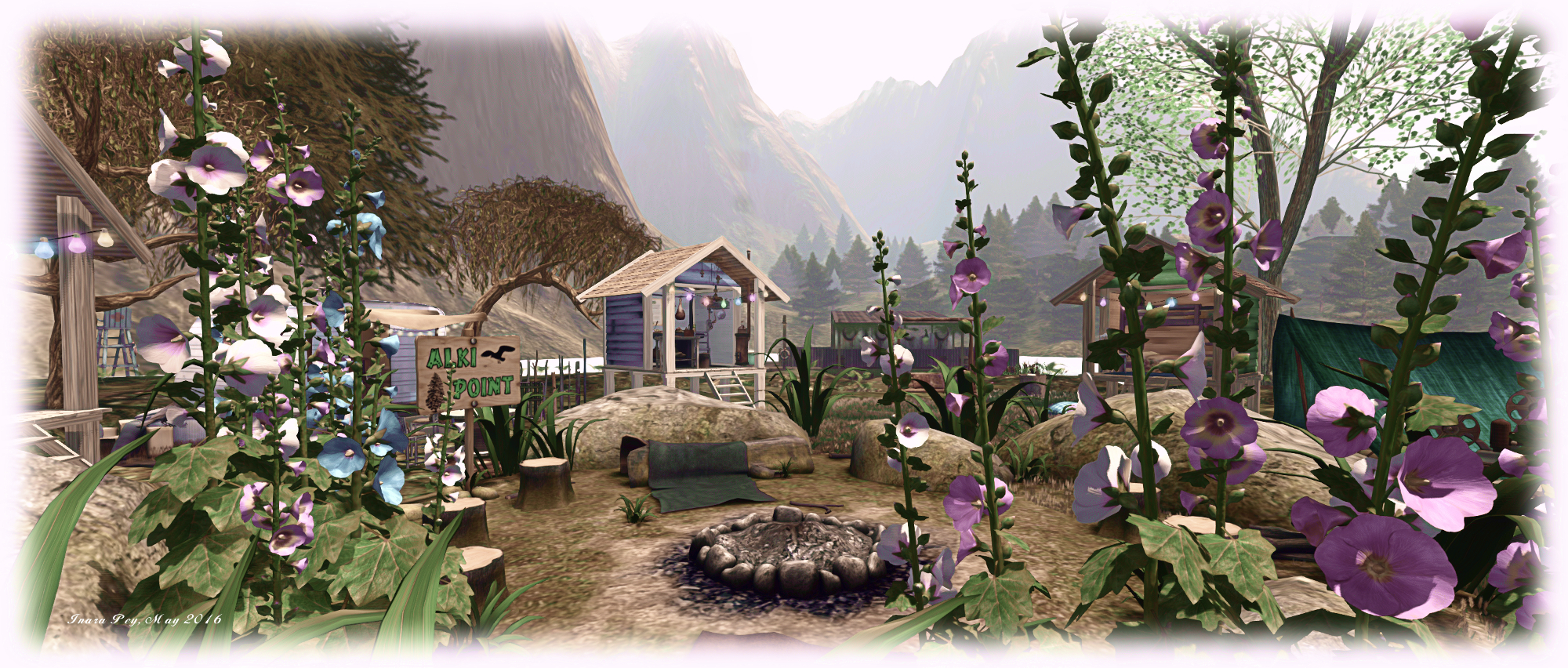
I first visited Alki, the music and scenic region designed by Zoidyn (Zoidyn Kytori) and Alana Onyett, far back in 2013, which is Second Life terms, is almost a lifetime ago. Back then, it was described as an “evolving project inspired by the Pacific Northwest”, so I was curious to know what might have changed in the intervening years.

The overall answer might at first appear to be “not a lot”: the landscape is still the same, there’s the same mix of venues, the paths are familiar, and so on. However, the region has changed in subtle ways – but that’s the point of evolution; things don’t happen overnight, they happen over time.

Alki
Alki

The high plateau dominating the north side of the island is still there, but the Z&A coffee-house, one of several music venues in the region, and the neighbouring art studio both occupy different buildings when compared to my original visit. These now sit to one side of a slightly redesigned plateau, complete with sidewalk, street lamps and a large paved area on which sits a model of the original coffee-house and art studio.

Getting up to the plateau is a case of either following the tree-lined path which curls its way between cliffs and trees up to the heights, or via a steeper climb up the wooden stairs clinging determinedly to the east side of the plateau’s cliff. Getting down, however, is an easier affair: just grab the zip line that will take you across the landscape below to the rugged hills to the south of the region.

Alki
Alki

Well, easier to a point – it’s still a bit of a scramble to get down to ground level again, but when you do, the rest of the region is yours to explore – and there is a lot of it, whether it’s the west-facing beach, looking out over the bay with plenty of snuggle spots and under the watchful gaze of the Dragonfly Inn, or around the lake eastwards, through the woodlands to the camp-site and an activity area offering sailing, Greedy, Greedy, a children’s playground and a water slide; or northwards around the lake, under the lee of the platea, and along the path to the open-air music venues.

To the east sits a small island, reached by pedalo, with a contemplative oriental garden for Tai Chi followed by tea, and with caves to be explored below. Northwards of this, rising on sturdy wooden legs from the water, is the Z&A Fun Factory, where an assortment of table games, arcade games and other distractions can be found, including an annoyingly addictive game of rock, paper, scissors!

Alki
Alki

When regions seem to come and go, sometimes with barely a blink between arrival and departure, it’s good to see places like Alki continuing over the years, offering a place both familiar and new to visit and re-visit and enjoy. Should you decide to hop over and take a look, do please consider a donation at the landing point to help ensure it remains a place to be shared in the coming months and years.

SLurl Details

  • Alki (Rated: Moderate)

Lyrical abstraction in Second Life

Gallery 24: Ieko Catnap

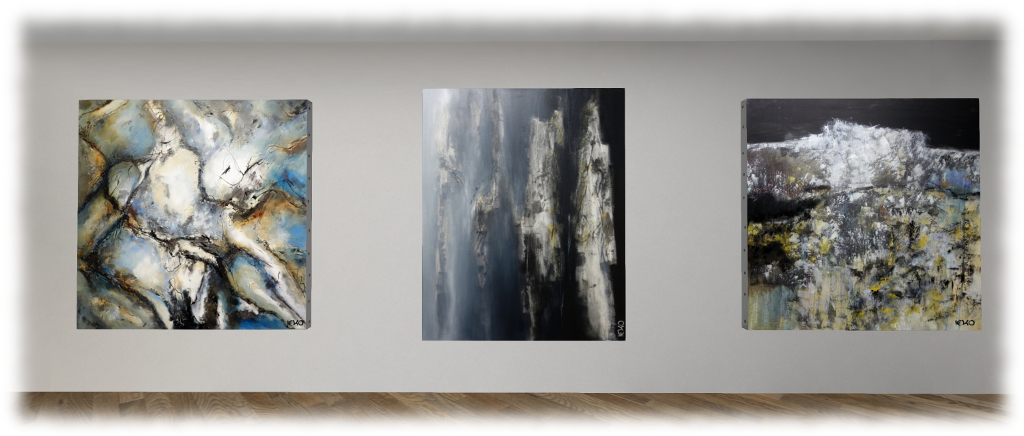
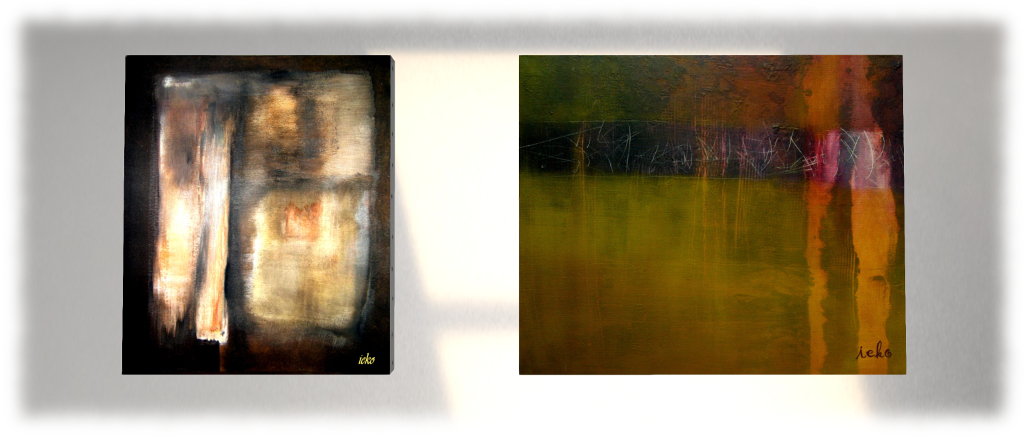
Open now at Kayly Iali’s Gallery 24 is an exhibition of work by French artist Ieko Catnap, who presents some 29 pieces of her physical world art uploaded to Second Life.

“I’m a lyrical abstract oil painter,” Ieko says of herself, “working in traditional mediums, although sometimes I include interesting materials such as silk, paper, light wood, fibres, human and dog hairs.”

Gallery 24: Ieko Catnap

Lyrical abstraction tends to cover two distinct, but related post-war modernist art trends. Given her background and training, it’s probably fair to say that Ieko leans towards the European (and French-founded) Abstraction Lyrique. The premise of the art is that it is “lyrical” – expressing the artist’s emotions; or perhaps more precisely, their emotional outlook and a desire to >communicate concepts, thoughts, ideas, and emotions abstractly, and often in a primal way – hence the tones and colours often found within the paintings.

The pieces displayed at Gallery 24 beautifully reflect the rich diversity of the movemen. Some of them have a definite, primal feel to them – notably those on the mid level of the gallery alongside the stairs to the upper floor. Others are more lyrical / spiritual in form and tone. “Everything around me – music, books, news, inspires my art,” Ieko says of her work, “I try to share my reactions with the audience.”

Gallery 24: Ieko Catnap

Having trained as a graphics designer in the 1970s, Ieko worked in that mean for almost two decades, before studying at the CEPAGRAP art school in Saint-Dié-des-Vosges, fulfilling a lifelong ambition to be an artist.

Abstract art may not be to everyone’s liking. However, this is an exhibition I would recommend. Lyrical abstraction has a unique range of voices, and Ieko Catnap is well versed in all of them, as she so ably demonstrates at Gallery 24.

SLurl Details

With thanks to Kayly Iali for information on Ieko Catnap


SL project updates 16 19/1: server, viewer

Playa Flamingo; Inara Pey, May 2016, on Flickr Playa Flamingoblog post

Server Deployments Week #19

There was no deployment to the Main (SLS) channel on Tuesday, May 10th.

At the time of writing, the planned deployment of a new server maintenance package to the RC channels planned for Wednesday, May 11th, was under question as a result of an outage of Aditi, the Beta grid, throwing out the testing schedule for the updates. Should it go ahead, this deployment is described as “Minor internal improvements. No visible functional changes to Second Life.”

SL Viewer

The Quick Graphics viewer is still awaiting update, which should occur once it has been merged with the current release viewer (formerly the Maintenance RC viewer). This leaves the SL viewer list unchanged from the end of last week:

  • Current Release version: 4.0.4.314579 (dated April 28), promoted May 5th – formerly the Maintenance RC viewer
  • RC viewers:
    • Quick Graphics RC viewer, version 4.0.4.314426, dated April 26th
  • Project Veiwers:
    • Project Bento (avatar skeleton extensions) viewer, version 5.0.0.314884 dated May 5th – this build contains several updates related to joint offsets and meshes and slider changes
    • Oculus Rift project viewer, version 3.7.18.295296, dated October 13th, 2014 – Oculus Rift DK2 support (download and release notes)
  • Obsolete platform viewer, version 3.7.28.300847, dated May 8, 2015 – provided for users on Windows XP and OS X versions below 10.7.


Lab Chat #3: transcript and audio

Lab Chat #3: Saffia, Troy, Oz, Ebbe and Jo

Friday, May 6th saw the third in the Lab Chat series take place in-world, featuring guests Oz Linden, the Director of Second Life Engineering, Troy Linden, a Senior Producer of Second Life and of course, Linden Lab CEO, Ebbe Altberg, in his alter-ego of Ebbe Linden.

The session focused on a mix of questions submitted to an official forum thread ahead of the event, and questions taken directly from the audience, and this transcripts offers a breakdown of the questions asked and answers given.

Please note that in places the audio presented has been edited to remove asides, repetition or removed inaudible elements, and so may differ in length and content to the official recordings made of the session. However, no attempt has been made to alter the content or context of the answers supplied by Ebbe, Oz and Troy.

For ease of reference, the session has been split into two parts, and the following Quick links will take readers to any specific topics of interest to them, and further topics can be navigated to by either returning to this page, or using the Quick Links summaries provided within the Bento / Second Life and Project Sansar pages.


“If you just build it, They might not come: promoting events in Second Life” (4)

4-poster-1
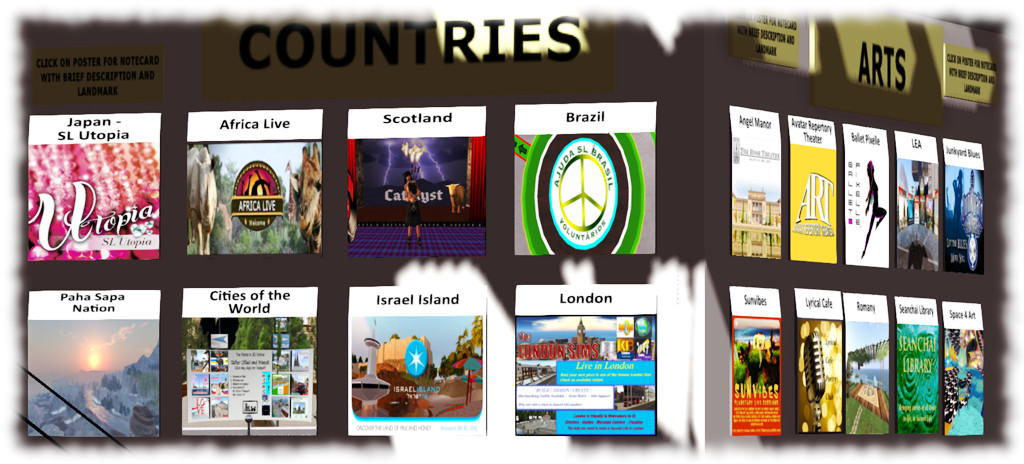
One of many poster walls at Whole Brain Health’s Cultural Hub. So many images!

by Caledonia Skytower

Part 4. Creating Visual Collateral

“Visual Collateral?  What the heck is that?”  The word “collateral” is used here as an adjective, such as “accompanying; auxiliary.” Another possible interpretation would be “additional; confirming.”

Visual collateral refers to anything visual or graphics related, that you need to promote your event or venue.  It may seem like a real fancy way to say “make a poster”, and perhaps it is.  But as your promotional strategy gains sophistication, and your reach extends beyond the immediacy of your friends list, you will find that you need more than just a single image to get the news of your event out effectively.  You need different versions of your image to fit different uses and promotional formats.  You create a core image, and then collateral!

I couldn’t be more grateful that there was a pause between Part 3 and this post. I was struggling with how to share these ideas without pointing fingers at people’s posters and saying “that sucks!”  The break enabled me to go through an exercise in humility that effectively brought me back to what is really important when you are creating this kind of work: what is the purpose of an image? How and where is it being used?

I have been peripherally involved with a long-standing event in SL that has an established visual brand – an easily recognizable style in their promotional graphics that they use over and over again.  I have been critical of their poster work.  Openly critical.  The graphic design work is beautiful, but to me they failed as functional collateral on several levels.

This year I was more directly involved, and I got to experience the event from an inside perspective. It changed my view entirely. I realized that I had completely misread the application of the images – how they are used.  The event itself is immense even by virtual terms. Individual components of it have to be promoted within the extended event area.  THAT is the primary use of these images.  They are not really for outside use, or social media.  They work effectively on the website because the other basics are taken care of by the page text (see post #2 – The Basics – Who? What? Where? When? How?).   The festival event itself is so large that other brand images (really simple ones) get people into the greater event, and these images help them make decisions on sub-sets of activity. How and where you use your images is important.

So everyone’s first sure-fire reaction to planning an event is “we need a poster” and that’s not a bad reaction.  Next time you find yourself thinking that, try adjusting your thinking to “core image” and grab a notepad and pencil. Start writing down all the possible uses for that visual image and ask yourself if one version of your core image will satisfy all those needs.  Be brutal.

A poster that works well in your in-world venue or at information centres may not look so great on a facebook post, in Google+, or on a website.  If you are sending out images with press releases, not all bloggers or media outlets use the same AR (aspect ratio) for their pages and if you don’t provide images that they can use (both portrait and landscape), they are not going to clog up their posts with what you did send.

There are some missteps that happen when you use a single image for everything. I have been guilty of some of these myself, and some become unpleasant habits.  Be conscious that not every poster/image “fits all”:

  • Don’t use an image that says “click for info/information” in an application where it is not linked to anything.
  • Try not to use a background image so complicated that your basic information is lost against it (Quick test: throw your eyes out of focus – do you still see “what/when/where” easily? effortlessly?)
  • Avoid using a 1:1 image aspect ratio in social media or other applications not designed for that. You end up with a BIG, dominating square image and your accompanying text is diminished and ineffective

Why would size matter? On an in-world poster, residents can move their cameras in close to look at your image.  For your average 19″ monitor screen, that can be quite a large image. I did a quick survey of various SL related blog sites and websites, and the largest images averaged 4″ x 6″ on-screen.  Popular social media such as Facebook and Google+ run to comparable limits of 5″.  Those dimensions are based on my smallest screen (19″) and many people’s screens are even smaller. You should consider that when planning your visual campaign – some people may be seeing your image on a notepad or even a phone.   Keep it strong and simple enough that people want to zoom in to it because it looks interesting, not because they can barely read it.

In all these cases, you can usually click on an image to see an enlargement, but that too can be of limited help. Your objective is to make it easy for people to get to your information.  Adding clicking steps is counter to that intent.  Every click you add, loses the interest of more people.  Social media marketing guru Guy Kawasaki suggests that you keep you images at a max 500 pixels for any kind of post. So, consider those relative sizes when deciding what version of a poster you need based on how and where you intend to use it. Do you intend to promote on social media?  You may need a version of your core image specifically for that.

Lest we forget, the basics! Every choice that you make in promotion has to communicate one of these basic informational objectives.

I have recently seen several posters for prominent events (an awards event and an artistic performance) that had a slew of sponsors, presenters, artists and participants on them. It is great to see that many people pulled together for an event, but you have to be able to actually distinguish their names to appreciate it.  Save such details for a Lobby Card at your event, where you can make it as large as you have room for, or on your website.  In both cases I ran into these images on Facebook and was immediately overwhelmed by their visual clutter.  I couldn’t get them large enough to read all the text. A simplification of the image would have been much more effective. Size does matter! I refer you to the very first post in this series:

“Forget the catchy subtitles, or the extensive explanations.  Distil the essential details into quick bites, simple phrases, and make them prominent.  The other information is just that: “other.”  Once someone’s attention is caught, THEN you can dazzle them with your witty descriptive prose and all the cool people who are making things happen.”

It is easier than ever to create attractive poster images, even for those with layman’s graphic skills.  I myself am a good poster artist, though no one will ever mistake my work for those highly accomplished in the graphics industry. If you don’t have that skill set, make friends with someone who does and treat them well.  You have to start with an image for your background that reflects the activity in some way: it’s theme, or some vision of what it will be like participating (i.e. is it a fun dance party? a lyric poetry event? is it wild? is it serious? are there crowds or is this an intimate experience?).

Choose your image carefully.  Images with people active in them are always the best, but if they are low quality snapshots that scream “SL 2010!” you are better off to go for an image that reinforces your theme even if no avatars appear in them. If you are promoting a musician or DJ, have several different high quality core images of the artist to work from so you can adjust them to fit the venue and the set.  If people see the same image over and over, used for multiple gigs at multiple venues, it can become visual white noise.

One of the most effective posters for a musical event that I have seen is a poster which the musician (who happens also to be a graphic designer) uses for one of the venues he performs at weekly.  He is not pictured in this poster, nor is the venue.  The image base is a silhouette over the heads of a crowd of dancing people.  It’s says “dance” and “fun” without those words ever appearing.  He uses different images for different gigs, all of them good, but that is the most successful one I have seen: a simple message, clearly depicted.

So let’s quickly review:

  1. Choose a strong image for the core
  2. Evaluate where the image will be used and how many different versions you will need to accommodate different uses and formats
  3. Cover your basics: Who? What? When? Where?, and as appropriate How?
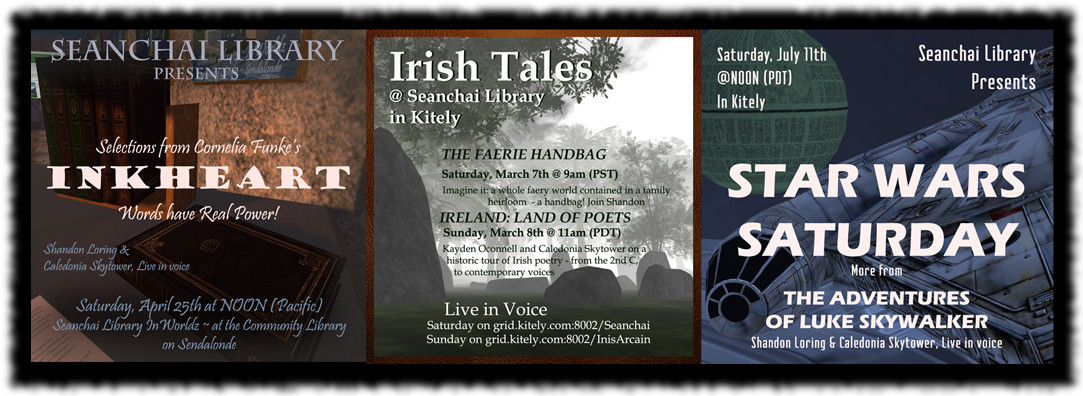
Three examples of promotional images I have created that I know they are imperfect by my own stated criteria. Can you identify their individual strengths and weaknesses? Which image do you think is the most successful?

What’s left?  One final consideration relates to distribution, and I cannot give you clear-cut guidance on this one.  It is something you need to consider as it impacts how and where you intend to distribute your images: are promotional graphics “art” or “marketing”?  It seems like a silly question, yet time and again I receive No Transfer  posters from people (so I cannot push them out to groups I promote to) and No Mod (so if they did not make them the size I have space for, they don’t go up) or otherwise treated as precious.

If you choose to lock down your collateral to No Mod / No Trans, there are some very good reasons why you might.  My personal opinion is that proprietary artwork is counter to the objective of promotion. Yet, while it has been a long time since I heard of anyone abusing someone’s poster or poster art, I can conceive that people have had those experiences and have taken steps to be cautious.  So, I’ll be fair and say the amount of proprietary control you exercise over your collateral pieces is a choice.

If you make the choice to lock-down the work, you need to accept that you will be handing your collateral to one person at a time, and it will go no further than that one person’s immediate sphere of influence.  Sending it out to groups, or getting people to help you promote by enabling them to pass you poster on to other interested persons who might also display it or share its information cannot work locked-down collateral.

The best marketing is always positive word of mouth, or “buzz.”  If you can create buzz without barrier-free distribution, then you can afford to be more proprietary.  Most of venues and events don’t have that luxury. If you have issues around this, especially when working with a volunteer staff, I suggest you include on your list of collateral the need for a “non-precious” version that you can target for wider distribution. Then pass it out like candy.

Sending out images or posters with permission change instructions is not effective either. Once it is out of your hands, you no longer have control over it.  Accept that.  Your time is much better spent focusing on making your event or performance the very best that it can be, not acting as the poster police over use enforcement.

NEXT POST: Building a network.

Catch the Entire Series

If You Just Build It… is a multi-part series. To catch up with everything, follow the links below.

  1. Blasting the Myths
  2. The Basics: Who? What? Where? When? How?
  3. Words matter. So does how you use and share them