Important note: The SL Go service is to be shut down on April 30th, 2015. For more information, please read this report.
Dennis Harper, Senior Product Manager at On Live has been slipping out word that the company’s SL Go product has been updated.
On August 14th, e-mails were sent to those SL bloggers who previewed SL Go ahead of the launch, announcing that the update resolves the fitted mesh issue which saw any fitted mesh items distorted and stretched to the 0,0,0 point in a region when viewed in the initial release of the viewer. Dennis’ e-mail to me announcing the update reads:
Hi Inara,
This is not a huge announcement, but we finally got an update to SL Go that is compatible with the new ‘fitted mesh” feature. I’d like to get the word out there to SL Go users, and hopefully to some the used SL Go but cancelled due to this bug.
SL Go is still alive and kicking here at OnLive. This code merge took way longer than anyone expected, but now we have a clean version representing the latest code from Linden. Now we get to work on the cool stuff. We have some great plans for the near future that I’m sure you will be excited about.
If you have any questions, please let me know. Thanks again for all your support.
-Dennis Harper-
Sr. Product Manager – SL Go by OnLive
The SL Go viewer now supports fitted mesh, as this screen capture of me wearing one of LL’s new default mesh avatars demonstrates
Dennis recently contacted me concerning the need to continue to enhance and refine the SL Go product, and asked if I could help spread the word about the company being willing to offer viewer developers paid contract work in order to help them achieve this goal.
The request resulted in my drafting and publishing a press release / article on behalf of OnLive in early June. So far as I’m aware, the company is still seeking support and assistance with the project, so if you are a TPV developer, and you’d be interested in helping OnLive carry the product forward, adding additional features (and even advising them on features), tweaking the UI and so on, please refer to that article and drop Dennis an e-mail at: dennis.harper@onlive.com.
In the meantime, the fitted mesh update is now live, and should be available to users the moment they log-in to Second Life using the SL Go viewer (obviously, as the viewer is streamed as a part of the service, there is no need to download and viewer update). Congrats to Dennis and the team.
There have been a number of reports in the media of late about a potentially significant breakthrough in the fight against Parkinson’s disease. These reports, which have appeared on the pages of the Parkinson’s UK website, and through agencies such as Time Warner Cable News, are about a new vaccine which might slow, or even stop, the progression of the disease.
The vaccine is being developed in Austria with partial funding from the Michael J. Fox Foundation for Parkinson’s Research (referred to simply as the MJFF), and the publication of the reports on the work suggested an opportunity for me to write about the ongoing work of TeamFox SL here in Second Life in the battle to find a lasting cure for Parkinson’s disease, and in helping to support people diagnosed with Young Onset Parkinson’s Disease.
Parkinson’s is a degenerative disorder of the central nervous system, which manifests itself in many ways. The most visible symptoms are related to movement: shaking, rigidity, slowness of movement and difficulty with walking, but it can cause bladder and bowel problems, speech and communication difficulties, vision disorders, and can also give rise to psychological problems such as depression. Around one in 500 people suffer from the disease world-wide and there is currently no known cure, although symptoms can be controlled through medication, therapy and, in some cases, surgery.
It is most often seen as a disease affecting people of 50 or older, but this in itself masks a fact: a form of Parkinson’s disease can strike people at a much younger age, and one in twenty of the 8 million Parkinson’s sufferers worldwide is below the age of 40. This variant of Parkinson’s is known as Young Onset Parkinson’s Disease (YOPD). It differs from older onset Parkinson’s because genetics appears to play a stronger role in YOPD compared to older onset, and the symptoms may differ, together with the response to medication.
Michal J. Fox highlighted the fact that Parkinson’s, often considered an “older persons” disease, can strike at any time, when, at the age of 29, he was diagnosed with Young Onset Parkinson’s disease (image via Photo: Laura Cavanaugh/Film Magic)
One of those under the age of 40 who was struck by the illness was Canadian-born actor, Michael J. Fox, who started showing symptoms as a YOPD sufferer when he was just 29 and filming Doc Hollywood. In 1998, he revealed his condition to the world before establishing the MJFF in 2000, which is dedicated to carrying out research into both combating the symptoms of Parkinson’s disease and to finding a cure. It is now the largest non-profit organisation researching Parkinson’s.
Funding such an aggressive research campaign as run by the Foundation doesn’t come cheap, although they are massively targeted in how they spend their funds. So, to help with fundraising efforts, and in response to Michael’s fans wanting to help with efforts in 2006, the MJFF established Team Fox, a grassroots community fundraising programme. In the eight years since it’s formation, Team Fox has raised over $27 million to help the Foundation’s research through a wide range of public-focused activities and events – which include Second Life, where TeamFox SL is helping to lead the fight.
TeamFox SL was founded by Solas NaGealai. In 1999, well before her involvement in Second Life, she was diagnosed with YOPD. “It was the same time as Michael J Fox disclosed his condition to the public, making my diagnose less tragic and me feeling less alone,” she says of her situation. “The hardest part about being young with Parkinson’s is learning how to juggle a career and a family, along with the life changing illness.”
When first diagnosed, Solas was a full-time fashion designer. However, as the illness progressed, she was forced to leave that career behind. Fortunately, her discovery of Second Life allowed her a way to re-engage in her passion for design, and she founded her own fashion label at Blue Moon Enterprise.
Even so, she wanted to do more, particularly to help with the Foundation’s work. “I knew I could not sit idle,” she says. “To quote Michael, ‘Our challenges don’t define us. Our actions do.’ The strength and optimism I saw in Michael created a spark inside me. With that optimism, I wanted to find a way to give back to the MJFF, to show support and help.”
That way came with the founding of Team Fox. Not only did Solas direct 100% of the proceeds from the sales of her SL designs to Team Fox, she also established TeamFox SL in 2008, the first Team Fox presence to be established in SecondLife, and to be officially sanctioned by the organisation.
Solas wearing one of her own gowns
Team Fox SL is dedicated to raising funds for the MJFF, disseminating information about the disease, and providing support for those diagnosed with the illness and their families. In this latter regards, TeamFox SL places special emphasis on providing information on YOPD and helping those diagnosed with YOPD.
This focus is for two reasons; the first is Solas’ own experience as someone diagnosed with YOPD who has trod the route faced by many others diagnosed with the condition and the unique challenges it presents. YOPD sufferers are faced with having to consider how to manage a chronic disease while engaged in career, perhaps raising a family – or even starting a family – and maintaining as high a degree of wellness as possible for as long as possible.
The second reason for the focus on YOPD is the SL demographic itself. YOPD affects people who are 40 or younger; an age range which probably defines the greater portion of SL users, and so it is probable than many of those diagnosed with Parkinson’s and who use Second Life are afflicted by YOPD.
In terms of fundraising, TeamFox SL helps to organise events and activities throughout the year and works closely with other Parkinson’s disease support groups in Second Life, particularly Creations for Parkinson’s, established by Barbie Alchemi, the daughter of Fran Seranade, whose own remarkable story I covered in these pages in 2013, and has also been the subject of The Drax Files: World Makers.
Perhaps one of the most high-profile events co-organised by Solas and co-hosted by TeamFox SL and Creations for Parkinson’s, was the Michael J. Fox Premiere Party, held at Angel Manor in September 2013 to mark the star’s return to television in his own series, and at which a staggering L$425,000 was raised in just three hours through donations and a special silent auction.
The Colder Water, located on the homestead region of Daydreams, is without a doubt one of the most atmospheric and evocative regions I’ve visited. Both minimalist in one direction, yet rich in content and imagery in another, Jordan Giant’s design has an immersive attractiveness that is quite breathtaking.
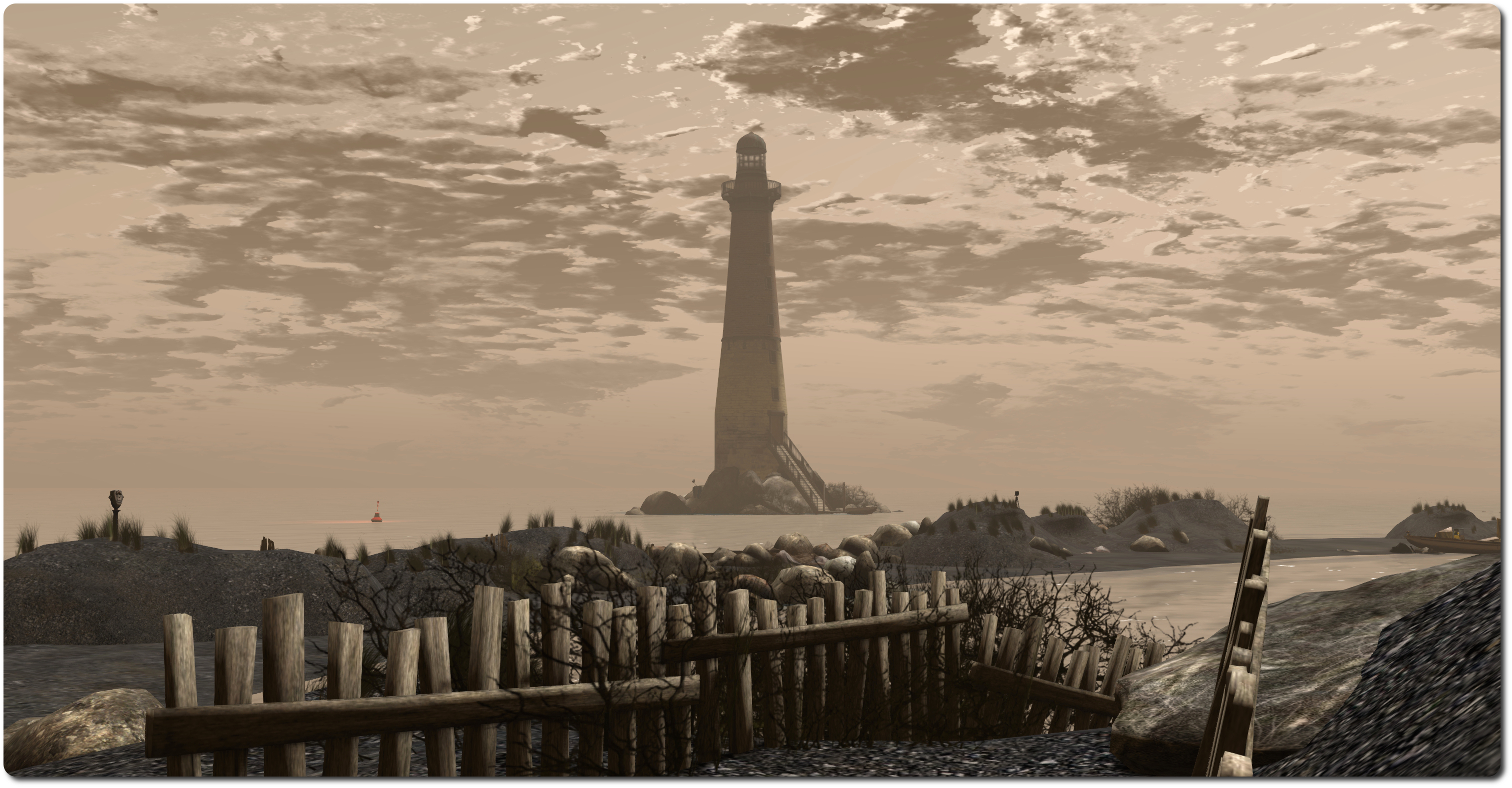
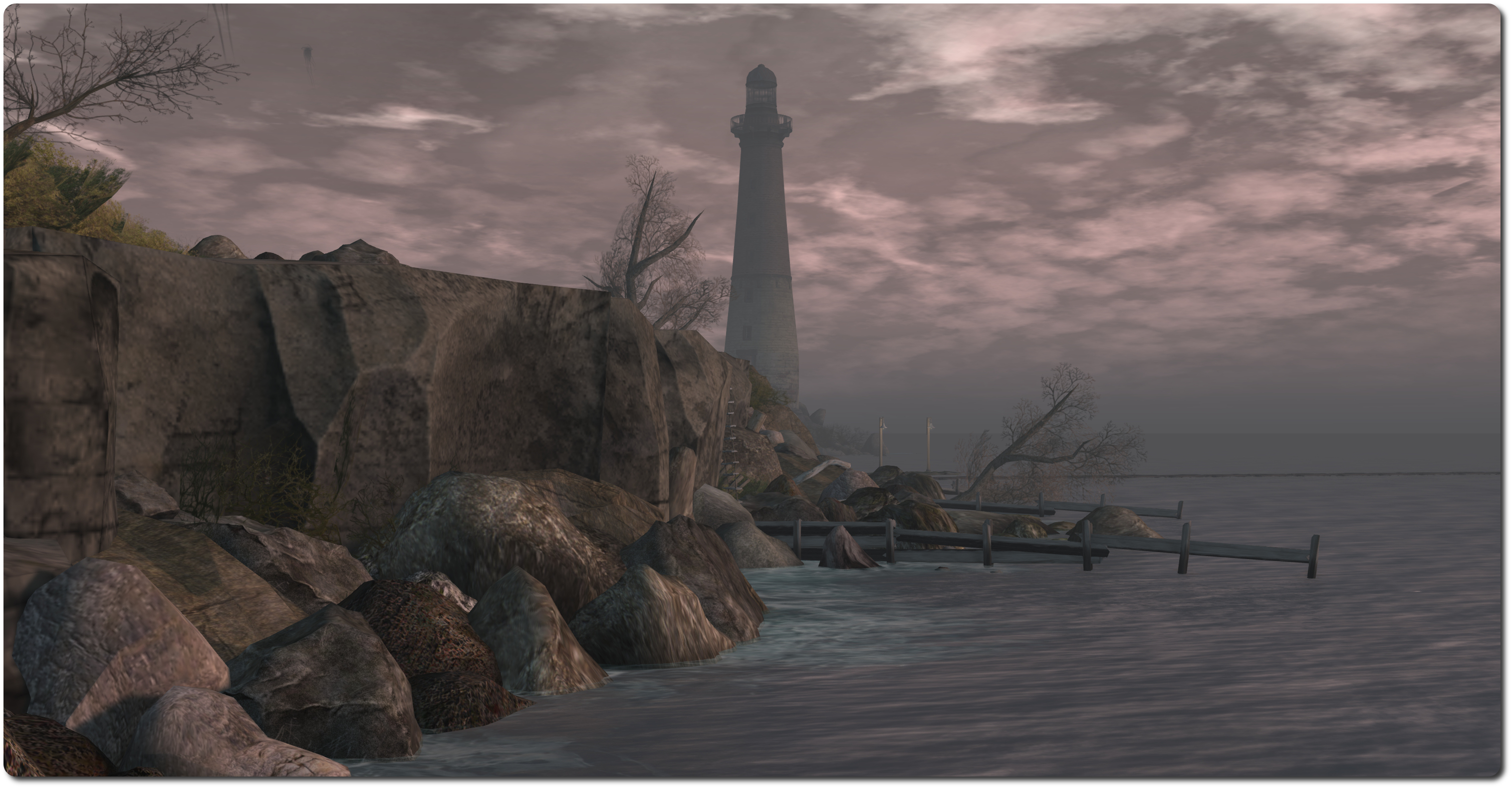
A curved island, what might be all that’s left of a long-extinct and drowned volcano, sits low in the sea, black gravel beach curving gently between two uprisings, each with its own lighthouse. The slender form of a third rises from rocks a little offshore, forming a triumvirate of silent watchers.
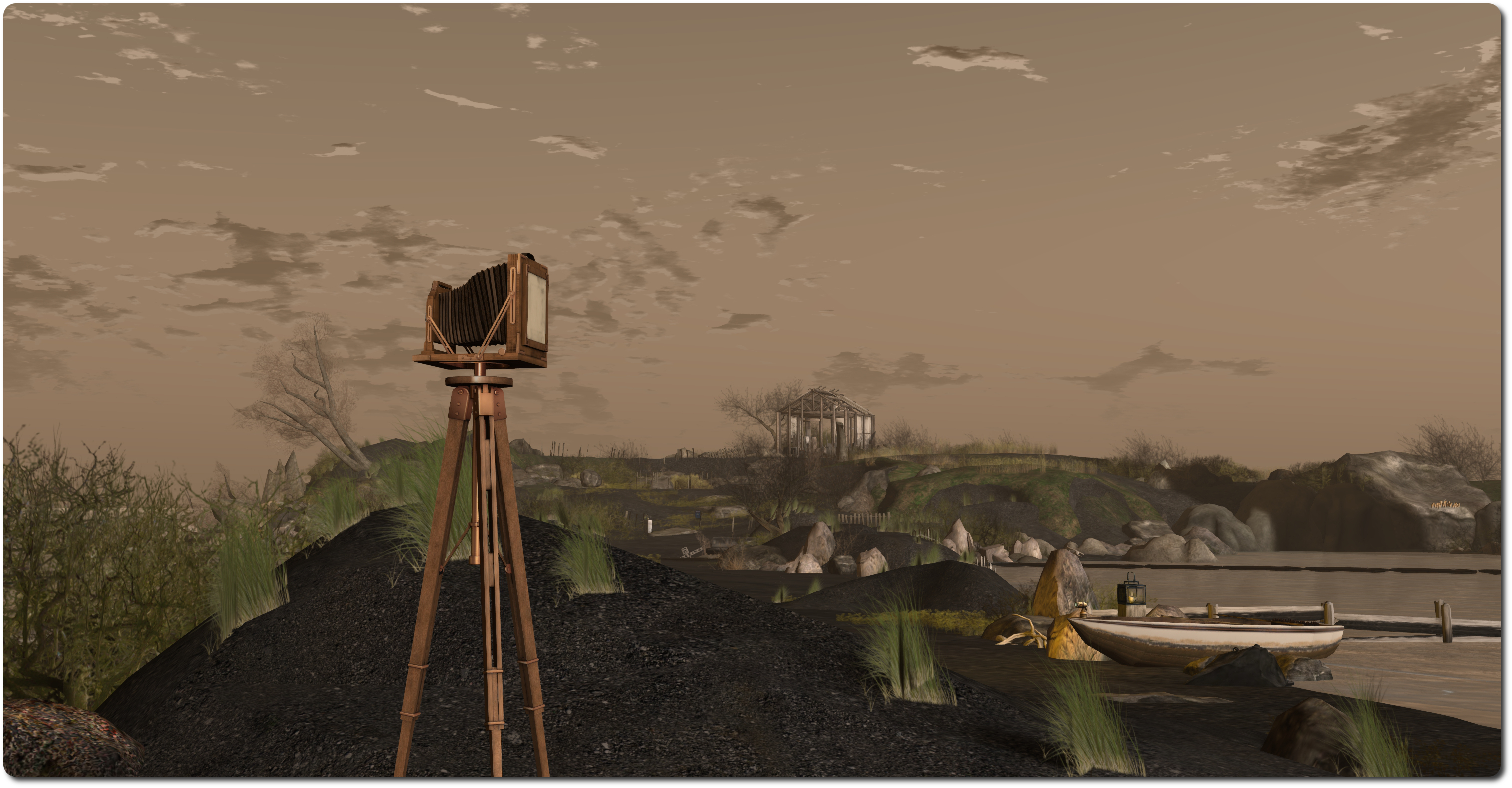
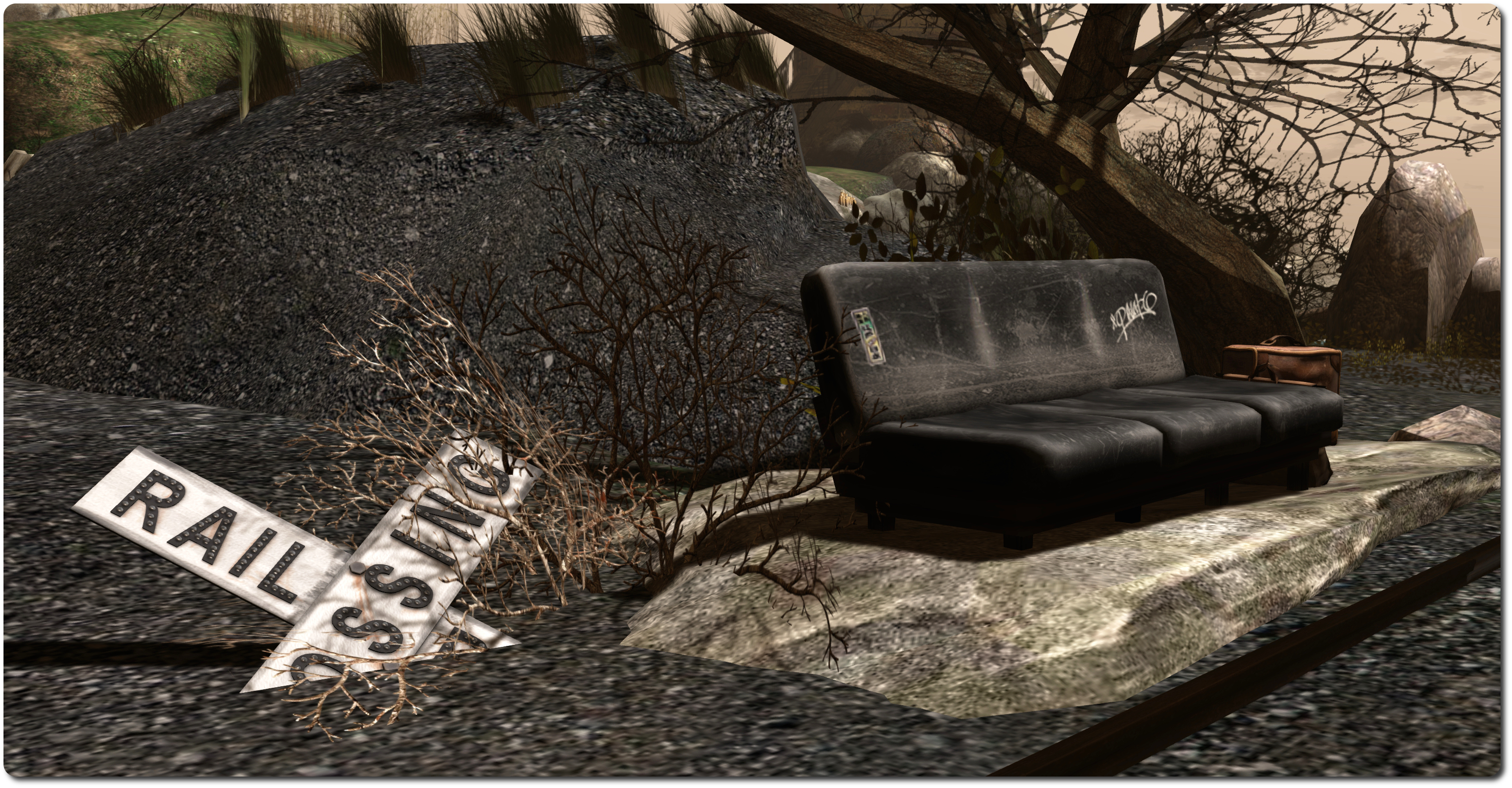
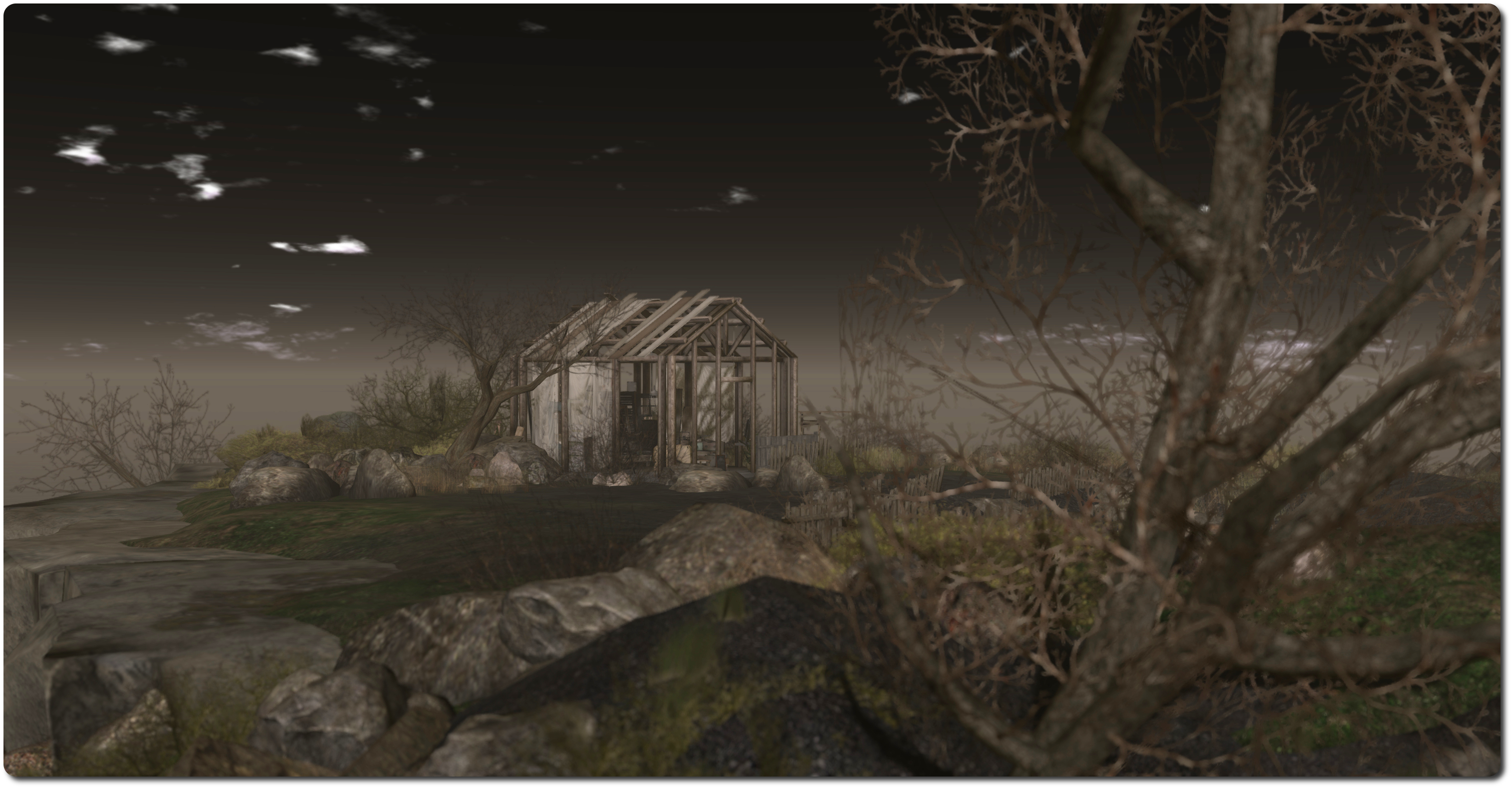
The island, largely bare of foliage other than moss, tough grass and skeletal trees, shows odd signs of former habitation. A railway track cuts across the narrow neck beneath the western uplands, running out into the shallows on either side. A path from here leads up through lines of old fencing to an old shed or wood-framed house sitting in disrepair on a low rocky plateau, the rounded flank of a lighthouse nearby.
There is a feeling of quiet age here; the lighthouses all stand deserted, two with lights extinguished and the third rudely decapitated, iron dome almost lost amidst the rocks at its feet. In the grey waters, buoys flash a warning in place of the sweeping lights from the brick-built towers, and even these appear to be uncared for; one has broken from its anchor chain to be carried among the rocks by the flow of the tide.
There is a haunting beauty to this island that seeps into the mind; a quiet voice encouraging the visitor to say, or those who have departed to return once more. There is an enigmatic feel to this place as well; the volcanic shores suggestive of an otherworldy place, a sensation enhanced by the jellyfish floating overhead.
But above all, this is a place which speaks of tranquility within its suggestion of age and distance. As it speaks to the mind, encouraging one to to stay, so to does it soothe the soul. The balance here is perfect, and further enhanced by the selected tracks of the audio stream, which is an absolute must listen for visitors. Also – make sure you view the region with the default windlight (I’ve used alternatives in some of the images on this page).
Berry has offered-up another Monday Meme, this one on system specs and viewers. As my “new” PC has just reached its first anniversary (and is already starting to look a tad long in the tooth compared to some), I thought I’d give one of my intermittent replies.
The instructions are simple: share your computer specs and answer the following questions.
Share any of your computer specs (video card, memory, etc..) Click here if you don’t know any of those things or just share the year you bought it. The specifications of my primary system, and default viewer settings are on my system specifications page, together with those of my laptop and tablet. Additional points on the primary system: motherboard: Asus P8-Z77-V LX2; PSU – Corsair RM 850W Gold; Cooling – air (water capable), with front, rear and dual side fans + CPU fans; monitor: HP 1440×900 19-inch flat panel. Currently on my wish list is a Space Navigator; I’d like to give “proper” machinima a go
Which viewer do you use most often? Firestorm, although just about every current TPV installed as well as several of the SL viewer RC’s and project viewers, all for review purposes, and I do swap and change between them on occasion
What is your FPS (Frames Per Second) when you have your graphics on Ultra? No idea. I find High sufficient for most things and push to High-Ultra for reviews / photographs. FPS is a very subjective figure, given the number of factors that can impact it. On my home region, with all the graphics bells and whistles enabled, I can average an FPS in the 50s with the neighbours around, and tends to be around the same in most “quiet” regions. Elsewhere it can bottom-out in the teens.
How often does Second Life crash for you? Is it usually just a viewer crash or your whole system crashes? What are you usually doing at the moment of the crash? Rarely, and on those occasions when it does, it’s usually just the viewer. I used to suffer crashes when flying / sailing in SL, but since swapping my service to fibre, those instances have ceased (crosses fingers). I do occasionally hit a graphics memory issue when being overly ambitious taking photos at really high resolutions (e.g. 4000 px across or greater. I now tend to keep to 3000 across as my upper limit).
Do you know of any tips or tricks in the settings that could improve performance? Just as a short general list of viewer-focused suggestions for daily use:
Don’t ramp-up up your bandwidth, follow Firestorm’s recommendations; don’t ramp your LOD ridiculously high 3-4 should be sufficient for most things (I think this is actually capped, but can’t remember); keep your draw distance reasonable; don’t ramp-up the number of concurrent mesh requests the viewer is making, it won’t improve things, but could end-up hurting you and others (LL have done a lot of work in this area, but viewers opening 100s of HTTP connections to a server are still a problem); don’t clear cache as a first resort when hitting an issue
Drop your particle count down unless you specifically need it high. Particles are all viewer-side, so it’s just extra work for the GPU if you’re not taking any notice of them.
Use the Max. No. of Non-impostor Avatars slider (Preferences > Graphics) to reduce the number of avatars your GPU has to completely render when in busy regions (e.g. set to 0 or just above – unless you’re taking photos, of course!)
If you have a system with limited memory, don’t have dozens of tabs open in your web browser when running SL; you’ll just have the browser and the viewer vying for resources.
One day, I might even get one of these out the day Berry actually posts a meme, particularly given I actually started this one on Monday before things started distracting me!
It’s another lightweight week in terms of deployments.
On Tuesday August 12th, the Main (SLS) channel received the server maintenance package deployed to the RC channel in week 32, which primarily includes the JSON issue “Valid JSON numbers like 0e0 no longer valid after 14.06.26.291532″ (BUG-6657). As noted in week 32’s report, this “fix” in fact roll backs the fix for an earlier JSON issue (BUG-6466) which appears to have triggered the more recent issue. A fix for both problems is now currently in the works
There are no RC channel deployments for week 33.
SL Viewer
As I reported here, a new version of the experimental log-in viewer arrived on Friday August 8th. Version 3.7.14.292660 has yet to appear on the Alternate Viewers wiki page, but displays a revised log-in screen which has the log-in credentials moved to the top of the screen.
The new log-in splash screen sees the removal of the Create Your Account option and the placement of the log-in options at the top of the screen in a new header area
In addition, for users logging-in to Second Life for the very first time using the viewer (or who have performed a completely clean install), a very simple log-in screen is displayed, which explains to users that they’ll be logged-in to a Learning Island, where they’ll have to find their way to the exit portal in order to proceed to a Social Island (both the Learn Island and Social Island being elements introduced to the new user experience in July 2013).
There was no Open-source Development meeting on Monday August 11th or Simulator User Group meeting on Tuesday August 12th, as the Second Life technical team are all attending a planning / brainstorming session. These meetings will resume as usual in week 34, with the Server Beta meeting on Thursday August 14th the next scheduled User Group meeting.
Other Items
Windows BCU Exploit
This isn’t a project update or notification from Linden Lab. I’m including it here for ease of reference.
A note card is circulating from the United Content Creators of SL relating to an exploit using the Browser Configuration Utility (BCU) which can be found on Windows systems.
BCU is described as a “Search Hook Addin is an Internet Explorer URL search hook that redirects search results when an address or search keyword is entered into the web browser.” Among other things, it is sometimes bundled with Gigabyte motherboards, although there have been reports that it can also be shipped with Asus and other main boards. It’s been a known source of potential annoyance since mid-2009.
According to the UCCSL note card, some people are using BCU as a phishing exploit using profile weblinks, streaming media, media on a prim and perhaps even via bots wearing transparent prims with streaming media. To quote the note card:
This Exploit redirects your Viewer to another website other than SL that will display the normal SL login screen, then tell you that your login credentials are incorrect. while it is telling you that your login credentials are incorrect, it is collecting your login data. At this time we have found hundreds of web resources that are transmitting this infection, and a large number of user profiles with these links in them.
Apparent signs of infection are that the viewer takes a lot longer to initialize when you try to start it, and it fails to recall your user name, if saved, and the note card refers to an EULA being displayed, which I assume is a reference to the ToS.
The recommended means of dealing with the issues is to:
Use the Windows Task Manager’s Process tab to see if your computer is running BCU.exe*32 and BCUService.exe (make sure you use Show Process from all users if more than one person uses your computer)
BCU can generally be removed from a computer without affecting its performance or use, so you may want to check your system and remove the utility altogether, either via the Control Panel > Programs and Features or manually (the utility should be around 356-357 KB in size according to DirectVM)
Go to the SL website at http://www.secondlife.com, and use the account section of your dashboard to change your password. Logout and log back into the website to confirm your updated password
As further precautionary measures, disable your viewer from playing media automatically and from playing media attached to other avatars (both under Preferences > Sound and Media). Also, if you have a viewer with the media filter installed, make sure you have it enabled so you can check audio streams – but remember the filter doesn’t provide any safeguard against media on a prim, so always be wary of untrusted MOAP sources. Finally, don’t click on links in the profiles or people you don’t know / trust.
The Lab has been experimenting with a revised log-in screen for the official viewer. The viewer, version 3.7.14.292660, is referred to as offering “a simple and clean login screen for new users.”
In actual fact, the viewer offers two log-in screens, although one of them (shown in the image below) will only be displayed the very first time a new user runs the viewer (or if an existing users performs a completely clean install of this release candidate).
The log-in splash screen new users will see when launching the viewer for the first time (or existing users will see following a clean install)
Those who have previously logged-in to Second Life (or have not performed a clean install) will see a more familiar log-in screen on starting the viewer, and will immediately notice that the log-in credentials area has been relocated to the top of the screen (see the image below).
The keen-eyed may also notice that the Create Your Account option that used to appear over on the right of the log-in credentials area, and which was introduced as the Lab were making the viewer available through Steam, has been completely removed.
The new log-in splash screen most users will encounter sees the log-in credentials area moved to the top of the screen and the removal of the Create Your Account option
The new header area offers three independent log-in options:
At last location – as most users will be familiar with, logs you in to your last location; you’ll also be logged in to that location if you type-in an avatar’s name and password and tap ENTER as per the current viewer log-in screen
My Favourite Places – a drop-down which lets you choose to log-in to your home location, or any landmark you have dragged and dropped into the viewer’s Favourites Bar / the My Favourites folder in your Inventory
The familiar Type a Location text entry box, allowing you to type-in the name of a specific region / sim to which you want to log in.
Note that if you have the grid selection drop-down active, it appears to the right of the log-in options, as shown in the enlarged view, below.
A closer look at the revised log-in area and the three separate options
Relocating the log-in area like this certainly makes it a lot more attention-grabbing for new users, although existing users are likely going to have to go through a period of muscle memory re-training to get used to things, assuming this progresses to the status of being the de facto release viewer.
I suspect the three log-in options, with their separate buttons may generate a mixed response among existing users; I’m not altogether convinced by them myself. I assume that things have been done this way due to the addition of the My Favourites drop-down, combined with feedback from new users as to what they’d like to see. However, when taken as a whole, the approach comes over as clumsy and potentially less than intuitive, particularly when compared to the older version, which offered a logical left-to-right flow of information.
Outside of the log-in screen updates, this version of the viewer doesn’t appear to contain any additional functional updates, but does include a fix to prevent the viewer crashing when opening Preferences.
One thing I did notice while fiddling with this version of the viewer, is that if you already have landmarks in your viewer’s Favourites Bar / in the My Favourites folder, they may not actually appear in the drop-down in the log-in area until after the first time you’ve used the viewer to log-in to SL. Similarly, should you subsequently log-in with another version of the SL viewer, you will need to log-in to SL at least once with this viewer to get your Favourites to again be displayed in the drop-down. Given most users don’t hop between different versions of the same viewer that often, this shouldn’t be a problem for those opting to grab a copy of this viewer and take it from a run.
At the time of writing, the viewer has yet to be added to the official Alternate Viewers wiki page, as it is experimental. I suspect it will appear there soon if the project is carried forward. In the meantime, please use the link to the release notes and download options at the top of this page if you wish to look at the viewer yourself.
 Important note: The SL Go service is to be shut down on April 30th, 2015. For more information, please read this report.





 Inara Pey: Living in a Modemworld