That fractals as art fascinate me is no secret. I’ve covered Gem Preiz’s work several times in this blog, and more recently enjoyed Mac Kanashimi’s marvellous Dragon Curves at the LEA. So when I heard by way of Caitlin Tobias that Mac had another fractal-based art exhibit opening in SL, I had to add it to my places to hop over to.
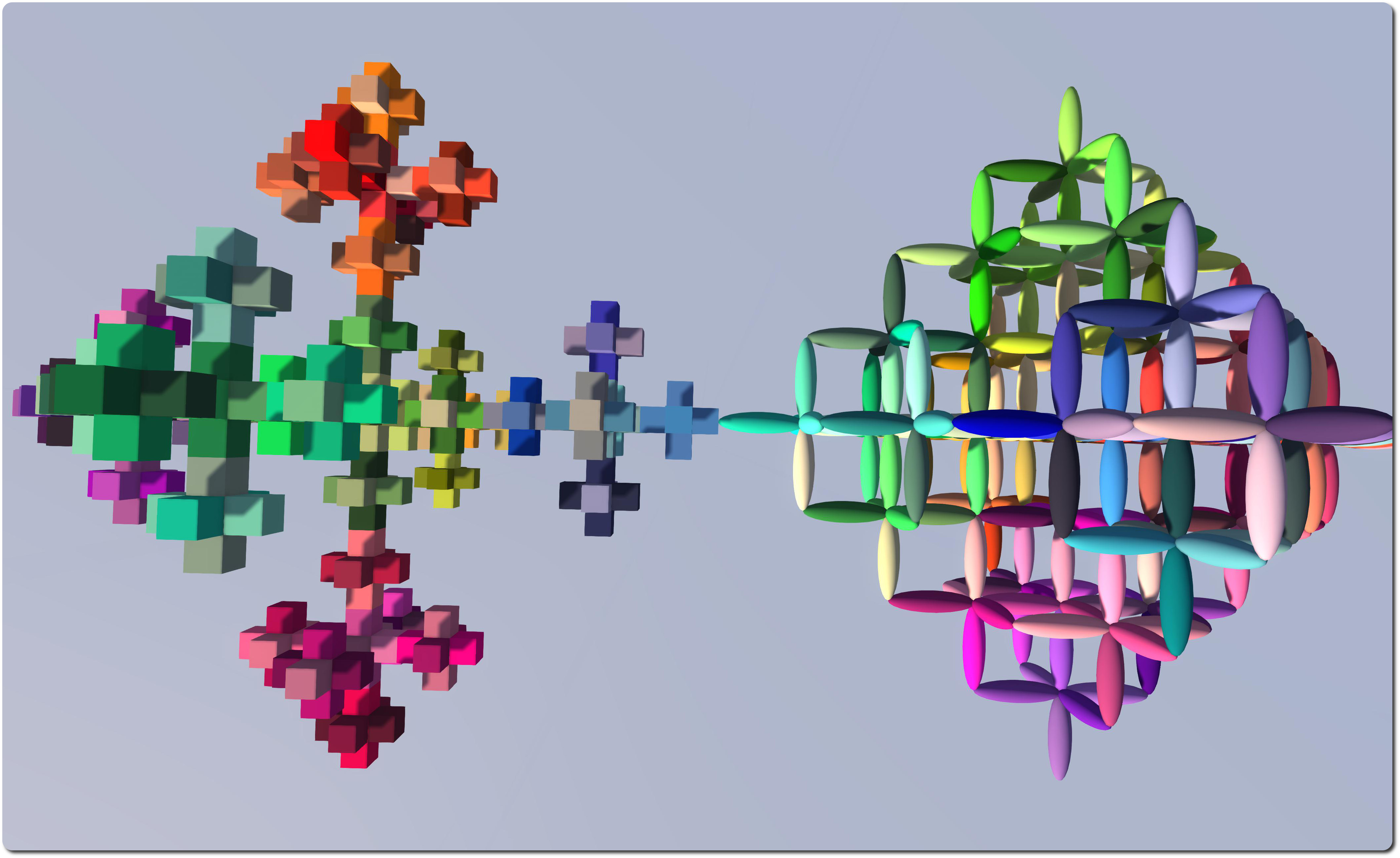
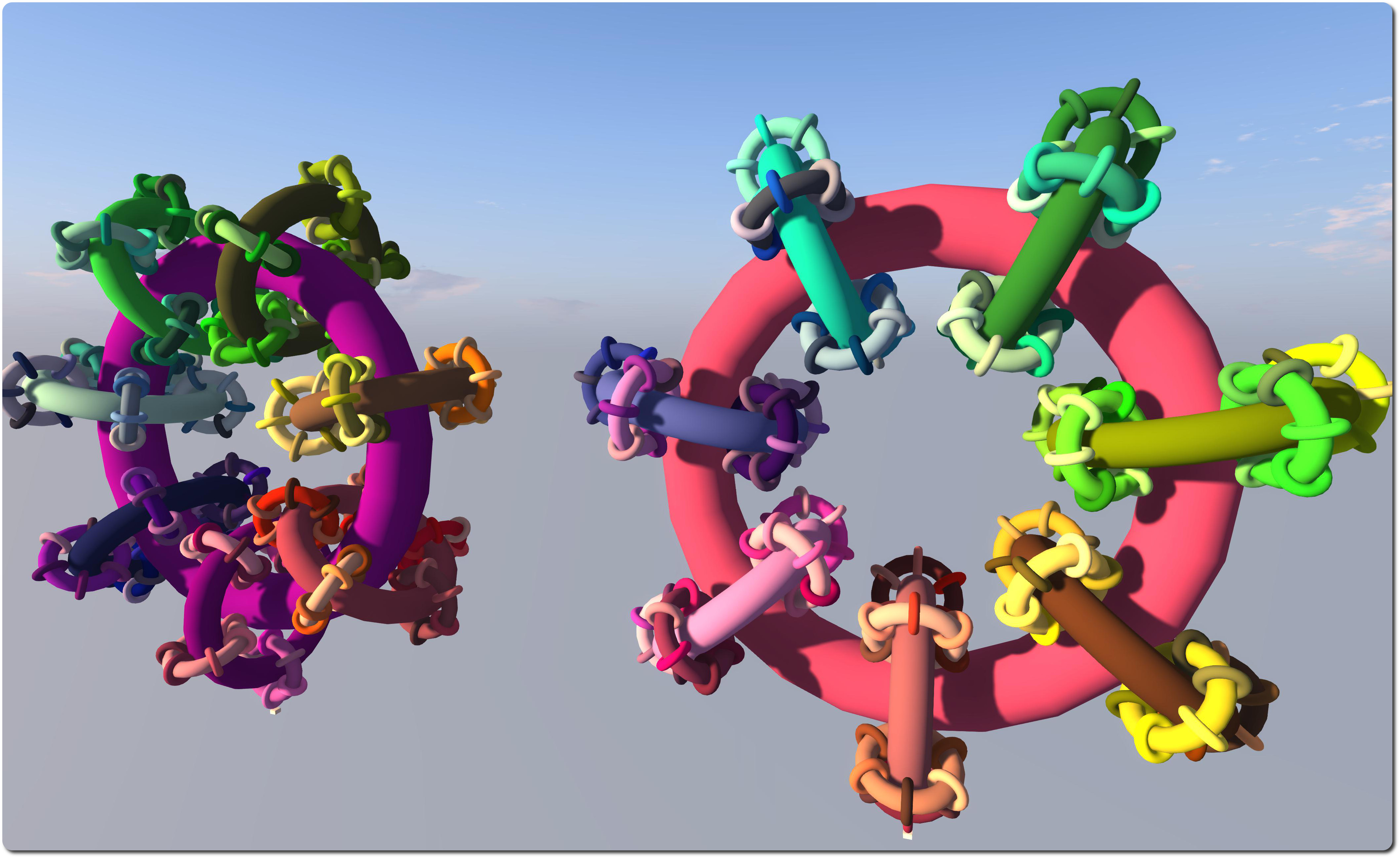
3D Fractals opened at SperiMenta on Monday March 31st, although I missed the actual opening. Co-hosted by SperimentArt & Tanalois Art, it is like Dragon Curves, located high in the air. However, it is also on a much smaller scale, not that this makes it any less interesting. It features two pattern generators which, over a period of time, individually generate a range of deterministic fractals defined by their Hausdorff dimension, and which – once rendered – stand both individually or as a pair.
The fractal forms created by the generators include the greek cross, Hilbert curve, Htree pattern, Menger sponge, octahedron, Sierpinski triangle (tetrahedron / pyramid), solenoid fractal, and Vicsek snowflake. Several of the shapes have additional complemented or inverted forms as well, and all are cycled by the generators in turn, each appearing for several minutes at a time prior to the next being rendered.
If all this sounds terribly dry, it isn’t; the shapes can be quite fascinating to watch and compare / contrast as they rez and are coloured, their structure a mix of prims and mesh. If you decide to visit, and assuming your viewer supports de-rendering, I suggest you temporarily de-render the black platform prims over which the shapes appear. This give a much better impression of them, as they seem to hang in the air, and allows for a spot of photography as well!
Trinity Dejavu of the Catznip viewer team provided me with a brief update on things relating to the viewer. The team have been working on the next release of Catznip (R9), and are already starting to look beyond it to future versions.
“We’re starting our beta test programme for R9 and beyond,” she told me on Thursday April 3rd, “And we’re going to move to a release often and early policy rather than a HUGE update once a blue moon.”
Catznip R9 has been in development for some time and is approaching a point where it will be released in the near future. With R8 having been released in July 2013, the news of a more rapid release cycle is going to be good news for Catznip users.
Catznip runs both alpha and beta testing programmes, and details of both can be found on the Catznip wiki. However, in short:
The alpha group is to test very early versions of the viewer, and membership is by invitation only
The beta programme is not designed as an early means of gaining access to the viewer. Like alpha versions of the viewer, betas of Catznip are also liable to be incomplete, may have stability issues and will not be suitable for use as a primary viewer.
Those wishing to join the beta programme must be willing to comply with the following:
Use Catznip as their primary viewer
Be willing to undertake extensive (and repeated testing) of the viewer and viewer features
Have an account on the Catznip JIRA and be able submit reports
Be willing to allow the viewer to submit detailed crash reports to Catznip (see the team’s privacy policy)
Be willing to accept forced updates and have personal settings wiped
Preferably have a dual-boot Windows / Linux system and know what GDB is.
Instructions on how to sign-up as a Catznip beta tester can also be found on the Catznip wiki.
In reference to the next release (R9), the Catnip wiki states:
Catznip R9 is mostly feature complete, there are a couple of little bits we really want to get in if we can … The OSX version may be slightly delayed … cross your fingers.
Catznip R9 will have materials, new particles and fitted mesh from Linden Lab.
The major delay in getting the release prepped and out has been down to CHUI (LL’s Communications Hub User Interface), which had a number of unexpected impacts on viewer performance. As a result, Catznip have implemented a new chat interface, which they describe as:
Using a mixture of R8 and the best CHUI elements. The new chat interface is fast and tight with all the bells and whistles you expect (and maybe .. a few brand new ones).
There is currently no release date for the R9 version, but I’ll hopefully carry a review when it is launched.
Important note: The SL Go service is to be shut down on April 30th, 2015. For more information, please read this report.
In March 2014, Linden Lab and OnLive, the games streaming service, announced the open beta of OnLive’s new SL Go service, a means by which SL users could access Second Life via tablets and mobile devices using a full viewer streamed directly to the user’s device.
At the time of the launch, I was one of a number of people who were able to provide a review of the service, having been offered access to it ahead of the launch.
One area of upset with the service which quickly became apparent was the payment plan, which was based on a pay-as-you-go approach, with an hour of use costing $3.00, three hours $8.00 and ten hours $25.00. In response to criticism of the model, OnLive sought to make it clear through various mediums – notably Designing Worlds and Drax Files Radio Hour – that the plan was only an initial step, a means to gain data and feedback, and that options such as subscription plans had not been ruled out. The service also came in for criticism that it was only available in the USA, UK and Canada.
SL Go by OnLive: streaming Second Life to your tablet – but the initial pricing model caused upset
On Thursday April 3rd, OnLive followed-up on these comments by announcing they are both introducing a revised payment plan and extending the service to more regions. Linden Lab also followed-up with a post of their own. The OnLive announcement reads in part:
Since launching the beta of SL Go about a month ago, OnLive reports they’ve seen a very positive response to the Second Life® Viewer for Android™ that allows users to access Second Life over wifi or 4G LTE on tablets and laptops. Today, OnLive has updated the SL Go beta with new pricing:
Monthly unlimited-use subscription for $9.95 (USD) / £6.95 (GBP). No contract and no commitment
Reduced hourly rate: $1 / £0.70 per hour.
The previously available offer of a 20-minute free trial still stands.
In addition, and with the announcement, SLGo is now available in 36 countries worldwide, including Austria, Belgium, France, Greece, Iceland, Israel, Luxembourg, Scandinavia – even the Vatican City! The full list of supported countries can be found in the OnLive blog post.
SL Go on my Nexus 7 HD + keyboard
Commenting on the move, OnLive’s Vice President of Product and Marketing, Rick Sanchez, said:
We’re grateful for the opportunity to support the Second Life community, and pleased to be working with such a passionate and creative group. We look forward to further developing SL Go with their feedback and suggestions.
How popular this makes the service, remains to be seen. But for those on low-end computer systems who would like to have access to Second Life in all its glory, $9.95 might not be considered too much to pay per month until such time as they upgrade their systems.
Certainly, the $9.95 price-tag for the monthly is lower than the figure I had been anticipating following post-launch activities by OnLive; I’d been expecting the price to perhaps be on a par with their CloudLift service ($14.95 a month), which launched at the same time as SL Go. Similarly, dropping the pay-as-you-go rate to flat $1.00 per hour should make the occasional access via tablet or mobile device even more attractive you those who might need it. For those who are interested, and following-up from my initial review, I also have an article about running SL Go on a Nexus 2013 HD.
On Thursday April 3rd, Maya Paris returned to the LEA with what is in some ways the follow-up to her popular Celebrity Blow Your Own Tits Off, only this time she’s inviting people to discover the secret sauce of relationships … via spark plugs, fish and chips and a touch of sauce science which, visitors are assured, contains no dangerous or explosive chemicals.
Sauce, which forms a part of the LEA AIR round 6 entries, is designed to be enjoyed by people exploring it in pairs or as couples. As with Celebrity Blow Your Own Tits off, this is an interactive piece, with giveaways (including your very own spark plug avatar!), rides and more, which invites you to click, click, click as you explore. In difference to the earlier game, however, there is no overall aim or goal to the piece, rather the aim is to have fun in a British seaside saucy humour kind-of way, as Maya explains:
Slap on your wig and flash those knobbly knees because this time it’s personal.
Test your Sauce Factor, try your luck at the Modern Love Bureau, get sparky in the Saucy Science lab and take a headlong dive into a sea of plenty more fish&chips.
Maya kindly granted me the opportunity to partner-up with Honour McMillan ahead of the opening and try-out the installation. All I can say is – it’s fun. And I’m not entirely sure we discovered everything. Indeed, to say too much about this piece would be to spoil the fun; you need to explore it for yourself and the good of your own teeth / hair / relationship with a friend…
Transportation around the installation is via public telephone box. If journeying with a friend, you should each select the same one to get the most out of your trip. There are a number of boxes available at the start, depending on your hair / teeth status, and it’s up to you which category you choose. Do keep an eye out for the number 1, however. You’ll need that to find your way back … or out. And while the sauce my not be explosive, at least one lot of chips is, when fired from a fish…
As well as being a lot of fun, the piece seems to include some very English cultural references – the seaside humour and sauce, the fish and chips being two. There also seems to be an oblique reference or two to the 1960s TV series The Prisoner, with large penny farthing wheels emblazoned with a “9” that so easily might be an inverted “6”, and the appearance of translucent spheres prone to hunting you at one point. There’s even a hint of Brief Encounter with the trains…
However, I’m not saying a word about how the fireworks at the end might be interpreted! Instead, I’ll just say, go and enjoy. And take a friend.
On April 1st, the Firestorm team released and April Fools video in the spirit of their 2013 “Firestorm Mobile” hoax.
As fun it was, there was a secret within the joke which many – including me – missed at the first watching of the video, largely because we didn’t follow the suggestion and manually type the URL at the end of the video into a web browser.
For those who may have missed things, and to provide a frame of reference, I’m including the video in this post as well.
Jessica Lyon contacted me just after I’d published a post on the Firestorm and Catznip April Fools and gave me a proper “Gotcha!” So, having taken the time to stay quiet on the matter, as Jessica requested (and in order to go wipe the egg from my face!), I’m here to say, as many Firestorm users have been poking me about over the last 24-hours, that the Firestorm Dynamic User Interface isn’t a joke. It’s here. I’m using it. What’s more the Firestorm team have now blogged to confirm it.
The viewer,Firestorm 4.6.1.40484 is available for download for Windows only, and will run on both Second Life and OpenSim.
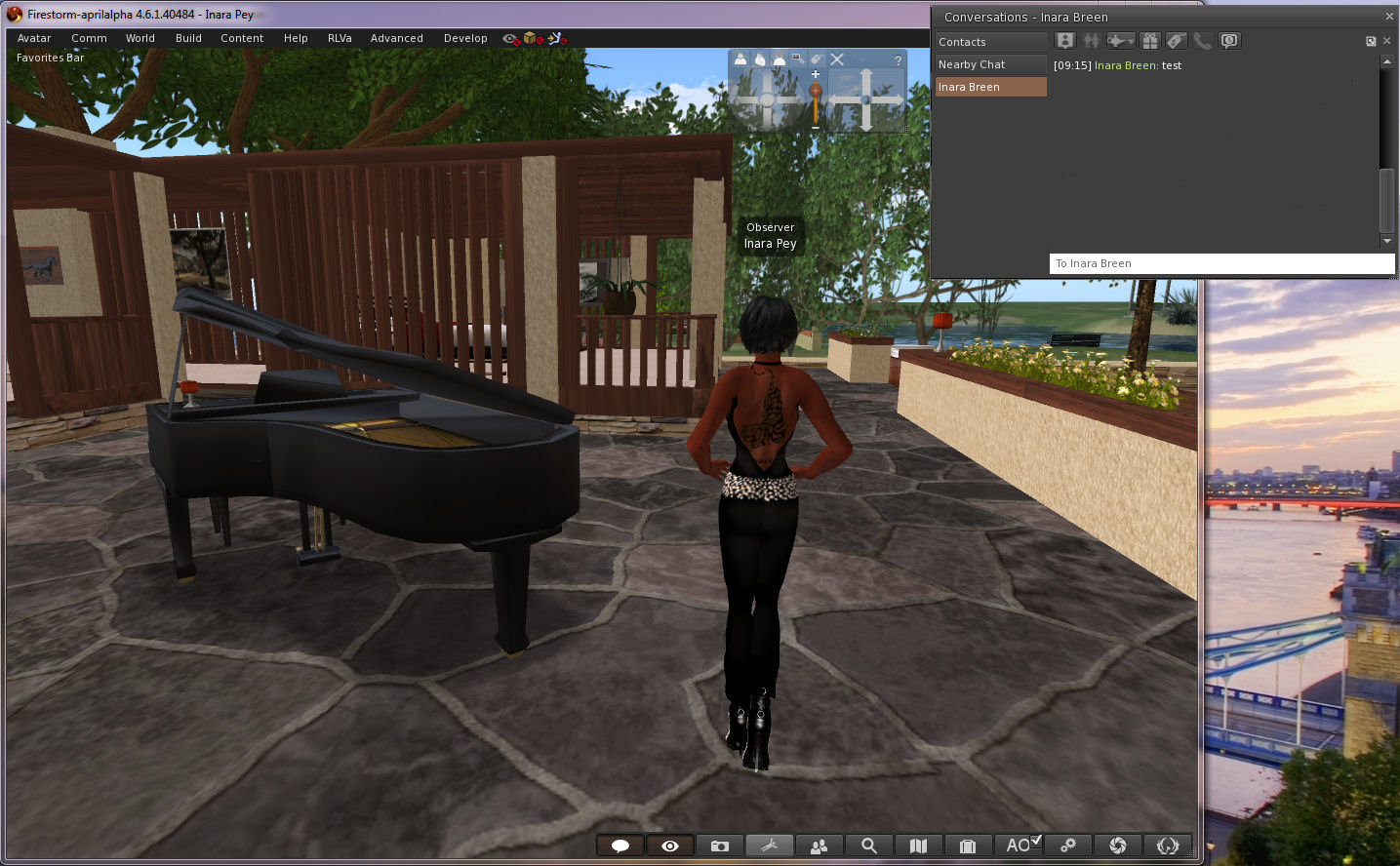
It really isn’t an April Fools – Firestorm 4.6.1.40484 really does allow you to move some floaters outside of the viewer window!
Now, the viewer – as Jessica and the team wish to express loud and clear – isn’t the finished article. It’s currently experimental, and as such, subject to unpredictable behaviour. It is not recommended for use as a primary viewer.
There are also some other points to note:
Not all of the floaters in the viewer may be capable of being pulled out of the viewer window. Those that can appear to float “above” the viewer window, rather than “in” it
Not all of thefloaters work smoothly at this time, and may be subject to jumping and / or, flickering, and options on menus associated with them may not be accessible as a result. There may be other issues, such as:
You cannot drag / drop items from the Inventory floater in-world
Conversations in the communications floater tabs may not scroll soothly
Floaters outside of the viewer window cannot be resizedYou cannot resize those floaters which can be moved outside of the viewer window
Torn-off menus cannot as yet be floated
The conversations floater can be pulled out of the viewer – but if you detach a specific IM tab, it will bounce back into the viewer window and cannot currently be dragged back out
Discussing the viewer with me after pointing out I’d been had with the April Fools video, Jessica said:
The intention is that we want to release this code in the hopes that ALL open-source developers out there, TPVs included, will pick it up. fix it, improve it, expand its capability and most importantly SHARE it with one another. It is my hope that this may become a catalyst to renew interest in viewer development among inactive developers and that ultimately this will open a whole new realm of possibilities for SL viewer technology moving forward.
We will not be assigning the gentleman’s agreement on this… it’s too important to make this about credit. I don’t care who releases it first as long as the code is shared equally. We will also work on improving it, but I think this should be a community effort.
Having detachable floaters like this has been one of the Holy Grails for the SL viewer, and has long, and oft been requested. However, the Lab has generally taken the view that to get something like this working would take a considerable amount of effort. The Firestorm’s team work is therefore very much pre-proof-of-concept, as their blog post on the matter indicates:
Firestorm DUI is little more than a very early proof of concept that a dynamic user interface is in fact possible with Virtual World viewers … our very own Nicky Dasmijn managed to come up with this in a relatively short amount of time, and we hope that it will translate to this functionality being available in a reasonable amount of time …
So, if you haven’t already taken it for a test-drive, and remembering the Firestorm DUI isn’t a release, and there may be issues with using it, and that it is not supported by Firestorm at this point in time. So again, when using it, please do notuse it as your primary viewer.
Please don’t report any issues with the viewer here; I’m not a part of the Firestorm team, and cannot help you. As mentioned above, the DUI viewer is currently unsupported!
On Tuesday April 1st, I previewed the new SL Share 2 project viewer, which has options to share messages and photos with your Twitter account, and upload photos to your Flickr account. The viewer also includes updated photo capabilities for Facebook sharing (as well as a new Facebook Friends tab).
On Wednesday April 2nd, the Lab officially announced the launch of the project viewer with a blog post which reads in part:
This SLShare update will allow you to share your Second Life experiences beyond Facebook. Twitter and Flickr sharing is just as quick and easy, complete with specific options relevant to each social network.
For Flickr, you will be able to name and add a description to your image. We have tagging capabilities so you can ensure other users can find the images you want to share. Maturity settings are a requirement for Flickr, so we’ve made it easy for you to set this right from the Viewer.
As noted in my preview, the viewer includes new photo processing capabilities, which the blog post describes thus:
This update will also introduce a set of post-processing filters that you can run your pictures through to create cool one-of-a-kind images! The new filters were inspired by the images posted to Flickr by Second Life Residents. With more than a million uploads, most of them enhanced by some post-processing, we thought it would be great to include this feature right in SLShare. These filters will work regardless of which social network you choose to share your Second Life pictures to.
But it doesn’t stop there. For those more technically savvy, we designed this feature to be modifiable by our users. If you’d like to create your own filters, check out the wiki page on this for more information.
The Twitter floater and preview pane, showing one of the preset photo filters applied – users can also create their own filters for inclusion in the floaters (Twitter, Facebook and Flickr)
As noted in my preview, the project viewer can be obtained from the release notes page, which includes download links to the Windows, Mac and Linux versions (as does the viewer’s entry in the Alternate Viewers wiki page). or by following the link in the Lab’s own blog post.






 Inara Pey: Living in a Modemworld